Units
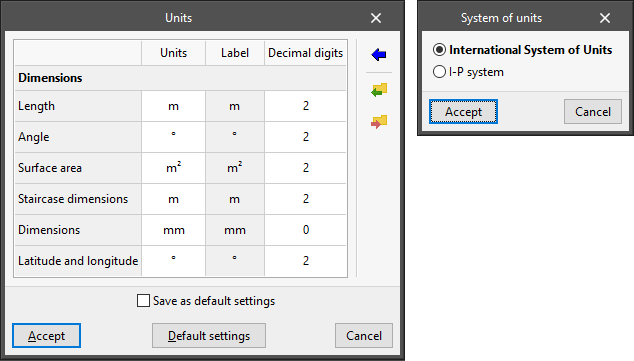
This is used to configure the project's system of units. The quantities available in the table depend on the program being used.
- "Units" column
Selects the unit of measurement for each of the magnitudes. - "Label" column
Displays the label identifying the selected unit. - "Decimal digits" column
Modifies the number of decimal places used to measure each magnitude in the selected unit. - Import one of the predefined systems of units
Using this option available on the right-hand side, the units from one of the following predefined systems can be imported automatically:- International System of Units
Imports the units from the International System of units. - I-P System
Imports the units from the I-P (Inch-Pound) or imperial system.
- International System of Units
- Import/Export
Using these options, the defined system of units can be imported and exported to files on disk.