View results by buckling mode
The results obtained by mode in the linear buckling analysis can be viewed using the following option, available in the "Buckling" section of the top toolbar, within the "Analysis" tab (under the "Structure" tab).

Buckling modes
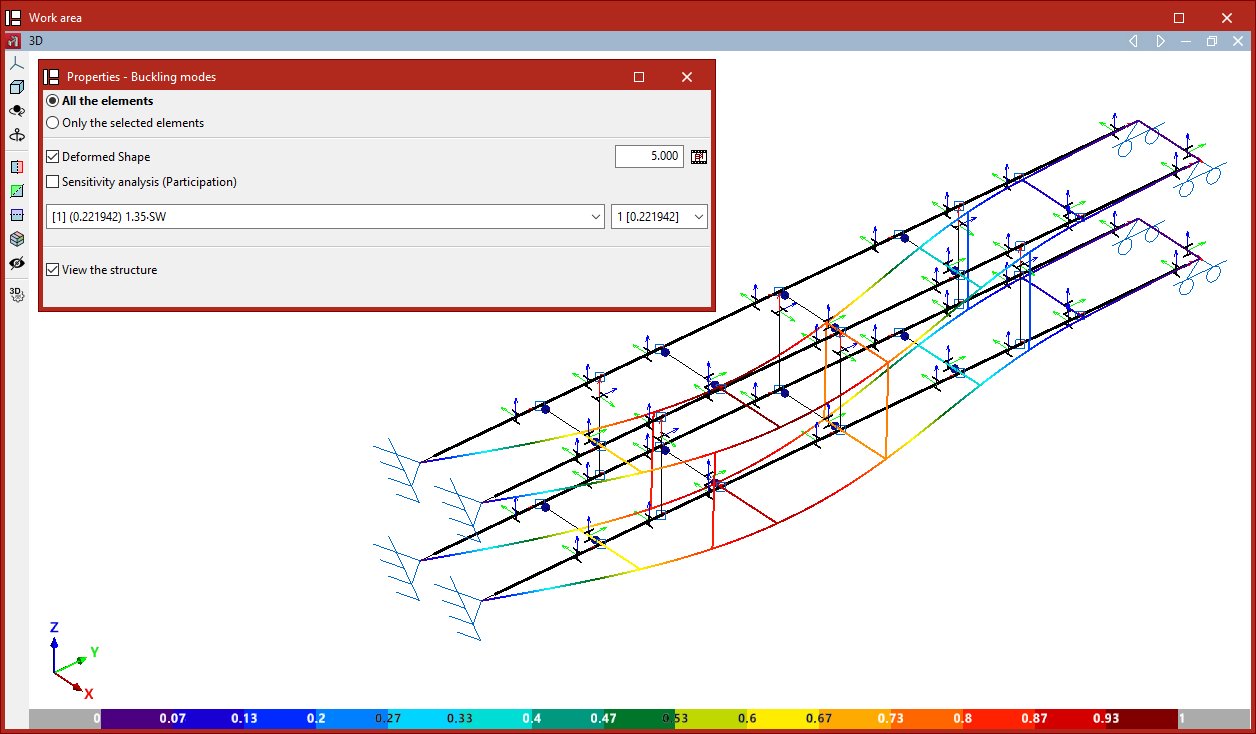
The "Buckling Modes" option allows you to view on screen the results obtained from the linear buckling analysis for the different buckling modes considered for each load combination.
In the "Properties - Buckling Modes" window that appears, you can choose to display "All elements" or "Only the selected elements".
You can then choose to display the "Deformed shape" view by entering a scaling factor for the deformation. Next to this, the button allows you to view an "Animation" of the selected buckling mode.
Use the drop-down menus below to select the load combination and buckling mode you wish to view:
- In the load combination selection drop-down menu, the mode number is shown in square brackets, and the critical load factor for that mode is shown in round brackets. The mode with the lowest factor in the list of modes is displayed.
- The buckling mode selection drop-down menu displays the mode number and, in brackets, its critical load factor.
The program can determine the buckling coefficients in each plane using the calculated values of the critical load factors obtained from the buckling analysis, and assign them to the bars by selecting the relevant option.
The calculated buckling coefficients are displayed in an information box that appears when you hover the cursor over the bars.
| Note: |
|---|
| The critical load axis (Ncr) is obtained by multiplying the critical load factor (αcr) of the buckling mode by the load-bearing axis of that load combination (Ned): Ncr = Ned * αcr Using Euler’s critical load formula, the buckling beta coefficient (β) for each member can be determined: Ncr = π²*EI / (βL)² β = (π/L)*(EI/(Ned * αcr))¹/² |
Sensitivity analysis
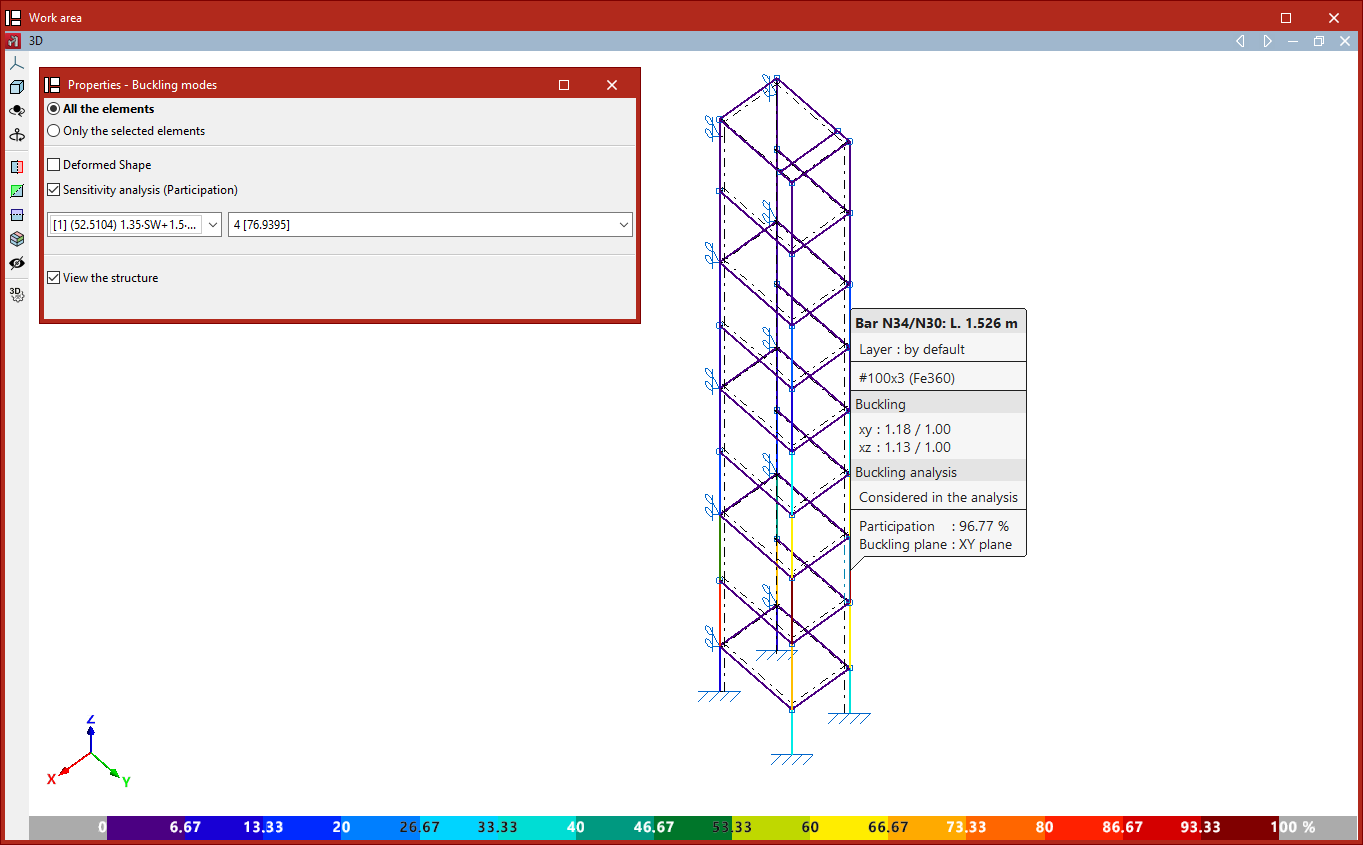
The program can carry out a sensitivity analysis based on the deformation energy, thereby determining whether each buckling mode affects or is relevant to each bar.
Ticking the "Sensitivity analysis" box displays the percentage contribution of each bar to the total using a colour-coded scale.
The bar that is most filled in will show a percentage of 100%. The other bars will show a percentage between 0 and 100%.
| Note: |
|---|
| If a bar has a very low percentage of participation in a given combination and mode, the bar will not sway, or will sway only very slightly. |