Defining the fixing conditions at the ends of the bars
The fixing conditions at the ends of the bars are defined using the following option, available in the "Bars" section of the top toolbar, within the "Properties" tab (under the "Structure" tab).

Fixing
The "Fix" option allows you to define the conditions for full or partial fixed ends at the ends of the bars, in the local XY, XZ and YZ planes.
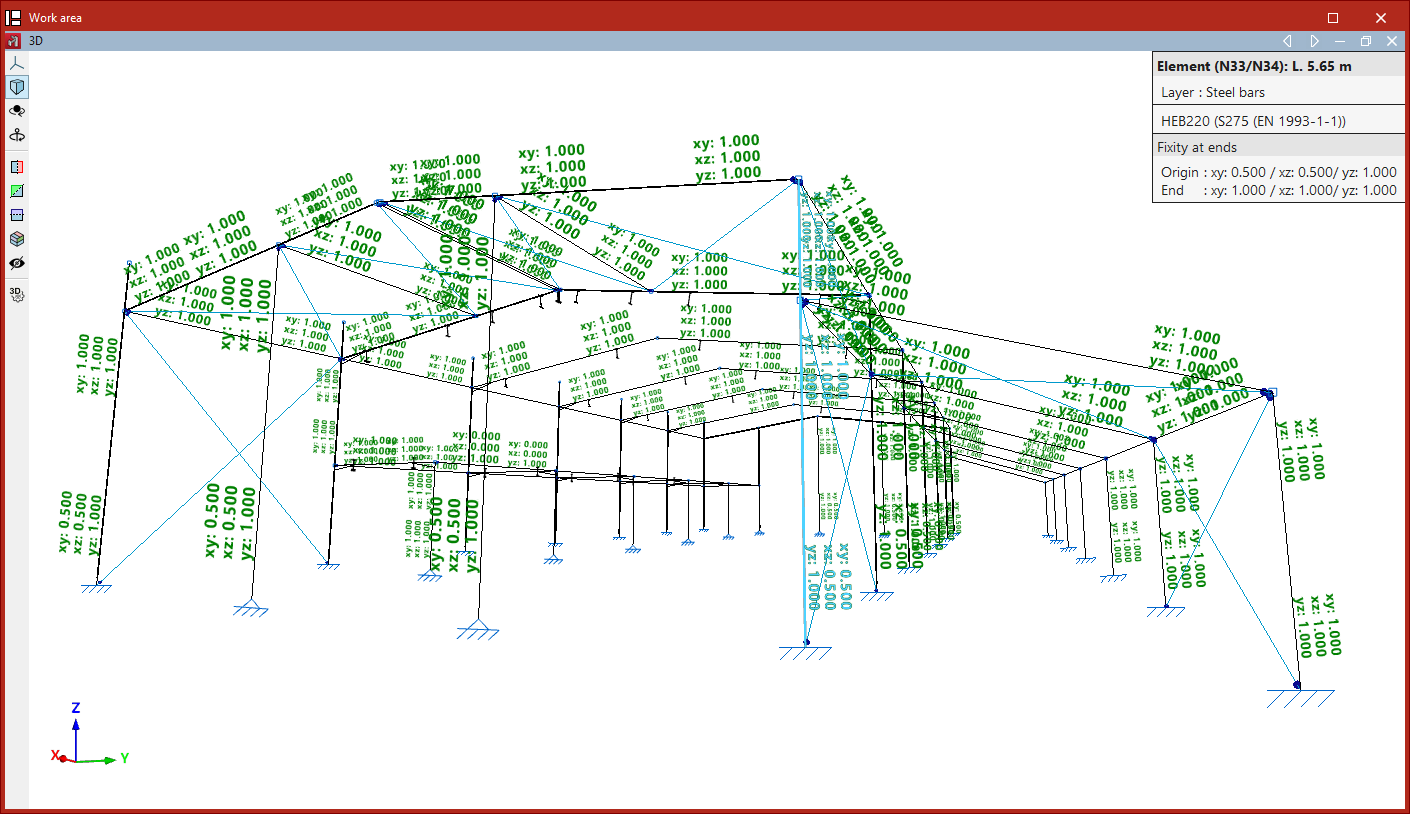
When this option is selected, the program displays text at the ends of the beams showing the support values defined for the XY, XZ and YZ planes.
This information is also shown in the table that appears when you hover over the components, under the "Fixity at ends" section.
To change the values, select the parts by clicking on them one by one or using a selection window. Then, right-click.
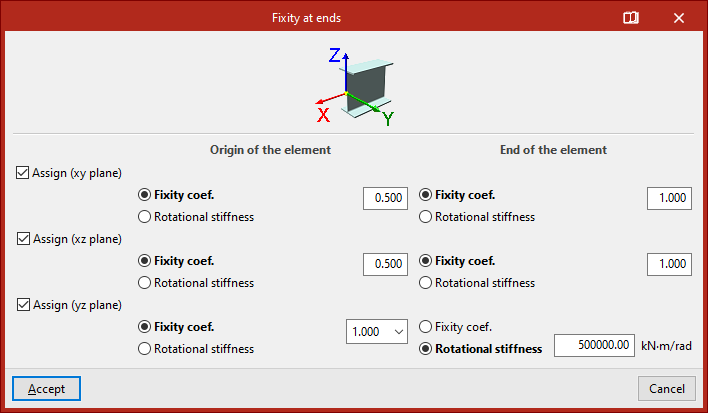
In the "Fixity at ends" pop-up window, tick the "Assign (xy plane)", "Assign (xz plane)" and/or "Assign (yz plane)" boxes to specify the local plane in which you wish to modify the embedding.
On the right, the program displays two columns where these conditions can be defined for the "Origin of the element" and the "End of the element".
In each case, you can choose to enter a "Fixity coefficient" or a "Rotational stiffness".
| Note: |
|---|
| The fixed-end coefficients can take values between 0 (if the end is fully pinned) and 1 (if it is fully fixed). Intermediate values correspond to partially fixed ends. By default, the program assigns a fixed-end coefficient of 1 at both ends. |
If you wish to define an elastic internal connection, select the "Rotational stiffness" option and enter the corresponding value.
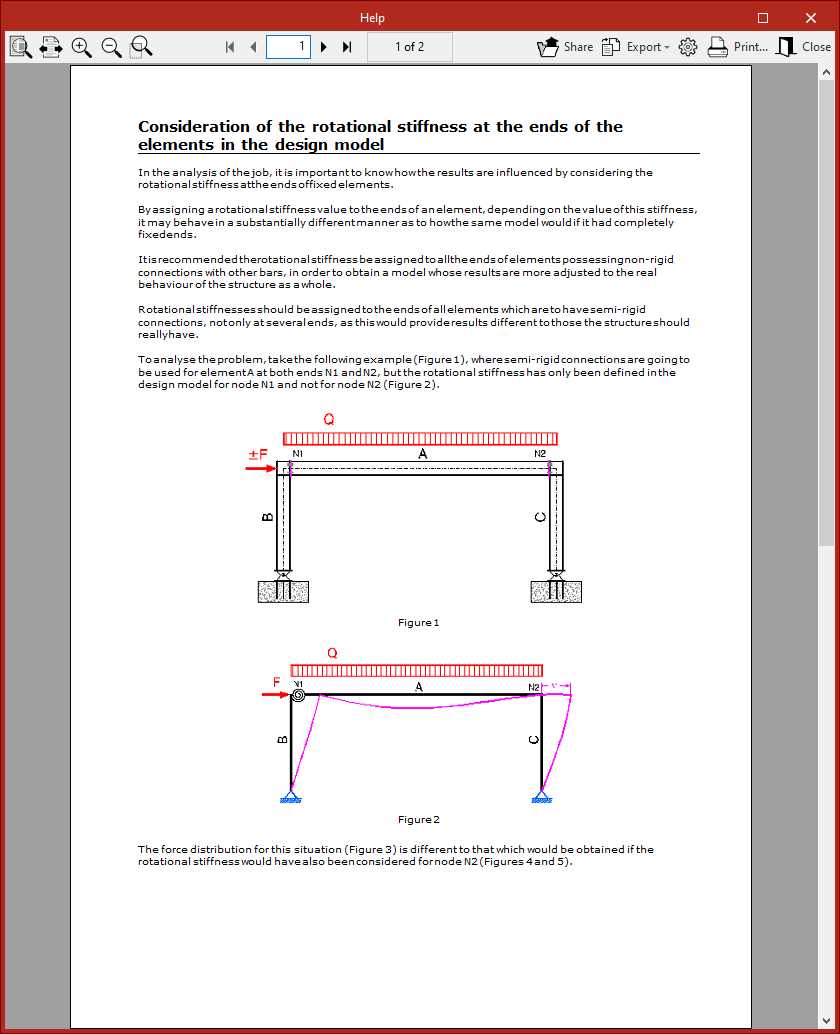
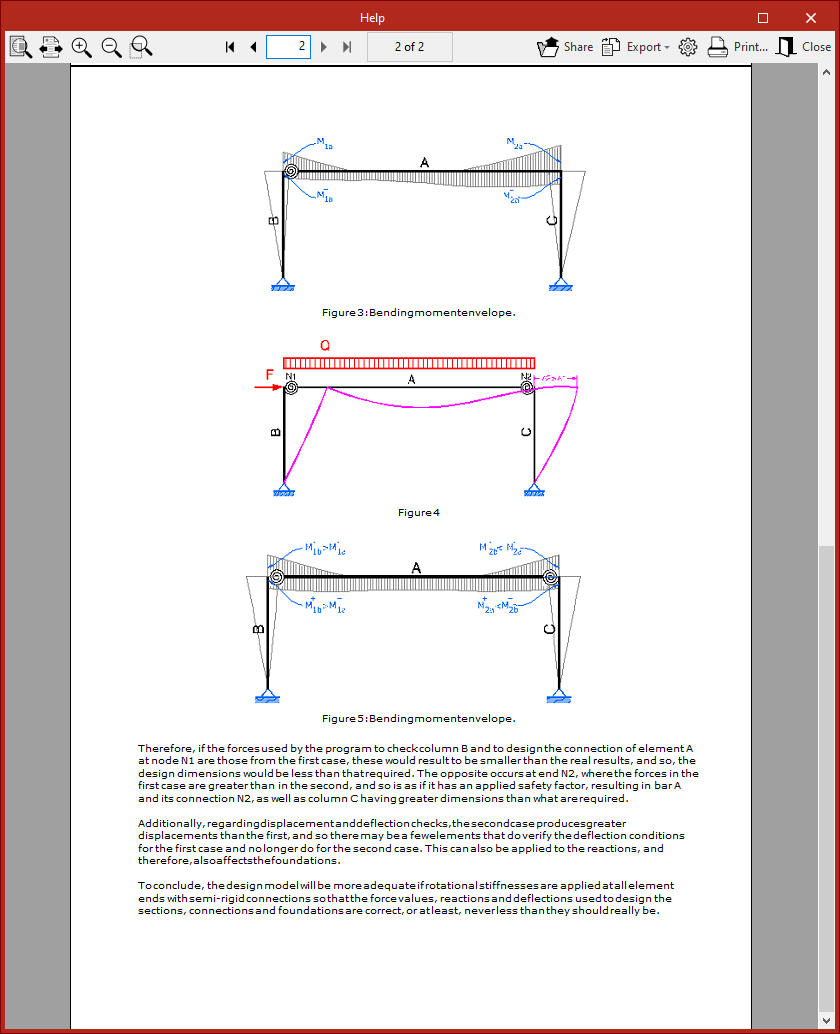
You can click the "Show detailed information relative to the use of this dialogue box" button in the title bar of the pop-up window to find out more about the "Consideration of the rotational stiffness at the ends of the elements in the design model".
Finally, click "Accept" to apply the changes.