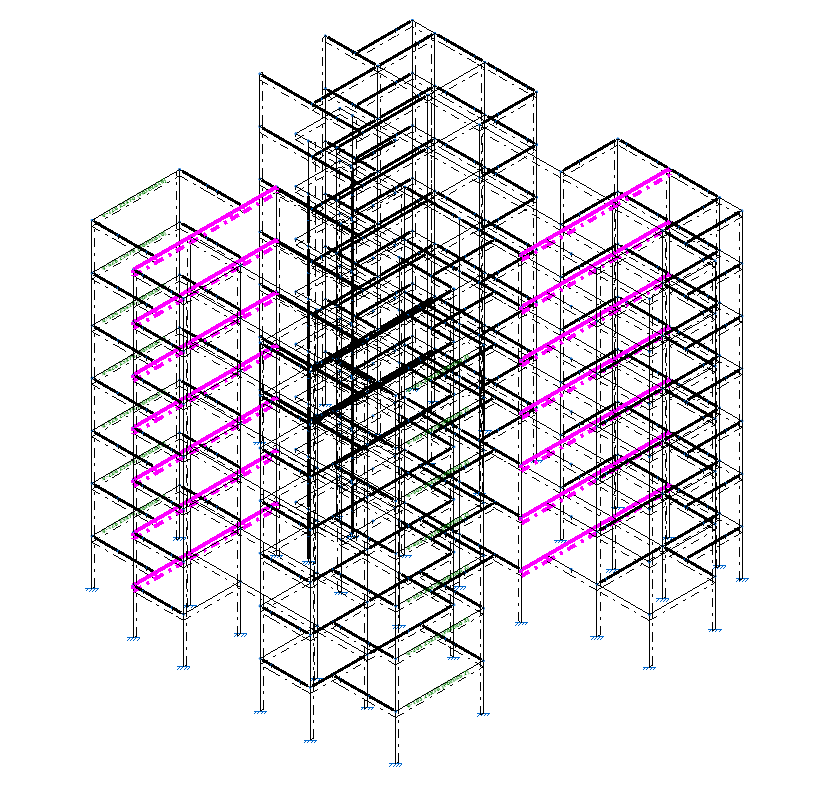
Locking and unlocking beam reinforcement
The options for locking or unlocking the reinforcement of concrete beams are located in the "Beams" section of the top toolbar, within the "Reinforcement" tab (under the "Structure" tab):

Lock/Unlock
To lock or unlock the reinforcement of the beams, after clicking on the option, you must select the beams one by one or by drawing a selection area in the workspace. Then, right-click.
Beams with locked reinforcement are shown in magenta in the viewer.
Locking the beam reinforcement ensures that it remains unchanged during the program's design process for reinforced concrete elements when analysing the structure.
| Note: |
|---|
| The reinforcement of a beam can also be locked using the relevant option in the "Display" section of the beam editor, which can be accessed via the "Edit" option in the "Beams" group. |