


Inserting and editing plastic hinges on bars
Plastic hinges can be inserted and edited on bars using the following option, which is available in the "Bars" section of the top toolbar, within the "Properties" tab (under the "Structure" sub-tab).

Plastic hinges
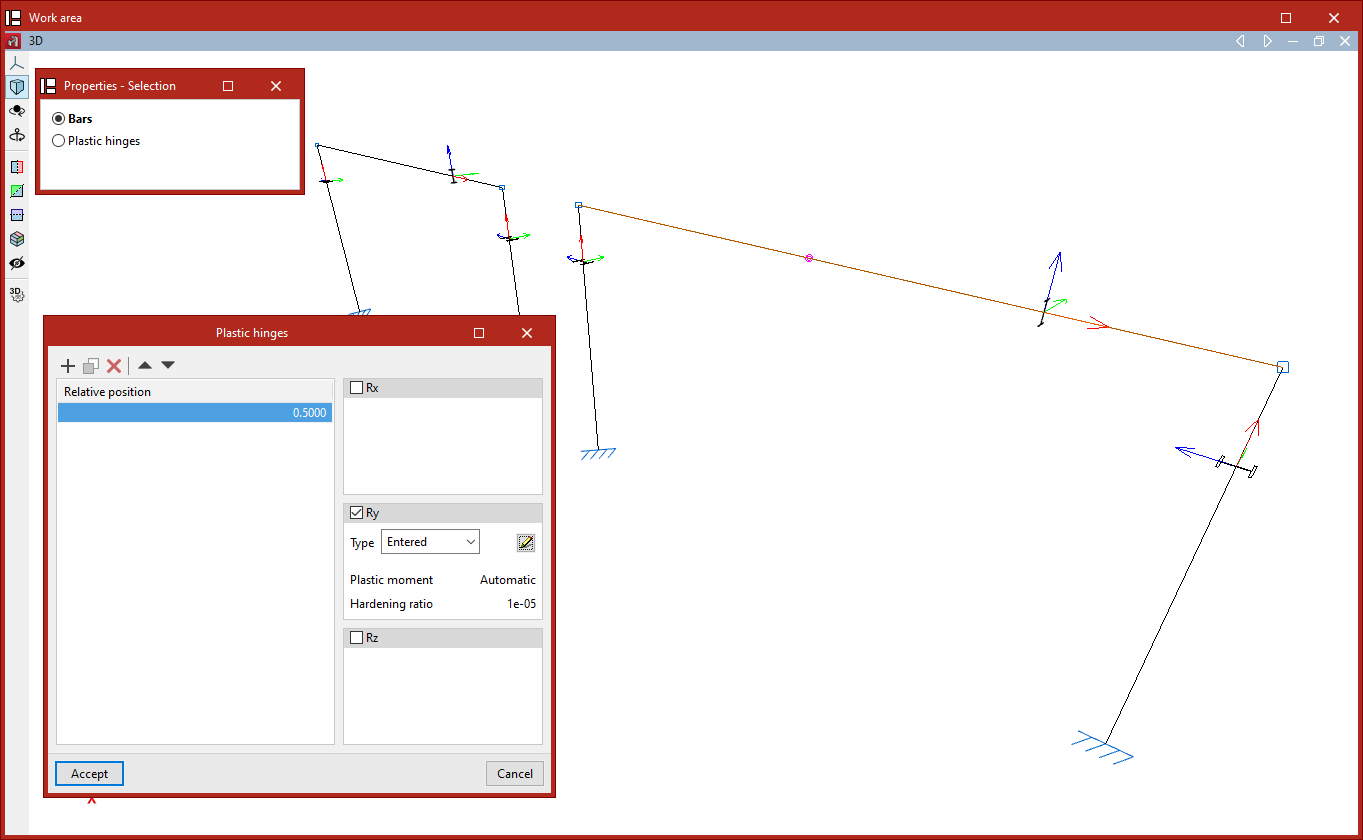
After clicking on the "Plastic hinges" option, the program opens the "Properties - Selection" window, which offers two options: "Bars" or "Plastic hinges".
Inserting plastic hinges
If you select "Bars", you can insert plastic hinges into a group of bars.
To do this, select the bar or group of bars using the left mouse button, then click the right mouse button.
A list will then appear where you can "Add", "Copy", "Delete" or reorder plastic hinges on the bars using the buttons at the top.
For each hinge, enter the "Relative position" on the bar, specifying a value between 0 and 1. On the right, you define the degrees of rotational freedom in which it operates (expressed in the bar’s local axes) by ticking the “Gx”, “Gy” and/or “Gz” boxes, as well as the hinge’s properties for each specified degree of rotational freedom.
The "Type" drop-down menu allows you to specify the source of the data:
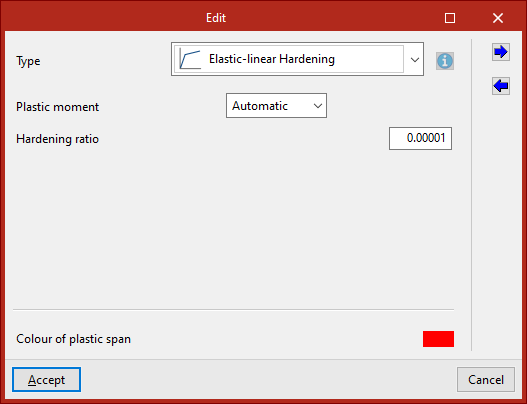
- if you select "Entered", the hinge data is entered directly into the "Edit" window that appears when you click the edit button on the right;
- If you select "From library", you must choose a specific type of hinge from those previously defined in the "Plastic hinge library" on the "Project" tab.
The "Export" and "Import" options in the "Edit" window allow you to create plastic hinge types in the library based on the data entered here, as well as to import library data if required.
Editing plastic hinges
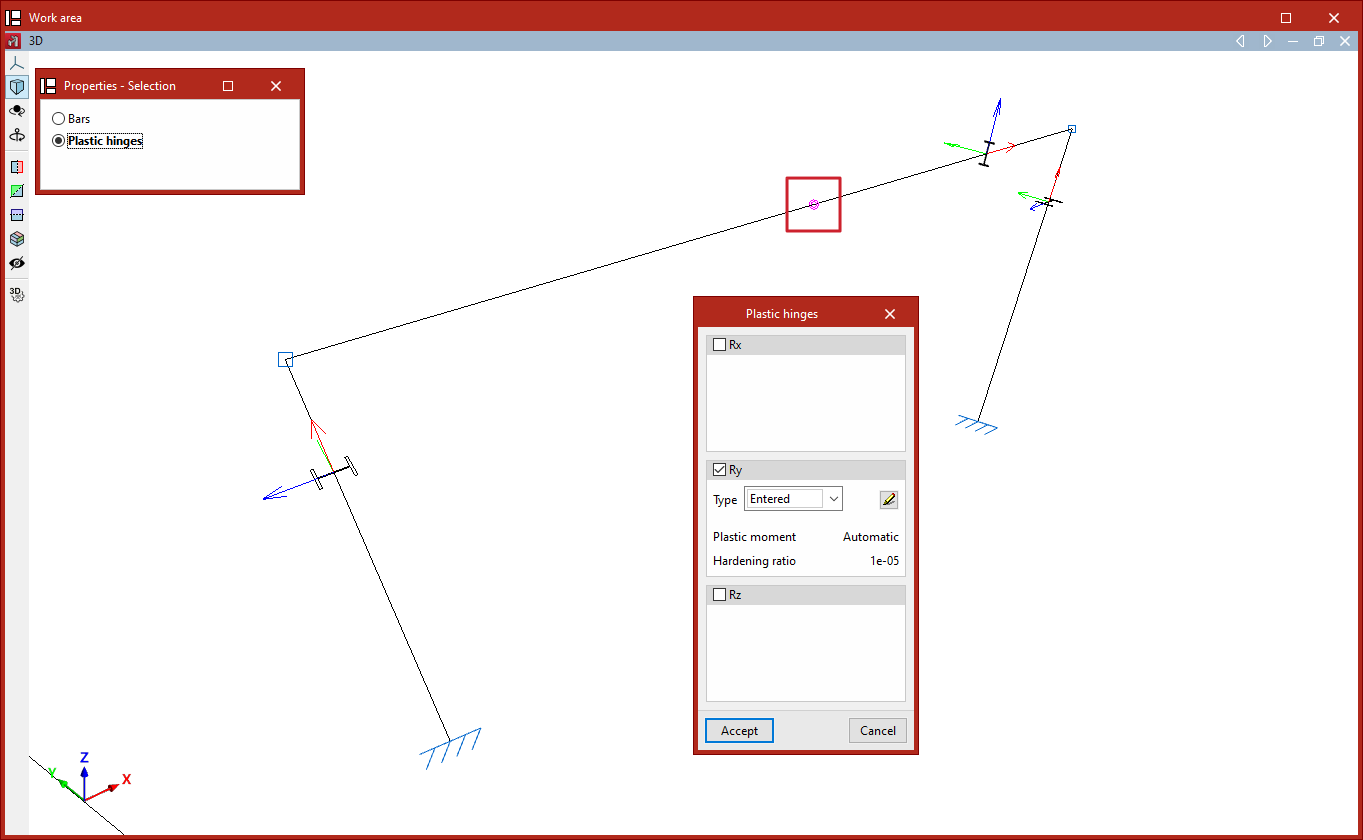
Alternatively, if you select "Plastic hinges" in the "Properties - Selection" window, you can select the plastic hinges previously entered in the model and edit their data.
| Note: |
|---|
| Please follow this link to find out about the different types of plastic hinges available. |
Viewng plastic hinges
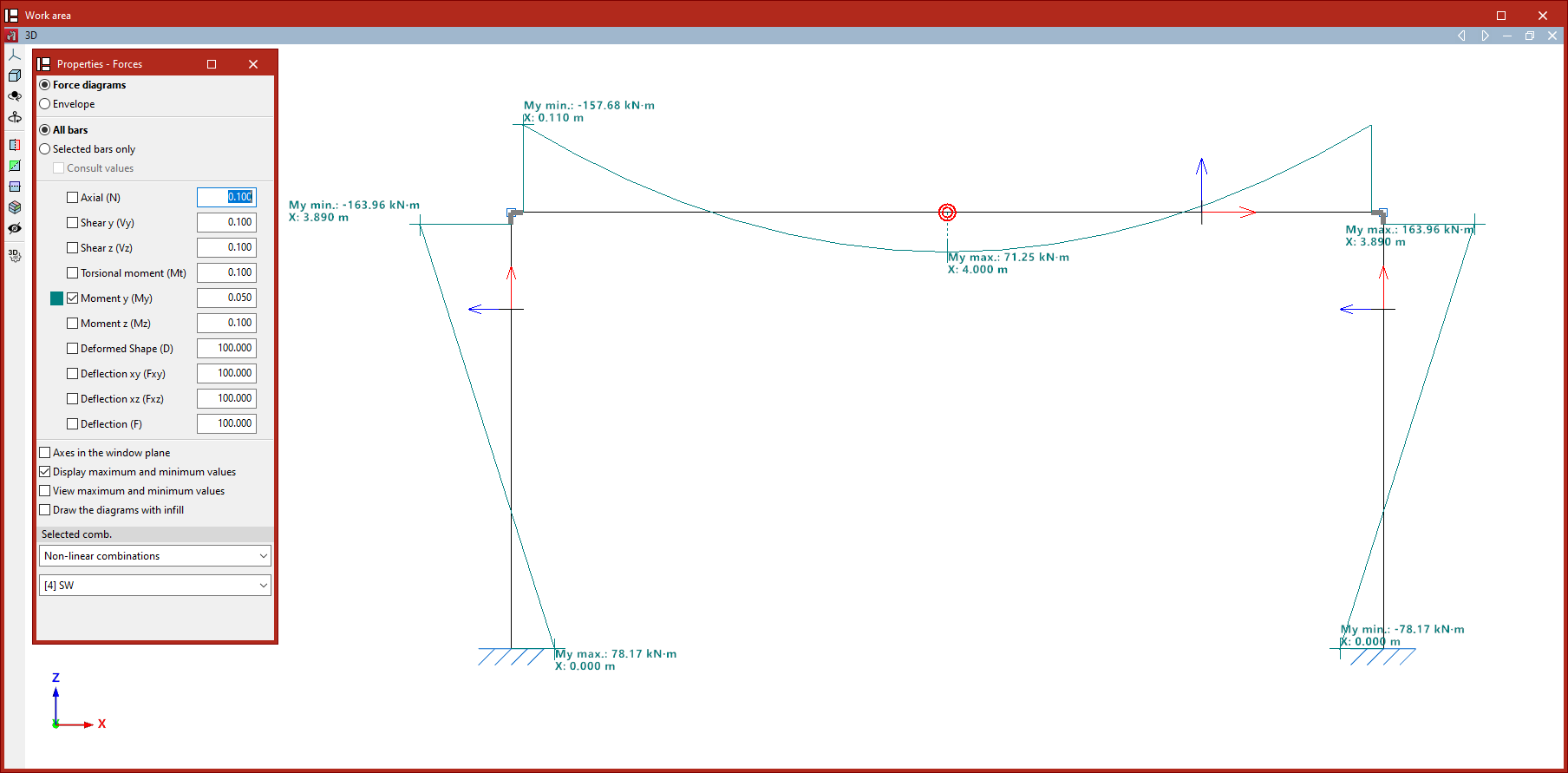
In the "Forces" view (within the "Analysis" tab), the plastic hinges that have reached the yield point in the selected load case are highlighted by an increase in size and a change in colour.
| Note: |
|---|
| Taking plastic hinges into account when analysing a structure requires performing a non-linear analysis using the OpenSees analysis engine. |
