

The "Model" tab interface in the connection editor
In the first tab available in the connection editor (accessible via the options listed here), "Model", you can add and modify the various elements that make up the connection.
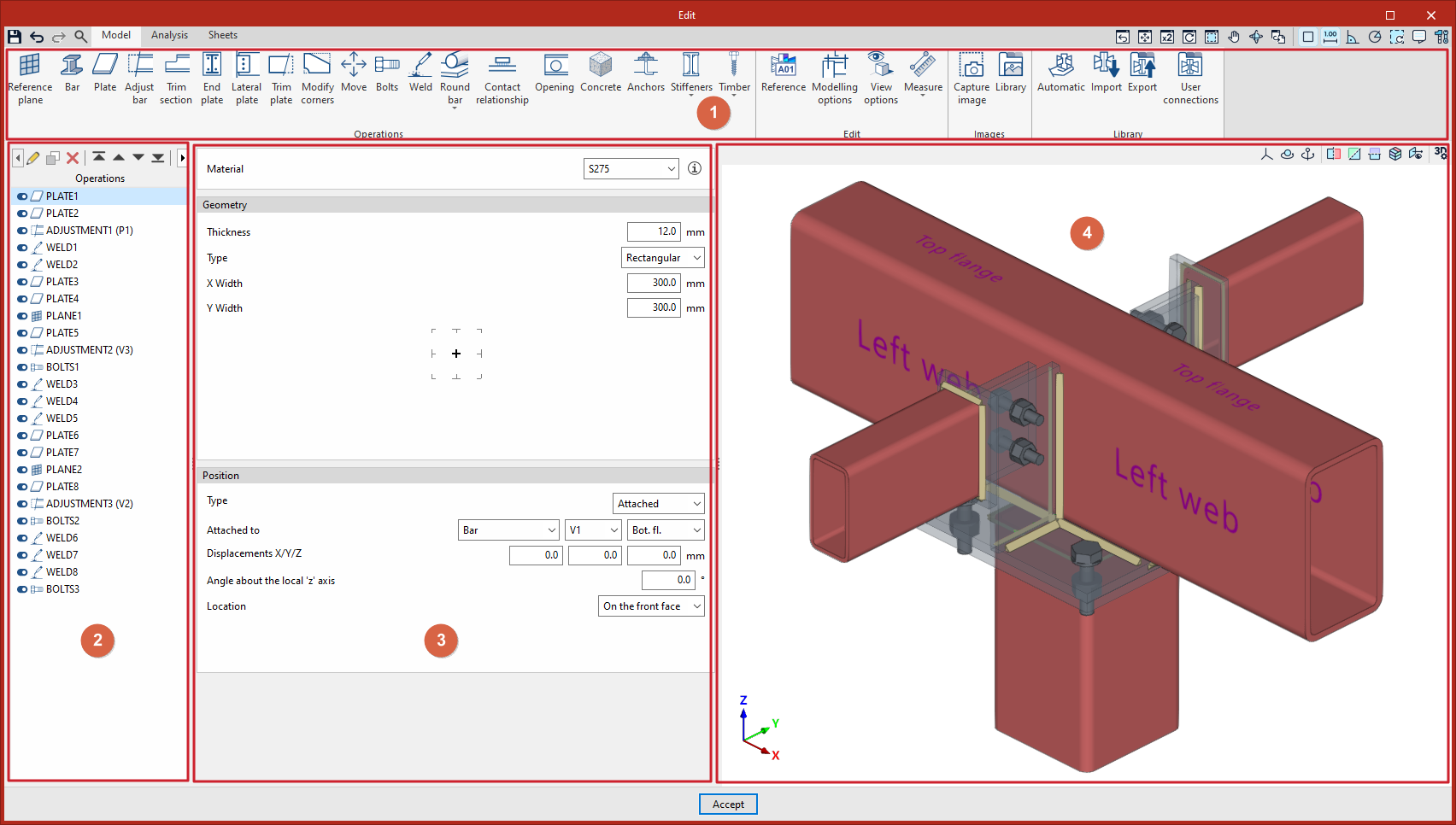
- In the top toolbar:
- Here you will find the tools for defining "Operations" on the connection.
- From here, you can also access other "Edit" options, view "Images" of the connection, and manage the "Library" of connections for use in other projects.
- The left-hand side shows the list of operations carried out to define the connection; these can be enabled or disabled.
- When you select each operation in the table, you can configure its parameters using the options in the central operation editing panel.
- On the right is the connection model viewport, which displays the result of the operations carried out. This window allows you to pan, orbit and zoom in a fully 3D environment.
Once the model has been finalised, you can access the "Analysis" tab, where the analysis and verification of the connection are carried out.
