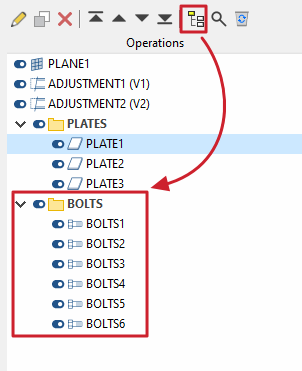
List of operations
The list of operations performed on the joint is located on the left-hand side of the "Model" tab interface in the joint editor. The order of the operations in the list may be important to ensure that the joint is defined correctly.
When you select each operation from the list, its parameters are defined in the central panel of the joint editor interface.
Each of the operations shown in the list can be enabled or disabled using the status control switch to the left of it. If it is disabled, the operation is not applied to the joint, even though the program allows you to define its parameters.
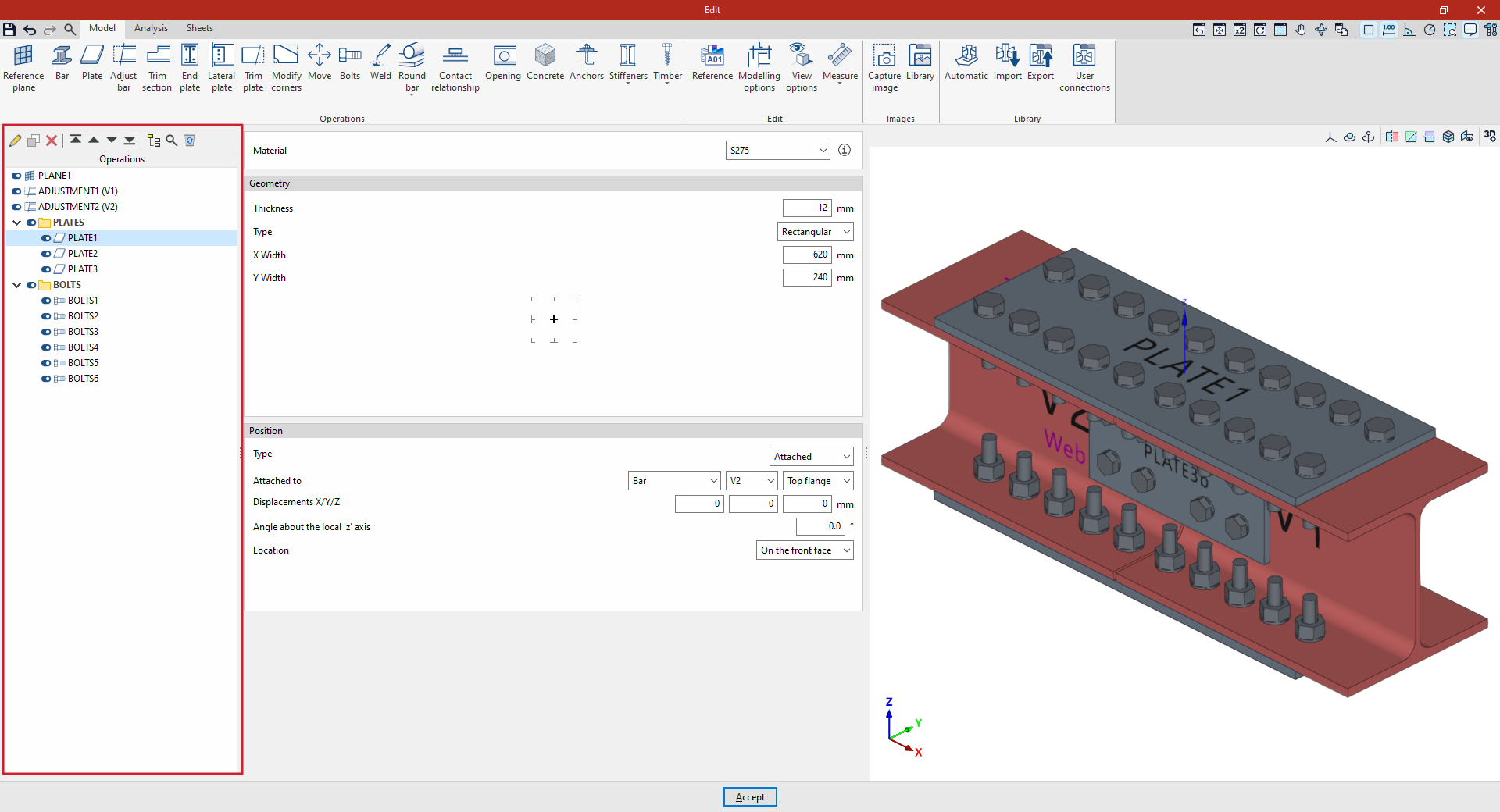
Tools in the operations list
The top toolbar in the operations list allows you to carry out the following actions:
- Edit
Edit the "Reference" of the selected transaction, as well as check its "Status". - Copy
Duplicate the selected operation. - Delete
Delete the selected operation. - Options for moving and reordering transactions in the list
Move the selected transaction to the top of the list, to the bottom of the list, one place up or one place down in the list. - New group
Create a group of operations. - Search
Search for a transaction or group of transactions by entering their reference number or part of it. - Delete all the elements from the list
Delete all elements from the list of operations, leaving it empty.
Operations groups
Operation groups are created using the "New group" option. Each group is identified by its "Reference" and can be collapsed or expanded to hide or show the operations it contains.
To add an operation to a group, you can left-click on the operation, drag it and drop it onto the group. You can also use the options in the list to move operations.
Operation groups can be enabled or disabled using the group status control switch. If a group is enabled or disabled, all operations included in that group will be enabled or disabled.
Furthermore, the use of operation groups allows you to work with parametric connections, as variables are configured at group level.