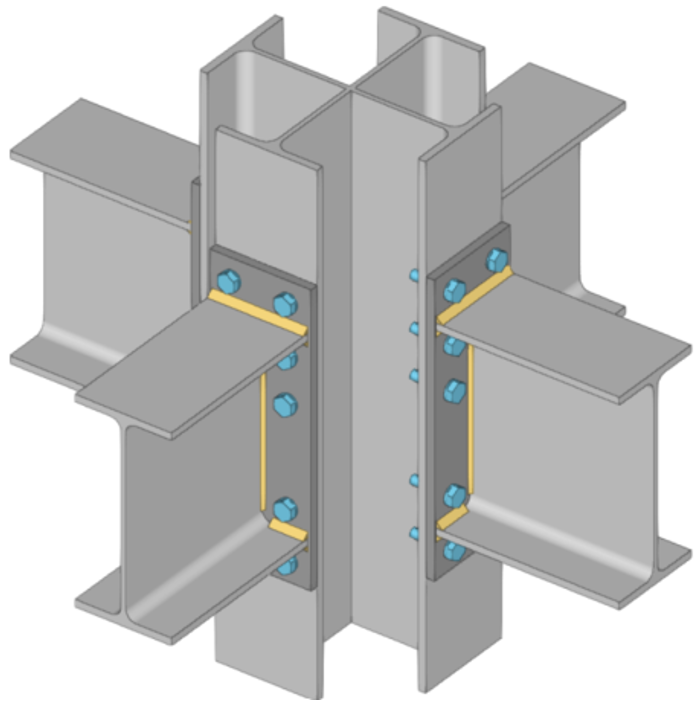



Cruciform I-section
You can define a composite section made up of I-sections – the cruciform section –in CYPECAD, CYPE 3D and CYPE Connect. To do this, you must tick the "Double cross" option or the corresponding option in each program, in the selection window for rolled steel I-sections.
The cruciform section is formed from two identical I-sections, arranged perpendicular to one another. The joining of these two sections results in a cross-shaped geometry, symmetrical about its two principal axes.
The total depth and total width of the composite section are equal to the depth of the base I-section. The geometry of the section is therefore defined by the characteristics of the selected section.
This method can be used to model structural elements with a cruciform cross-section directly, without the need to use equivalent sections or manually combine several elements. The program automatically calculates the geometric and mechanical properties of the section, which are then used in the analysis and the corresponding checks.