

Designing a lightning protection system
In the "Lightning protection" group of the main toolbar, there are options for designing a lightning protection system using a lightning protection device with an early streamer emission lightning conductor:

The following options are available:
- ESE
- Lightning rod
- Rolling sphere
- Lightning mesh
- Add opening in lightning rod
- Delete opening in lightning rod
- Conductor
- Vertical conductor
- Test link box
- Antenna
- Metallic element
- Automatic generation of lightning meshes
- Linear distribution of lightning rods
- Join
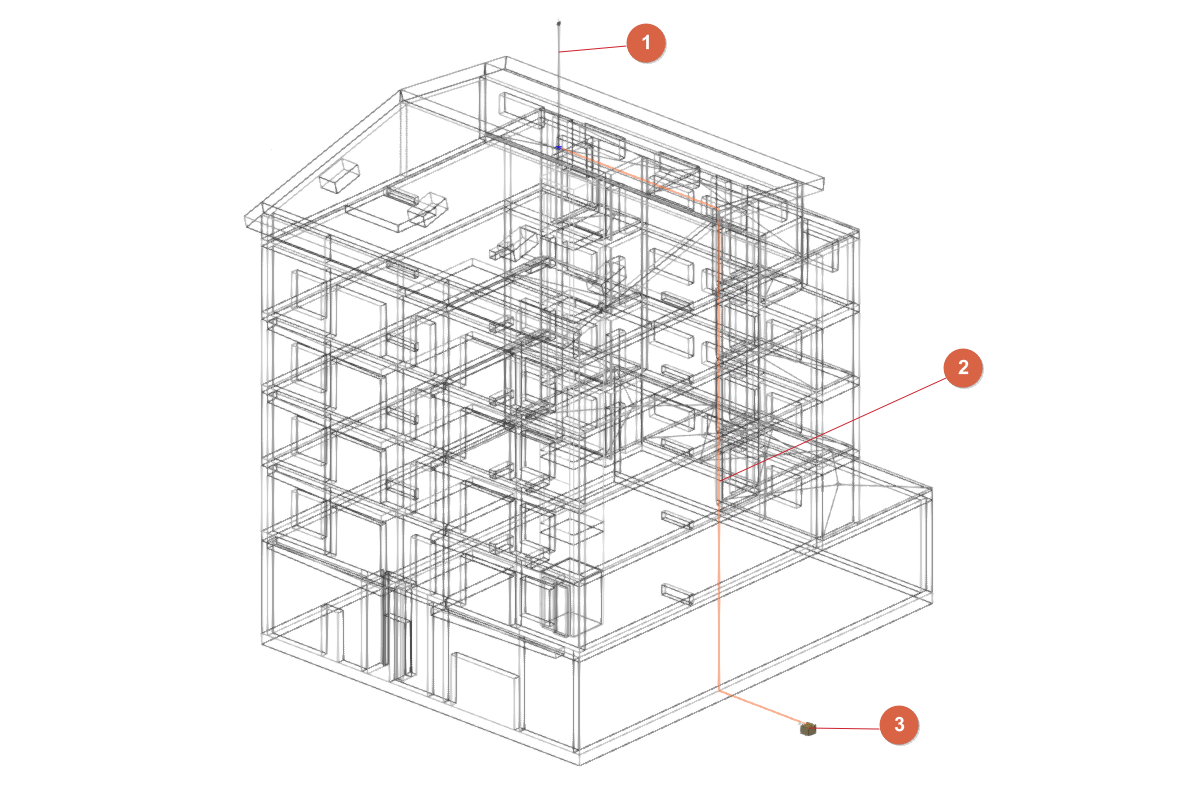
The lightning conductor system may consist of the following elements:
- An early streamer emission lightning conductor (1); alternatively, lightning rods and meshes (connected with a conductor) may be used. Optionally, antennas or receiver assemblies and/or steel elements susceptible to atmospheric electrical discharges may be provided.
- One or more down conductors (2) connecting the early streamer emission lightning conductor (or lightning rods and meshes), antennas and steel elements to the grounding system.
- One or more chambers (3) of the ground connection (entered from the "Inspection box" option in the "Grounding" group).
The program will analyse the layout of the conductors and ensure that all elements are connected to the ground connection.
When entering an early streamer emission lightning conductor, lightning rods or meshes, if a "Protection level" has not been defined with the specific option in the "Project" group, the program allows this to be done at that time. The design of the lightning protection system will depend on the protection level assigned to the project.
Each of the above options is detailed below:
Early streamer emission lightning conductor
Enters an early streamer emission lightning conductor.
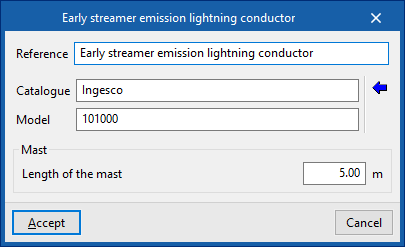
Next, the following information must be provided:
- Reference
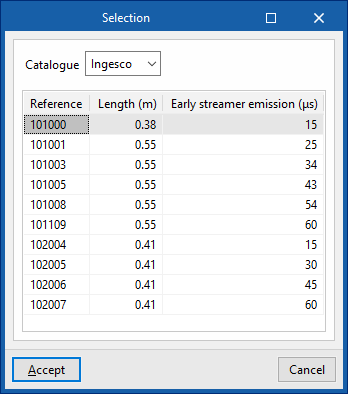
Reference of the early streamer emission lightning conductor. - Catalogue / Series / Selection
The program selects a lightning conductor model from the manufacturer catalogues included in the Open BIM Database. - Mast
- Catalogue/ Selection
The program selects a mast model from the manufacturer catalogues included in the Open BIM Database.
- Catalogue/ Selection
Once the early streamer emission lightning conductor has been entered, the program displays the protected volume and checks whether the volume is sufficient based on the characteristics of the building.
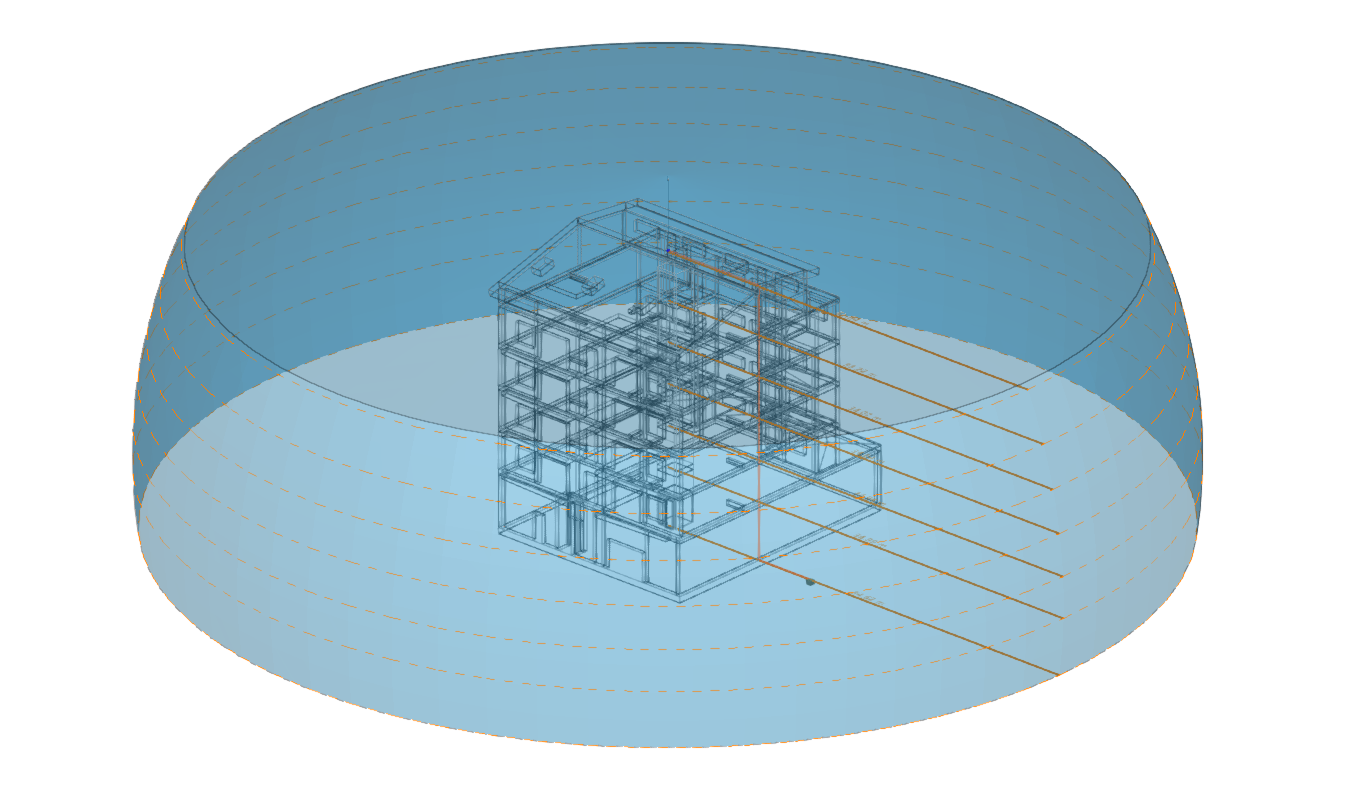
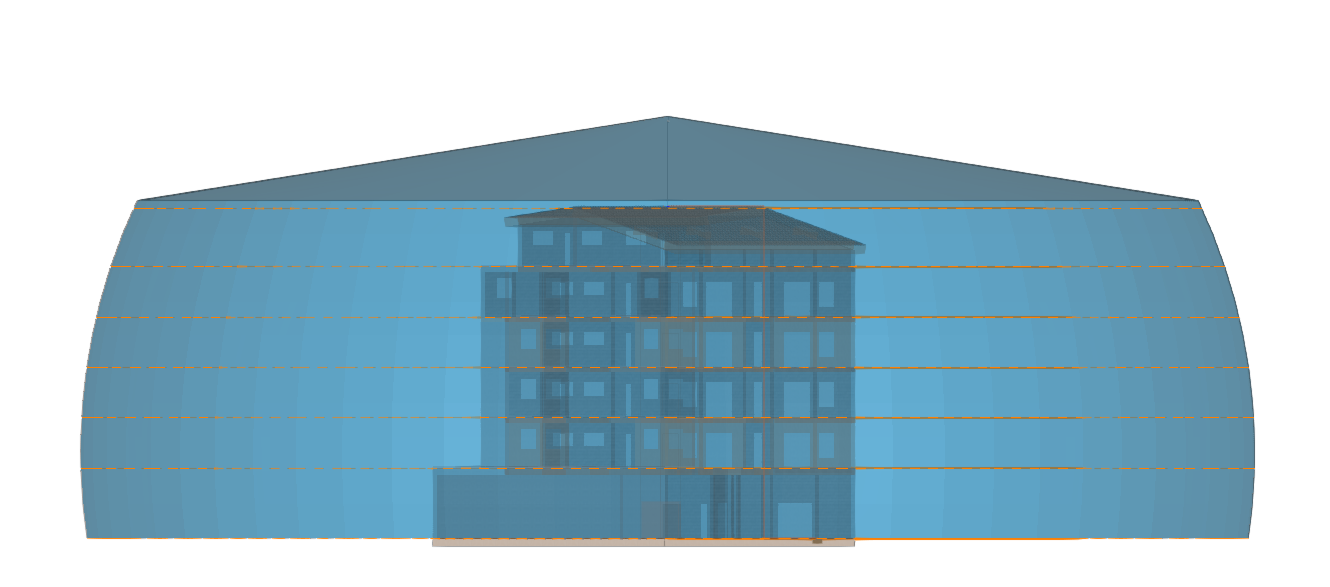
Lightning rod
Enters a lightning rod.
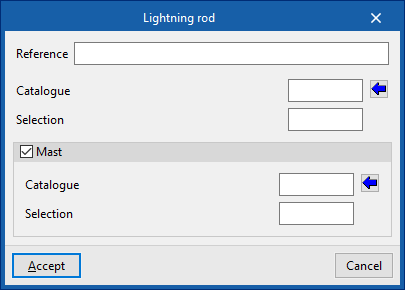
Next, the following information must be provided:
- Reference
Reference of the lightning rod. - Catalogue / Selection
The program selects a lightning conductor model from the manufacturer catalogues included in the Open BIM Database. - Mast (optional)
- Catalogue/ Selection
The program selects a mast model from the manufacturer catalogues included in the Open BIM Database.
- Catalogue/ Selection
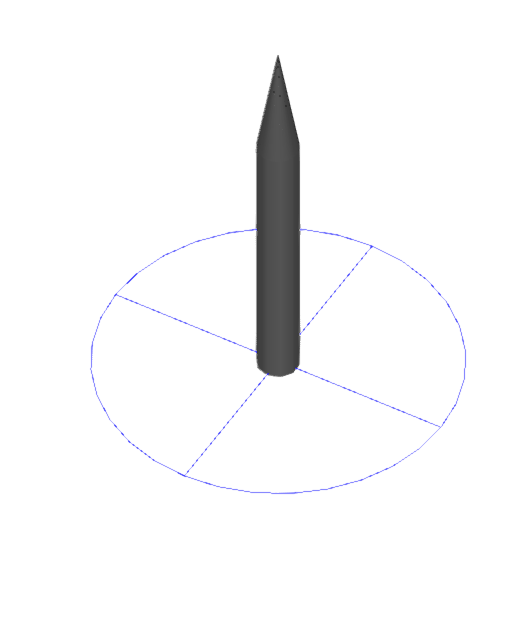
Rolling sphere
Enters a sphere into the model to visually check the effectiveness of the lightning protection system design.
To define this sphere, after entering the "Radius", two upper points of elements such as early streamer emission (ESE) air terminals or lightning rods are selected.
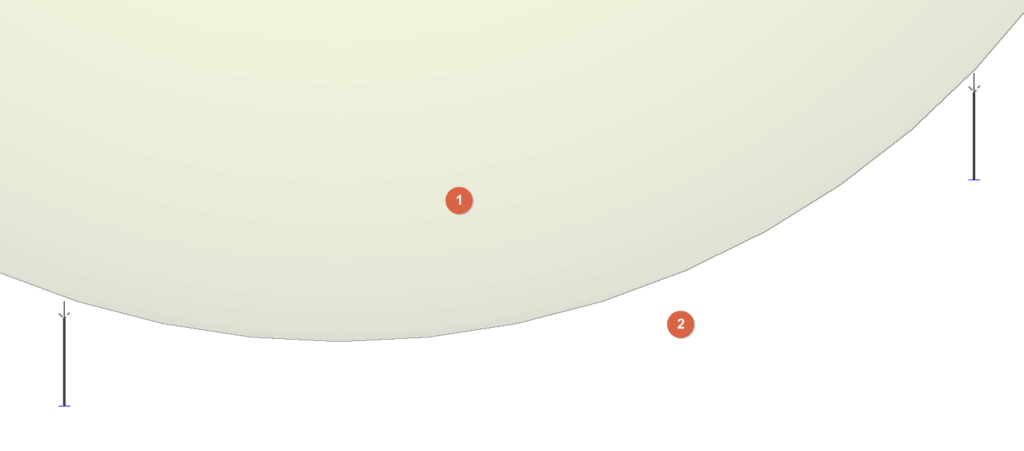
At this point, the sphere will be drawn. The interior of the sphere (1) is considered to be under lightning influence, while the space beneath the sphere (2) is considered protected by the installation.
The user can place different spheres between different pairs of air terminals to check the design of the installation, ensuring that no parts of the building are located inside the sphere
Lightning mesh
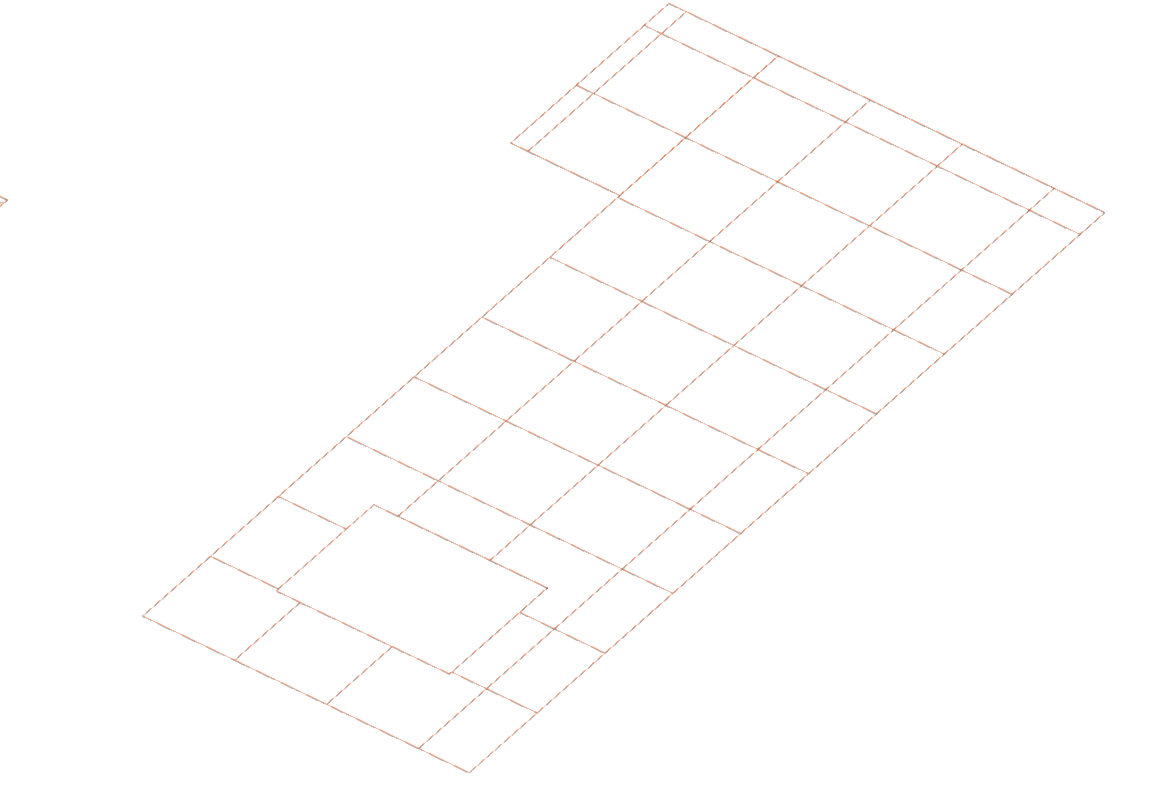
Inserts lightning mesh. These elements can be installed on a flat or sloping roof slab.
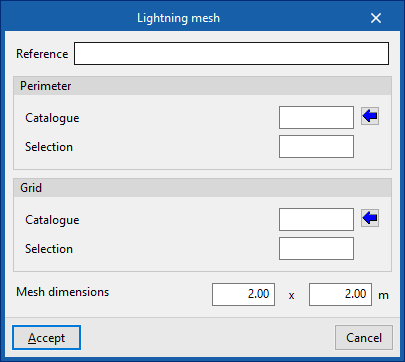
Next, the following information must be provided:
- Reference
Reference of the lightning mesh. - Perimeter
Defines the perimeter wiring of the mesh.- Catalogue / Selection
The program can be used to select a product from the manufacturer's catalogues included in the Open BIM Database.
- Catalogue / Selection
- Grid
Defines the grid of the internal mesh network.- Catalogue / Selection
The program can be used to select a product from the manufacturer's catalogues included in the Open BIM Database.
- Catalogue / Selection
- Mesh dimensions (a x b)
These dimensions must be smaller than those indicated for the meshes in the "Level of protection" option in the "Project" group.
Adds opening in lightning mesh / Deletes opening in lightning mesh
These options are used to adjust the geometry of the previously entered lightning meshes by adding or deleting openings in them.
Grounding conductor
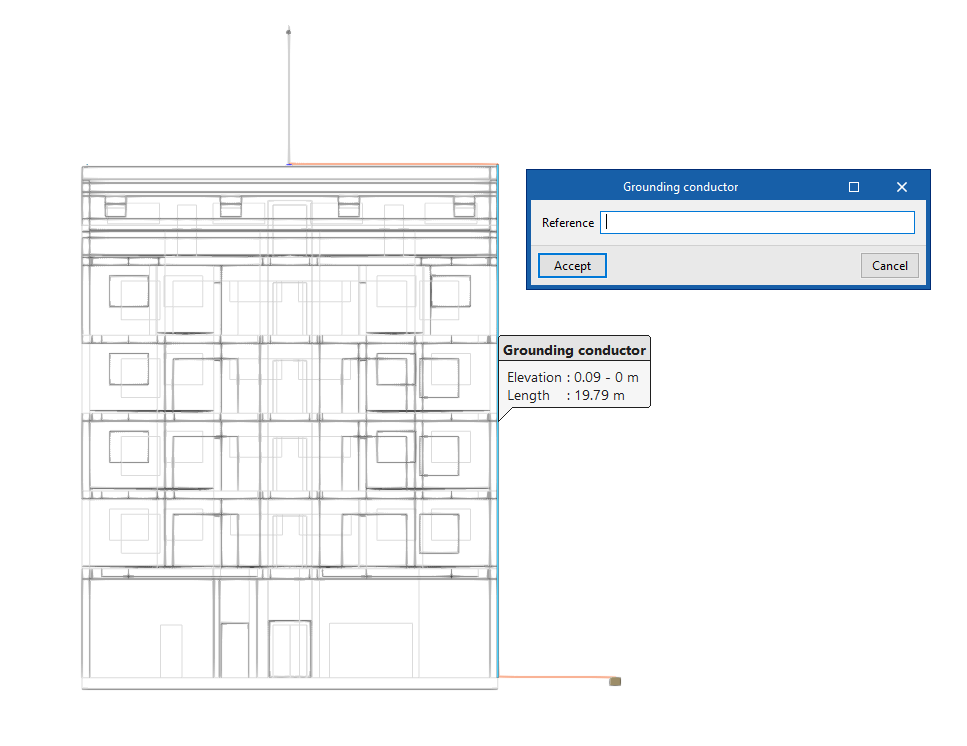
Enters the shunts or grounding conductors for the conduction of the atmospheric discharge current from the collector devices to the earth electrode, drawing their layout in the model.
Elements can also be connected to each other, such as a rod with lightning mesh.
This element can be arranged in any direction, either horizontally or vertically.
When entering a grouding conductor, the following data must be entered:
- Reference
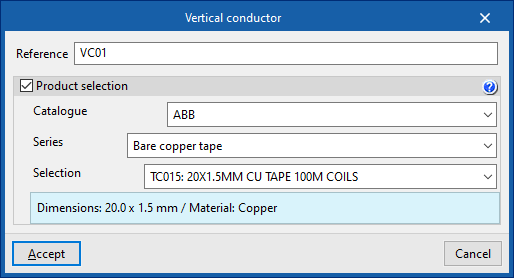
Reference of the grounding conductor. - Product selection (optional)
- Catalogue / Selection
The program is used to select conductors from the manufacturer's catalogues included in the Open BIM Database.
- Catalogue / Selection
Vertical conductor
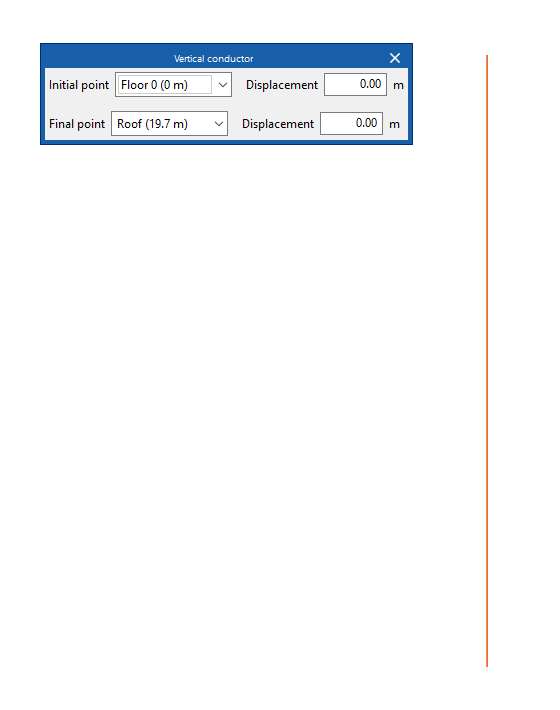
Enters vertical conductors between floors.
The definition of the element is identical to that which appears when using the "Conductor" option, but in this case, for its insertion, two floors must be selected as the "Starting point" and "End point" of the conductor. In each of them, a "Displacement" can be applied to adjust the elevation of these starting and end points.
Then, click on a point to mark the position of the element on the plan.
Test link box
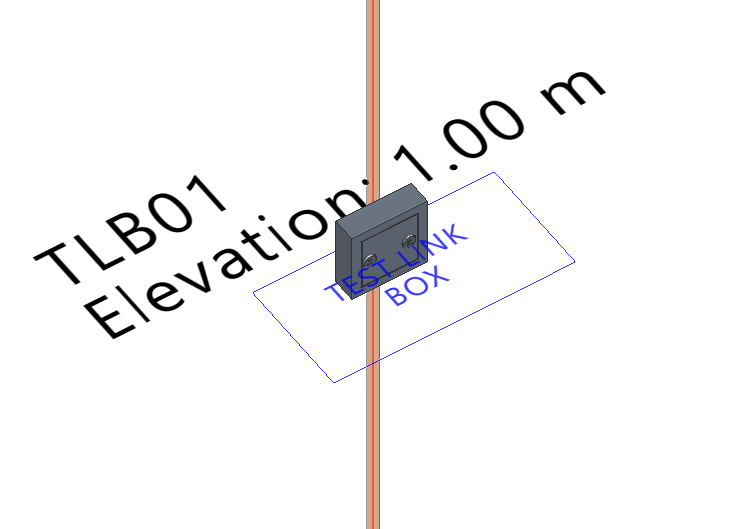
Enters a test link box that allows tests to be carried out on the installation. These elements are placed at a certain height, near the lower end of a down conductor in installations with air terminals or mesh conductors.
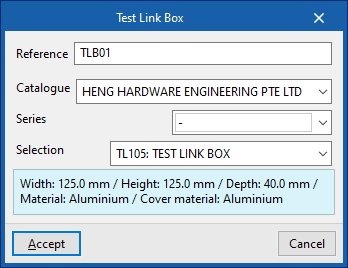
- Reference
Reference of the test link box. - Catalogue / Series / Selection
The program allows the selection of connection boxes for testing from the manufacturer catalogues included in the Open BIM Database.
Antenna (receiver group)
Inserts an antenna or a receiver group. These elements may be susceptible to atmospheric electrical discharge.
These elements must be connected with lightning conductors to the rest of the lightning protection system.
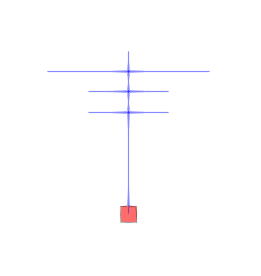
Metallic element
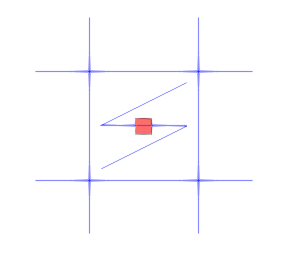
Metallic elements such as gutters and metal tanks on the roof, as well as other metallic masses of the building exposed to electric discharge and which do not include their own grounding, can be installed in the model.
These elements must be connected with lightning conductors to the rest of the lightning protection system.
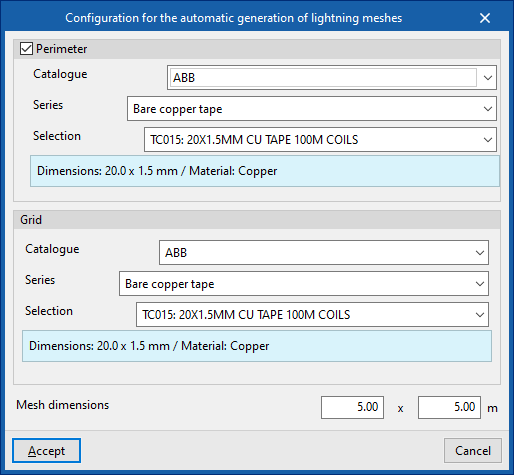
Automatic generation of lightning meshes
Automatically generates mesh conductors on the roofs of the model.
When the option is selected, the "Configuration for the automatic generation of lightning meshes" window opens, where the following data must be specified:
- Perimeter (optional)
Defines the wiring of the mesh perimeter.- Catalogue / Series / Selection
The program allows the selection of a product from the manufacturer catalogues included in the Open BIM Database.
- Catalogue / Series / Selection
- Grid
Defines the wiring of the internal grid network.- Catalogue / Series / Selection
The program allows the selection of a product from the manufacturer catalogues included in the Open BIM Database.
- Catalogue / Series / Selection
- Mesh dimensions (a x b)
These dimensions must be smaller than those indicated for meshes in the "Protection level" option of the "Project" group.
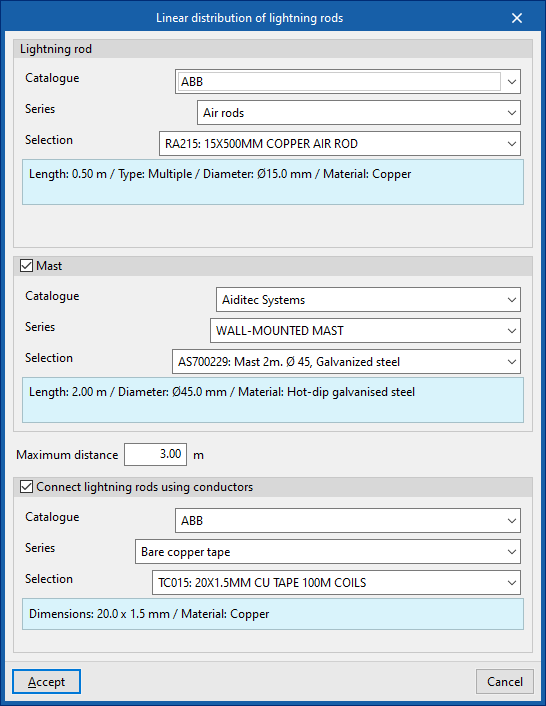
Linear distribution of lightning rods
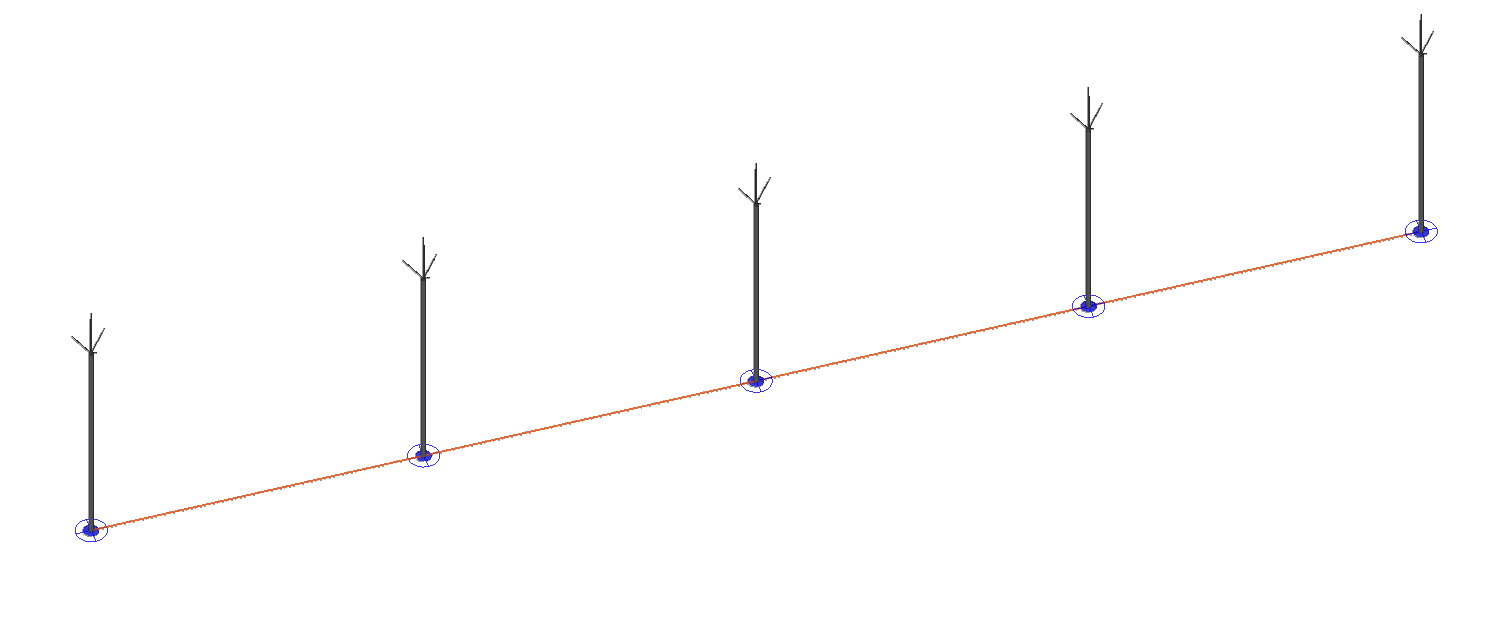
Allows the generation of a distribution of air terminals connected by conductors along a polyline introduced in the model.
When the option is selected, the "Linear distribution of lightning rods" window opens, where the following data must be specified:
- Lightning rod
- Catalogue / Series / Selection
The program allows the selection of an air terminal model from the manufacturer catalogues included in the Open BIM Database.
- Catalogue / Series / Selection
- Mast (optional)
- Catalogue / Series / Selection
The program allows the selection of a mast model from the manufacturer catalogues included in the Open BIM Database.
- Catalogue / Series / Selection
- Maximum distance
Indicates the maximum distance between the generated air terminals. - Connect lightning rods using conductors (optional)
This option should be selected if the conductors connecting the bases of the air terminals are to be generated.- Catalogue / Series / Selection
The program allows the selection of conductors from the manufacturer catalogues included in the Open BIM Database.
- Catalogue / Series / Selection
Join
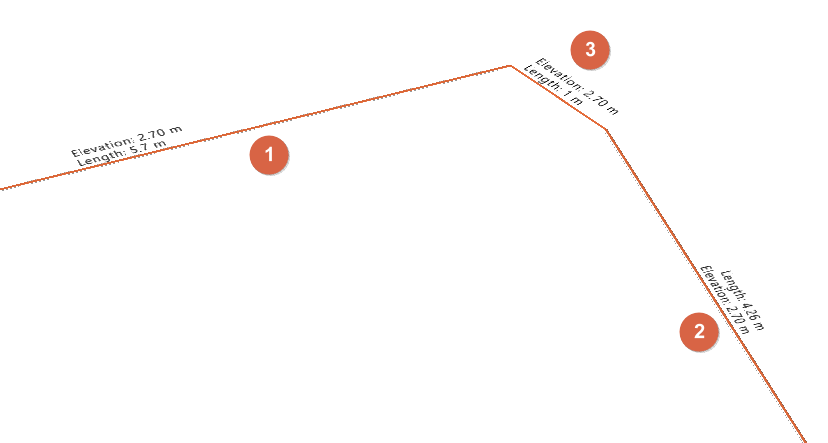
Allows two separate conductors (1, 2) to be selected and generates a new conductor (3) that connects their ends.
| Note: |
|---|
| The manufacturer catalogues can be downloaded from the "Catalogues" option within the "Project" group. |
