

Automatic layout
The "Automatic layout" option allows you to automatically generate a lighting layout proposal for all desired areas of the building, for both normal lighting and emergency lighting.
The program generates an optimal layout of luminaires by selecting the product to be used in each type of space, accessing the catalogue of the chosen manufacturer, and defining both the installation height and the average horizontal illuminance maintained.
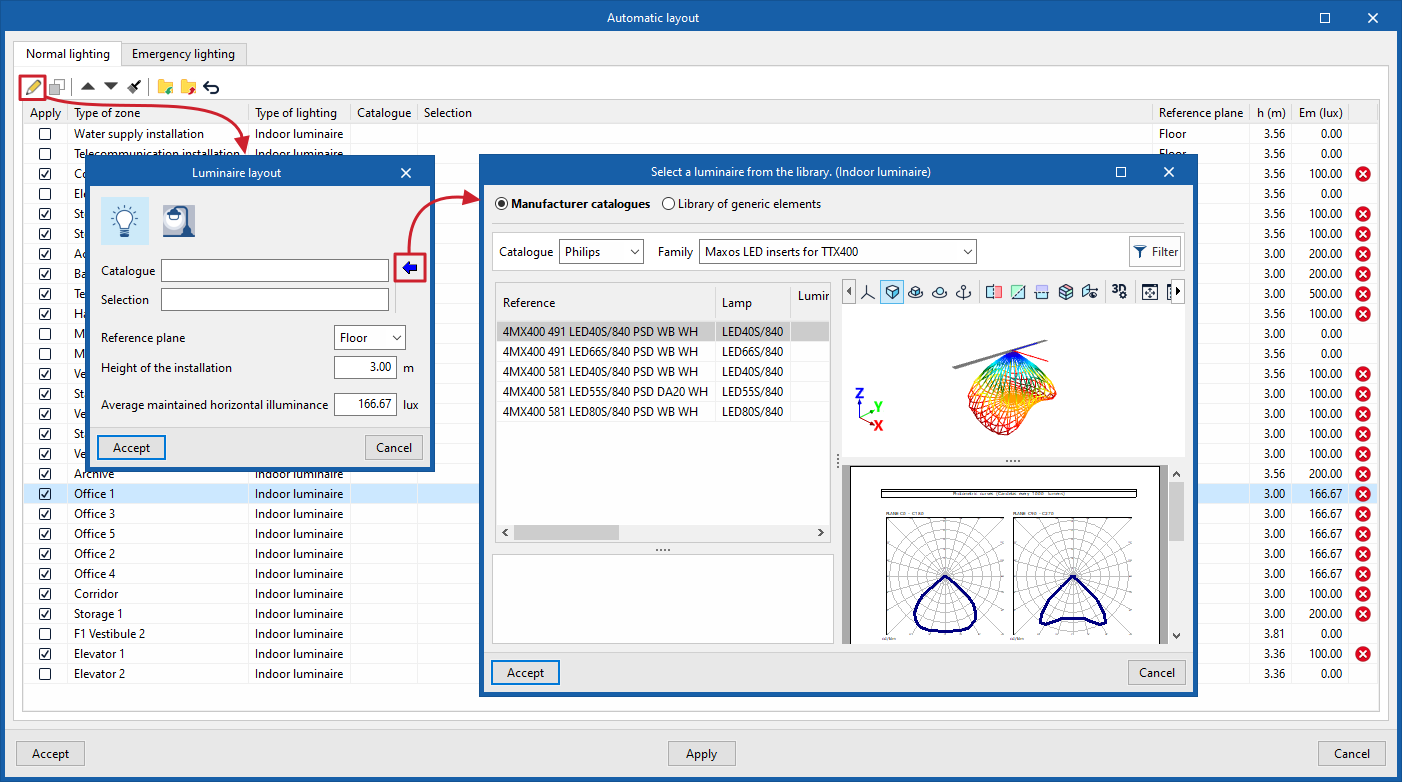
Follow these steps. When activating the tool, a window opens with two tabs: "Normal lighting", which allows you to configure the generation of indoor and outdoor lighting, and "Emergency lighting", which allows you to configure the generation of emergency lighting.
Each tab displays a list of all the zone types—both indoor and outdoor—defined in the model. Ticking the "Apply" box includes the zone type in the generation; in this case, a marker will appear on the right-hand side of the list indicating that the luminaire model for that zone must be defined.
When you "Edit" each zone type selected from the list using the button on the top toolbar, you can specify:
- The luminaire model, specifying the "Lighting type" (indoor or outdoor), the "Catalogue" and the reference number of the selected luminaire (under "Selection"). Using the "Select a luminaire from the library" wizard, available on the right, the program allows you to select luminaires from "Manufacturer catalogues" or the "Generic elements library".
- The "Reference plane", whether the "Floor" or the "Ceiling", and the "Installation height" relative to it (which allows for the automatic positioning of recessed luminaires in ceilings of different heights).
- The desired "Maintained horizontal average illuminance".
The "Assign" option on the top toolbar allows you to assign the data defined in the selected area to the other areas.
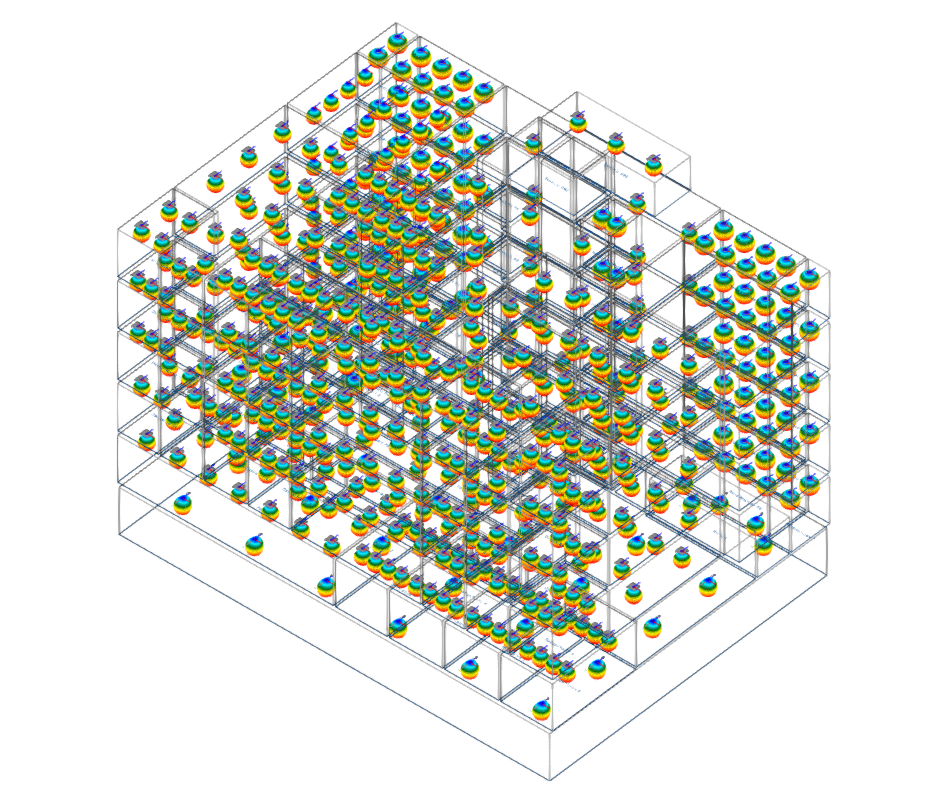
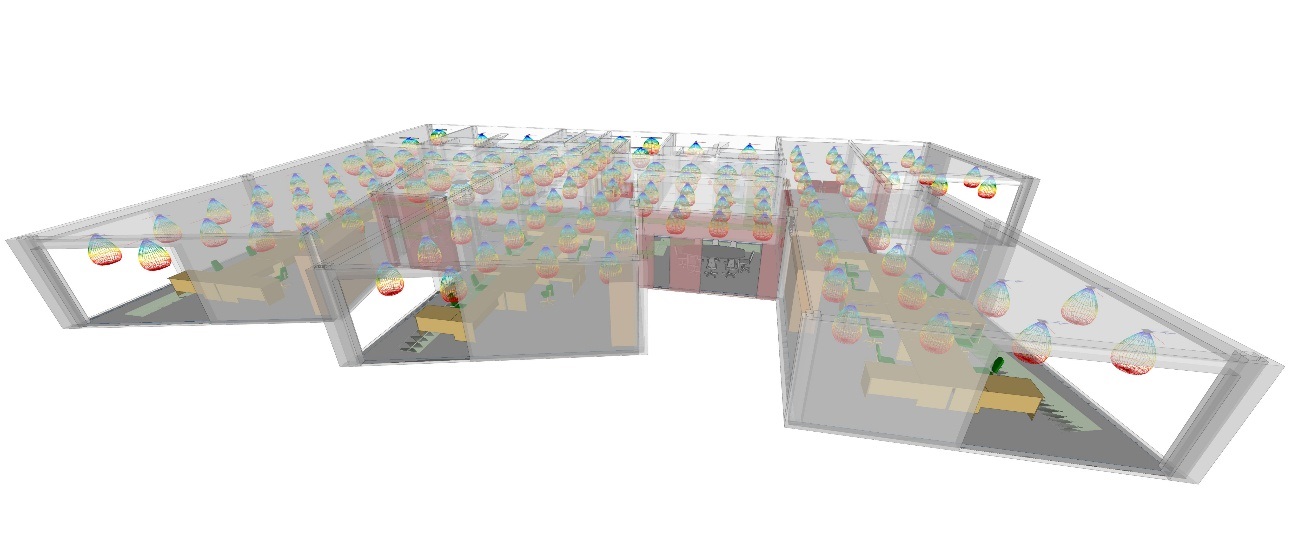
Once these parameters have been configured, clicking "Apply" at the bottom of the window causes the programme to automatically perform a "Layout by zone" of indoor, outdoor and/or emergency luminaires in all the corresponding rooms, applying the criteria defined for each type of zone. All necessary calculations are performed to determine the number of luminaires to be installed per zone, adapting the layout to the geometry and shape of the spaces.
In order to generate both standard and emergency lighting luminaires simultaneously, the program examines the layout of the standard lighting generated and positions the emergency luminaires accordingly so that they do not overlap.
| Note: |
|---|
| The automatic layout of emergency luminaires carried out using this option is intended for the design of open-area (anti-panic) lighting. This tool does not support the automatic placement of emergency luminaires for escape routes or at exits. |
