

Managing data for design alternatives
Data relating to the various design scenarios or alternatives (such as the building’s initial state and scenarios involving each set of proposed improvement measures) is managed via the "Project" tree displayed on the left-hand side of the interface, which expands to show the levels corresponding to each scenario.
In addition, you can use the options in the "Data management" group on the main toolbar to delete or reorder scenarios.
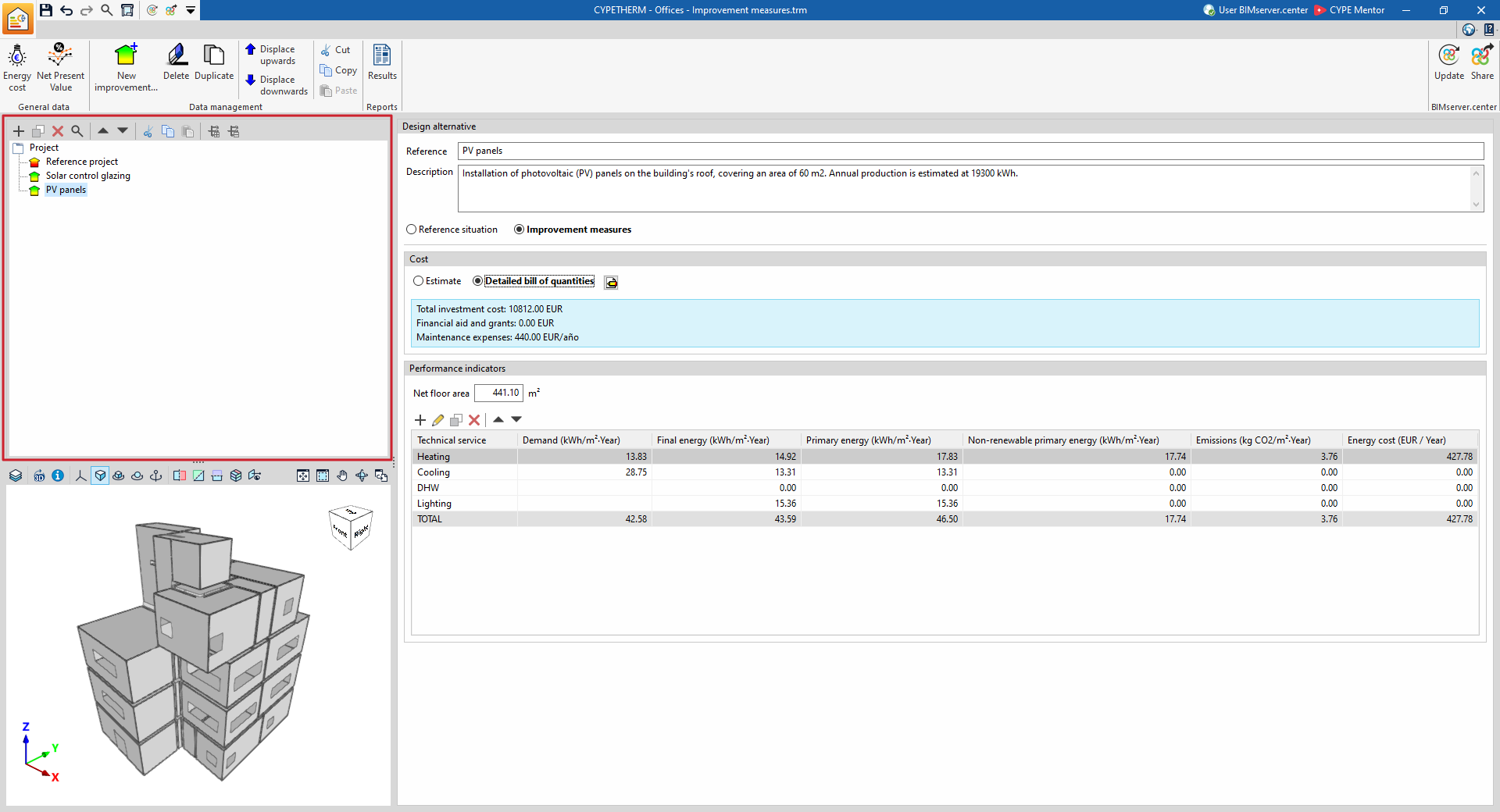
Defining design scenarios or alternatives
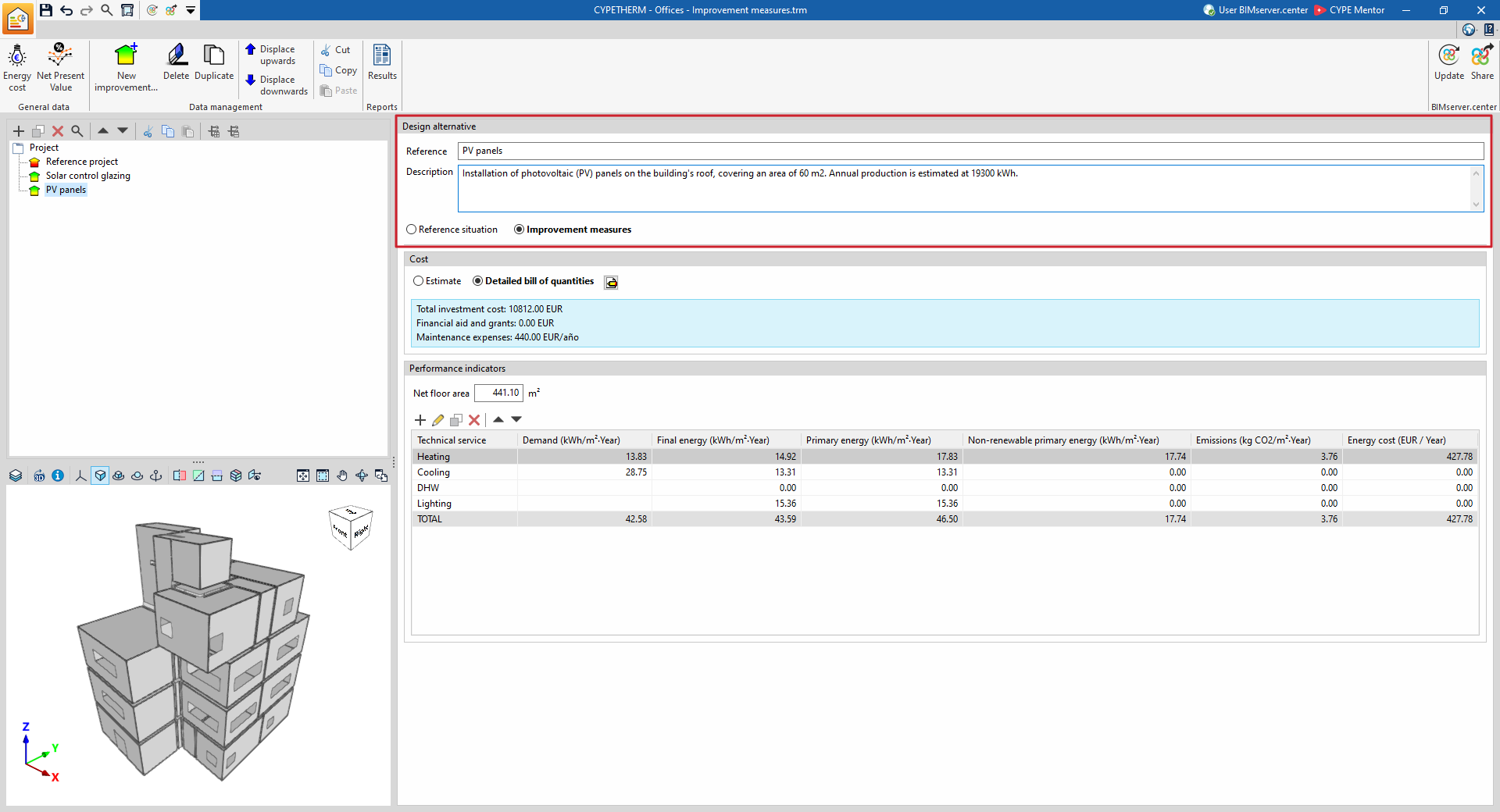
Each level in the "Project" tree represents a design scenario or alternative. For each one, the following details must be defined:
- Reference
Reference to the selected design scenario or alternative. - Description
This field must contain a full description of the chosen design option, detailing its main technical and construction characteristics. - Other details
Enter any other relevant information about the selected design option.
The "Reference scenario" option lets you specify that the selected design alternative is the reference scenario against which the economic or energy analysis comparisons will be made.
The "Improvement measures" option allows you to indicate that the element selected in the tree represents a design alternative to the reference scenario, as is the case with the building’s condition when a specific set of improvement measures is applied (such as replacing parts of the thermal envelope or the building’s installations with refurbished ones).
Ticking the "Reference situation with cost" box indicates that this scenario represents a design alternative for the building project with a specific cost. In this way, the payback period will be calculated based on the difference between the costs of the other design alternatives and that of this reference scenario. If this refers to the current situation of the existing building, this box will remain unchecked, as no cost is associated with it.
| Objective | Definition in the program |
| Comparison between the initial condition of the existing building and various improved scenarios resulting from the implementation of different sets of improvement measures | - A "Reference situation" is defined with the "Reference situation with cost" box unchecked. - "Improvement measure" alternatives are defined for each set of improvement measures to be considered, and the cost of each is specified. |
| Comparison of different design options for the project | - A "Reference situation" is defined with the "Reference situation with cost" box checked, specifying its cost. - "Improvement measure" alternatives are defined for each project design alternative to be considered, and the cost of each is specified. |
Performance indicators
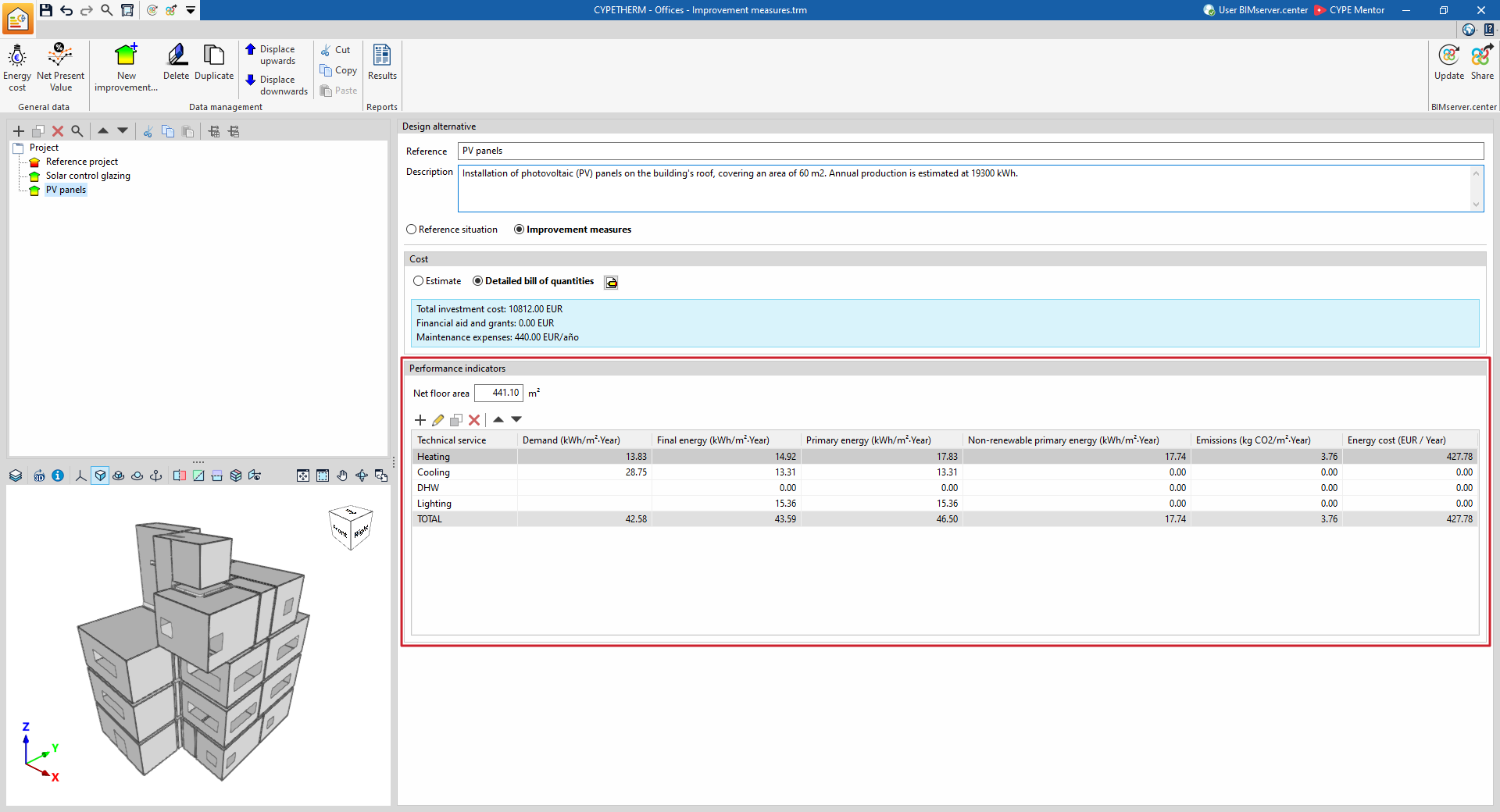
Performance indicators can be added and completed manually or imported from the data provided by simulations previously carried out using the software and shared with the BIM model. They are as follows, for each of the technical services and for the building as a whole:
- Demand (kWh/m²·year)
- Final energy consumption (kWh/m²·year)
- Primary energy (kWh/m²·year)
- Non-renewable primary energy (kWh/m²·year)
- Emissions (kg CO₂/m²·year)
- Energy costs (selected currency/year)
This section also displays and allows you to amend the "Net floor area" of the building included in the analysis.
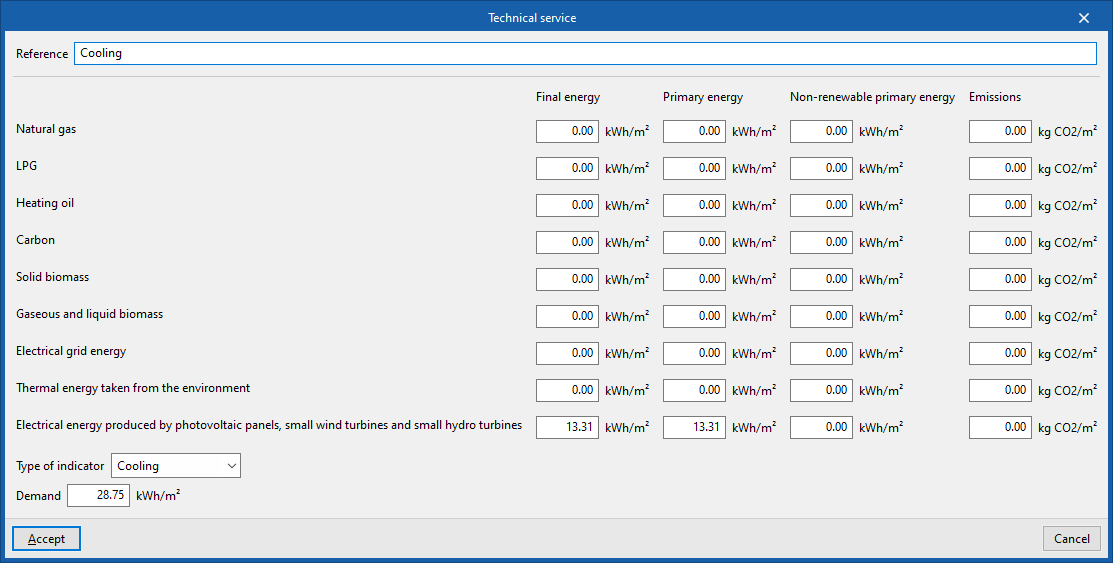
When adding or editing a performance indicator, the following must be defined in the "Technical service" window:
- Reference
- Energy and emissions figures ("Final energy", "Primary energy", "Non-renewable primary energy" and "Emissions") broken down by each energy vector ("Natural gas", "LPG", "Heating oil", "Coal", "Solid biomass", "Liquid and gaseous biomass", "Grid electricity", "Thermal energy taken from the environment" and/or "Electrical energy produced by photovoltaic panels, small wind turbines and small hydro turbines");
- Type of meter (whether "Heating", "Cooling", "DHW", "Ventilation", "Lighting", "Transport", "Humidity control" or "Other").
Costs
The "Costs" section lets you describe the costs associated with each design alternative selected in the "Project" tree. Costs can be defined if the design alternative is defined as an "Improvement measure" or as a "Baseline scenario" with the "Baseline scenario with cost" option enabled.
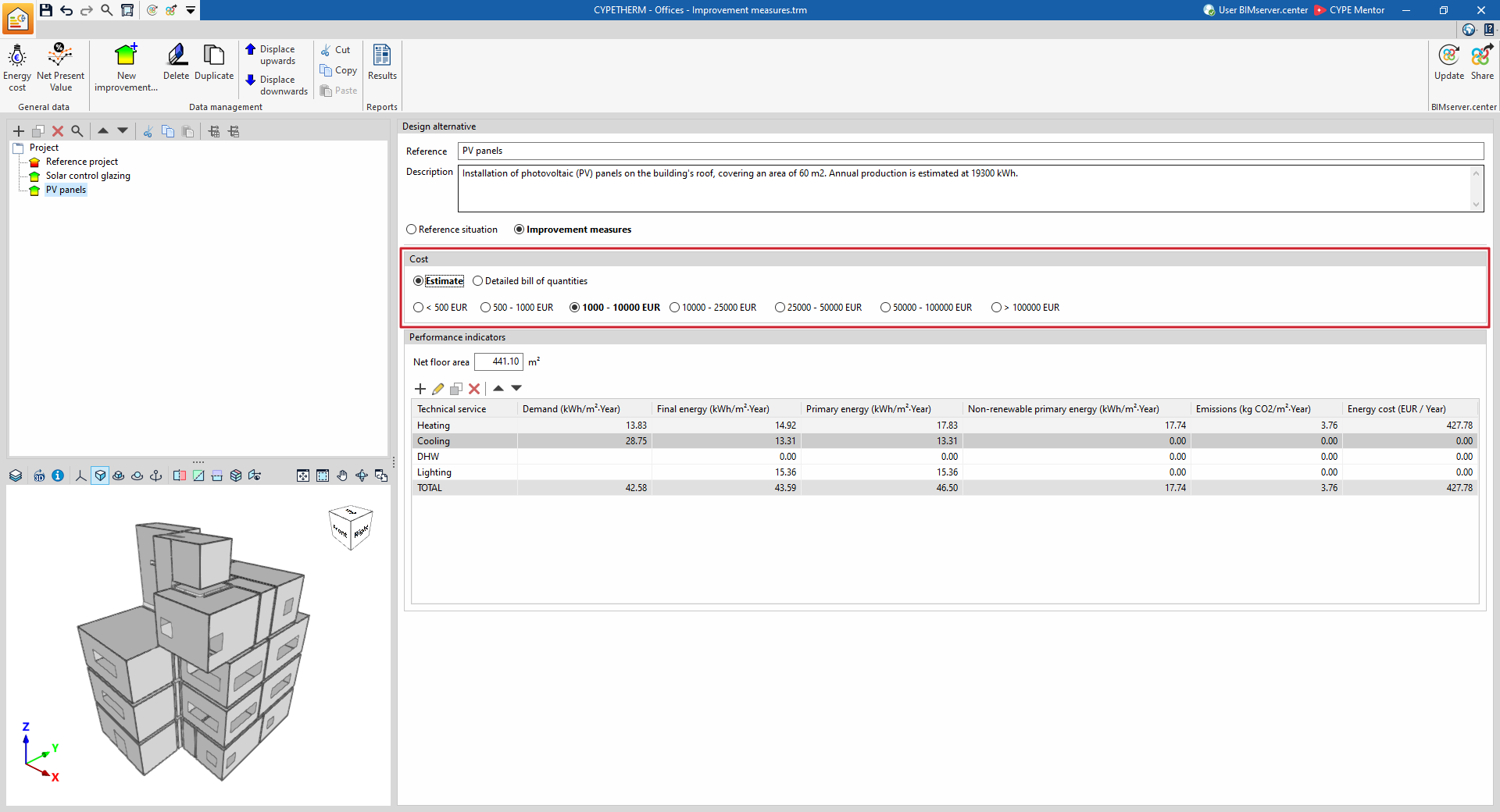
Costs can be defined as an "Estimated" cost or via a "Detailed bill of quantities":
Estimate
Define the cost of the improvement measure or design alternative in a simplified manner by selecting one of the following ranges (in the selected currency units):
- < 500
- 500–1,000
- 1,000–10,000
- 10,000–25,000
- 25,000–50,000
- 50,000–100,000
- > 100,000
The program will take the average of the selected range when carrying out the economic analysis.
Detailed bill of quantities
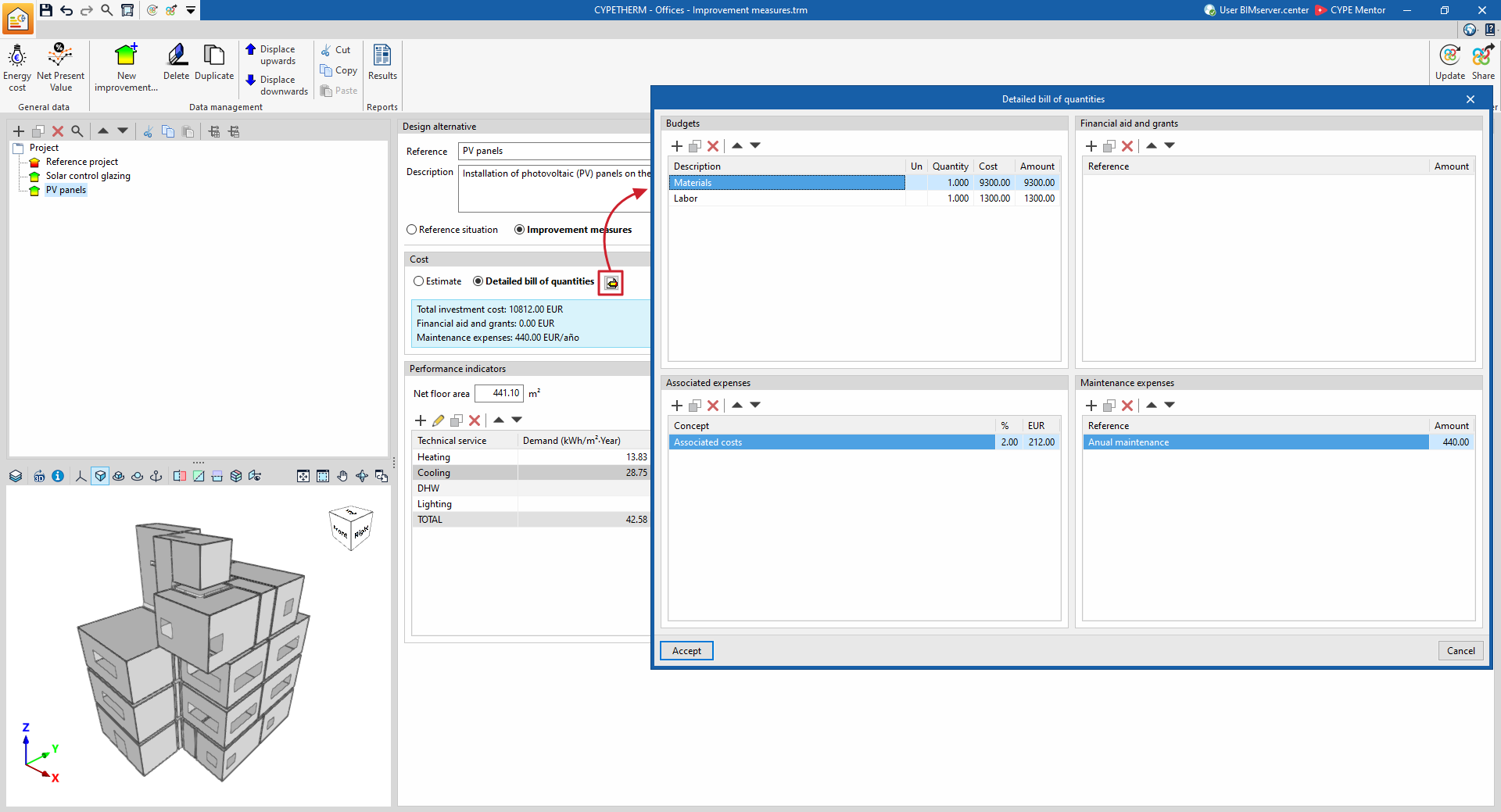
The "Detailed bill of quantities" option lets you break down the cost of the improvement measure or design alternative in detail. To do this, clicking the edit button opens a pop-up window where you can define the bills of quantities, associated costs and maintenance costs, as well as any grants and subsidies linked to the selected improvement measure or design alternative. This data enables you to complete the economic analysis and adjust the payback period:
- Budgets
- Description
- Units
- Quantity
- Cost
- Amount
- Financial aid and grants
- Reference
- Amount
- Associated costs
- Concept
- %
- Ud (currency units (by default, euros))
- Associated expenses
- Reference
- Amount
Options in the "Data management" group
The "Data management" section of the top toolbar contains the following options:

- New improvement measure
Add a new improvement measure or design alternative to the "Project" tree. - Delete
Delete the selected design option. - Move up / Move down
Reorder the design options in the tree. - Cut / Copy / Paste
Cut, copy or paste design options within the tree.