


Lightweight slabs
With the "Lightweight slabs" module, CYPECAD analyses and designs lightweight slab floors formed by panels, which are divided into two zones: lightweight and solid. Lightweight slabs are selected from the manufacturers' catalogues, integrated in the program and available through the Open BIM Database.
Entering lightweight slabs
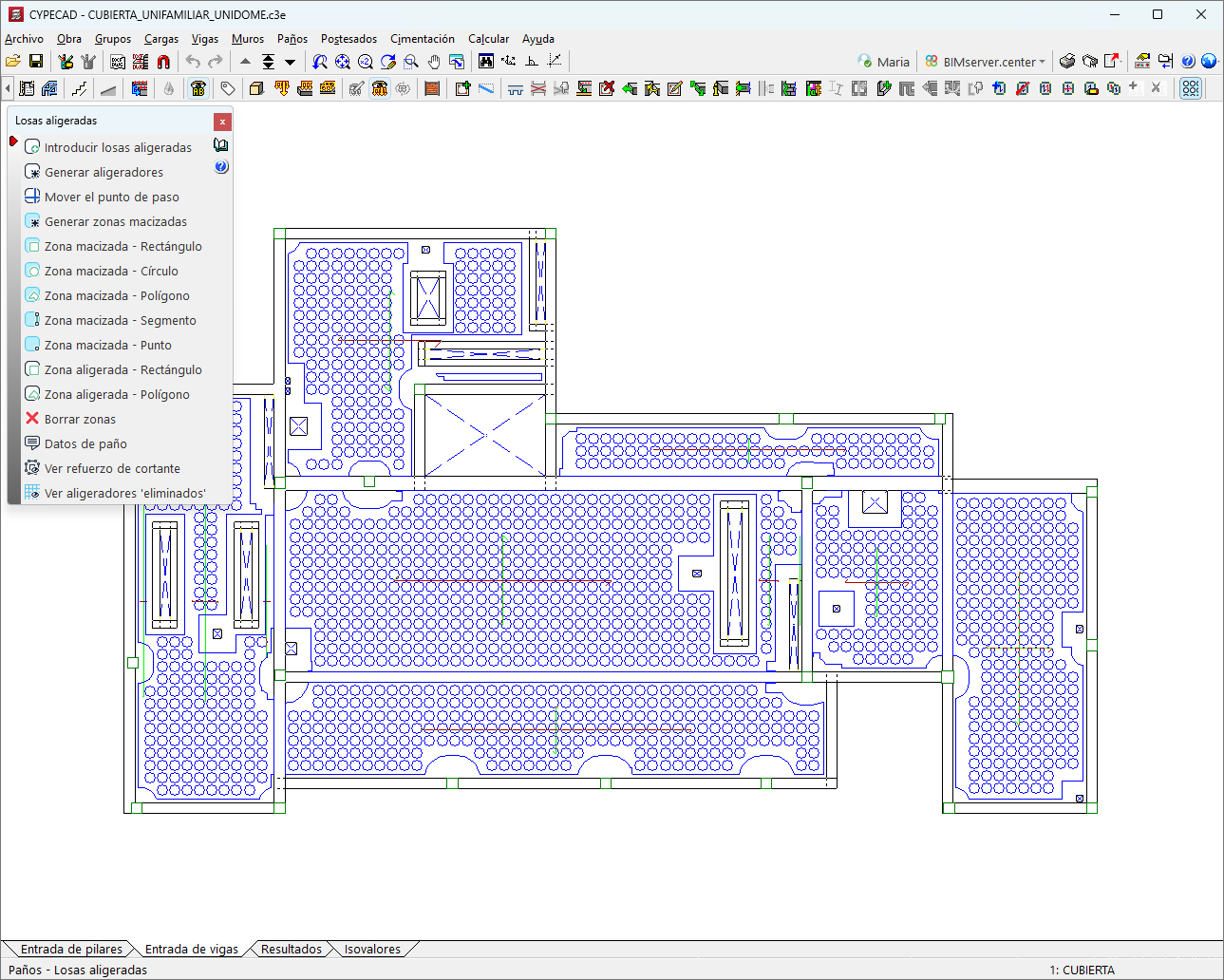
A new section, "Lightweight slabs", has been added to the "Panels" menu, which includes all the specific functions for this type of slab:
- Enter lightweight slabs
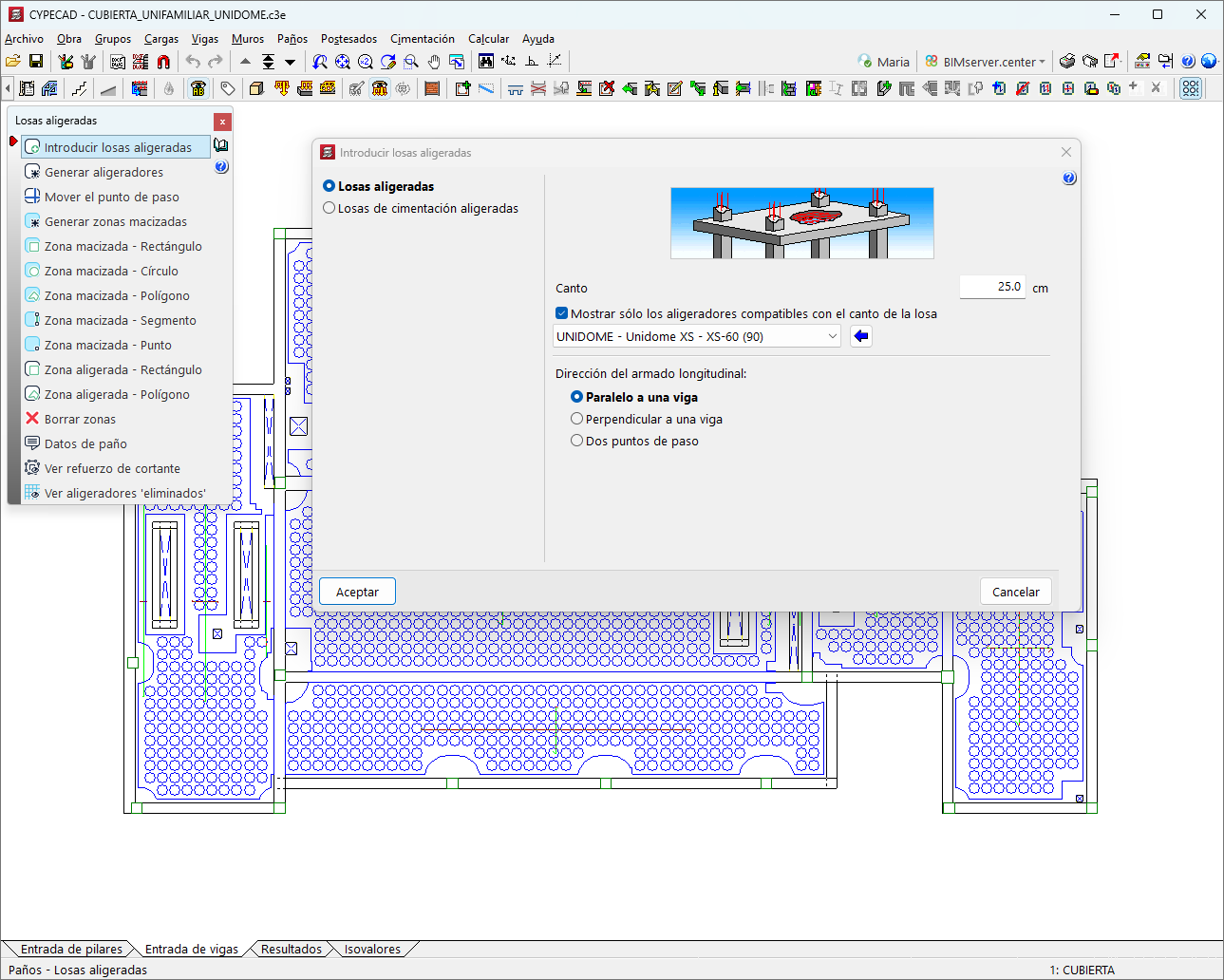
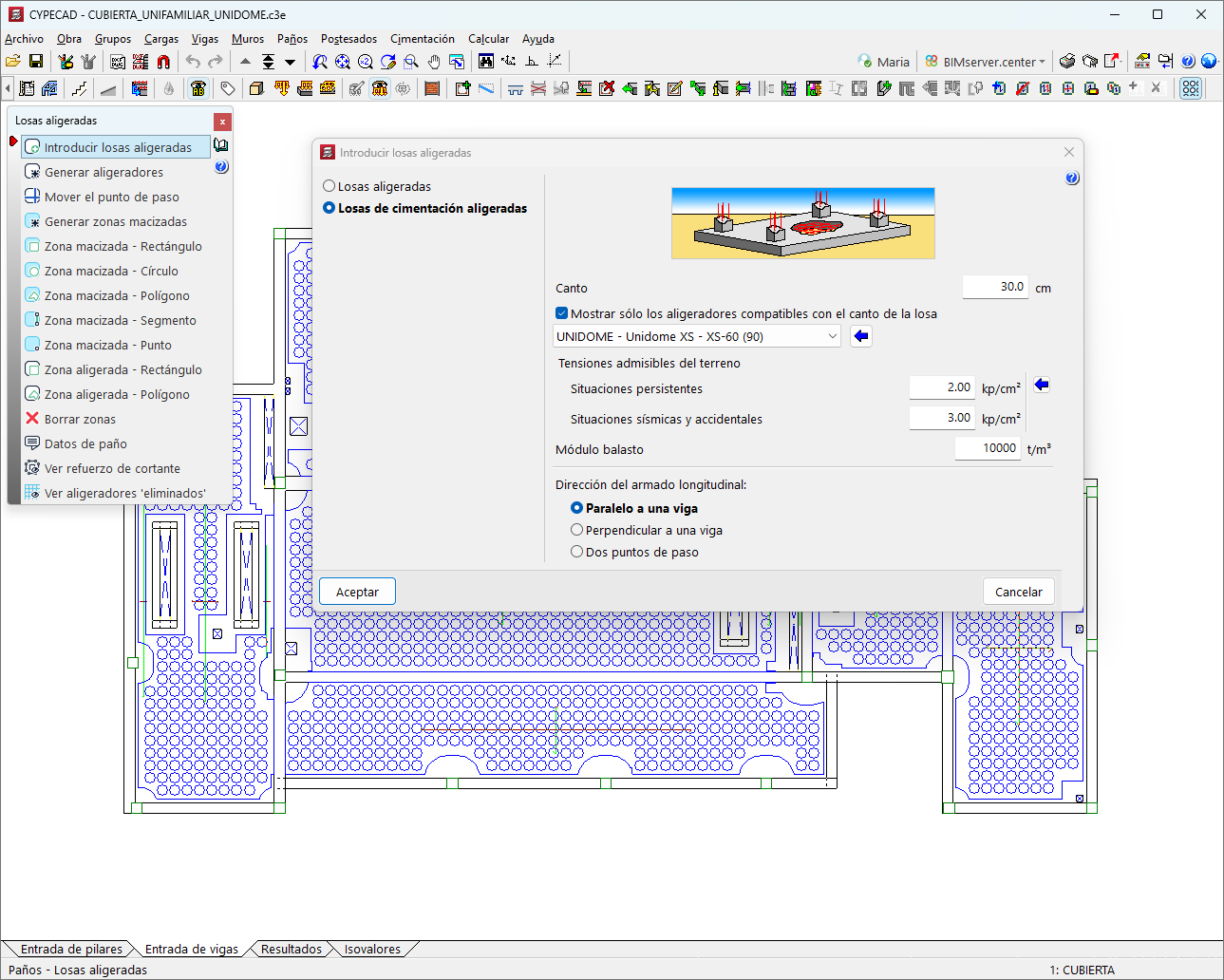
Opens the "Insert lightweight slabs" dialogue box, where users can choose between:- Lightweight slabs
Insert this type of slab by selecting an interior point of the panel and a beam to define the direction of the reinforcement. To do this, users need to set the depth, select a compatible lightweight element (from the manufacturer's catalogue) and define the direction of the longitudinal reinforcement. - Lightweight mat foundations
In addition to the above parameters, the allowable bearing pressures of the soil must be indicated.
- Lightweight slabs
- Generate lightweight elements
Automatically establishes an optimal layout of the lightweight elements. If the solid or lightweight areas are modified, the lightweight elements will need to be regenerated. - Move insertion point
Moves the lightweight elements from the predetermined position to a user-defined position, indicating a new insertion point in the panel. - Generate solid zones
Analyses the required shear reinforcement for solid areas or generates it from the current results. Three options are available to simplify the design model. - Solid zone - Rectangle
Defines a solid area in the panel, in the form of a rectangle, by inserting two points. - Solid zone - Circle
Defines a solid area in the panel, in the form of a circle, by inserting a central point and a radius. - Solid zone - Polygon
Defines a solid area in the panel, in the form of a polygon, by entering three or more points. - Solid zone - Segment
Defines a solid area in the panel, in the form of a segment, by inserting two points. - Solid zone - Point
Defines a solid area in the panel, in the form of a point, by inserting a single point. - Lightweight zone - Rectangle
Defines a lightweight zone in the panel, in the form of a rectangle, by inserting two points. - Lightweight zone - Polygon
Defines a lightweight zone in the panel, in the form of a polygon, by inserting three or more points. - Delete zones
Removes solid or lightweight zones previously defined by the user. - Panel data
A dialogue box opens in which the slab edge, the slope and the fixity coefficient can be modified. Furthermore, the type and characteristics of the lightweight element, as well as the basic reinforcement of the slab, are displayed. - View shear reinforcement
Displays the shear reinforcements on the screen by means of cyan blue lines. - View ‘deleted’ solid zones
- Displays the solid zones where lighteners have been removed in a cyan blue grid on the screen.
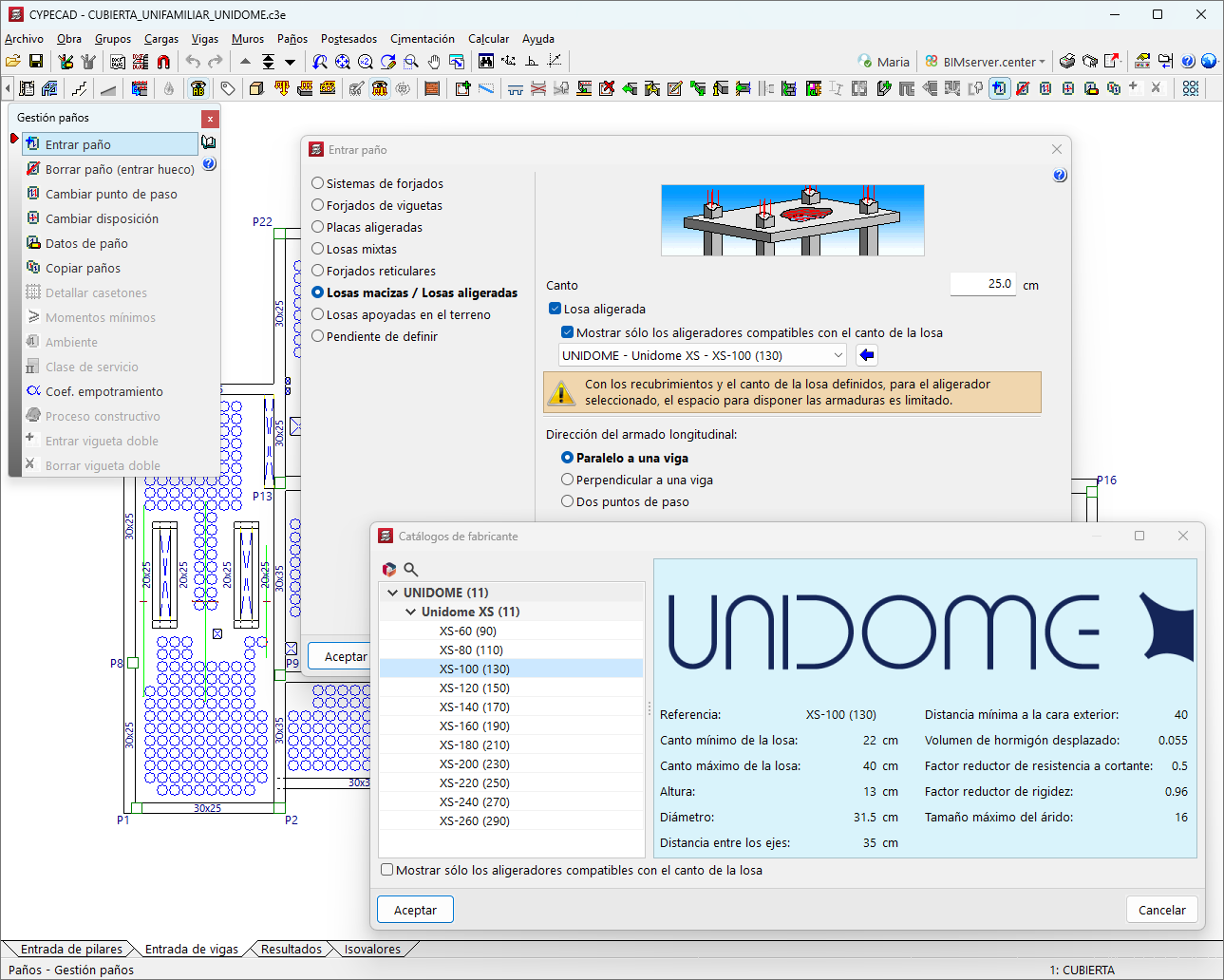
The "Lightweight slabs" type can also be selected in the "Layer" menu in the "Layer management" section of the "Layer management" menu. Here, the "Enter panel" option opens a dialogue box, in which "Infilled slabs / Lightweight slabs" can be selected.
The following data must be defined when entering "Lightweight slabs" type panels:
- Edge
The edge of the panel must be stated in centimetres. Each panel can have a different edge. The edge of the slab must be sufficient to hold the lightener, and the program offers the option of displaying only those that are compatible with this edge. - Lightweight element
A lightweight element must be selected from the manufacturer's catalogues integrated in the program and available through the Open BIM Database. When selecting a lightweight element, the program displays a warning if the space for the reinforcement is limited or not compatible. - Longitudinal reinforcement direction
Three layout options are available: "Parallel to a beam", "Perpendicular to a beam" and "Two intersection points".
Results output
For lightweight slabs, the program displays the following results:
- Contour plots and contour lines
Displacements, forces and amounts in cm²/m can be displayed for all the slabs of any group. - Layout-type floor plans
Users can obtain drawings of lightweight slabs, detailing the characteristics of the slabs and the system of lightweight elements (including the number of lightweight elements and the lightweight surface with units per square metre). To show the lightweight elements graphically in the drawing, the "Slab lighteners" option must be selected from the "Configure" option of the "Layout" type floor plan, in the "Layouts" tab. - Reports
Used to extract the "Slab reinforcement", "Forces in nodes of flat and waffle slabs", "Displacements in nodes of flat and waffle slabs" reports.
User license
For CYPECAD to be able to analyse and design lightweight slabs, the user license must include the "Leightweight slabs" module combined with at least one of the following: "Flat slabs" or "Mat foundations and foundation beams" in addition to "CYPECAD".
Other features
To access other features offered by the program, several modules can be found on the "CYPECAD modules" page.
