Options available in StruBIM Deep Beams
The "BIM model" section of the main toolbar contains the features required to use the program alongside other BIMserver.center tools.

Updating
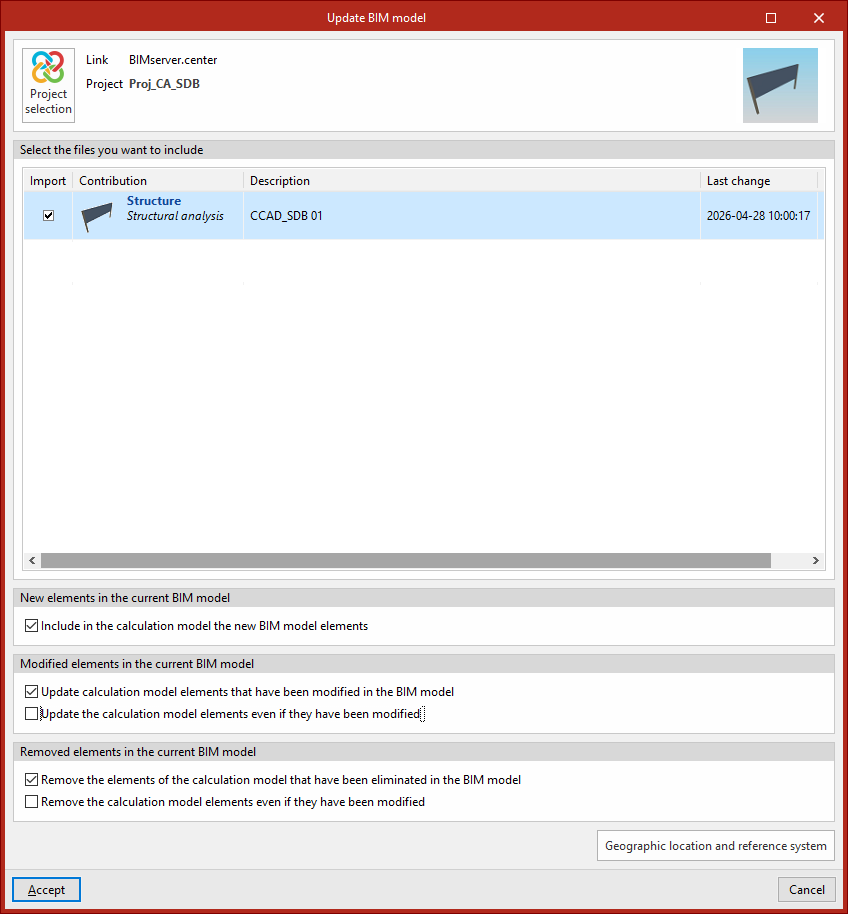
Update the information contained in the models previously imported into the project, or import new models if required.
In addition, in this window, the program offers the following options, which allow you to add new beams to the model, modify them or delete them, based on the updated information in the BIM model:
- New elements in the current BIM model
In this section, you can "Include the new elements from the BIM model in the calculation model" if this option is enabled. - Elements modified in the current BIM model
In this section, you can "Update the elements of the calculation model that have been modified in the BIM model" if this option is enabled.
If this option is enabled, you can choose whether to "Update the elements of the calculation model even if they have been modified" or not, by checking or unchecking this box. - Elements removed from the current BIM model
In this section, you can "Remove elements from the calculation model that have been deleted from the BIM model" if this option is enabled.
If this option is enabled, you can choose whether to "Remove elements from the calculation model even if they have been modified" by checking or unchecking this box.
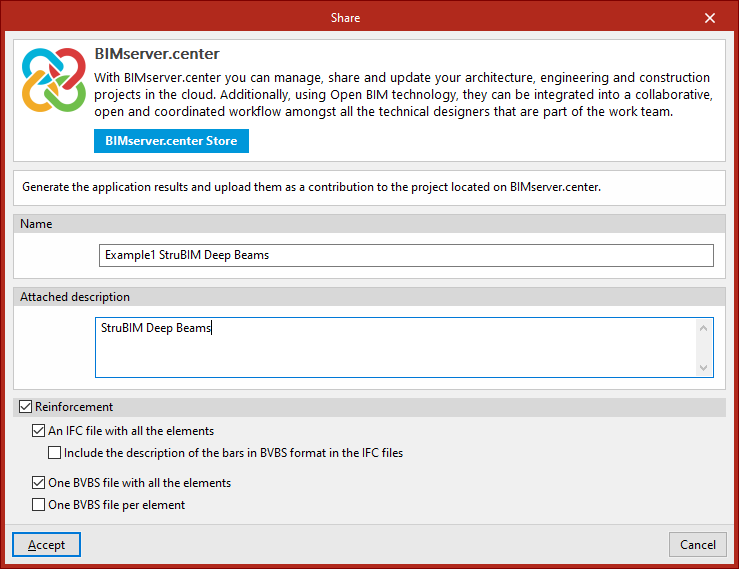
Sharing
Export the installation data generated by the program to BIMserver.center so that you can share it with other users.
During the export process, you can specify the details of the .ifc file to be exported and select any additional files you wish to share:
- Name
- Attached description
- Reinforcement (optional)
If this option is enabled, files in IFC and/or BVBS format can be generated containing information on the model’s reinforcement. The following options can be configured:- An IFC file with all elements
Generates a single .ifc file that includes the reinforcement for the entire model. - Includethe description of the bars in BVBS format in IFC
files
In .ifc files, an additional parameter is added to each bar containing its description in BVBS format, which provides the necessary information on the shape of each bar for manufacturing purposes. - A BVBS file with all the elements
Generates a single .bvbs file that includes all the reinforcement bars in the project. - One BVBS file per element
Generates a separate .bvbs file for each element in the project.
- An IFC file with all elements