Update history​​

CYPECAD

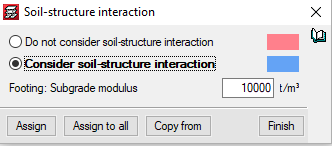
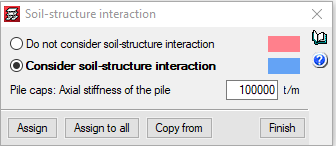
Soil-structure interaction (footings and pile caps) is a CYPECAD module with which the settlement of the foundations and their interaction with the rest of the structure, regarding forces and deformations, can be considered. The soil-structure interaction is considered by defining elastic stiffness constants for the foundation elements.

For footings, the stiffness is entered as the subgrade modulus. Similarly, for pile caps, users must define the axial stiffness for each pile, which is determined by the ratio between its load and the settlement that is produced.

More information.

  • Improvements in wall meshes when there is a complex geometry.
  • Adjustment of beam lengths in walls with a displaced axis.
  • Design of dual pitch beam frames in some cases where it was not carried out.
  • Application of fire safety checks in specific cases where they were not carried out.
  • Generation of beams at positions that are very eccentric with respect to the beam.
  • View contour maps on very large surfaces.
  • Consult the deformed shape of certain walls, which was not displayed previously.
  • View the deformed shape of the project in cases where there is an elastic fixity in the connections to an integrated 3D structure.
  • "Guid" and "Category" are added to the elements of the integrated 3D structures to export to IFC and glTF format.
  • Wall starter beams are exported to IFC, which previously, were not generated.
  • The dialogue panels in which the chapters of the reports are selected can now be redesigned.
  • Correction in the import of construction elements from IFC format.
  • The position of the starts is included in the "Column layout" table of the floor layout plan.
  • The drawing of the wall elevation plan has been corrected for when there is a floor slab or beam with a depth greater than 1 metre.
  • Correction of the error in the discretisation process, for the specific case of a block wall that begins on another wall.
  • ASCII files with new wind loadcases can be imported.
  • Incorrect beam intersection problem warnings have been deleted.
  • The loads of the construction elements are now included in the "Seguridad estructural" section of "Memorias CTE" and "CYPE Memorias CTE".
  • The diameters that are used for the transverse reinforcement of concrete walls, are those defined for column stirrups ("Steel in bars" > "Options for columns, shear walls, walls and corbels" > "Reinforcement tables" > "Column reinforcement tables" > "Available diameters" > "Stirrups").
  • The diameters that are used for the top reinforcement of lightweight panels for which this reinforcement is not already defined, are those defined in the top reinforcement tables for joists ("Floor slabs" > "Rib top reinf." > "Joist top reinforcement tables" > "Diameters used").

The allowable range of wall thicknesses has been broadened. In earlier versions, the maximum width was fixed at 1 metre. As of the 2020.f version, users can enter walls with a thickness greater than 1 metre.

The walls and partitions of the architectural model are imported as construction elements. In earlier versions, these construction elements were generated at the same position as the adjustment line of walls or partitions. As of the 2020.f version, construction elements will be generated at the axis of the imported walls or partitions.

In earlier versions, when the "Move column/shear wall" option was used, dxf/dwg templates were snapped to. As of the 2020.f version, the program snaps to column and floor slab outlines of the BIM model.

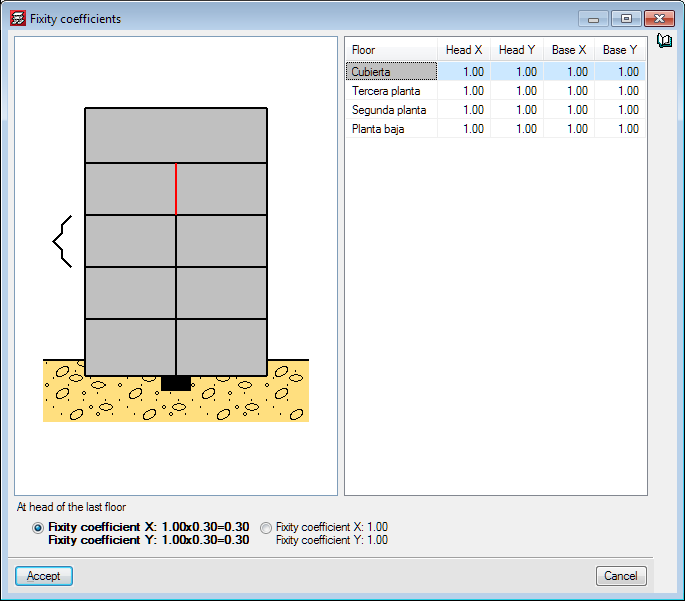
An option has been implemented which allows to optionally reduce the fixity coefficient at the last floor when editing each column. From the "Fixity coefficients" panel, users can select, at the top of the column of the last floor, whether to apply the reduced or unreduced fixity coefficient.

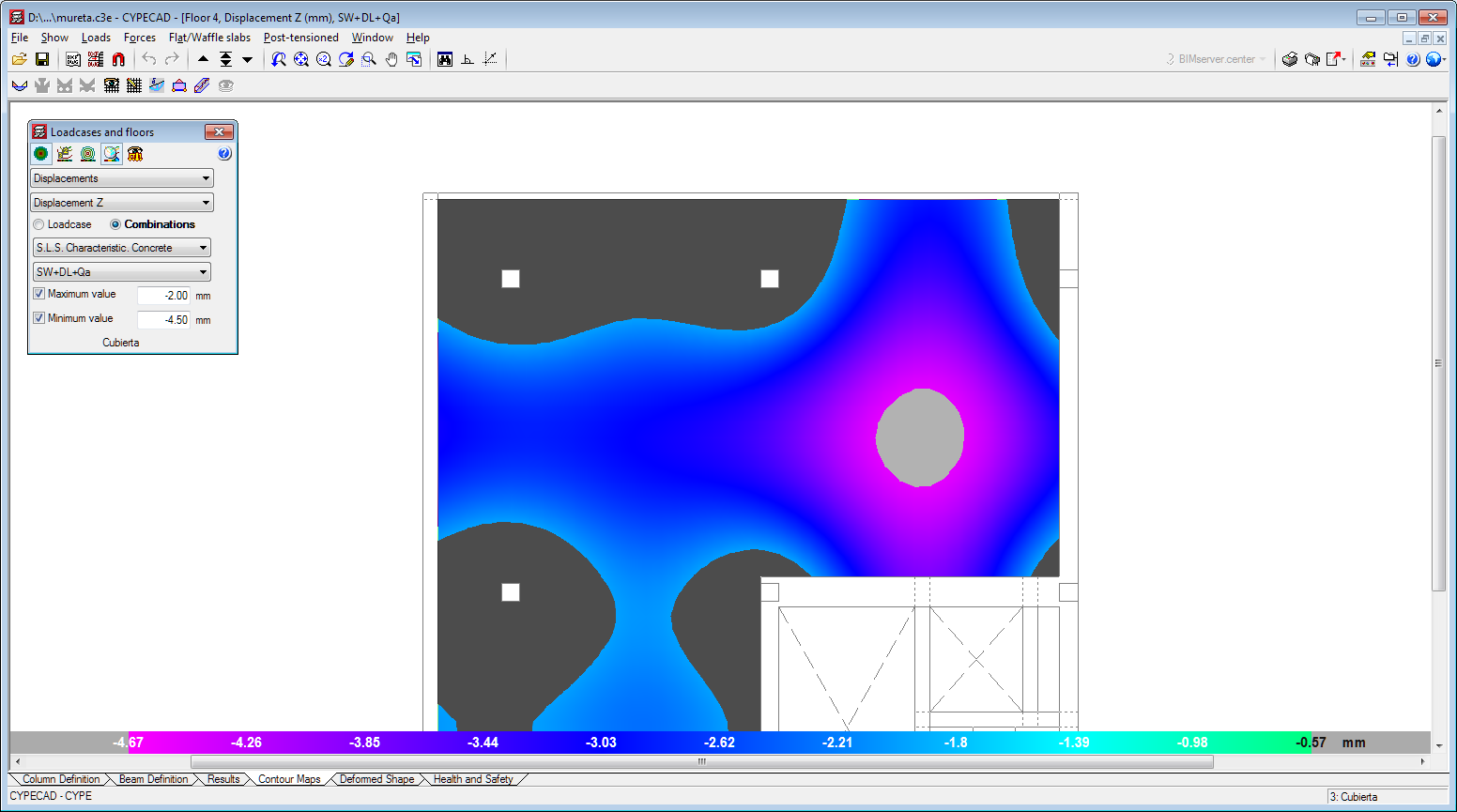
Forces and displacements that lie between a maximum and minimum value, defined by users, can now be viewed in the "Contour maps" tab. Zones with force or displacement values that lie outside the defined range are not displayed.

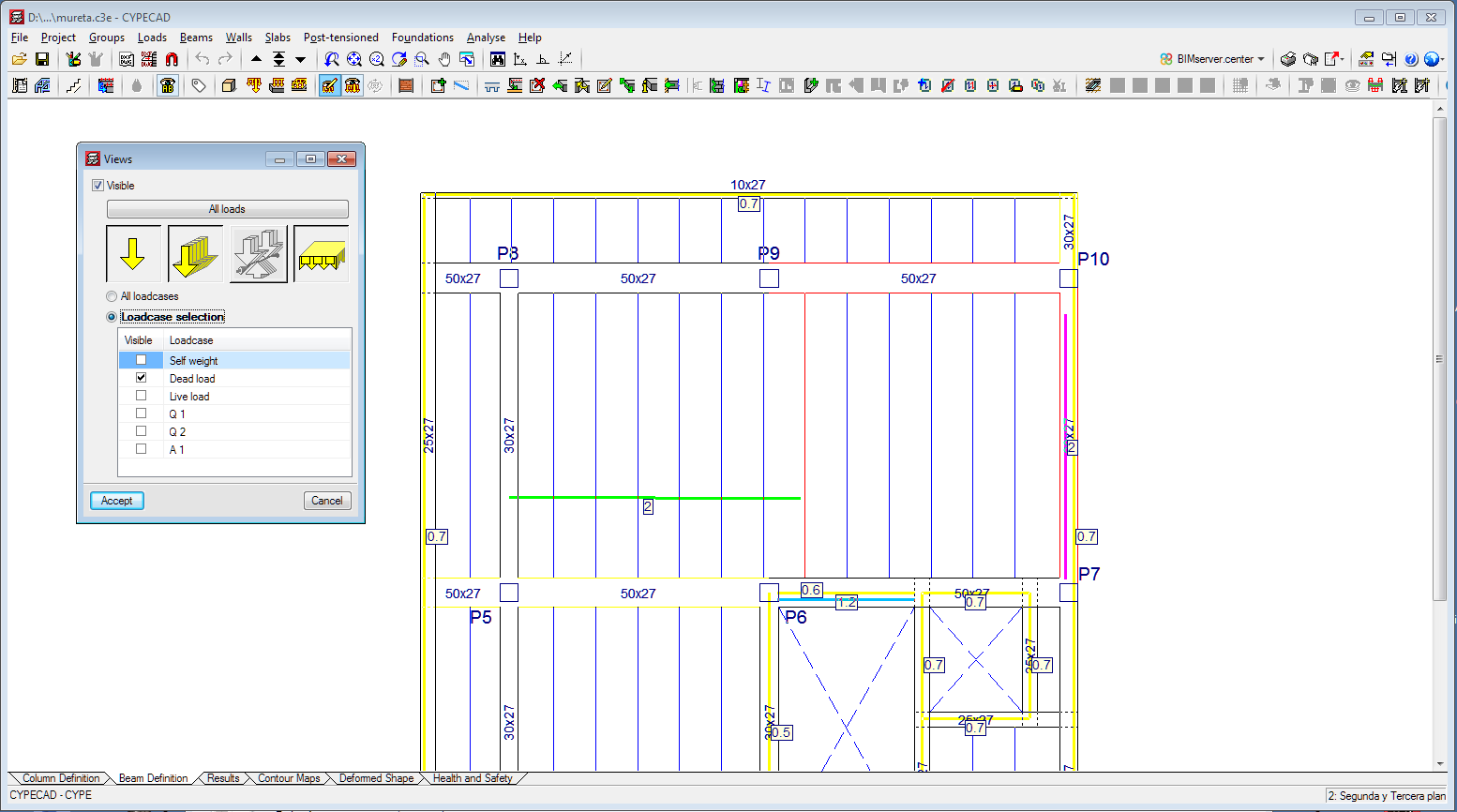
The possibility to display the loads of all the loadcases or a selection of loadcases has been implemented in the 2020.f version (Loads > Views).

In versions earlier than the 2020.f version, if the path of walls that were being entered, using the "Beams/Walls > Define beam > Beams with external fixity" option, coincided with any columns, users would have to disconnect them so the vertical movement of the columns would not be hindered by the walls. Now, in the 2020.f version, columns are disconnected automatically when these beams are entered (wall supports or fixed).

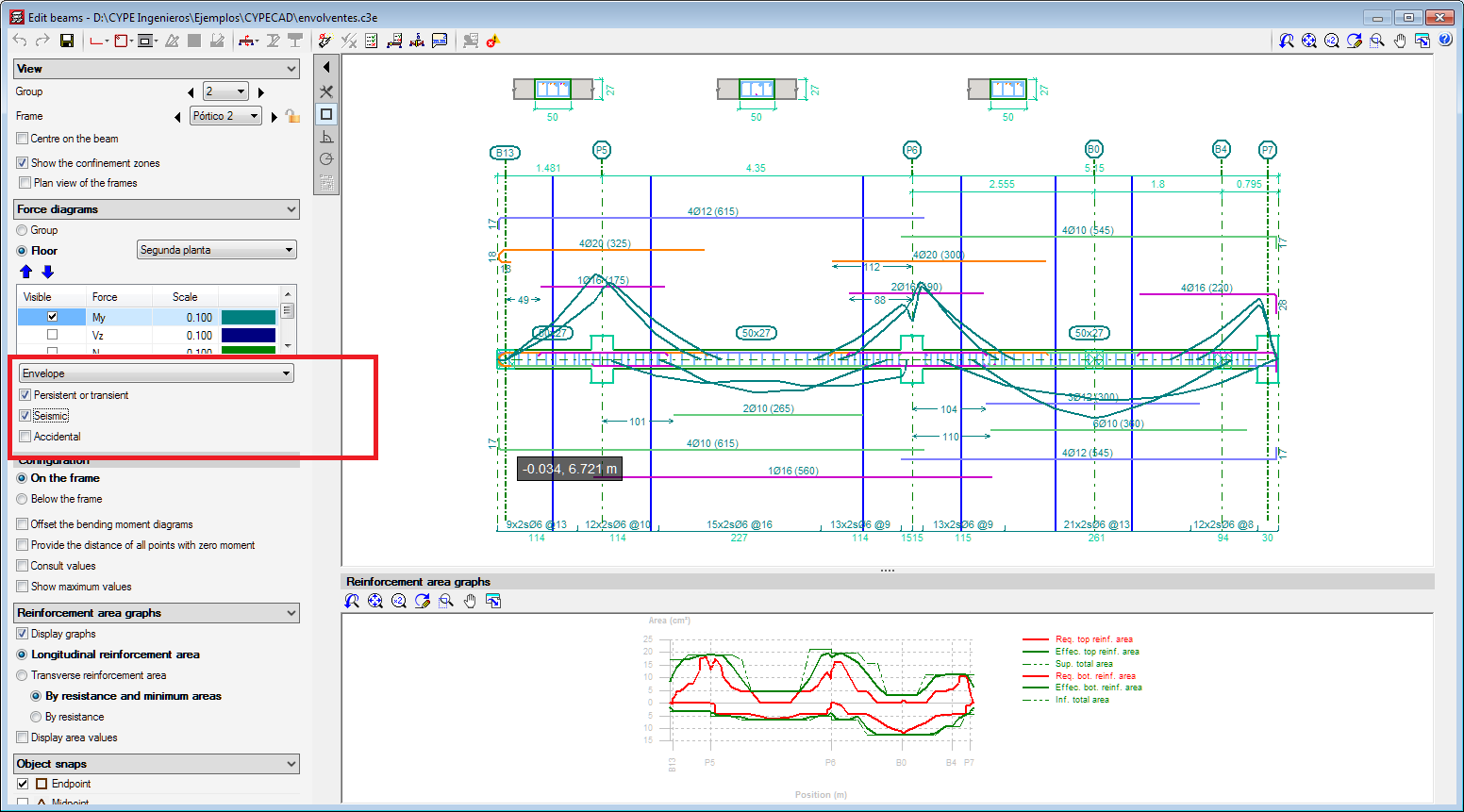
Users can now select several types of envelopes so they can be viewed simultaneously in the frames editor. It is possible to choose persistent or transitory, seismic or accidental situations.

Users can now select floors in the 3D view of the deformed shape. In "Floors > Floor selection", the initial floor and final floor that are to be displayed can be chosen.

The 2020.e version includes the check of columns and timber bars with circular sections for the following design codes:

  • CIRSOC 601
  • ANSI/AWC NDS-2015