Update history​​

CYPECAD

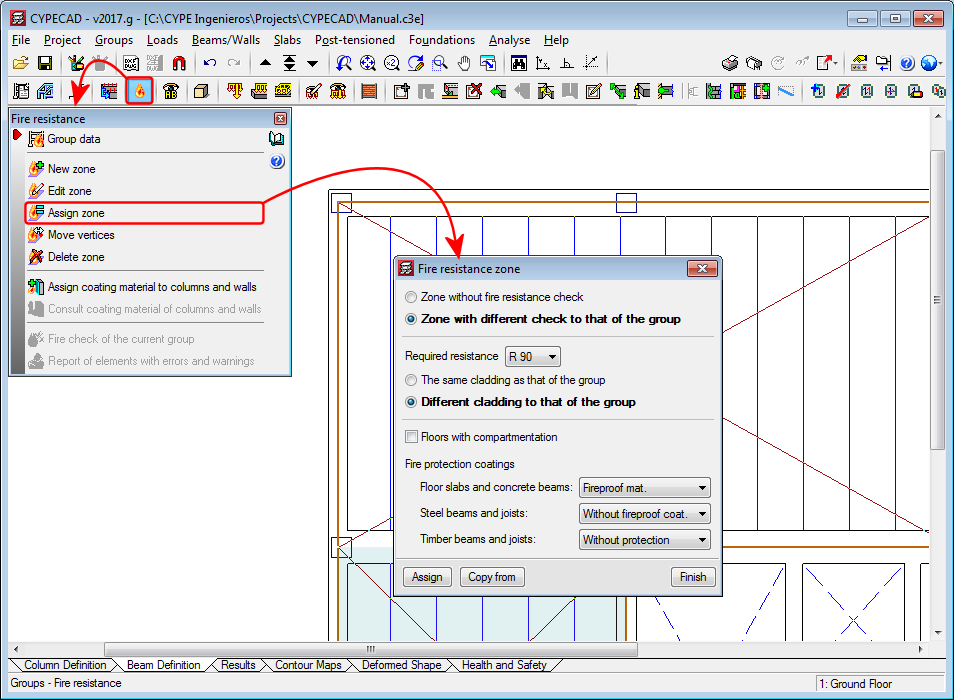
Users could, as of previous versions, create zones with different fire resistance options to those defined in the options of the project in CYPECAD. As of the 2017.g version, the option “Assign zone”, has been added to the fire resistance definition tools. This tool allows users to assign the required resistance and fire protection coatings to several zones, if required. The resistance zones can have the same or different fire protection coatings to those of the group.
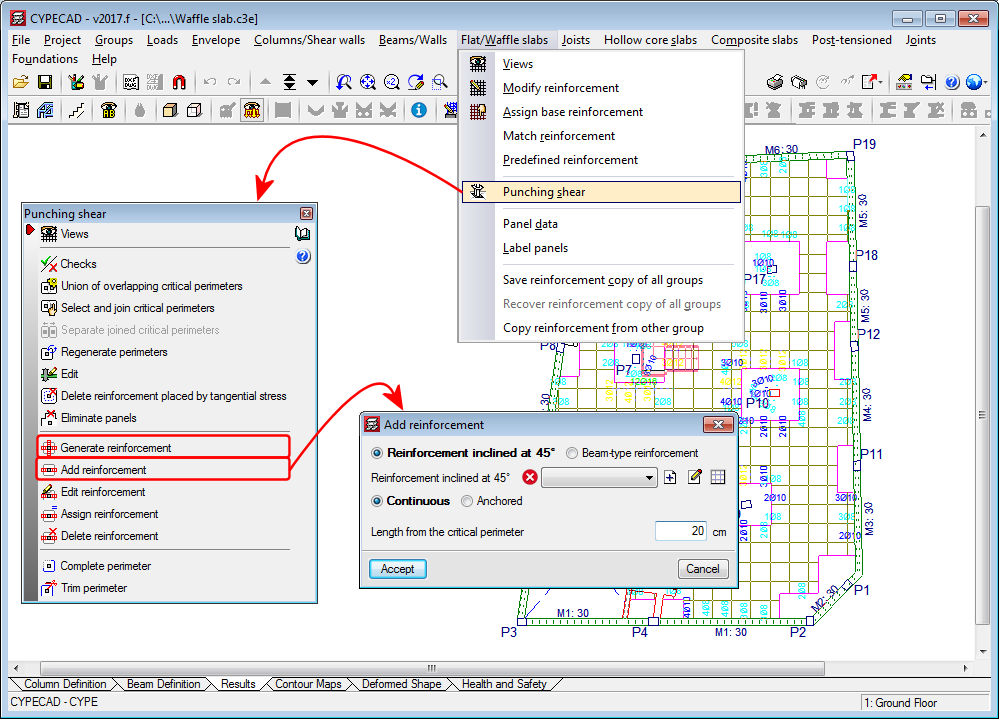
Punching shear reinforcement that is introduced using the “Generate reinforcement” or “Add reinforcement” options (Results > Slabs/Waffle slabs > Punching shear) is measured in the takeoff report (File > Reports > Job takeoffs).

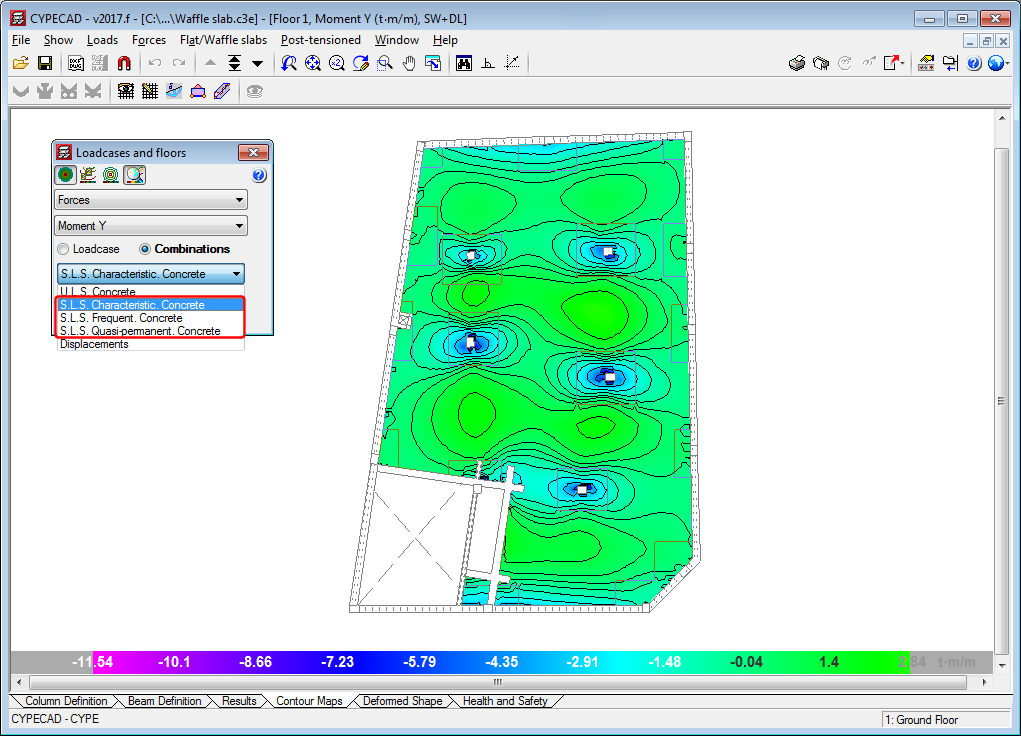
Representation of the S.L.S. of force combinations

As of the 2017.f version, CYPECAD can represent Serviceability Limit State (S.L.S) force combinations in its contour maps.

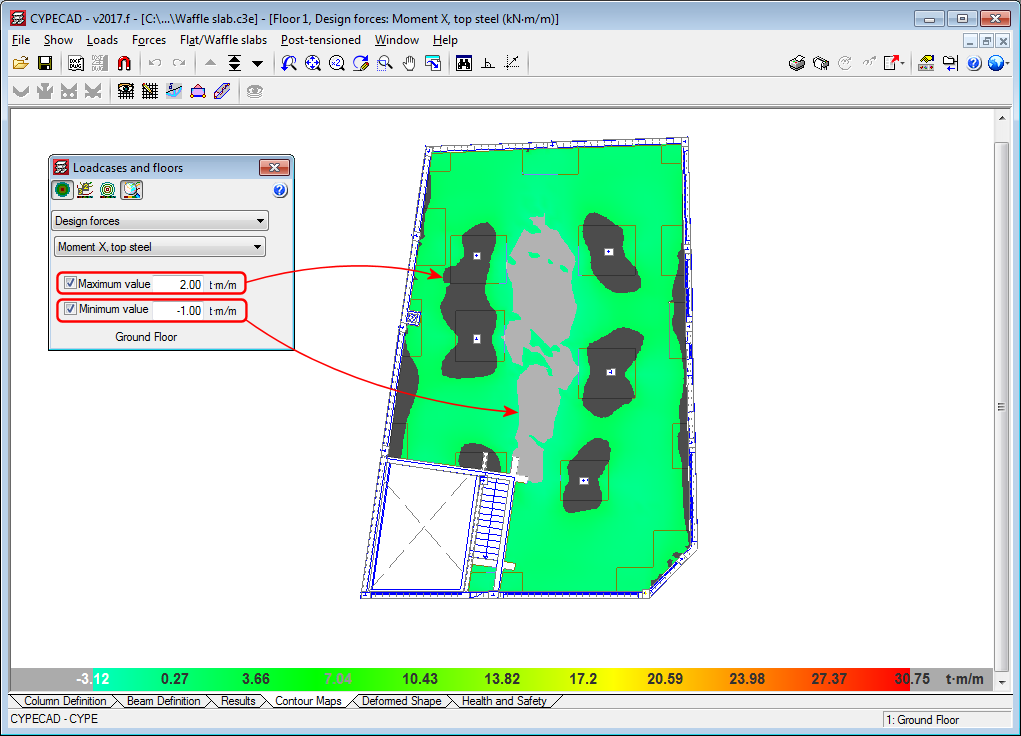
Contour interval representation

In the contour maps for “Design forces”, “Steel areas” and “Ground bearing pressures”, users can define limits, so zones with values exceeding them are not displayed. In previous versions, zones whose values exceeded the limits were shown in the colour of the limit values. As of the 2017.f version, the zones exceeding the maximum limit are shown in dark grey and the zones below the minimum limit in light grey. This allows users to clearly distinguish the zones exceeding each limit.

Diagram of average values between two points

In previous versions, the “Average values in a strip” diagram (which can be defined in the Contour Maps tab), was not drawn when it passed through contour zones with values exceeding the limits established by users.

As of the 2017.f version, this diagram is also represented when it passes through these zones, which are currently displayed in grey (see previous new feature: “Contour interval representation).

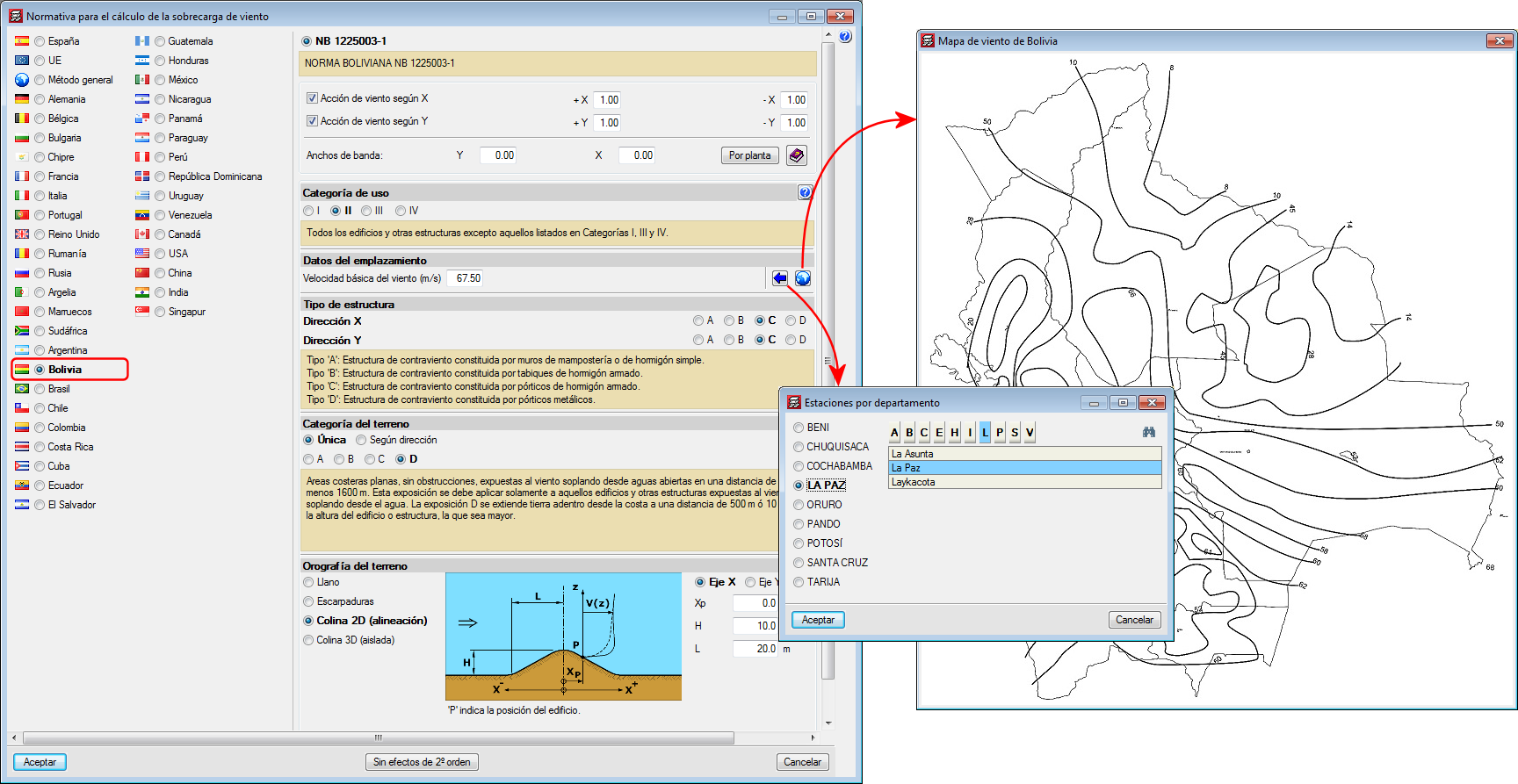
Norma Boliviana NB 1225003-1

Implemented in CYPECAD.

Reglamento Aregentino de Estructuras de Madera

Implemented in CYPECAD and CYPE 3D.

National Design Specification for Wood Construction.

Implemented in CYPECAD and CYPE 3D.

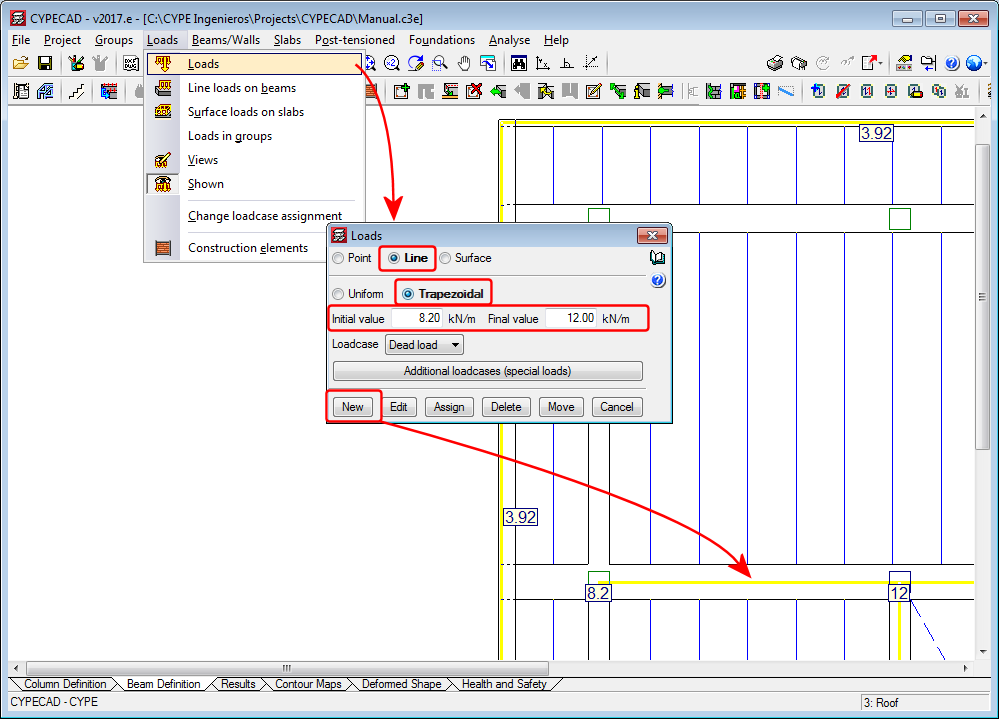
As of the 2017.e version, CYPECAD allows users to define linear trapezoidal loads.

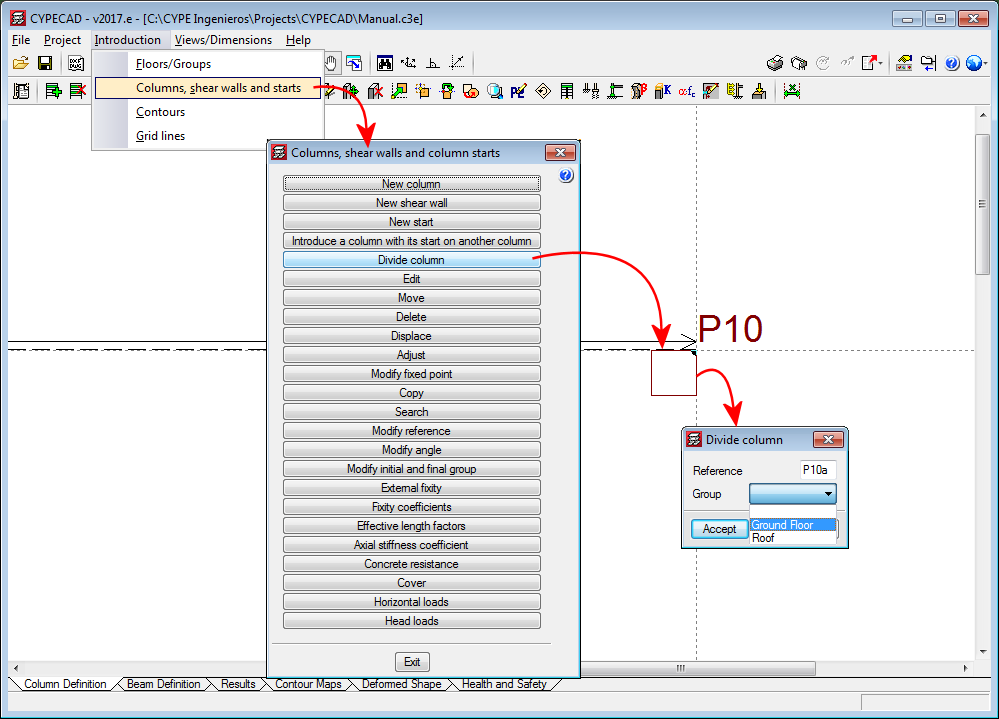
The option, “Divide column”, which divides a column into two parts has been implemented in the “Columns, shear walls and starts” menu (Column Definition tab > Introduction). The option divides columns in such a way that the start of the column above is the top of the one below.

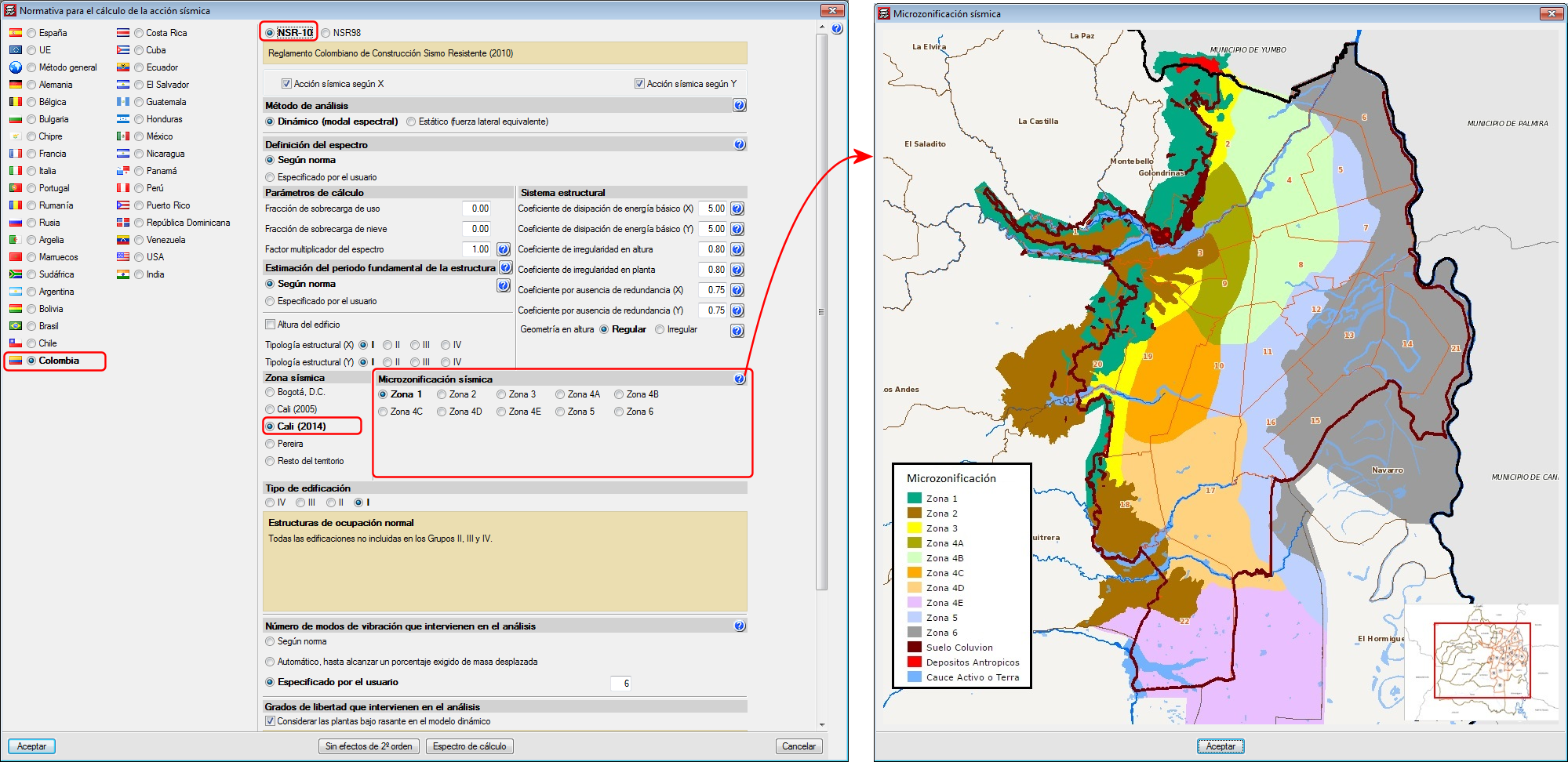
As of previous versions, when users selected to carry out a seismic analysis with the NSR-10 code (Colombia), they could choose amongst several microzonations:

  • Bogotá D.C.
  • Cali (2005)
  • Pereira

As of the 2017.e version, the Microzonation of Cali of 2014 has been included (Decree 411.0.20.0158 of 2014).

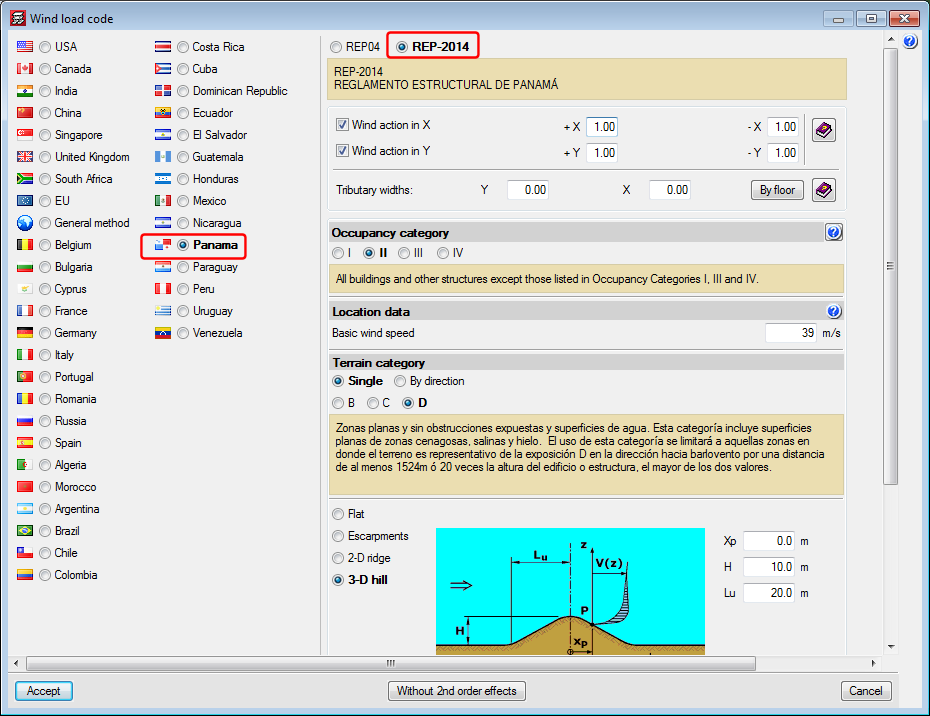
REP-2014 . Reglamento Estructural de Panamá.

Implemented in CYPECAD.

Norma Boliviana. Hormigón Estructural

Implemented in CYPECAD and CYPE 3D.

The strap beam table included in the foundations drawing is generated with the beams organised depending on their reference.

CYPE Mentor