We have recently implemented the following building codes:
- Concrete Codes:
- ACI 318M-08 (USA)
- CIRSOC 201 - 2005 (Argentina)
- Eurocódigo 2 (Bulgaria)



Each flight between floors of stairwells can be defined using any typology that is composed of any of the following elements:
 Straight flight
 Intermediate landing
 Quarter turn landing
 Half turn landing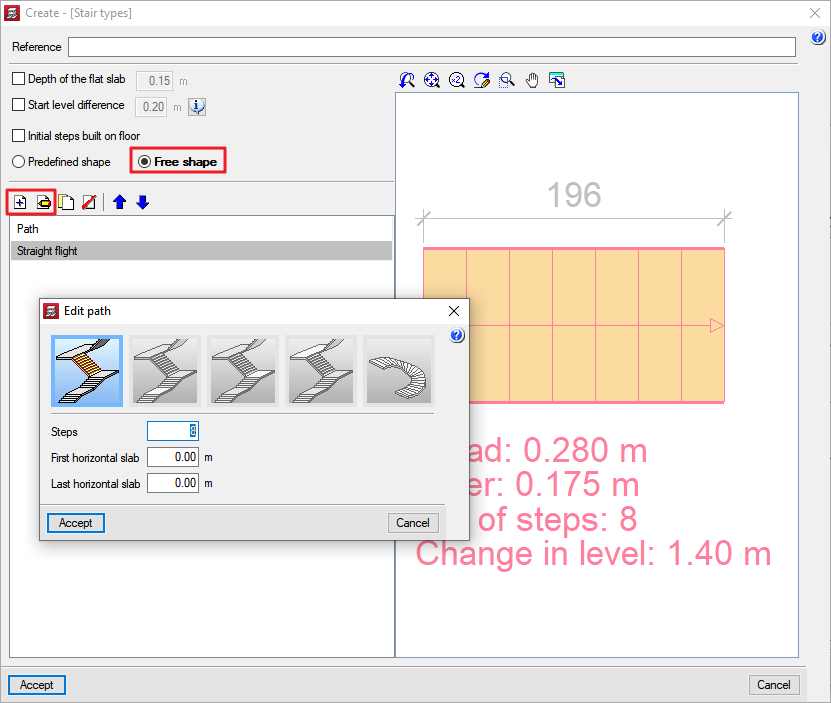
The free stairs typology can be defined by activating the Free shape option in the Create or Edit [Stair typology] dialogue box. If a flight of stairs is then added ( ) or edited (
 ) from the Path list, the New path dialogue box appears where any of the elements forming the flight of stairs can be selected.
The CYPECAD Stairs module analyses and designs the reinforcement of stair slabs as isolated elements in the structure. Depending on the geometry, type and layout of the supports and the gravitational loads applied, the program determines the reactions on the main structure, which are translated into line loads and surface loads (for steps built on the floor) as dead and live loads.
The program designs staircases whose spans between floors are formed by flights (either parallel or orthogonal to each other) of the following types:
 A straight flight
 Two straight flights with half turn landing
 Three straight flights with quarter turn landings
 Two straight flights with quarter turn landing
 Two consecutive flights with intermediate landing
 “n” straight flights with half turn landing
 “n” straight flights with quarter turn landings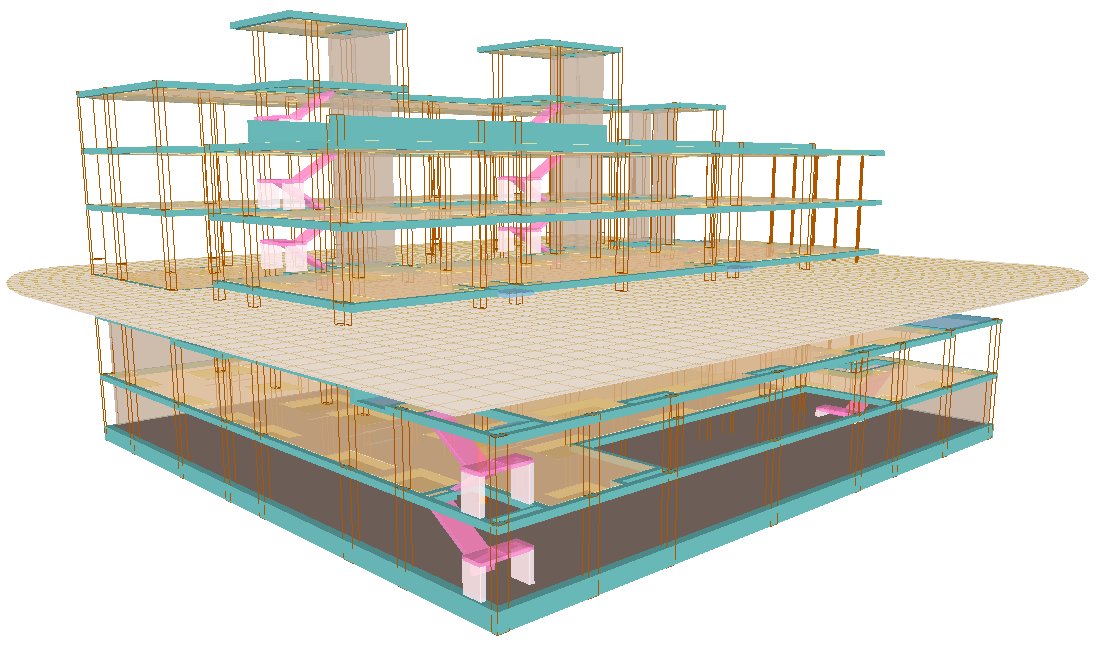
In CYPECAD, a staircase is understood to be the set of a span of stairs between floors that define the vertical circulation of a certain area of a building. A flight of stairs is the inclined part of a staircase formed by a continuous succession of steps that bridge the difference in level between two horizontal planes. The intermediate horizontal plane between two consecutive flights is called a stair landing.
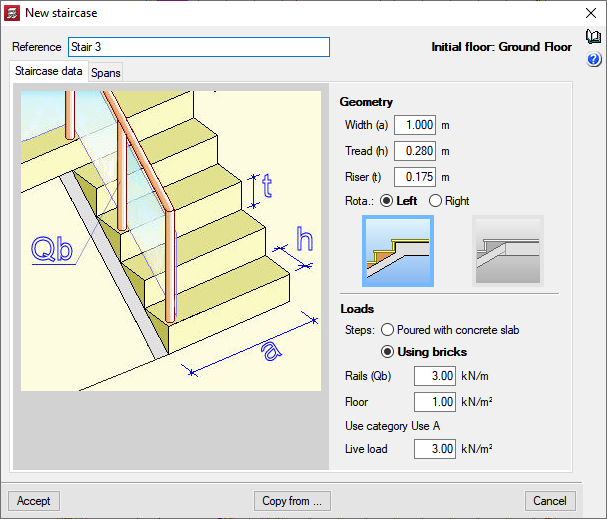
A staircase is defined by indicating the data common to the stairwell (width, tread, riser, rotation, last step formation, steps material, rail loads, floor load and live load) and the specific data for each flight..
Selecting the stair riser (either built into the floor slab with concrete or made of bricks) are the two most common ways of building the stairs, which influence the analysis of the permanent loads applied to the staircase and the measurement of the concrete used for its construction.
Stair spans are the fractions of the staircase that run from one floor to another and may be composed of one or more flights of stairs. The features defined in each flight may vary (slab depth, start level difference, initial steps built on floor, flight and landing layout, number of steps in each flight, width of the stairwell, steps built on landings, landing support definition).
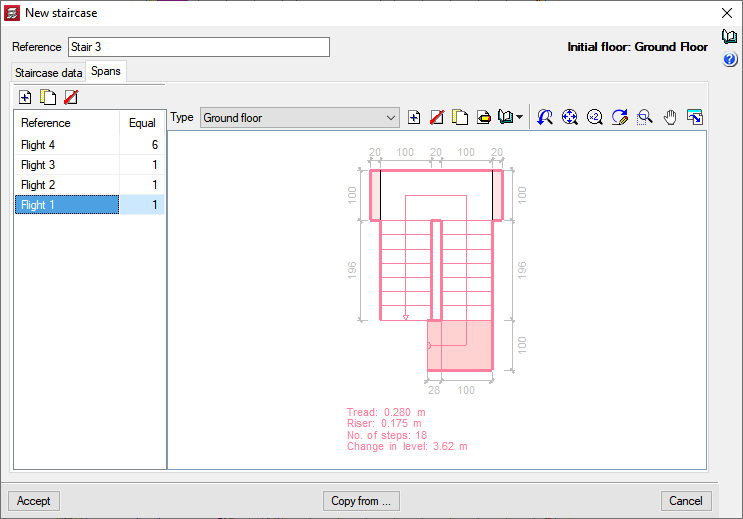
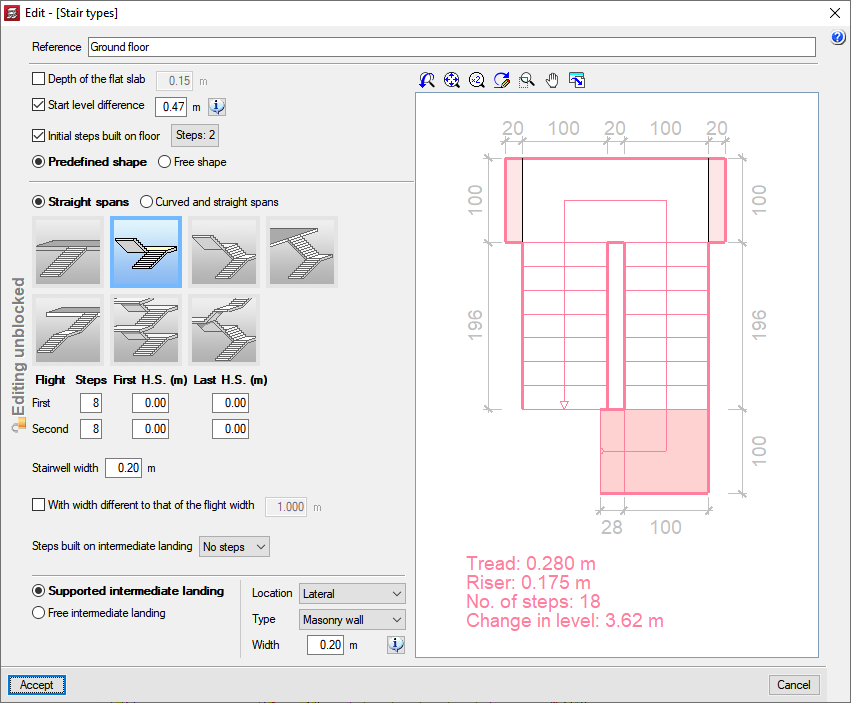
Users simply indicate the start of the first flight and an insertion point for the axis of the first flight in order to position the stairwell in the structure. CYPECAD will insert the stairwell with each flight on the corresponding floor.
In order to help locate these two points, DXF or DWG captures can be used.
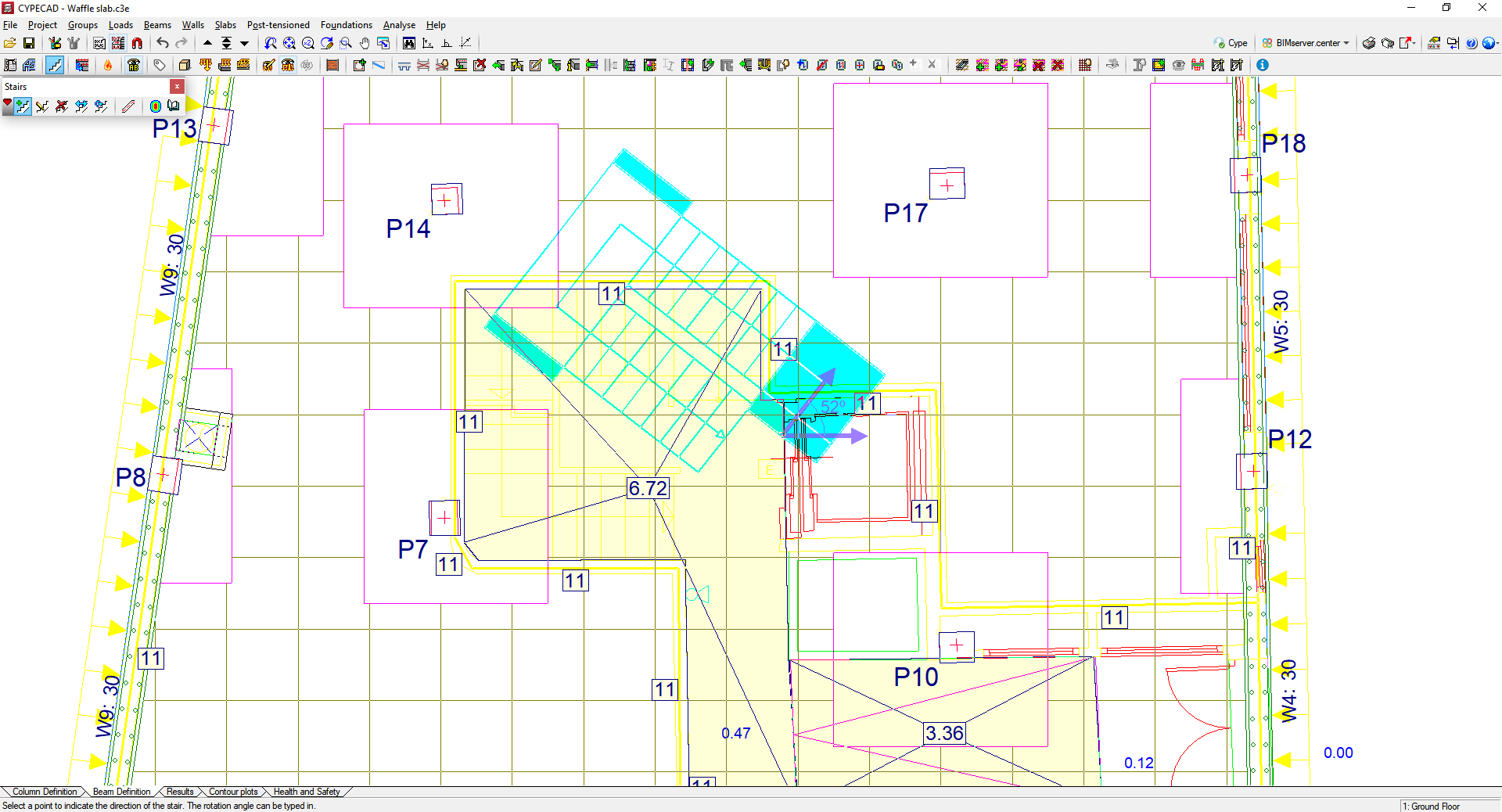
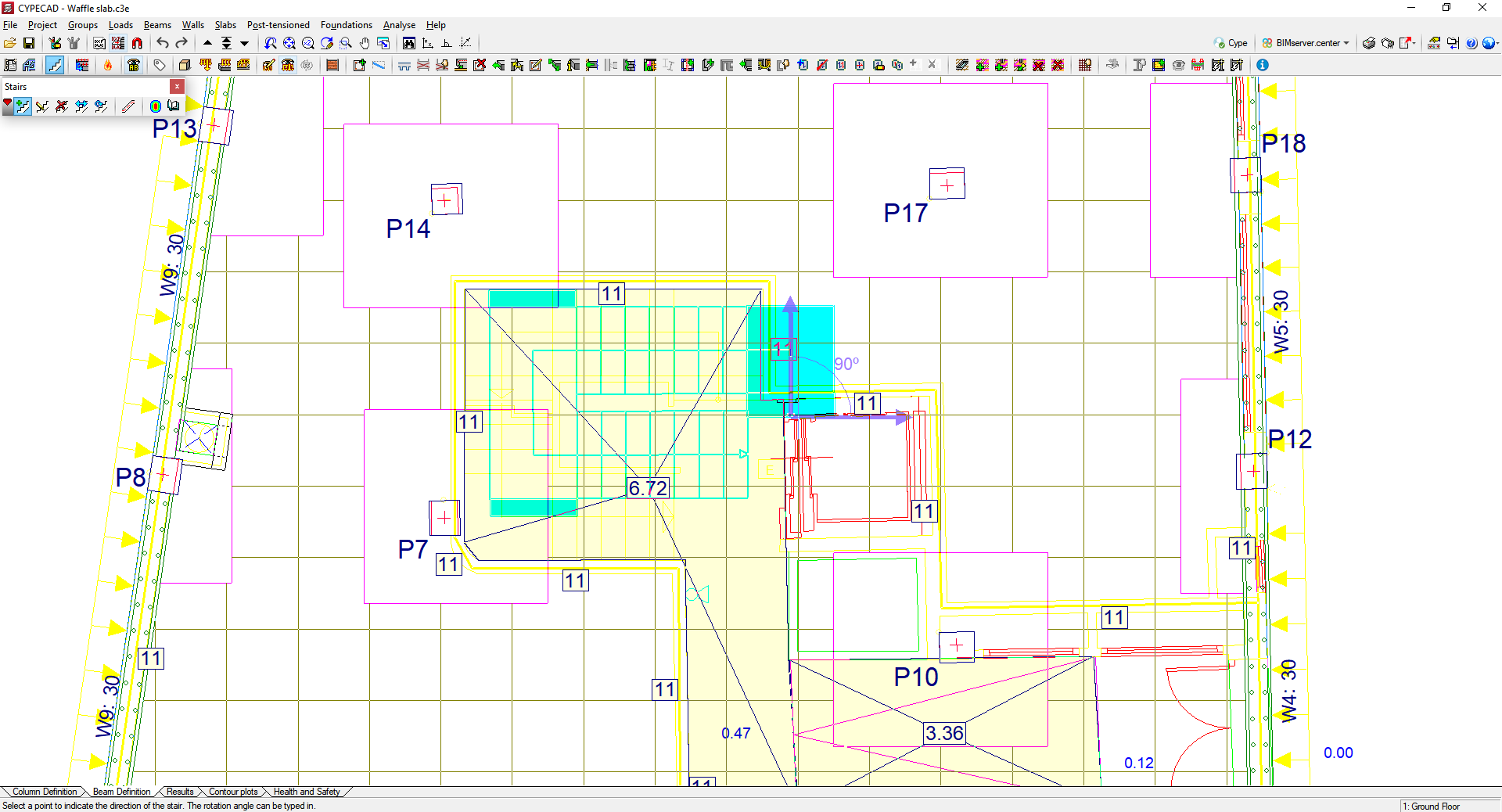
The CYPECAD Stairs module has various editing tools (edit, delete, move, rotate) as well as tools that make it easier to introduce stairwells into a structure.
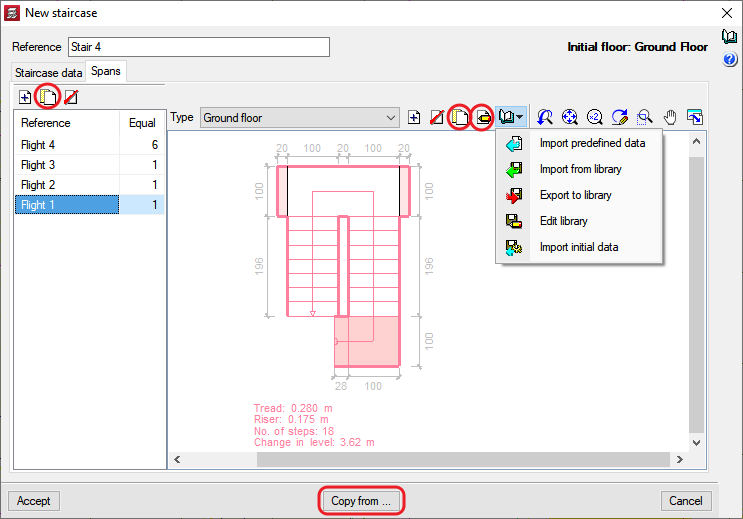
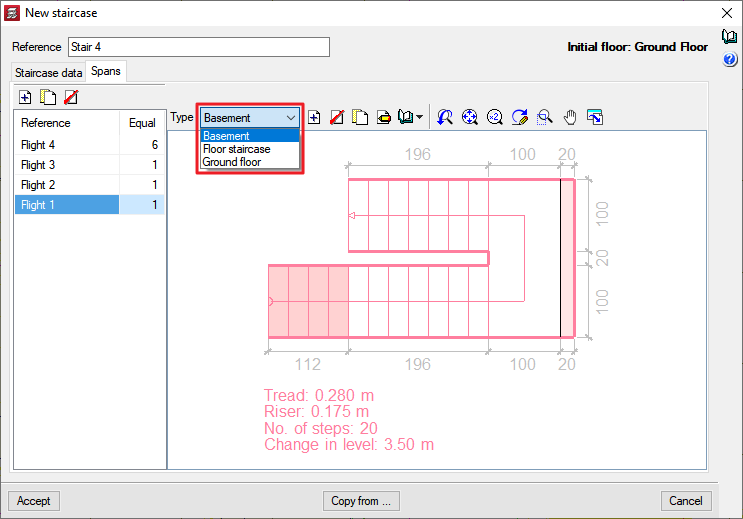
Users can copy the data from other stairwells in the same job in order to modify them and introduce new stairwells. The program has predefined types of stair spans that can be used in the stairwell the user wishes to define with minor changes. Spans can also be copied from the same stairwell and there is a library of stair span types that can be expanded with user data to be used in other jobs.
The program analyses the stairs individually and uses the finite element method, considering the two usual loadcases for analysing stairs: permanent loads and live loads.
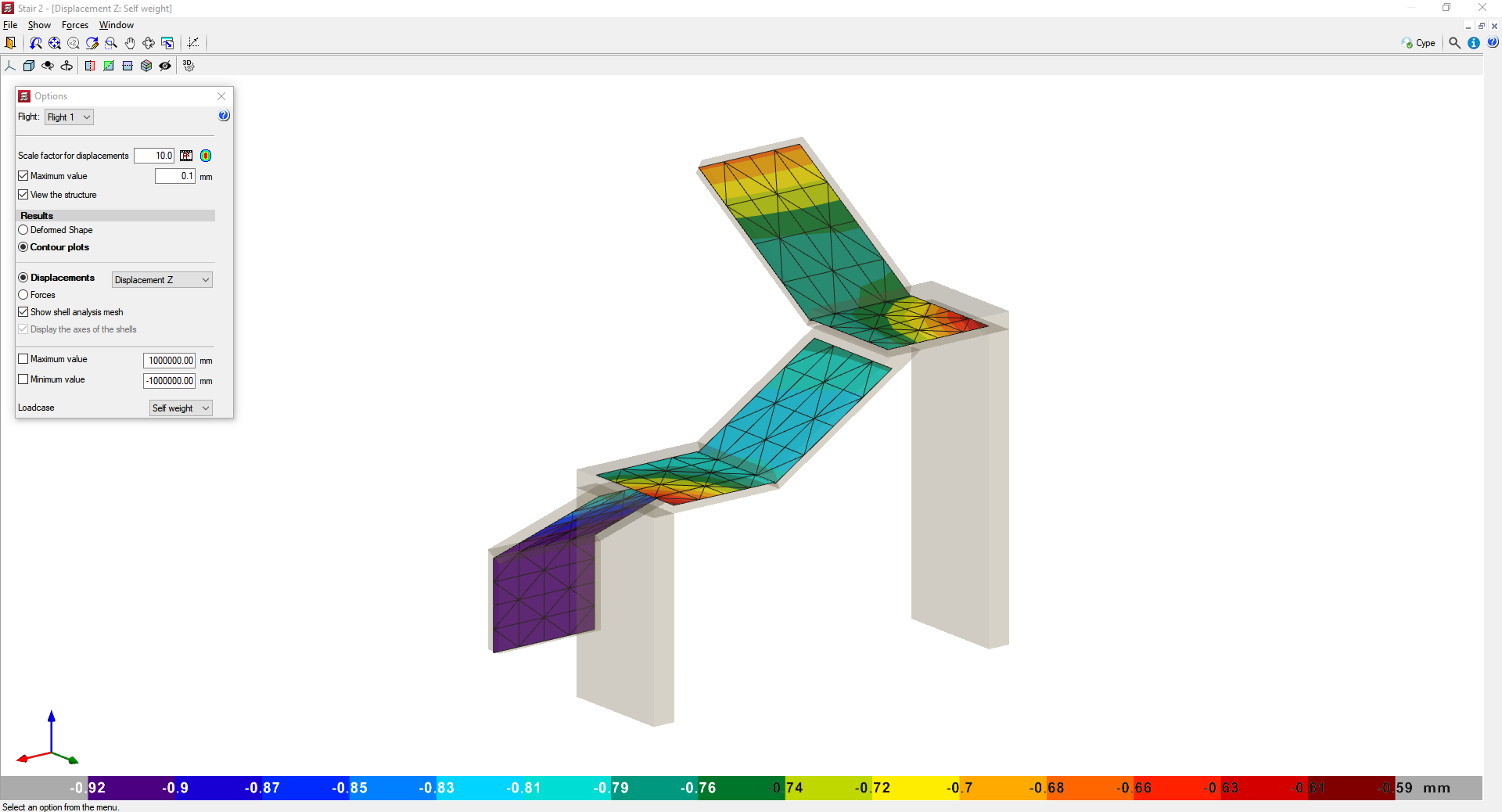
CYPECAD displays on screen the reinforcement of each section making up the stairwell. Users can also check the displacements, forces and deformed shape of each flight in a three-dimensional view.
The program analyses all stairwells when the job is analysed so that its reactions can be applied to the main structure. Therefore, the first thing the program analyses are the stairs.
Users can also analyse each stairwell individually. To do this, they simply ask the program to display its reinforcement, forces or displacements. If the job has not been analysed or if changes have been made since the last analysis, the program will calculate the selected stairwell.
The program alerts the user if they have made any changes to a stairwell once the job has been analysed and these changes have affected the value of the reactions, as it will be necessary to analyse the job again in order to consider the new reactions.
Users can also obtain reports of stairs that provide the general data of all the stairwells in the job (materials and codes used) and the common data (geometries, loads, etc.) and specific data (reactions on the main structure, reinforcements, ratios and resulting stresses in each section) of the spans of each of the cores.
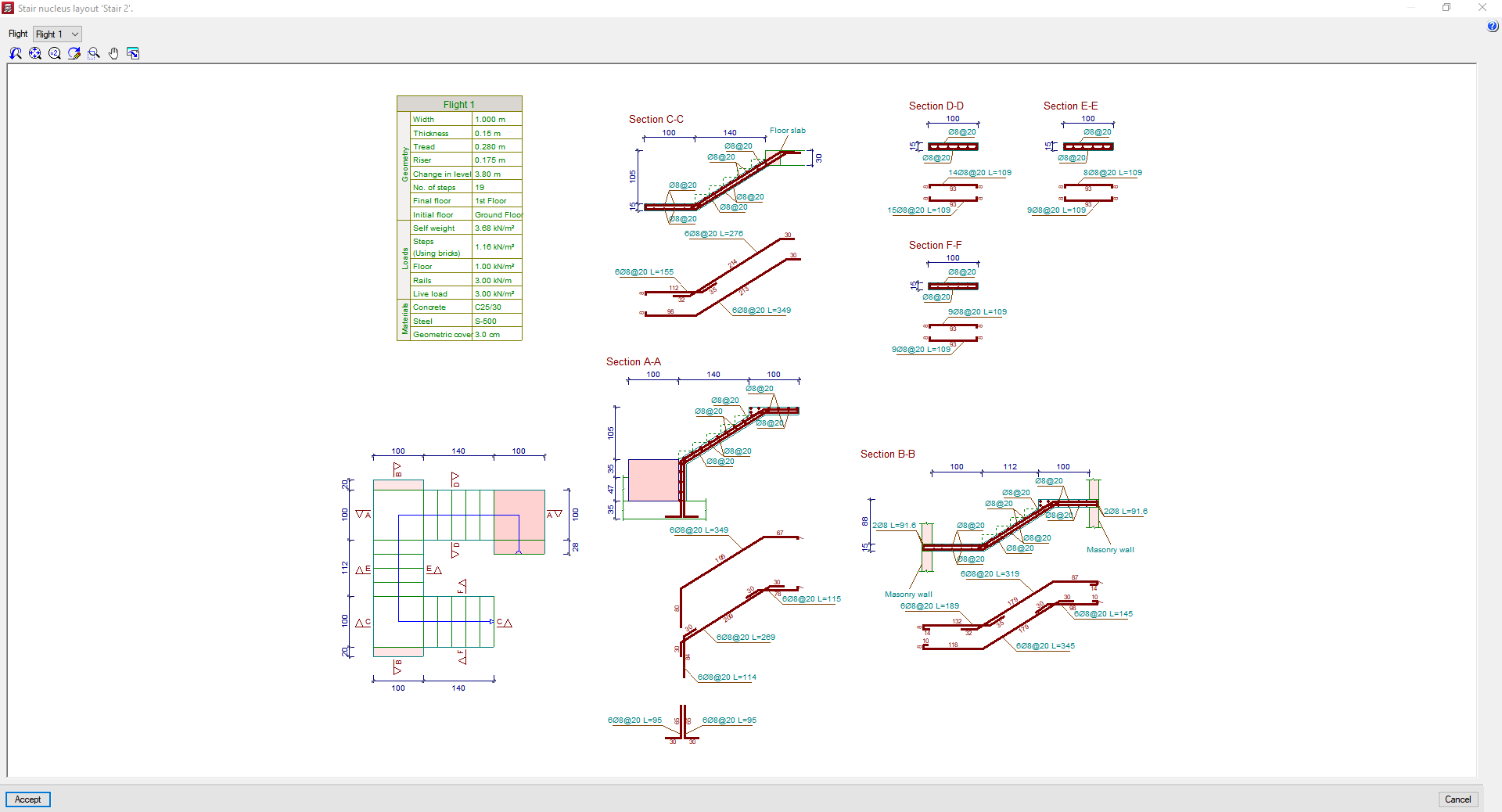
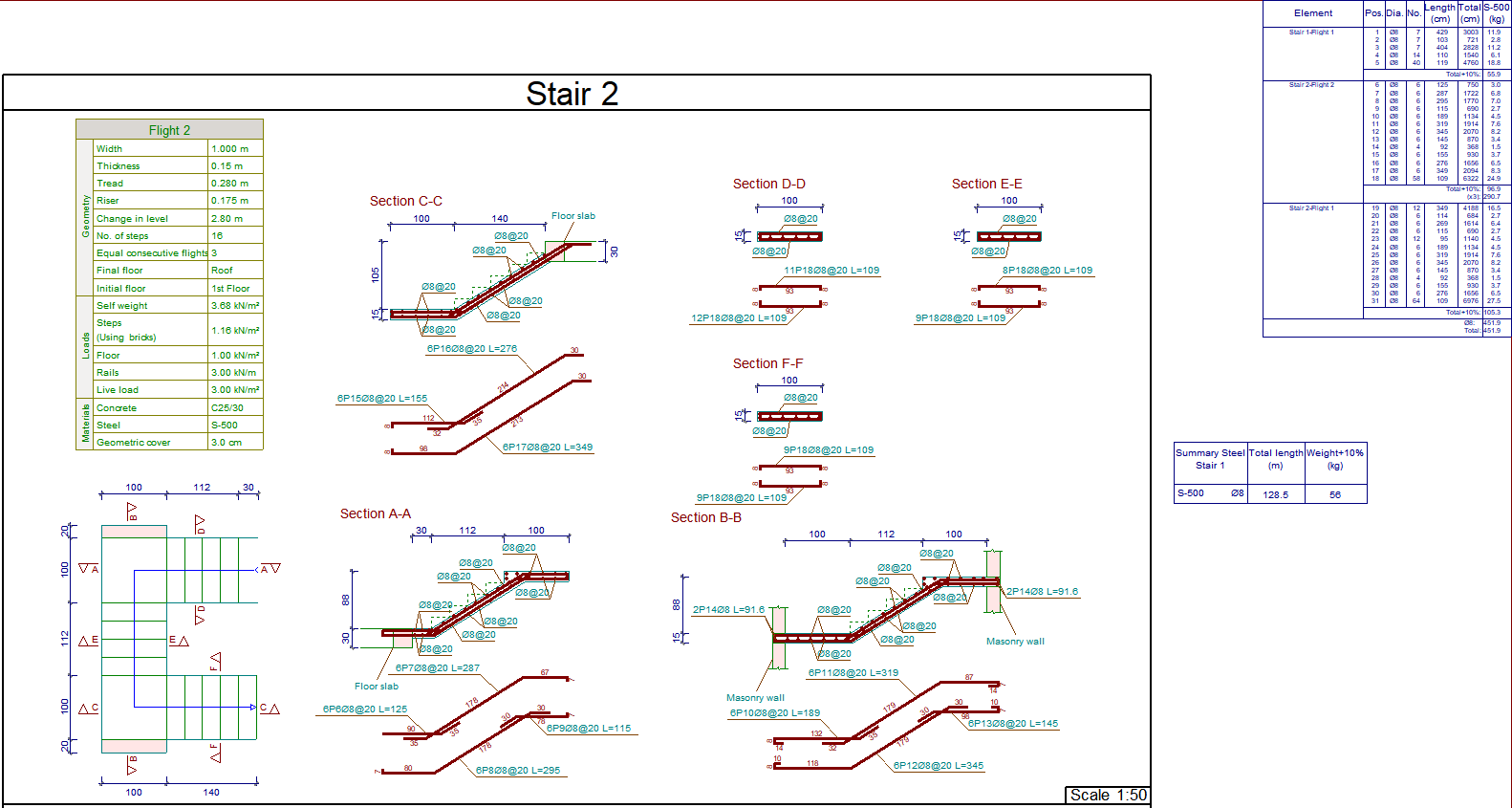
The drawings obtained by the program show all the information required to define the detailed view of the stairs: longitudinal and transverse sections, tables of features for each flight with its geometrical data, loads and materials. The reinforcement quantities tables are also included (per stairwells, spans and total steel summaries).
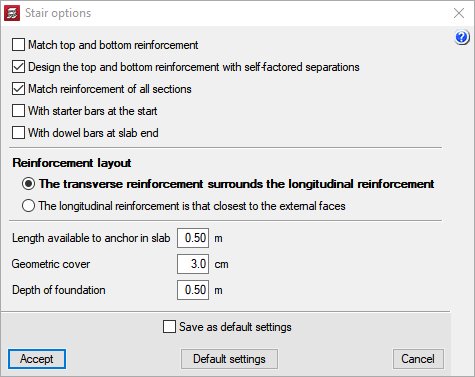
The concrete used in the stairwells is the same as the one selected for the floor slabs, although the type of steel for its reinforcement can be used specifically for the stairs. The program has two reinforcement tables (longitudinal and transverse) exclusively for staircases that users can configure as they please.
A series of calculation options that allow users to obtain reinforcements according to their own preferences can be configured. Users can carry out the following: