Update history​​

CYPEHVAC Schematics

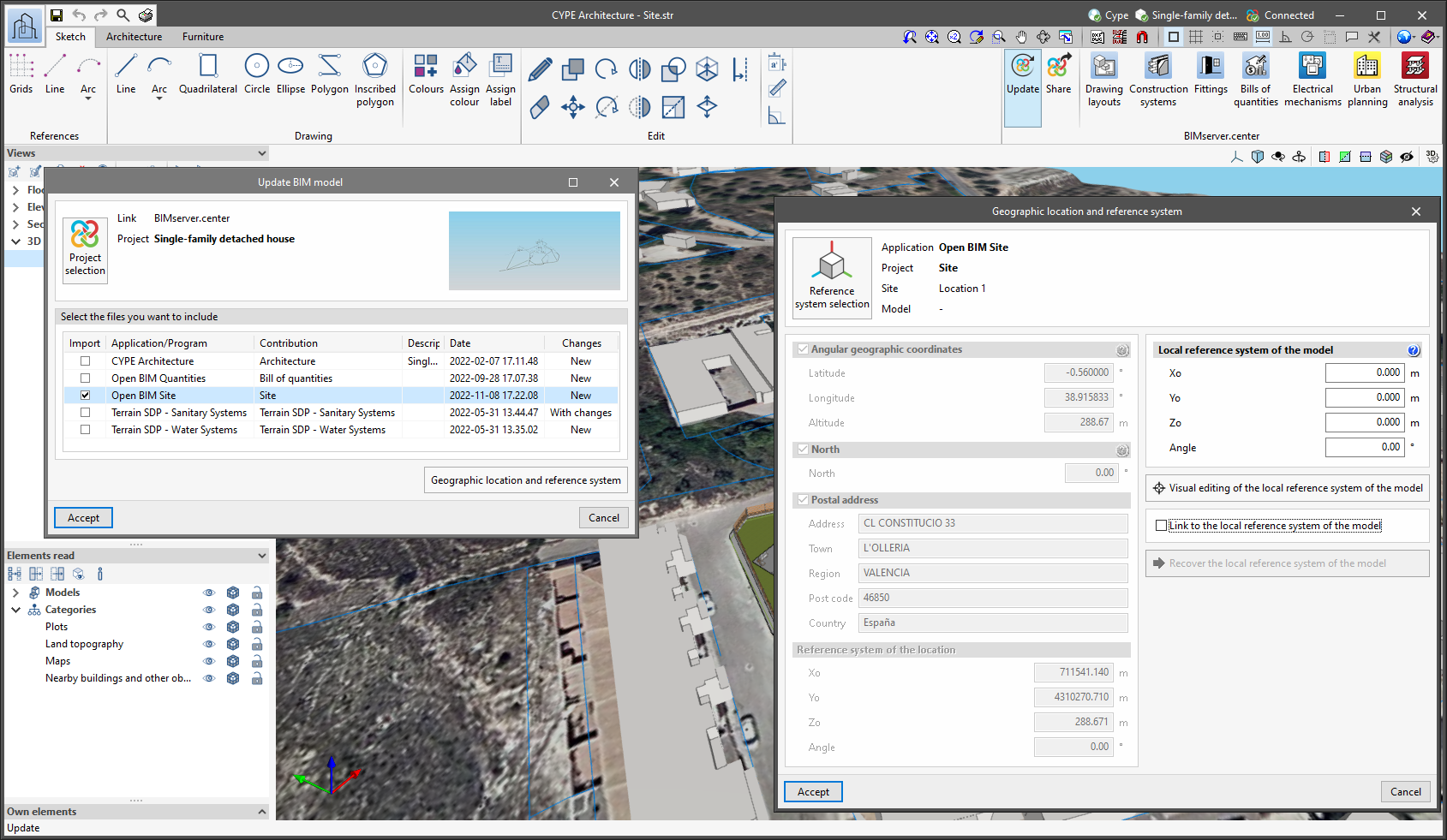
Since version 2022.a, the applications integrated within the Open BIM workflow via the BIMserver.center platform include a tool for managing project reference systems. This option is available from the configuration window that appears when linking or updating a BIMserver.center project via the "Geographic location and reference system" option. As of version 2023.d, the applications now allow users to run a graphical environment where they can visually define a reference system for their model. To do this, the "Geographic location and reference system" window now contains the "Visual editing of the local reference system of the model" option.

From the "Visual editing of the local reference system of the model" window, the origin and orientation of the reference system of the model can be indicated in the workspace with the "Define the reference system of the partial model" tool. Both the axes of the reference system of the model, which we have just entered and the axes of the reference system of the site can be viewed in the workspace. The latter appears with a "Site" tag.

To make it easier to define the reference system, the 3D models corresponding to the BIMserver.center project contributions selected during the linking process are displayed. The management of the visibility and object snaps of these models is carried out from the "Elements read" menu in the left sidebar of the window. The "Views" menu can also be found in the same options bar, from which different types of 2D and 3D views of the model can be generated. These tools can already be found in several CYPE applications. For more information on how they work, please refer to the User’s Manual for the 3D work environment tools available in CYPE applications.
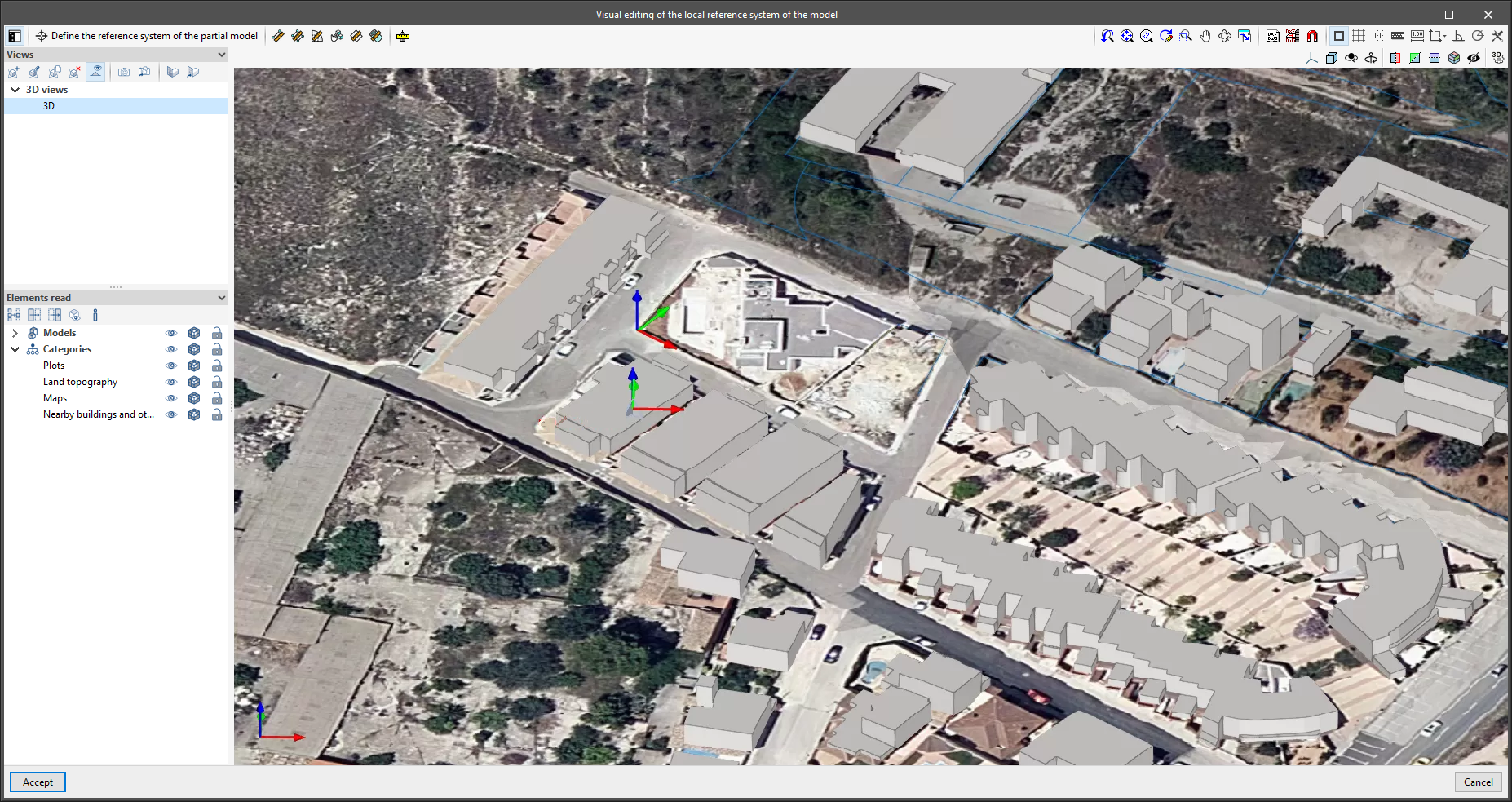
Apart from 3D models, 2D drawings or plans can also be imported from CAD files (".dxf", ".dwg", ".dwf") or images (".jpeg", ".jpg", ".bmp", ".png", ".wmf", ".emf", ".pcx"). These files and object snaps are managed through the "DXF-DWG Template" and "Template object snaps" options accordingly.

Once the editing is complete, the coordinates and orientation of the reference system of the model with respect to the reference system of the site are moved to the corresponding fields in the "Geographic location and reference system" window.
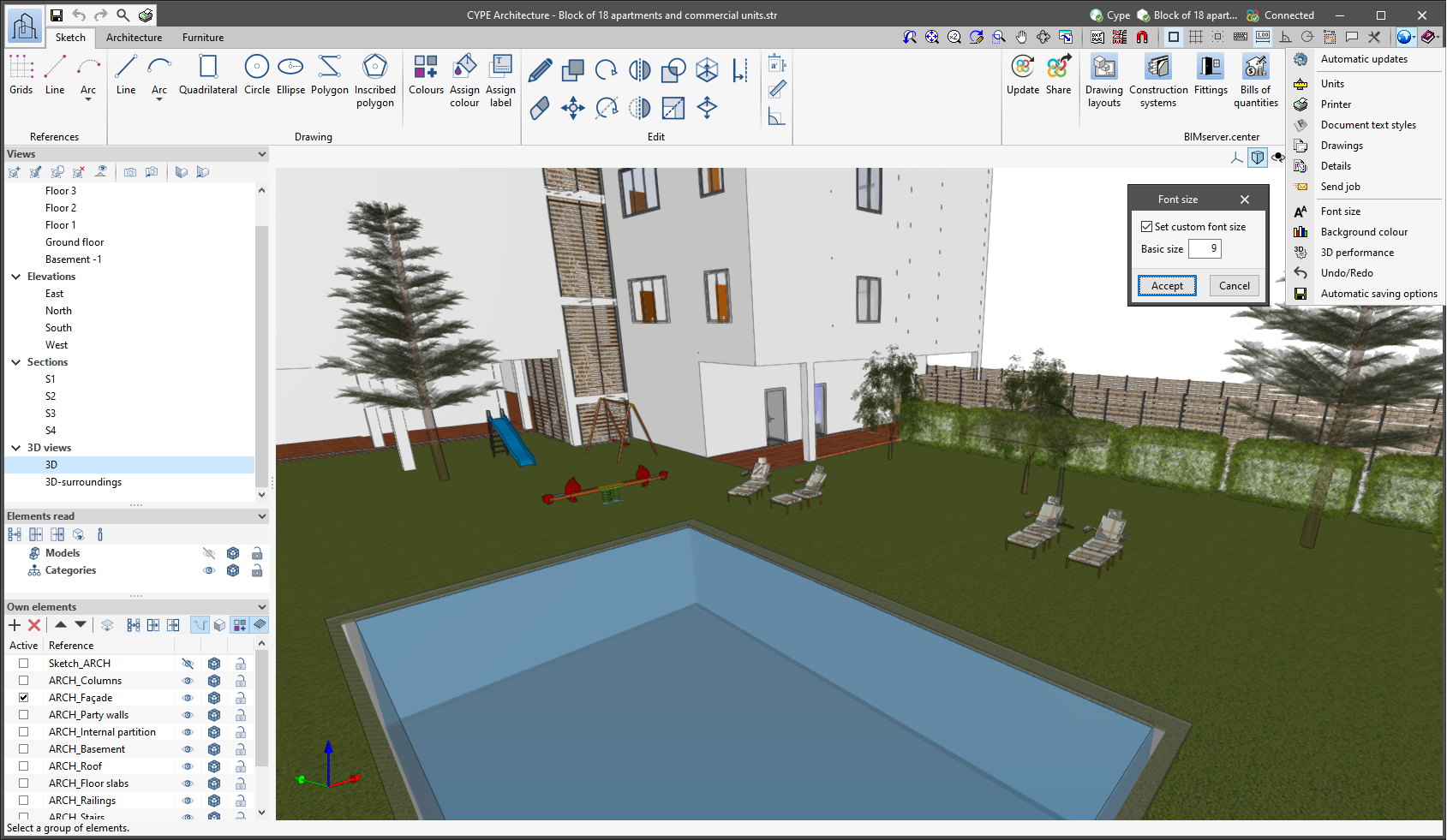
The "Font size" option has been added to the general configuration menu of the applications. This tool allows users to increase or decrease the basic size of the font used in the user interface of the programs. Thanks to this implementation, the accessibility of the applications has been improved while also ensuring the correct visibility of the content on devices with different screen resolutions.

To enter a "Basic size" the "Set custom font size" option must be checked. The size users can enter is the application's basic font size. Any other font sizes that may exist in the program's interface will be automatically modified proportionally according to the change in the basic size.

It is important to note that, as this is a common parameter, its modification will affect all installed CYPE tools.

As of the 2020.a version of "CYPEHVAC Schematics", users can customize the colour and appearance of the lines of the pipe paths.

Furthermore, with the new "Copy format" tool, the same properties can be assigned to other elements (colour, line type, flow, temperature).

Sometimes users may wish to represent an element of the diagram with a symbol that is different from the default symbol that comes in the ASHRAE database. This may be due to several reasons: customer requirements, to continue with the symbols used in a rehabilitation project or the designer's own custom.

As of the 2020.a version, it is possible to design symbols and assign them to elements.

The names of CYPETHERM Schematics and CYPETHERM Radiant floor have been changed to "CYPEHVAC Schematics" and "CYPEHVAC Radiant Floor", respectively.

The prefix CYPEHVAC is a better representation of the performance of these programs, which, although they may need a previous thermal analysis, are really related to the design of HVAC equipment (CYPEHVAC Schematics draws hydronic air conditioning systems principle circuits and CYPEHVAC Radiant Floor carried out the calculation of air conditioning systems with radiant floor heating systems).

As of the 2019.f version, CYPE programs (those downloaded from our website and those downloaded from the BIMserver.center platform) are compiled for 64-bit systems. The 64-bit compilation of CYPE software implies the use of the superior features of 64-bit processors and operating systems compared to those of 32 bits.

Please bear in mind that you must have a 64-bit operating system to be able to work with any 64-bit software.

In any case and as a temporary measure, the 2019.f version is available in 64 and 32 bits on the download area of our webpage. The programs that can be downloaded from the BIMserver.center platform are only available in 64 bits. If you have a 64-bit operating system, you can work with either the 64-bit and 32-bit version of our software, although we strongly recommend that you install the 64-bit CYPE software version.

You can see which operating system is installed on your computer by clicking on "Control panel > System".

Since 64-bit microprocessors began to be massively introduced into personal computers from 2003 and from the Windows XP version, Microsoft already offers the two versions of its operating systems (32 and 64 bits). We understand that almost all our users will have computers with 64-bit processors (x64) and 64-bit operating systems.

It could occur that a user may wish to work with a computer with a 64-bit processor but with a 32-bit operating system. It would be very strange if the computer had a 32-bit processor (x86 - computers over 15 years old). If any of these is your case, we advise you to talk to your hardware or software provider to update your situation as soon as possible. However, you can download the 32-bit version and work with CYPE programs that can be downloaded from our website until your situation is up-to-date.

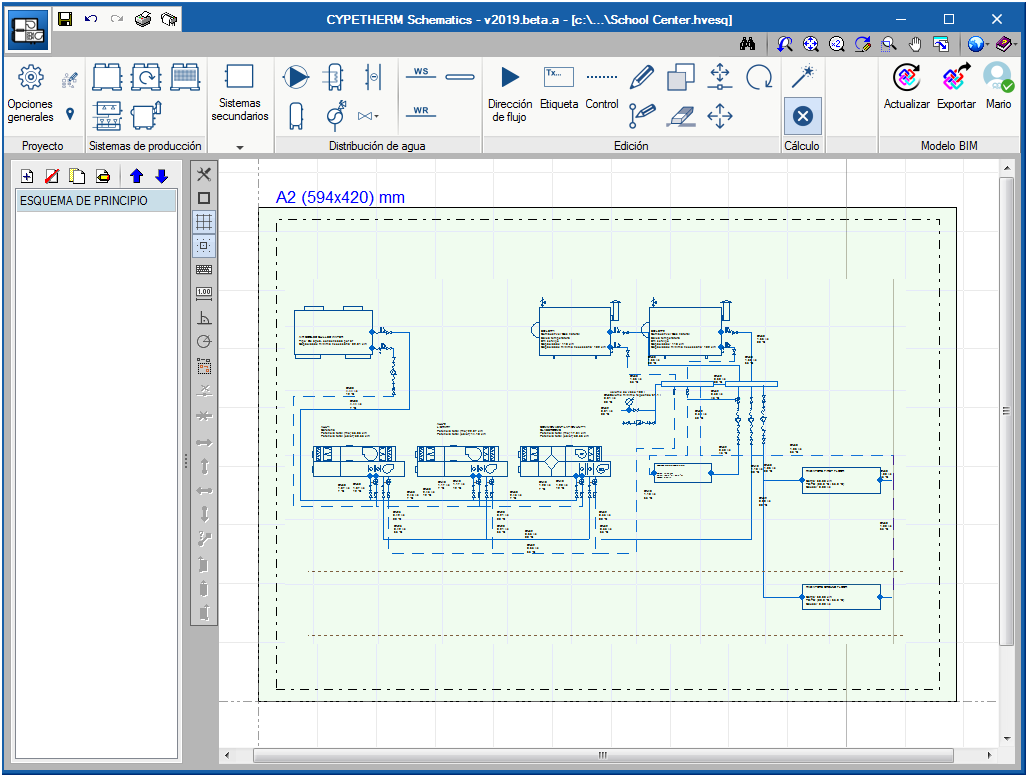
CYPETHERM Schematics is a free program designed to draw the circuit diagrams of hydronic air conditioning systems. The components are represented using symbols in accordance with ASHRAE standards.

In previous versions, CYPETHERM HVAC was the program that provided the tools to draw these diagrams in the “Circuit diagrams” tab. As of the 2019.a version, these tools have been removed from CYPETHERM HVAC to be implemented in the new "CYPETHERM Schematics" application. The design process of pipes that was carried out in the "Circuit diagrams" tab is still done in CYPETHERM HVAC.

CYPETHERM Schematics is not just a tool for drawing circuit diagrams. It has important advantages compared to conventional drawing programs and these are:

  • Iconography
    The iconography of the valves corresponds to ASHRAE standards, which avoids users from having to create their own drawings with the associated risk of using local representations that are not regulated.
  • Quantities
    All the elements are entities with associated properties, and appear in the quantities.
  • Equipment calculations
    Some elements have an internal calculation in the properties panel to help users design the equipment, for example, the expansion vessel, the air conditioners (or air treatment units) and generic fan-coils, and pipes. These calculations have an associated justification report, where the calculation is explained as well as the associated standard.

CYPETHERM Schematics is integrated in the Open BIM workflow using the IFC standard. It exports the documents containing information on the circuit diagrams of the included equipment to the BIM model.

CYPETHERM Schematics can be downloaded from the BIMserver.center platform.