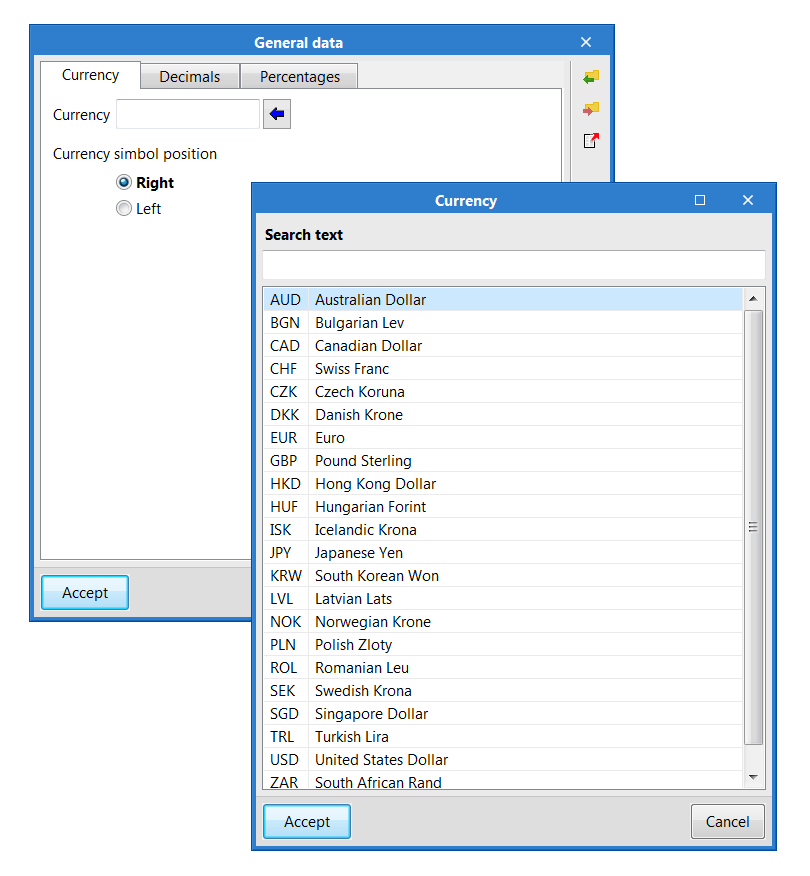
An assistant has been implemented in the general data of the project to help users enter the code of the currency of the bill of quantities or cost database. All the available codes are in accordance with the international ISO 4217 standard, so they are compatible with the standard interchange format of construction databases FIEBDC-3 (.bc3).
Update history
CYPELEC PV Systems
Currency code assistant
- Published on
- 2020.f
Tags for detail lines
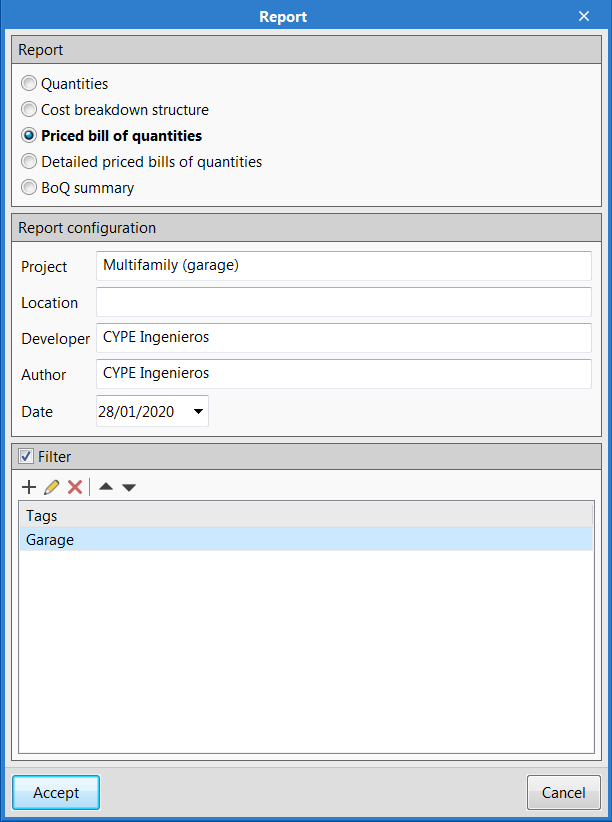
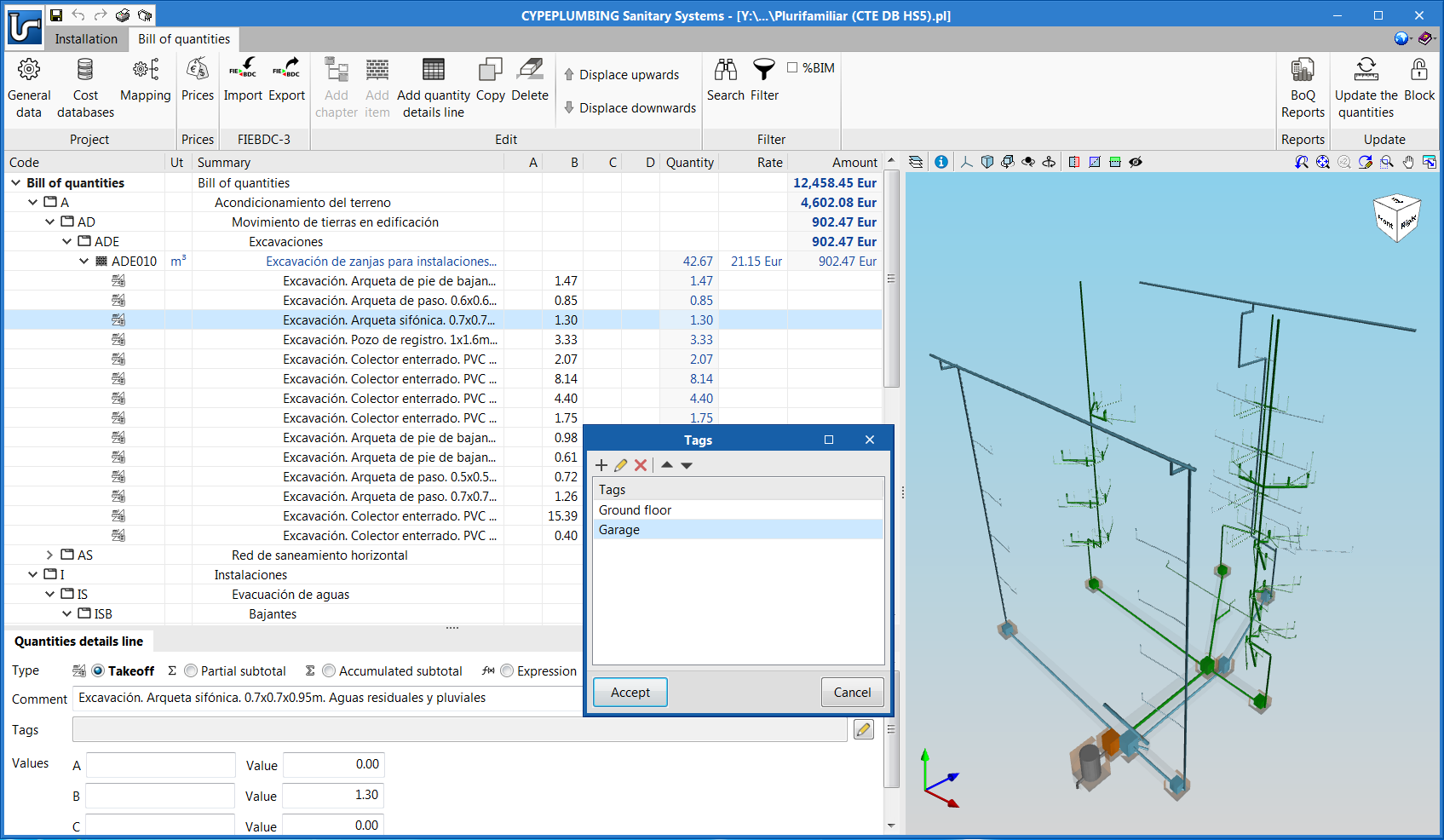
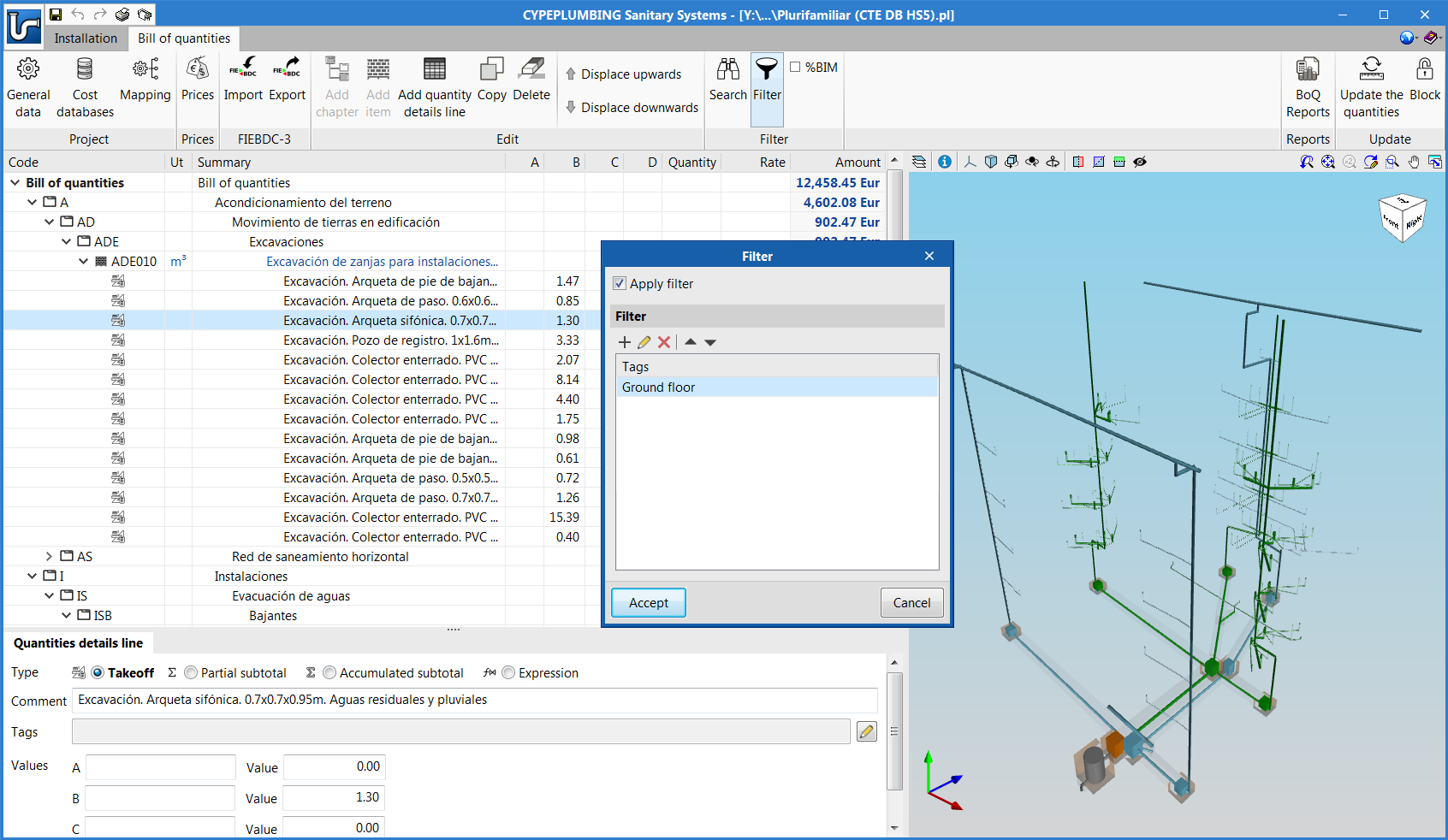
Quantity detail lines can contain tags to indicate, for example, information on its location or construction phase. These markings will be used when generating the documents of the project in such a way that it is possible to extract a specific part of the total cost.
Using the "Filter" option of the toolbar, of the "Bill of quantities" tab, users can view the table of the elements of the bill of quantities that contain one or more tags.

- Published on
- 2020.f
New applications that include the "Bill of quantities" tab
The "Bill of quantities" tab was implemented in the previous version (2020.e) in some project phase Open BIM applications. Now, for the 2020.f version, the tab has been implemented in the following applications:
- CYPELEC Electrical Mechanisms
- CYPELEC PV Systems
- CYPEDOC CTE HS 3
- CYPEDOC CTE HS 6
- CYPEFIRE CTE
More information on this feature and on the programs that include this tool to generate and manage bills of quantities can be found on the "Bill of quantities" tab in project phase Open BIM applications webpage.
- Published on
- 2020.f
3D workspace user guide
Some CYPE OPEN BIM programs have a 3D workspace to enter the elements of the installation. This 3D interface is currently available in the following applications:
- Open BIM Analytical Model
- CYPE Construction Systems
- Open BIM Model Checker
- Open BIM Vertical Connections
- CYPE Lightning
- CYPEHVAC Ductwork
- Open BIM MOVAIR
- Open BIM RenoZEB - Focchi Facades
- Open BIM TVITEC
- Open BIM UNEX
- Open BIM URSA AIR
- Open BIM VAILLANT
- CYPELEC PV Systems
A user guide for the tools of this 3D workspace is published with the 2020.f version.
Download it here: 3D workspace. 3D workspace tools user guide.
- Published on
- 2020.f
New project example for a single-family home
- Published on
- 2020.e
Possibility to save the shading diagram that has been edited manually
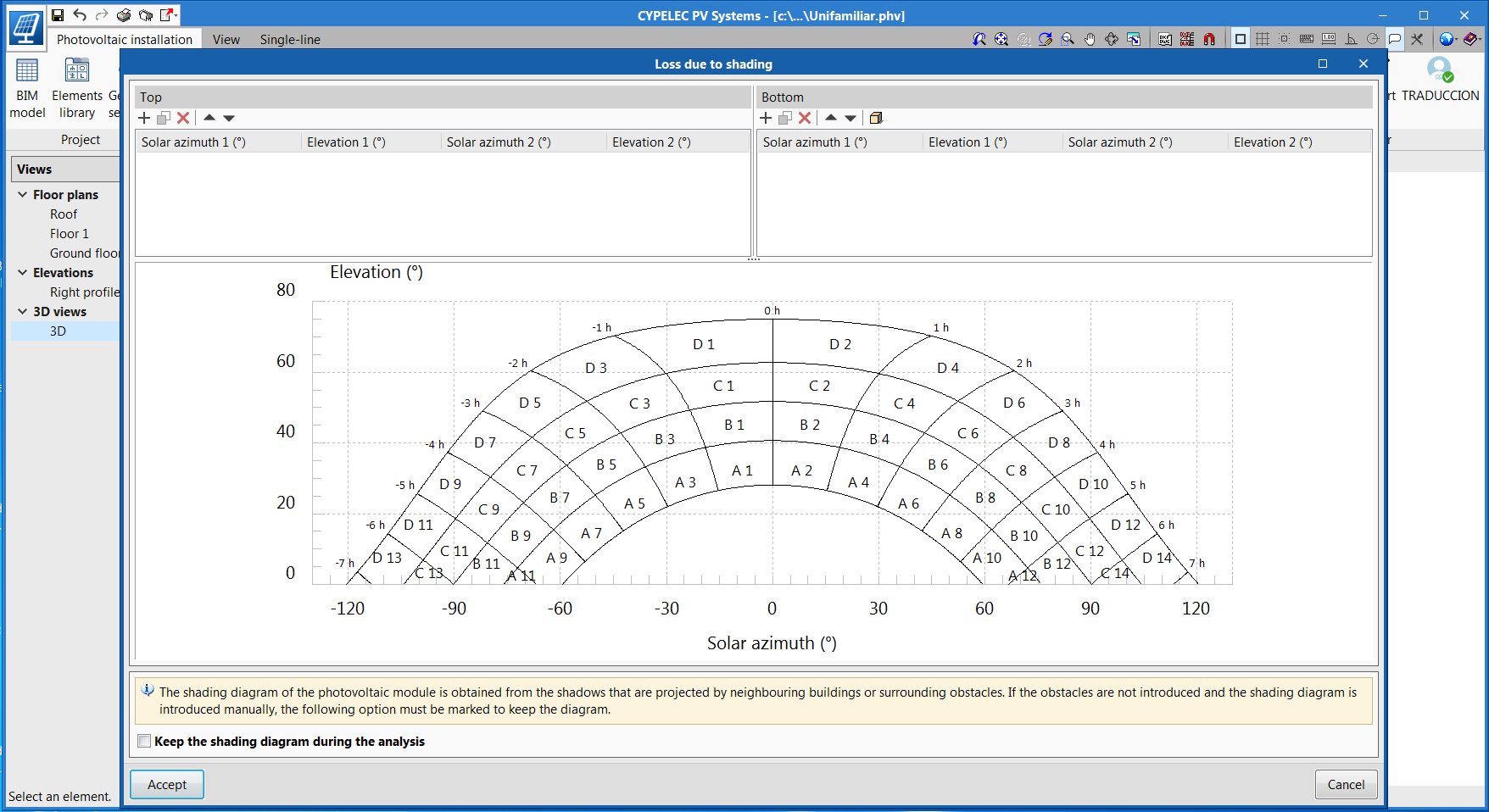
Users can save shading diagrams that have been entered manually. To do so, the option "Keep the shading diagram during the analysis" has been created. If this option is active, the shading diagram that has been entered manually will be saved and losses caused by shadows cast by nearby buildings or other surrounding obstacles will be ignored.
- Published on
- 2020.e
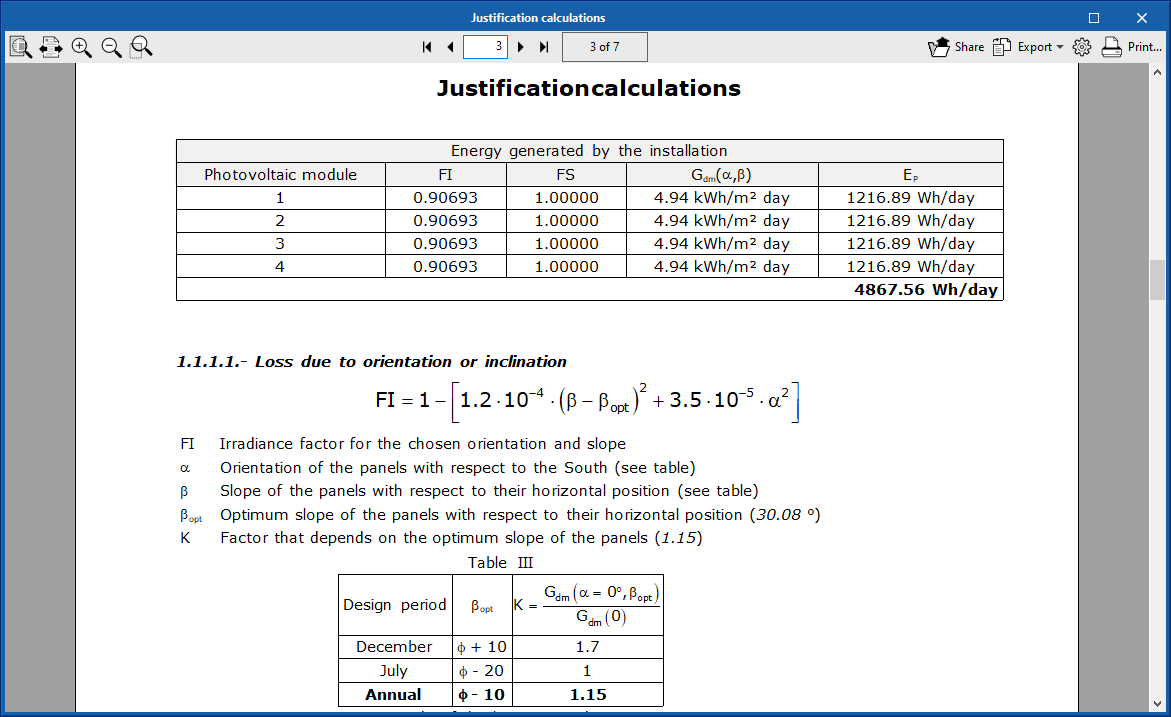
Justification of the losses by temperature of the photovoltaic module
- Published on
- 2020.e
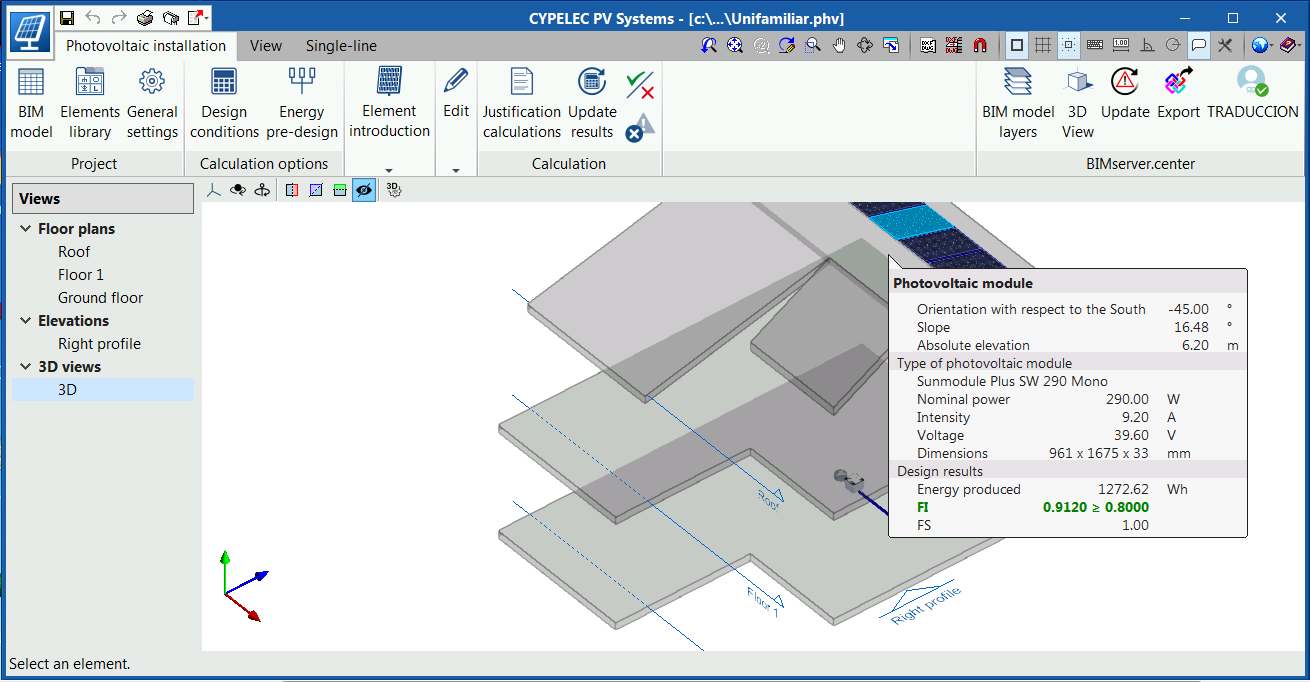
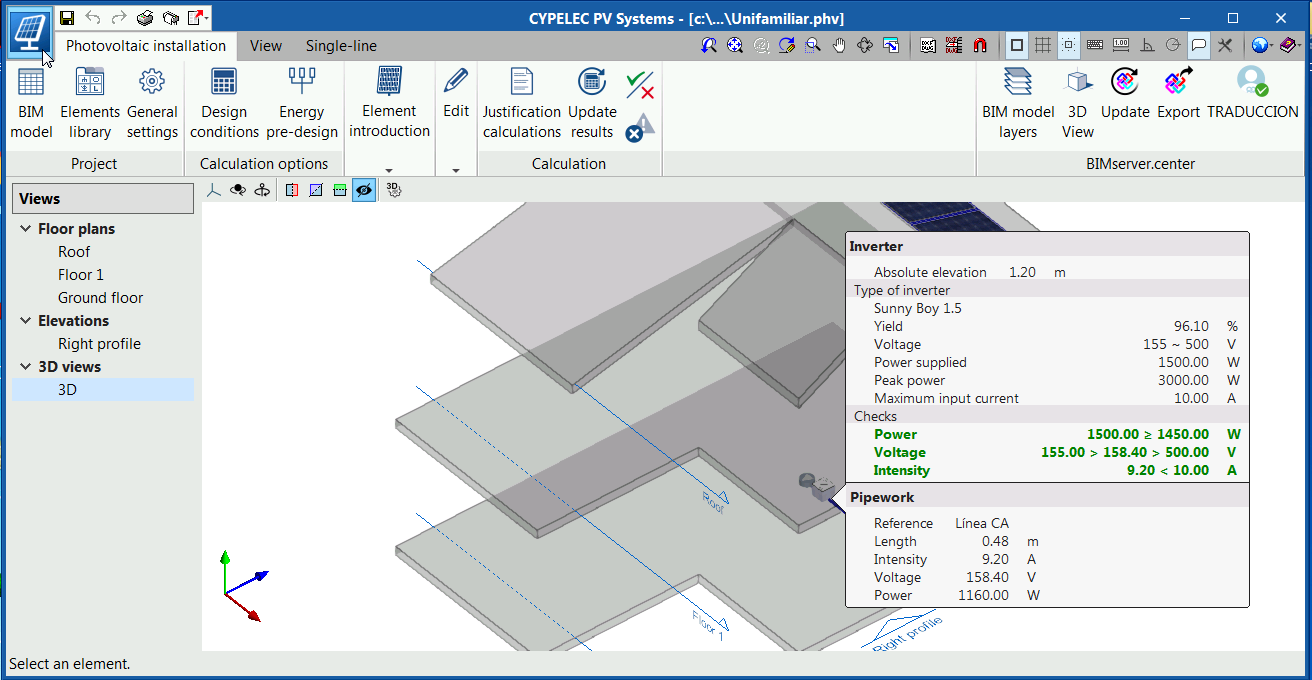
Extended information in the tooltips of the photovoltaic module and inverter
In the tooltips of the photovoltaic module and inverter, information has been added to the design results, so users can quickly analyse the results of the design that has been carried out.
Added to the tooltip of the photovoltaic module is:
- The energy that is generated by the indicated module after the analysis.
- The orientation and slope factor and whether it complies with the requirements or not.
- The shade factor.
- Published on
- 2020.e
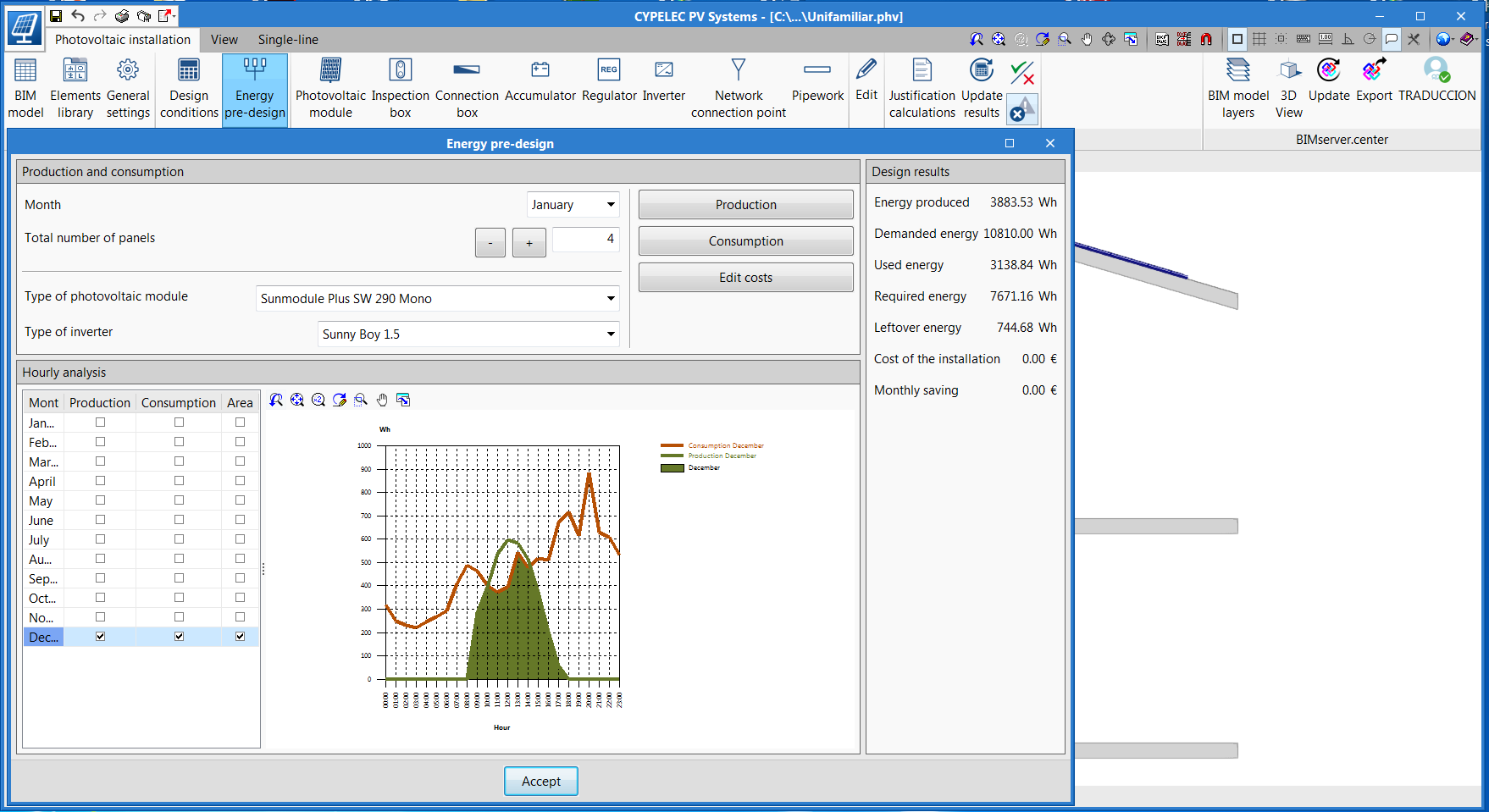
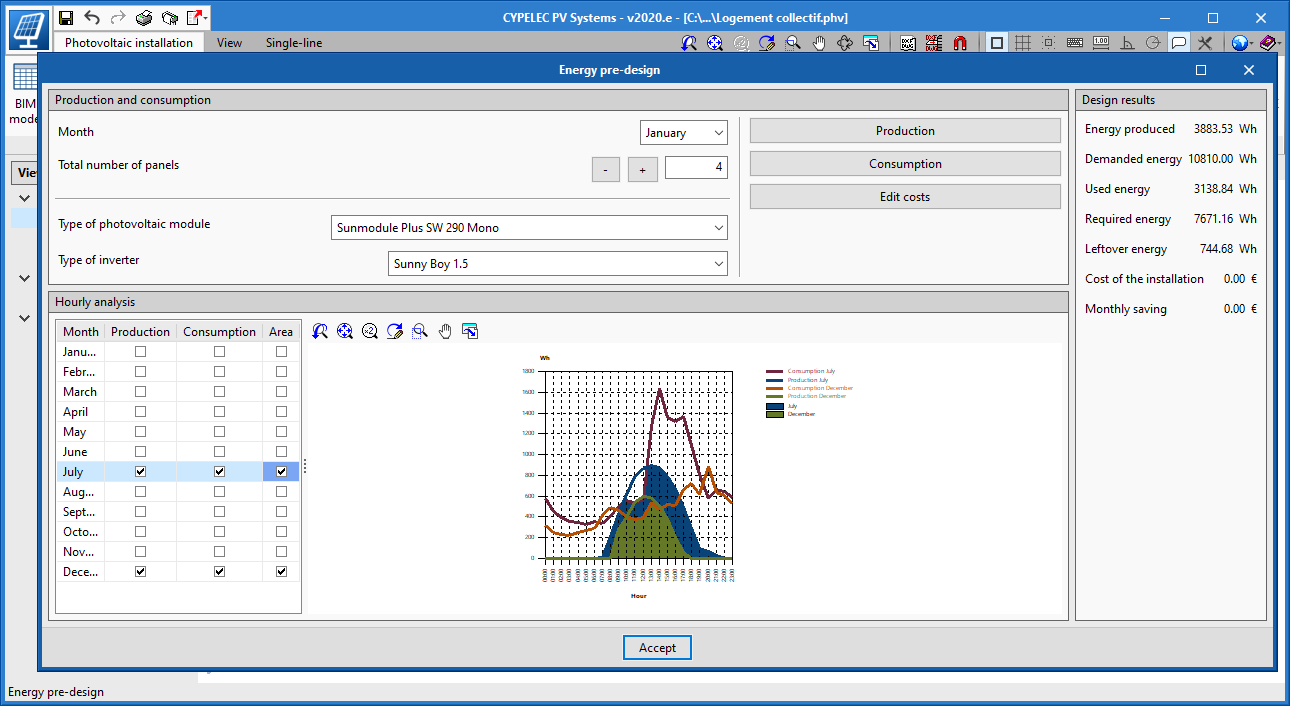
View the intersection between consumption and generation graphs
- Published on
- 2020.e
View consumption and generation graphs
- Published on
- 2020.e
Available in English
“CYPELEC PV Systems” can now be installed in English.
- Published on
- 2020.c
Program restructuring
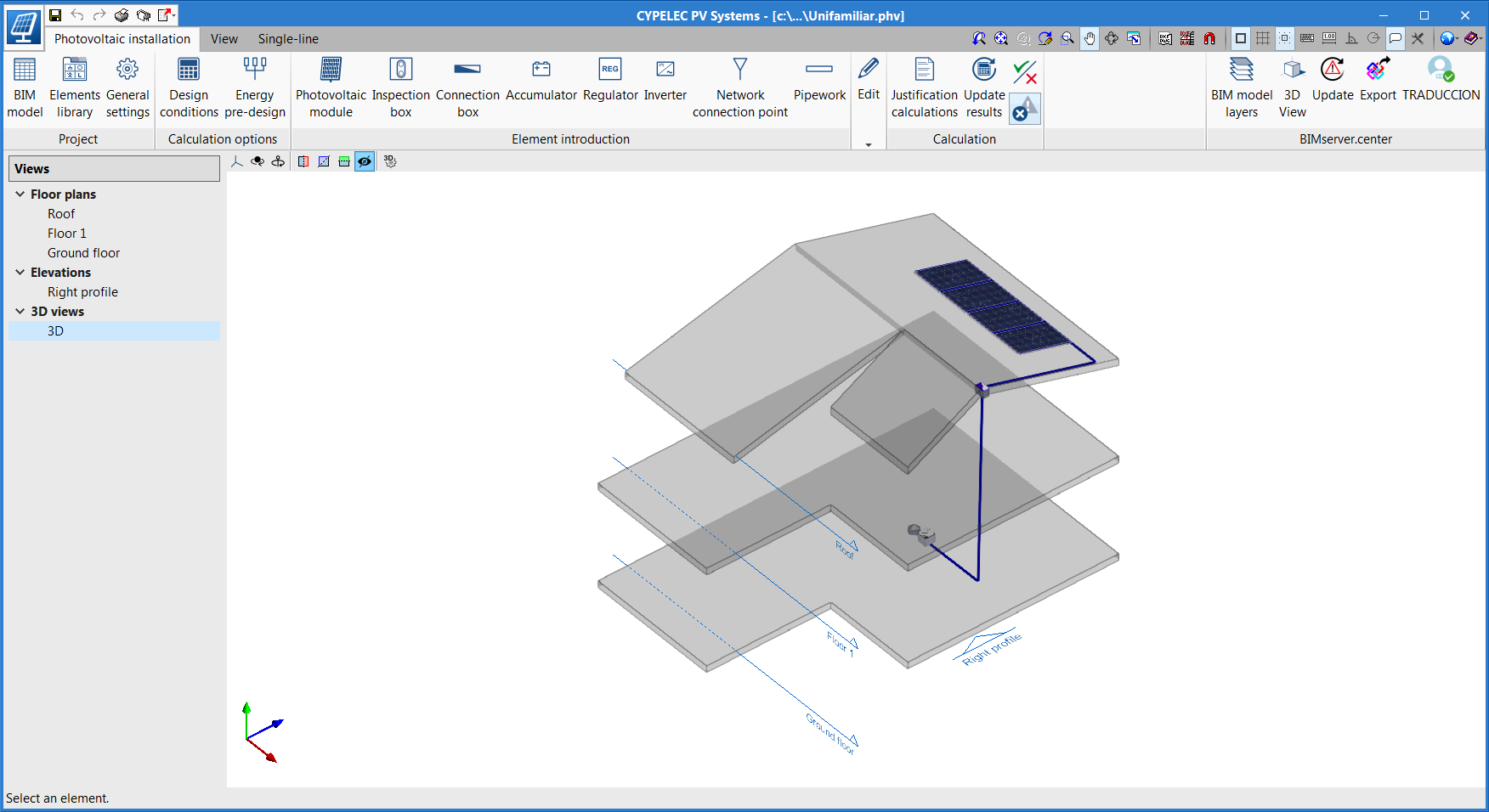
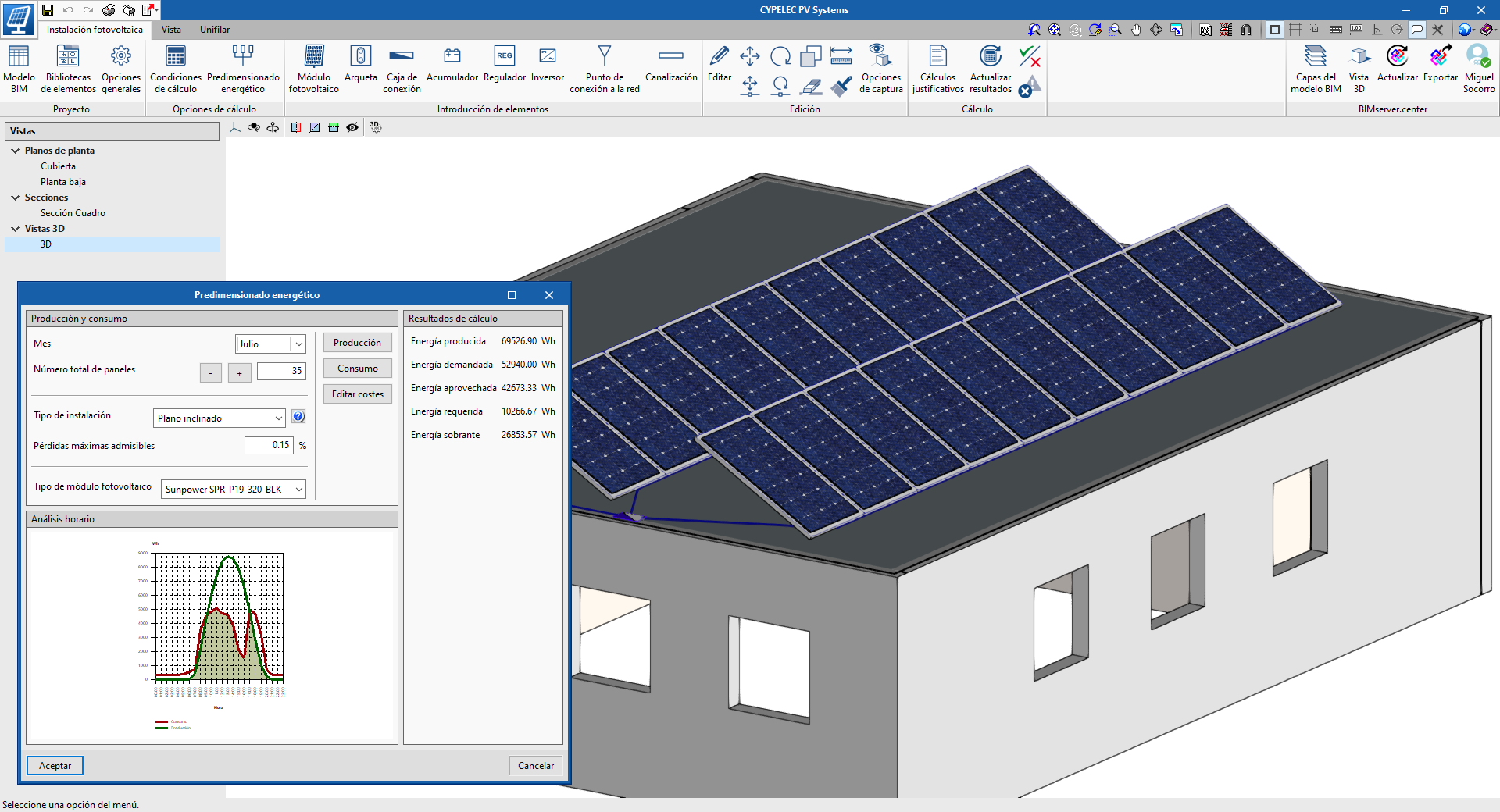
An important evolution has been developed in "CYPELEC PV" (the design tool for photovoltaic installations). The work interface has been changed from a 2D environment to a spatial layout in 3D, but templates are still used to carry out the work thanks to the view manager. To distinguish this program version from the previous version, the program has been renamed CYPELEC PV Systems.
The new "CYPELEC PV Systems" interface allows elements to be arranged independently, so the general analyses are now performed from element to element. With this change, there is greater versatility when defining different types of installations, whilst maintaining all the functionalities of the previous version.
The results output provides the calculated values and the checks that have been carried out on each element, as well as a general justification report of the installation.
Due to the code restructuration that has been performed on the program, projects that have been designed with previous versions (CYPELEC PV) cannot be read from “CYPELEC PV Systems”. Users who wish to manage projects from CYPELEC PV can continue to do so using the 2020.b version of the program.

- Published on
- 2020.c