

Export to accounting
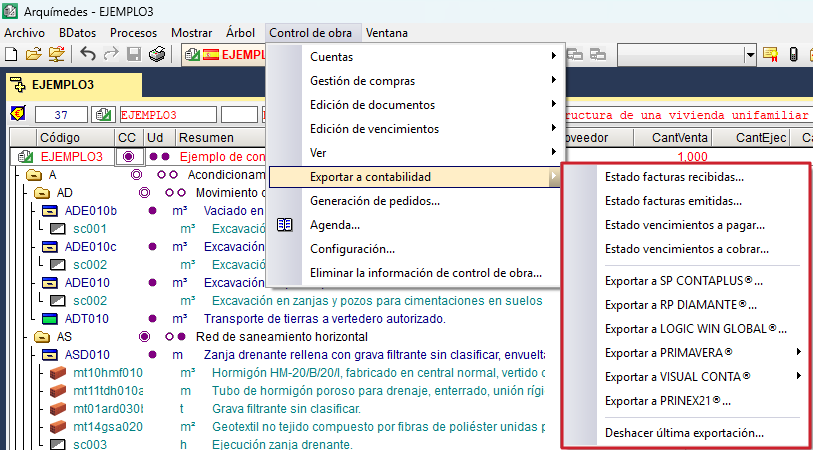
The "Export to accounting" section of the "Job control" menu contains the tools for exporting data to external accounting software.
The data exported consists of the definitions of accounts and accounting entries. Therefore, before exporting, you must have already defined the accounts (see the "Accounts" section).
Sub-accounts may include: suppliers, customers, financial, purchases, sales, input and output VAT, suppliers’ and customers’ income tax, and equivalence surcharge.
Invoices and due payments are exported as accounting entries, although only accrued invoices and paid due payments will be exported. You can check the export status via the following options:
- Received invoice status
- Emitted invoices status
- Status of due payments to pay
- Status of due payments to charge
You can also undo the last export using the last option available in the "Export to accounting" section.
Supported accounting programs
The programs to which data can be exported are as follows:
- SP CONTAPLUS®
- RP DIAMANTE®
- LOGIC WIN GLOBAL®
- PRIMAVERA®
- VISUAL CONTA®
- PRINEX 21®
| Note: |
|---|
| We recommend that the account codes match those defined in the company’s chart of accounts if you wish to export data to an accounting program. |
