






3D performance
Sets the parameters related to 3D performance.
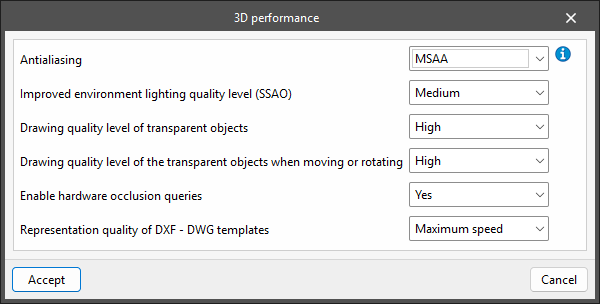
- Antialiasing
Antialiasing, also known as edge smoothing, is a process that improves the appearance of an image by reducing the level of pixelation at the edges of geometric primitives. Depending on the technique used, the hardware available on the PC and the configuration of the video card driver, the graphics performance may be affected. The available configuration options are:- No
No edge smoothing technique is applied. The graphics speed is as fast as possible. The edges of the geometric primitives in the image are clearly pixelated when they are not aligned with the horizontal and vertical directions of the screen. - FXAA
This is a software technique that can be applied with any video card. The image quality is good and the impact on graphics speed is minimal. This is the recommended setting for work areas. - MSAA
This technique can only be applied with video cards that support it. The image quality is good, and the edge definition of geometric primitives is excellent at 4 samples and above. However, depending on the PC hardware, the graphics speed may be affected. This is the recommended value for display areas. - FXAA+MSAA
Combines the two previous techniques and produces an image of excellent quality.
- No
- Improved environment lighting quality level (SSAO)
- Low / Medium / High / Maximum
- Drawing quality level of transparent objects
- Low / High
- Drawing quality level of the transparent objects when moving or rotating
- Low / High
- Enable hardware occlusion queries
- Yes / No
- Representation quality of DXF - DWG templates
- Maximum speed / Maximum precision
