Managing and creating layers
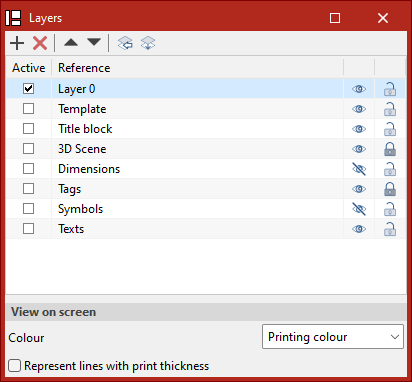
From the "Layers" section, the elements of the sheet can be arranged as required, creating, deleting or relocating layers.
Different layers can be generated, which allow the work to be carried out in a systematic and organised way, considering elements such as views, surfaces, dimensions and titles, among others.
To create a new layer, click on the "Add" button, located on the left margin of the layer management section.
The layers of imported DWG or DXF elements can be managed by clicking on the "Layers of inserted DXF or DWG files" icon.
From the "Assign to layers" icon, the objects on the layers can be changed.
Users can select the active layer, as well as manage the visibility or choose whether the elements of that layer are snappable.
The elements can be displayed on the screen with their colour for printing, or with their identifying colour. The lines can also be displayed with their thickness for printing.