

Work environment
The program has a simple work environment allowing the network design to be carried out quickly by entering and distributing the elements in a single work area on the floor plan.
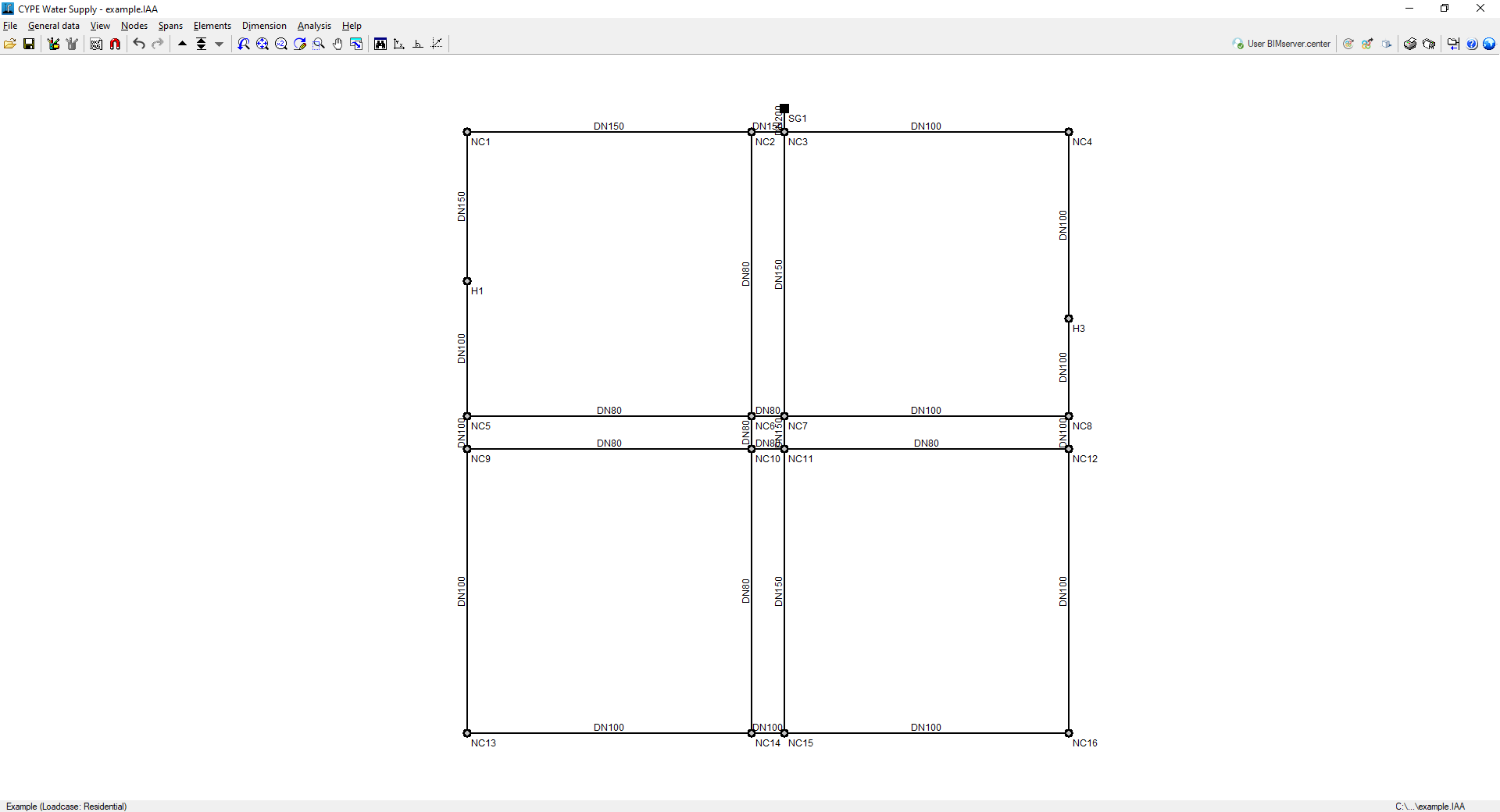
The interface displays:
- The menus at the top, where there are tools for:
- accessing the "File" menu;
- configuring the general data;
- controling the display of the model;
- entering and editing nodes, sections and other elements;
- accessing the dimensioning options;
- analysing and designing the network;
- and accessing to the "Help" menu.
- The options in these menus also appear in the drop-down options bar, which by default is hidden on the right-hand side.
- An auxiliary horizontal bar, under the menus at the top, where you can find the tools for:
- accessing the file manager and save the job;
- accessing the editing resources;
- managing drawings and snaps;
- undoing and redoing;
- navigating through the different combinations of hypotheses;
- modifying the drawing views;
- displaying the complete drawing map, rotating it, activating orthogonality and controlling the coordinate input tools;
- consulting and managing the connection with BIMserver.center;
- displaying the 3D view of the installation;
- printing the reports and drawings of the job;
- showing or hiding the side drop-down bar of options;
- accessing the available help;
- and accessing the general configuration options.
- Finally, in the central work area, which occupies most of the interface, the elements that make up the network are entered, edited and displayed, as well as the topographic curves, if a model with terrain information has been imported.
