

Managing the display and snapping of elements
The dockable panels or windows labelled "Elements read" and "Own elements", located on the left-hand side of the "Installation" tab interface, allow you to manage the display and capture of elements read from the BIM model and custom elements in the workspace using a system of layers or categories.
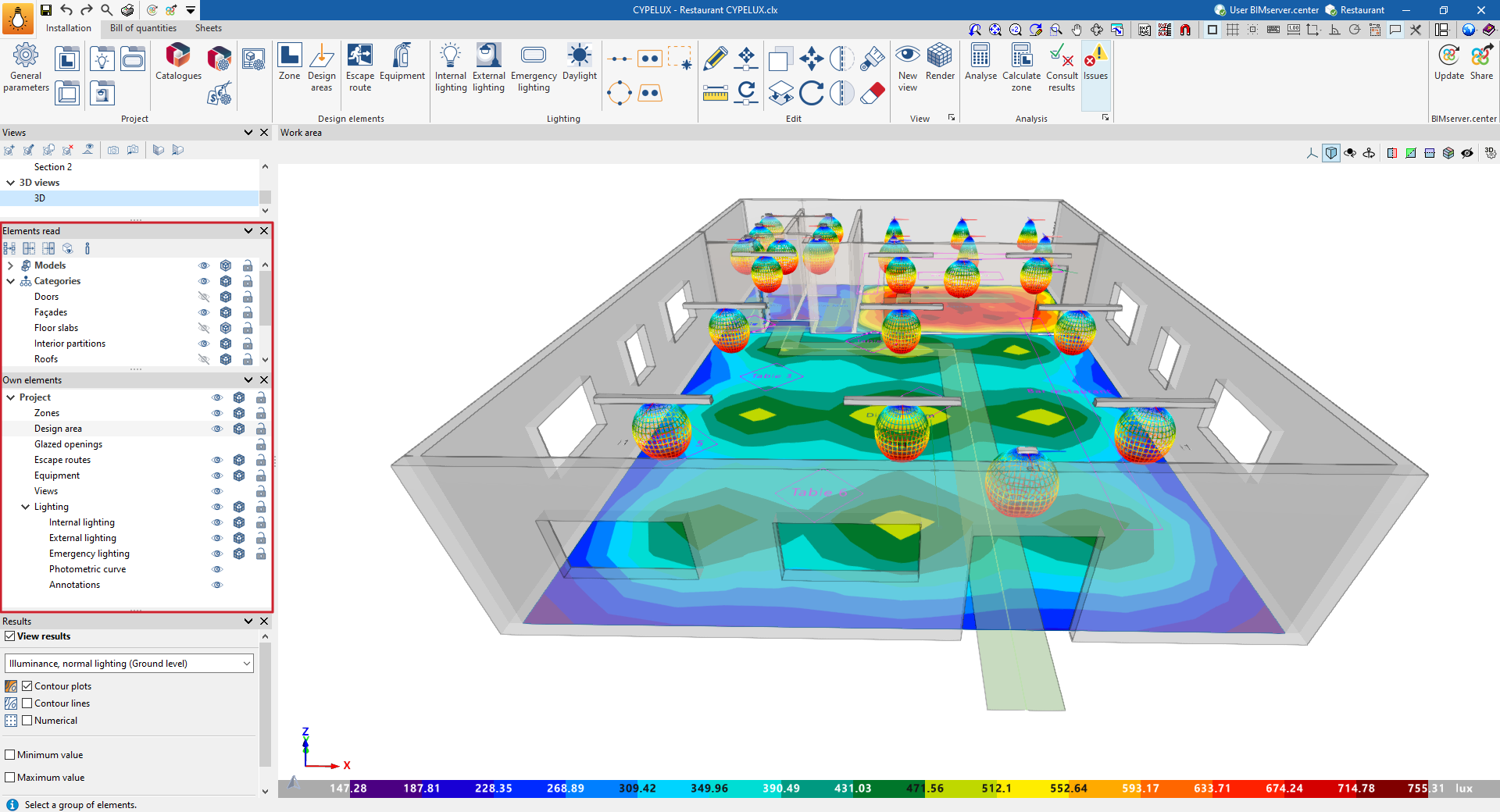
The "Elements read" panel allows you to manage the visibility and capture of elements from other BIMserver.center contributions that have been integrated into the model during the linking process.
The "Own elements" panel manages the visibility and capture of lighting model components inserted into CYPELUX. The available categories are as follows:
- Zones
- Design areas
- Glazed openings
- Escape route
- Equipment
- Views
- Lighting
- Indoor luminaire
- Outdoor luminaire
- Emergency luminaire
- Photometric curve
- Annotations
For each category, the program offers the following controls:
- Visible
Shows or hides the elements in the category. - Transparent
Sets the display of elements in the category to either opaque or transparent. - Capture
Captures elements from the category, including for editing or viewing purposes.
In addition, in the "Custom elements" panel, the program provides a tool for controlling the "Text size".
