Defining glazed openings for building energy simulation
If "Energy simulation" has been selected as the project type, the following parameters must be defined for the glazed opening types:
- Reference
Reference for the type of glazed opening. - Air permeability at a reference pressure of 100 Pa.
This value is used to calculate air infiltration and is determined by the class of the joinery. Standard values can be imported using the wizard on the right.
The remaining parameters for the opening are defined in the following tabs:
"Glazed fraction" tab
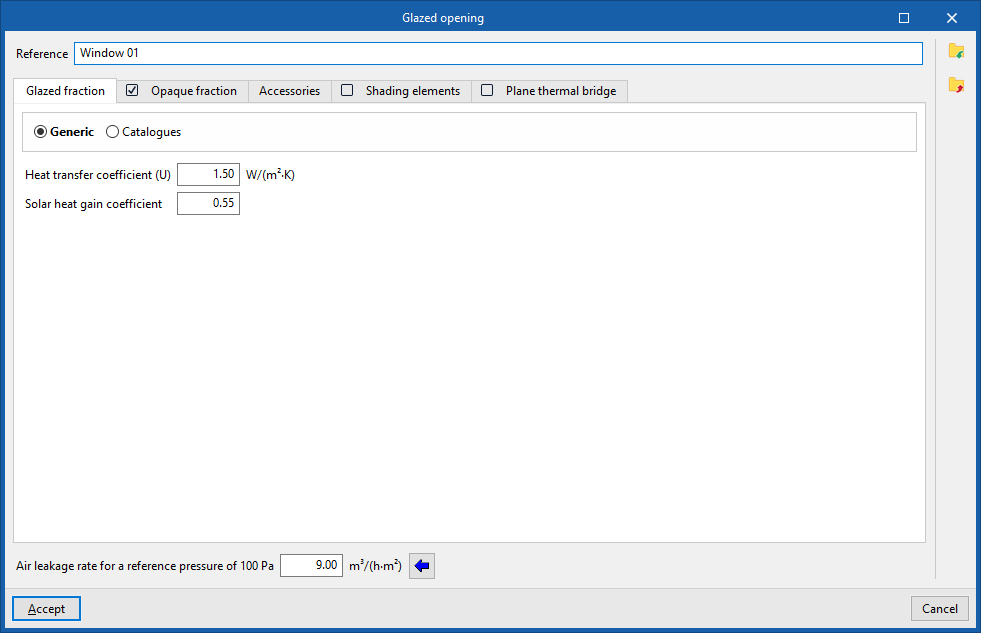
Specify the heat transfer coefficient (U-value) and the solar factor for the opening. If the "Opaque fraction" tab is selected, the values entered in this panel will apply only to the glazed fraction of the opening. Otherwise, they will affect the entire geometry of the opening.
- Generic
Enter the parameters of the glazed fraction directly:- Thermal transmittance (U)
Thermal transmittance of the glazed fraction. - Solar factor
The solar factor of the glazing, or the proportion of solar radiation that the glazing transmits, expressed as a ratio. The lower this factor, the less solar radiation enters the interior.
- Thermal transmittance (U)
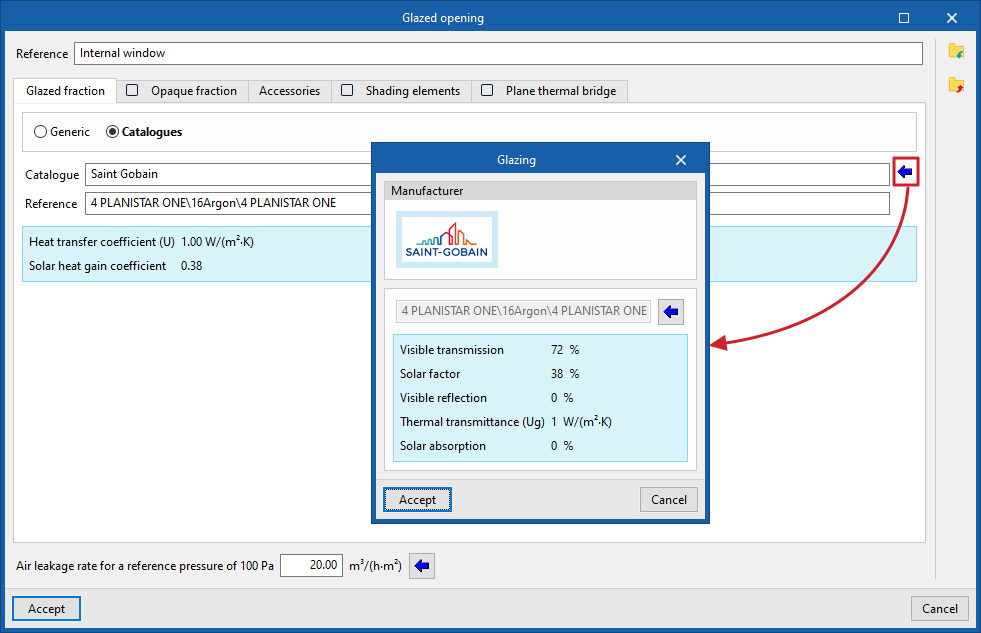
- Catalogues
Import data on the glazed fraction from the glazing products of manufacturers available in the Open BIM Database, which have been previously downloaded via the "Catalogues" option in the main interface.
"Opaque fraction" tab (optional)
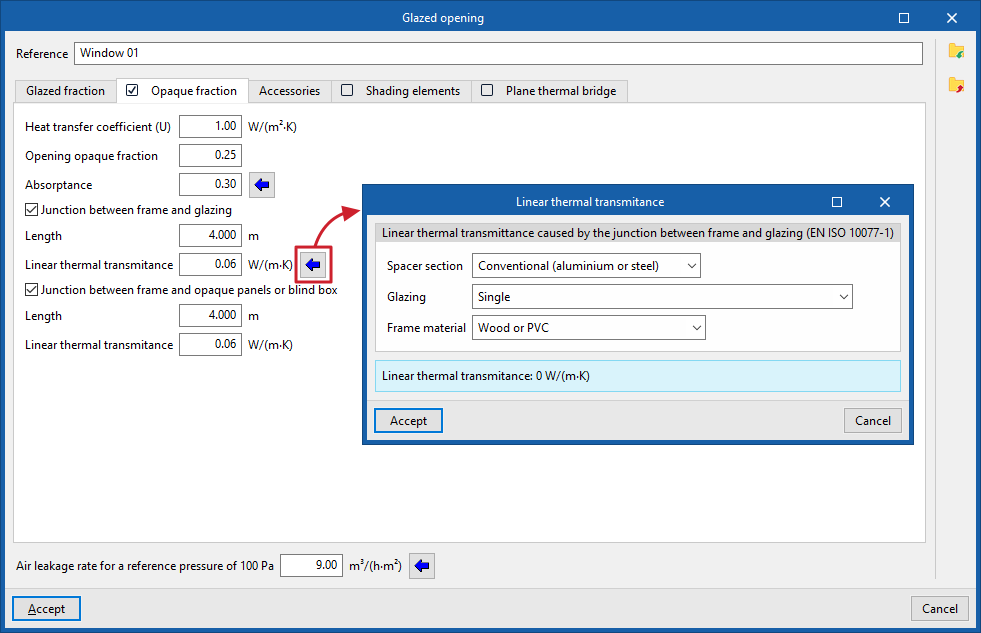
Specify the opaque fraction or frame fraction of the opening and its thermal properties, as well as the presence of thermal bridges caused by the connection between the different parts that make up the opening, which are defined by their length and their linear thermal transmittance.
- Thermal transmittance (U)
Thermal transmittance of the opaque fraction. - Opaque portion of the opening
The proportion of the opening, expressed as a ratio, occupied by the opaque part (frame or joinery). - Absorptivity
The coefficient of absorption of incident radiation by the frame. - Coupling between frame and glazing (optional)
Ticking this box indicates the presence of thermal bridges caused by the coupling between the frame and the glazing.- Length
The length of the thermal bridges between the glazing and the frame. - Linear thermal transmittance
Linear thermal transmittance of thermal bridges between the frame and the glazing. On the right, there is a wizard to help determine this parameter using values from the EN ISO 10077-1 standard.
- Length
- Joint between the frame and opaque panels or roller shutter box (optional)
Ticking this box indicates the presence of thermal bridges caused by the joint between the frame and the opaque panels or the roller shutter box.- Length
The length of the thermal bridges between the frame and the opaque panels or the roller shutter box. - Linear thermal transmittance
Linear thermal transmittance of the thermal bridges between the frame and the opaque panels or the roller shutter box.
- Length
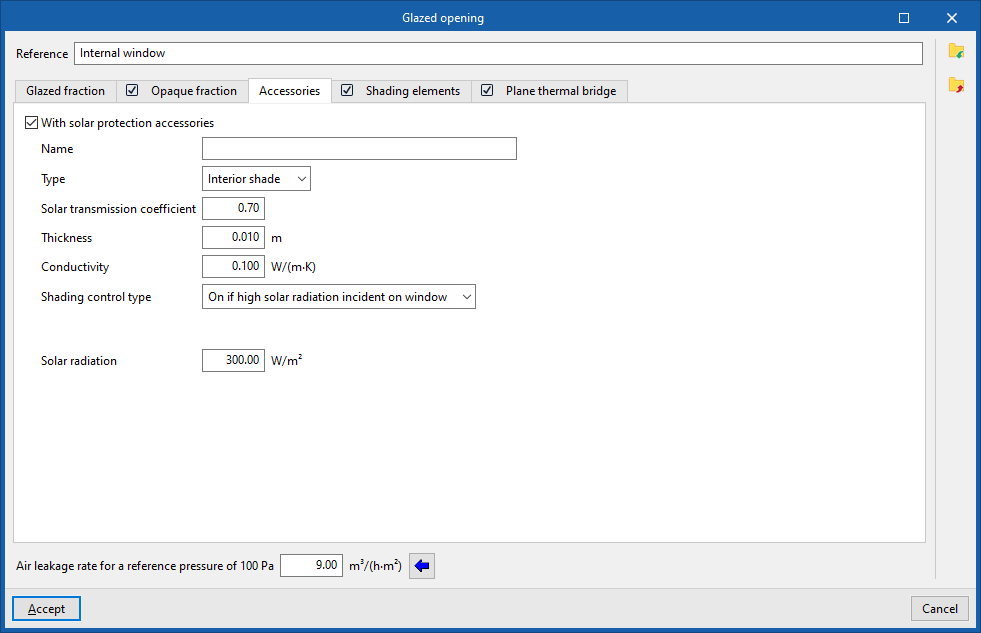
"Accessories" tab
Add external sun protection accessories (roller shutters, slats, shutters, etc.) or internal ones (curtains, blinds, Venetian blinds, etc.) and set how they are activated.
- With solar protection accessories (optional)
- Name
- Type (Internal blind / External blind)
- Solar transmission coefficient
The proportion of solar radiation that passes through the fitting, on a one-to-one basis. - Thickness
- Conductivity
- Shading control type
- Always on
Treat the defined shading as always active at all times of the year. - Always off
Treat the defined shading as if it were always off. - On if schedule allows
Create and edit a schedule for hourly, daily, weekly or monthly use, specifying the times when shading is active or inactive in detail. - On if high solar radiation incident on window
Set a maximum solar radiation value, above which the shading system will be considered active.- Maximum solar radiation
- Always on
"Shading elements" tab (optional)
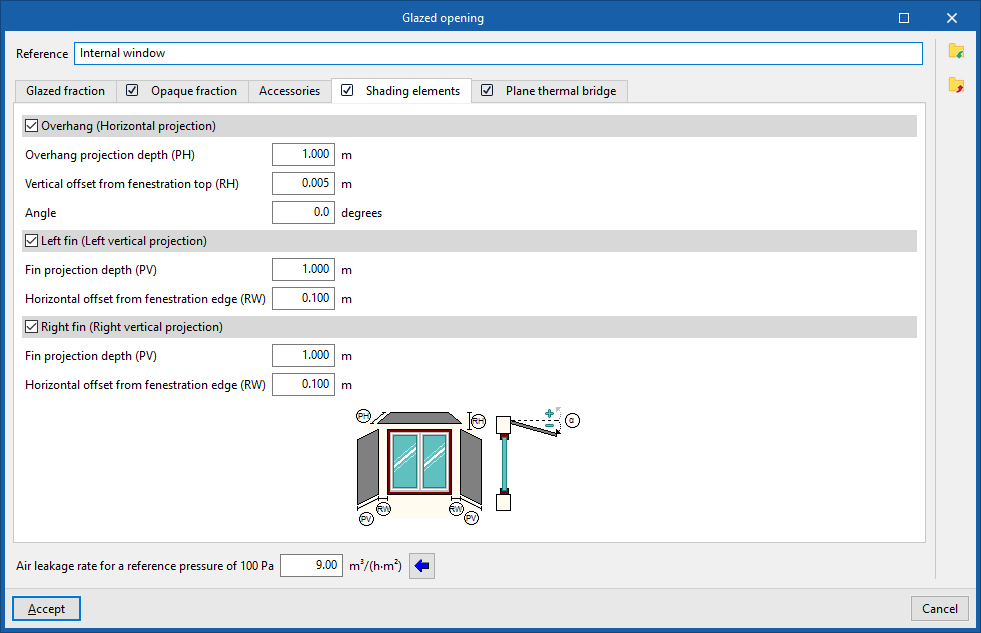
Shading elements allow the effect of façade projections – such as recesses, window overhangs or lateral projections that cast shadows over the opening – to be simulated, should they not have been defined in the geometric model, included in the building’s element tree or added to it.
- Overhang (horizontal projection) (optional)
- Overhang projection depth (PH)
- Vertical offset from fenestration top (RH)
- Angle
- Left fin (left vertical projection) (optional)
- Fin projection depth (PV)
- Horizontal offset from fenestration edge (RW)
- Right fin (Right vertical projection) (optional)
- Fin projection depth (PV)
- Horizontal offset from fenestration edge (RW)
The program displays a generic diagram at the bottom showing the layout of the opening and the possible shading elements, which helps to define its parameters.
| Note: |
|---|
| The program can automatically calculate the shadows cast on glazed openings by elements of the building model, as well as by neighbouring buildings and other obstacles, which are recorded in the geometry of the "Building" element tree, its "Own shadows" and "Remote shadows". The options for defining shadow-casting elements on glazed openings allow this data to be entered manually if it cannot be obtained from these other sources of information. |
"Plane thermal bridge" tab (optional)
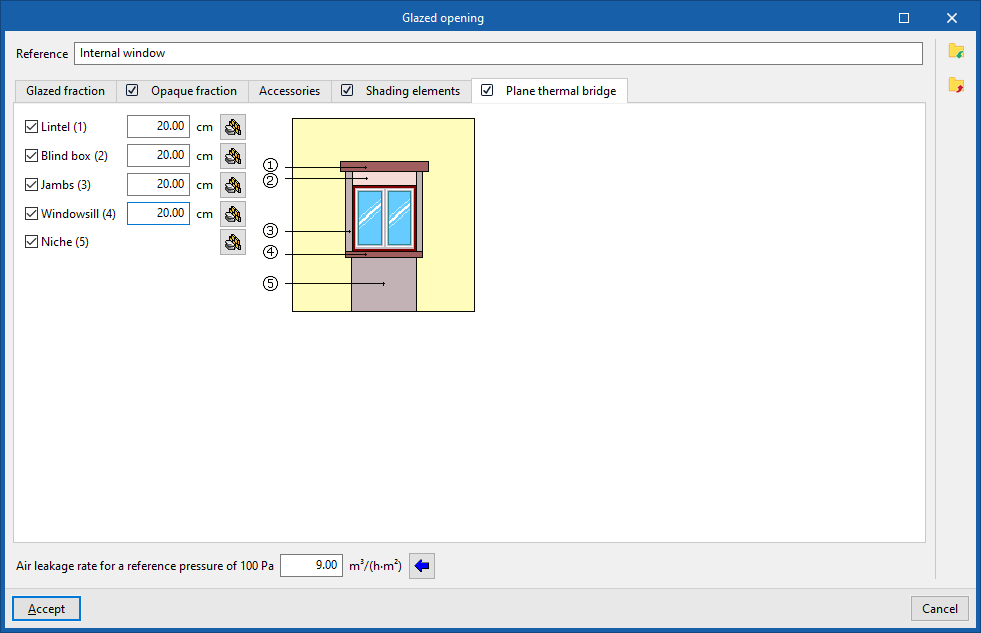
Plane thermal bridges enable the definition of the structural elements that make up the flat surfaces surrounding the opening, where their characteristics differ from those of the structural element in which the opening is situated, in order to take account of heat transfer through them.
By selecting this tab, you can define the several plane thermal bridges available. These are:
- Lintel (optional)
- Blind box (optional)
- Jambs (optional)
- Windowsill (optional)
- Niche (optional)
The program displays a generic diagram on the right-hand side showing the opening and any potential flat thermal bridges, which helps to understand their layout.
For each of these, the width must be specified. This width, together with other details such as the width or height of the recess, will determine the area of the flat thermal bridge. In the case of niches, the plane thermal bridge extends from the floor to the opening.
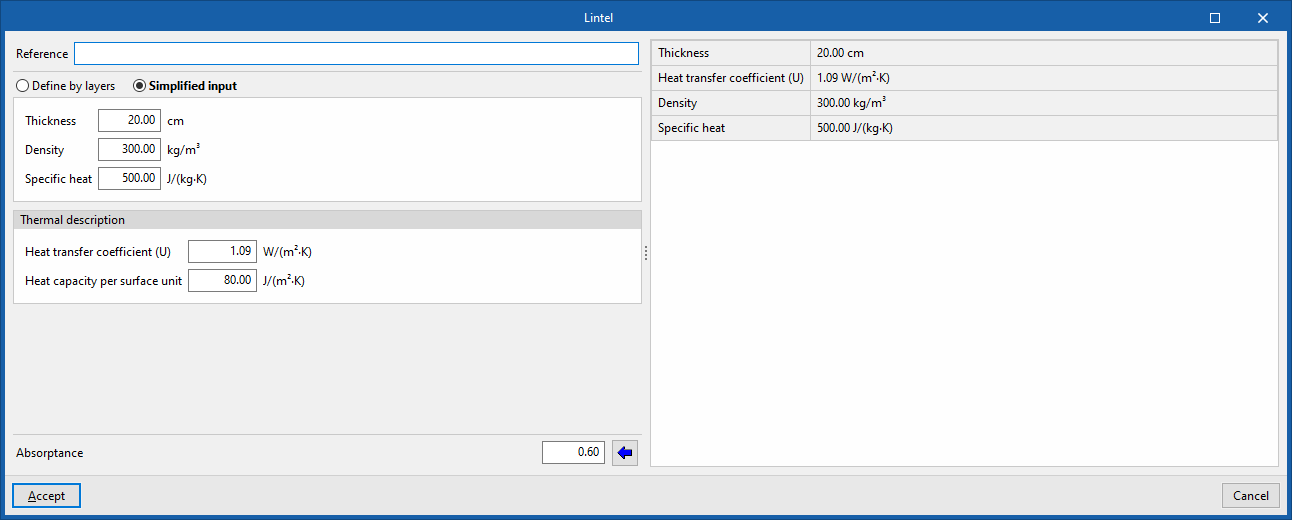
When editing each plane thermal bridge, you can define its characteristics by layers of materials or, in a simplified way, through its overall thermal properties, in the same way as for opaque structural elements:
- Reference
- Define by layers / Simplified definition
- Absorption coefficient