
Introduction
CYPE Cost Estimator is a program designed to facilitate the automatic estimation of the bill of quantities for the execution of a building job during the preliminary phases of the architectural project. Its practical and simple approach means that bills of quantities can be generated quickly, efficiently and accurately, using a design model that takes into account key factors such as floor area, building height and typological, constructional, geographical and socio-economic aspects.
Work environment
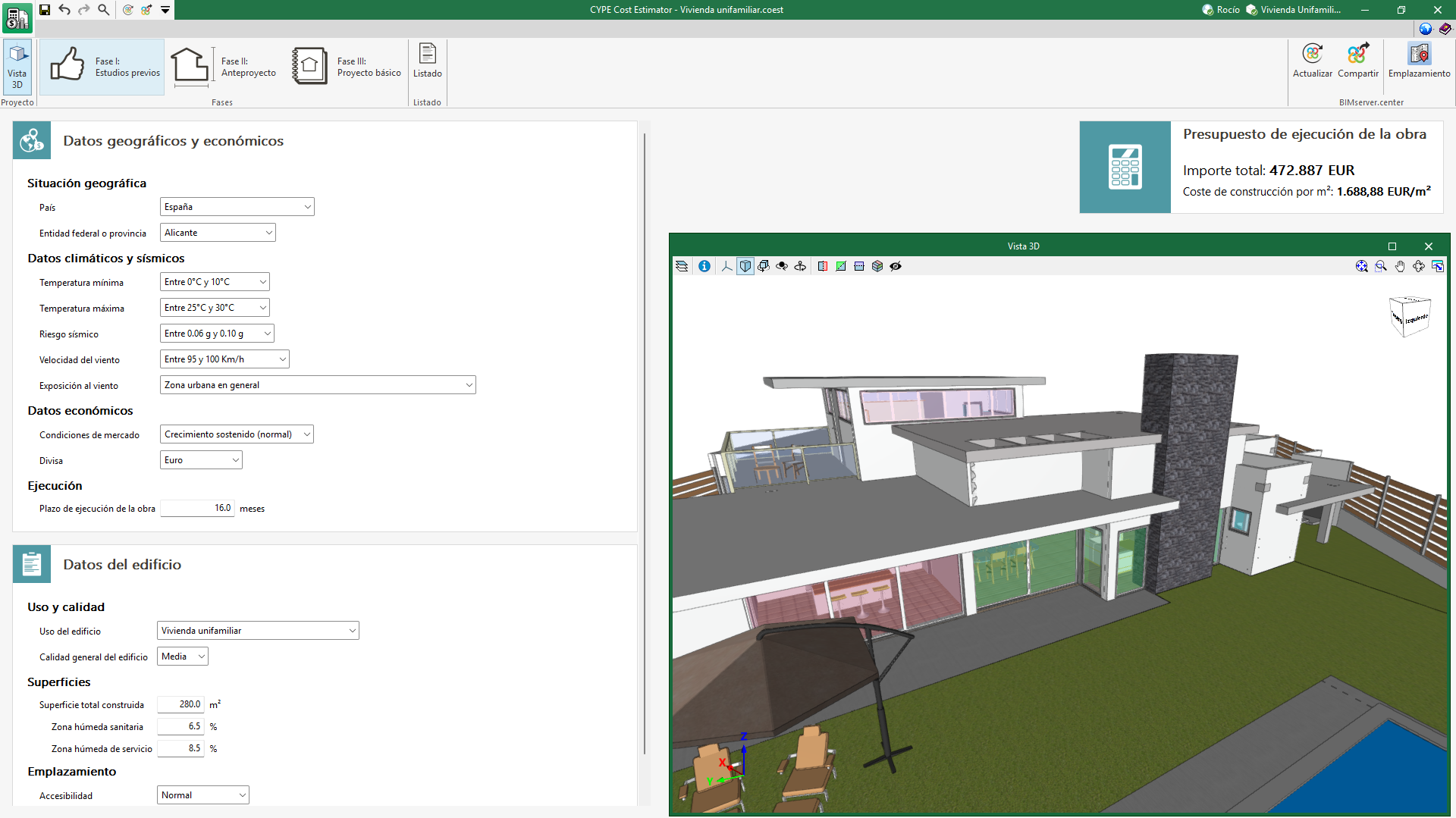
The CYPE Cost Estimator user interface is divided into three tabs corresponding to each of the preliminary project phases covered by the application:
- Phase I: Preliminary studies
The application requests the geographic and economic data relating to the location of the job and the general data of the building. As output results, the amount of the job execution budget and the construction cost per m2 is displayed. - Phase II: Draft project
The application requests the typological characteristics of the building and its floor plan configuration. As output results, in addition to what was indicated in phase I, the bill of quantities by work sections is generated together with a graph in order to facilitate the visualisation of the bill of quantity progress. - Phase III: Design project
Finally, the application requests more precise data on the characteristics of the building concerning foundations, structure, construction systems and MEP systems. As output results, in addition to what is indicated in phase II, sub-work sections are included in the bill of quantities by work sections.
Creating a new job and linking it to a project
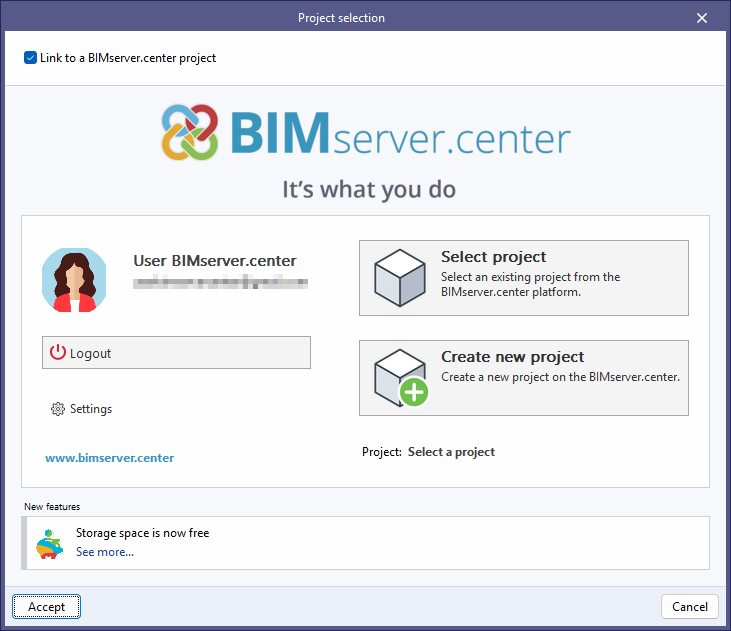
When launching the application and clicking on "New", users are given the option of creating a "New job", which can then be integrated into an existing project in BIMserver.center.
There is also the option to "Create new project". In this case, the created project will be visible from BIMserver.center from that moment on.
Once the new job has been created, users then access the interface, in which the graphic window showing the model or models that have been imported is displayed.
Users also have the option of starting the project without being linked to the BIMserver.center platform. To do this, simply uncheck the "Link to a BIMserver.center project" box in the top left-hand corner.
Files can be shared or imported at any time while the project is in progress via the BIMserver.center tab located at the top right of every program.
Results output
CYPE Cost Estimator has several ways of displaying the values of the magnitudes evaluated so that users can analyse the results in the most efficient way according to their needs.
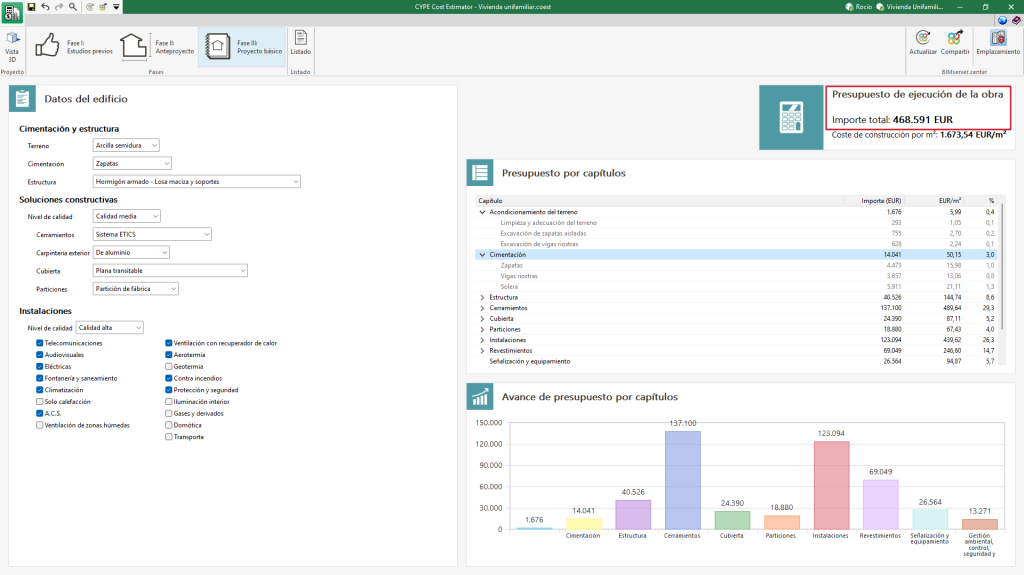
Project execution budget
The budget determined by the program corresponds to the budget for the execution of the job, which includes the total amount of direct and indirect costs necessary for its execution, understood as follows:
Hard costs
These are those costs directly attributable to the execution of the project's items, which are made up of:
- Materials.
- Machinery and equipment.
- Manual labour.
- Ancillary or complementary hard costs, are determined as a percentage of the cost of the above components (materials, machinery and labour).
Soft costs or construction costs
These include costs that are not directly attributable to units of the job, but to the job as a whole. These include: office facilities on the job site, warehouses, workshops, laboratories, and salaries of technical staff and managers, among others.
Excluded from the project execution budget are the contractor's overheads and industrial profit, which correspond to the contract budget or basic tender budget, as well as taxes.
Construction cost per m2
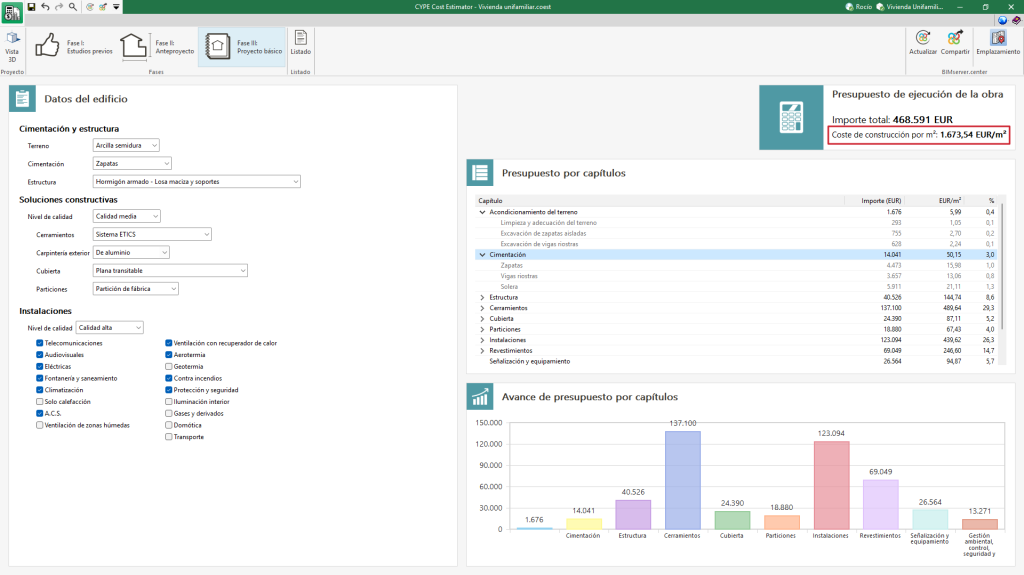
The construction cost per m2 is defined as the result of dividing the total amount of the "Project execution budget" by the "Total built-up area (S)", expressed in square metres.
The "Total built-up area (S)" is the area bounded by the perimeter lines of the external enclosures and, where appropriate, by the axes of the party walls. All overhangs, terraces and balconies covered by roofs shall be counted as 100 % of their floor area when they are enclosed laterally by walls, otherwise only 50 % of their area shall be counted.
Bill of quantities by work sections
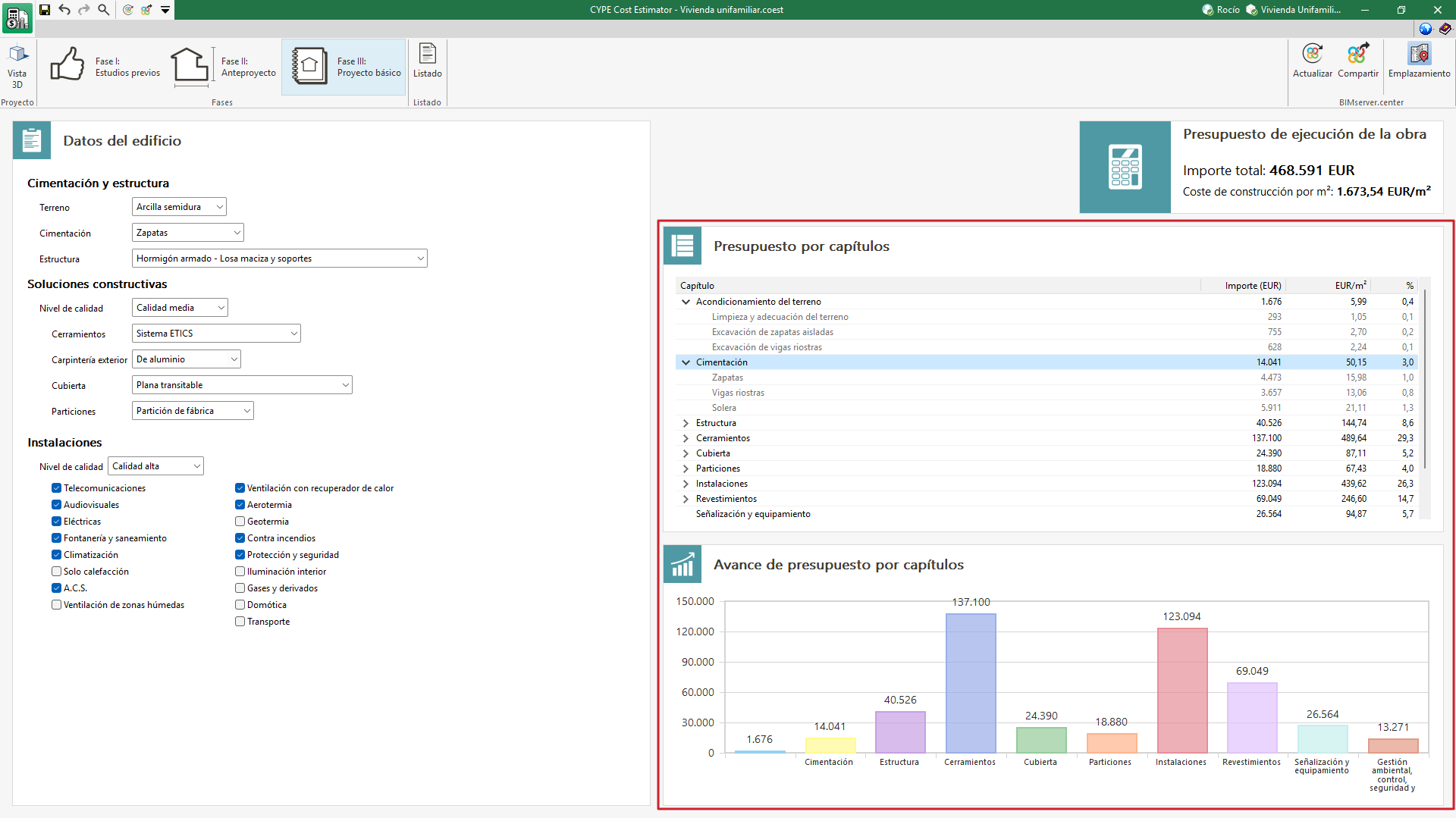
CYPE Cost Estimator can display the breakdown of the project execution budget by chapters in phases II (Draft project) and III (Design project). Additionally, in phase III (Design project) these work sections can be displayed and the sub-work sections can be shown.
For each work section or sub-work section, the amount, the cost per m² and its impact on the project execution budget are indicated.
Preview of the bill of quantities by work sections
At the bottom is a graph that displays the cost of each of the items graphically.
Reports

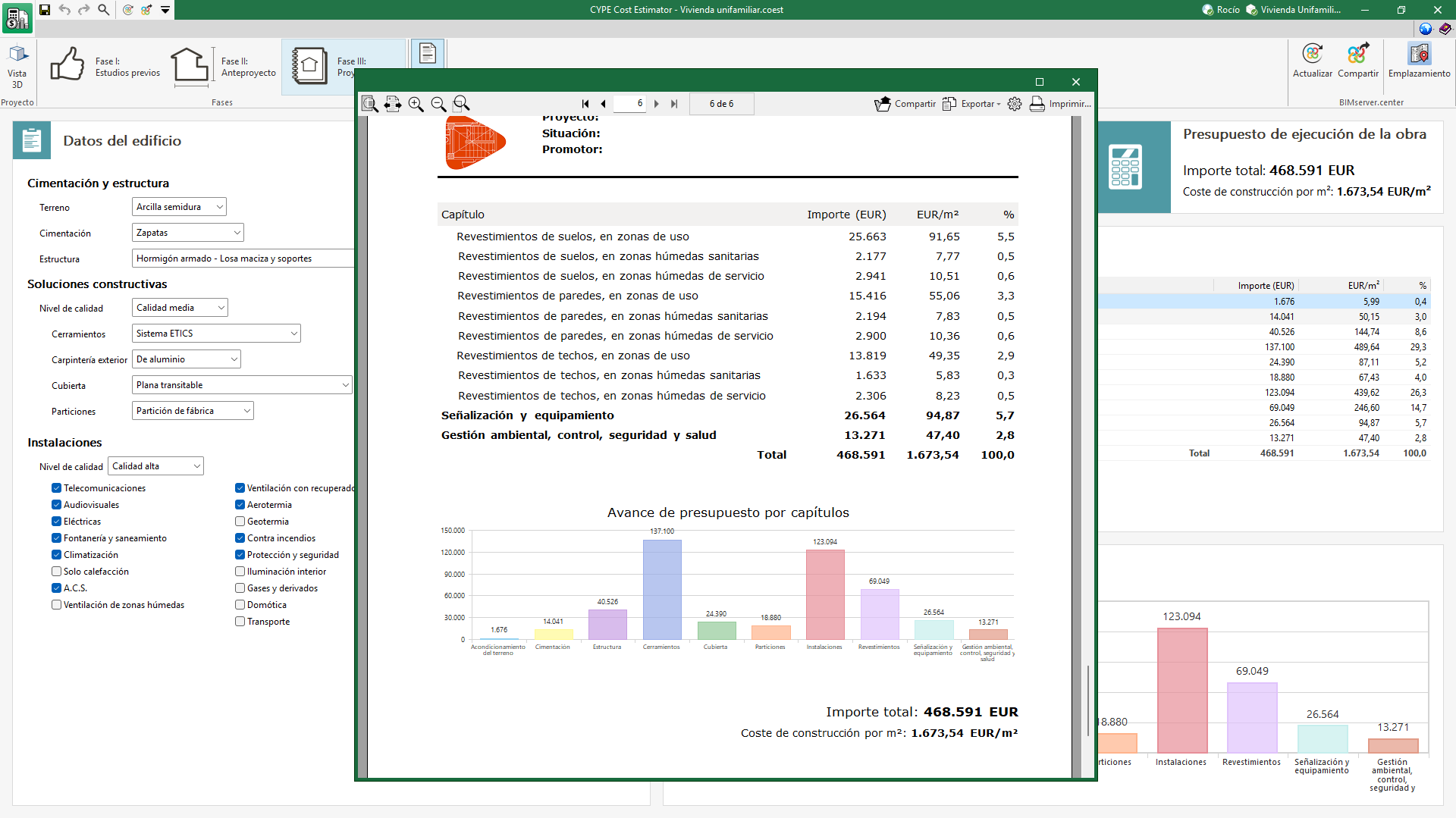
CYPE Cost Estimator can generate a supporting document for each of the preliminary phases of the project covered by the application.
This document includes the project data entered and the results of the calculation of the project execution budget.
The data included in each report, according to the corresponding phase, shall be as follows:
- Phase I: The amount of the project execution budget and the construction cost per m² is shown.
- Phase II: In addition to phase I, the bill of quantities per work section is generated together with a graph to facilitate the visualisation of the budget progress.
- Phase III: As an additional result to phase II, sub-work section are included in the bill of quantities per work sections.
The report can be printed directly from the application and exported to PDF, DOCX, TXT, HTML and RTF formats.
Integration into the BIMserver.center platform
Many of CYPE's programs are connected to the BIMserver.center platform and allow collaborative work to be carried out via the exchange of files in formats based on open standards.
Please note that, to work on BIMserver.center, users can register on the platform free of charge and create a profile.
When accessing a program connected to the platform, the program connects to a project in BIMserver.center. This way, the files of the projects that have been developed collaboratively in BIMserver.center are kept up to date.

| More information: |
|---|
| For further details related to using CYPE software via the BIMserver.center platform, please click on this link. |