“Singapore national annex to EUROCODE 8: Design of structures for earthquake resistance - Part 1: General rules, seismic actions and rules for buildings”.
Implemented in CYPECAD and CYPE 3D.




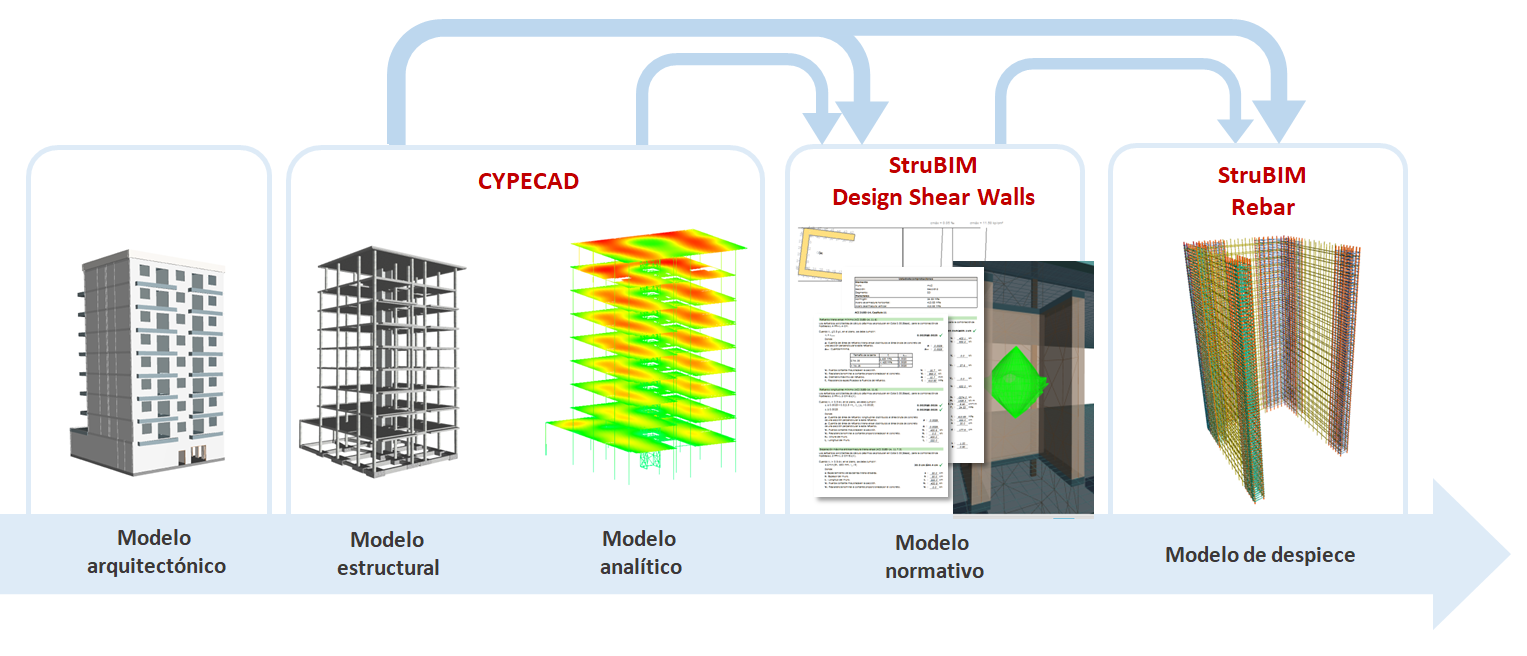
In the 2020.a version the design of the shear walls from a CYPECAD project has been implemented. The design process begins in CYPECAD where the shear walls are defined and the analysis of the structure is carried out. Then, the shear walls and their forces are imported in in StruBIM Design Shear Walls to design the reinforcement. Finally, the 3D model of the reinforcement is created in StruBIM Rebar. "StruBIM Design Shear Walls" and "StruBIM Rebar" are two new applications that have been implemented in the 2020.a version. These applications and CYPECAD are integrated in the Open BIM workflow.
Introduce or assign shear walls
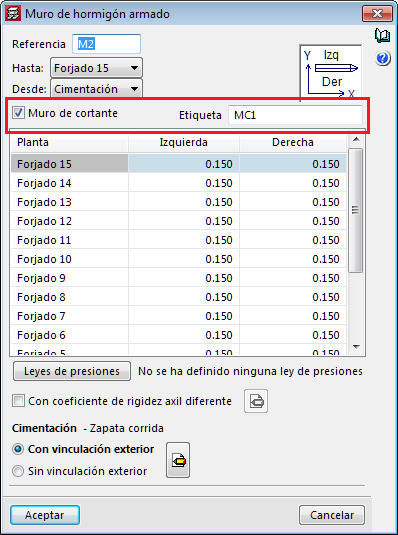
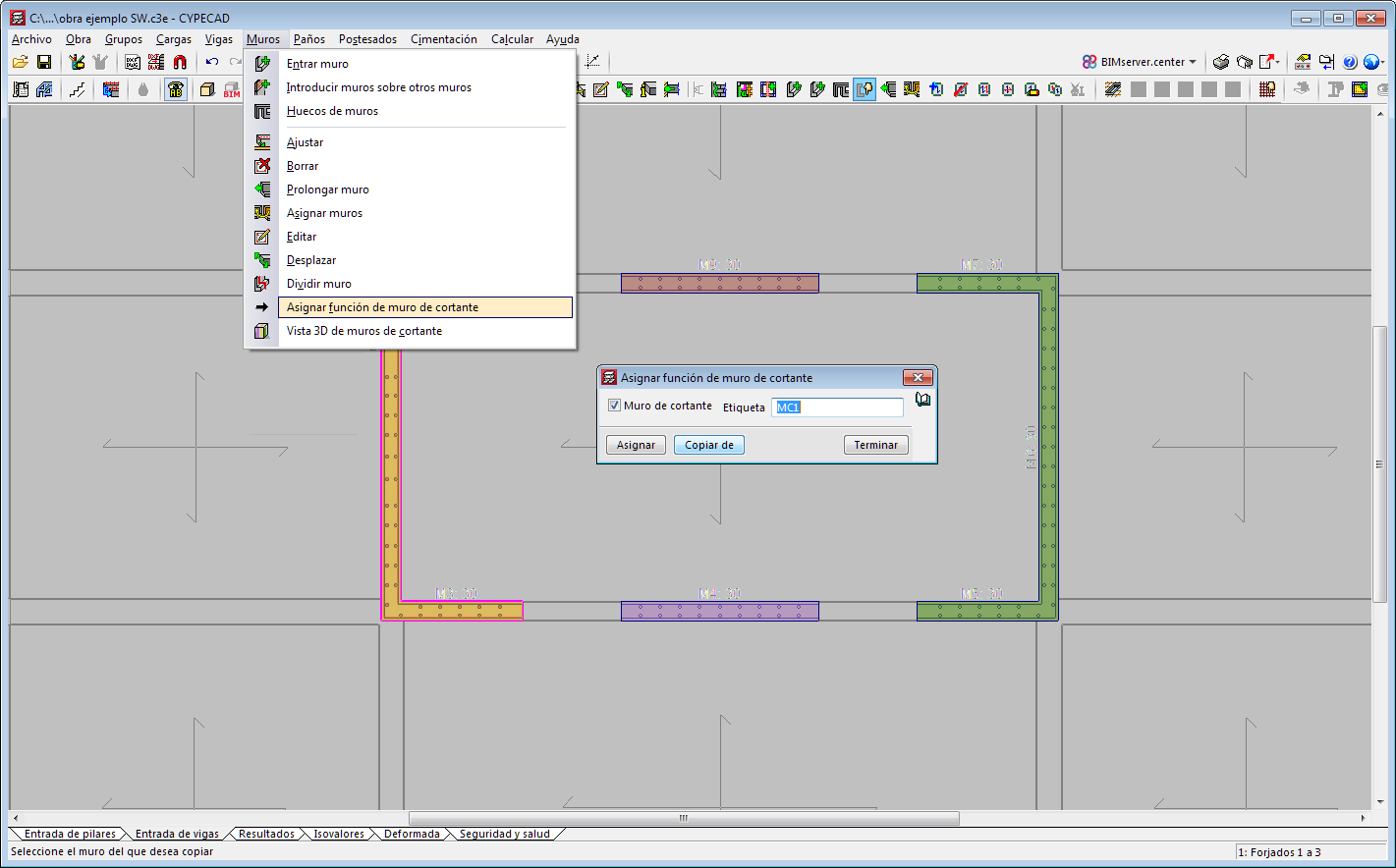
In the 2020.a version of CYPECAD, there are two ways to assign “shear wall” properties to reinforced concrete walls and plane stress walls.
Walls that have been assigned the same tag will be represented with the same colour and make up a shear wall.
Shear walls intervene in the force analysis of CYPECAD, but are designed in StruBIM Design Shear Walls.
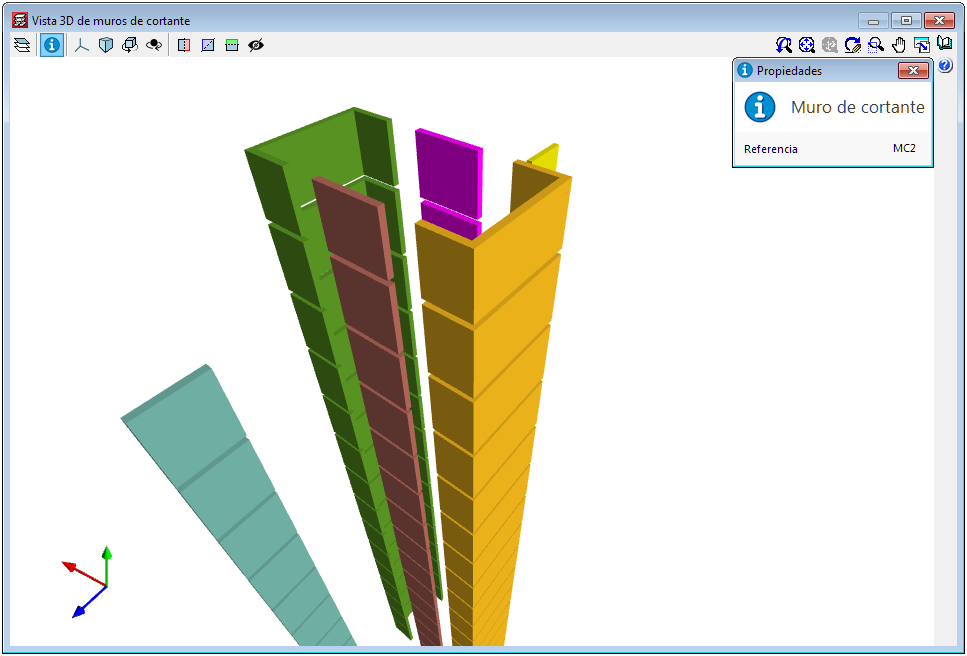
3D view of shear walls
A 3D view for shear walls has been implemented. The option can be accessed from the "Walls" menu. The shear walls of the structure are represented in this view and are drawn in a different colour depending on the type of shear wall (walls that are introduced with the same tag are grouped and so, have the same colour). The tag that has been assigned to each shear wall can be consulted in this 3D view.
Export and design in StruBIM Design Shear Walls
To design the reinforcement of the shear walls that have been defined in CYPECAD, the project must be linked to an Open BIM project on the BIMserver.center platform. In CYPECAD, once the shear walls have been defined and the structure has been analysed, the BIM model that is created by CYPECAD must be exported. This is when the information, as well as other data in open format, that "StruBIM Design Shear Walls" requires to design the shear wall reinforcement is generated.
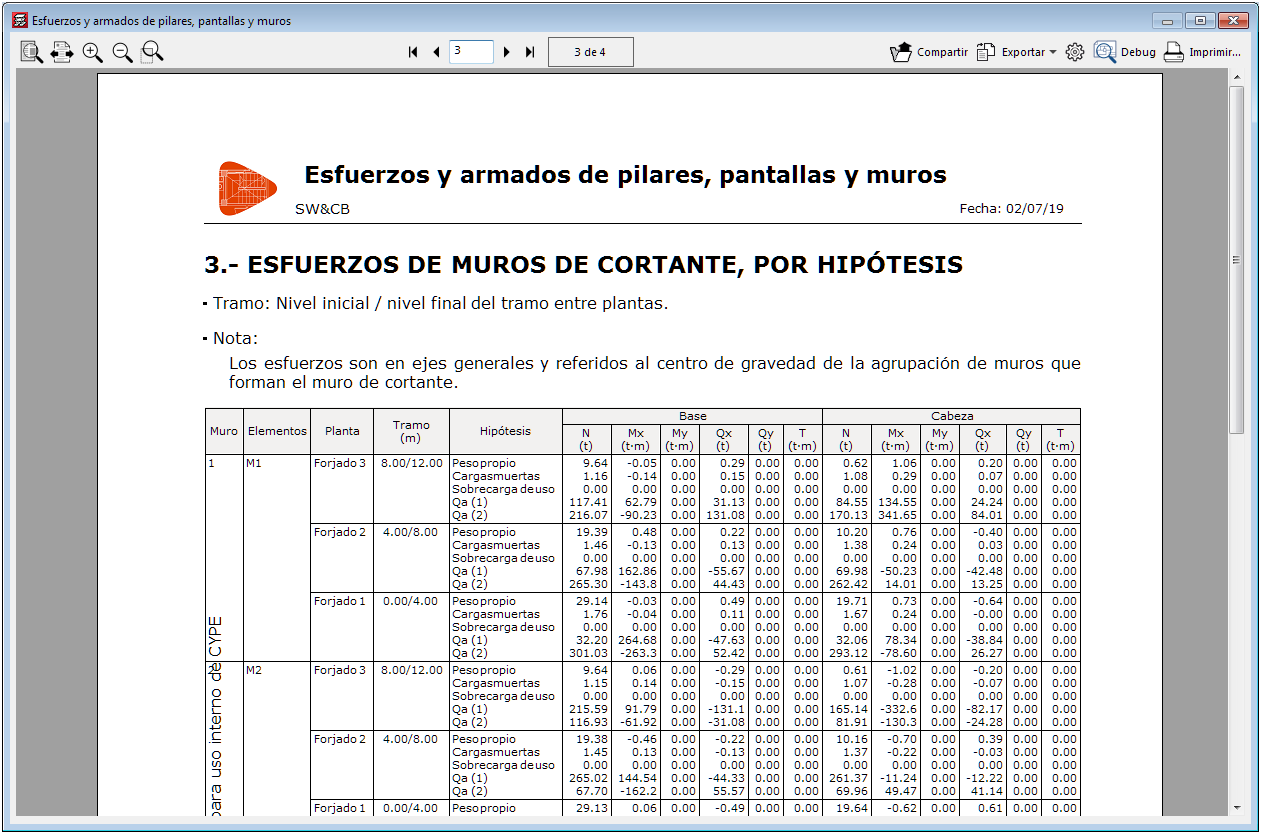
Shear wall forces report
A section on shear wall forces has been included in the “Forces and reinforcement of columns, shear walls and walls” report that is generated by CYPECAD. This section will appear when shear walls have been defined in the project. The forces are displayed in the general axes and referred to the centre of gravity of the group of walls that make up the shear wall.
Management of the connection with Open BIM projects
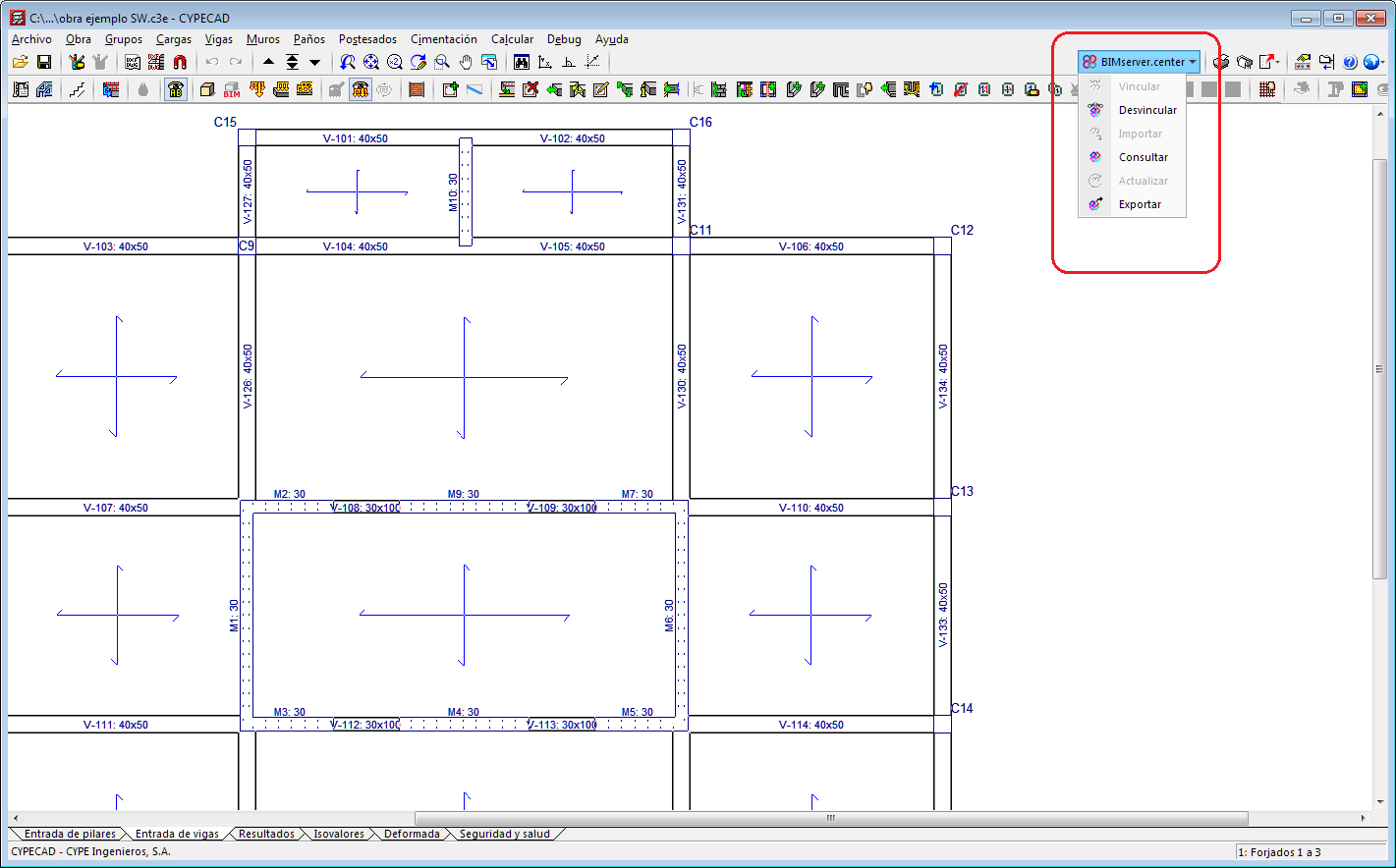
In the 2020.a version, different tools have been implemented to manage the connection with Open BIM projects on the BIMserver.center platform.
In previous versions, a CYPECAD project was only linked to an Open BIM project on the BIMserver.center platform if the project had been started by importing a BIM model, which could not be unlinked. As of the 2020.a version, the new tools also users to link an existing CYPECAD project to an BIMserver.center Open BIM project and unlink it at any time.
The tools to manage the connection with an Open BIM project are grouped in the BIMserver.center menu. Some already existed in previous versions and others have been implemented in the 2020.a version:
Export the animation of the deformed shape to the BIM model
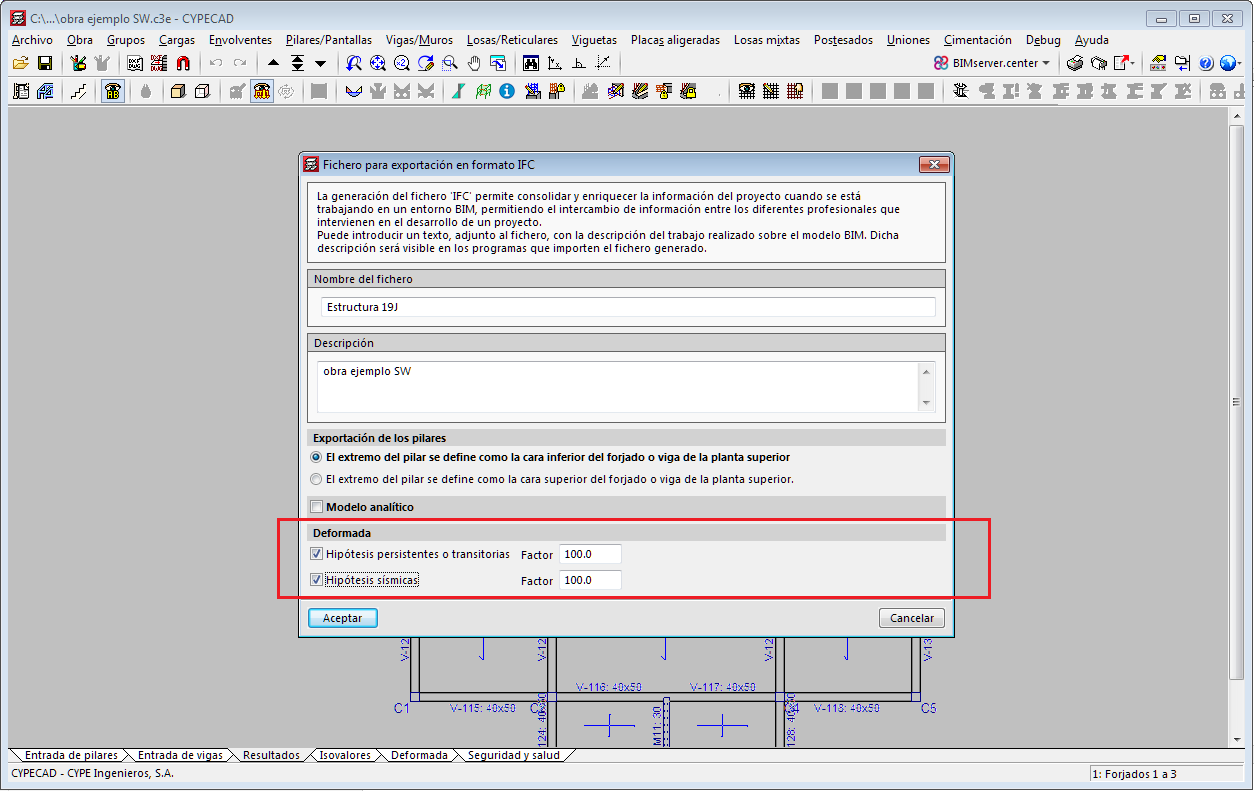
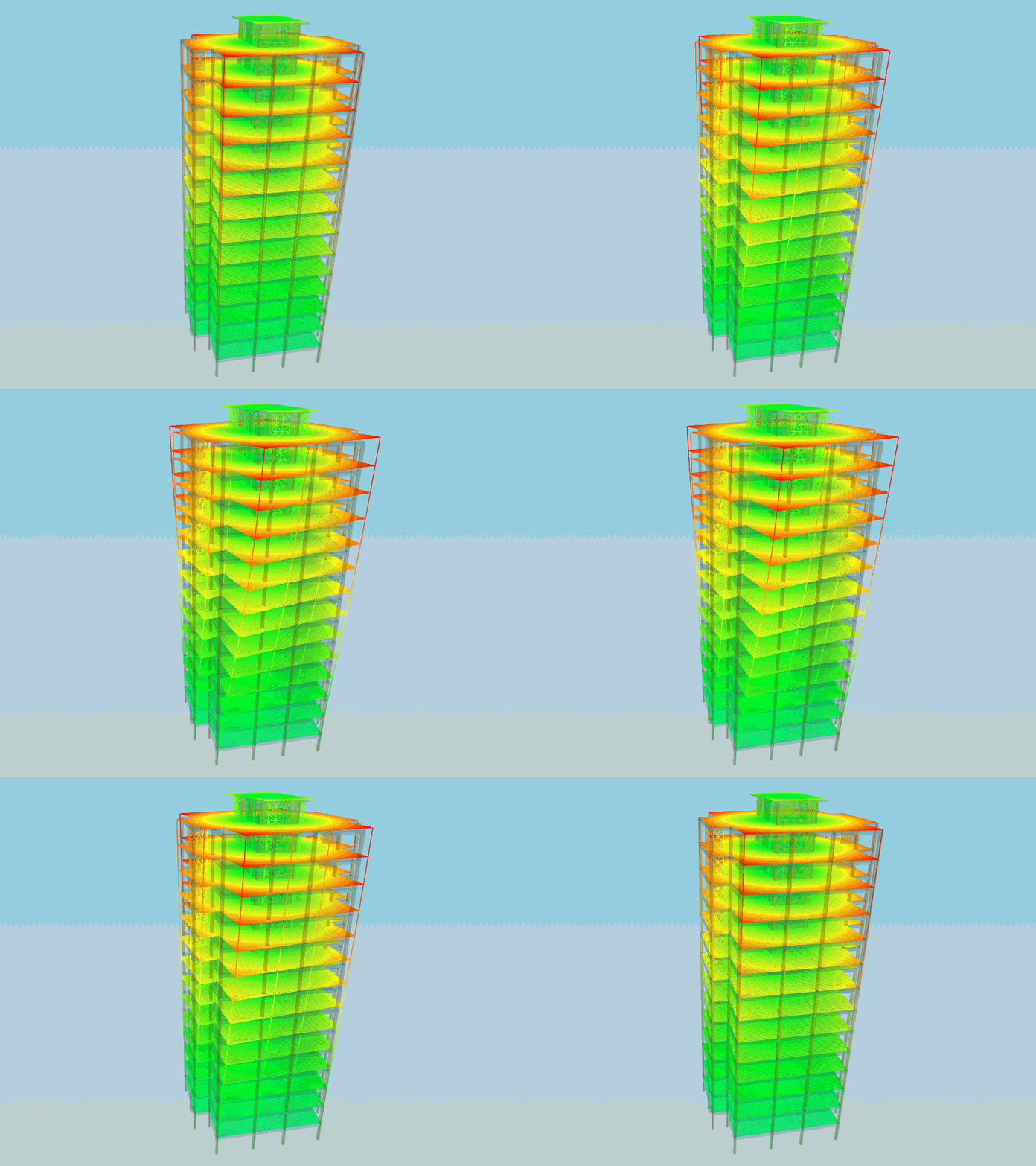
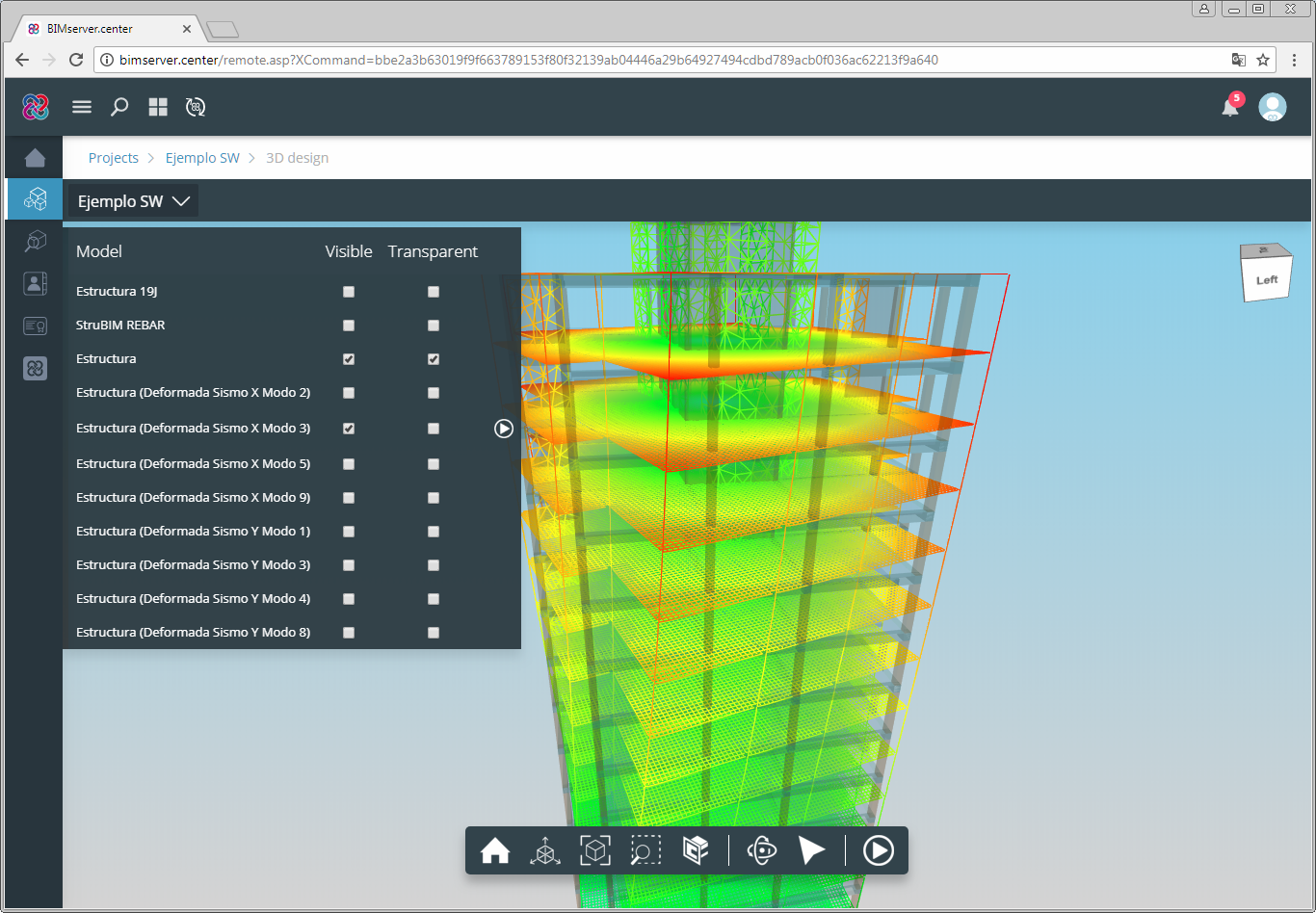
In the 2020.a version the animated 3D views of the deformed shape can be exported. To do so, users have to mark the type of loadcase for which the deformed shape is to be exported in the panel that appears when the information generated by CYPECAD is exported to the Open BIM project, and define an amplification factor. This way, the IFC that is generated during the export will include the GLTF files that contain the different 3D views. The 3D views of the deformed shapes can be consulted in the BIMserver.center platform viewer.
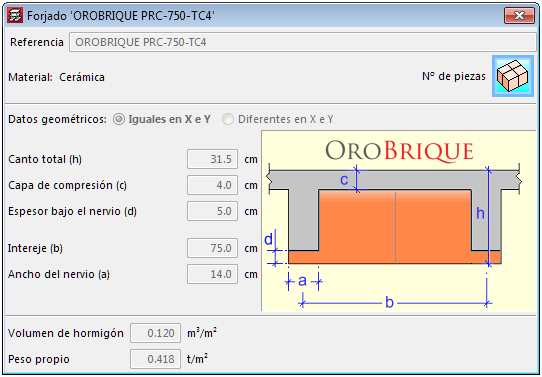
Waffle slabs with ceramic filler blocks belonging to the manufacturer: OROBRIQUE, have been implemented. The feature of these slabs is the ceramic part below the rib, which allows fixed building service elements to be installed.
The following types have been added:
These floor slabs are available for the French reinforced concrete code BAEL-91.