Update history
CYPECAD
Optimisation of beam reinforcement exposed to seismic forces
- Published on
- 2016.h
Code implementation. NEC-SE-DS 2014 (Ecuador)
Norma Ecuatoriana de la Construcción. Peligro sísmico. Diseño sismo resistente.
Implemented in CYPECAD and CYPE 3D.
As of the 2016.c version, users can opt, for this code, to use the design seismic spectrum defined by the code itself or a user-defined spectrum. For more information on which codes users can define the seismic spectrum for can be found in the "Seismic spectrum specified by users" section of the CYPECAD webpage. ![]()
- Published on
- 2016.c
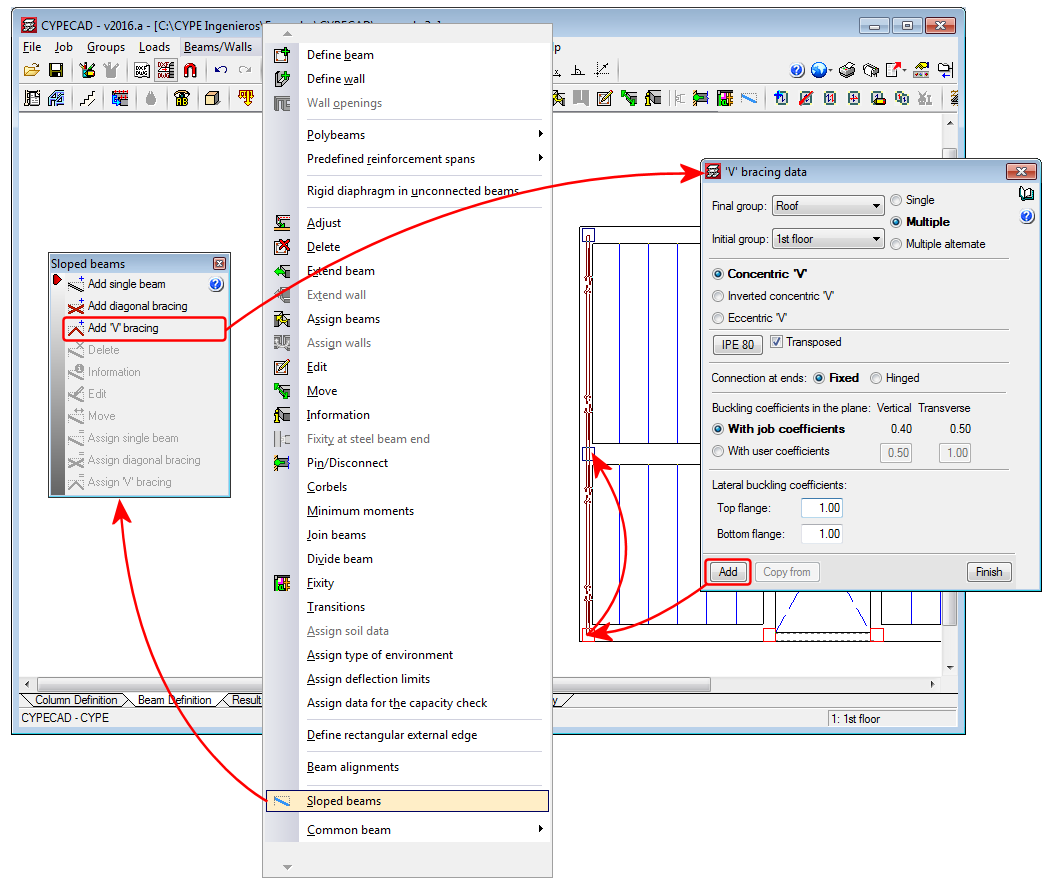
V-bracing
- Published on
- 2016.a
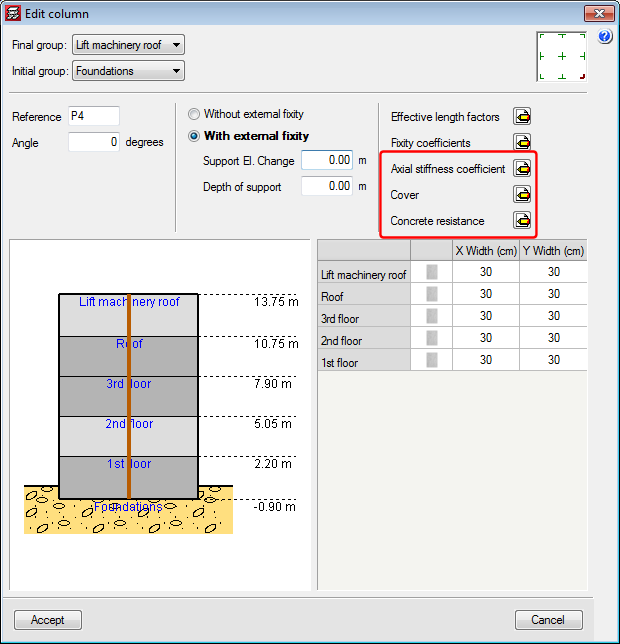
Axial stiffness coefficient, Cover and Concrete resistance when introducing and editing a column
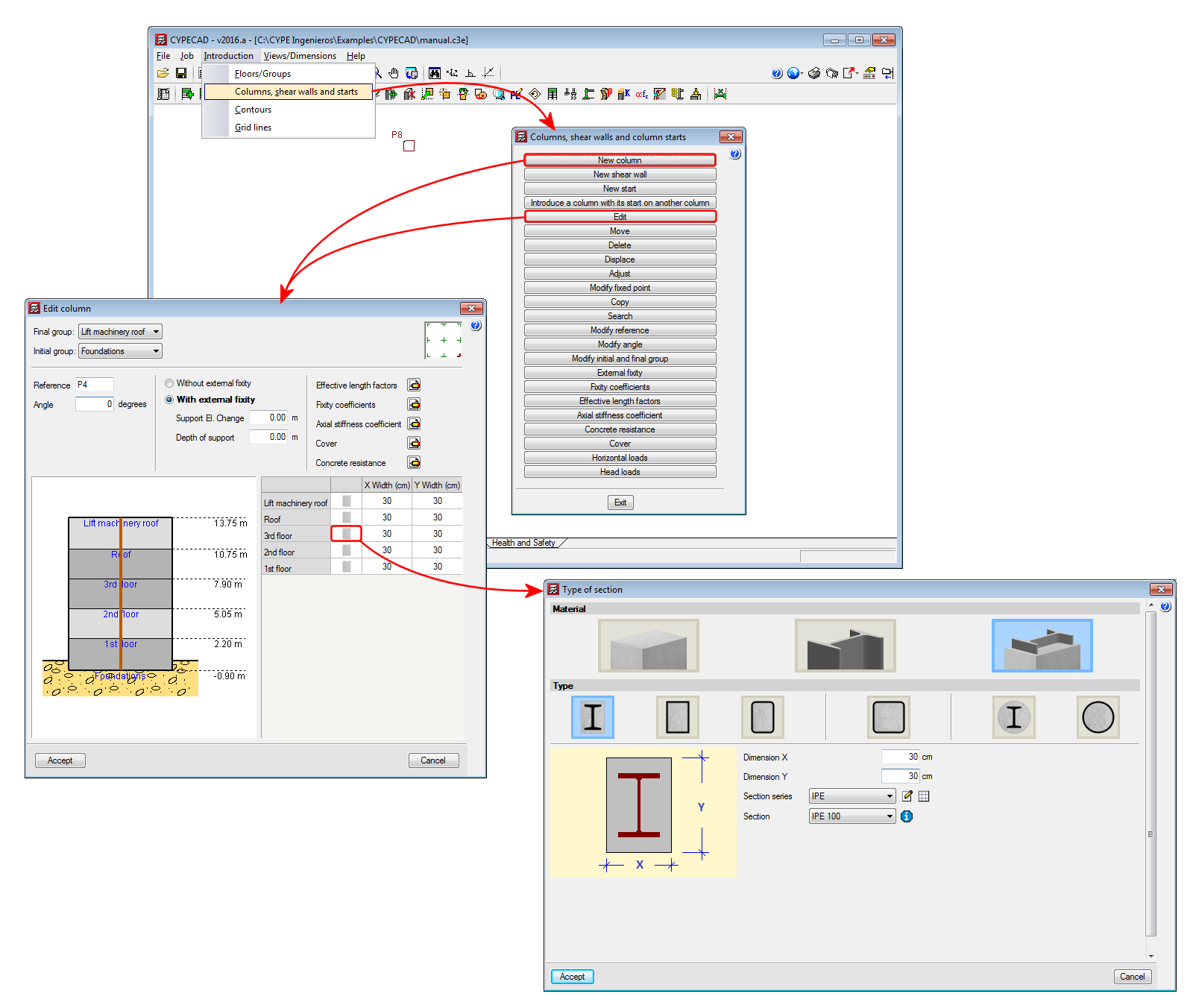
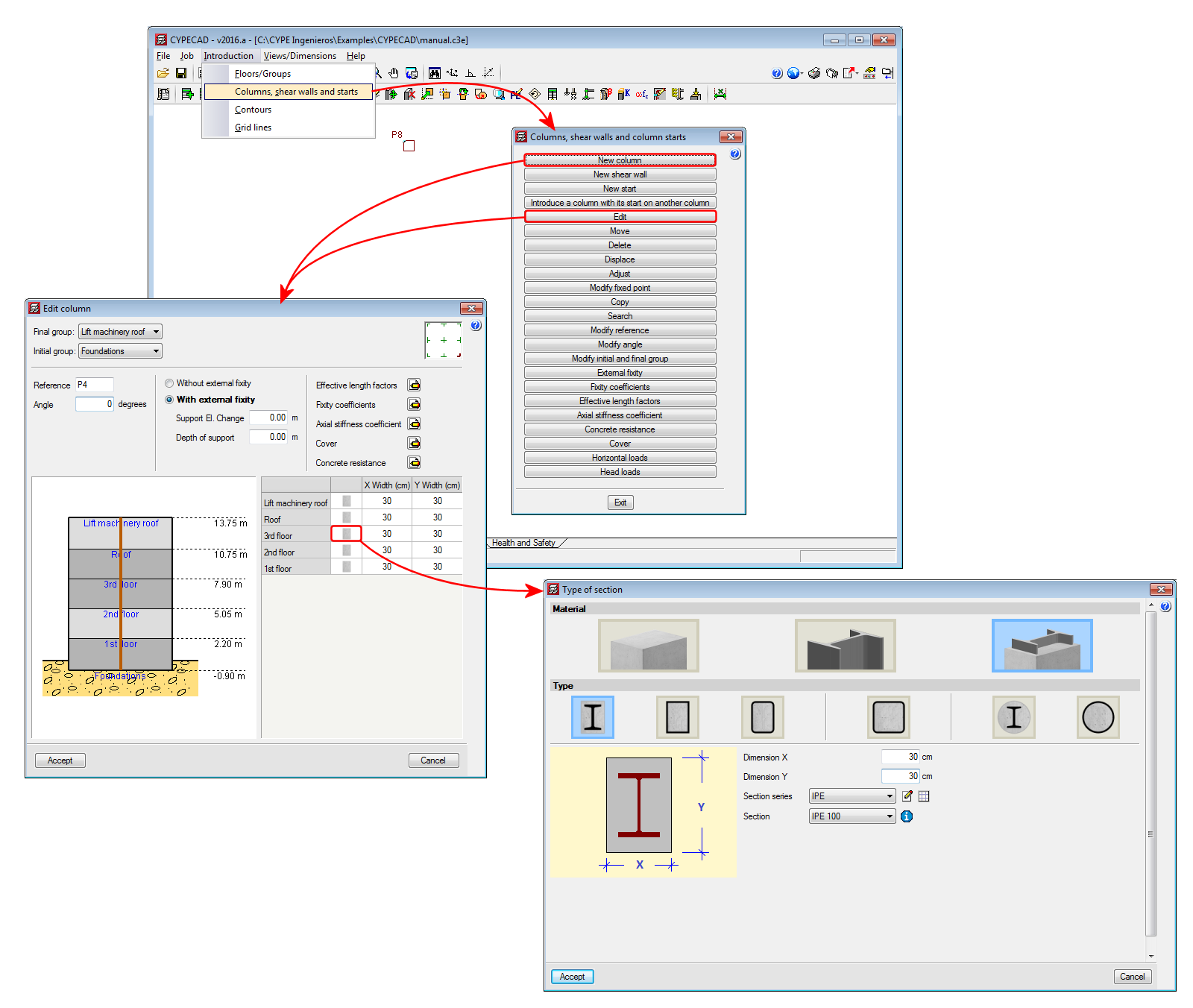
Users could, as of previous versions, edit and modify the axial stiffness coefficient and the concrete cover and resistance of an existing column using the corresponding options in the “Columns, shear walls and starts” dialogue box (“Introduction” menu in the “Column Definition” tab). Now, these options appear in the “New Column” dialogue box and in the “Edit Column” dialogue box (Column Definition tab > Introduction > Columns, shear walls and starts > “New Column” or “Edit”). This way, these parameters can be edited more comfortably, especial when they all have to be edited. These options can be found with the edit buckling and fixity coefficients options, which were already present in earlier program versions.
- Published on
- 2016.a
Base shear condition verification. Results adjustment
Some seismic codes have a minimum base shear requirement when applying the modal spectral dynamic method in the seismic design process. CYPECAD carries out this check as of previous versions. More information on this check as well as the implemented codes for which this check is carried out can be found in the “Correction due to base shear” section on the CYPECAD webpage.
When the total results of the dynamic analysis are less than the minimum values prescribed in the seismic code to be applied, the dynamic response parameters have to be adjusted by increasing them using a modification factor, until these minimum values are reached. When the response exceeds the prescribed code values, the parameters of the total dynamic response can be reduced proportionally according to the project designer’s criteria.
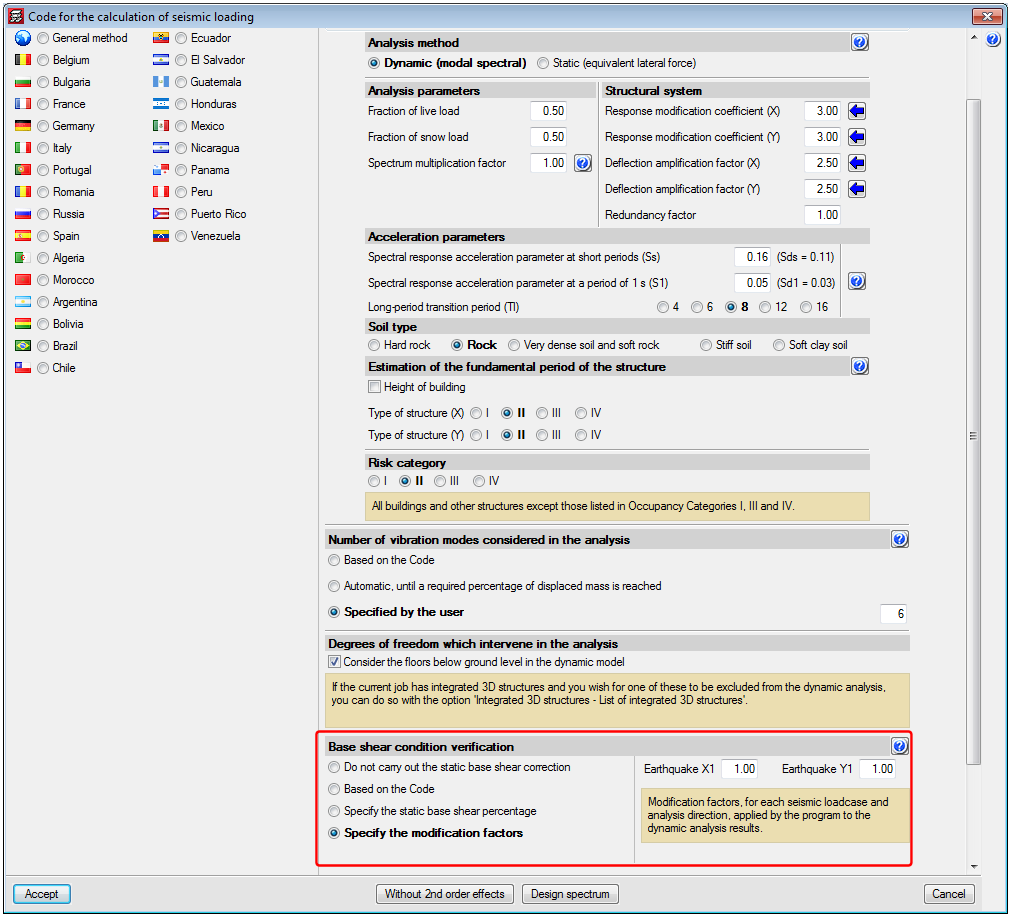
Therefore, in the 2016.a version, the program offers different ways of proceeding with this requirement. The modification factor to adjust the results can be defined in different ways:
- Do not carry out the static base shear correction
This option allows users to not apply the base shear check and, therefore, not adjust the results, based on the project designer’s criteria. - Based on the code
This was the only option CYPECAD had to offer in previous versions. Using this option, the program adjusted the results by calculating the modification factor in accordance with what was specified in the corresponding seismic code. The design code specifies that the base shear resulting from the dynamic analysis be greater than a specific percentage of the static shear defined in the code. This percentage depends on how ‘regular’ the structure is. - Specify the static base shear percentage
Using this option, users can define, in accordance with a justified criteria, what static base shear percentage is to be taken as the minimum limit to be reached n the dynamic results. - Specify the modification factors
It is recommended this option be used after an initial analysis has been run and its results analysed. By comparing the dynamic and static shear values, a second analysis can be launched with the modification factor values users consider to be adequate. A factor can be defined for each loadcase and analysis direction. This last option also allows for the maximum base shear condition, contemplated in some seismic codes, to be applied. The modification factor can have a value smaller than one, so that the dynamic results are reduced when these exceed the maximum limit established in the design code.
- Published on
- 2016.a
New column editing features
The 2016.a version brings about changes and new features to the Advanced column editor.
Furthermore, since, as of this version, users can design concrete columns and beams, as well as check composite steel and concrete columns, the advanced editor is now a tool used in CYPECAD and CYPE 3D.
The new version of the column editor contains two tabs which appear on the top part of the screen, with which, users can carry out the required checks and modifications on two different views: the classic view available as of previous versions “Edit in table” tab and the column schedule “Edit in column schedule” tab.
Edit in table
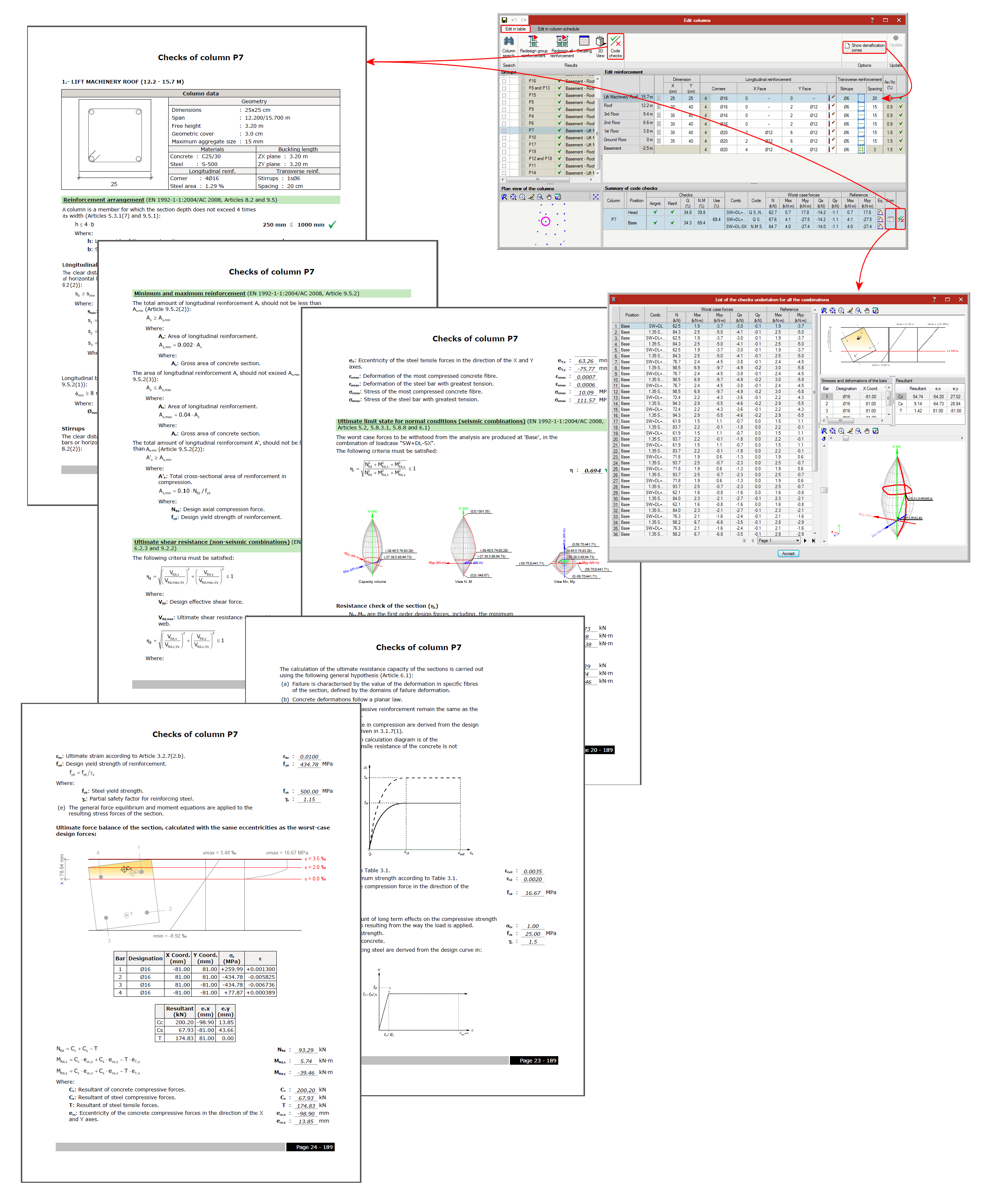
This window allows users to edit a column in a table (top right section of the window) which displays all the spans of the selected column. A summary of the checks carried out on the column span selected in the previous table is also displayed (in the bottom right section of the window).
It is also very useful to show the ultimate limit state (U.L.S.) checks of the selected column span or all the spans of the column.
Some buttons are displayed in the top right section, which allow users to: search for a column, redesign the reinforcement of a group of columns, view the details of the selected column, see its 3D view and obtain the U.L.S. check report of all the spans of the selected column.
Included in the top right section of the editor is the “Show densification zones”, which shows or hides, in the edit reinforcement window (top right section), the stirrup spans a concrete or composite column may have. This option only displays the stirrup densification zones each column span may contain but does not allow users to add any other densification zones. This is only possible in the Edit in column schedule window.
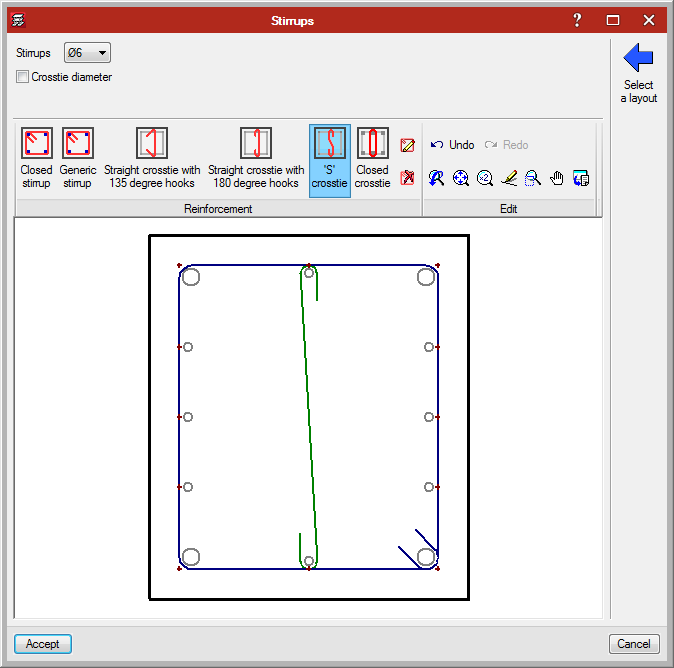
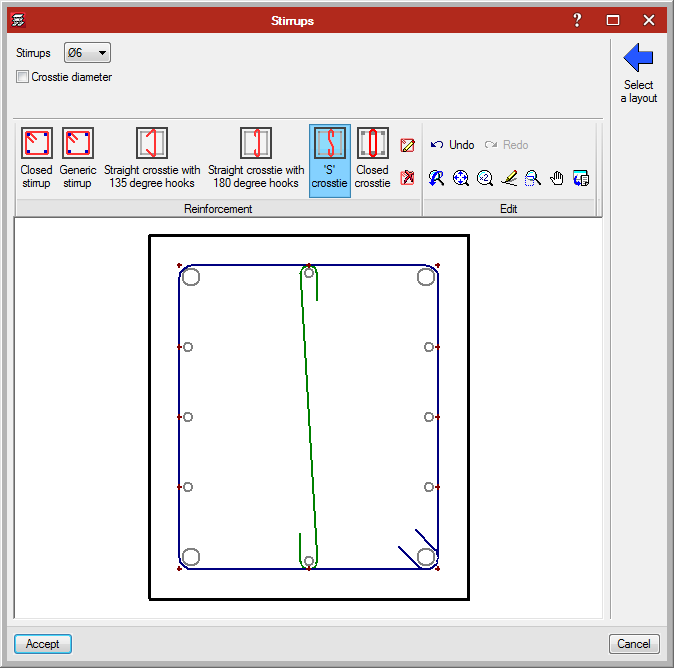
When stirrups are edited (by clicking on the stirrup layout in the table), a dialogue box opens where users can add different types of stirrups and crossties to a column span, hence the stirrups of the column can be modified even though their arrangement is not included in the reinforcement tables. This editing option is also available in the Edit in column schedule window.
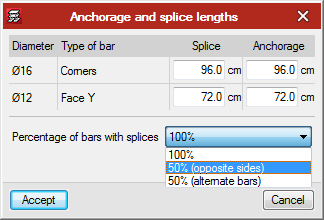
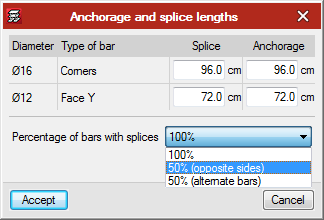
Users can also edit the longitudinal reinforcement splices of each span and indicate that the splice length of 50% of the bars (of opposite sides or alternate bars) is to be displaced by a specific distance. To do so, select the icon in the cell located to the right of the “Y face” longitudinal reinforcement. Splices can also be edited and displaced in the Edit in column schedule tab by selecting the “Splices and anchorages” button of the longitudinal reinforcement.

Edit in column schedule
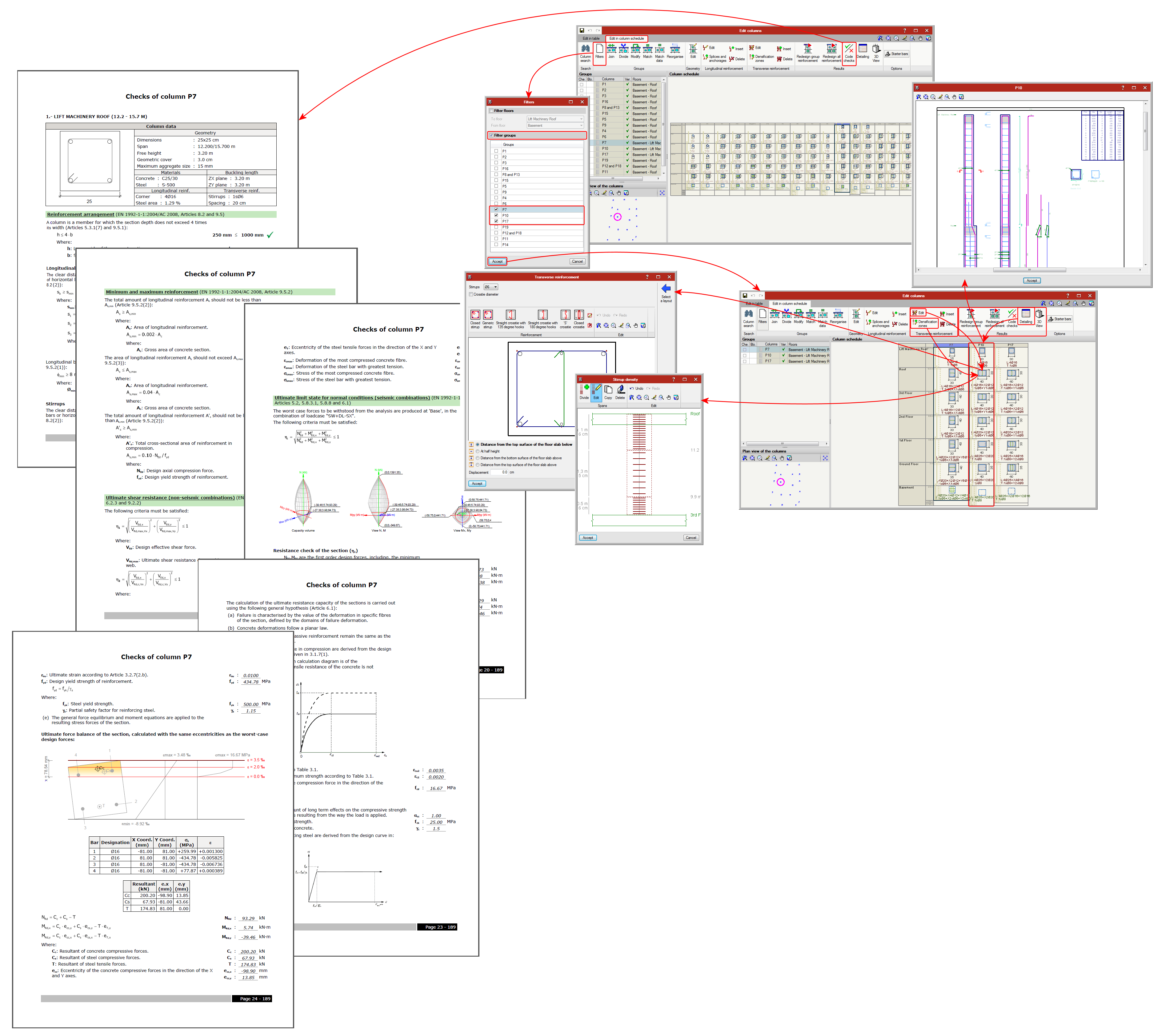
This window has been especially designed to edit the reinforcement and steel sections provided in each span of the column groups, and in this case in the view of the column schedule that will be obtained in the drawing.
It contains more editing tools than the “Edit in table” window. Along the top of this window are buttons with which users can:
- Column search
- Filters
This option is very useful when the job contains many column and/or floor groups, since it allows users to select the floors and groups to be displayed. - Groups
The following operations can be carried out in the column schedule, in the schedule itself:
- Join groups
- Divide groups
- Modify groups (to another group)
- Match groups
- Match data (without grouping columns)
- Reorganise groups
- Edit geometry
- Longitudinal reinforcement (for concrete columns and composite columns)
- Edit
- Insert
- Splices and anchorages

- Delete
- Transverse reinforcement (for concrete columns and composite columns)
- Edit

- Insert
- Densification zones
Allows users to modify, add or delete stirrup spacings in a column span. - Delete
- Edit
- Results
- Redesign group reinforcement
- Redesign all reinforcement
- Code check
- Detailing
- 3D view
Detailed information on this powerful CYPECAD and CYPE 3D tool can be found on the “Advanced column editor” webpage. ![]()
Jobs analysed with previous program versions
To avoid problems arising with jobs analysed with versions earlier than the 2016.a version, the new column editor features do not appear until the job has been reanalysed with the new version. If there are any blocked columns, the new features will continue to not appear even if the job has been reanalysed. Therefore, all columns must be unblocked and the job reanalysed to be able to edit columns with the new editor.
- Published on
- 2016.a
Composite steel and concrete columns
As of the 2016.a version, CYPECAD and CYPE 3D can check composite steel and concrete columns. This check is included in the “Composite steel and concrete columns” module described in the “New modules – Composite steel and concrete” columns section on this webpage. ![]()

- Published on
- 2016.a
Code implementation. ACI 318M-11 (USA)
Building Code Requirements for Structural Concrete (ACI 318M-11).
Implemented in CYPECAD, CYPE 3D and Continuous beams.
CYPECAD and CYPE 3D use the Advanced beam editor and Advanced column editor when applying this code.
- Published on
- 2016.a
Composite steel and concrete columns (new module)
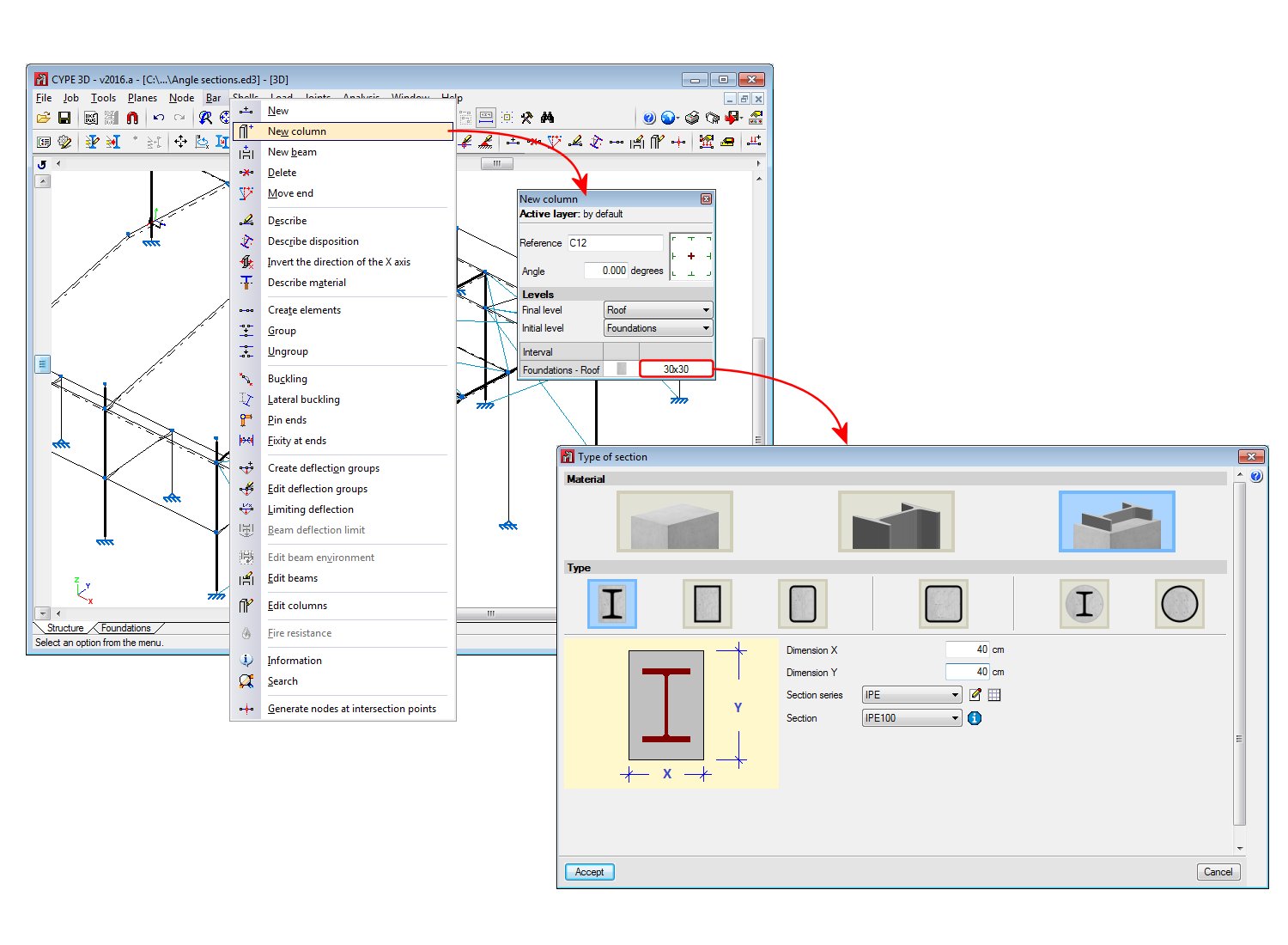
Using the “Composite steel and concrete columns” module, CYPECAD and CYPE 3D can check composite steel and concrete columns in accordance with the “EN 1994-1-1” and “ANSI/AISC 360-10” codes.
The code to be used for the composite column check is not selected directly as is done with the concrete and steel codes. The program applies a code depending on the selected concrete code.
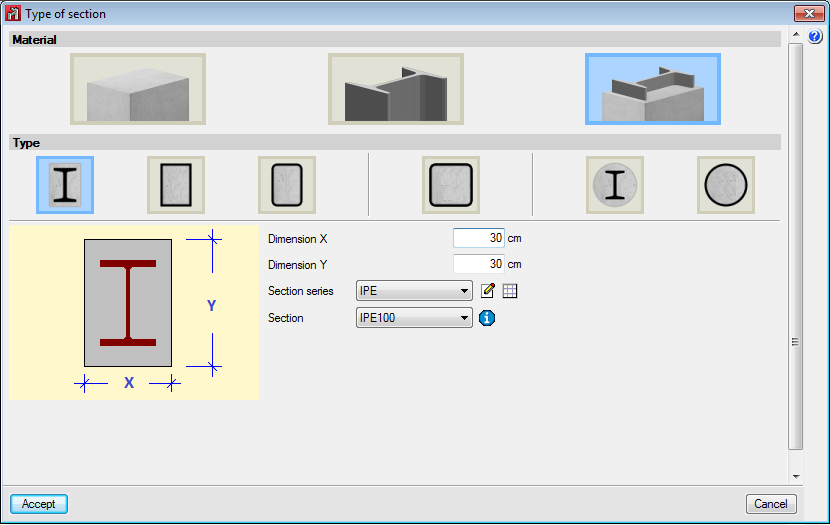
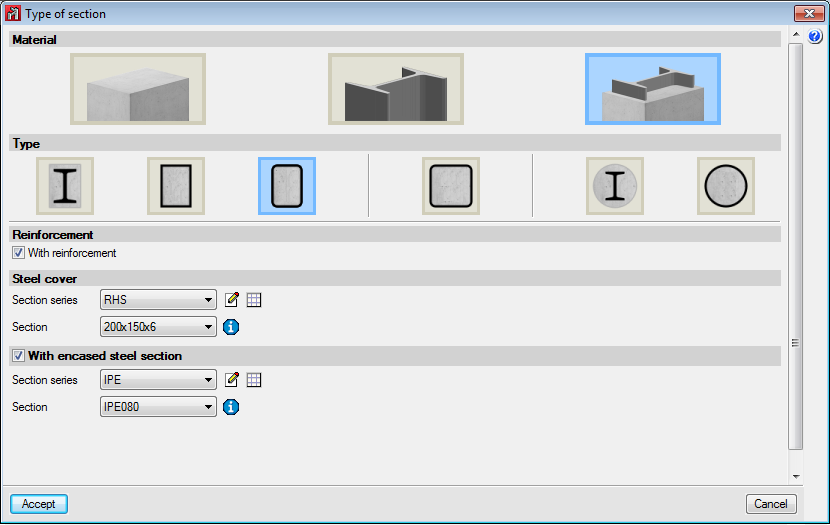
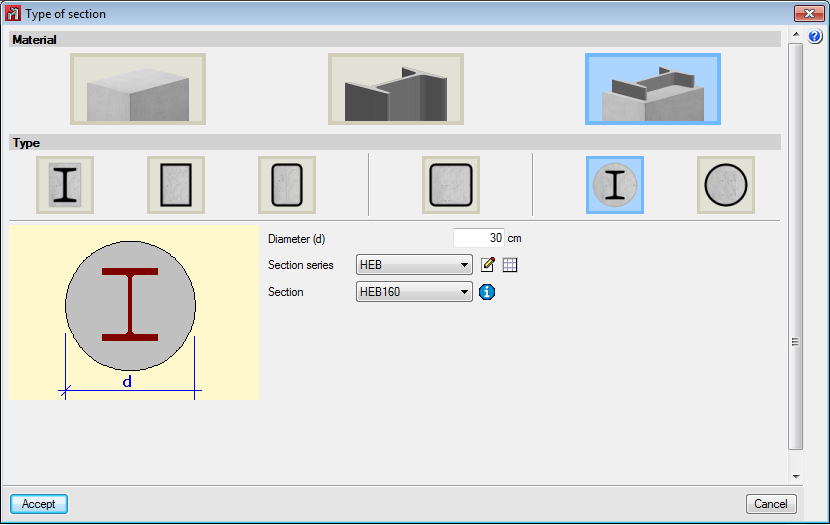
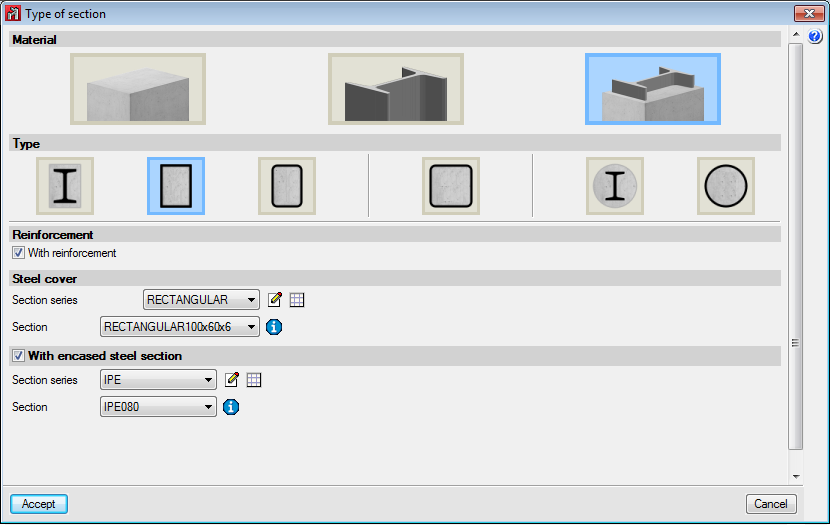
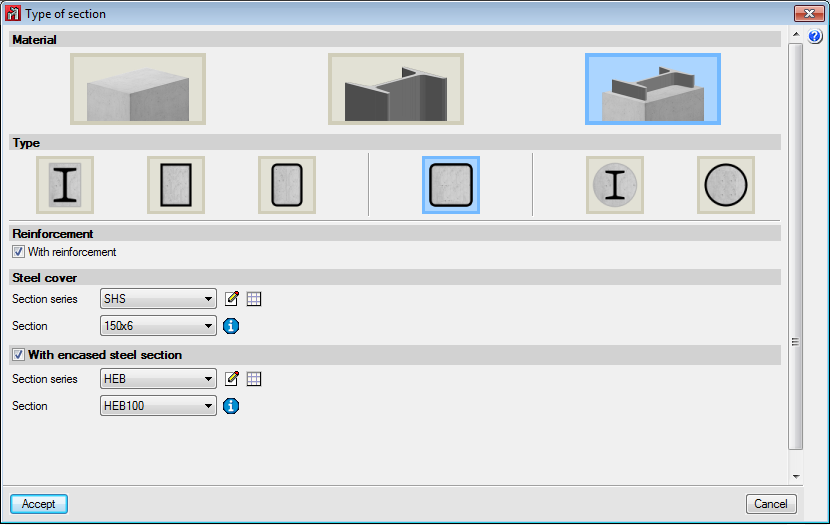
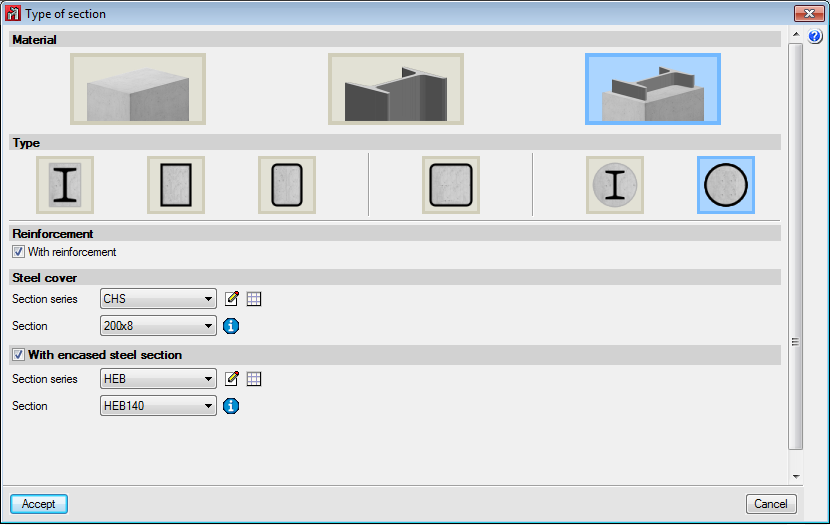
Below are the implemented types of composite columns:
- Rectangular section with encased section
Always includes longitudinal and transverse reinforcement. - Rolled steel plate box section, filled with concrete
It is possible to include longitudinal and transverse reinforcement, and an encased steel section. - Cold-formed rectangular hollow section, filled with concrete
It is possible to include longitudinal and transverse reinforcement, and an encased steel section. - Cold-formed square hollow section, filled with concrete
It is possible to include longitudinal and transverse reinforcement, and an encased steel section. - Circular column with encased section
Always includes longitudinal and transverse reinforcement. - Cold-formed circular hollow section, filled with concrete
It is possible to include longitudinal and transverse reinforcement, and an encased steel section.
More information on this new CYPECAD and CYPE 3D module can be found on the Composite steel and concrete columns webpage. ![]()
- Published on
- 2016.a
Justification of seismic action report. Combined seismic shear per floor
In the 2015.j version, the "Justification of seismic action report" generated by CYPECAD has been extended to include the following sections:
- Combined seismic shear per floor
- Combined seismic shear and equivalent seismic force per floor
- Seismic shear percentage resisted per type of support and per floor
- Seismic shear percentage resisted per type of support at starts
The maximum calculated responses for each mode, for floor forces and shears, are combined using the CQC mode superposition method to obtain the total effect in each analysis direction. The results are displayed in graphs and tables.
This information allows users to assimilate the dynamic analysis that has been carried out to an equivalent static analysis. This data is both informative and descriptive, and provides a graphical and intuitive reference on the behaviour of the structure. Nonetheless, bear in mind that the program carries out a complete dynamic analysis with modal expansion for the design.
Another new feature displayed in the report is the percentage of seismic shear that is resisted depending on the type of the support. Many seismic codes classify resistance systems as "frame-type", "wall-type" or "mixed" depending on the seismic shear each element resists.
The structural systems are classified and then a numerical value is attributed to each category which reflects the energy absorption and dissipation of the structure, which in turn reduces the defined seismic action.
The percentage seismic shear that is resisted by column-type supports and the percentage resisted by shear wall-type supports are provided in the new section of the report, for each loadcase, per floor and at starts. This data allows users to check the type of resistance system used in the analysis and verify that the reduction in the applied seismic action, based on this classification, is adequate.
- Published on
- 2015.j
Limit the depth of the neutral fibre
When a moment redistribution analysis is carried out without explicitly checking the rotation capacity, it is convenient that the depth of the neutral fibre be limited to the values specified by the code that is being applied.
As of the 2015.j version, CYPECAD allows users to limit this depth, so it can be considered in the design, by introducing the "x/d" ratio, where "x" is the depth of the neutral fibre and "d" is the effective depth of the beam section.
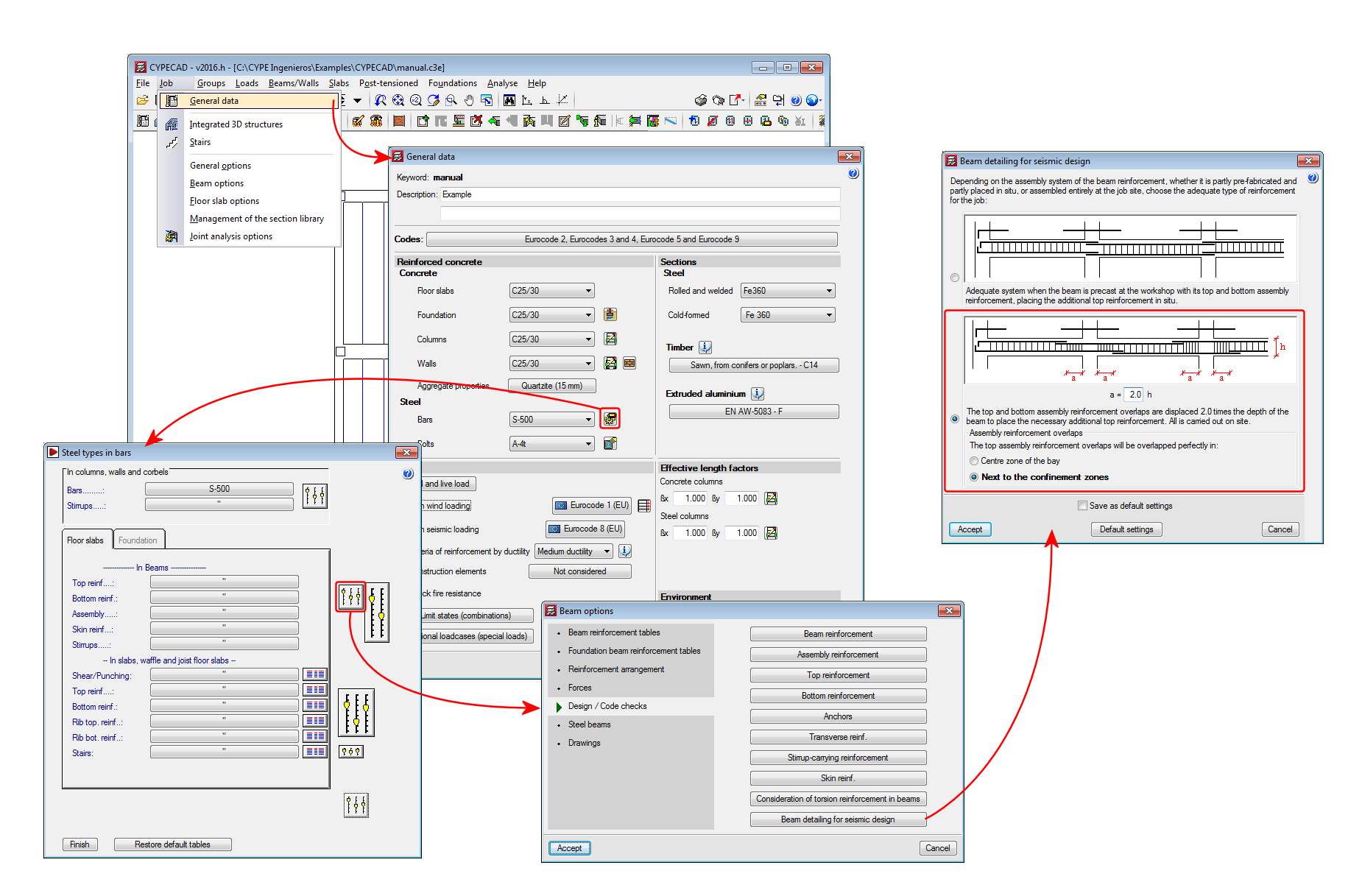
This option can be activated in the "Top reinforcement distribution coefficient" dialogue box (see image).
- Published on
- 2015.j
Reduction of the elastic limit of rolled steel and implementation of thermomechanically rolled steels and Histar® steel (ArcelorMittal) for CTE DB SE-A, EAE 2011 and Eurocodes
When the selected steel code is the CTE DB SE-A (Spain), EAE 2011 (Spain) or Eurocodes 3 and 4 (EU or any of Eurocode adaptations to other countries), the program allows users to choose thermomechanical rolled steel and Histar® rolled steel (ArcelorMittal).
Compared to conventional steels, the elastic limit for these steels has been reduced depending on the nominal thickness of the section, and so, it may be useful to use them with large sections.
Depending on the selected code, the steel types users can choose amongst are:
- CTE DB SE-A (Spain)
- Conventional rolled steel with elastic limit reduction in accordance with CTE DB SE-A:
S235, S275, S355 and S450. - Thermomechanical rolled steel with elastic limit reduction in accordance with CTE DB SE-A (2015.j version):
S275M, S355M, S420M and S460M. - Histar® rolled steel (ArcelorMittal) (2015.j version):
S355 HISTAR® and S460 HISTAR®.
- Conventional rolled steel with elastic limit reduction in accordance with CTE DB SE-A:
- EAE 2011 (Spain)
- Conventional rolled steel with elastic limit reduction in accordance with EAE 2011:
S235 (EAE), S275 (EAE), S355 (EAE). - Conventional rolled steel with elastic limit reduction in accordance with EN 10025-2 (Hot rolled products of structural steels. Part 2: Technical delivery conditions for non-alloy structural steels) (2015.j version):
S235 (EN 10025-2), S275 (EN 10025-2), S355 (EN 10025-2) and S450 (EN 10025-2). - Thermomechanical rolled steel with elastic limit reduction in accordance with EN 10025-4 (Hot rolled products of structural steels. Part 4: Technical delivery conditions for thermomechanical rolled weldable fine grain structural steels) (2015.j version):
S235 (EN 10025-4), S275 (EN 10025-4), S355 (EN 10025-4) and S450 (EN 10025-4). - Histar® rolled steel (ArcelorMittal) (2015.j version):
S355 HISTAR® and S460 HISTAR®.
- Conventional rolled steel with elastic limit reduction in accordance with EAE 2011:
- Eurocodes 3 and 4
- Conventional rolled steel with elastic limit reduction in accordance with EN 1993-1-1:
S235 (EN 1993-1-1), S275 (EN 1993-1-1) and S355 (EN 1993-1-1). - Conventional rolled steel with elastic limit reduction in accordance with EN 10025-2 (Hot rolled products of structural steels. Part 2: Technical delivery conditions for non-alloy structural steels) (2015.j version):
S235 (EN 10025-2), S275 (EN 10025-2), S355 (EN 10025-2) and S450 (EN 10025-2). - Thermomechanical rolled steel with elastic limit reduction in accordance with EN 10025-4 (Hot rolled products of structural steels. Part 4: Technical delivery conditions for thermomechanical rolled weldable fine grain structural steels) (2015.j version):
S235 (EN 10025-4), S275 (EN 10025-4), S355 (EN 10025-4) and S450 (EN 10025-4). - Histar® rolled steel (ArcelorMittal) (2015.j version):
S355 HISTAR® and S460 HISTAR®. - Rolled steel no longer in use, which are available for compatibility reasons for older jobs:
Fe360, Fe430 and Fe510.
- Conventional rolled steel with elastic limit reduction in accordance with EN 1993-1-1:
- Published on
- 2015.j