Update history​​

CYPECAD

Improvements have been implemented in the following seismic codes:

  • CHOC-04 (Honduras)
    Código Hondureño de la Construcción. Normas Técnicas Complementarias. XII.
    Cargas y Fuerzas Estructurales. Diseño por Sismo.
  • COVENIN 1756-1:2001 (Venezuela)
    Norma Venezolana COVENIN 1756-1:2001. Edificaciones sismorresistentes.
  • NSE-10 (Guatemala)
    Normas de Seguridad Estructural de Edificaciones y Obras de Infraestructura para la República de Guatemala, edición 2010.

These codes were already implemented in CYPECAD and Metal 3D as of previous versions. They are used in CYPECAD together with the ACI 318M-08 (USA - International) concrete code.

As of the 2013.g version, the analysis in CYPECAD using the ACI 318M-08 (USA - International) concrete code in combination with seismic codes: CHOC-04 (Honduras), COVENIN 1756-1:2001 (Venezuela) and NSE-10 (Guatemala), offers:

  • Detailed ultimate limit state check reports for concrete columns in CYPECAD's column editor.
  • Advanced edition of the columns in CYPECAD.
  • Automatic generation of the column reinforcement tables.

CYPECAD's new column editor offers and extensive and meticulous information on the data, checks and results of all the concrete and steel columns of the job including their detailed Ultimate Limit State (U.L.S.) check reports. The U.L.S. reports allow users to verify, justify and optimise the design of the columns in CYPECAD.

More information on the concrete column editor of CYPECAD can be found on the following links:

Information on the implementation of Seismic capacity design criteria for concrete columns and beams can be found in the new features of CYPECAD on this webpage.

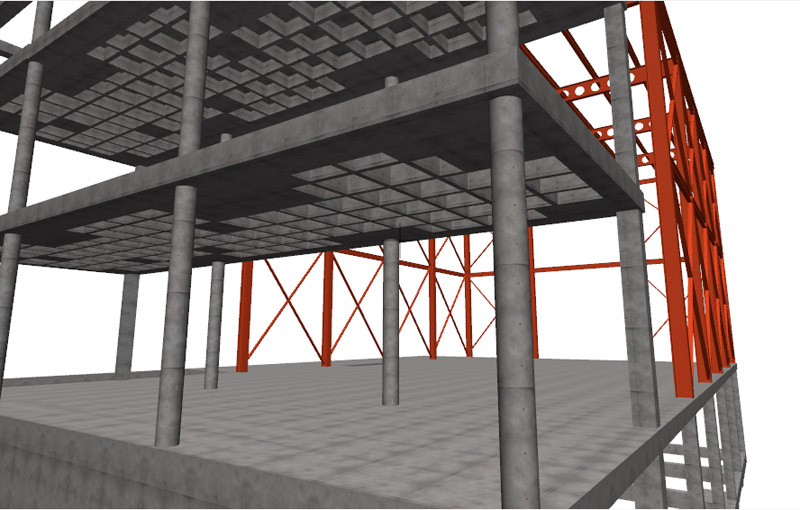
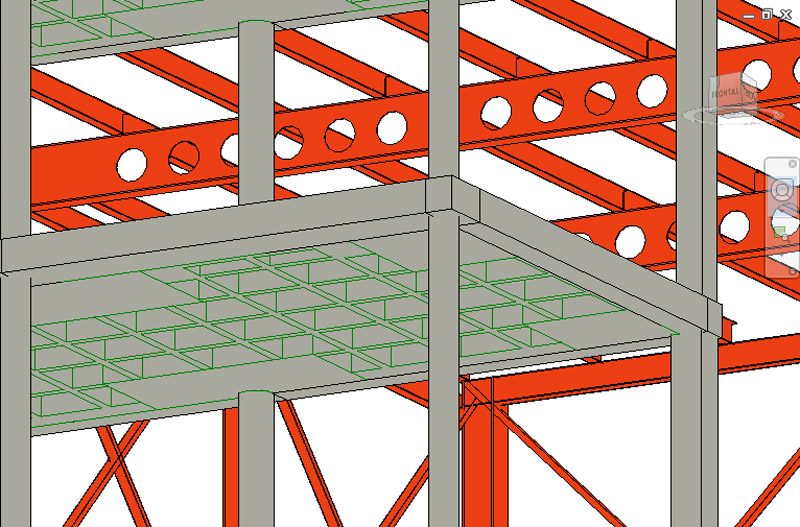
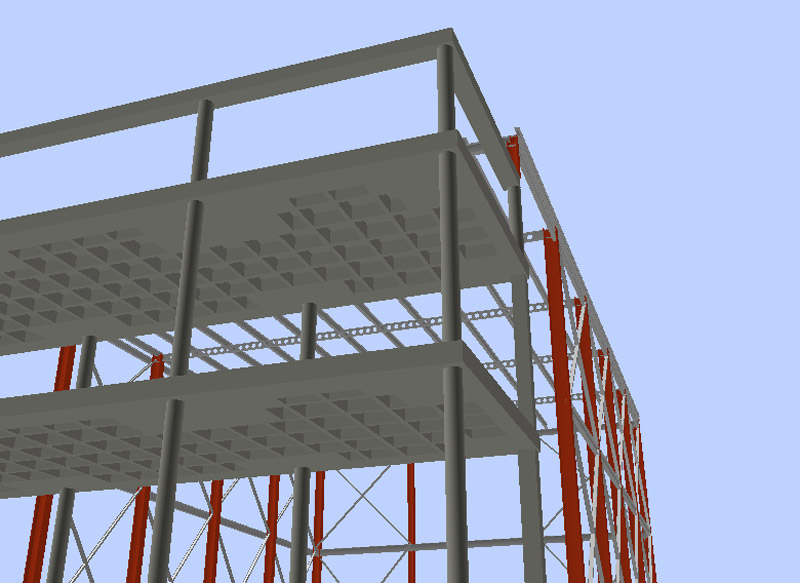
CYPECAD assigns different layers to all the elements exported to IFC format (Industry Foundation Classes).

As of the 2013.f version, the export to IFC format (Industry Foundation Classes) includes castellated beams and removable forms of waffle floor slabs. These elements are not visible in the 3D view generated by CYPECAD but are exported to IFC in the four formats (IFC 2x3, Archicad IFC 2x3, Revit IFC 2x3, Allplan IFC 2x3).

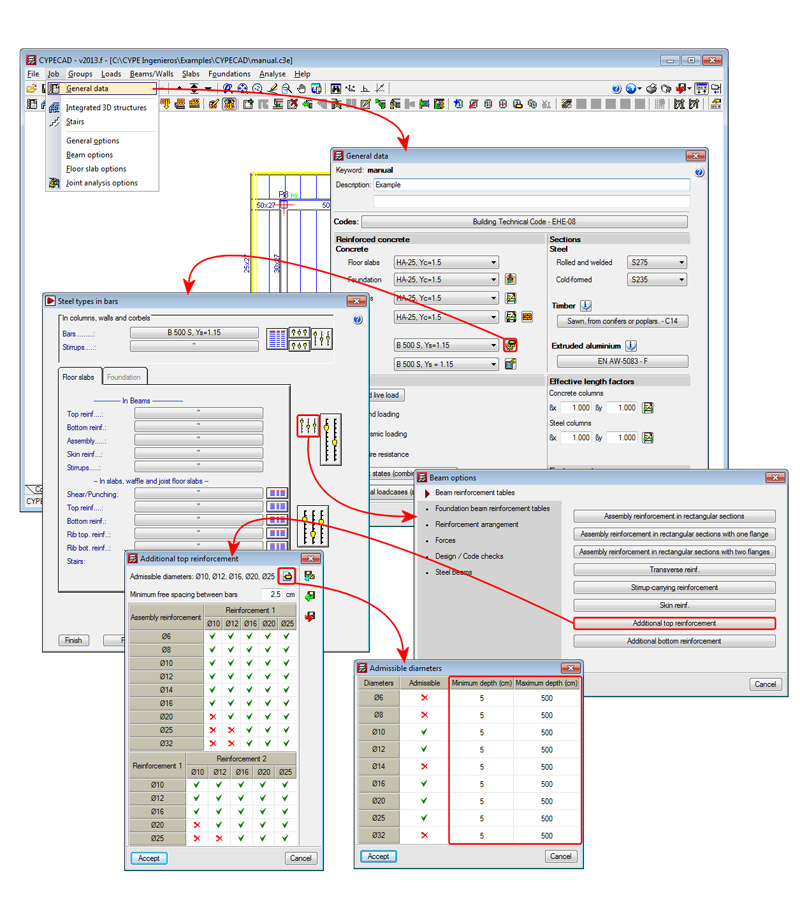
In the 2013.e version, the reinforcement edition of beams was unified in a single dialogue box (Job > General data > bar reinforcement edition button > reinforcement table edition button) for jobs which can use CYPECAD's new beam editor (depends on the selected code). This dialogue is the same as that used in Continuous beams to edit reinforcement.

In the 2013.f version, the New features in Continuous beams related to reinforcement edition (Admissible diameters depending on the depth of the beam) are also implemented in CYPECAD, depending on the selected concrete code.

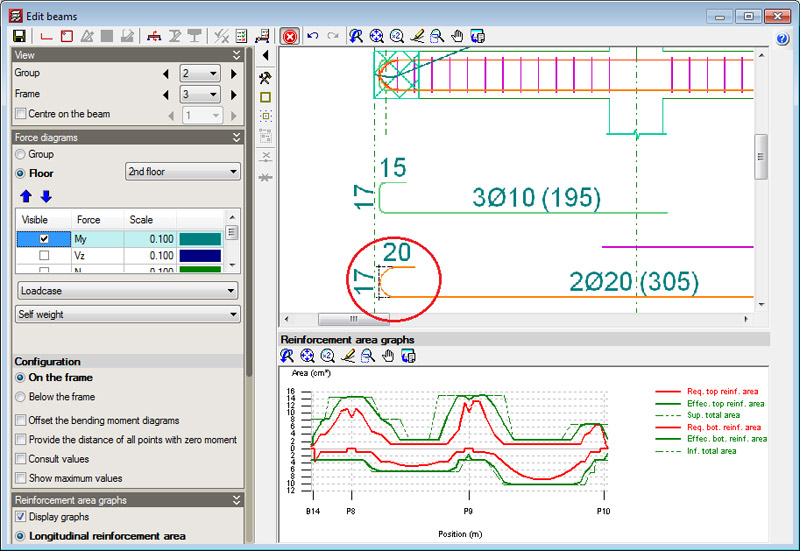
The curve radius of bent bars are represented in the beam editor (Results tab > Beams/Walls > Edit beams) and in the Frames drawing (File > Print > Job drawings > Select Frames drawing) for jobs which can use CYPECAD's new beam editor (depends on the selected code). The radii are calculated in accordance with the selected code and the values of the bar span lengths are measured with respect to the resulting intersection if the straight spans of the bars were to be extended.

In the previous update version (2013.e) a new beam editor was incorporated in CYPECAD (Results > Beams/Walls > Edit beams) for the EHE-08 concrete design code and Brazilian ABNT NBR 6118:2007 concrete design code.

The 2013.f version now incorporates the IS 456:2000 Indian concrete code. Therefore, the concrete codes which are now available for use with the new beam editor of CYPECAD are:

  • ABNT NBR 6118:2007 (Brazil)
  • EHE-08 (Spain)
  • IS 456:2000 (India)

More concrete codes will be implemented in upcoming updates of the 2013 version.

Reglamento Nacional de Construcción.

Implemented in CYPECAD and Metal 3D. In CYPECAD, users can carry out a dynamic analysis (spectral modal) or static analysis (equivalent lateral force). The dynamic analysis in CYPECAD includes a base shear check.

Reglamento Nacional de Construcción.

Code implemented in CYPECAD.

Plain and Reinforced Concrete - Code of Practice.

The IS 456: 2000 (India) code was already implemented as of previous versions in CYPE programs. The 2013.f version now includes the IS 456:2000 code for CYPECAD's new beam editor. More information on this implementation can be found in the IS 456:2000 (India) section in the new beam editor section of this webpage.

New beam edition tools have been implemented in the beam editor (  button) in the 2013.e version of Continuous beams. These improvements also appear in CYPECAD’s new beam editor, as it is the same editor as for Continuous beams. These tools are described below:

Join longitudinal reinforcement

The option: Join reinforcement, has been implemented in the Longitudinal reinforcement dialogue box (  button), allowing users to join reinforcement bar packs of the same diameter. Users select two bar packs and indicate the amount of bars of these packs which are to be joined.

Change of stirrup type in the same span

A new option: Transverse reinforcement arrangement, has been implemented in the transverse reinforcement edition dialogue box (  button > Edit reinforcement). Two options are available in this section:

  • The same as for assembly reinforcement
    Assigns the transverse assembly reinforcement to the selected stirrup span.
  • Specific for this interval
    Users can assign a different reinforcement type to that of the assembly reinforcement, to the selected stirrup span.

Grouped stirrups

Two fields have been implemented in the transverse reinforcement edition dialogue box (  button > Edit reinforcement), where users can indicate the number of grouped stirrups or grouped bars (if the stirrup type contains bars)

Transverse sections defined by users

Using the new Transverse sections dialogue box (  button), users can configure the sections of the frame which are to be displayed with the following options:

  • Generate transverse sections
  • Introduce a transverse section defined by a single point
  • Introduce a transverse section defined by two points
  • Delete a transverse section

As of the 2013.e version, the export to IFC format (Industry Foundation Classes) includes hollow core plates and lost forms of waffle slabs. These elements are not visible in the 3D view generated by CYPECAD but the hollow core plates are exported to IFC in three of the four available formats (IFC 2x3, Revit IFC 2x3, Allplan IFC 2x3) and the lost forms of waffle slabs to the four formats (IFC 2x3, Archicad IFC 2x3, Revit IFC 2x3, Allplan IFC 2x3).