The ASHRAE weather database has been updated to “Weather Data Viewer” version 6.0. This database has 8118 stations located throughout the world, included in 2017 ASHRAE Handbook, and is available in CYPECAD MEP, CYPETHERM LOADS, Open BIM TOSHIBA, Open BIM DAIKIN, Open BIM FUJITSU and Open BIM MIDEA.


64-bit Version
As of the 2019.f version, CYPE programs (those downloaded from our website and those downloaded from the BIMserver.center platform) are compiled for 64-bit systems. The 64-bit compilation of CYPE software implies the use of the superior features of 64-bit processors and operating systems compared to those of 32 bits.
Please bear in mind that you must have a 64-bit operating system to be able to work with any 64-bit software.
In any case and as a temporary measure, the 2019.f version is available in 64 and 32 bits on the download area of our webpage. The programs that can be downloaded from the BIMserver.center platform are only available in 64 bits. If you have a 64-bit operating system, you can work with either the 64-bit and 32-bit version of our software, although we strongly recommend that you install the 64-bit CYPE software version.
You can see which operating system is installed on your computer by clicking on "Control panel > System".
Since 64-bit microprocessors began to be massively introduced into personal computers from 2003 and from the Windows XP version, Microsoft already offers the two versions of its operating systems (32 and 64 bits). We understand that almost all our users will have computers with 64-bit processors (x64) and 64-bit operating systems.
It could occur that a user may wish to work with a computer with a 64-bit processor but with a 32-bit operating system. It would be very strange if the computer had a 32-bit processor (x86 - computers over 15 years old). If any of these is your case, we advise you to talk to your hardware or software provider to update your situation as soon as possible. However, you can download the 32-bit version and work with CYPE programs that can be downloaded from our website until your situation is up-to-date.
Thermal envelope of the building in GLTF standard format
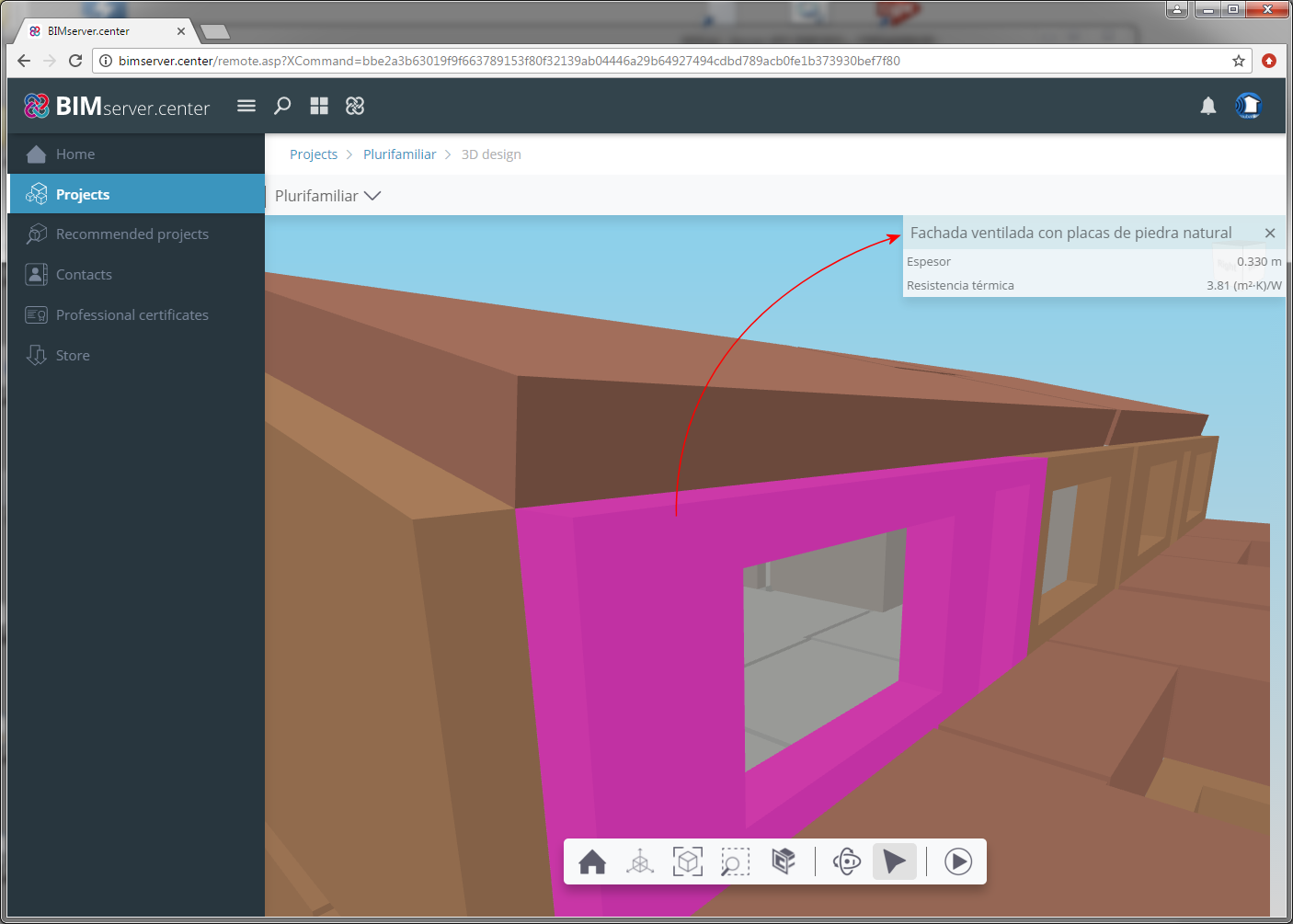
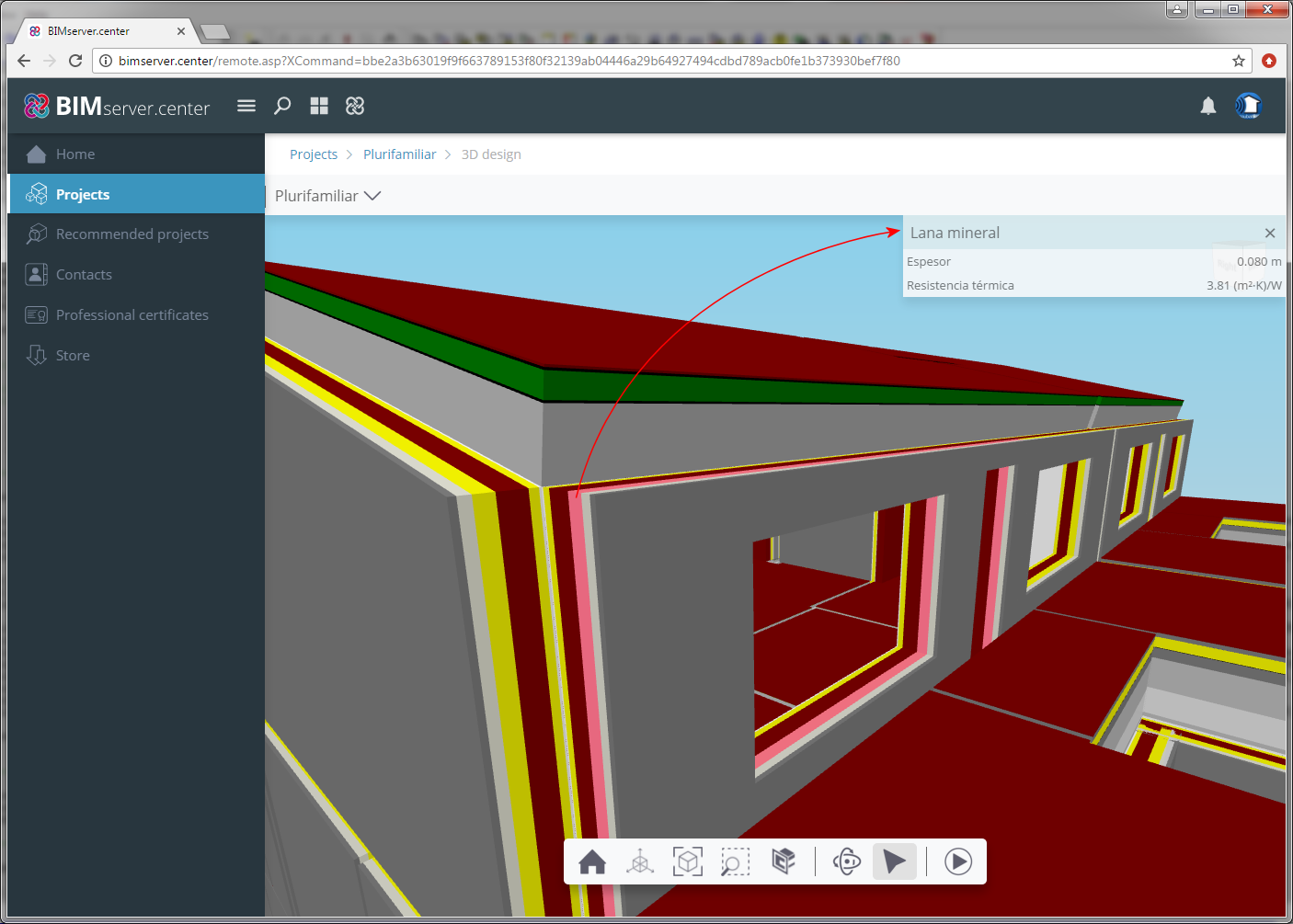
As of the 2019.b version, CYPETHERM LOADS exports two independent GLTF files (attached to the IFC), containing the thermal information of the enclosures of the building, to the BIM project located on the BIMserver.center platform. Each GLTF file allows users to view the data differently in any viewer that interprets the GLTF standard format (AUTODESK Viewer, glTF Viewer, BIMserver.center web viewer...):
- Thermal model, by element
The complete construction solutions used in the building are shown together with their properties (reference, thickness and thermal resistance). - Thermal model, by layers
The individual layers making up each construction solution are shown together with their properties reference, thickness and thermal resistance).
Program downloads on the BIMserver.center platform
The following CYPE programs are available to be downloaded from the BIMserver.center platform:
- CYPELUX CTE
- CYPELUX EN
- CYPELUX HQE
- CYPELUX LEED
- CYPELUX RECS
- CYPETHERM EPlus
- CYPETHERM RT2012
- CYPETHERM COMETH
- CYPETHERM REH
- CYPETHERM RTExistant
- CYPETHERM RECS Plus
- CYPETHERM C.E.
- CYPETHERM LOADS
- CYPETHERM HVAC
- CYPELEC REBT
- CYPELEC NF
- CYPELEC CT
These programs are also available on the main CYPE program menu, which is installed with the file that can be downloaded from the Download Area of the CYPE website.
Edge management
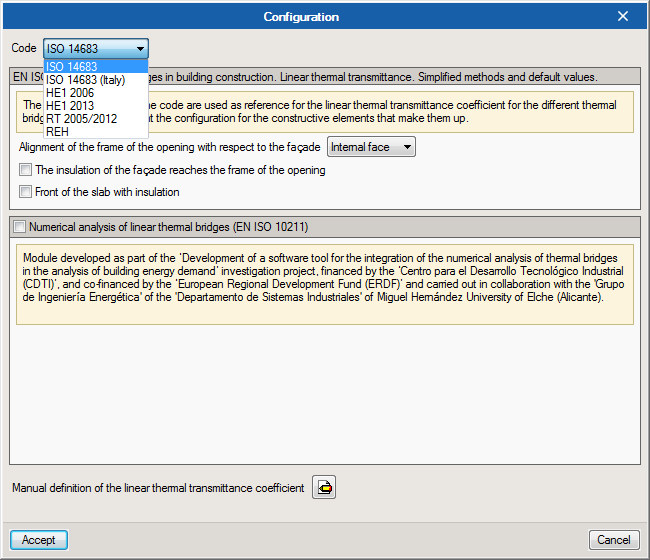
The 2017.e version of CYPETHERM LOADS and CYPEHERM EPlus has improved edge management. As of the 2017.e version, users can choose the code with which edges are to be analysed, so they can be detected as being thermal bridges (ISO 14683, ISO 14683- Italy, HE1 2006, HE1 2013, RT2005/2012 and REH).
This improvement has also been included in CYPETHERM RT2012 (France) and CYPETHERM RTExistant (France).
Integration of the lighting design results carried out in CYPELUX in Open BIM workflow
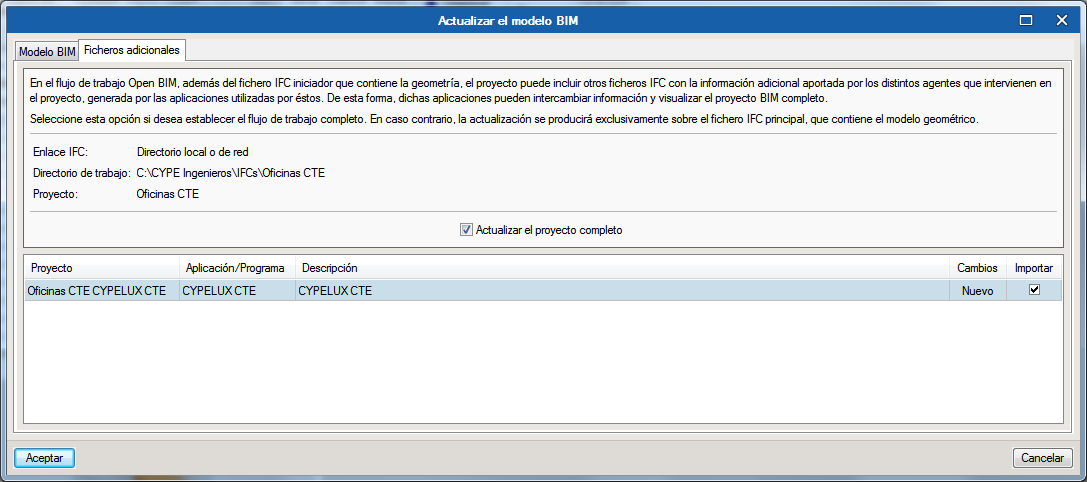
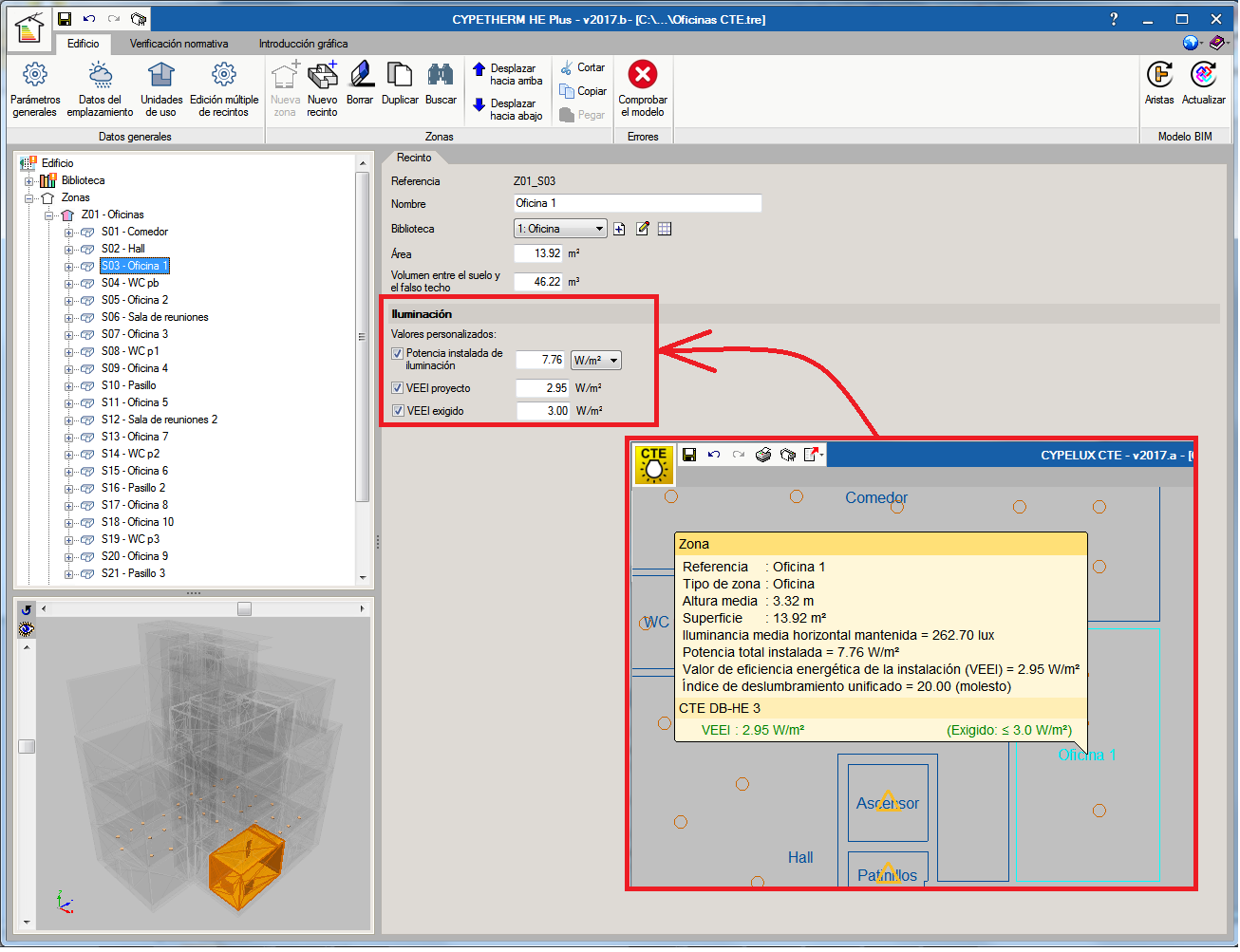
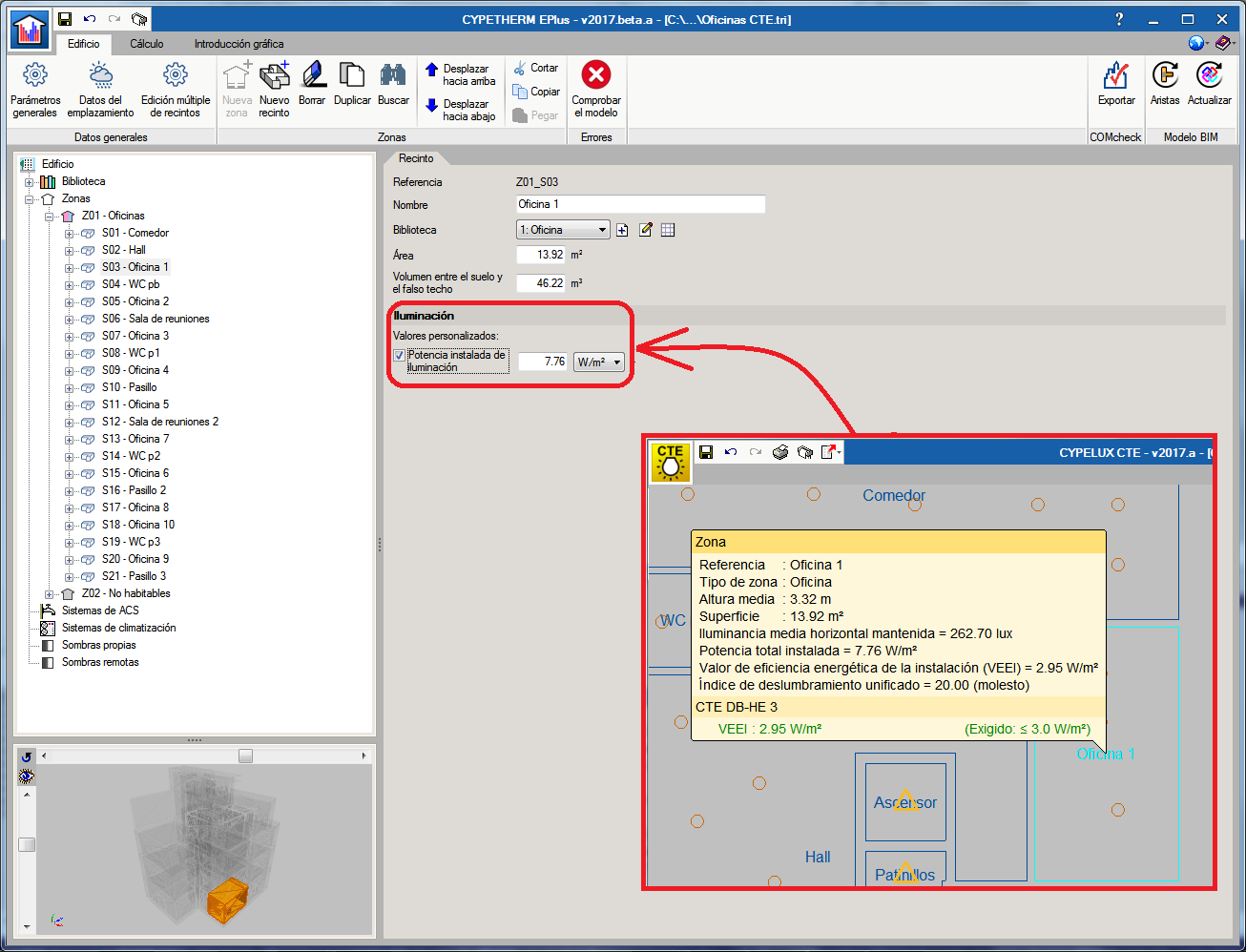
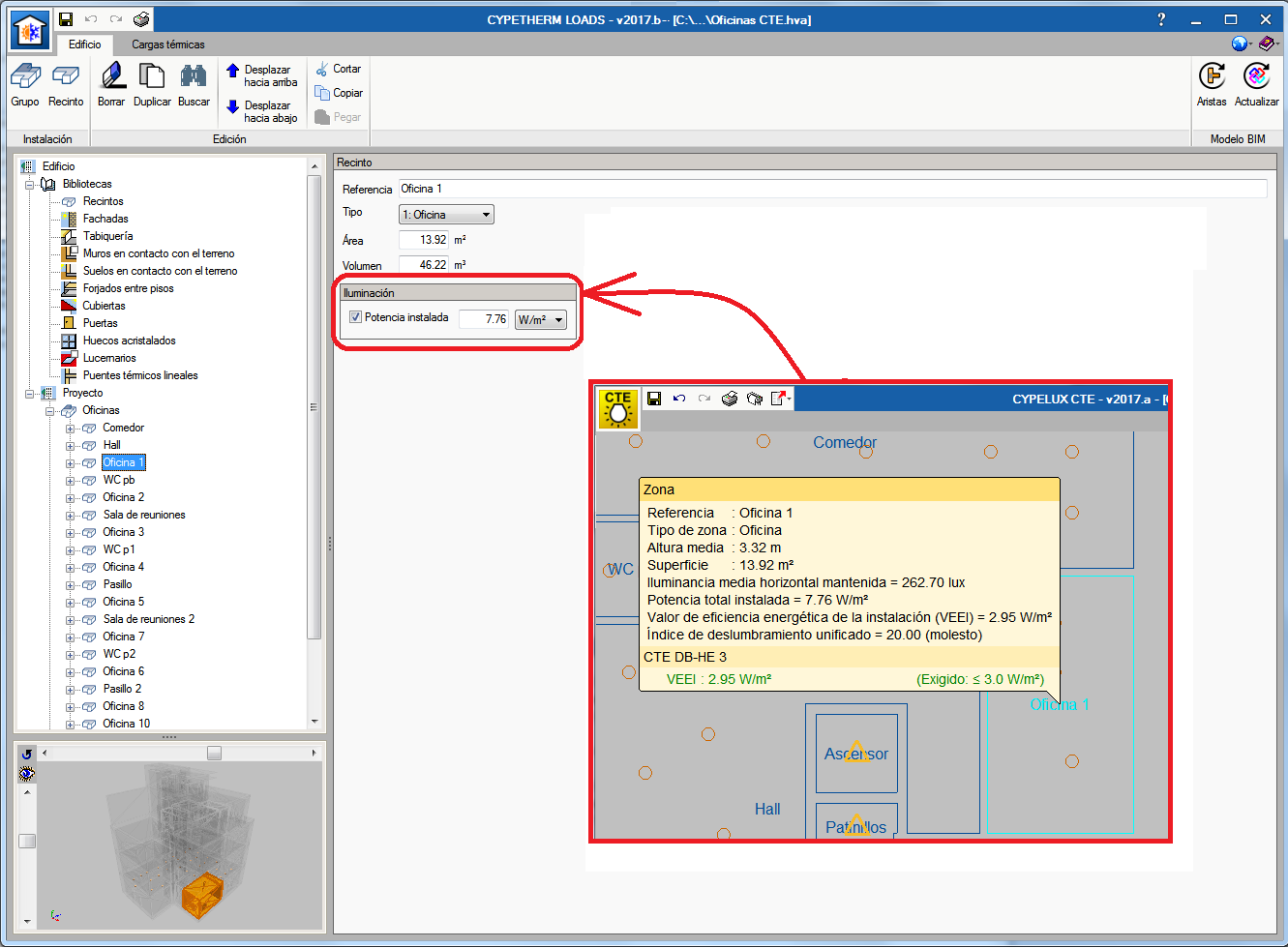
As of the 2017.b version, CYPETHERM EPlus and CYPETHERM LOADS allow users to import, using an IFC file, the results of the lighting analysis carried out in CYPELUX. This way, the programs can import the calculated installed lighting power in each precinct. Furthermore, users will be able to personalise this data in each precinct (only data in the type of precinct was available in previous versions).
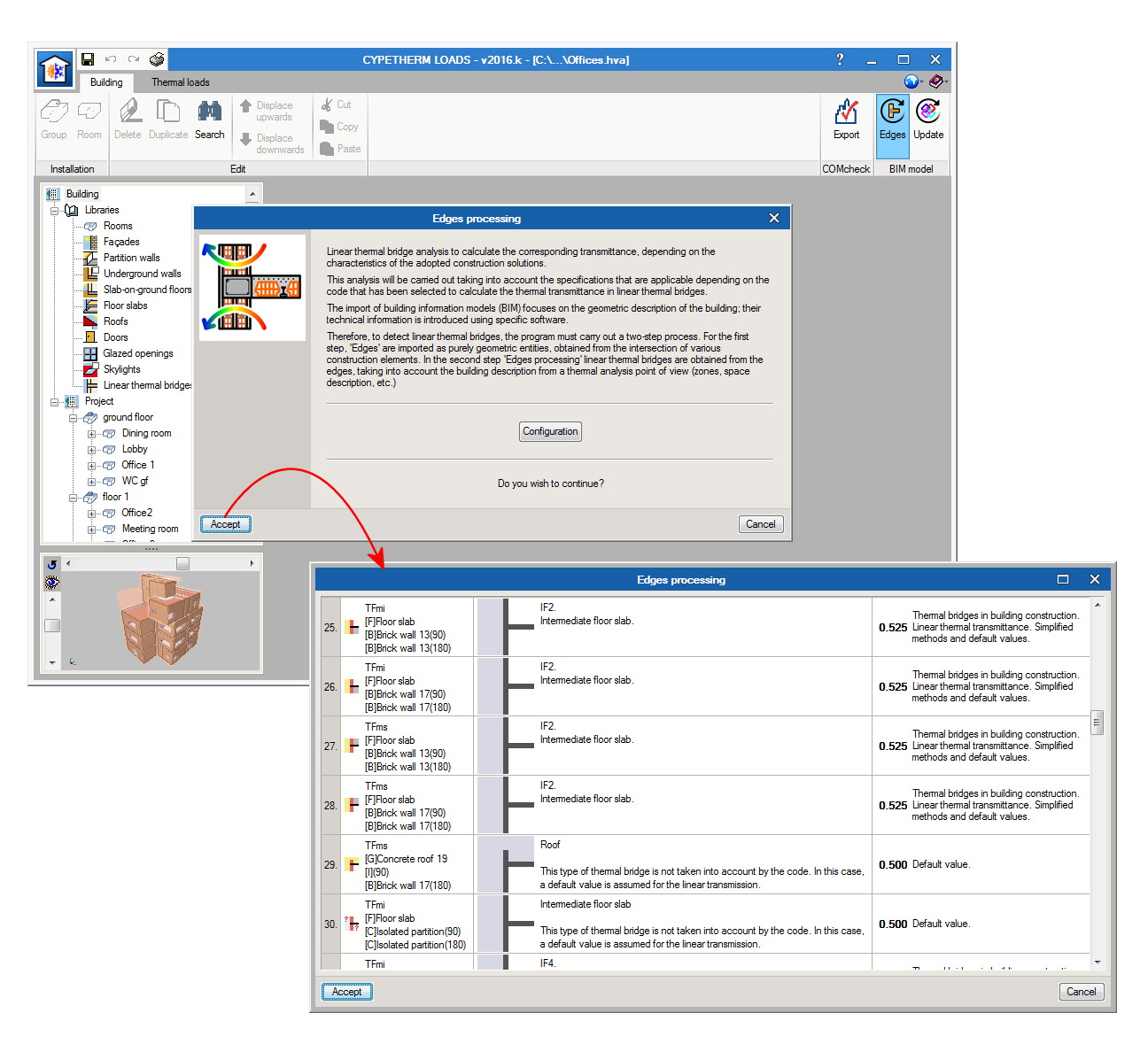
Generation of linear thermal bridges
CYPETHERM HE Plus, CYPETHERM LOADS and CYPETHERM EPlus analyse linear thermal bridges to calculate the corresponding transmittance values, depending on the properties of the adopted construction solutions.
This analysis is carried out taking into account the specifications to be applied depending on the code that has been selected to calculate the thermal transmittance in linear thermal bridges.
BIM models contain the geometric description of the building, whereas technical information has to be introduced using specific programs.
Therefore, to detect linear thermal bridges, the program must carry out a two-stage analysis. During the first stage, ‘Edges’ are imported as purely geometric entities, obtained from the intersection of two different construction elements. The second stage consists of the ‘Linear thermal bridge analysis’ which obtains the linear thermal bridges and their corresponding transmittance values based on the edges, and depending on the properties of the adopted construction solutions and the description of the building from the thermal analysis point of view (zone distribution, space description, etc.).
Open BIM workflow in CYPETHERM programs
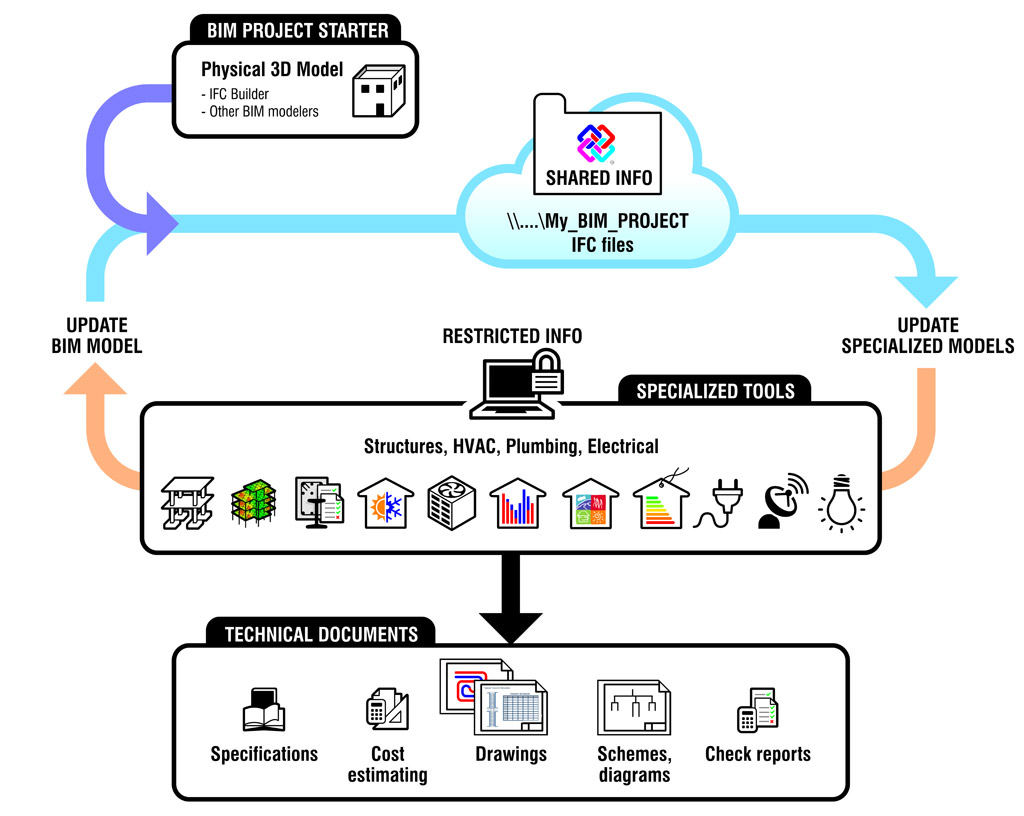
The specialised tools: CYPETHERM HE Plus, CYPETHERM LOADS, CYPETHERM HVAC and CYPETHERM EPlus, allow users to import geometric models in IFC4 format and export and import information related with the analysis and design of the building services of the building, which is obtained using the tools. This way the BIM model of the project is updated and the Open BIM workflow is closed.
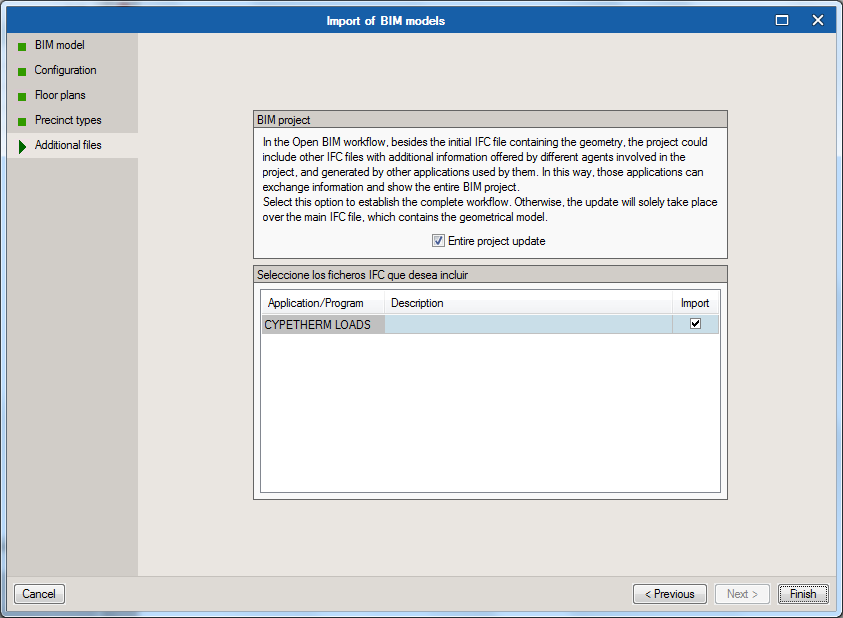
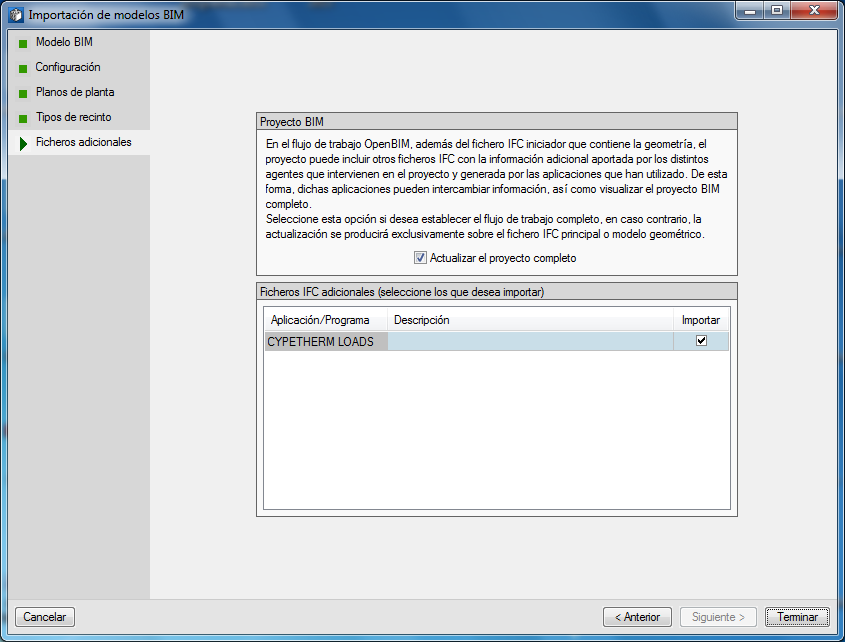
The four CYPETHERM tools allow users to automatically generate a new job by importing a BIM file with geometric information. Furthermore, each tool can import any additional IFC files generated by the remaining specialised CYPETHERM programs which may contain useful information for its design when the job is created or at any time during the design process of the job.
As the work is not carried out exclusively with one IFC file containing geometric information of the project, but with a group of IFC files containing the geometric, analysis and design information of the project, each BIM project must be generated in an individual directory to have all the information in a single place and for programs to only read the corresponding IFC files.
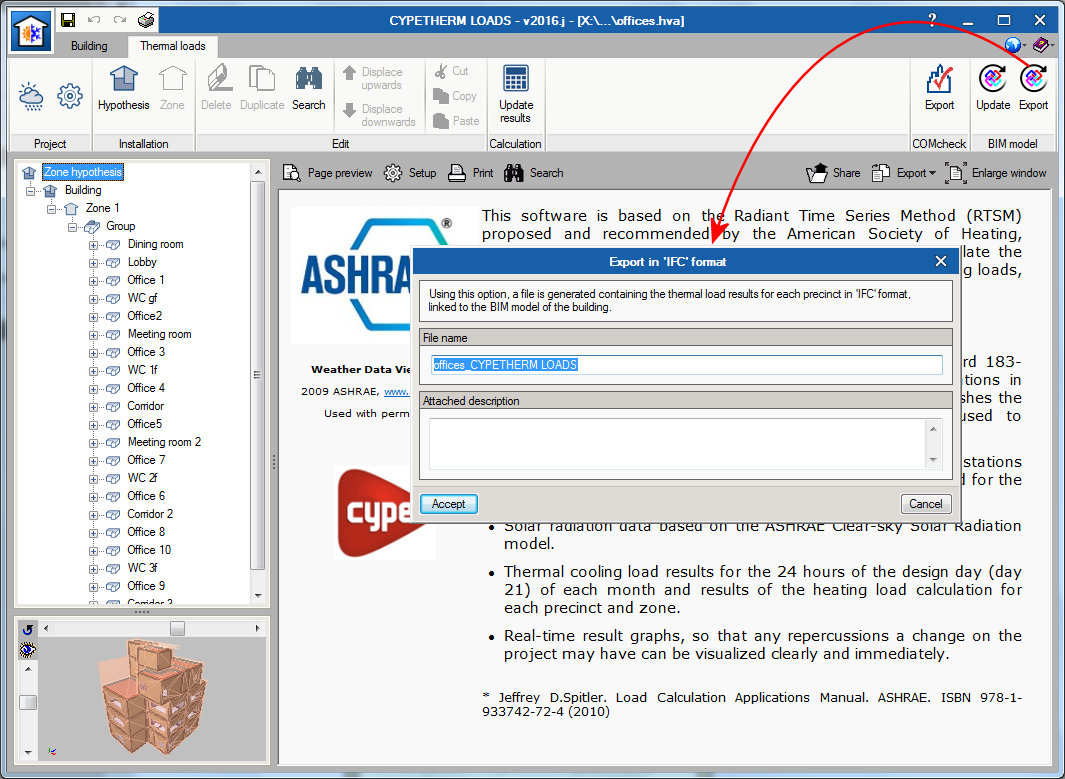
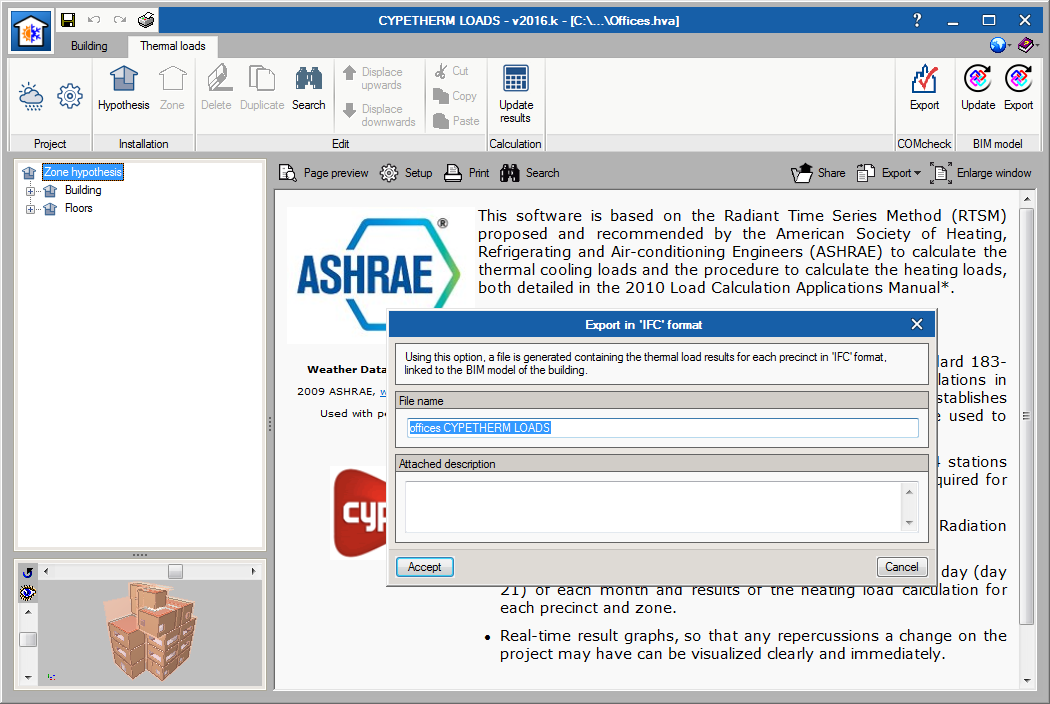
One of the many benefits of the Open BIM workflow can be seen, for example, in CYPETHERM LOADS and CYPETHERM HVAC. From CYPETHERM LOADS all the information of the thermal loads of the precincts can be exported to IFC format, once the project has been analysed. CYPETHERM HVAC requires the information of the thermal loads of the building to design the air conditioning systems. This information can be introduced by users or can be imported from the BIM project, if the data has been exported from CYPETHERM LOADS.
Open BIM workflow: Consolidation
The group of programs integrated in the Open BIM workflow carried out the export and import of geometrical models in IFC4 format.
As of this version, as well as importing and exporting geometrical models in IFC4 format, the information regarding the analysis and design of building services, obtained using specialized programs (design programs) of CYPETHERM Suite, is also exported and imported. This way the BIM model of the project is updated and the Open BIM workflow is closed.
CYPETHERM Suite design programs allow users to automatically generate a new project by importing a BIM file with geometric information (BIM Project Starter). Now, additional IFC files containing useful information, and generated by the remaining specialized programs of CYPETHERM Suite, can be imported when the project is created or at any other stage (Update Specialized Models). As users do not only work with one IFC file containing geometric information but with a group of files containing the geometric, analysis and design information of a project, each BIM project must be generated in an independent directory to have all the information in a single location, and for the programs to only read the corresponding IFC files.
One of the many benefits of Open BIM workflow can be seen, for example with CYPETHERM LOADS and CYPETHERM HVAC.
Users can export from CYPETHERM LOADS, once the project has been analysed, all the information regarding the thermal loads of the precincts, in IFC format using the “Export” option.
CYPETHERM HVAC requires the thermal load information of the building to be able to carry out the analysis and design of air conditioning systems. This information can be introduced by users or can be imported from the BIM project, if the data has been exported from CYPETHERM LOADS.