Cost databases in FIEBDC-3 format
Work with parametric cost databases (including those compiled in DLLs), with multiple prices (prices for labour, materials, etc.), and with specifications (if the cost databases you are working with includes them). Includes a dictionary to quickly locate concepts based on key terms. Associates graphics to items, work sections and unit prices.
Specifications of conventional cost databases in FIEBDC-3 format
Some conventional cost databases (parametric or not) in FIEBDC-3 format contain specifications that are available for construction management programs, including Arquimedes, to read and print.
CYPE cannot ensure these specifications are adapted to the corresponding code, and it is the responsibility of the creators of these cost databases to update their products and indicate whether the specifications are updated or not.
To print these specifications, Arquimedes has a report template that the user can select within the Specifications template group (File menu > Print > Print report).
Price modifications
Arquimedes allows for prices, yield rates, etc., to be updated immediately with respect to cost databases and other bills of quantities.
The bill of quantities can be adjusted to the Bill of Quantities of Material Execution, Bill of Quantities of Contract Execution and to any selected work section or item.
Quantity adjustments and certificate adjustments are possible, including any details used.
Percentage increments can also be carried out.
Users have up to 5 different types of marking available to clearly identify those items that are pending revision.
Multiple prices
General concepts
A resource (labour, machinery, material, unclassified unit or unjustified job item) can have multiple prices, i.e. can contain several processes which depend on the value of a parameter selected by the user. For example, a database (cost database or bill of quantities) can have the category "City" as a parameter, so the user can choose the desired city. Each city will have a price for each resource, which has multiple prices.
In Arquimedes, unit multiple prices can already be included in a database when it is opened or can be created by the user based on a simple price.
Creating multiple prices
To change the simple price of a resource into a multiple price, the user must, first of all, create a job parameter that will allow for the value of the multiple prices to be selected from the database. Having done so, a price table must be created for each resource, which is to be changed into a multiple price.
- Job parameter for multiple prices
Using the Job parameters option (Show > Job parameters), a parameter can be created for multiple prices to be inserted. Upon selecting this option, the program will reply in one of two different ways:- If there are no existing parameters, the program requests the user to confirm that it be generated. The user then inserts the name of the parameter (e.g. City) and the names of the different values the parameter can have (names of several cities).
- If the parameter has already been generated, the program displays the "Job parameters" dialogue box, where the user can change the value of the parameter (change the city). The data defining the parameter can also be edited (e.g. change the text: "City" to "State", add or delete cities, or modify their names).
Using the Job parameters option, prices for each resource are not inserted; it is only used to configure the structure of the parameter. To insert prices, use the "Price table" option.
- Price table
Each resource to which the user wishes to assign multiple prices must have a price table in which the prices of the defined parameter are inserted (for example, for the resource: labour cost of the bricklayer, a table must be defined which contains the prices for each city that has been defined). Each price table is created or modified using the "Price table" option located in:- Show > Price table. Displays the price table of the selected concept.
- A context menu which appears upon selecting it from the options that appear upon clicking on a concept, with the right mouse button, within the breakdown tree view.
- The "Price table" button appears below the "Breakdown tree" view when the price or cost of a resource is selected. This button does not appear when the selected resource is an unjustified job item. If the Price table option is executed when the selected concept is a resource with a simple price, the program requests the user to confirm the creation of the price table of that resource. If affirmative, the table appears with all the prices equal to the simple price, which is going to be converted into a multiple price. If the selected concept is a resource with multiple prices, its price table is displayed on screen.
The user can modify the price of each parameter value included in the price table of a resource (change a multiple price into a simple price). It is not possible to select the value of the parameter used by the database (selected city) or change the text of the parameter or its values. These structural changes are carried out using the Job parameters option described above.
If the "Price table" option is executed when the selected concept is a breakdown price and a multiple price exists within its breakdown, a price table is displayed with the prices resulting from the price or multiple price variance of its breakdown. Logically, nothing can be changed in this table, as its prices are the result of its breakdown, and their variance depends on the variance of the multiple prices it may contain. If the selected breakdown price does not include a multiple price, the program will inform the user that the concept does not have a price table.
Quantity tables
Quantities can be inserted using detail tables and subtables.
Mathematical formulae can be inserted within these tables.
These quantity tables can be linked in such a way that any modifications carried out in one will cause any other tables it is linked with to be automatically updated.
Arquimedes also allows for detailed quantities to be imported using one or more FIEBDC-3 files into the current bill of quantities. Additionally, if there are any new concepts, these are added to the existing bill of quantities. Using the Automatic quantity import from drawings and link with CAD programs module, quantities can be imported from Allplan, ArchiCAD and +Extended (AutoARQ).

Automatic quantity import from drawings and link with CAD programs
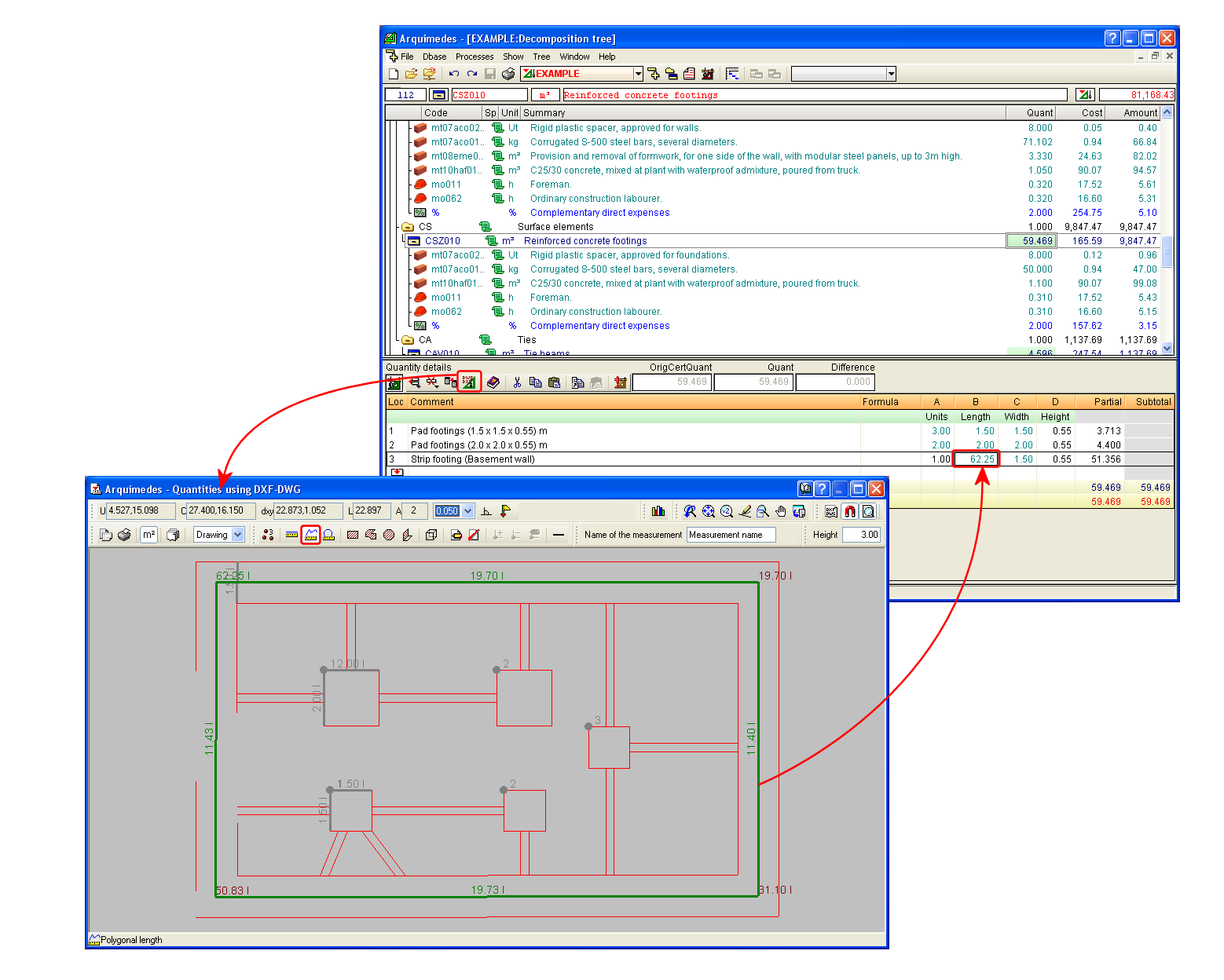
Using the "Quantities over DXF" module, quantity lines can be obtained from DXF or DWG files. Quantities that can be imported include: counted amounts of elements, linear lengths, polygonal lengths, circular perimeter lengths, rectangular areas, polygonal areas, etc.
The resulting quantity tables, after the import of data from these programs, can contain many quantity lines belonging to the same element. Arquimedes can group these quantity lines depending on the dimensions of the elements they represent. For example, all the measurements carried out by Allplan of a wall that has constant height and thickness can be grouped together in a single quantities line.
This results in a considerable reduction in the total number of quantity details lines. The program has a series of predefined grouping conditions. The user also has the option to create new grouping rules to group table quantity lines in accordance with the user’s own criteria.
Study of indirect expenses
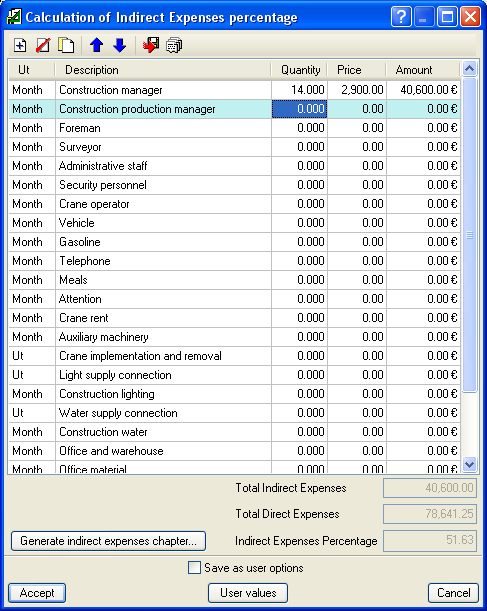
Using Arquimedes, users can easily carry out a study of the indirect expenses of the bill of quantities. To do so, the program offers a list of elements that could make up part of this study. Elements can be deleted, added, copied and reorganised within the list. The user decides which components of the list intervene in the study, indicating their quantities and price. Arquimedes offers the possibility to create an indirect expenses work section or calculate the percentage of indirect expenses of the budget, which will be included in the breakdown of all the items.
Certificates
The program stores the certificates as the job proceeds.
Certificates can be with quantities to origin or partial quantities.
- Certificates with quantities to origin. Each closed certification contains the quantities used since the start of the job.
- Certificates with partial quantities. Each closed certification only contains the quantities certified for the month the certification refers to.
Certificates can be carried out by applying a percentage to the project quantities, be it to work sections or items.
Users can, at any time, print or view the closed certificates belonging to the entire job, a work section or a item.
Arquimedes can generate a file in HTML format with any of the closed certificates (with quantities to origin or partial quantities) or for the certification on course, so that any spreadsheet program can interpret this information, including the formulas which can intervene in the certification tables. These certificates can also be exported directly to Microsoft Excel, which allows for the spreadsheet to be opened automatically after the export.

Comparisons between bills of quantities
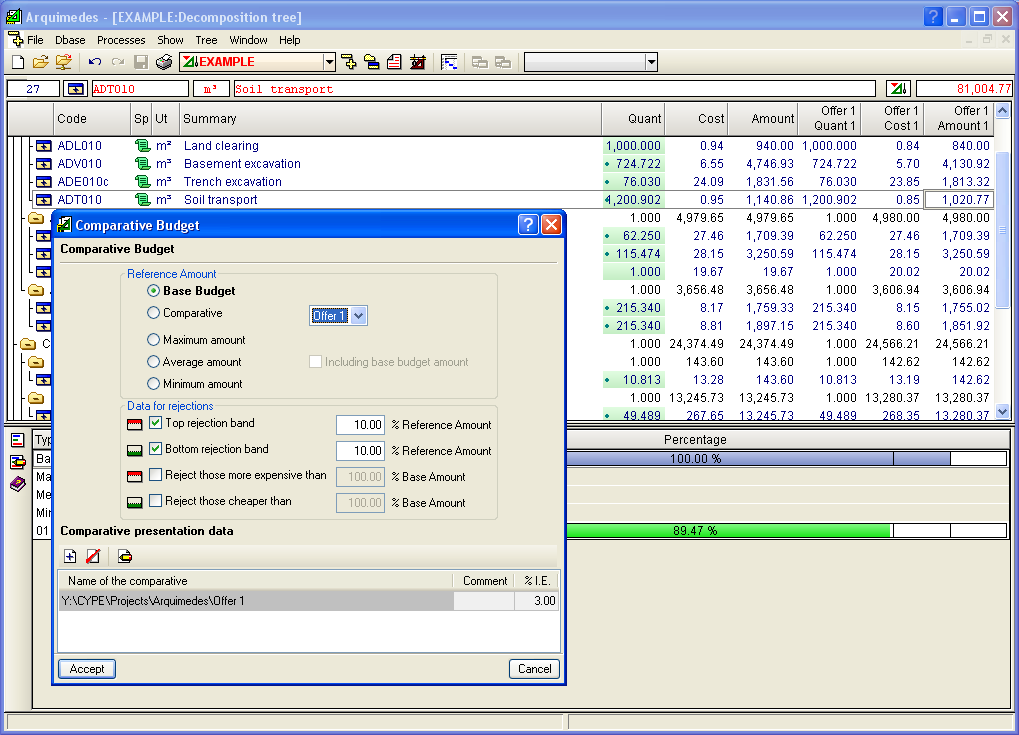
Allows for several bills of quantities (offers) to be compared simultaneously; therefore, any variances in their quantities, prices or amounts can be seen.
Report template editor
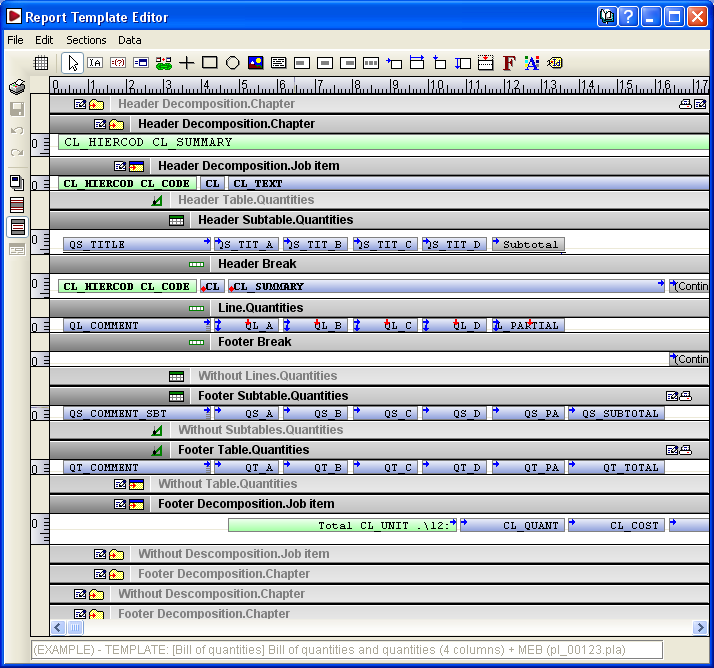
Arquimedes has the most powerful report template editor in the market to personalise and create reports.
Reports
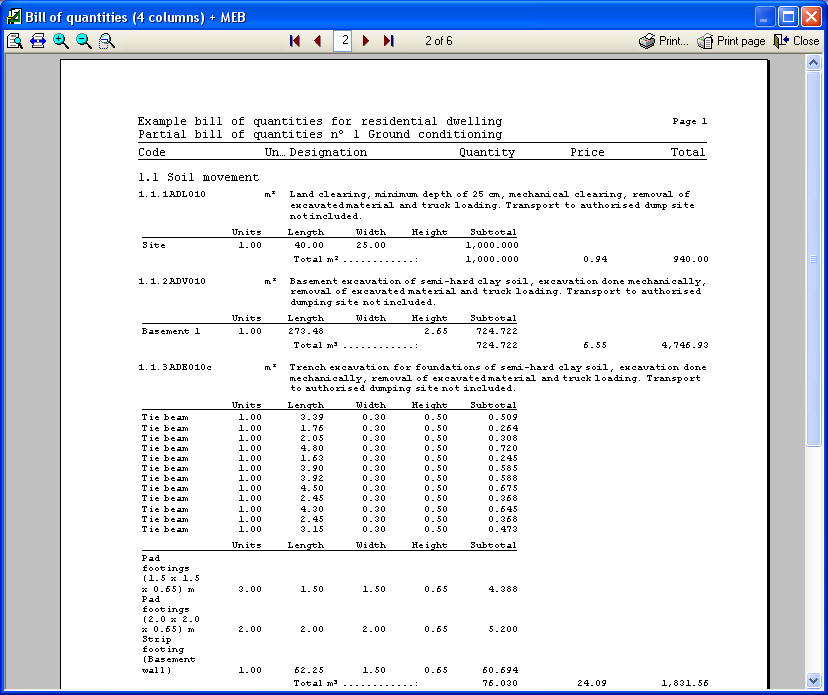
Contains a vast amount of reports developed by CYPE.
They can be seen in Print preview.
The reports can be generated in HTML, PDF, RTF and TXT format.
Exchange with other programs
Exchange with other construction management programs
Arquimedes imports from and exports to FIEBDC-3 format, making it compatible with other project management programs.
Export to spreadsheets
Arquimedes imports and exports CSV format files, allowing for data exchange with spreadsheets.
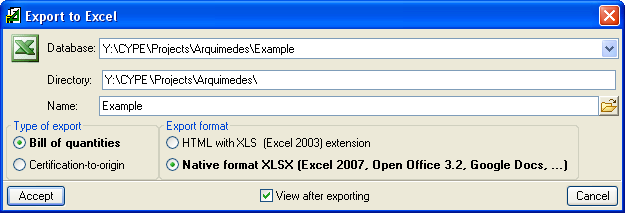
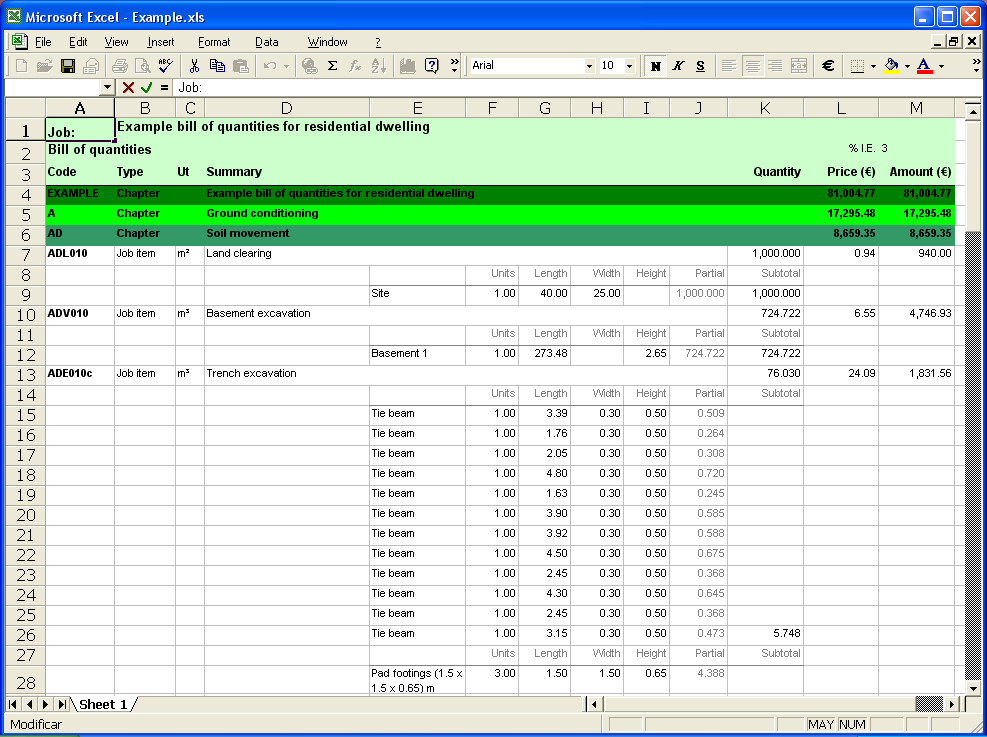
Additionally, Arquimedes has the option to export directly to Excel. The contents of the database are exported to an Excel spreadsheet, without the user having to select any type of format. Excel then opens displaying the result.
Publish cost databases on the Internet
Arquimedes can generate an HTML based on any non-parametric cost database. This HTML is useful for publishing a cost database on the Internet.
Gantt chart
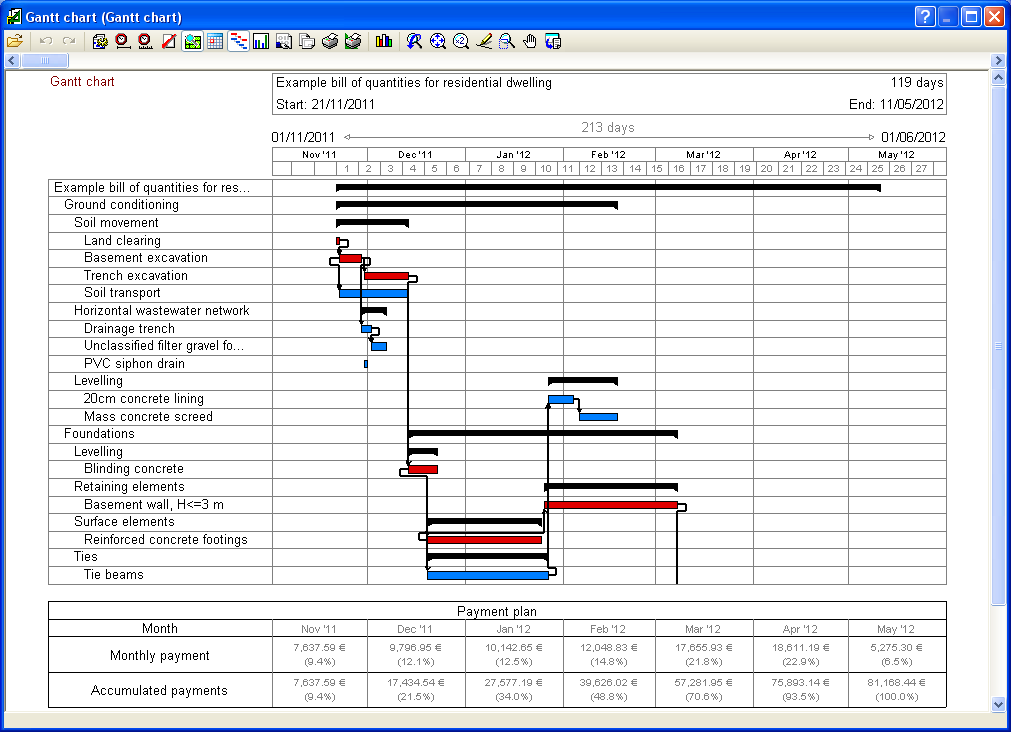
Arquimedes includes an option for programming the order and duration of the tasks foreseen in jobs through the generation and editing of Gantt charts. More information can be found on the Job planning: Gantt charts webpage.
Consolidation of bills of quantities
The "Consolidation of bills of quantities" module of Arquimedes allows for several existing bills of quantities to be included in a base bill of quantities (which can be empty), and maintain the link between the incorporated job units and their original bills of quantities. This way, the base bill of quantities can be updated with the changes which are carried out in the original bills of quantities.
This module is especially useful to manage two bill of quantity elaboration methods: Joining of partial bills of quantities generated by other CYPE programs or Joining or partial bills of quantities carried out by different project collaborators.
More information can be found at Consolidation of bills of quantities.
Other features
In order to access further features offered by the program, there are several modules that can be found on the "Arquimedes modules" webpage.