Predefined connection library
CYPE Connect includes a predefined connection library. This feature is designed to simplify the process of modelling connections by using predefined parametric configurations.
The library is hosted in the cloud, which allows for continuous updates and the gradual addition of new connection types. This means that users always have access to an up-to-date set of solutions without the need for specific local installations or updates.
To use the library of predefined connections, you need to select the "Automatic" or "Import" options, which are available in the "Library" section of the "Model" tab in the connection editor.
| Note: |
|---|
| This library is a work in progress and is gradually expanding its content to include new connections and adapt to different use cases within the field of connection design. |
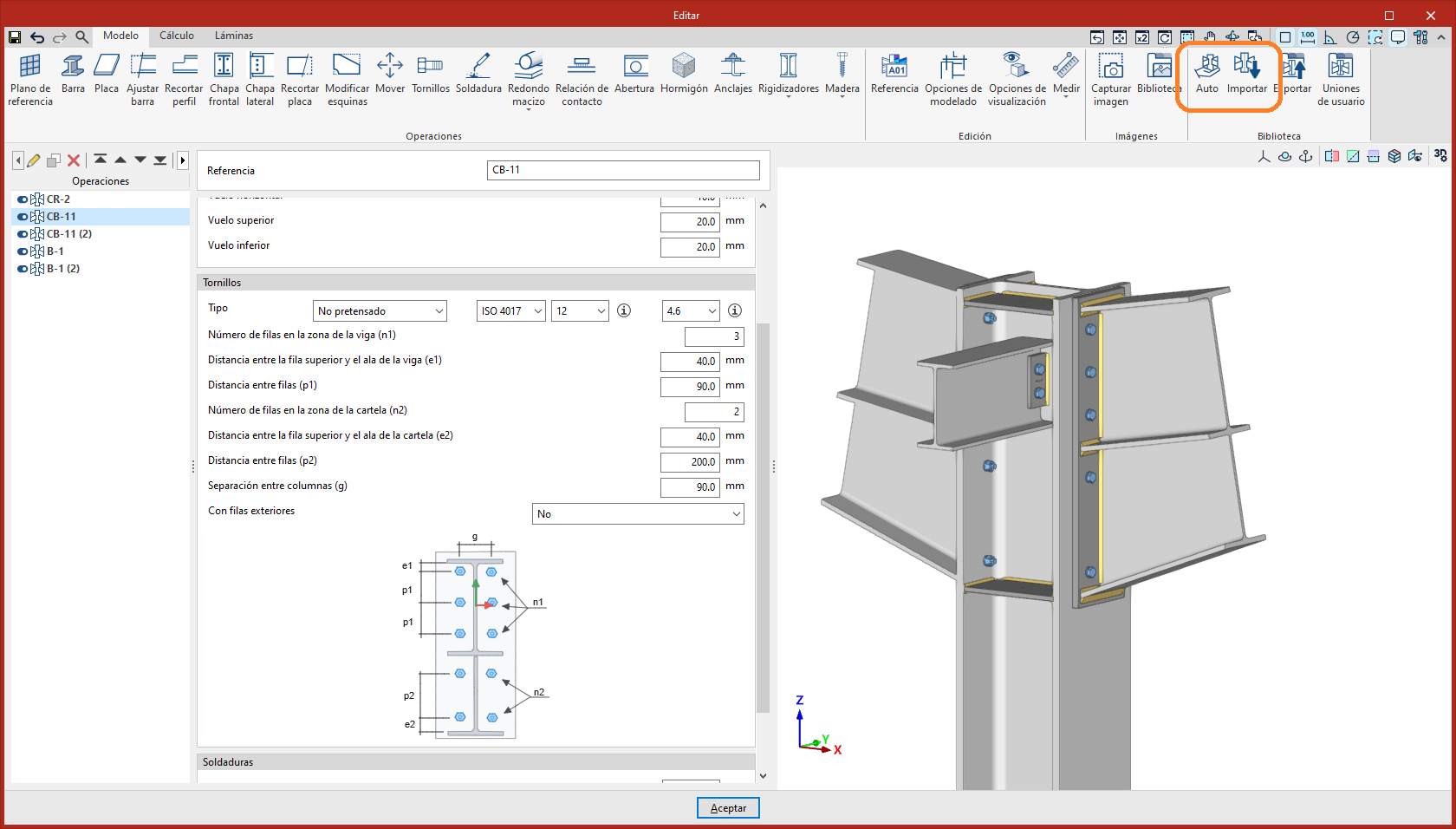
Automatic
This tool automatically defines the connection based on the alternatives available in the user’s connection library and the predefined connection library. The system analyses the existing options and selects the one that best fits the model configuration, applying it directly.
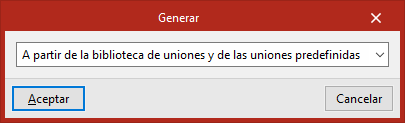
When running this tool, users can choose the scope of the connection search in the "Generate" window that appears. The connection can then be generated in the following ways:
- From the user's connection library
- From the predefined connections
- From both simultaneously
Import
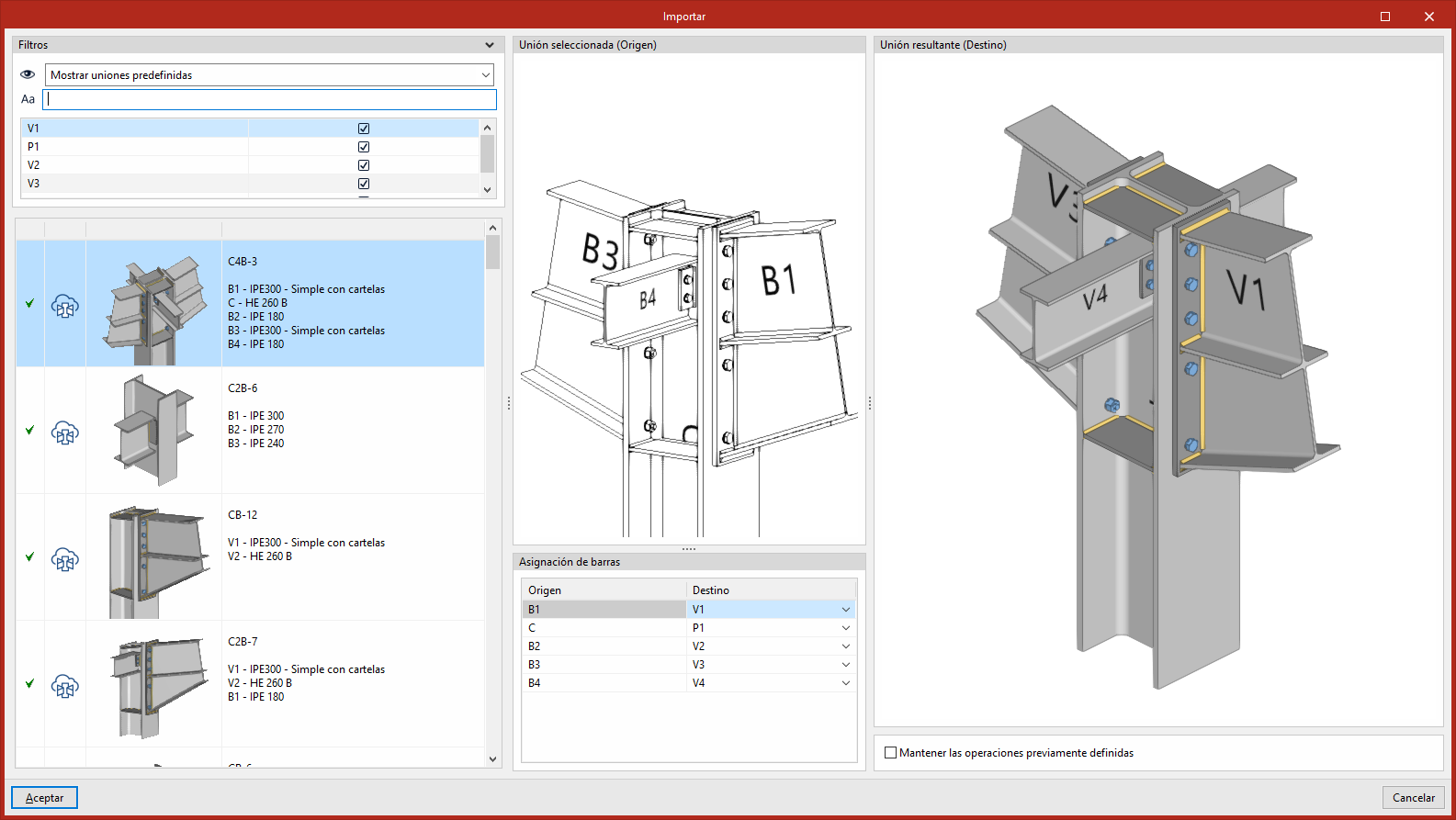
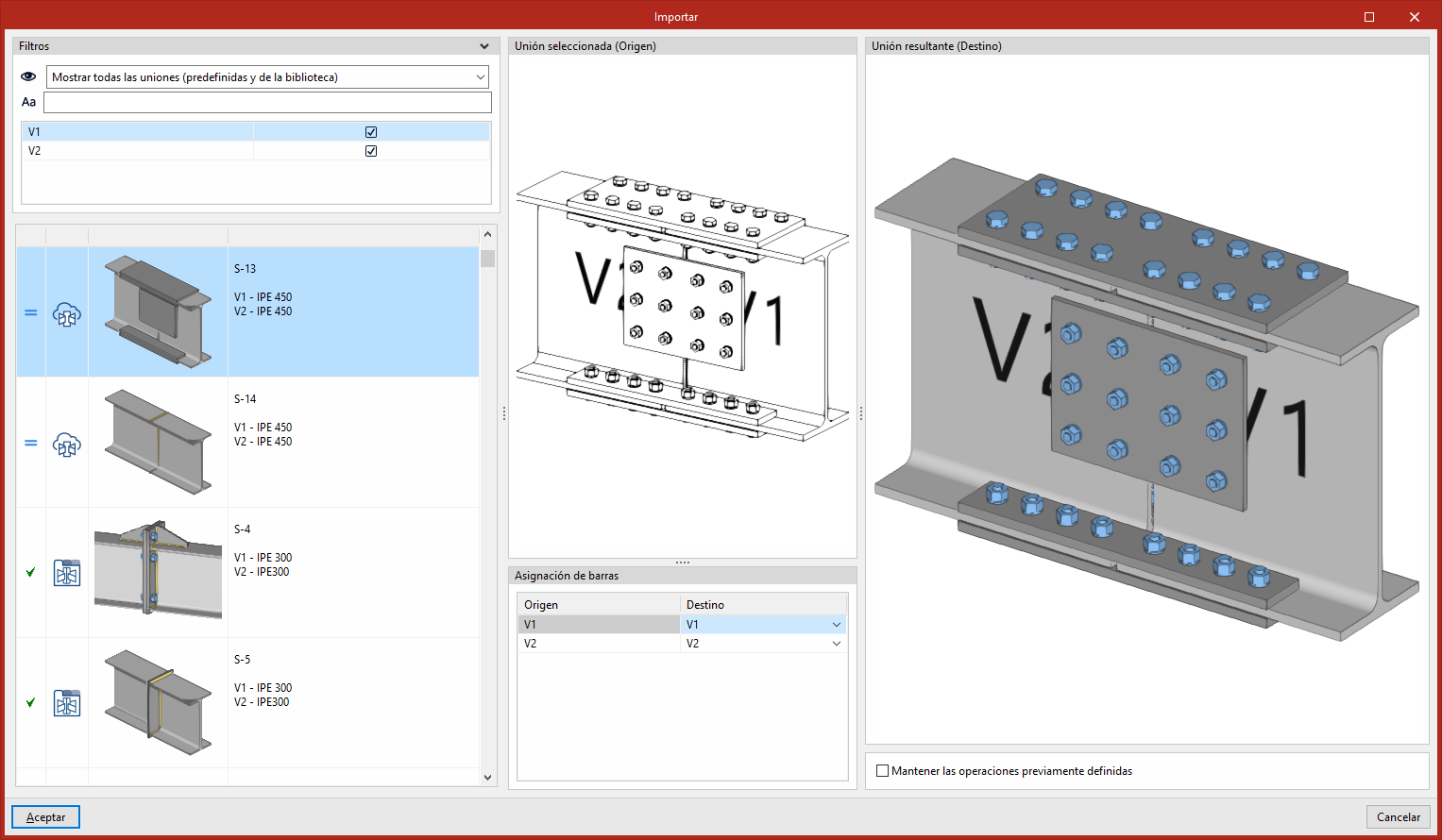
This tool can be used to import a connection from the user’s connection library or from the library of predefined connections. In this case, users must select the connection they want to import.
The left-hand column displays the list of connections in the library. At the top, there are "Filters" that can be used to narrow down the connections displayed, either by their origin or by searching for specific text. The list is automatically sorted based on compatibility with the model, placing the connections that best match the existing bar configuration at the top.
In addition, users can select the bars to which the connection is to be applied by enabling or disabling them in the "Filters" panel. This option is particularly useful when users wish to partially resolve a connection, in cases where there is no alternative that resolves the entire set.
The central column displays the 3D view of the connection selected from the library ("Selected connection (Source)"), together with the "Bar assignment". This assignment can be used to define the correspondence between the bars of the library connection and those of the target model.
The right-hand column displays the 3D view of the result of applying the connection ("Resulting connection (Destination)"), along with the "Keep previously defined operations" option.