Update history​​

CYPECAD

Building Code Requirements for Structural Concrete (ACI 318M-11).

Implemented in CYPECADCYPE 3D and Continuous beams.

CYPECAD and CYPE 3D use the Advanced beam editor and Advanced column editor when applying this code.

Using the “Composite steel and concrete columns” module, CYPECAD and CYPE 3D can check composite steel and concrete columns in accordance with the “EN 1994-1-1” and “ANSI/AISC 360-10” codes.

The code to be used for the composite column check is not selected directly as is done with the concrete and steel codes. The program applies a code depending on the selected concrete code.
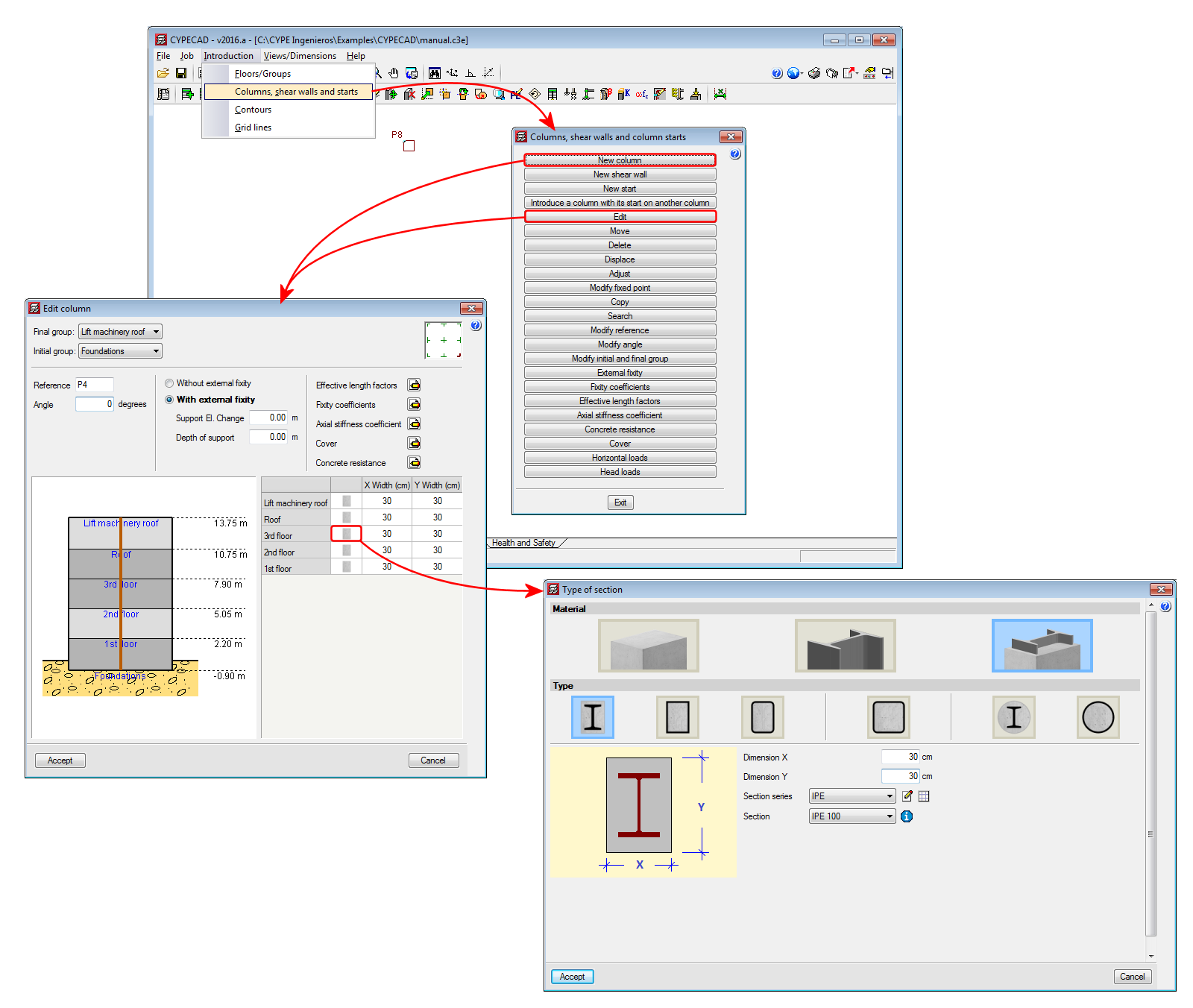
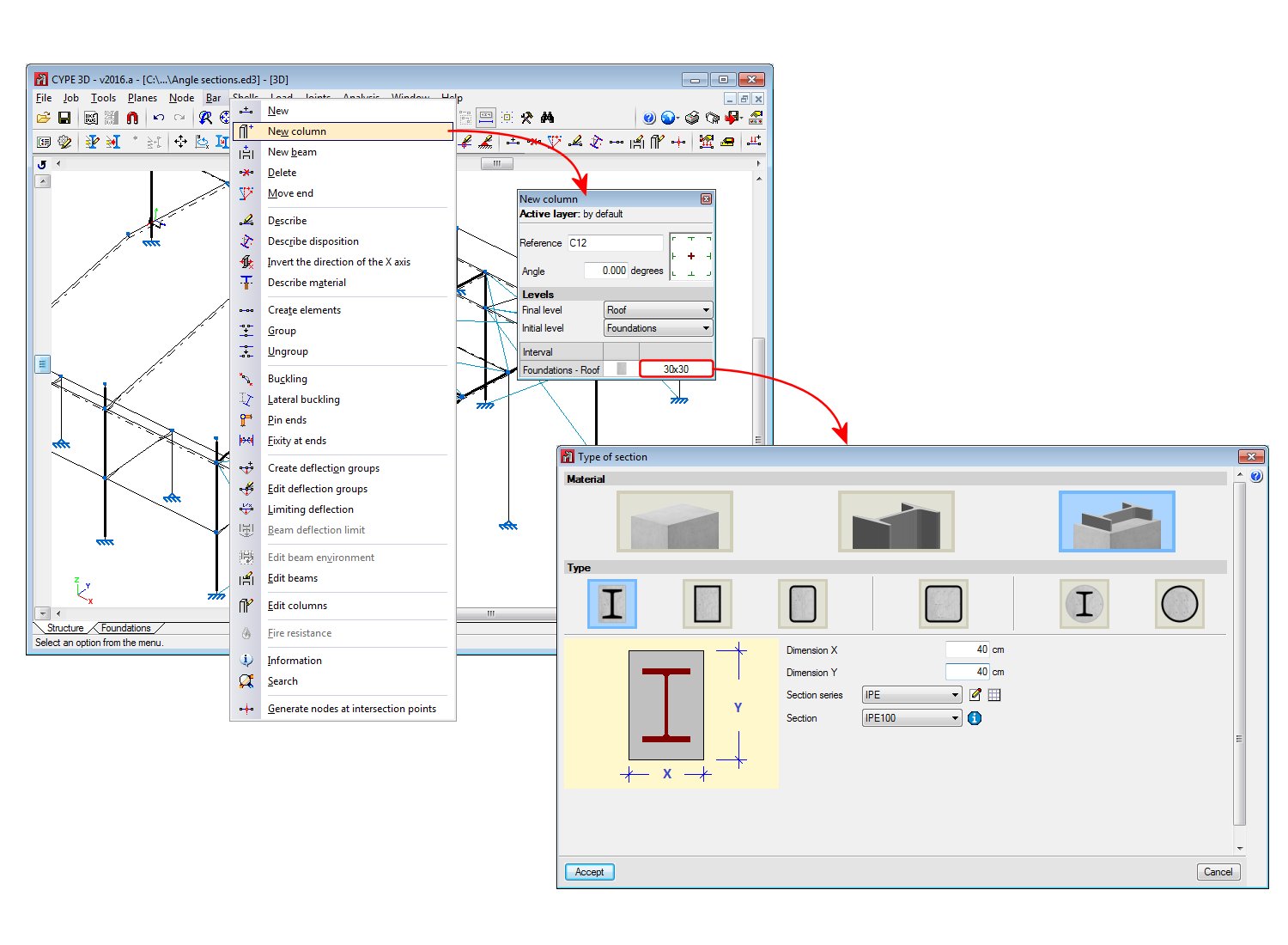
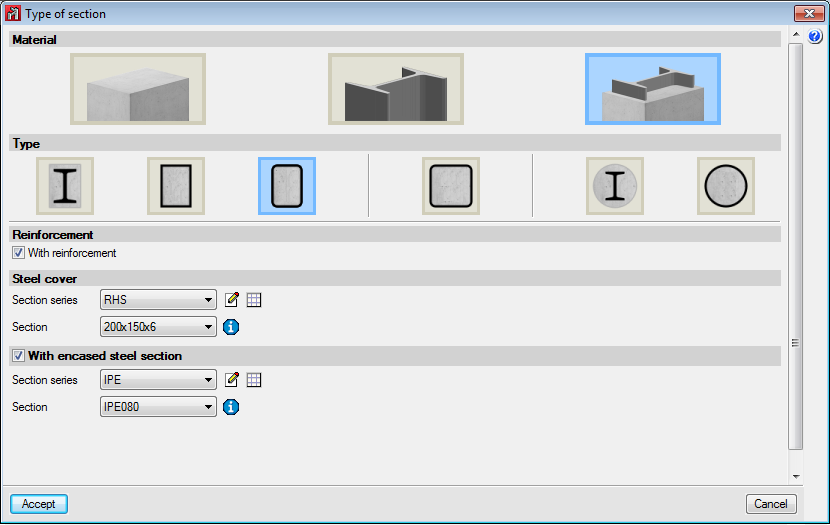
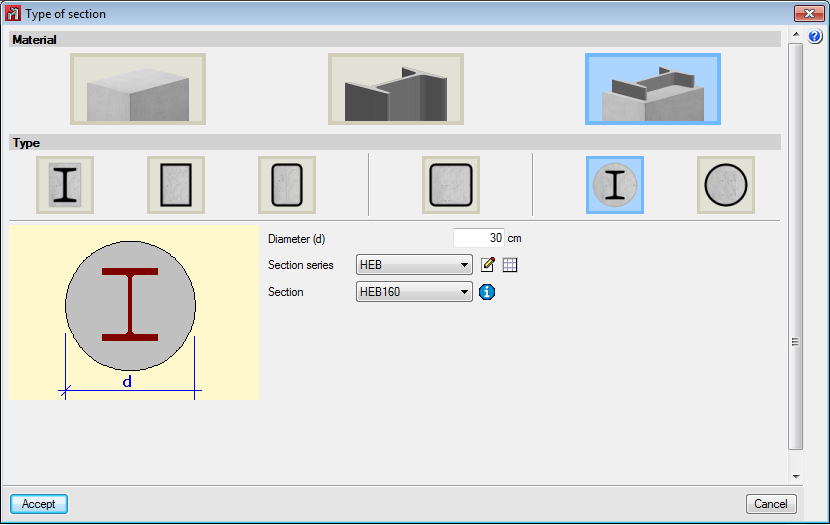
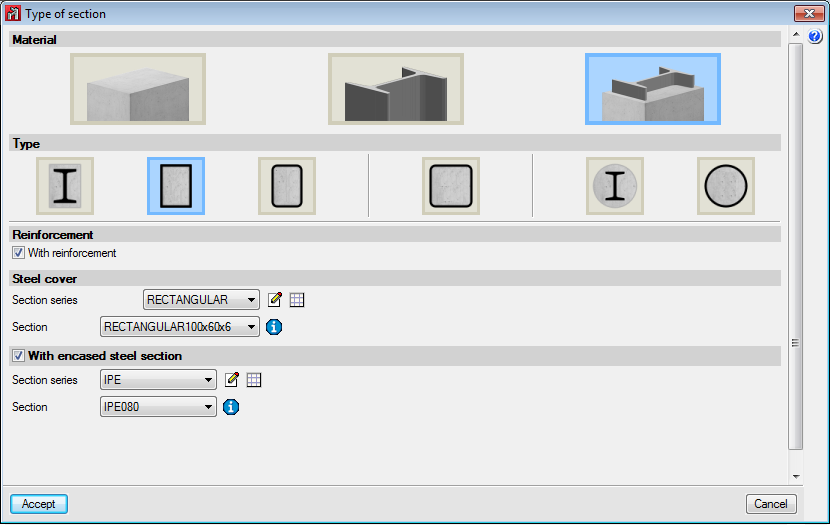
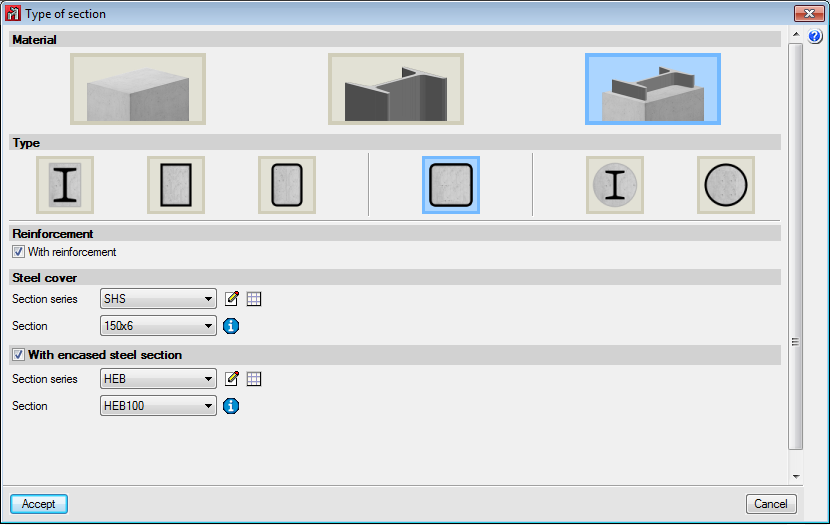
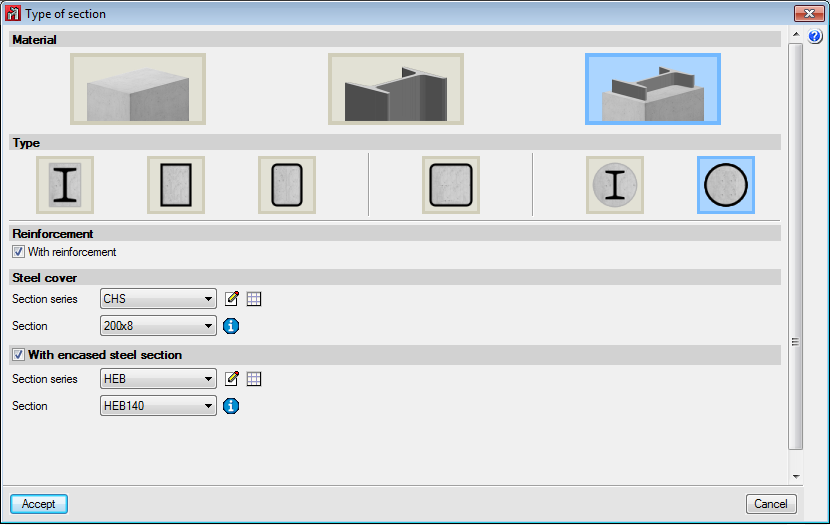
Below are the implemented types of composite columns:
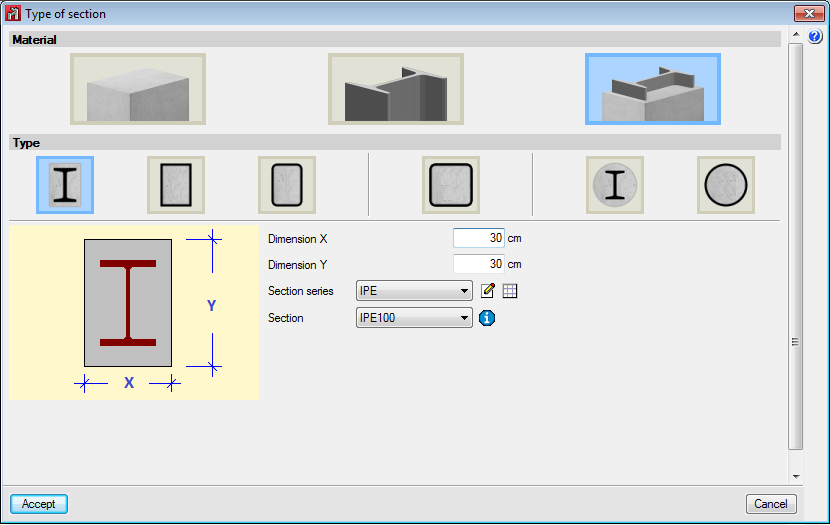
  • Rectangular section with encased section
    Always includes longitudinal and transverse reinforcement.
  • Rolled steel plate box section, filled with concrete
    It is possible to include longitudinal and transverse reinforcement, and an encased steel section.
  • Cold-formed rectangular hollow section, filled with concrete
    It is possible to include longitudinal and transverse reinforcement, and an encased steel section.
  • Cold-formed square hollow section, filled with concrete
    It is possible to include longitudinal and transverse reinforcement, and an encased steel section.
  • Circular column with encased section
    Always includes longitudinal and transverse reinforcement.
  • Cold-formed circular hollow section, filled with concrete
    It is possible to include longitudinal and transverse reinforcement, and an encased steel section.

More information on this new CYPECAD and CYPE 3D module can be found on the Composite steel and concrete columns webpage

In the 2015.j version, the "Justification of seismic action report" generated by CYPECAD has been extended to include the following sections:

  • Combined seismic shear per floor
    • Combined seismic shear and equivalent seismic force per floor
    • Seismic shear percentage resisted per type of support and per floor
    • Seismic shear percentage resisted per type of support at starts

The maximum calculated responses for each mode, for floor forces and shears, are combined using the CQC mode superposition method to obtain the total effect in each analysis direction. The results are displayed in graphs and tables.

This information allows users to assimilate the dynamic analysis that has been carried out to an equivalent static analysis. This data is both informative and descriptive, and provides a graphical and intuitive reference on the behaviour of the structure. Nonetheless, bear in mind that the program carries out a complete dynamic analysis with modal expansion for the design.

Another new feature displayed in the report is the percentage of seismic shear that is resisted depending on the type of the support. Many seismic codes classify resistance systems as "frame-type", "wall-type" or "mixed" depending on the seismic shear each element resists.

The structural systems are classified and then a numerical value is attributed to each category which reflects the energy absorption and dissipation of the structure, which in turn reduces the defined seismic action.

The percentage seismic shear that is resisted by column-type supports and the percentage resisted by shear wall-type supports are provided in the new section of the report, for each loadcase, per floor and at starts. This data allows users to check the type of resistance system used in the analysis and verify that the reduction in the applied seismic action, based on this classification, is adequate.

When a moment redistribution analysis is carried out without explicitly checking the rotation capacity, it is convenient that the depth of the neutral fibre be limited to the values specified by the code that is being applied.

As of the 2015.j version, CYPECAD allows users to limit this depth, so it can be considered in the design, by introducing the "x/d" ratio, where "x" is the depth of the neutral fibre and "d" is the effective depth of the beam section.

This option can be activated in the "Top reinforcement distribution coefficient" dialogue box (see image).

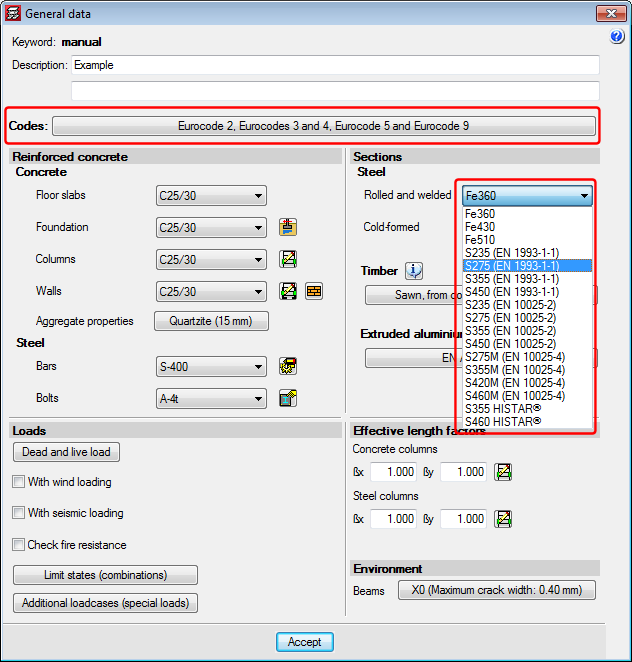
When the selected steel code is the CTE DB SE-A (Spain), EAE 2011 (Spain) or Eurocodes 3 and 4 (EU or any of Eurocode adaptations to other countries), the program allows users to choose thermomechanical rolled steel and Histar® rolled steel (ArcelorMittal).

Compared to conventional steels, the elastic limit for these steels has been reduced depending on the nominal thickness of the section, and so, it may be useful to use them with large sections.

Depending on the selected code, the steel types users can choose amongst are:
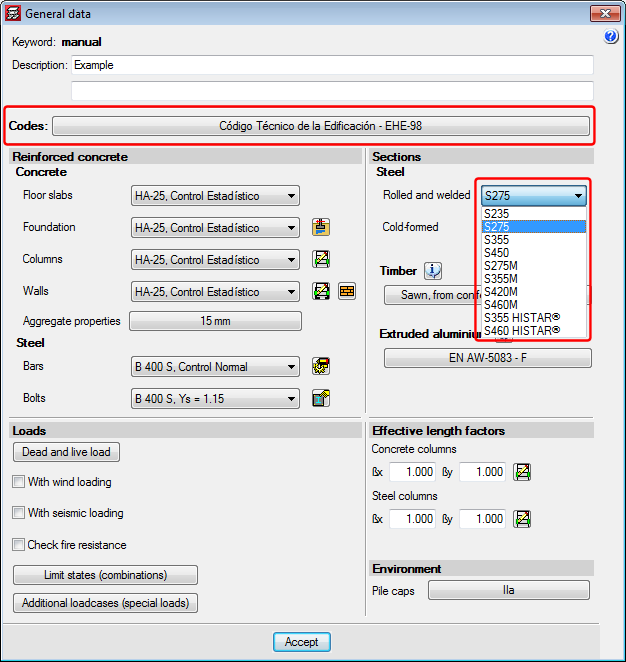
  • CTE DB SE-A (Spain)
    • Conventional rolled steel with elastic limit reduction in accordance with CTE DB SE-A:
      S235, S275, S355 and S450.
    • Thermomechanical rolled steel with elastic limit reduction in accordance with CTE DB SE-A (2015.j version):
      S275M, S355M, S420M and S460M.
    • Histar® rolled steel (ArcelorMittal) (2015.j version):
      S355 HISTAR® and S460 HISTAR®.

  • EAE 2011 (Spain)
    • Conventional rolled steel with elastic limit reduction in accordance with EAE 2011:
      S235 (EAE), S275 (EAE), S355 (EAE).
    • Conventional rolled steel with elastic limit reduction in accordance with EN 10025-2 (Hot rolled products of structural steels. Part 2: Technical delivery conditions for non-alloy structural steels) (2015.j version):
      S235 (EN 10025-2), S275 (EN 10025-2), S355 (EN 10025-2) and S450 (EN 10025-2).
    • Thermomechanical rolled steel with elastic limit reduction in accordance with EN 10025-4 (Hot rolled products of structural steels. Part 4: Technical delivery conditions for thermomechanical rolled weldable fine grain structural steels) (2015.j version):
      S235 (EN 10025-4), S275 (EN 10025-4), S355 (EN 10025-4) and S450 (EN 10025-4).
    • Histar® rolled steel (ArcelorMittal) (2015.j version):
      S355 HISTAR® and S460 HISTAR®.
  • Eurocodes 3 and 4
    • Conventional rolled steel with elastic limit reduction in accordance with EN 1993-1-1:
      S235 (EN 1993-1-1), S275 (EN 1993-1-1) and S355 (EN 1993-1-1).
    • Conventional rolled steel with elastic limit reduction in accordance with EN 10025-2 (Hot rolled products of structural steels. Part 2: Technical delivery conditions for non-alloy structural steels) (2015.j version):
      S235 (EN 10025-2), S275 (EN 10025-2), S355 (EN 10025-2) and S450 (EN 10025-2).
    • Thermomechanical rolled steel with elastic limit reduction in accordance with EN 10025-4 (Hot rolled products of structural steels. Part 4: Technical delivery conditions for thermomechanical rolled weldable fine grain structural steels) (2015.j version):
      S235 (EN 10025-4), S275 (EN 10025-4), S355 (EN 10025-4) and S450 (EN 10025-4).
    • Histar® rolled steel (ArcelorMittal) (2015.j version):
      S355 HISTAR® and S460 HISTAR®.
    • Rolled steel no longer in use, which are available for compatibility reasons for older jobs:
      Fe360, Fe430 and Fe510.


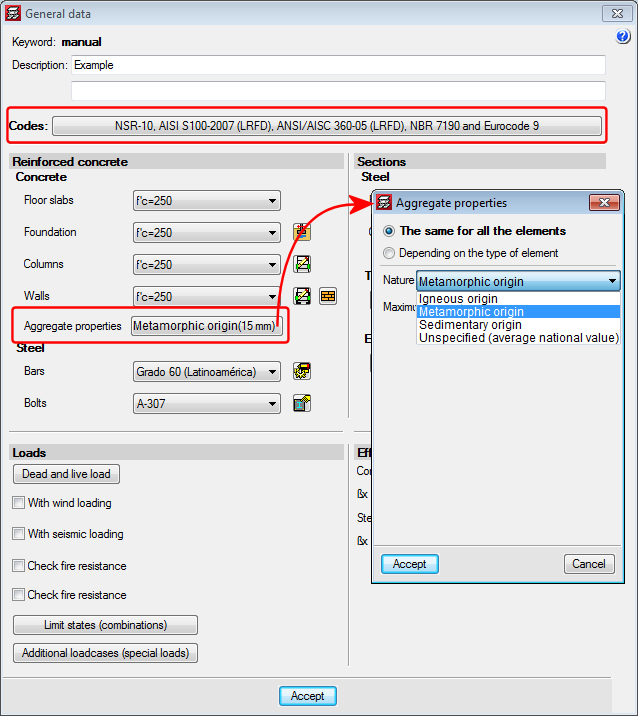
As of the 2015.i version, when the Colombian NSR-10 concrete code is selected, users can define the type of coarse aggregate in accordance with comments C.8.5.1 of NSR-10, Title C. Users can select the origin of the coarse aggregate:

  • Igneous origin
  • Metamorphic origin
  • Sedimentary origin
  • Unspecified (average national value)

Depending on the origin of the aggregate, the problem will use a different modulus of elasticity in the analysis. The modules of elasticity that are applied, depending on the origin of the aggregate and upon applying the formulas that appear in comments C.8.5.1 of NSR-10 Title C, are:
  • For coarse igneous aggregates:
    Ec = 5500 f 'c in MPa
  • For coarse metamorphic aggregates:
    Ec = 4700 f 'c in MPa
  • For coarse sedimentary aggregates:
    Ec = 3600 f 'c in MPa
  • The average value for all national experimental information, without specifying the type of aggregate:
    Ec = 3900 f 'c in MPa

Some seismic codes specify inertia reduction factors for concrete elements for seismic loads and CYPECAD considers them when these codes are applied.

As of the 2015.h version, users can define inertia reduction factors for concrete elements for seismic loadcases regardless of the code that is used.

To do so, the option “Inertia reduction factors” has been implemented (Job > General options) and only appears when the structure is to be analysed with seismic loading. When this option is selected, a dialogue box opens where users can choose between two options:
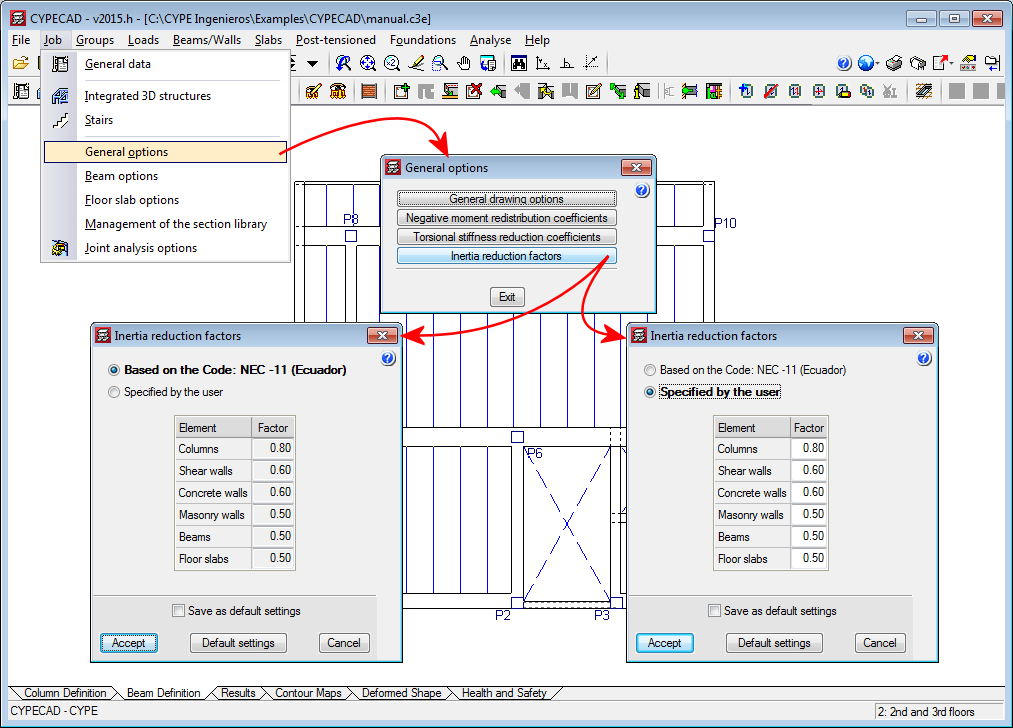
  • Based on the code
    The inertia reduction factors for concrete elements for seismic codes considered in the selected seismic code are applied. A list appears displaying the inertia reduction factors (which cannot be modified) for each concrete element (columns, shear walls, concrete walls, masonry walls, beams, floor slabs). If the selected seismic code does not define these factors, a value of 1 is displayed for all the concrete elements.
  • Specified by the user
    Users can introduce an inertia reduction factor for each concrete element in the list (columns, shear walls, concrete walls, masonry walls, beams, floor slabs) which will be taken into account in the seismic loadcases.

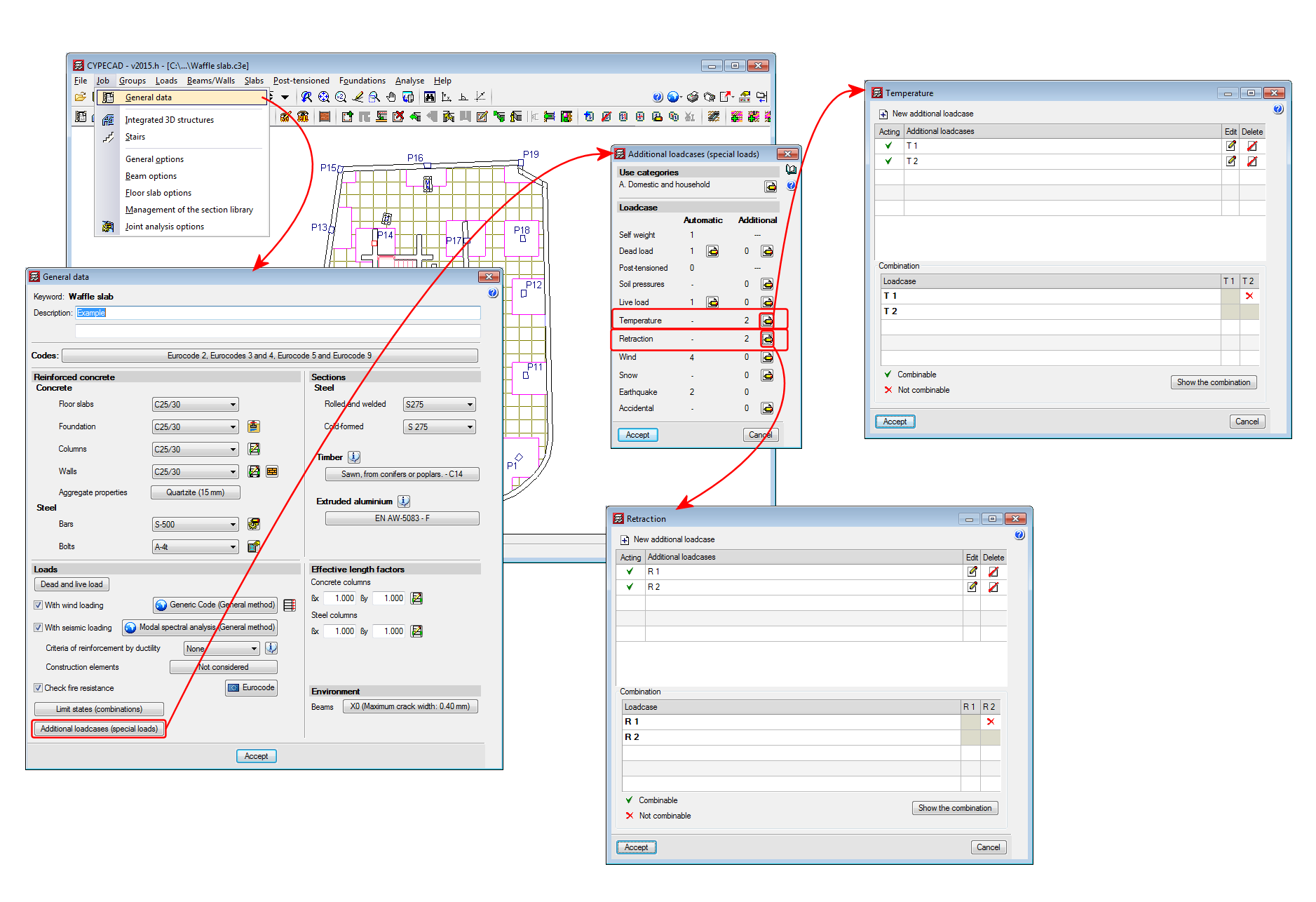
As of the 2015.h version, CYPECAD and CYPE 3D allow users to define specific loadcases for temperature and retraction loads. This way, they can be considered in the load combinations in accordance with the selected code.
  • NEC-11 (Ecuador)
    Norma Ecuatoriana de la Construcción. Capítulo 2.- Peligro sísmico y requisitos de diseño.
  • Norma Técnica E.030 (Peru)
    Norma Técnica E.030 Diseño Sismorresistente.

These codes were already implemented in an earlier version of CYPECAD and CYPE 3D. Now, in the 2015.h version, users can define the seismic spectrum.

A design spectrum must be defined for the seismic analysis of the structure. Each seismic code provides the criteria to be followed, within a specific territory, when considering seismic action in the project. Nevertheless, the project designer may adopt, under his/her responsibility, different criteria to that established in the code. The program provides users with the tools to be able to contemplate this possibility for the selected codes. The design seismic spectrum can be:
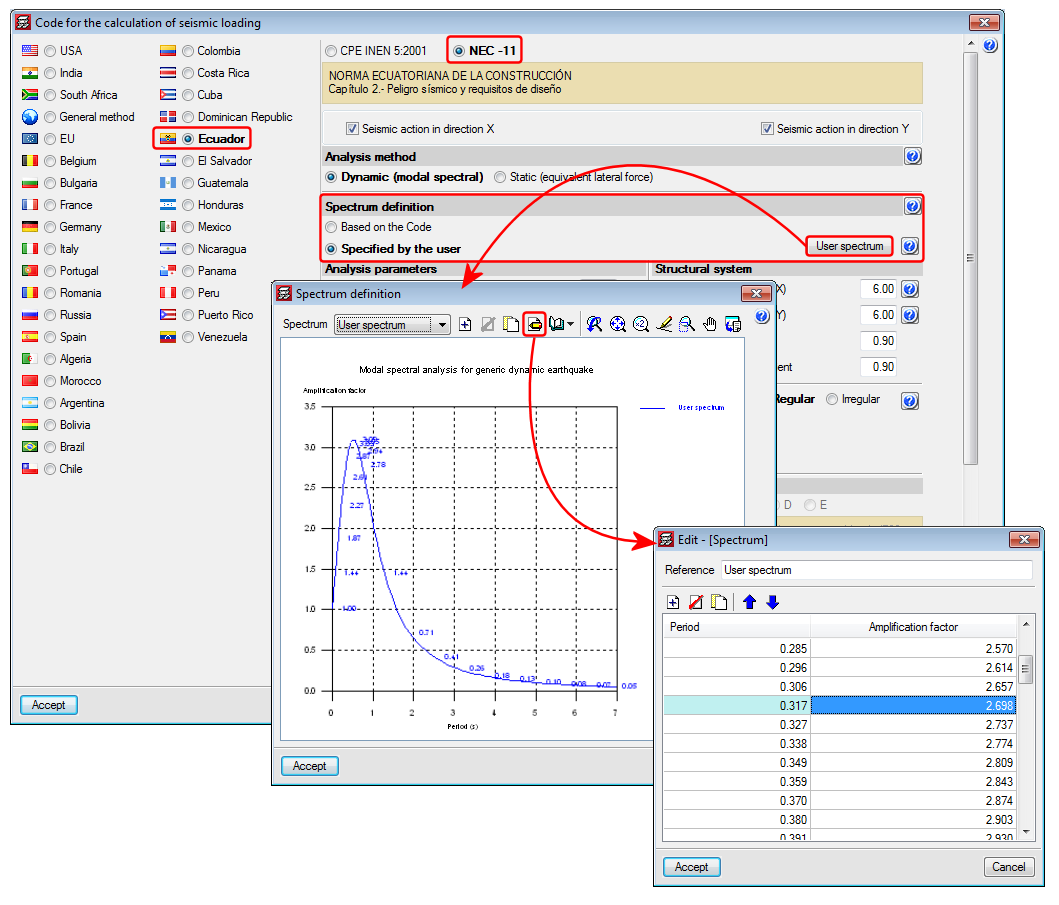
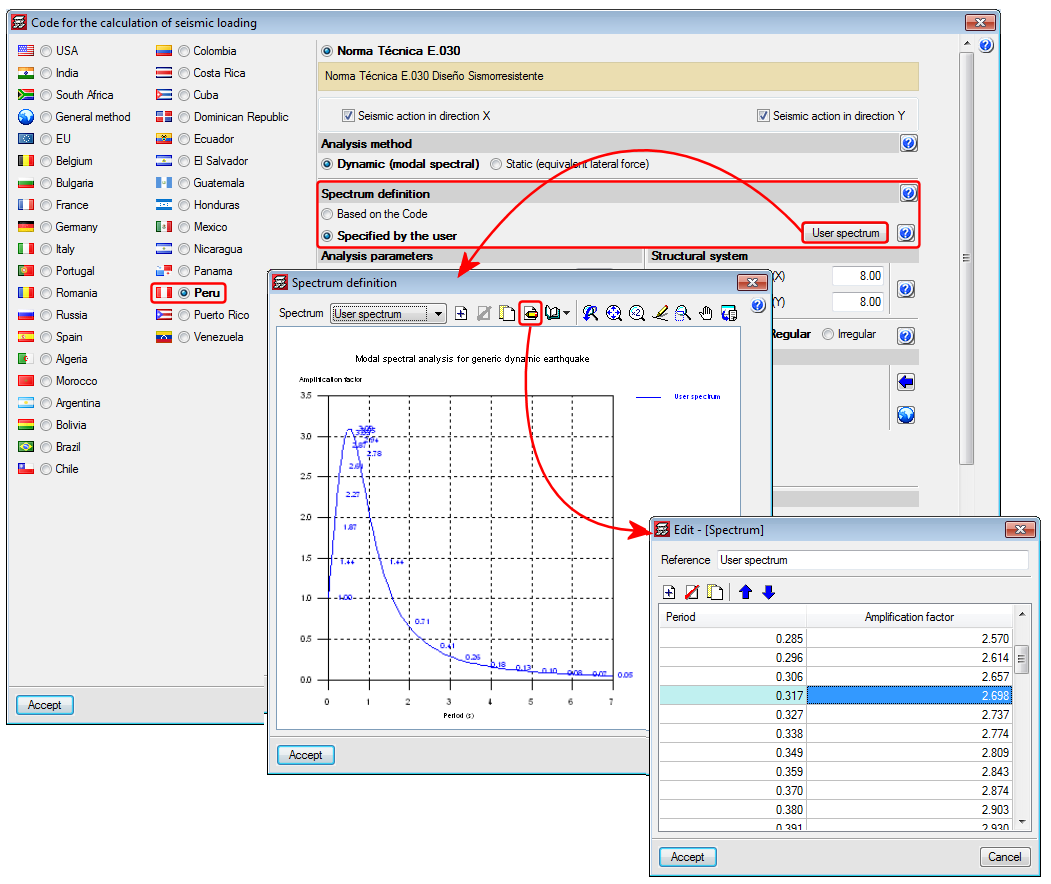
  • Calculated according to that specified in the seismic code to be applied
  • Specified by users based on their own criteria

More information on which codes allow users to define a customised design spectrum can be found in the Seismic spectrum specified by users section in the CYPECAD page.ermiten esta posibilidad.

The following configuration options have been implemented for post-tensioned drawings (File > Print > Job drawings > Select post-tensioned drawings):

  • Spacing between gridlines
    If the gridline view is activated, their spacing can be specified.
  • Maximum and minimum elevations
    Users can activate view of the maximum and minimum point elevations of the tendon.
  • Inflection point elevations
    It is possible to activate the view of the elevations of the inflection points of the tendon.
  • Symbols table
    A table is included in drawings indicating the meaning of the symbols that have been used in the on-plan drawing of the tendons.
  • Stressing order table
    By activating this option, a table is included in the drawing indicating the references of each stressing order.

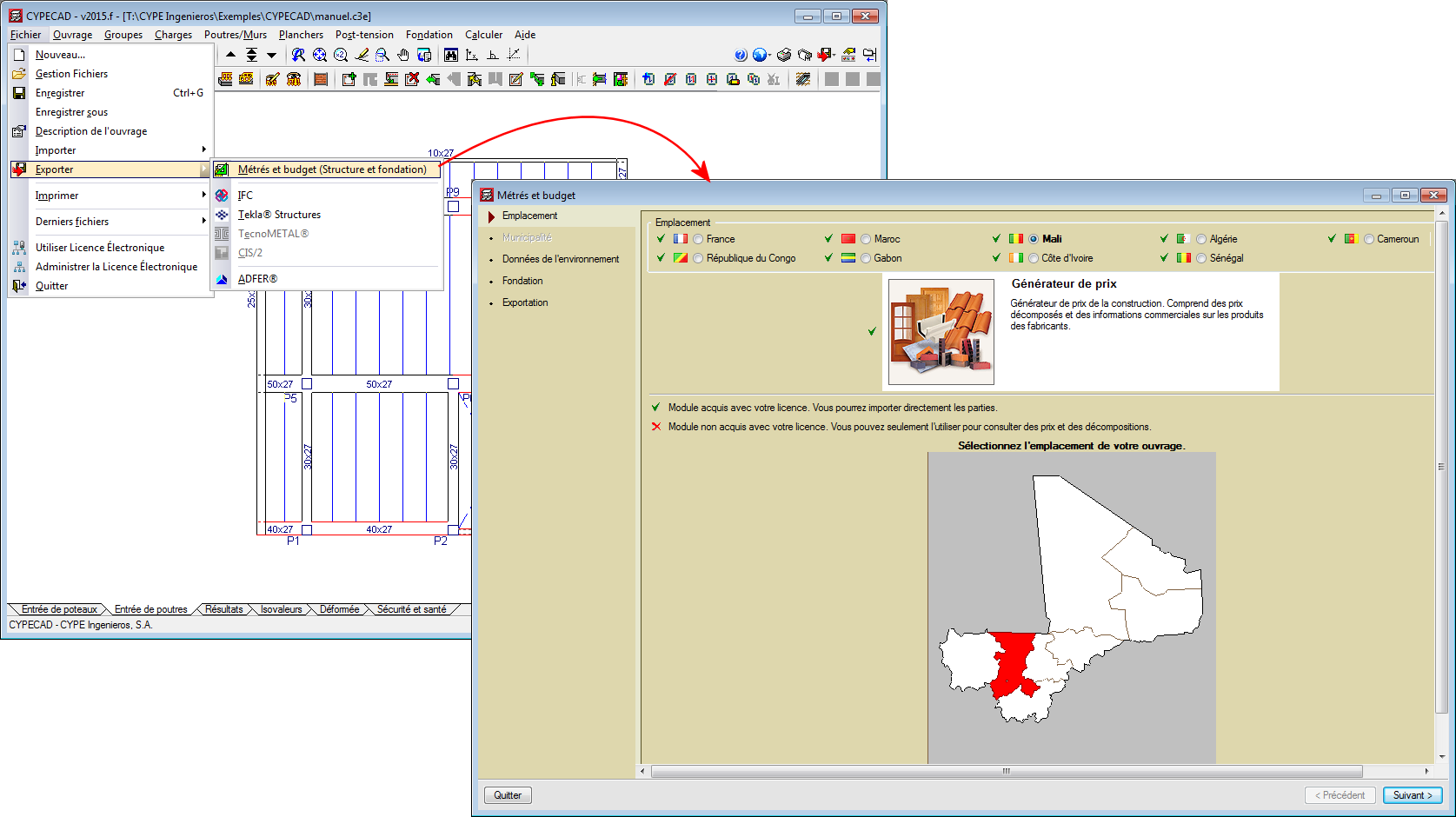
As of the 2015.f version, CYPECAD can generate the bill of quantities of the concrete structure that has been analysed taking into account the job items and prices of the Mali construction cost database. To do so, users must install CYPECAD in French and the job must be analysed in accordance with one of the following concrete codes:

  • Eurocode 2 (France)
  • Eurocode 2 (EU)
  • BAEL-91 (R-99) (France)

Using this new implementation, CYPECAD can generate the bill of quantities with the following Price generators:

  • Price generators in French (Algeria, Cameroon, France, Gabon, Ivory Coast, Mali, Morocco, Republic of Congo, Senegal)
  • Price generators in Spanish (Argentina, Chile, Colombia, Mexico, Peru, Spain)
  • Price generators in Portuguese (Angola, Brazil, Cape Verde, Mozambique, Portugal)

For CYPECAD to be able to export the bill of quantities, the user license must be able to connect with the corresponding Price generator.

The following are now indicated in post-tensioned slab drawings:

  • The minimum and maximum points of the path of the tendons, as well as their inflexion points
  • The height of the anchors is included
  • The drawing includes:
    • The distance between the base of the formwork and the bottom part of the duct.
    • The spacing between reference lines is 1 m.
    • The height of the anchors is the height measures from the base of the formwork to the axis of the tendon.
CYPE Mentor