The DXF/DWG templates that have been previously uploaded in the project can now be added to the drawings that are generated by the application. This option can be activated from the drawing configuration window.
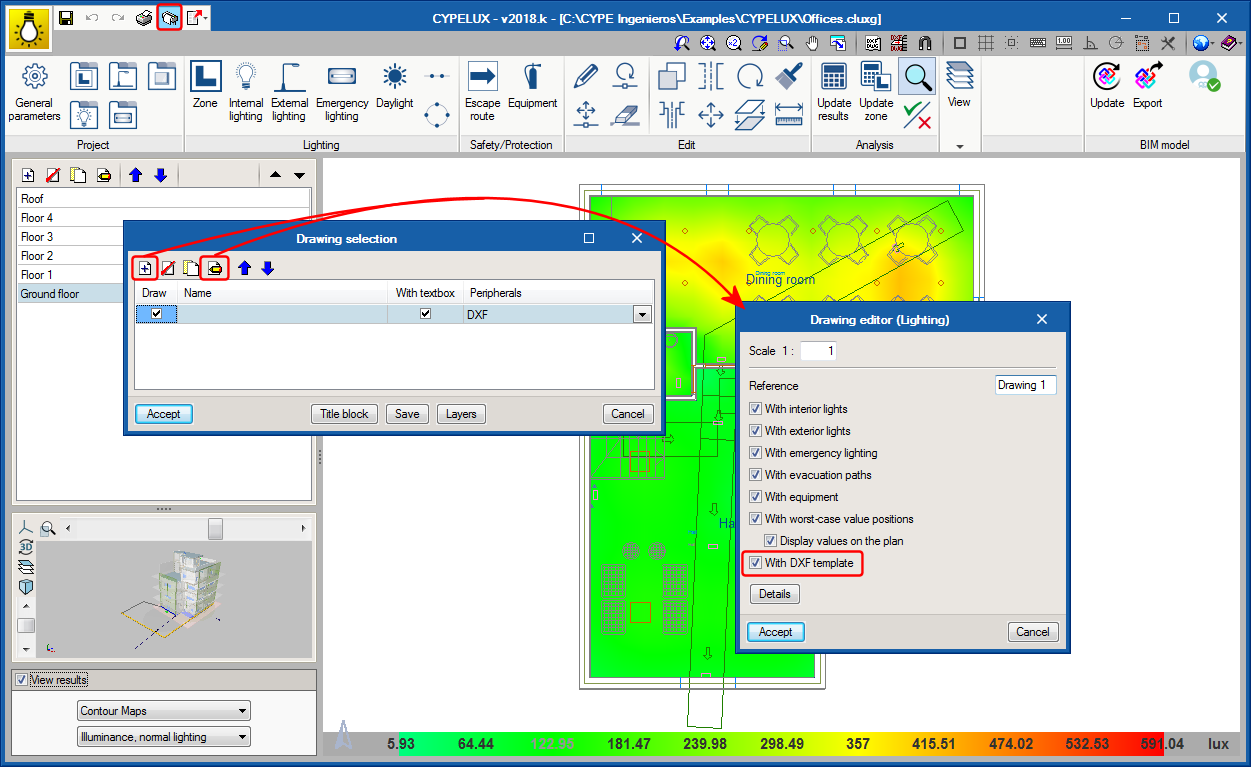
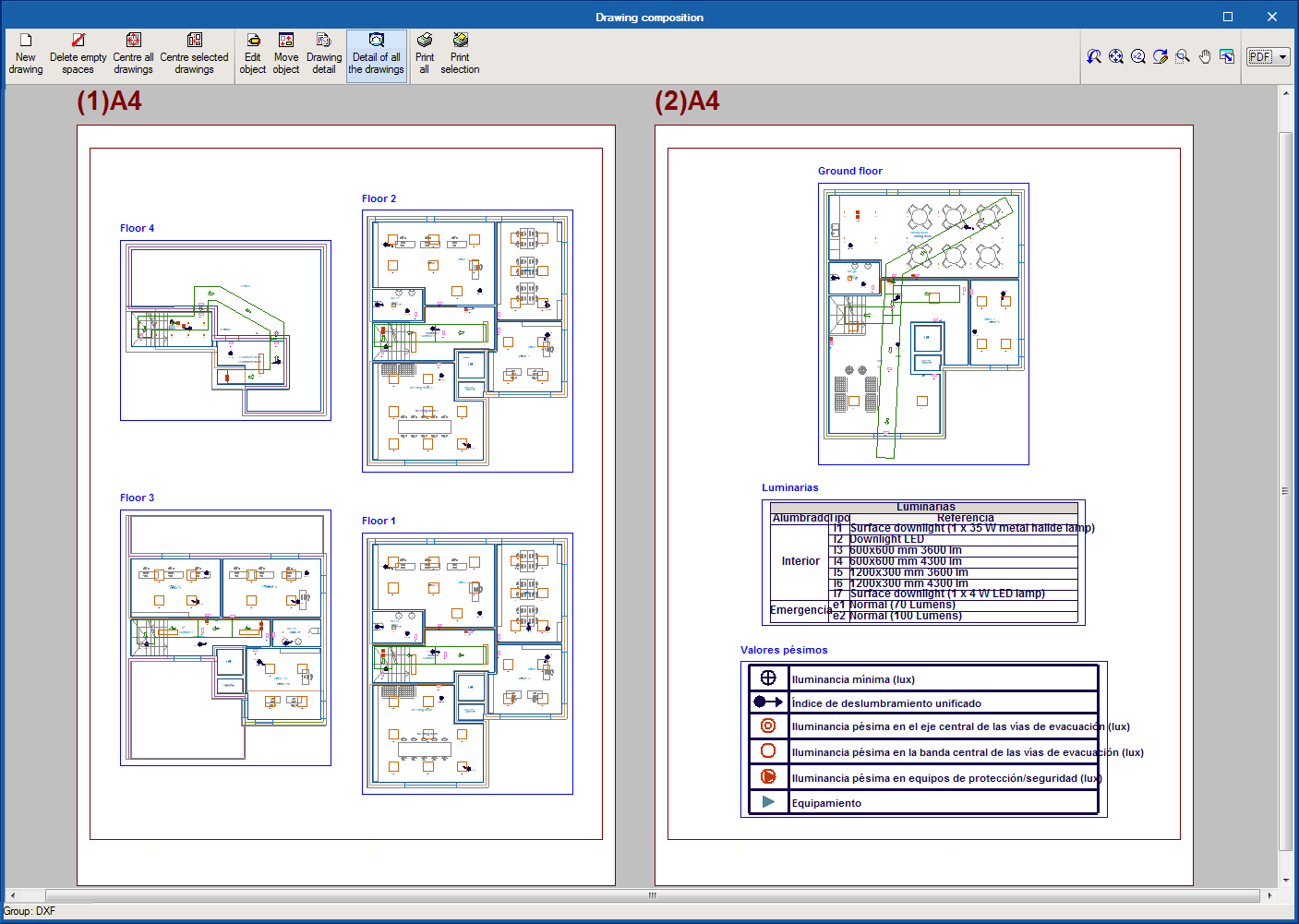




The DXF/DWG templates that have been previously uploaded in the project can now be added to the drawings that are generated by the application. This option can be activated from the drawing configuration window.
3D viewer
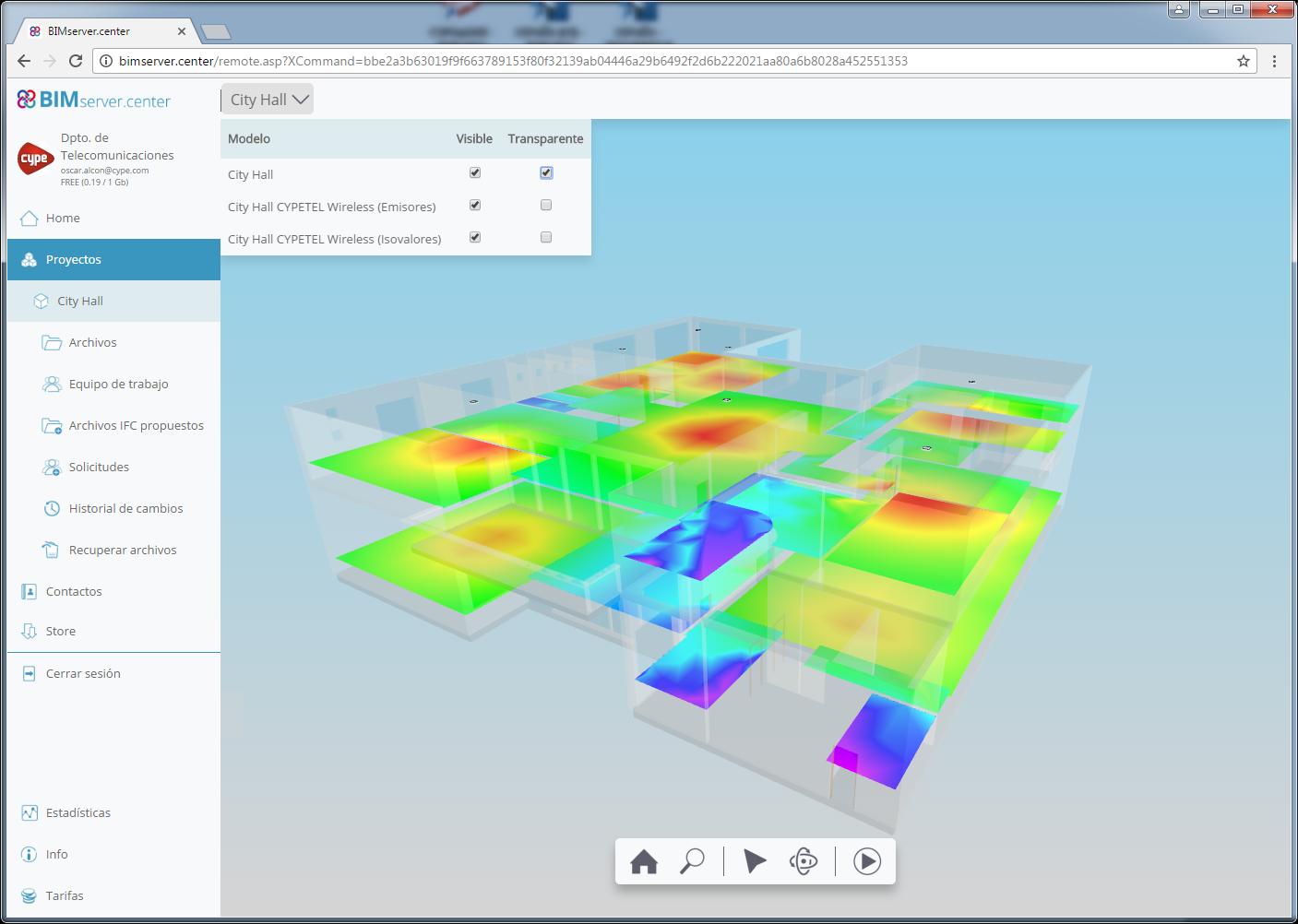
Since the 3D view in “GLTF” format was implemented in the 2018.i version of programs that are integrated in the Open BIM workflow, 3D models can be viewed using the viewer that is integrated in the BIMserver.center web platform and using the application (App) for mobile devices.
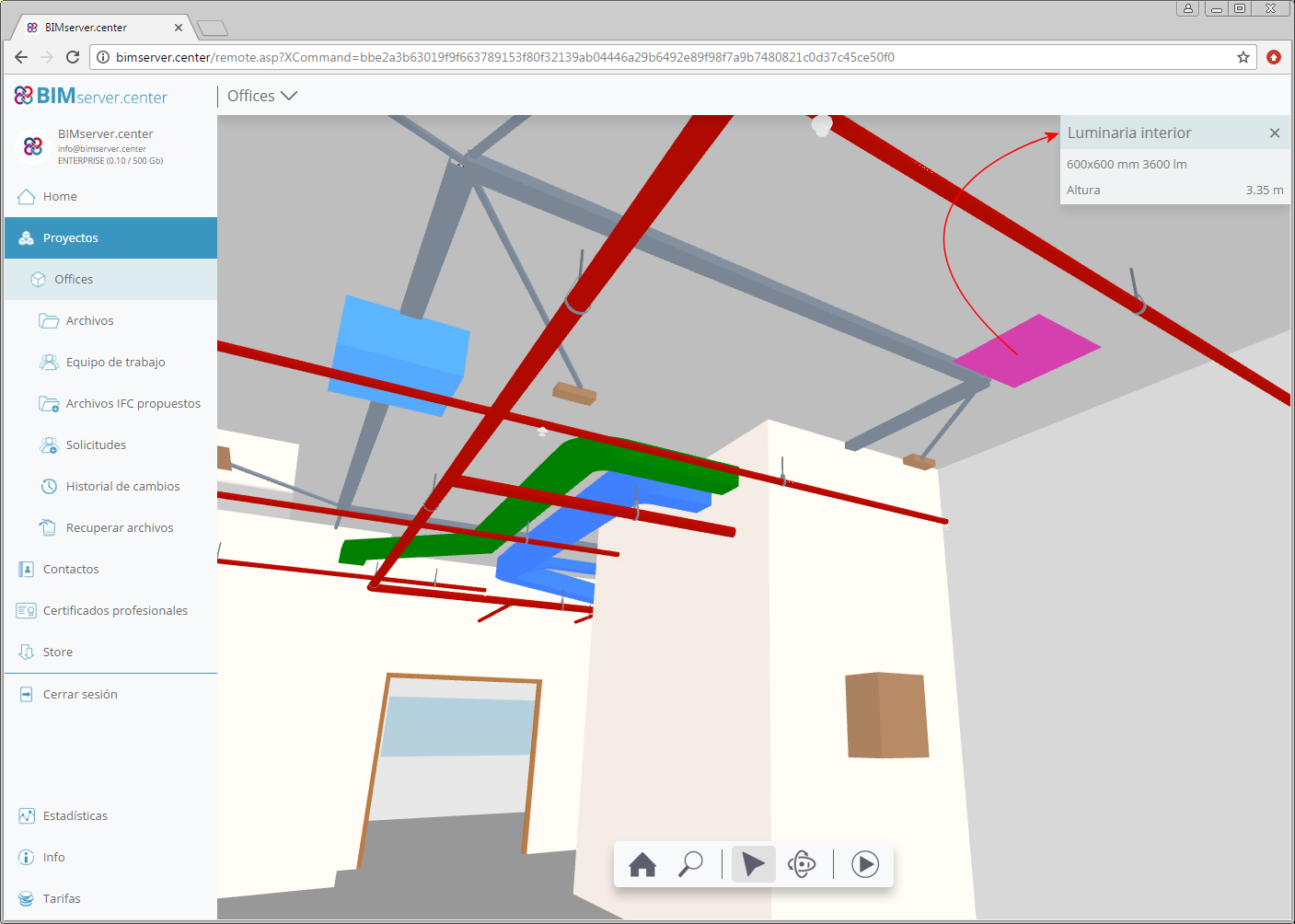
As of the 2018.k version, the information that is exported to the 3D viewer of BIMserver.center is increased for the following CYPE programs:
Documents and drawings
As of the 2018.k version, the following CYPE programs incorporate more documents to BIM projects located in the BIMserver.center platform:
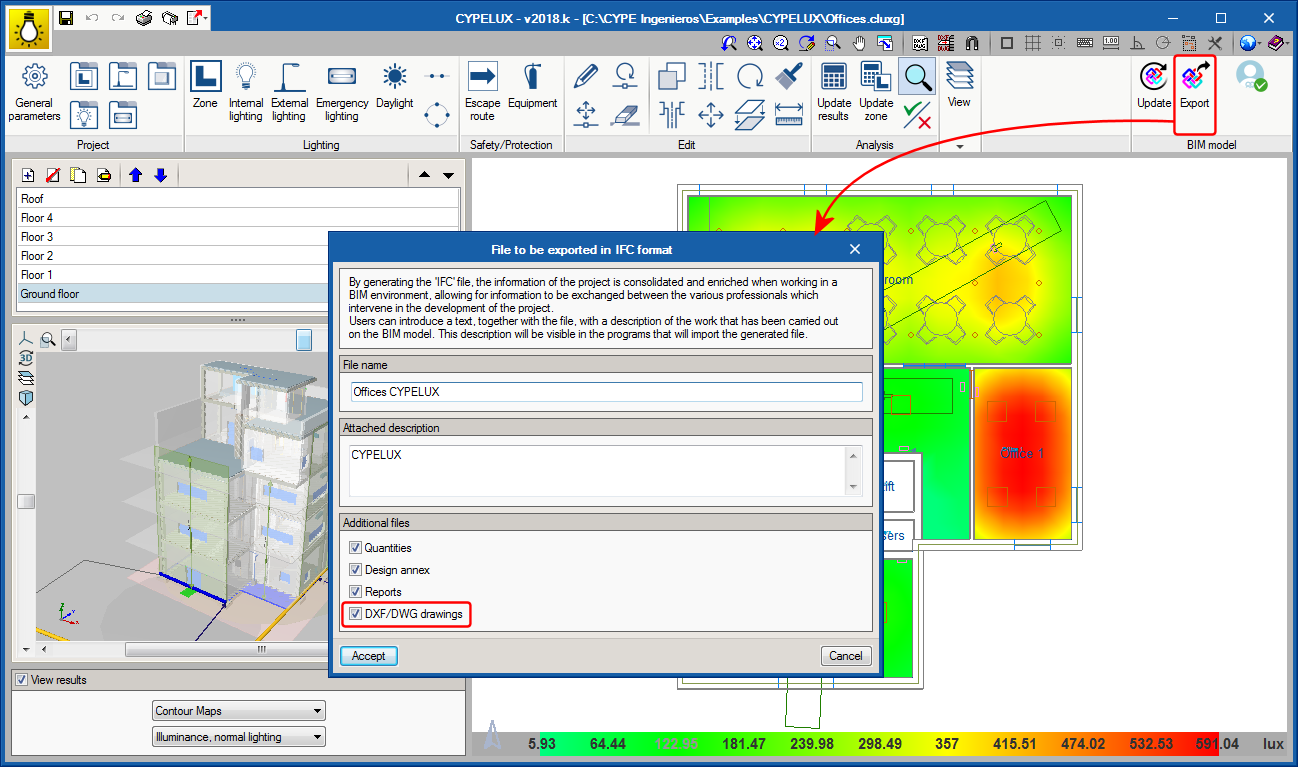
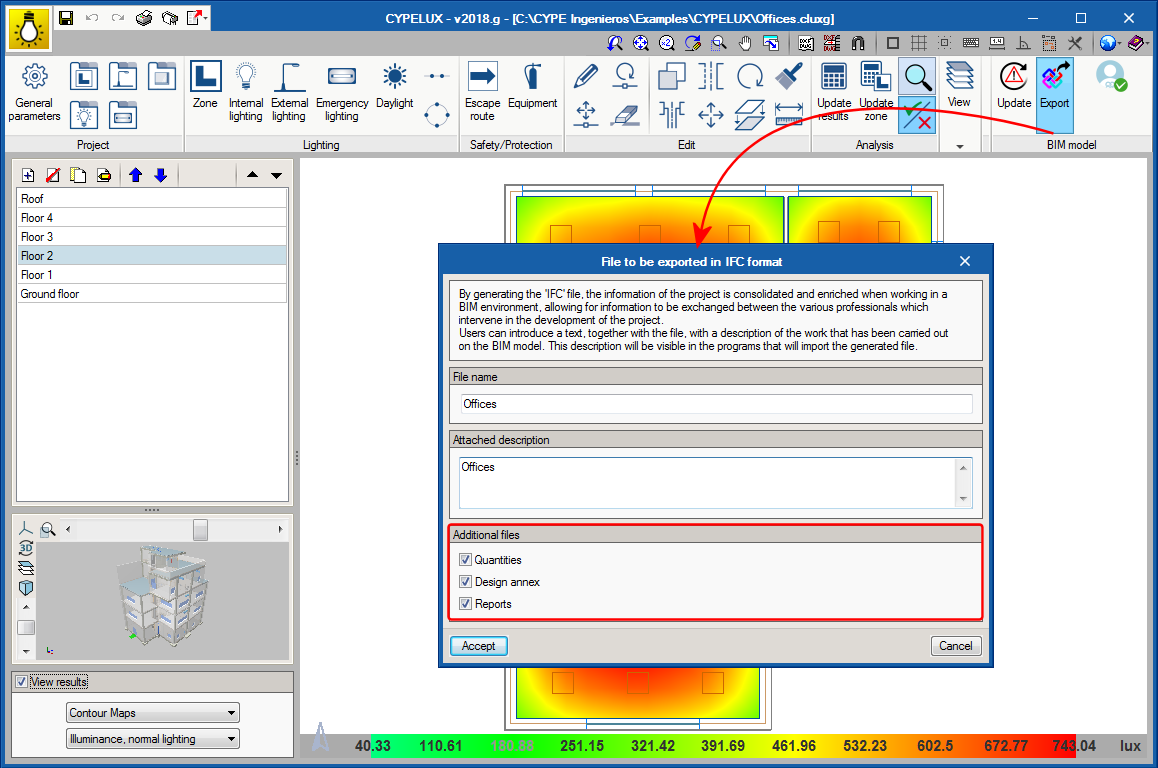
As of the 2018.g version, CYPELUX allows users to attach project reports (in PDF format) and the quantities of the project (in the standard FIEBDC-BC3 format), to the IFC format that is generated by the application. Users can choose which of these documents are to be included in the project using the configuration panel of the export to IFC format.
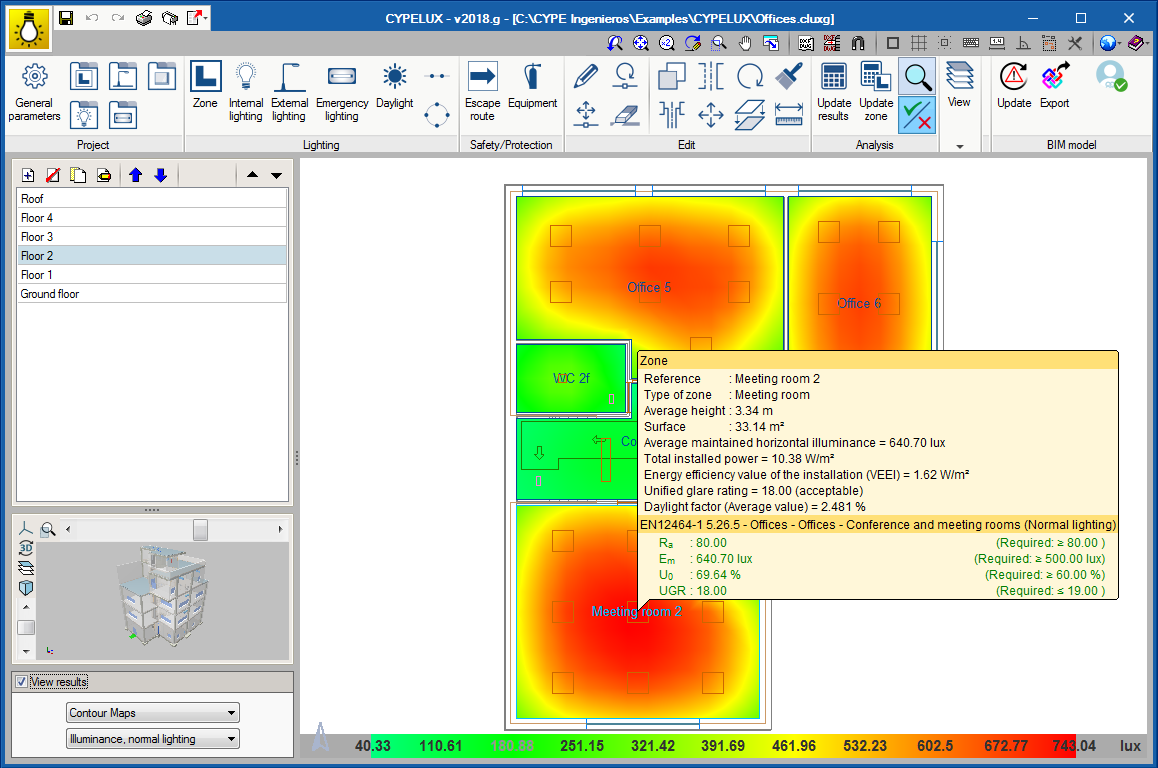
A new option has been added in the toolbar that allows users to, once the project has been analysed, to show a document with the properties and individual checks of a zone.
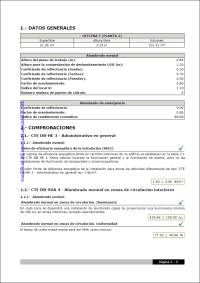
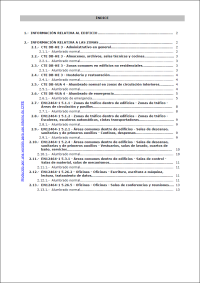
Having defined the verification in the general parameters of the project and obtained the results, the application generates a justification report of the project. This report is divided into two chapters, the first contains the general checks of the project and the second the specific requirements of each zone.
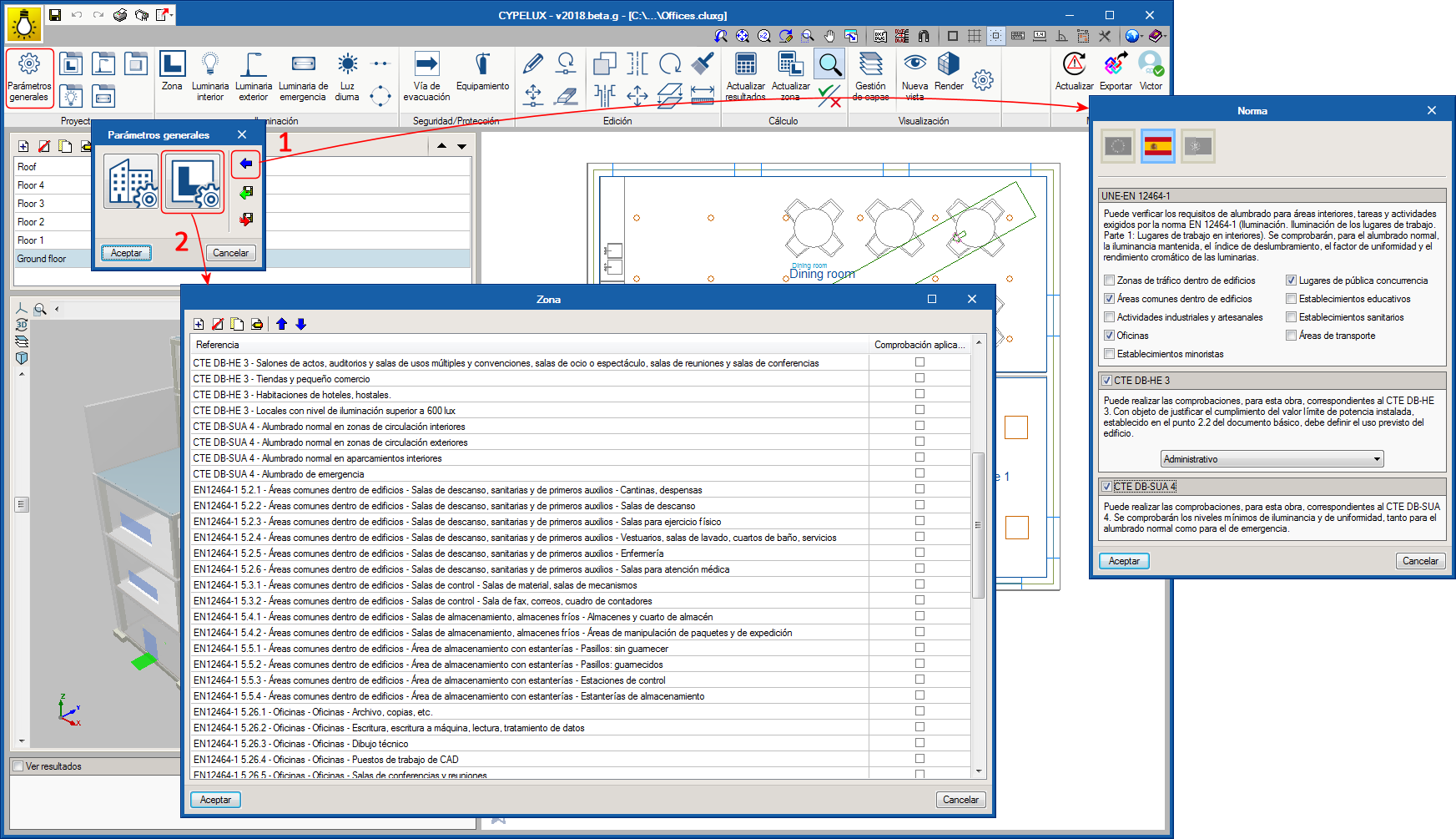
As has been indicated in the previous point, users can establish the lighting requirements the installation is to meet. Now, it is also possible to import the lighting requirements corresponding to certain codes. This way, users can verify that the code requirements are met without having to introduce the corresponding limit values one by one.
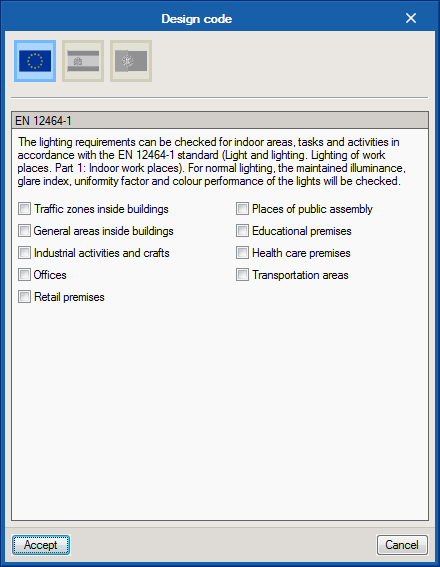
EN 12464-1 (UE)
As of the 2018.g version, users can import the lighting requirements of the EN 12464-1 code (Light and lighting – Lighting of workplaces. Part 1: Indoor workplaces) to the general parameters of the application.
To do so, the user license must contain the permit corresponding to this code, which is the same as that which provides access to CYPELUX EN, and the lighting checks of indoor workplaces that are carried out by CYPELUX CTE and CYPELUX RECS.
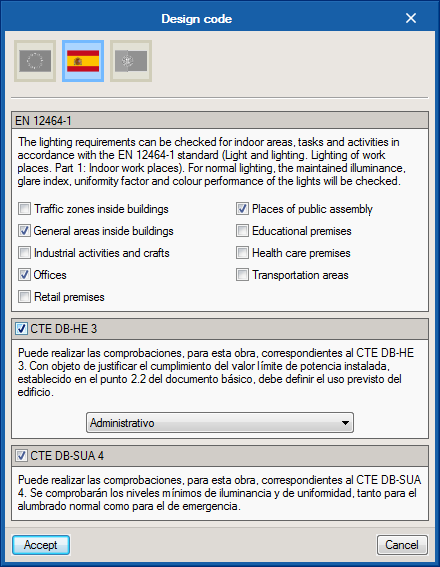
CTE DB HE 3 and CTE DB SUA 4 (Spain)
The 2018.g version of CYPELUX EN allows users to import the requirements stated in the “Código Técnico de la Edificación” (CTE) of Spain. These are included in the following “Documentos Básicos” and Part 1 of the EN 12464 code:
To be able to import these code limits, the user license must include the modules to use CTE DB HE 3 and CTE DB SUA 4, which are the same that allow for CYPELUX CTE to be used and the Lighting tab of CYPECAD MEP.
RECS (Portugal)
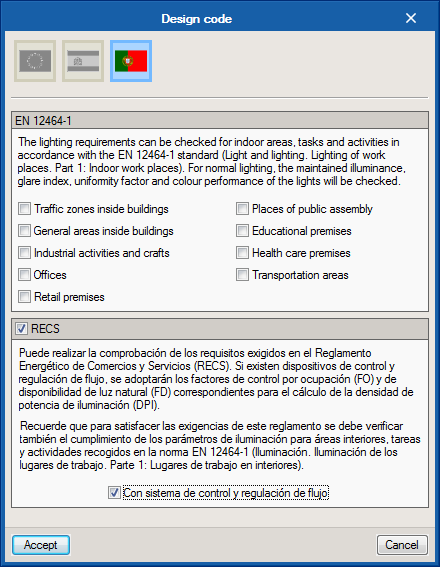
It is also possible to import the lighting requirements of point 9 of the Portuguese code “Regulamento de Desempenho Energético dos Edificios de Comércio e Serviços”. The application will verify the Lighting Power Density limit levels every 100 lux (DPI/100lux) in each zone and bearing in mind the control factors due to occupancy and availability of natural light.
To be able to import these code limits, the user license must contain the same permits that provide access to CYPELUX RECS.
As of the 2018.g version, CYPELUX allows users to establish limit values for the lighting parameters that are calculated by the application. This way, the program can verify the requirements of the main codes. The levels that can be configured by users are:
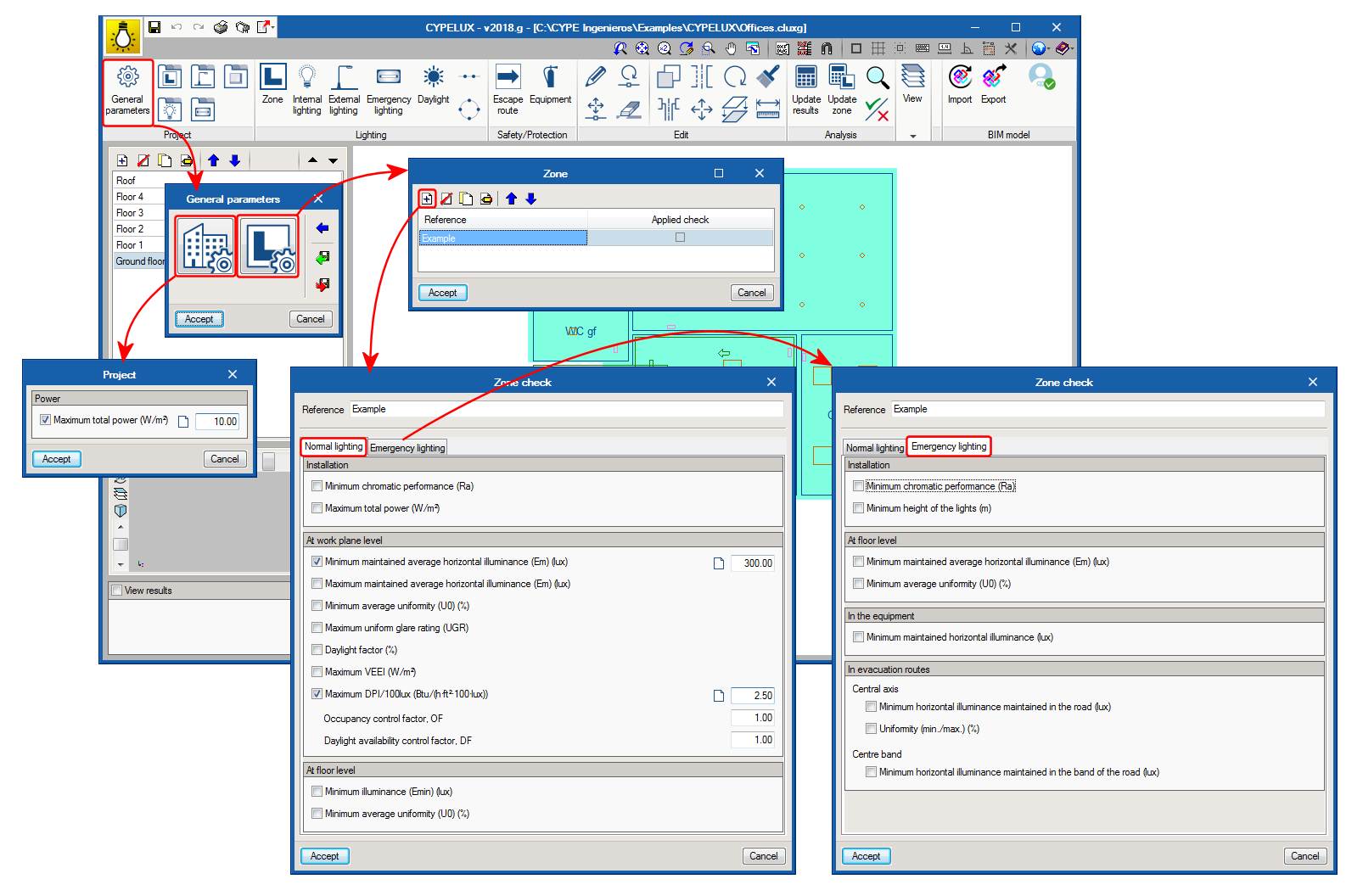
Since this configuration does not depend on the geometry or specific properties of a project, it may be saved to be used in future projects.
The following CYPE programs are available to be downloaded from the BIMserver.center platform:
These programs are also available on the main CYPE program menu, which is installed with the file that can be downloaded from the Download Area of the CYPE website.
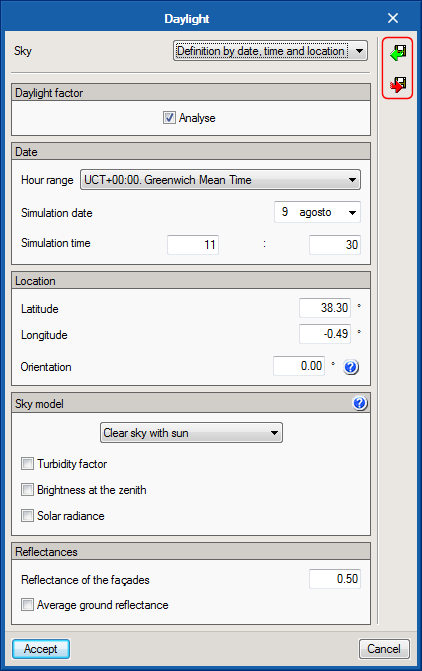
As of the 2017.j version, the design configuration for natural daylight, defined in the Daylight option of the toolbar, can be saved to be used in future projects.
As of the 2017.j version, CYPELUX displays the floor slabs from the floor above on the floor plan, as long as the project is linked to an architectural BIM model. This way, users can easily identify the presence of openings, which helps when introducing roof skylights.
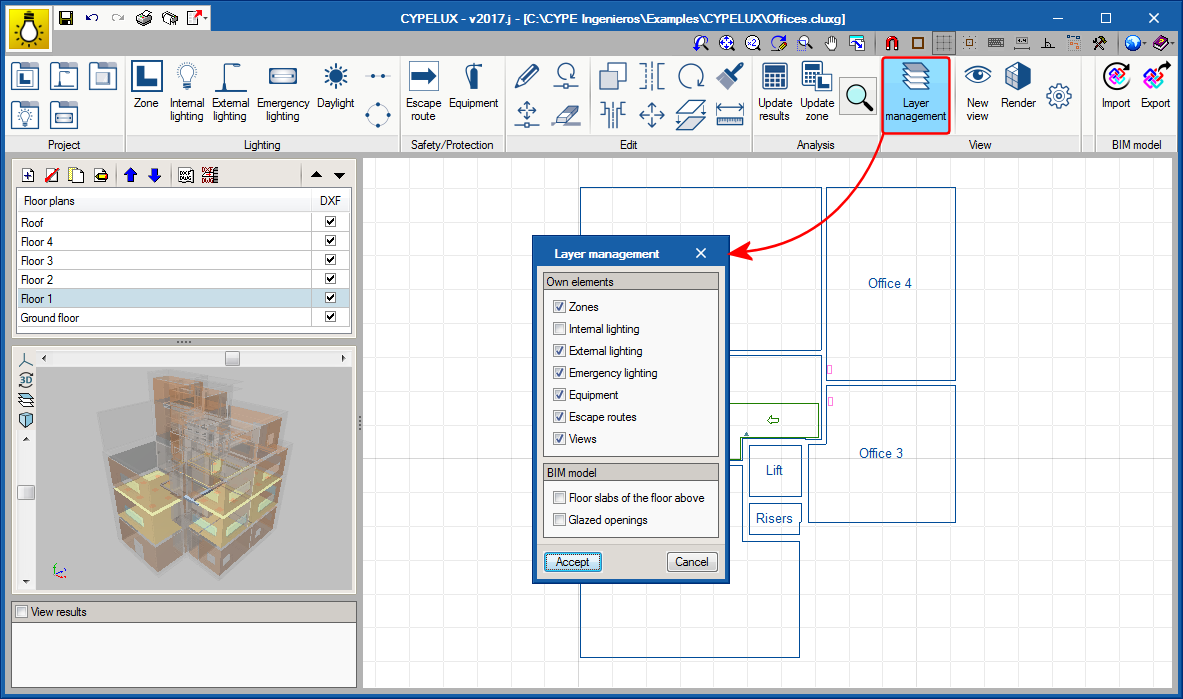
The view of the floor above can be deactivated from the “Layer management” of the program.
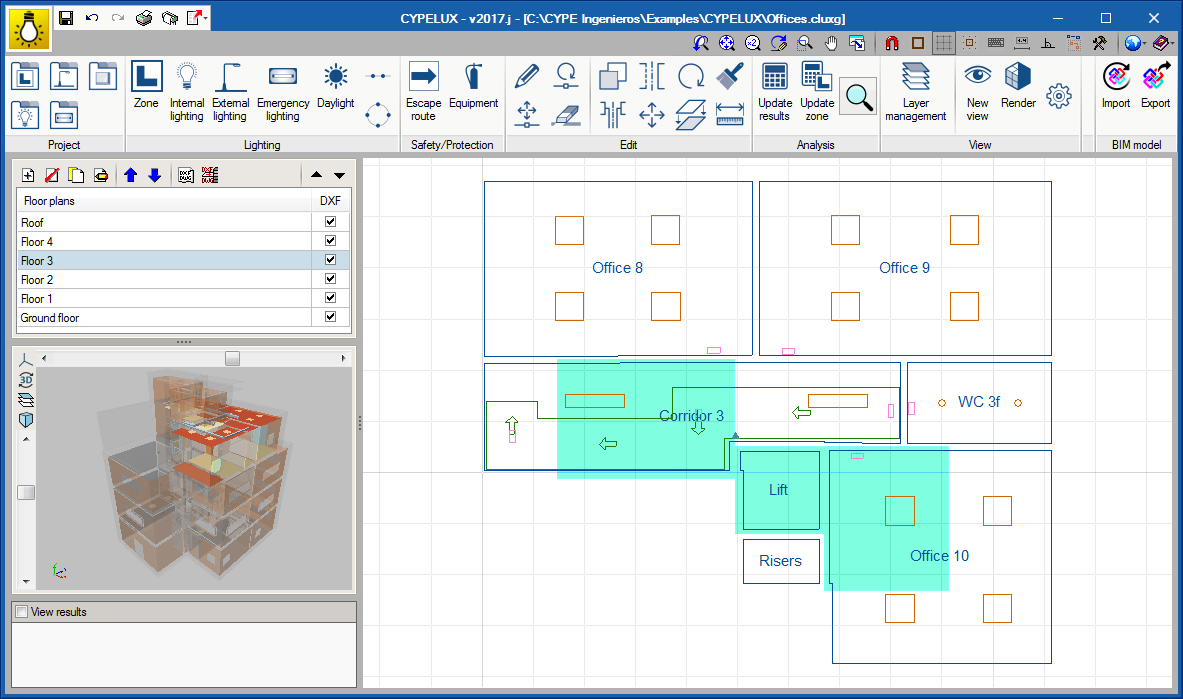
The “Layer management” option has been implemented in the “View” group of the toolbar of the program. This option displays a panel from which users can indicate which building elements are to be displayed on the floor plans of the project.