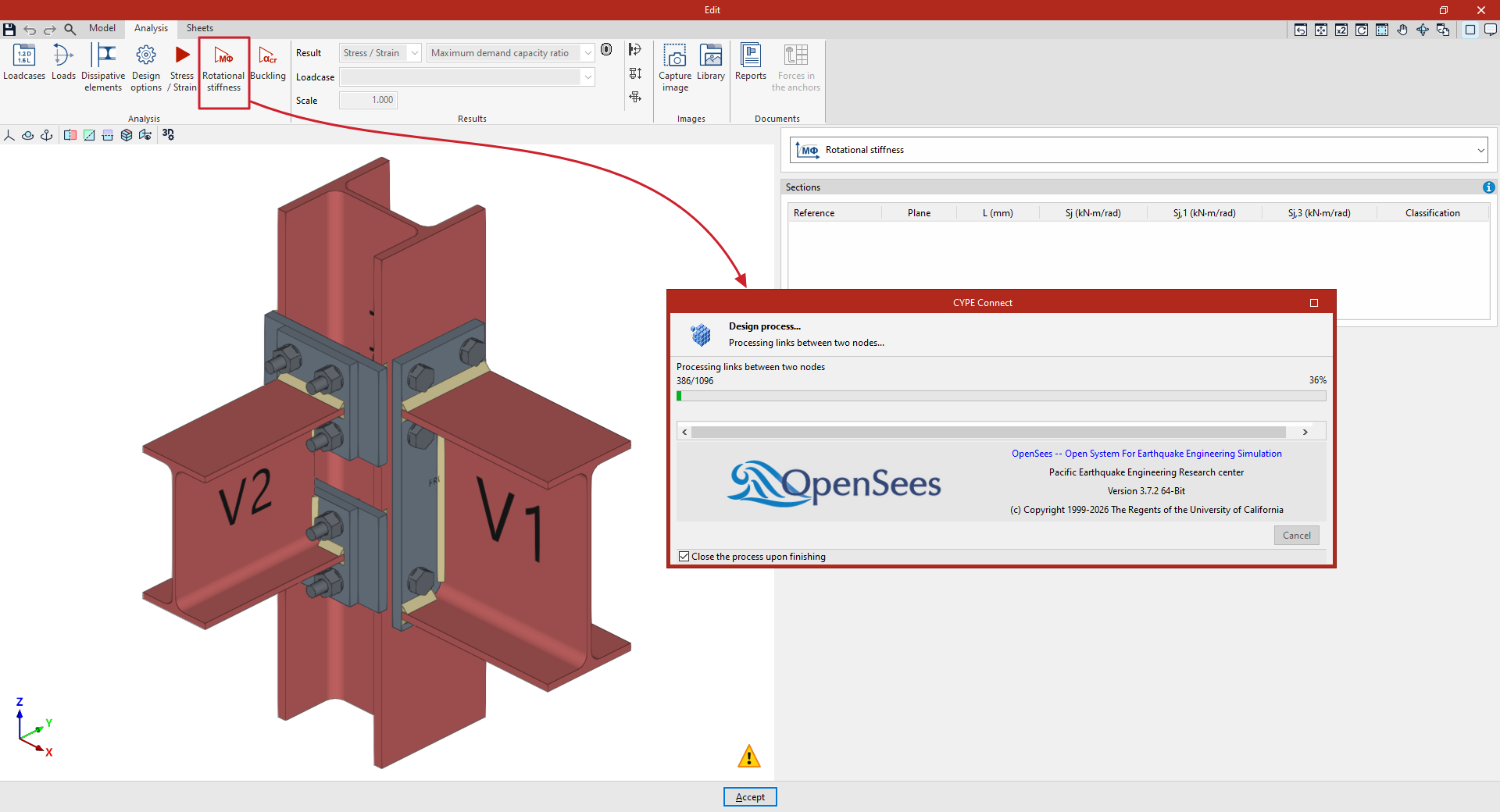
Analysing rotational stiffness in the connection editor
The following option in the top toolbar of the "Analysis" tab, within the connection editor, allows you to carry out a rotational stiffness analysis for each connection:

First, configure the "Loadcases" and the "Loads" acting on each bar using the options in the top toolbar. In the "Loads" panel, select the bars for which you wish to carry out the “Rotational stiffness” analysis and enter the internal forces, the elastic lengths of the bars in the structural model and the kb factor.
The loads, the elastic lengths of the bars in the structural model and the load cases may have been generated automatically using the "Generate from BIM model" option. The import of loadcases for rotational stiffness analysis can be configured in the "Rotational stiffness" section of the window that appears when you click on this option.
Rotational stiffness
The "Rotational stiffness" option carries out the rotational stiffness analysis. This design option allows you to determine the moment capacity, initial stiffness, secant stiffness and connection classification (rigid, semi-rigid or pinned) of steel sections.
To obtain the moment-rotation diagram, the program carries out an iterative process, calculating the rotation at different load steps. The resisting moment is obtained when any component of the connection (plates, sections, welds or bolts) fails, i.e. when its demand capacity ratio exceeds 100 per cent.
Once you have finished, you can view the results provided by the program to continue your work.