CYPE Mentor

Solutions for professionals

Share

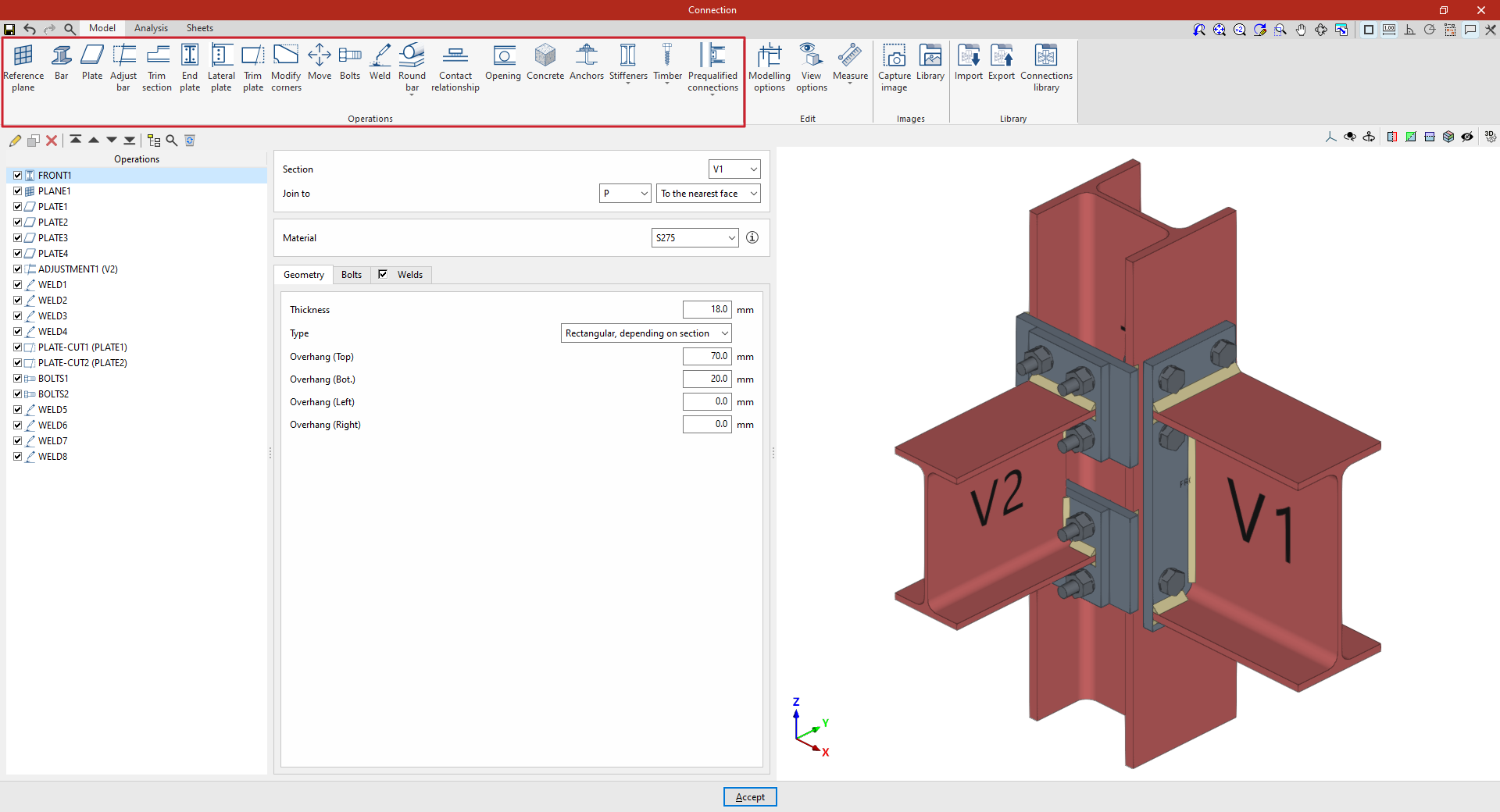
Options available when defining connections

In the “Model” tab of the connection editing window, you must specify the “Operations” required to define the connection using the tools in the relevant panel. The available operations are as follows:

To open the edit window for a “Connection”:

  • In CYPE Connect, once the node has been created, select it from the table on the left-hand side of the interface and edit the “Connection” by clicking on the corresponding button at the top.
Accessing the connection editor in CYPE Connect
  • In StruBIM Steel, select the "Edit" option for the connection in the "Model" tab (which was previously created using the "Connection" option).
Accessing the connection editor in StruBIM Steel