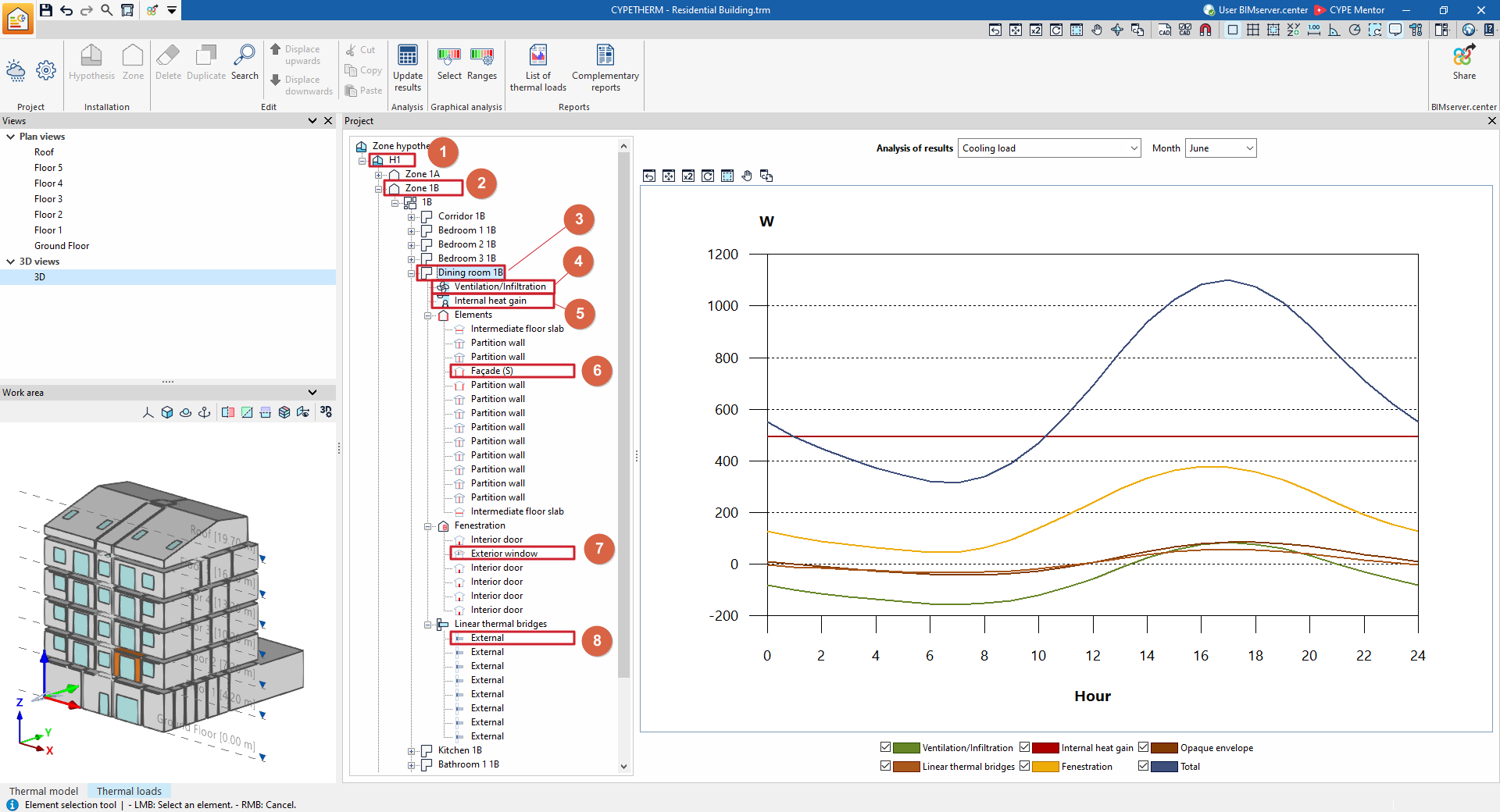
Viewing information in the project tree in the "Thermal loads" tab
On the left-hand side of the "Project" panel interface, under the "Thermal loads" tab, you will find the project element tree. This tree is organised according to the various defined zone hypotheses, which include the zones with their assigned spaces and, within each space, the ventilation and infiltration data, internal heat gains, and the calculated data for the associated elements, openings and linear thermal bridges.
When you click on each level in the tree on the right-hand side, the program displays information about the relevant part or component of the project and its analysis results. This information is updated and can be viewed after calculating the building’s thermal loads using the "Update results" option in the top toolbar.
The information available at each level of this tree is as follows:
- Information at the "Hypothesis" level
- Information at the "Zone" level
- Information at the "Space" level
- Information on ventilation/infiltration in the building
- Information on internal heat gain within the building
- Information on the space's elements
- Information on the space's openings
- Information on the space's linear thermal bridges