Update history​​

CYPECAD

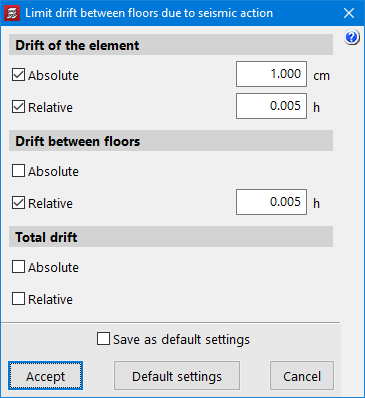
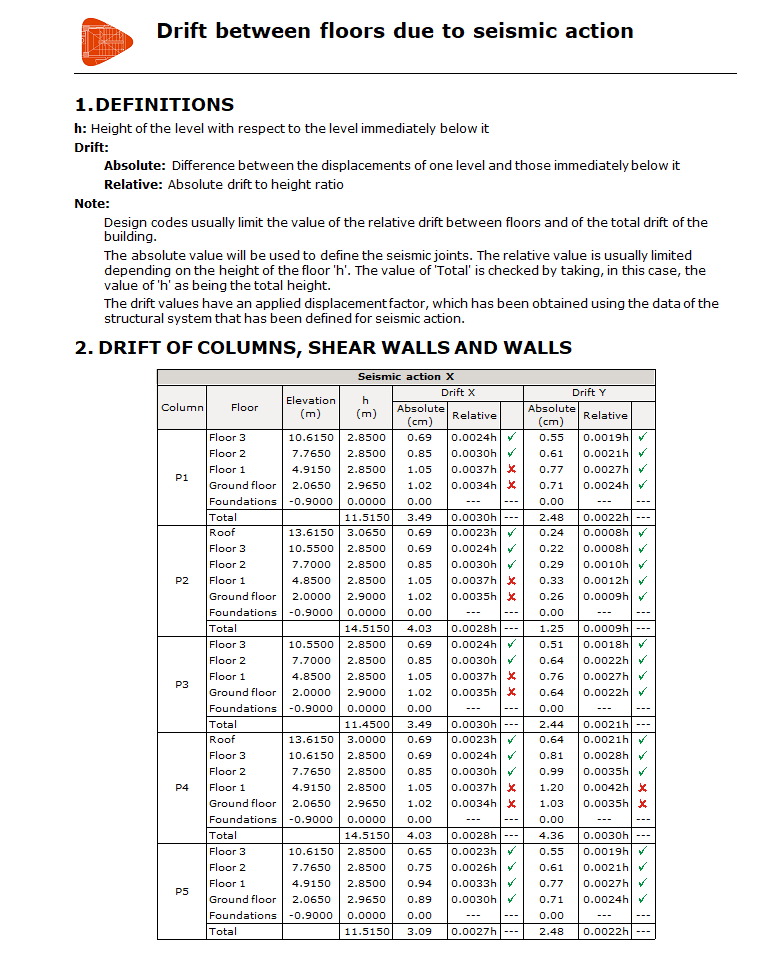
The program provides a new report that shows the drifts in columns, shear walls and walls, as well as the average drift between floors, due to the seismic loadcases considered. These drifts are verified according to the limits specified by the user under "Project menu" > "General Options" > "Limit drift between floors due to seismic action".

Polish National Annex to Eurocode 1: Eurocode 1: Actions on structures - Part 1-4: General actions - Wind actions

Implemented in CYPECAD and Portal frame generator.

CYPECAD version 2023.b includes other minor improvements and corrections of the program for certain cases:

  • Exporting reinforcement bars of beam frame openings to the BIM model

  • Beam reinforcement editor
    The editing of reinforcement bars has been improved so that when the value of the total length is changed, it is modified proportionally on both sides of the bar (if it is a negative moment rebar with respect to the node, and if it is positive moment rebar with respect to its centre).

  • Beam intersection references
    The generation of beam intersection references has been improved when a base reference is defined with more than 5 characters.

  • Exporting to the BIM project
    The size of the exported data has been considerably reduced in order to view the reinforcement of all elements in a BIM project.

  • Transverse reinforcement in the form of column and beam stirrups
    The generation of transverse reinforcement in the form of column and beam stirrups has been improved in accordance with the "Eurocode 8" seismic code. Stirrup anchorage is now carried out with 10ø, while previously it was carried out with 5ø.

  • Improving the import of walls from a BIM project
    In some cases, a wall could not be entered if there was an intersection where the end of one wall was not positioned on the axis of the other wall.

  • Joist floor slab cover
    The joist floor slab cover range has been increased to 8 cm.

  • Fire resistance check
    An error that occurred in jobs that included frames with locked reinforcement and an active fire resistance check has been fixed. After carrying out the analysis, the fire resistance check of frames with locked reinforcement could not be consulted. Now the error no longer appears, although, in jobs where this problem occurs, the frames must be unlocked and reanalysed in order to be able to consult these checks. These checks can also be accessed again if the frame reinforcement is edited and a modification is made.

  • Reports
    An error that occurred when generating a customised report that included the "Beam reinforcement report" and "U.L.S. Checks - Beams" chapters has been fixed.

  • Editing frame reinforcement
    An error that occurred when editing beam frame reinforcement after joining groups has been fixed.

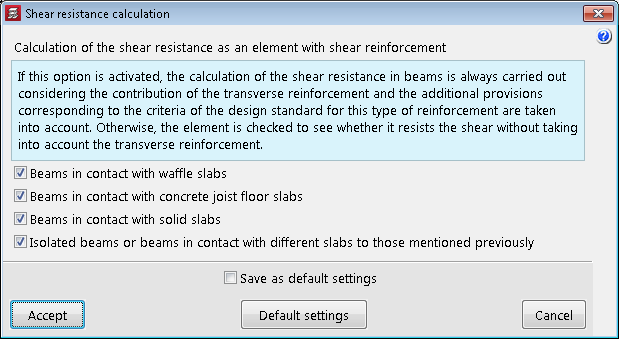
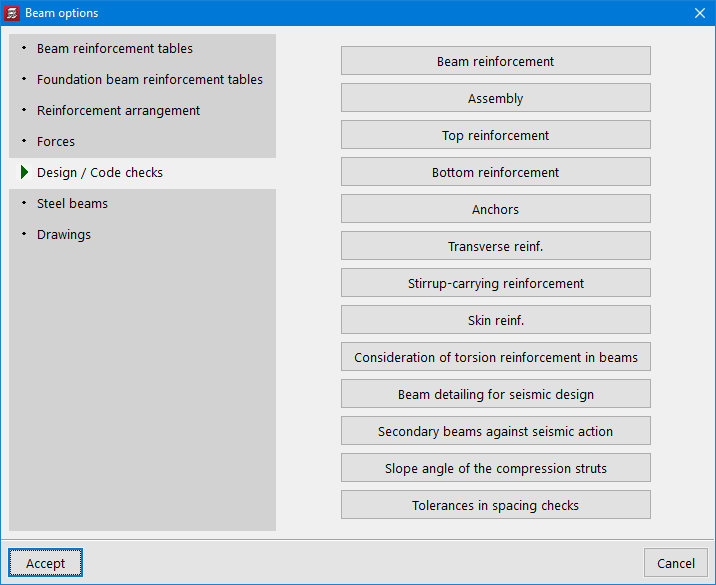
The "Shear resistance calculation" option has been implemented in order to optimise the check and design of the transverse reinforcement of beams. It can be accessed from the "General data" panel (General data > Bars > By position > Beam options > Design / Code checks). 

If this option is activated, the calculation of the shear resistance in beams will always be carried out considering the contribution of the transverse reinforcement and the additional provisions according to the criteria of the code for this type of reinforcement will be taken into account. Otherwise, a check is first made as to whether the element resists the shear resistance without considering the transverse reinforcement.


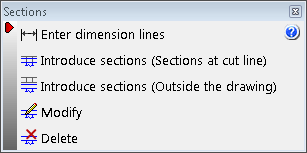
The interface of this submenu has been updated. It consists of the following options:

  • Enter dimension lines
  • Introduce sections (Sections at cut line)
  • Introduce sections (Outside the drawing)
  • Modify
  • Delete

In previous versions, the construction elements that could be entered in CYPECAD were defined between groups ("Beam definition" tab > "Loads" menu). Now the possibility to enter "Parapets" has been implemented. Parapets are defined in the same way as the construction elements between groups, but instead of specifying the end group, the height of the parapet must be defined.

Parapets will not be included in seismic analyses, as opposed to partitions.

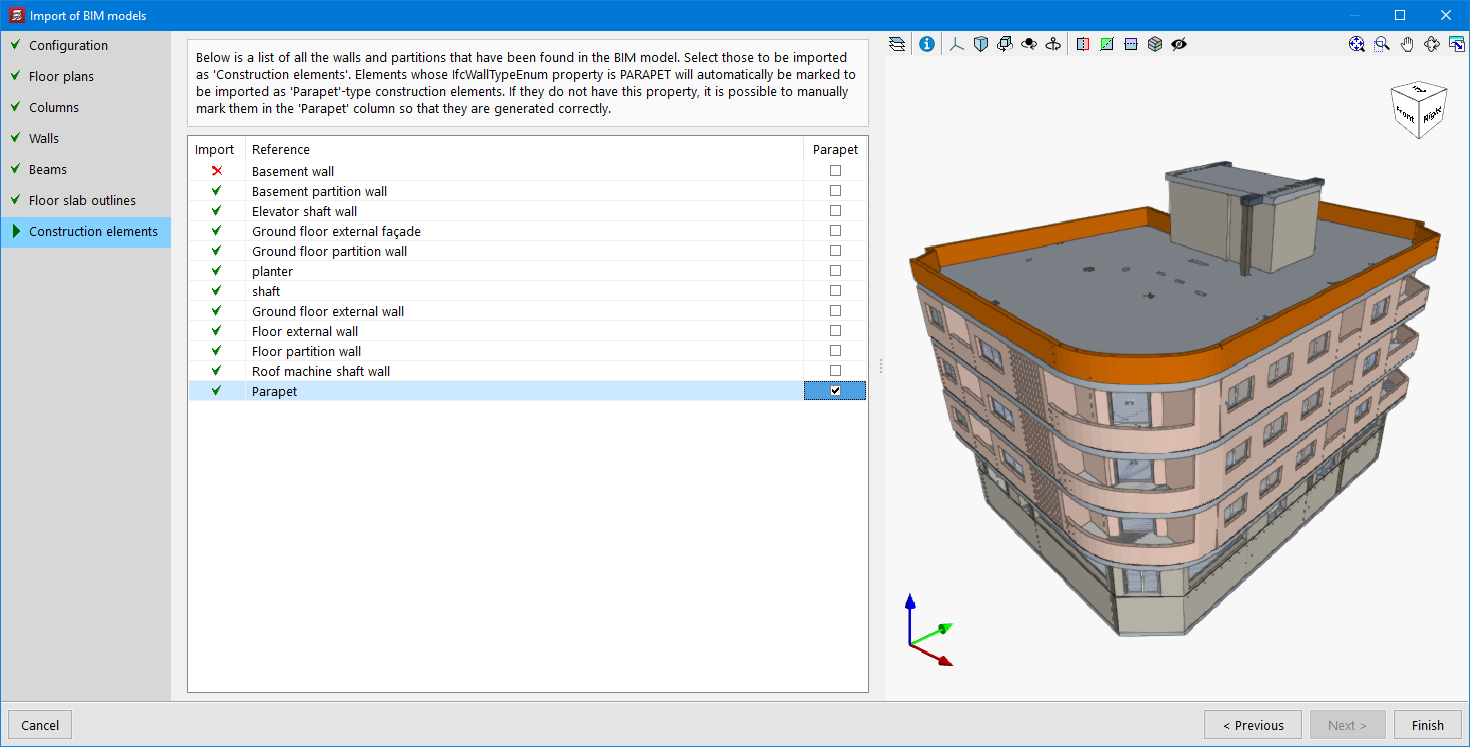
When importing a BIM project, elements whose "IfcWallTypeEnum" property is "PARAPET" shall be automatically marked to be imported as construction elements of the "Parapet" type. If they do not have this property, they can be marked manually in order to be generated correctly.

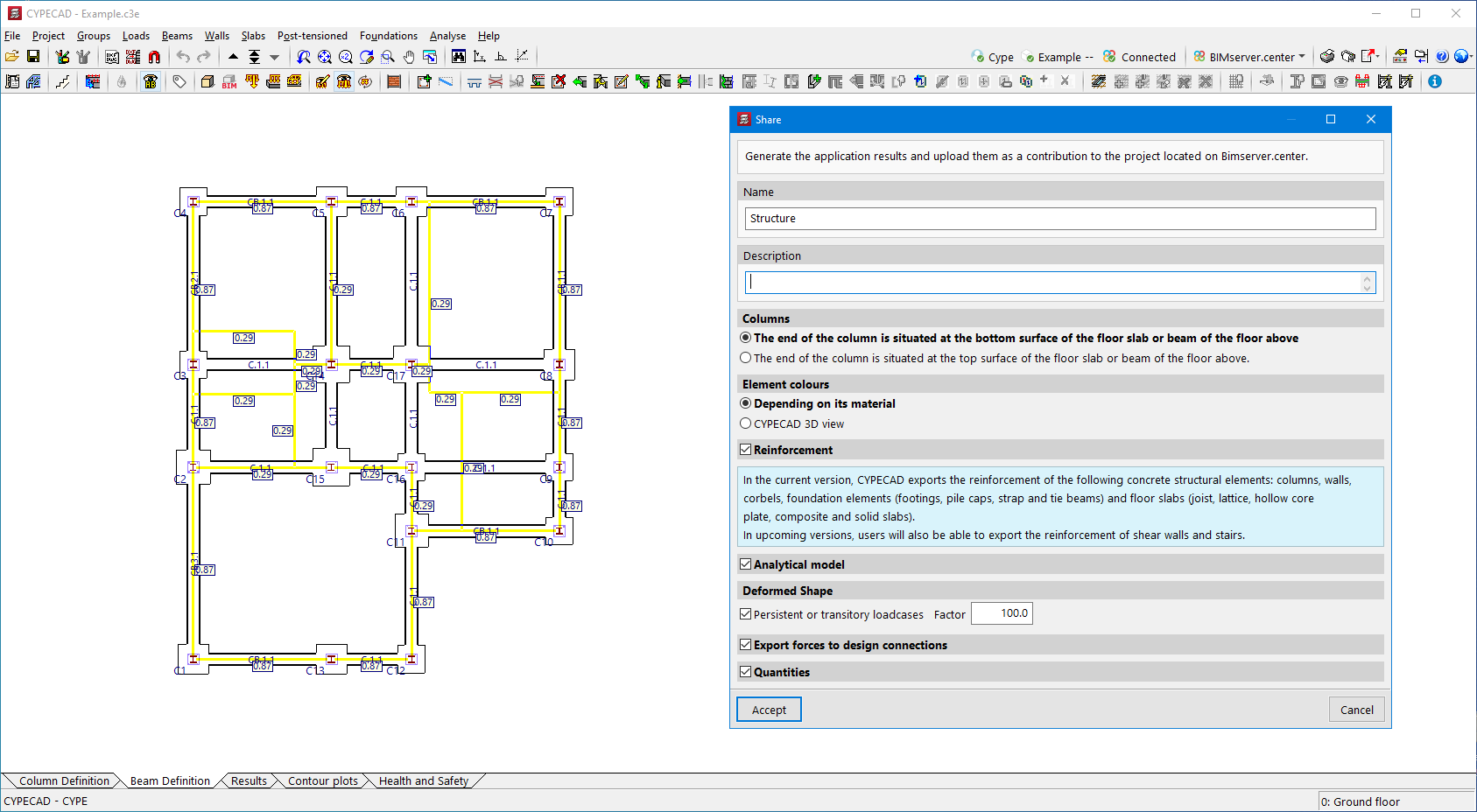
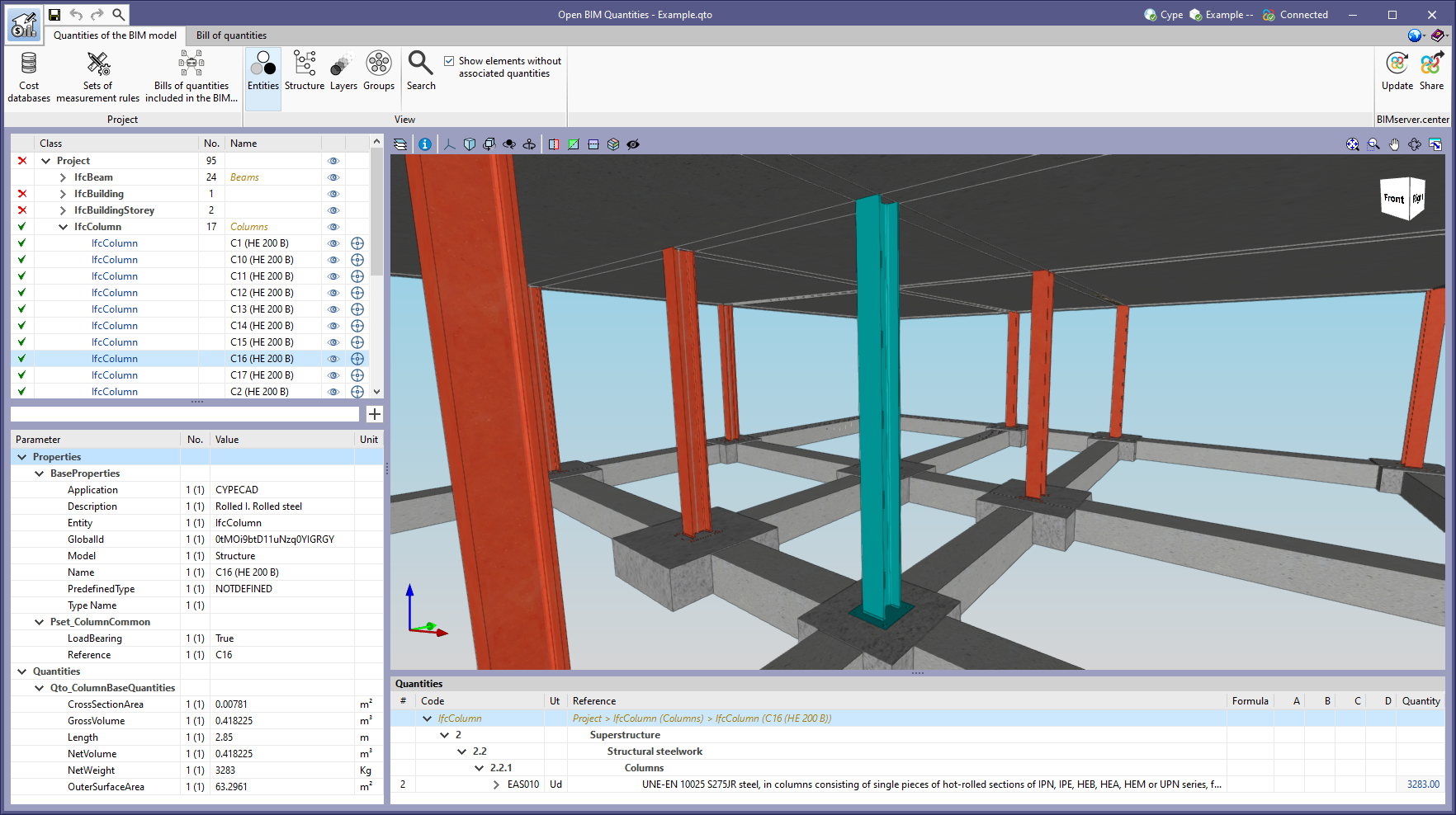
As of version 2023.b, CYPECAD exports the quantities of the IFC standard ("IfcQuantitySet") related to structural elements with steel sections to the BIMserver.center project. These quantities can be read by other applications integrated in the Open BIM workflow via the BIMserver.center platform.

For example, the Open BIM Quantities tool can use this information for generating the bill of quantities.

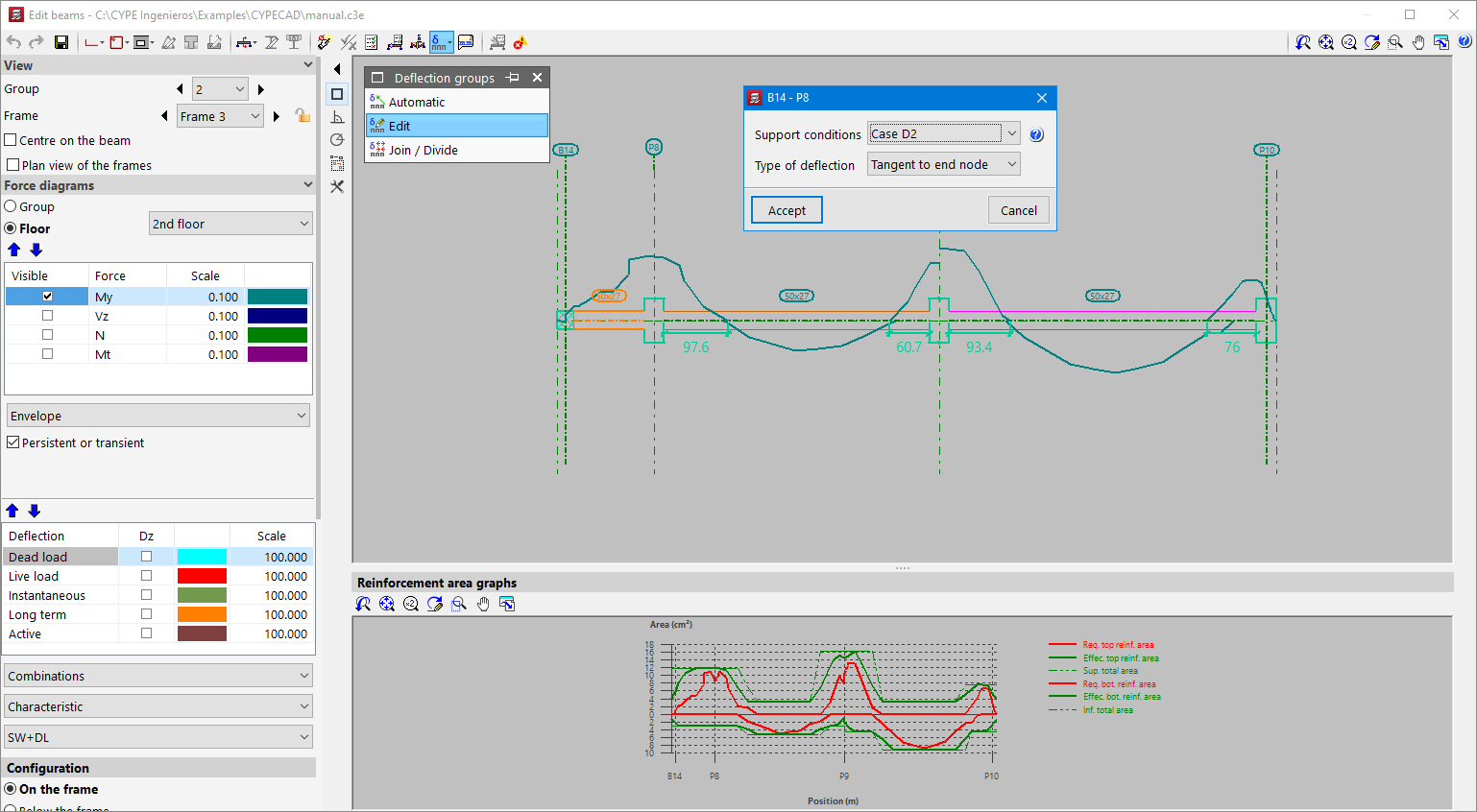
In version 2023.b, three options have been added for editing the deflection groups of beam frames. Up to this version, deflection groups were generated automatically and no changes could be made. These options are as follows:

  • Automatic
    Allows users to automatically generate the deflection groups.

  • Edit
    Allows users to modify the "Support conditions" and deflection type for each deflection group.

  • Join / Divide
    Allows users to join and divide deflection groups. When selecting a node between two deflection groups, those groups will be joined together. Selecting a node inside a deflection group will split that group.

Polish National Annex to Eurocode 2 (Design of concrete structures. Part 1-1: General rules and rules for buildings).

Implemented in CYPECAD, CYPE 3D, Reinforced concrete cantilever walls and Embedded retaining walls, for the analysis and design of concrete structures.

CYPECAD version 2023.a includes other minor improvements and corrections of the program for certain cases:

  • Deleting jobs
    In “File management” (“File” menu), several jobs can be selected in order to delete them simultaneously.

  • Floor diagram in the "Import of BIM models"
    In the "Floor plans" section of the "Import of BIM models" wizard, a floor plan diagram has been added to visually check if the floor plan dimensions to be imported are as expected.

    In some cases, the diagram does not appear because the information exported to the IFC file by the program where the model has been designed has not been generated according to the IFC standard. The best solution for these cases would be for this information to be exported correctly but, if this is not possible, the "Zo" value of "Local reference system of the model" in "Geographical location and reference system" can be modified. At this stage of the import wizard, the necessary instructions are given to match the plant dimensions to the expected ones.

  • Import of BIM models - Columns
    The fixed point of columns in BIM projects designed with CYPE Architecture is imported.

  • Improved selection of reinforced and prestressed joist floor slab sheets
    As of version 2023.a, users can select a card containing a concrete with a lower "fcd" than the one selected in the job.

  • Updating a BIM project
    An error that occurred when updating a BIM project after adding a floor with beams to the project has been fixed.

  • Reorganising beam alignments
    The warning message that appears when using the "Reorganise" option in the "Beam alignments" dialogue box ("Beam definition" tab > "Beams" menu > "Beam alignments") if there are alignments with previously assigned references has been improved.

  • Inertia reduction factors
    The values of "Inertia reduction factors" have been modified when the selected seismic code is 'P100 - 1/2013 (Romania)'. Previously they were the default values; now they are the values indicated by this code.

  • Generic column reinforcement with asymmetrical transverse section
    The generation of generic column reinforcement with asymmetrical shapes has been improved. In some cases, this reinforcement was generated with interchanged axes.

  • Beam assembly reinforcement tables
    The editing of the beam assembly reinforcement tables has been improved in order to allow the same entry to be used in different width and/or depth ranges.

  • Sloped beams
    The entry of sloped beams has been improved. After selecting the first point the zoom setting is maintained. Previously it was changed in order to display a complete view of the floor plan.

  • Concrete column resistance
    Four decimal points are allowed in "Concrete resistance > Reduction coefficient to be applied to the concrete resistance".

  • Adjusting beams
    In the "Beams > Adjust" option, the template snap has been improved. Previously, in some cases, the desired line could not be selected from among all the lines in the template when they were in close proximity to the beam.

  • Improved drawing of walls arranged on top of other walls
    On rare occasions, the drawing of one wall on top of another in the initial group of floors of the wall was not carried out correctly.

  • Importing jobs from CYPE 3D
    The import of CYPE 3D works as integrated 3D Structures has been improved. As of version 2023.a, jobs with user-defined project situations can be imported.

Two options ("Slope angle of the compression struts" and "Tolerances in spacing checks") and several improvements have been implemented in order to optimise the check and design of beams and columns. These options and improvements are available for the following codes:

  • Eurocode 2 (EU)
  • Eurocode 2 (Spain)
  • Eurocode 2 (Portugal)
  • Eurocode 2 (France)
  • Eurocode 2 (Romania)
  • Eurocode 2 (Malaysia)
  • Eurocode 2 (Singapore)
  • Código Estructural (Spain)

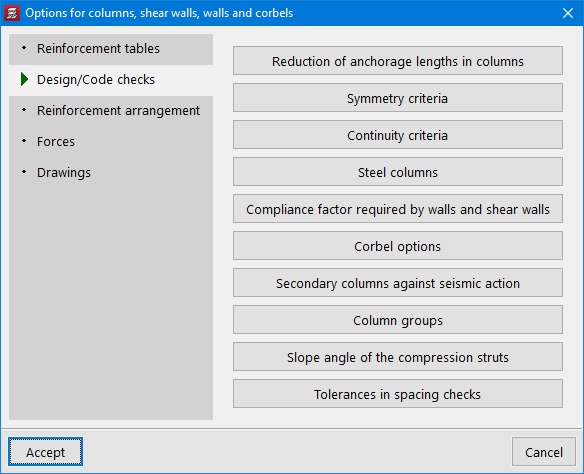
These new options can be accessed via the “General data” panel:

  • General data > Bars > By position > Options for columns, shear walls, walls and corbels > Design / Code checks.
  • General data > Bars > By position > Beam options > Design / Code checks.

The new options and improvements are detailed below:

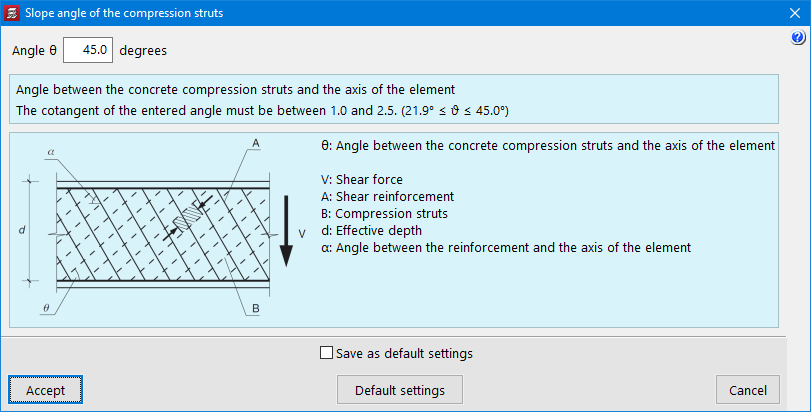
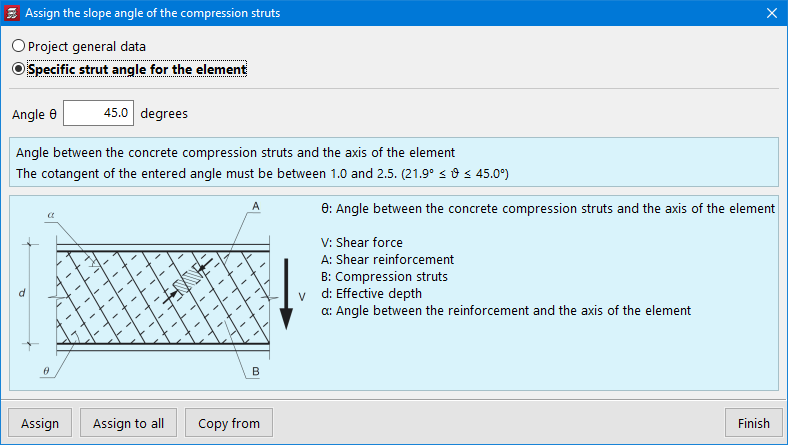
  • Slope angle of the compression struts
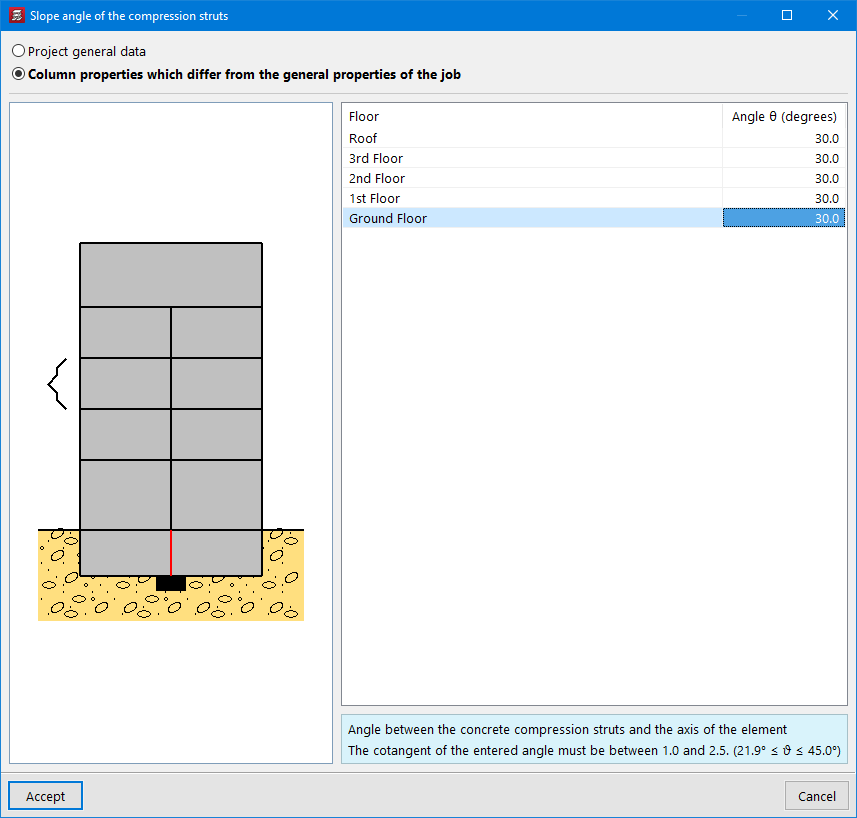
    Allows the angle between the compressed concrete struts and the longitudinal axis to be defined, which is to be considered in the shear resistance analysis. The program allows users to assign one general slope angle for the struts in all the columns of the structure, and another one for all the beams of the structure.
  • Values can also be assigned individually to columns and beams using the following options:
  • For columns
    Column definition tab > Columns, shear walls and starts menu > Slope angle of the compression struts.
  • For beams
    Beam definition tab > Beams menu > Other options > Assign the slope angle of the compression struts.
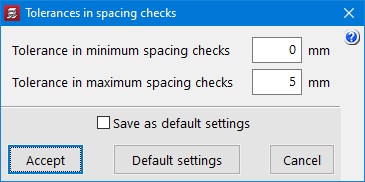
  • Tolerances in spacing checks
    The “Tolerances in spacing checks” option has been added for beams and columns. This option allows the value of the tolerance that is permitted when carrying out the minimum and maximum spacing checks between reinforcement bars to be defined. If the difference in absolute value between the value required by the code and the calculated value is less than the tolerance considered, the check is compliant.
  • Analysis of the spacing between transverse reinforcement crossties
    The analysis of the spacing between transverse reinforcement crossties has been improved.
  • Analysis of the concrete area for circular composite columns with embedded sections
    The analysis of the concrete area for circular composite columns with embedded sections has been improved. The radius of the circular concrete section is taken as the minimum value between "the actual section radius" and "the maximum radius permitted by the code", which defines limits for the maximum thickness of the concrete cover in fully embedded sections.

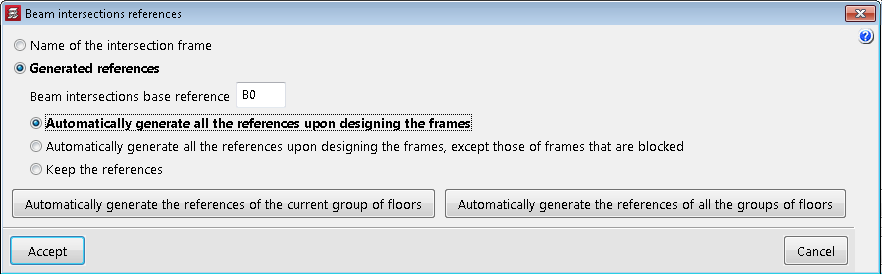
The “Beam intersections references” option has been added to the “Groups” menu of the “Beam definition” and “Results” tabs. These references can now be generated automatically according to the order of the frames.

For jobs created from version 2023.a onwards, this will be the default option. For jobs that have already been created, the order in which they were generated is maintained, but the "Beam intersections references" option can be used to change the order.

CYPE Mentor