Accessing the sheet editor
The sheet editor is a dedicated interface that lets you work on and print the graphical documents for the various components of the structure developed in the program, and it can be accessed in several ways:
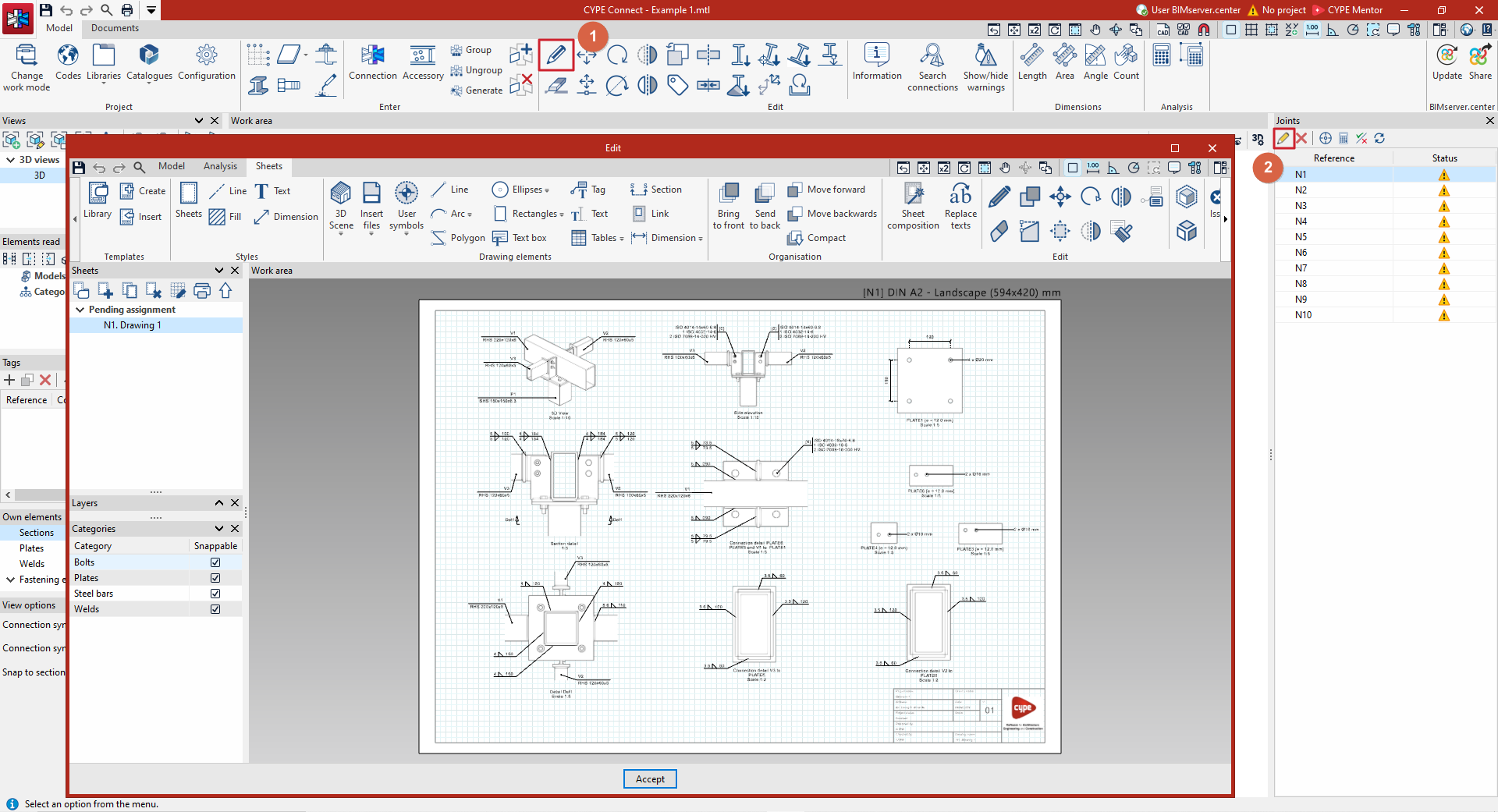
- From the "Sheets" tab in the joint editor
You can arrange the sheets for the connection you are currently editing. To access the connection editor, you can:- Use the "Edit" option (1) in the main interface, within the "Edit" section in the top toolbar on the "Model" tab, on a visible connection in the work area.
- "Edit" (2) a joint from the joint management panel, located on the right-hand side.
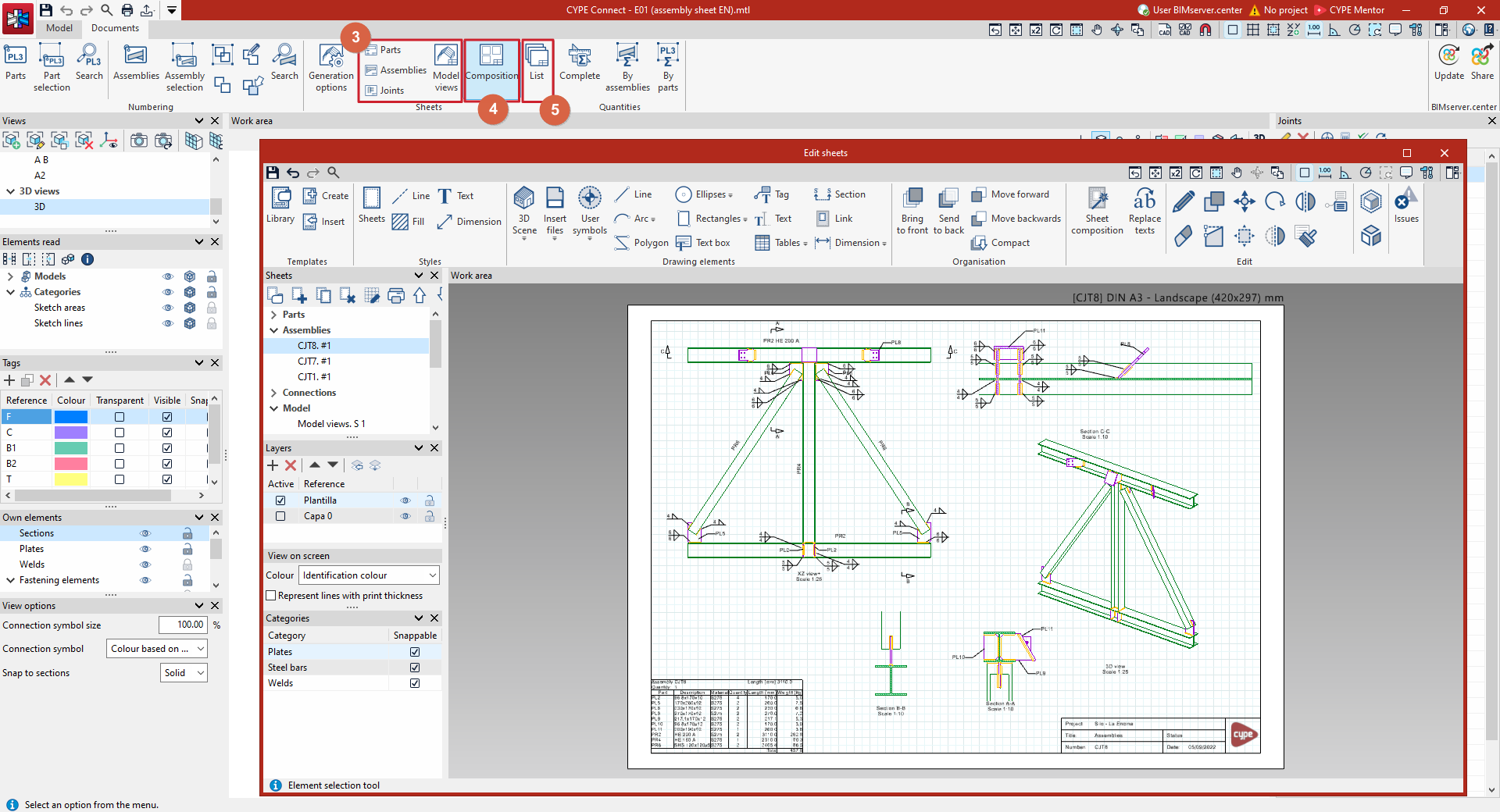
- From the options in the "Sheets" section of the "Documents" tab in the main interface
These let you edit all the sheets that can be created in the program:- The "Parts", "Assemblies", "Joints" or "Model views" options (3) allow you to access, respectively, the sheets for each part and each assembly (in "Fabrication" mode), the sheets for each joint, and the model view sheets.
- The "Composition" option (4) allows you to view all the sheets created in the project and includes the option to create a sheet composed of other sheets.
- The "List" option (5) provides access to each of the previously created drawings of parts, assemblies, joints and model views.