Import a cost database in BC3 format
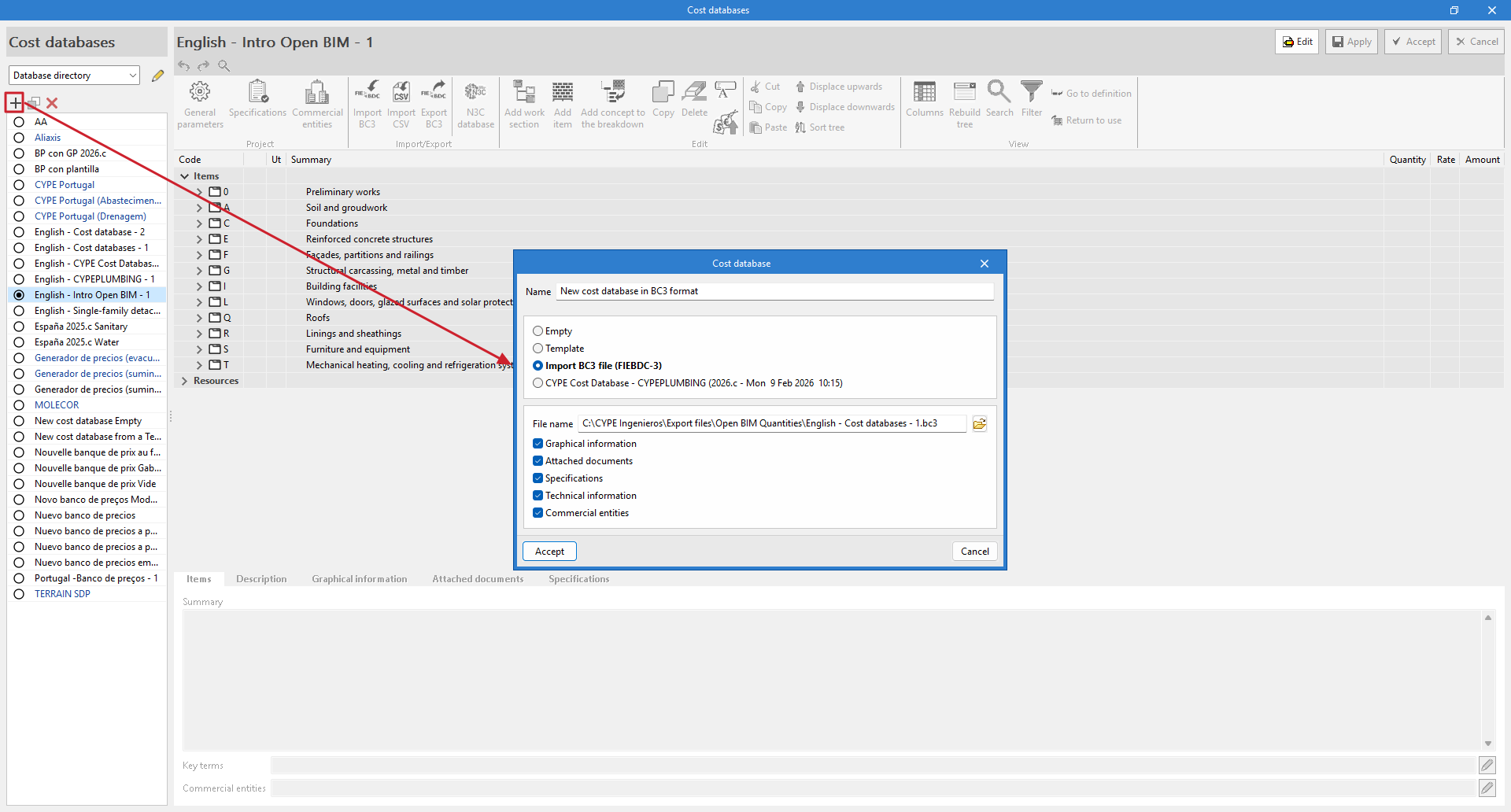
It is possible to create a cost database from a file in FIEBDC-3 format using the "Import BC3 file" option.
In this case, you must enter a name for the new file and select the BC3 file using the button on the right. Optionally, you can enable the import of associated "Graphic information", "Attached documents", "Specifications", "Technical information" or "Commercial entities". After accepting the window, the program begins the process of reading and importing the file. When completed, it displays an "Import completed" message, which must be accepted again.
To view the imported information, you need to edit the cost database, where you will see the work section structure, items, and resources. You can make adjustments and modifications using the options in the top toolbar. You must click "Accept" to save the changes you have made.
A BC3 file can be imported into a previously created cost database. With the database open for editing, select "Import BC3" in the "Import/Export" group. In the pop-up window, in addition to selecting the BC3 file with the button on the right and marking the information you want to import, you can: "Delete the cost database data", which replaces the existing information in that bank with the information imported from the BC3 file, or "Update the cost database", which incorporates the data from the BC3 file while respecting the existing information.
Another way to import a BC3 file is by dragging and dropping it directly into the cost database table. In the import window, select "Add item" to include a single item, and "Import the complete file" to include all items in the file.
| More information: |
|---|
| You can generate BC3 files with other CYPE apps, such as Arquimedes. The main construction databases also offer information in this format. |