Cost databases
To make it easier to enter construction costs, both entire databases and individual concepts can be imported from cost databases that have been developed according to the FIEBDC-3 standard, such as the CYPE Cost Database. Cost databases in CSV format can also be imported.
Within the "Bill of quantities" tab, in the "Project" group of the main toolbar, you will find the "Cost databases" option.
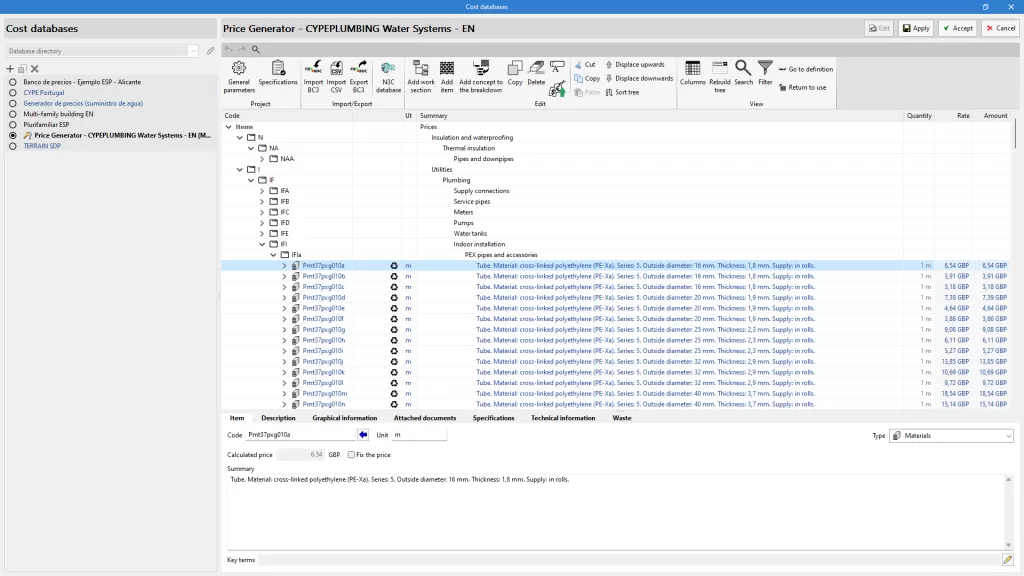
The "Add" option allows users to create or import cost databases in FIEBDC-3 format, and the "Edit" option allows them to consult or edit any concept or information contained therein.
| Note: |
|---|
| Existing cost databases can be copied or deleted by clicking on the icons to the right of "Add". At the top is the "Configuration" option, which allows the database search directory to be set. |
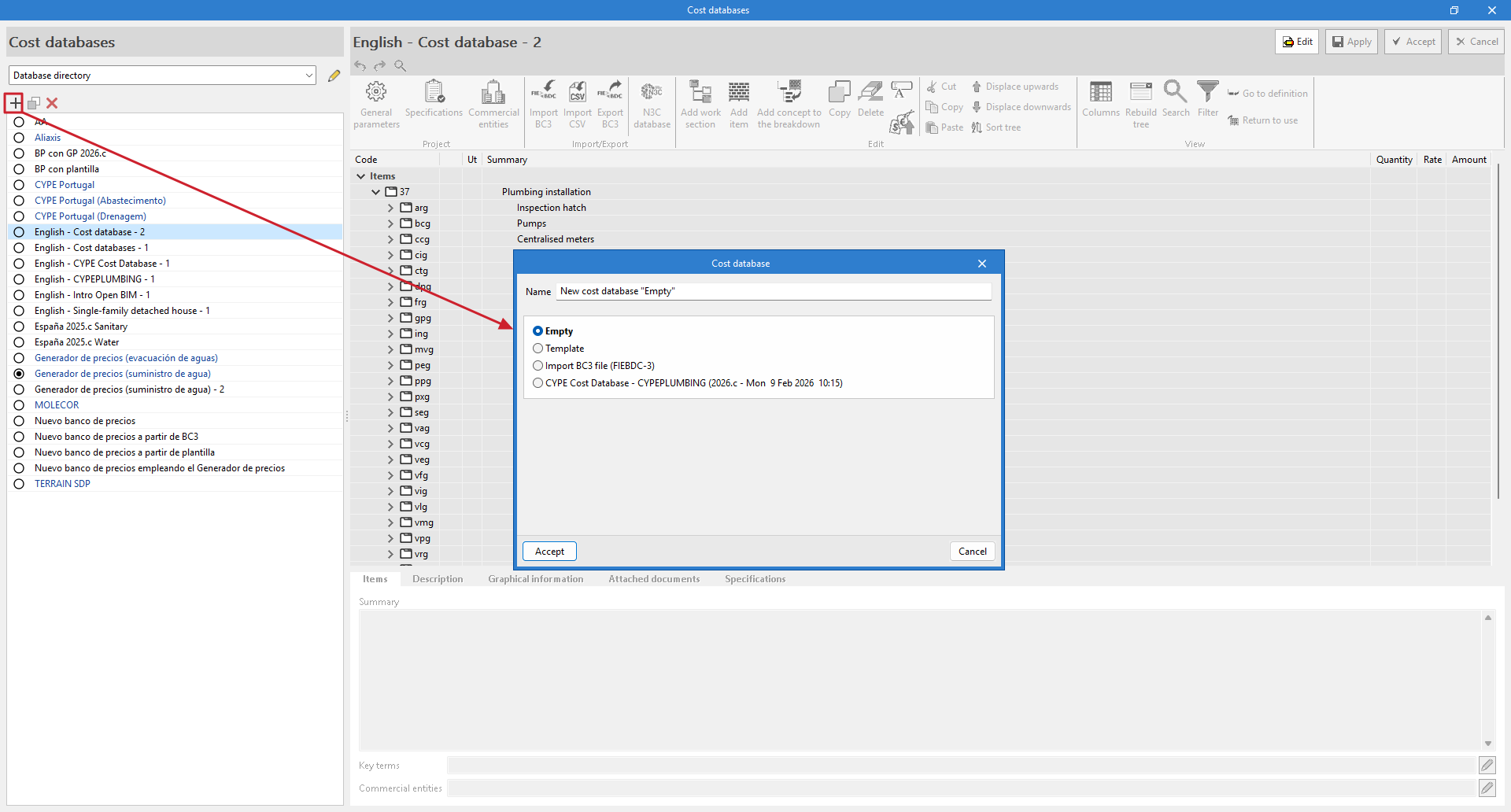
Create a new "Empty" cost database
When creating a new cost database, you must specify a name for the new file and a work section structure to keep it organised. To create a database from scratch, we recommend selecting the "Empty" option.
Edit the cost database
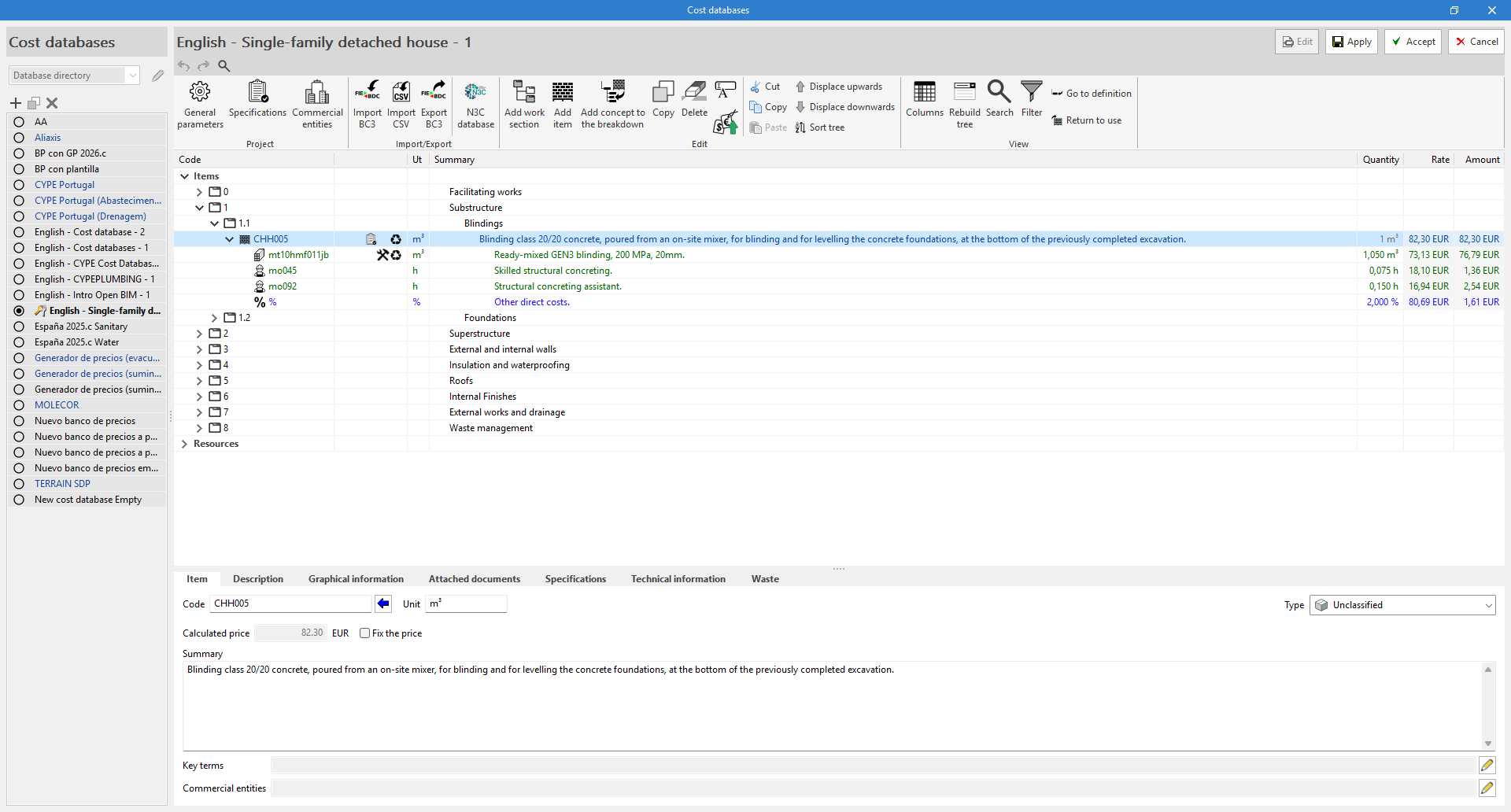
When accessing the editing environment, there are three different panels:
- Secondary panel or definition area
Located below the previous one, this shows information about the selected concept and allows it to be edited. - Toolbar
This contains all the necessary tools to add or edit concepts to the cost database being edited. It also allows users to import or export to FIEBDC-3 format or to activate or deactivate the visibility of environmental or waste information. - Cost breakdown structure
This displays a hierarchical outline of the complete cost database in the form of a tree.