Mapping files
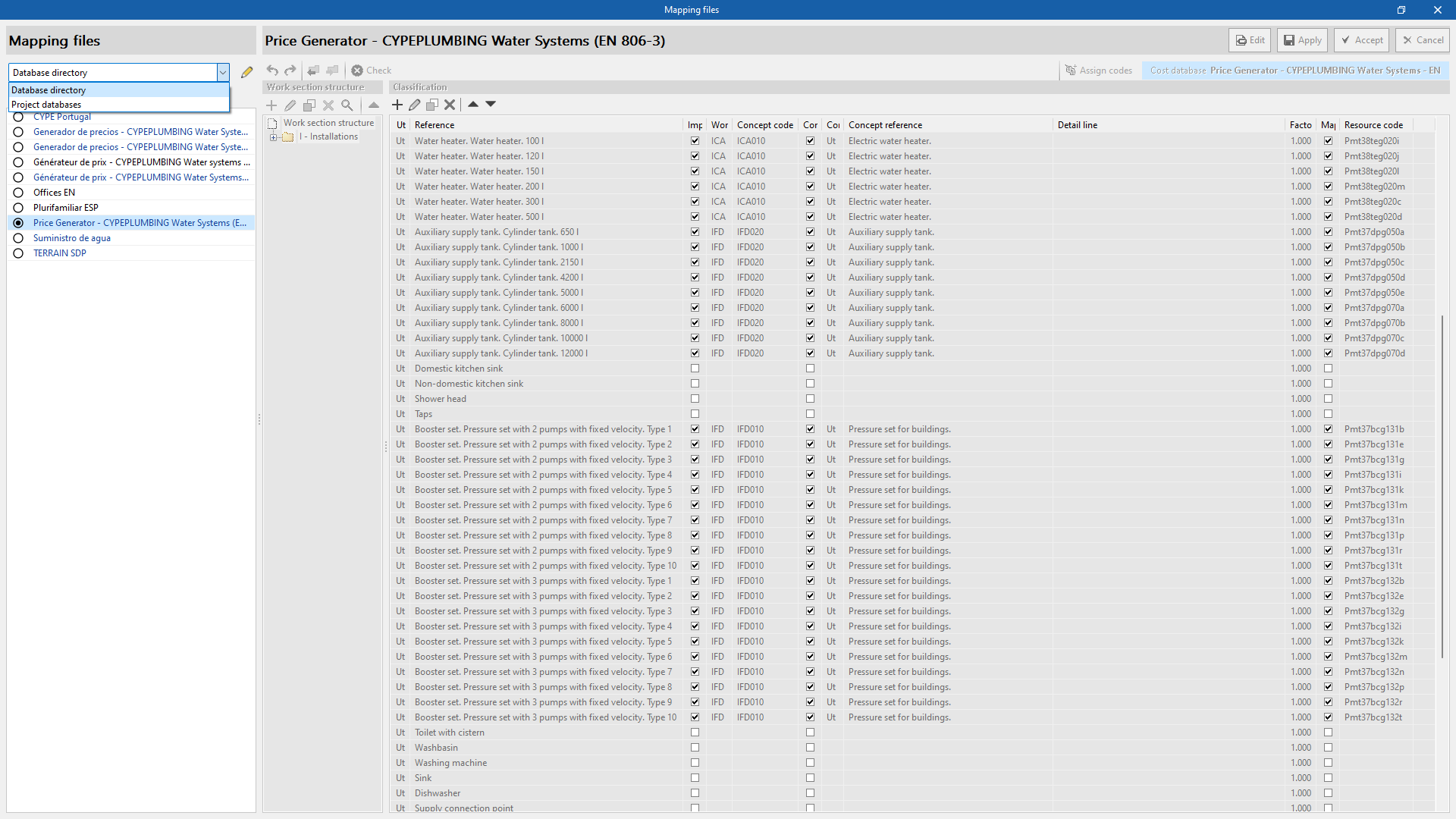
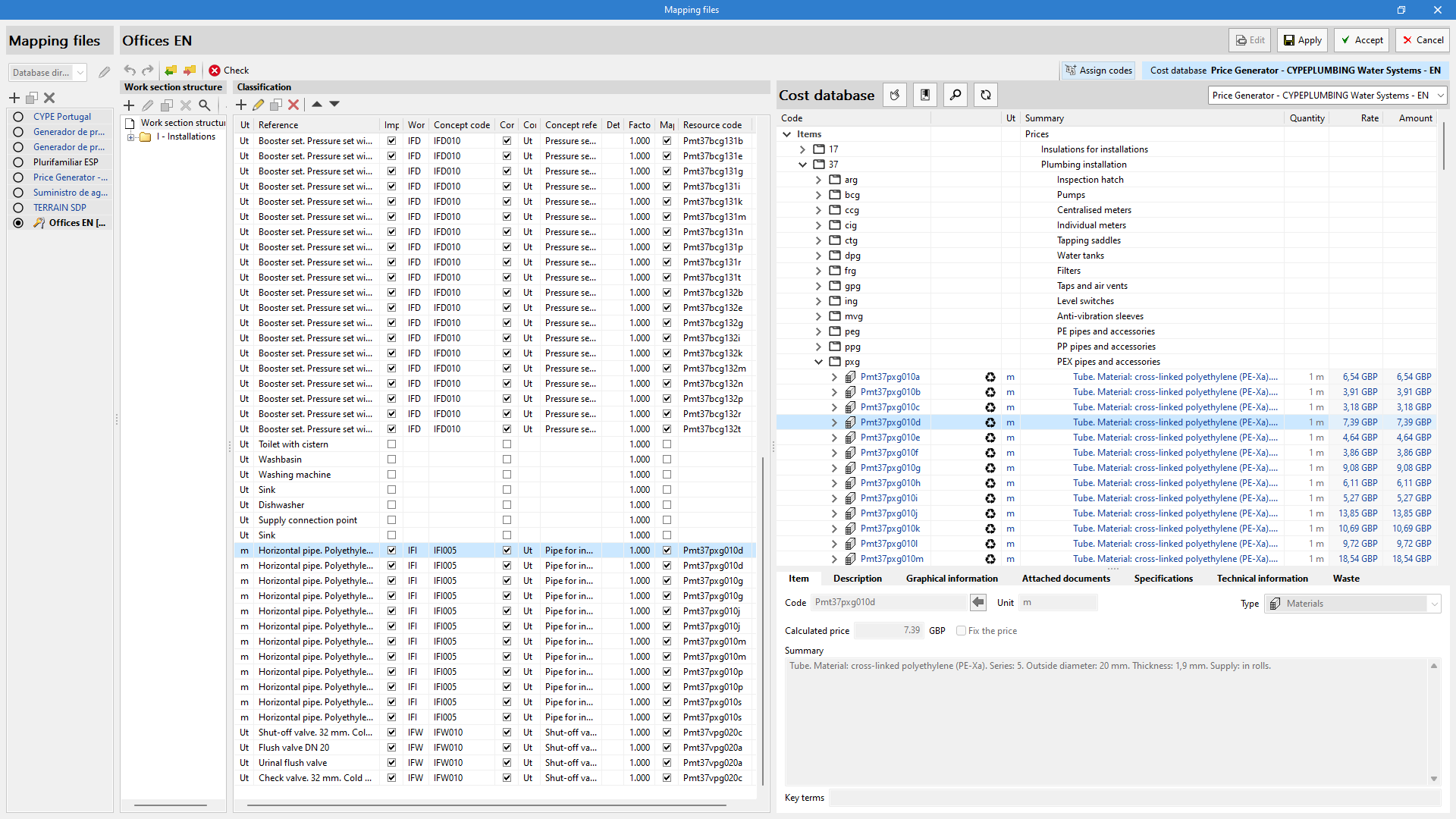
Apps with the "Bill of quantities" tab use "Mapping files" together with the "Cost database" in a project, in order to establish the relationship between the elements of the model, defined in the "Installation" tab, and the concepts from the database.
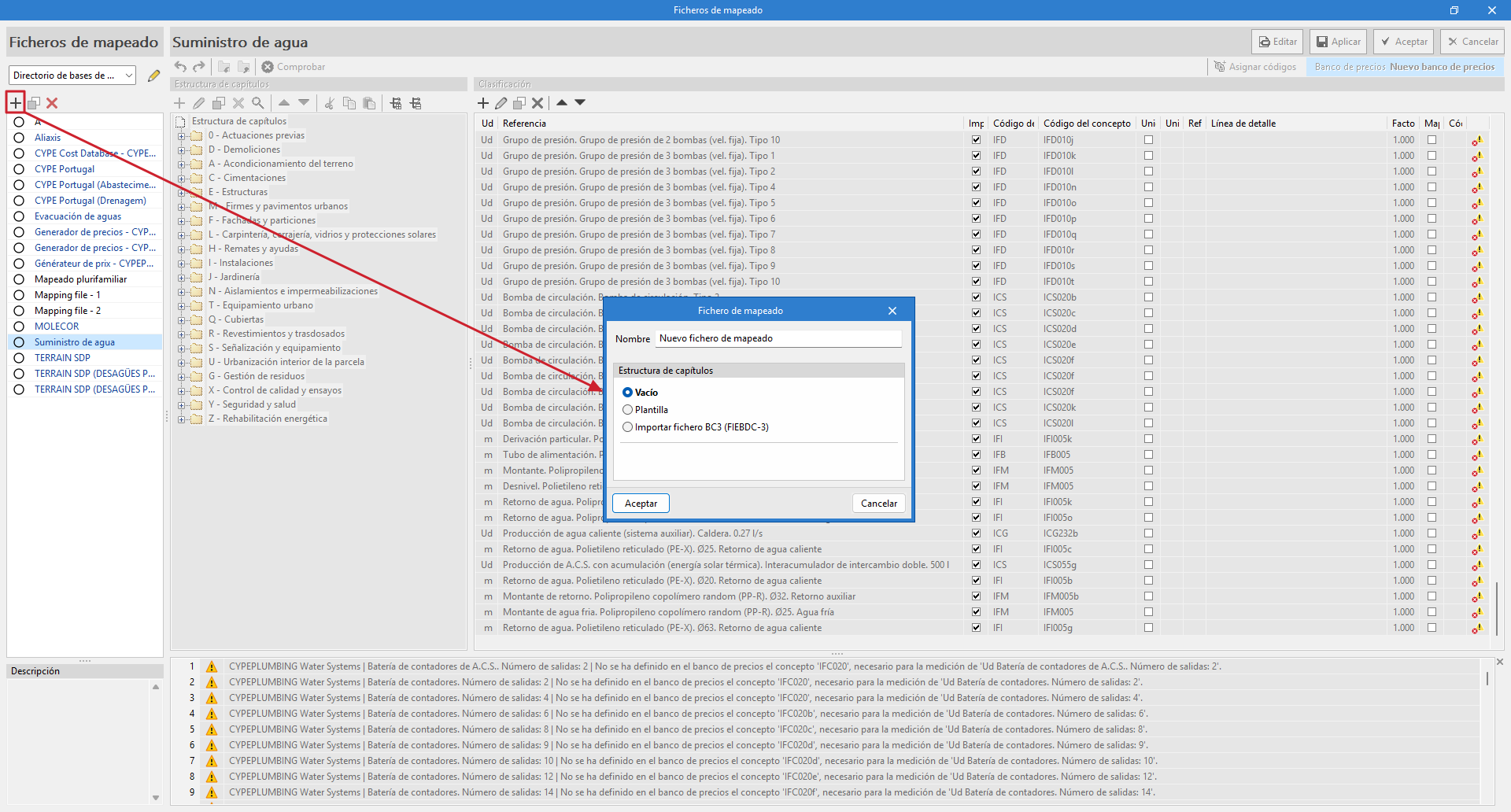
To ensure that the bill of quantities is generated correctly, you must create a new empty mapping file using the "Mapping" option in the "Project" group of the main toolbar.
Within "Mapping", the "Add" option allows you to create a new mapping file. You must enter a name for the new file you are going to create and a work section structure to keep it organised (in this case, select "Empty").
In most of the programs that have a "Bill of quantities" tab, a cost database, and a mapping example for elements in the system have been included. It should be noted that this is just an example and that users will be able to create their own mappings and cost databases.
| Note: |
|---|
| In "Mapping files" there is an option for importing the work section structure from a file in BC3 format according to the FIEBDC-3 standard. With this tool, it is easier to use the work section structure from a cost database or from a previous bill of quantities. |
| Note: |
|---|
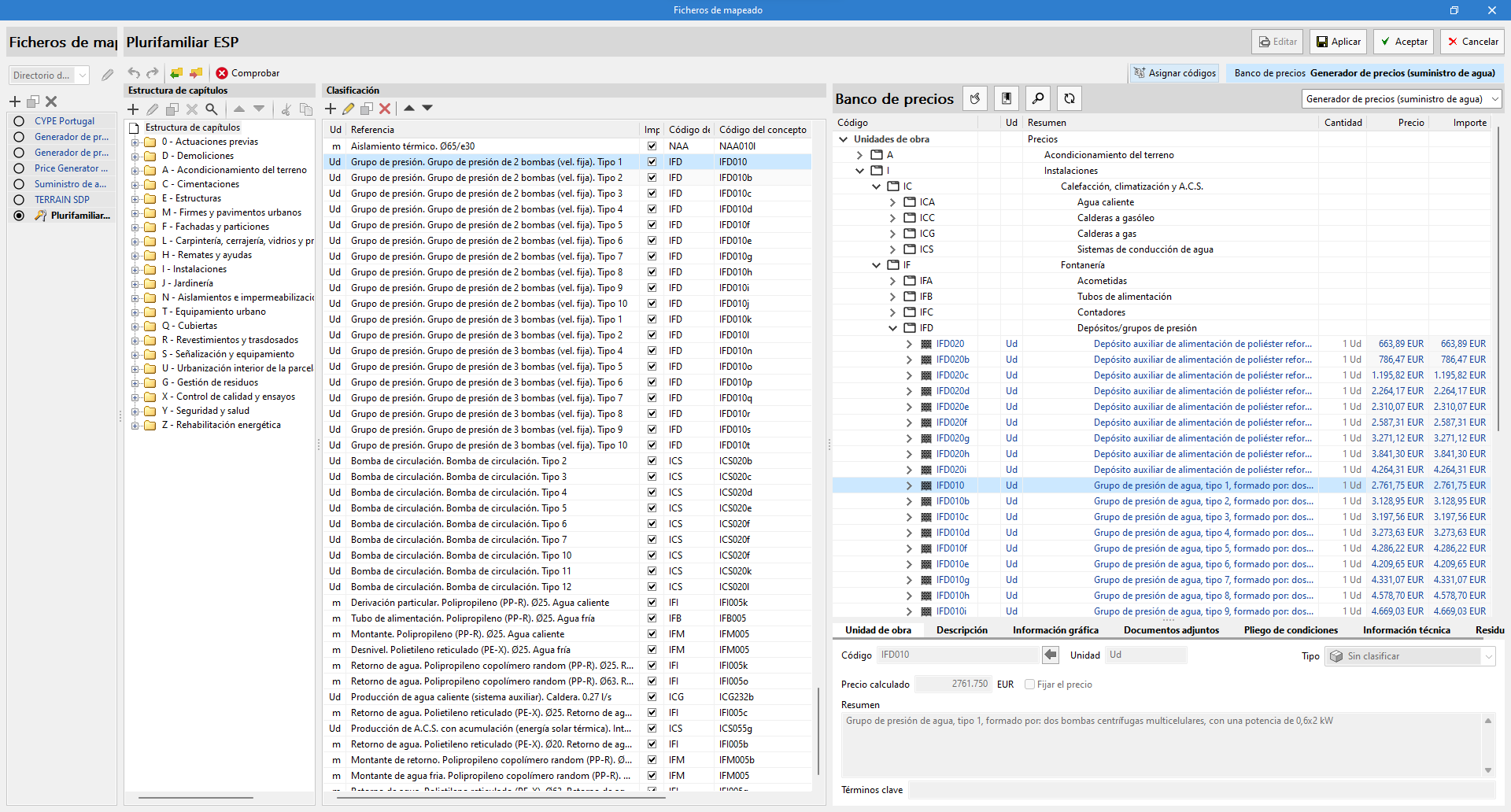
| In CYPEPLUMBING, in order to make the association process easier, two new default files have been added to the list of "Mapping files", extracted from the EN 806-3 standard, which can be selected from the "Installation" tab using the "General options" button. These files include all the types of elements from these standards. Consequently, if only these components are used, together with the cost database created from the "CYPE Cost Database - CYPEPLUMBING (version - date and time)" option, no mapping needs to be defined for the "Bill of quantities" tab. |
Managing databases
The "Mapping files" databases can be managed in two different locations, which can be toggled via a drop-down menu:
- Database directory
A directory containing the databases is provided. This facilitates the use of databases shared by several users. - Project databases
The databases are saved together with the project in the app. When compressed from the "File" menu in the app, the databases will be included in the CYP file generated. This way, the project can be shared with the databases used to obtain the bill of quantities.