
Training and learning resources for CYPE software
Users can choose from the following options to learn how to use each CYPE program:
1. Self-study
As a first option, users can follow this self-study program based on material available at no extra cost:
- A study of the learning resources available
- Detailed information page
First, we recommend that you carefully read and study the program’s detailed information page as much as you need to. This page explains what the tool is designed to do, describes all of its features, and outlines the workflow to follow, which you can use as a guide.- To access the detailed information page, go to the "Learning resources" homepage and select the program you require. Finally, on its specific resources page, select "Detailed information".
- Quickstart guides
Where available, the quickstart guides provide a guided audiovisual tour of the program’s key features.- To access the detailed information page, go to the "Learning resources" homepage. Select the program you want, then click its specific resources page and select "Quickstart guide".
- General video gallery
Alternatively, you can browse and view the content of each program’s video gallery. The introductory seminars for each programme, or the seminars on developing examples (where available), are usually of greatest interest for initial learning purposes.- To access the detailed information page, go to the "Learning resources" homepage. Select the program you want, then click its specific resources page and select "Videos, tutorials and webinars".
- Additional documents
The rest of the documentation for each programme is stored in the relevant document library, which can be consulted for reference.- You can access each program's document library from the "Learning resources" homepage. Then select the program you want and, finally, on its specific resources page, select "Manuals, reports and other documents".
- Detailed information page
- Studying the example projects
Each program includes example projects that can be opened using the relevant option so that you can study them and/or try to recreate them.- To access the examples, open the program (which is already installed), go to the "File" menu and select the "Examples" option.
- Queries and technical issues
During the self-study process, users can raise any queries or report any technical issues at any time through CYPE Mentor or, where available, by contacting the technical support team directly. Further information is available via this link.
Example of a self-directed learning plan from CYPE Architecture
- Read and follow the CYPE Architecture quickstart guide.
- Review CYPE Architecture's detailed information page.
- Open the example projects in CYPE Architecture (for example, "Cube house").
2. Formal education
Another option is for users to enrol in a formal training program, which includes various courses and workshops offered by authorised trainers. To do so, users can browse the selection of courses or contact the CYPE team.
Accessing the learning resources for CYPE programs
You can access the learning resources for each program by following these steps:
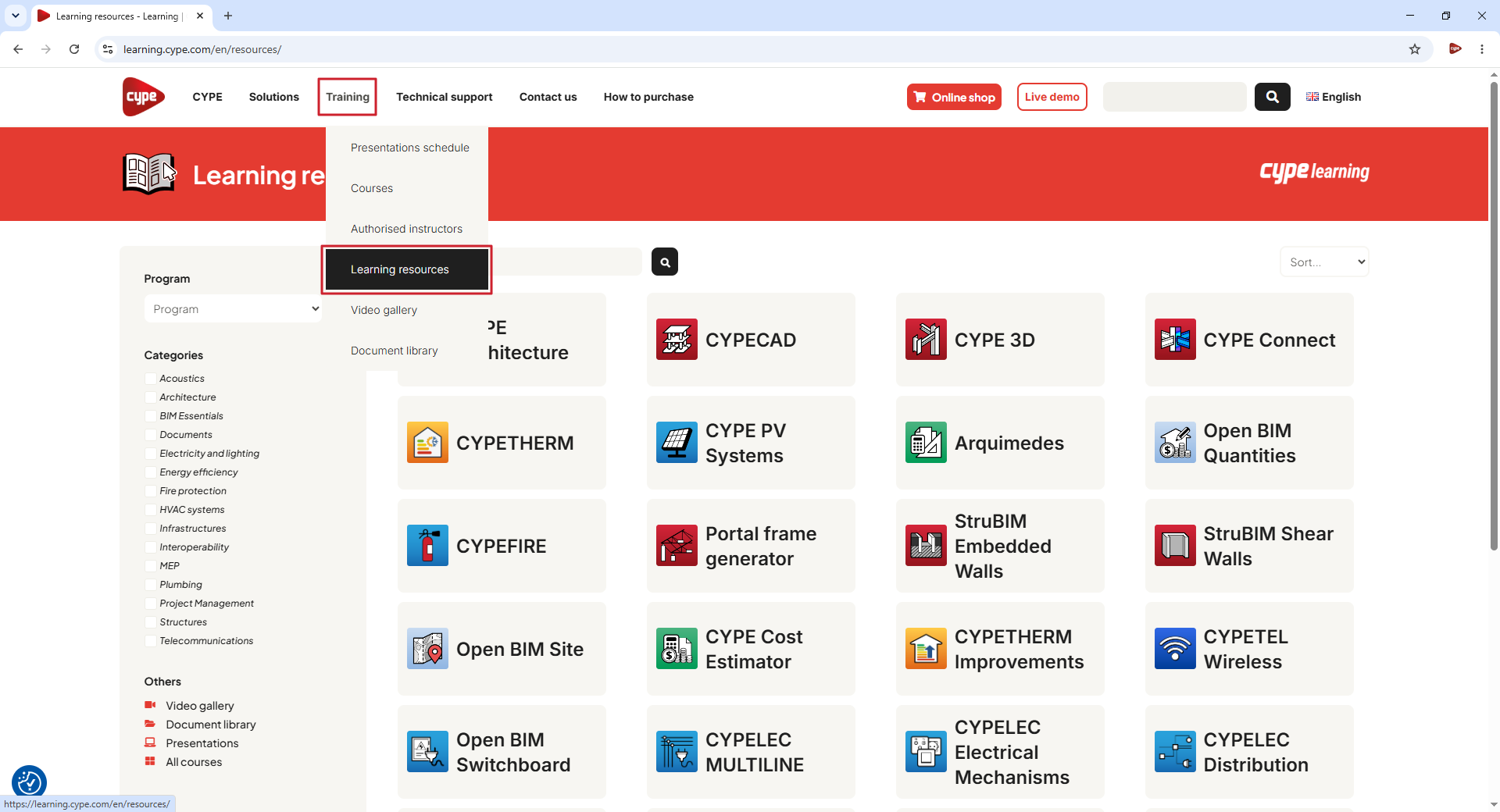
- Open the "Training" menu on this website and select "Learning resources".
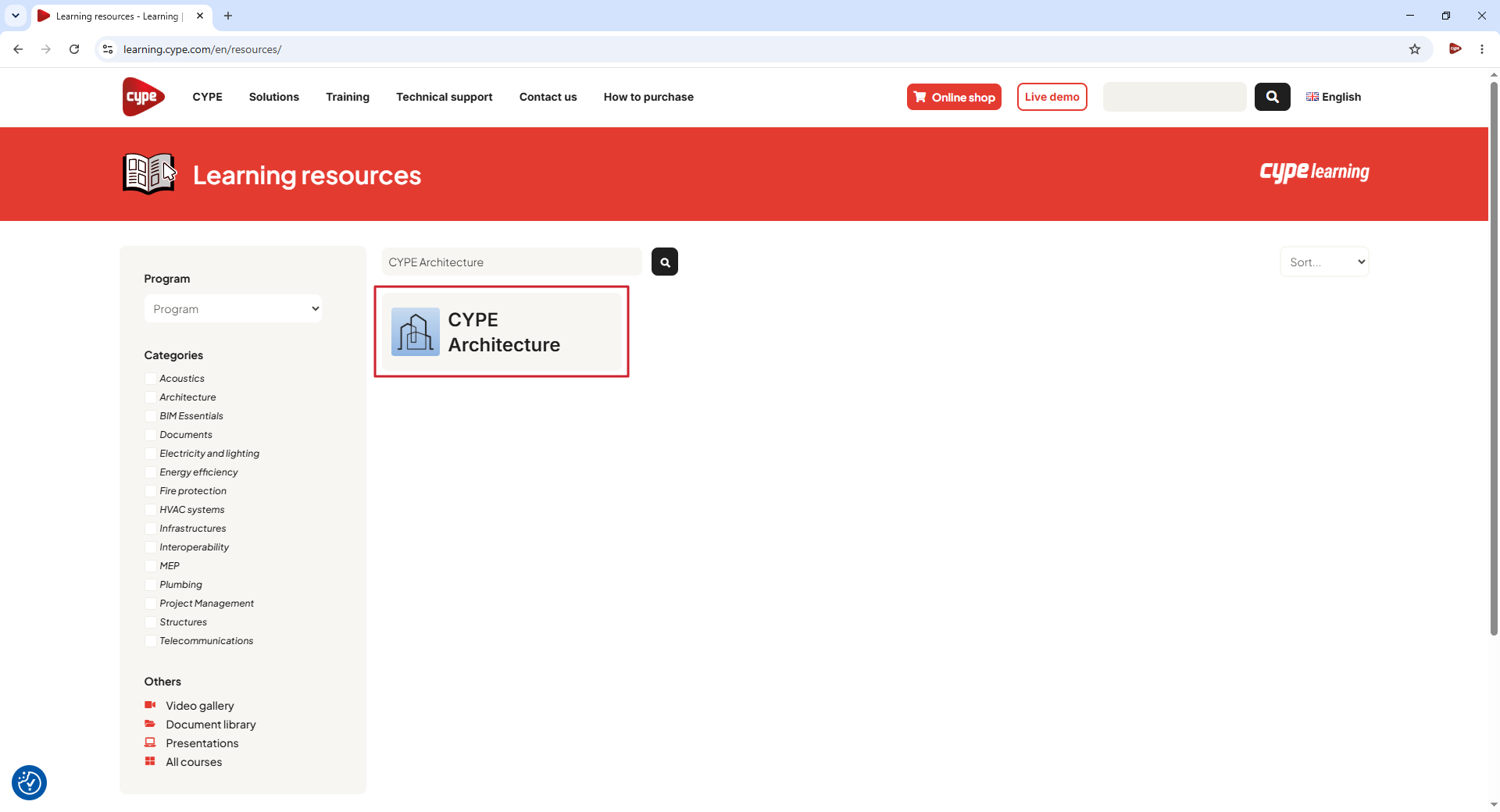
- Search for the program in the search bar in the centre of the screen and click the magnifying glass icon. Then click on the button with the program's name.
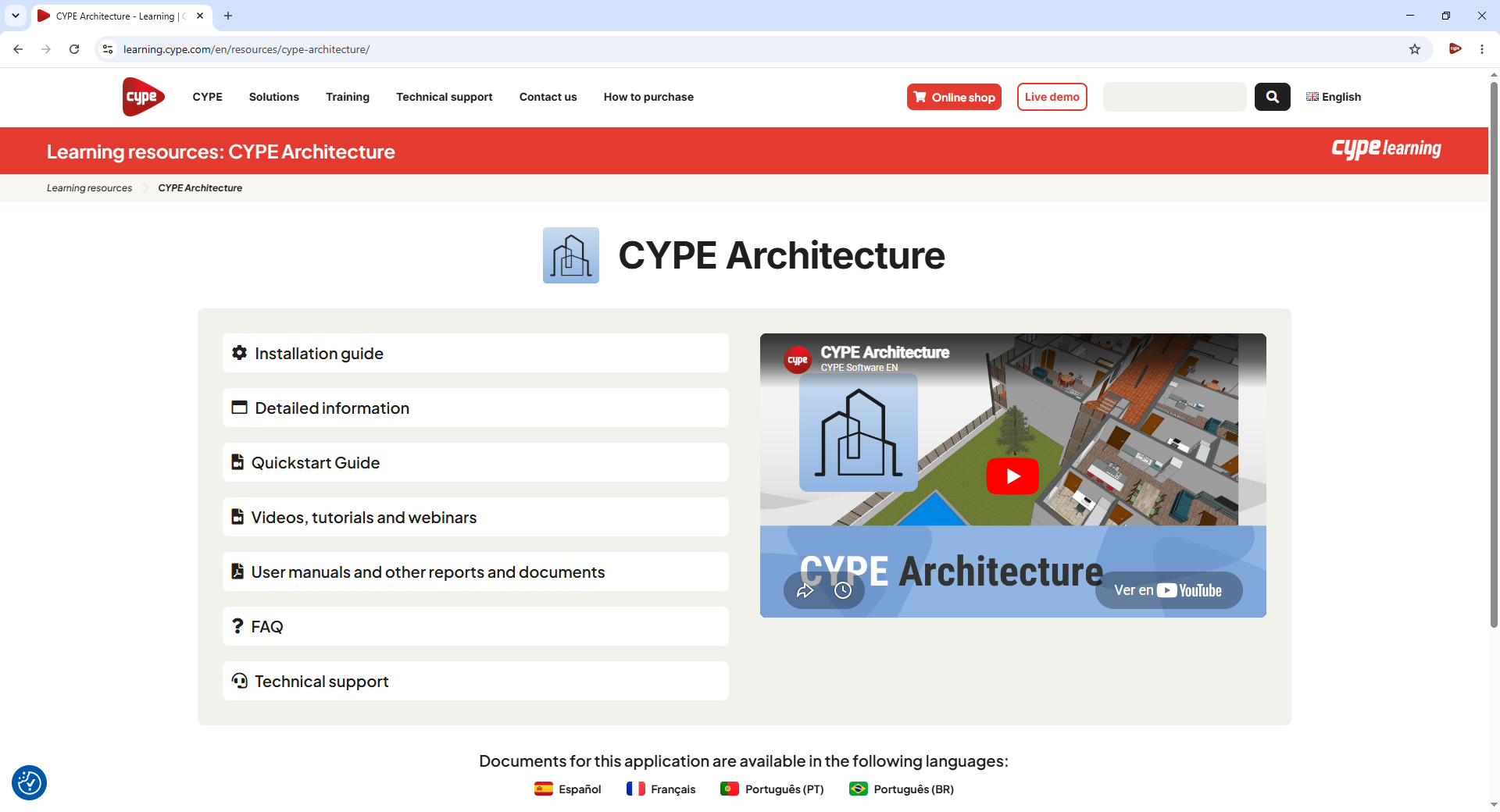
- This takes you to the program's learning resources page, where you will find the following material:
- Installation guide
Instructions for installing and setting up the program. - Detailed information
Reference guide on how the program works. - Quickstart guide
A series of step-by-step videos to help beginners learn how to use the program. - Videos, tutorials and webinars
Videos, tutorials, and webinars related to the programs. - Self-study courses
Online courses delivered by CYPE and its partners. - Manuals, reports and other documents
Written documentation relating to the programme, including user manuals, design calculations, product catalogues and other documents. - FAQ
Frequently asked questions about the program. - Technical support
Various contact methods available for resolving queries.
The availability of the various types of learning resources varies depending on the app.
Accessing example projects
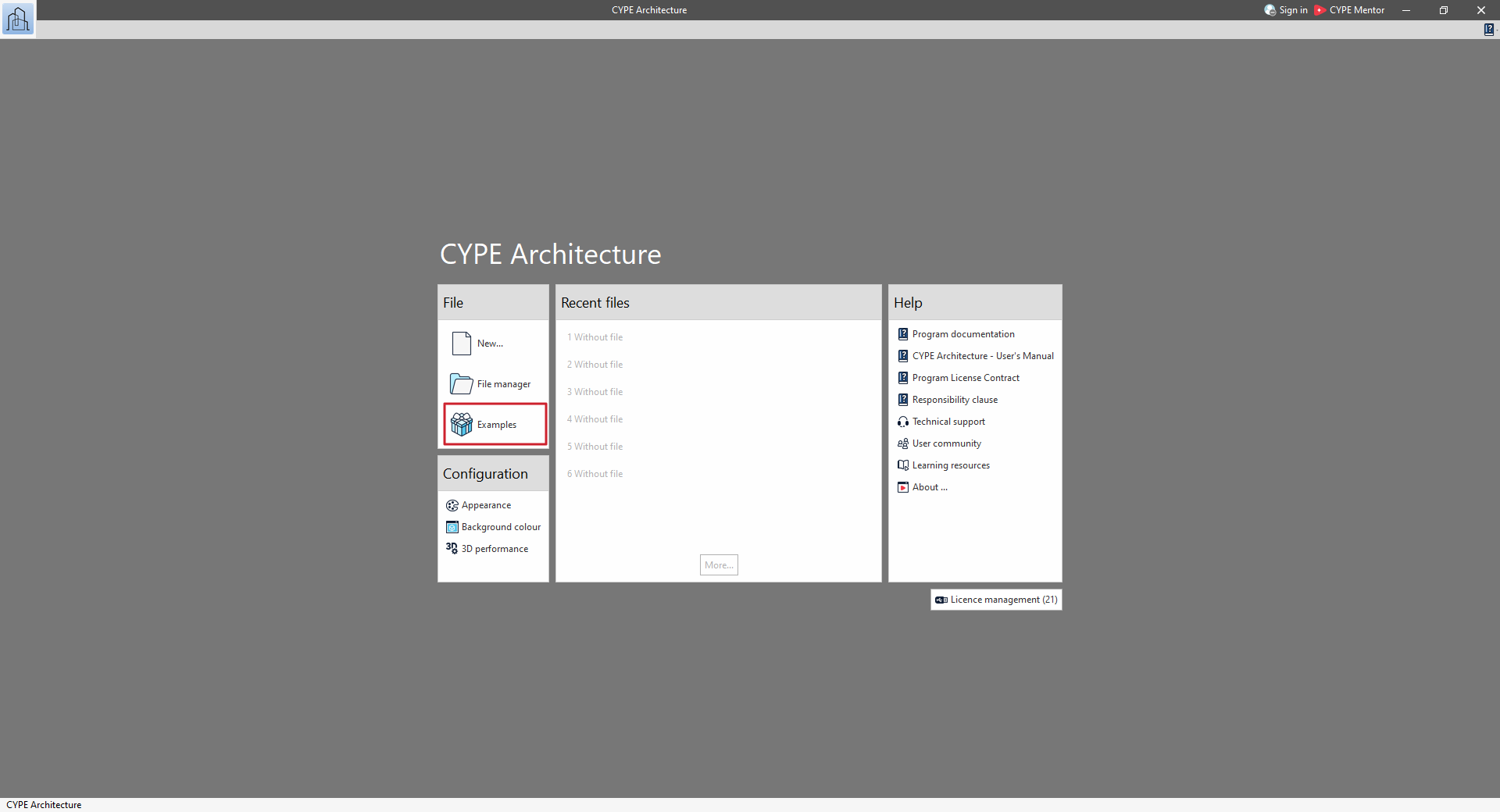
CYPE's programs include example projects designed to assist users.
To access them, select the "Examples" option that appears when you open each program.
When you click on this button, a window will appear showing the list of examples associated with the program being run.
If the program is already running, click on the program logo in the top left-hand corner and select "File" (in some programs, such as CYPECAD, use the "File" > "File management" menu).
Next, in the "File management" window, click on the "Examples" option.
This will also bring up a window showing the list of examples associated with the program.
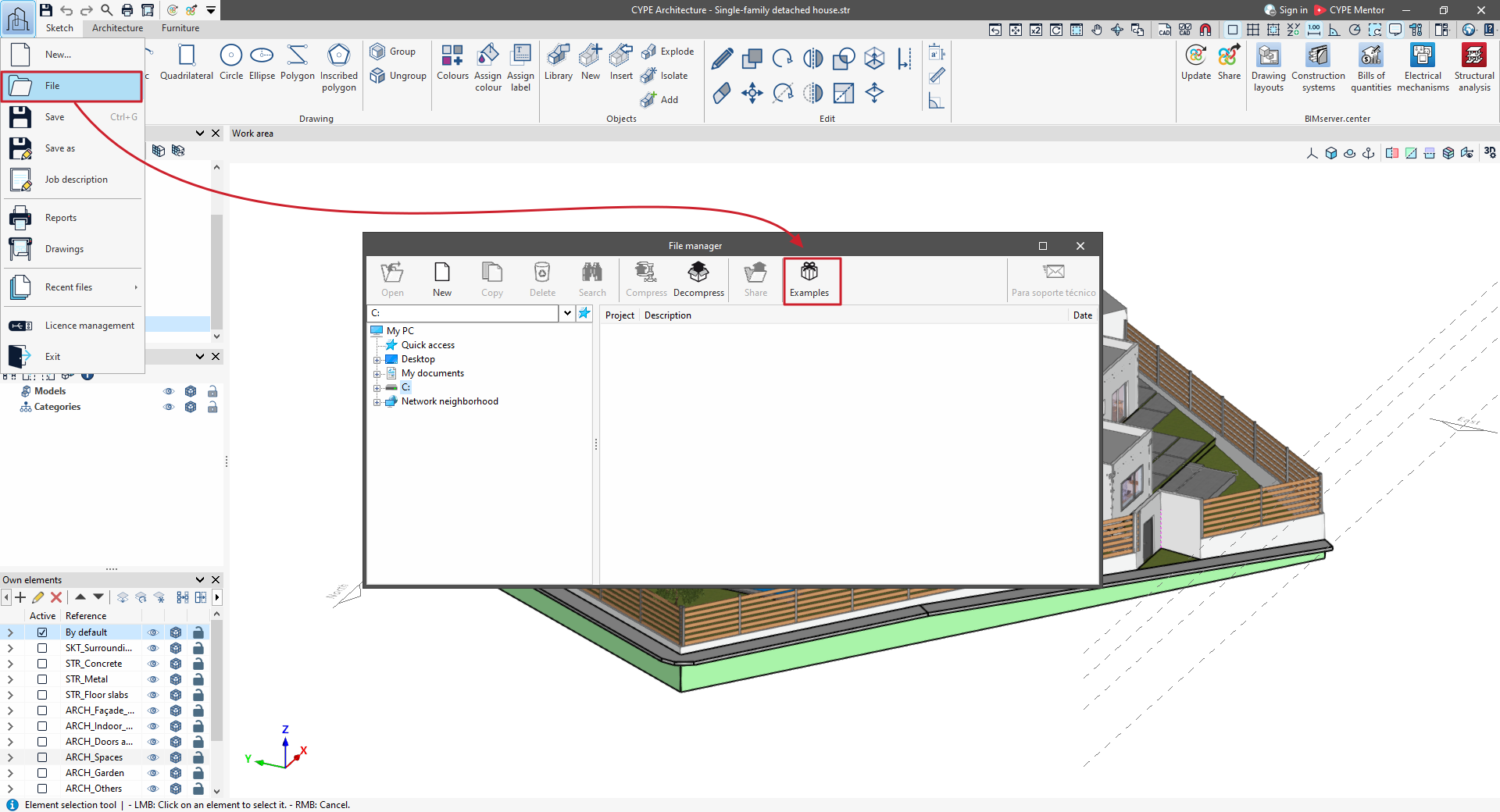
The example projects are generated in the C:\CYPE Ingenieros\Examples directory.
Best practices for using CYPE software
These general recommendations provide a set of best practices to follow when managing and using software tools such as CYPE programs, helping you optimise your time and safeguard your work:
- Adjust your working times to allow for the time needed to familiarise yourself with the tool, to resolve any IT issues that may arise, and to make the necessary adjustments to the model.
- Whilst learning how to use the tool, start by working on simple models to familiarise yourself with its limitations and capabilities. Once you are familiar with these, you can move on to more complex models. If you start directly with complex models, you may encounter unforeseen situations that require greater experience to resolve.
- Make regular backup copies of your files. To ensure greater security, store copies on different physical storage devices. The interval between backups should be determined according to your needs, so that any potential data loss does not jeopardise your workflow.
- Tailor the complexity of the model to the required accuracy and the capabilities of the software. Otherwise, you may end up carrying out unnecessary and costly work that could even prove counterproductive to the processes carried out by the software.
- Keep the program installed in the version used to create the model if you anticipate needing to view or edit the file at some point under the exact same conditions as when it was originally created.
Initial information. Table of contents
Please refer to the following general information to familiarise yourself with CYPE's software and start working with it:
- Access
- Basic installation
- Advanced installation
- Getting started
