Accessing the learning resources for CYPE programs
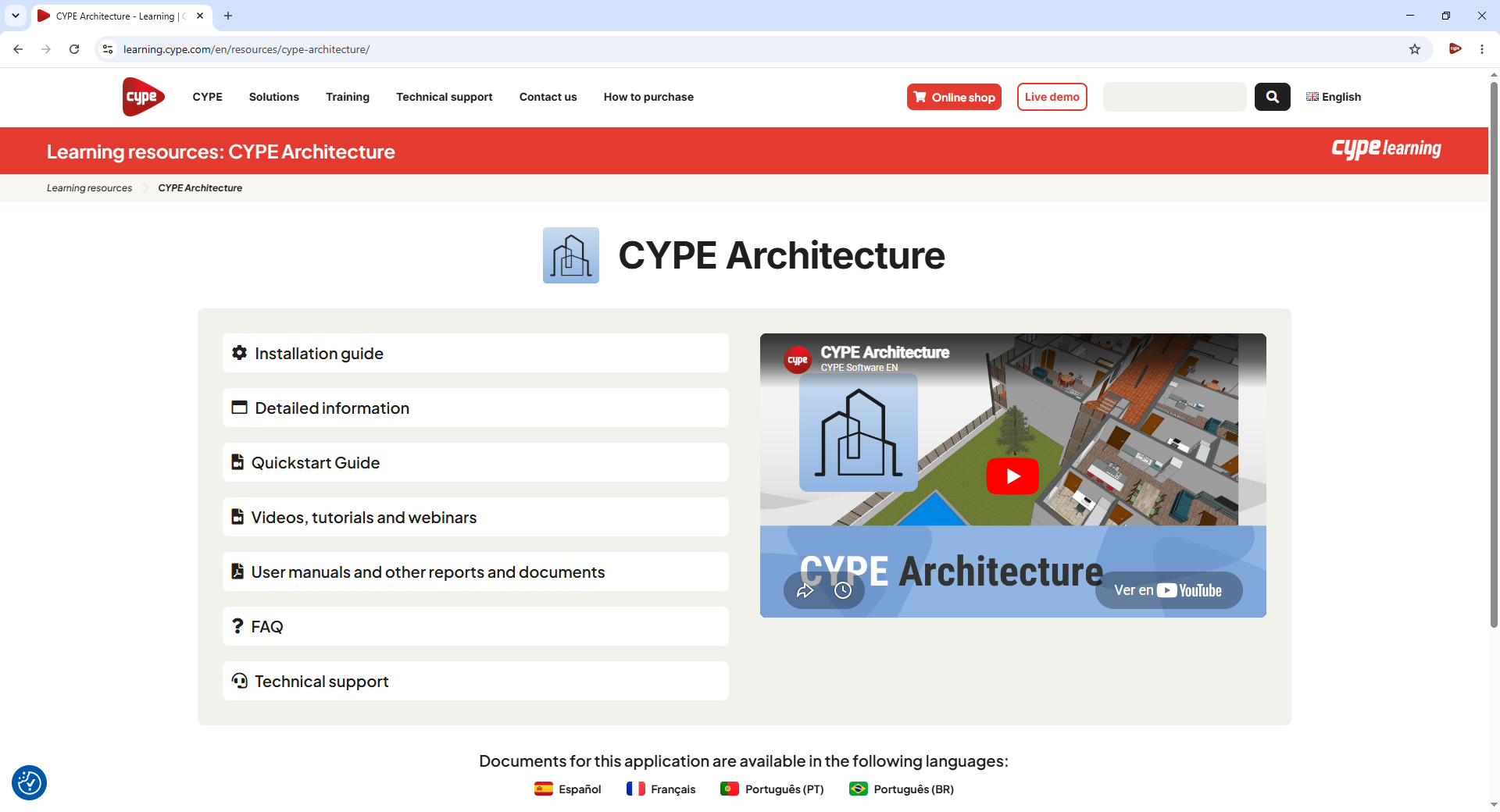
You can access the learning resources for each program by following these steps:
- Open the "Training" menu on this website and select "Learning resources".
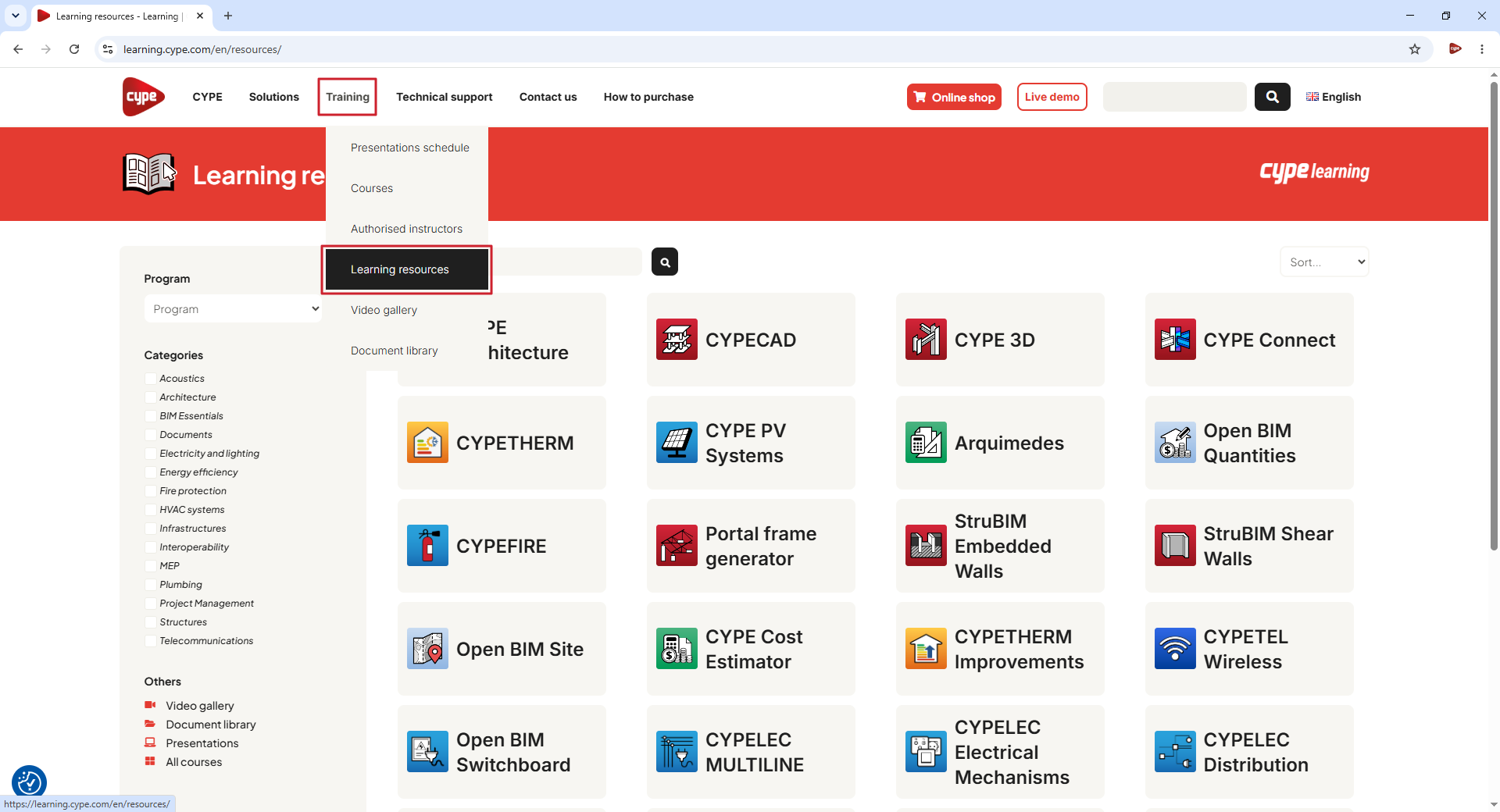
- Search for the program in the search bar in the centre of the screen and click the magnifying glass icon. Then click on the button with the program's name.
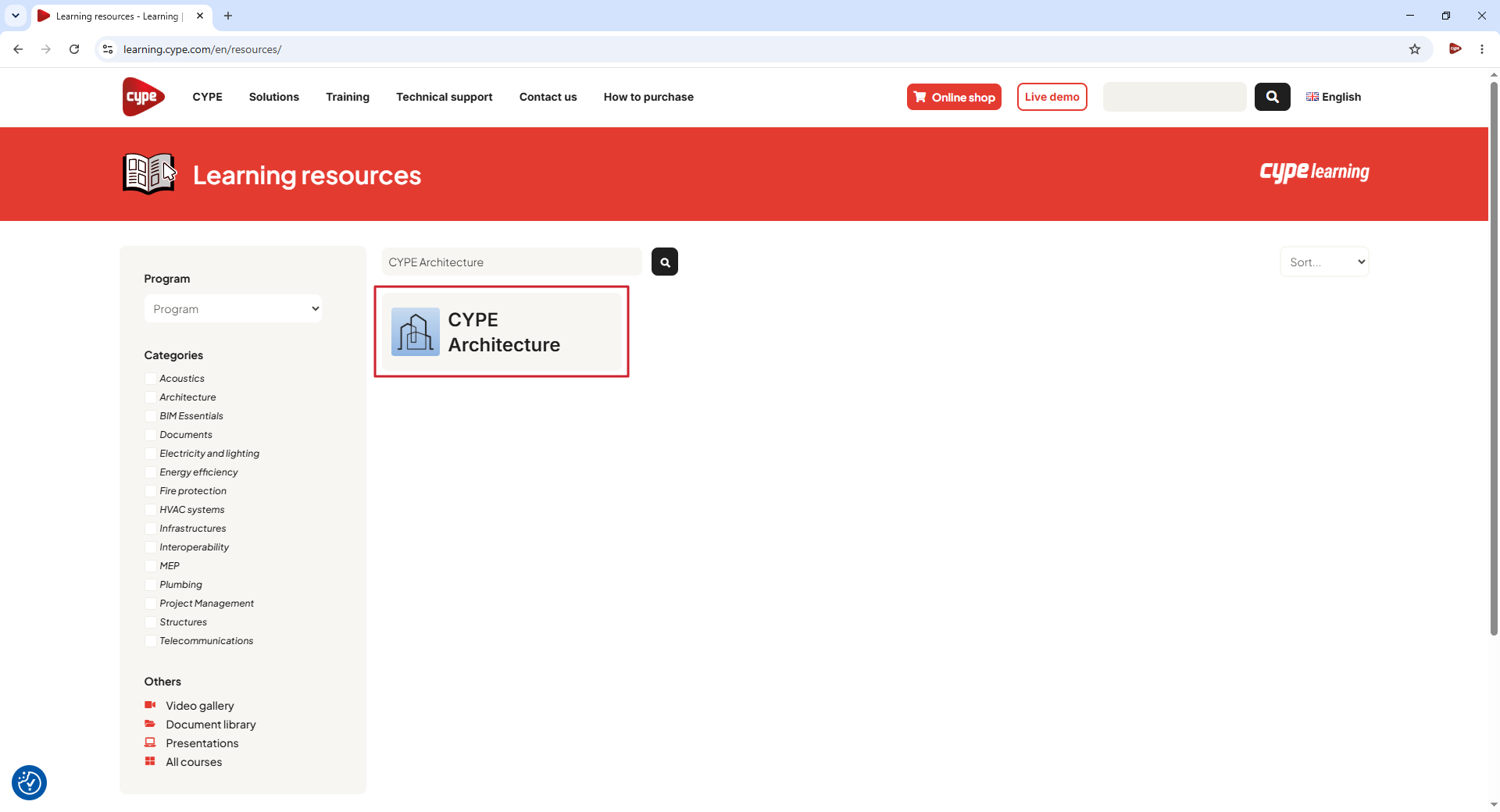
- This takes you to the program's learning resources page, where you will find the following material:
- Installation guide
Instructions for installing and setting up the program. - Detailed information
Reference guide on how the program works. - Quickstart guide
A series of step-by-step videos to help beginners learn how to use the program. - Videos, tutorials and webinars
Videos, tutorials, and webinars related to the programs. - Self-study courses
Online courses delivered by CYPE and its partners. - Manuals, reports and other documents
Written documentation relating to the programme, including user manuals, design calculations, product catalogues and other documents. - FAQ
Frequently asked questions about the program. - Technical support
Various contact methods available for resolving queries.
The availability of the various types of learning resources varies depending on the app.