Update history​​

Open BIM Quantities

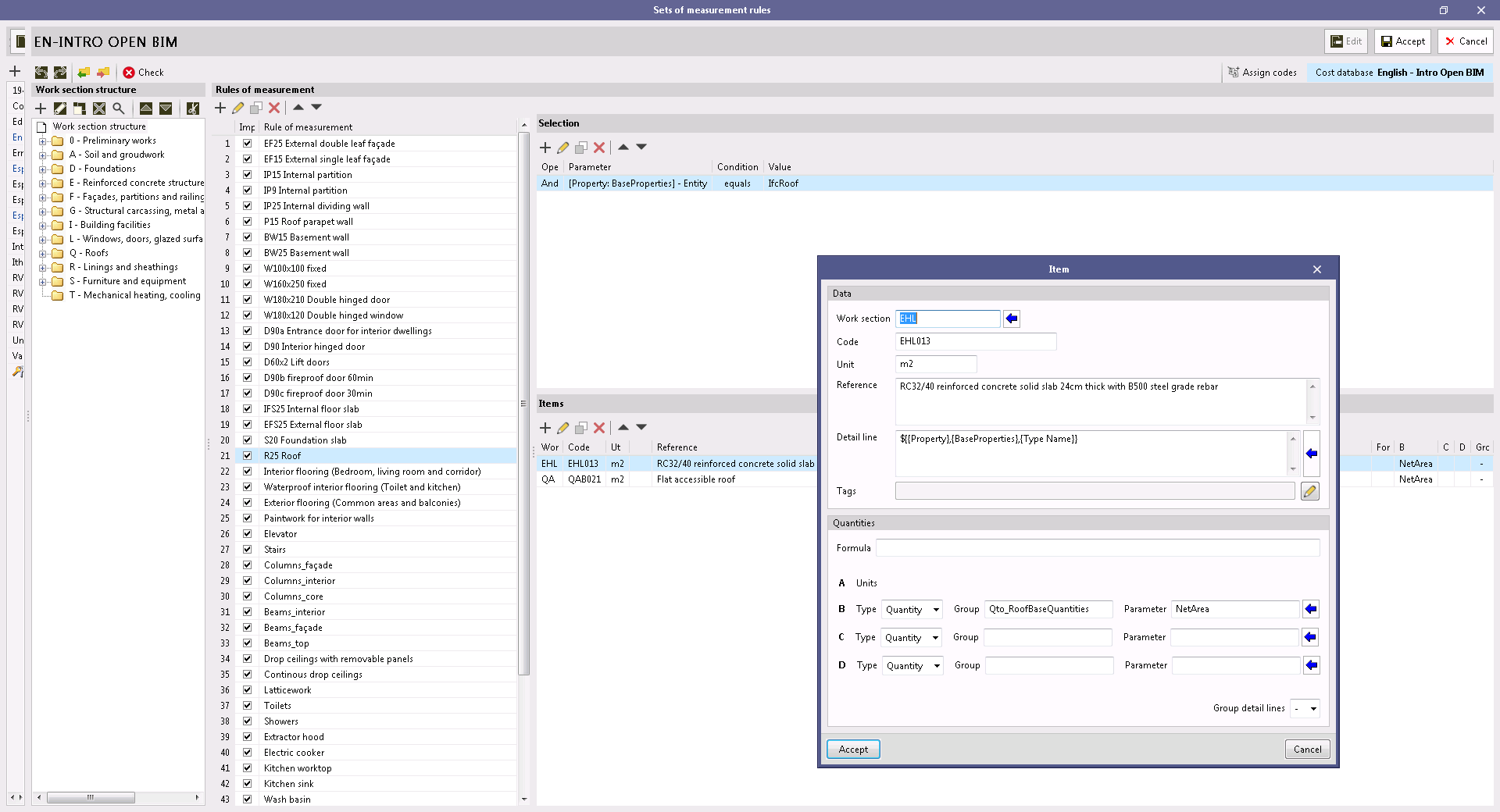
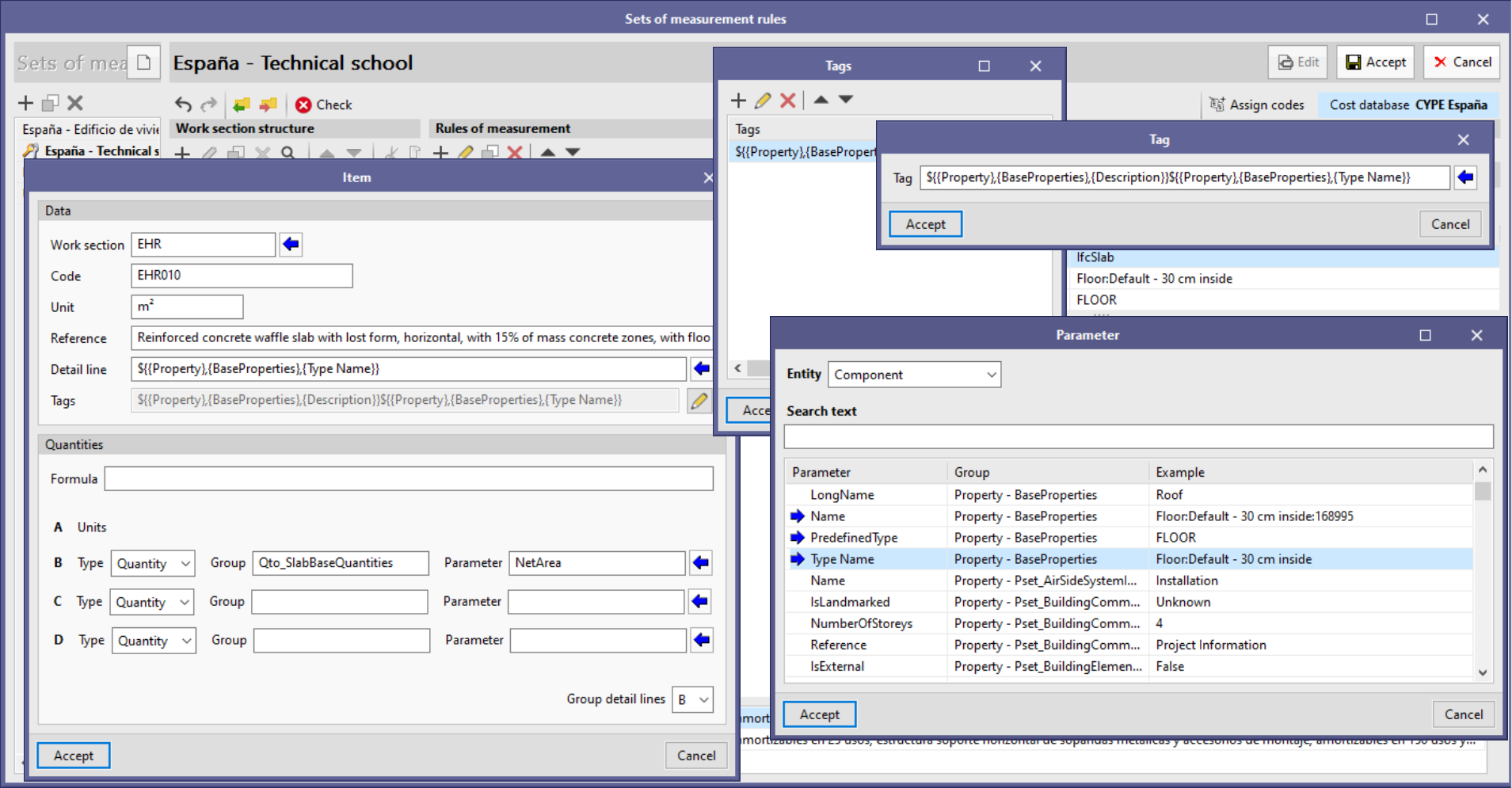
The "Reference" and "Detail line" text fields that appear in the panel for adding a new item in a rule of measurement contained in set measurement rules have been changed to multi-line fields. This way, it is now simpler to enter long references and detail lines with multiple variables.

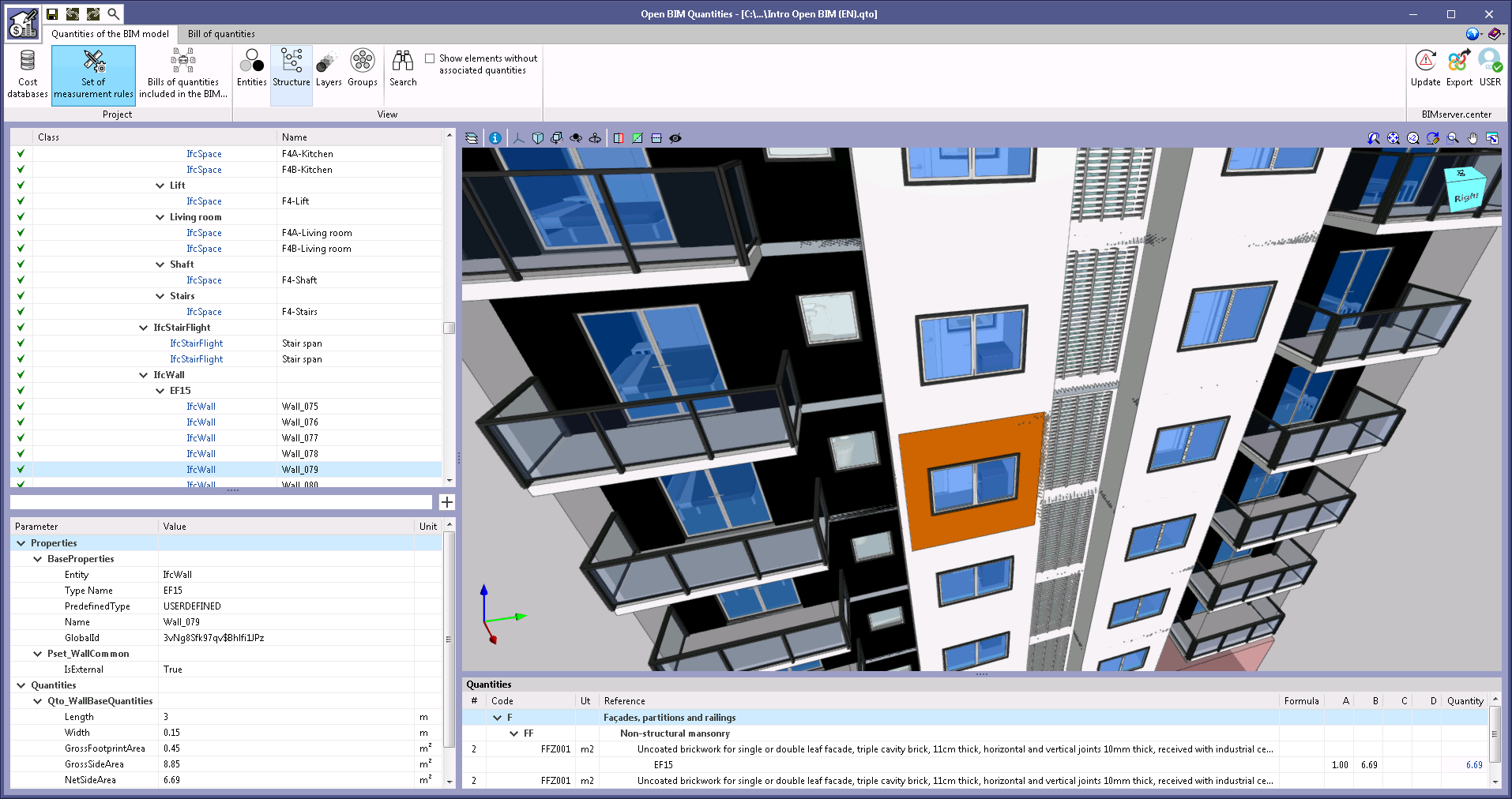
The example job "Intro Open BIM (EN)" has been added along with its cost database and set of measurement rules ("English - Intro Open BIM"). It is the first example implemented in technical English in the program, including both the model from the CYPE Architecture application and the bill of quantities in Open BIM Quantities.

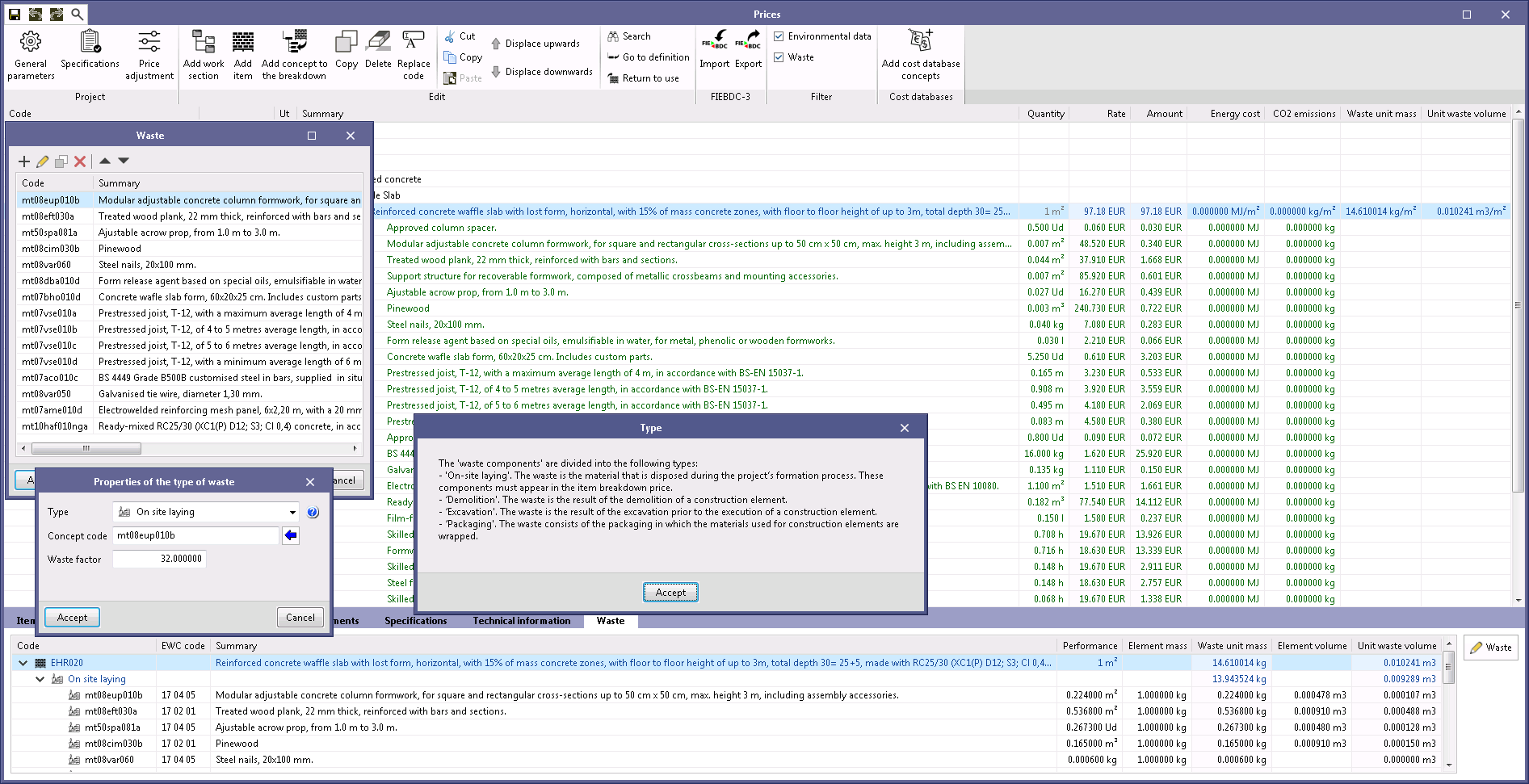
A help button has been added to the waste type selection in the panel for adding a waste component to the decomposition of a concept. Both the types of waste and their definitions are based on the specifications in the Spanish exchange format, FIEBDC-3/2020.

Version 2021.g of CYPE’s programs is a closing version of the 2021 version.

As well as the new features and improvements expressly indicated in each version of CYPE software, process optimisation involving internal updates for all our programs is normally included. In each revision, all programs are systematically checked and changes are made to improve their performance, therefore, we recommend that our users (in this case those of v.2021) always update their version to the latest one, regardless of the country for which they are using CYPE software or the language in which it is installed.

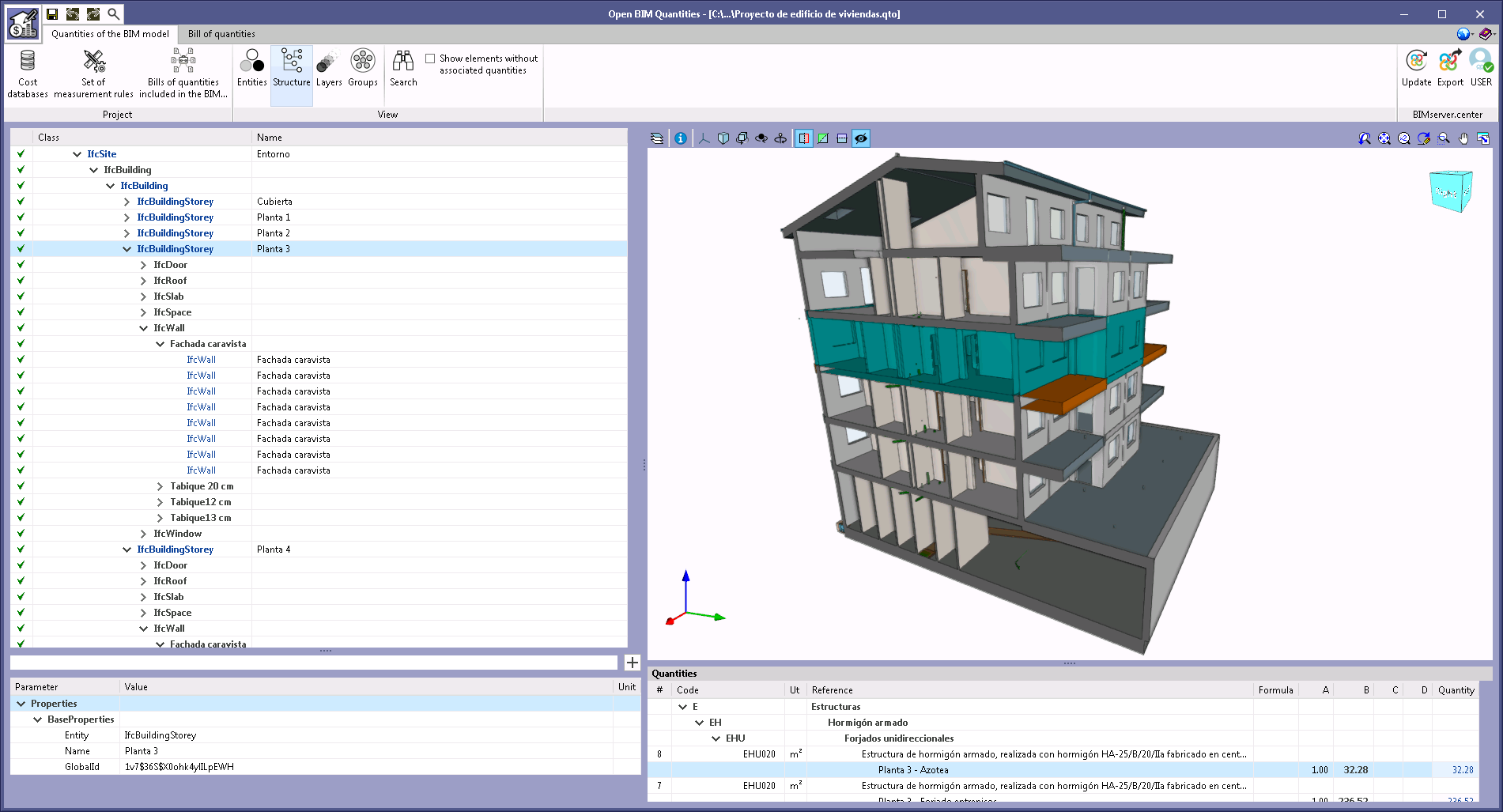
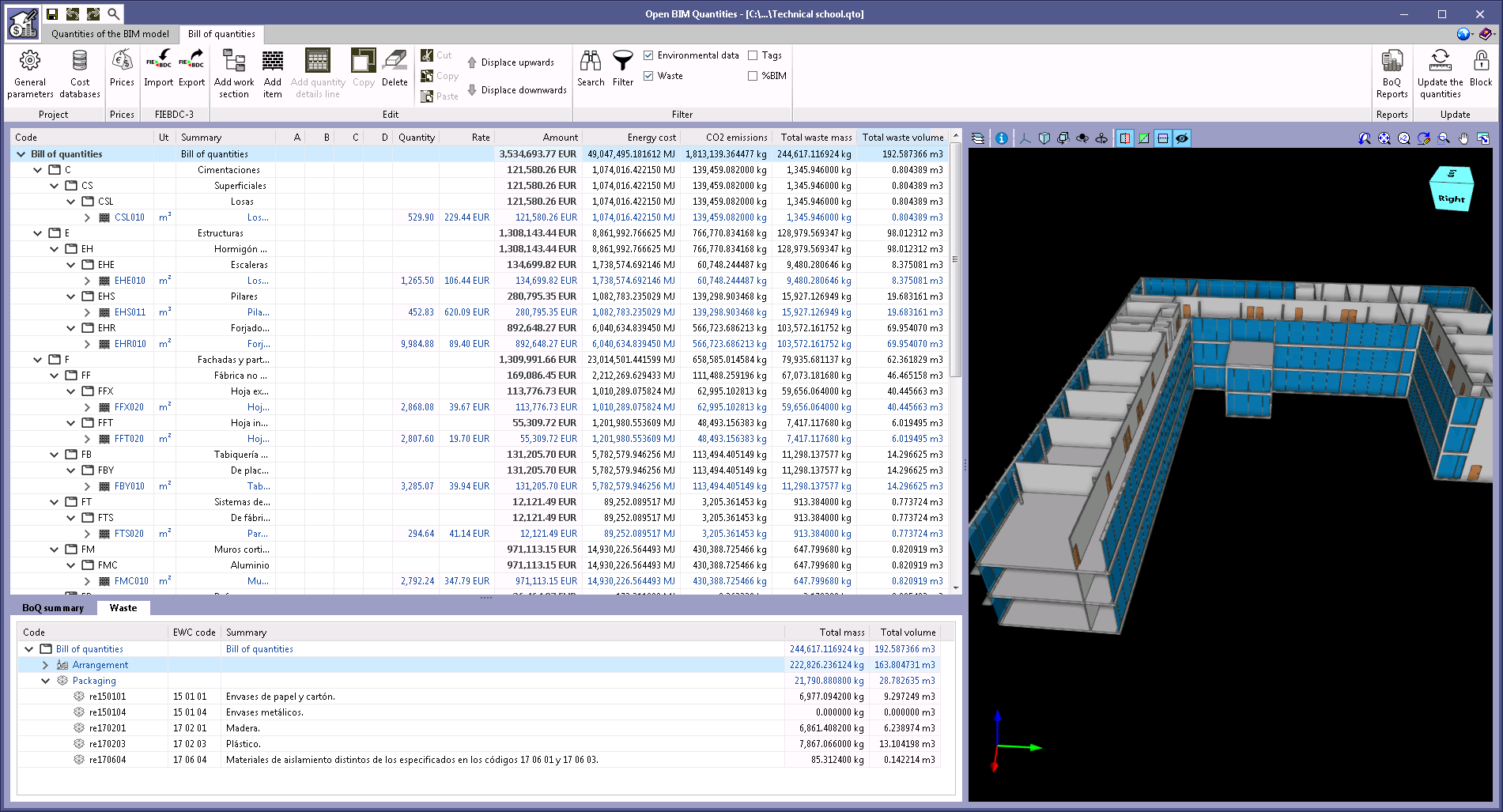
The example jobs "Proyecto de edificio de viviendas" and "Technical school" have been updated together with their associated cost databases and sets of measurement rules ("España - Edificio de viviendas" and "España - Technical school"). The purpose of this update is to consider the new features that have been carried out during the past versions, such as the new fields when exporting to FIEBDC-3 (.bc3) from the Generador de precios or managing the properties of spatial structure elements.

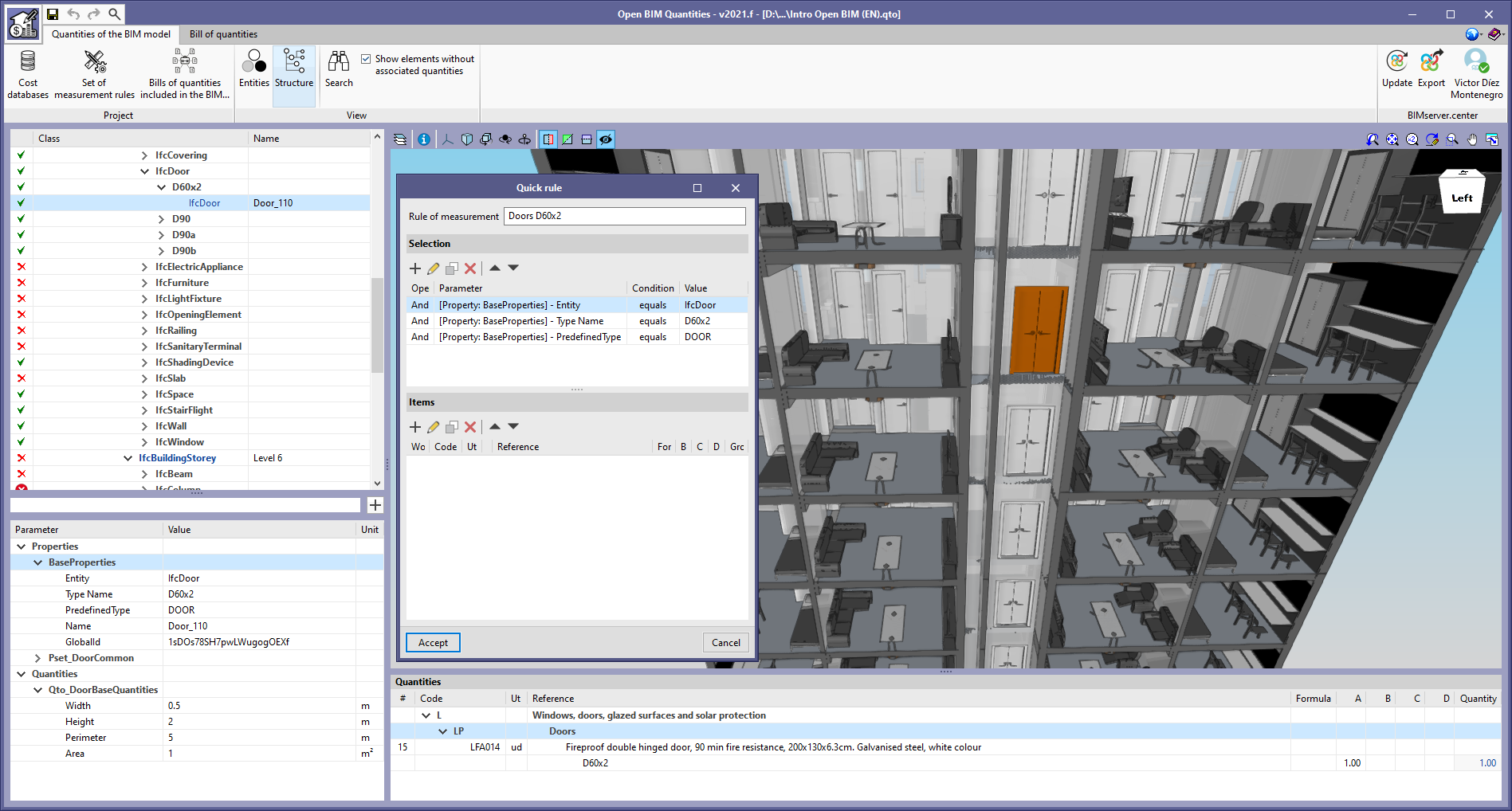
A tool has been developed to add new rules to the active measurement criteria directly from the main window of the "Quantities of the BIM model" tab. To access this feature, a button has been added to the right-hand side of the text field for the "Properties and quantities filter". Pressing this button displays a window with the "Selection" and "Items" lists, as well as the rule of measurement reference. The "Selection" list starts with the property or quantity of the selected element. If the user selects a set of properties or quantities, all the properties or quantities within the set are added to the "Selection" list.

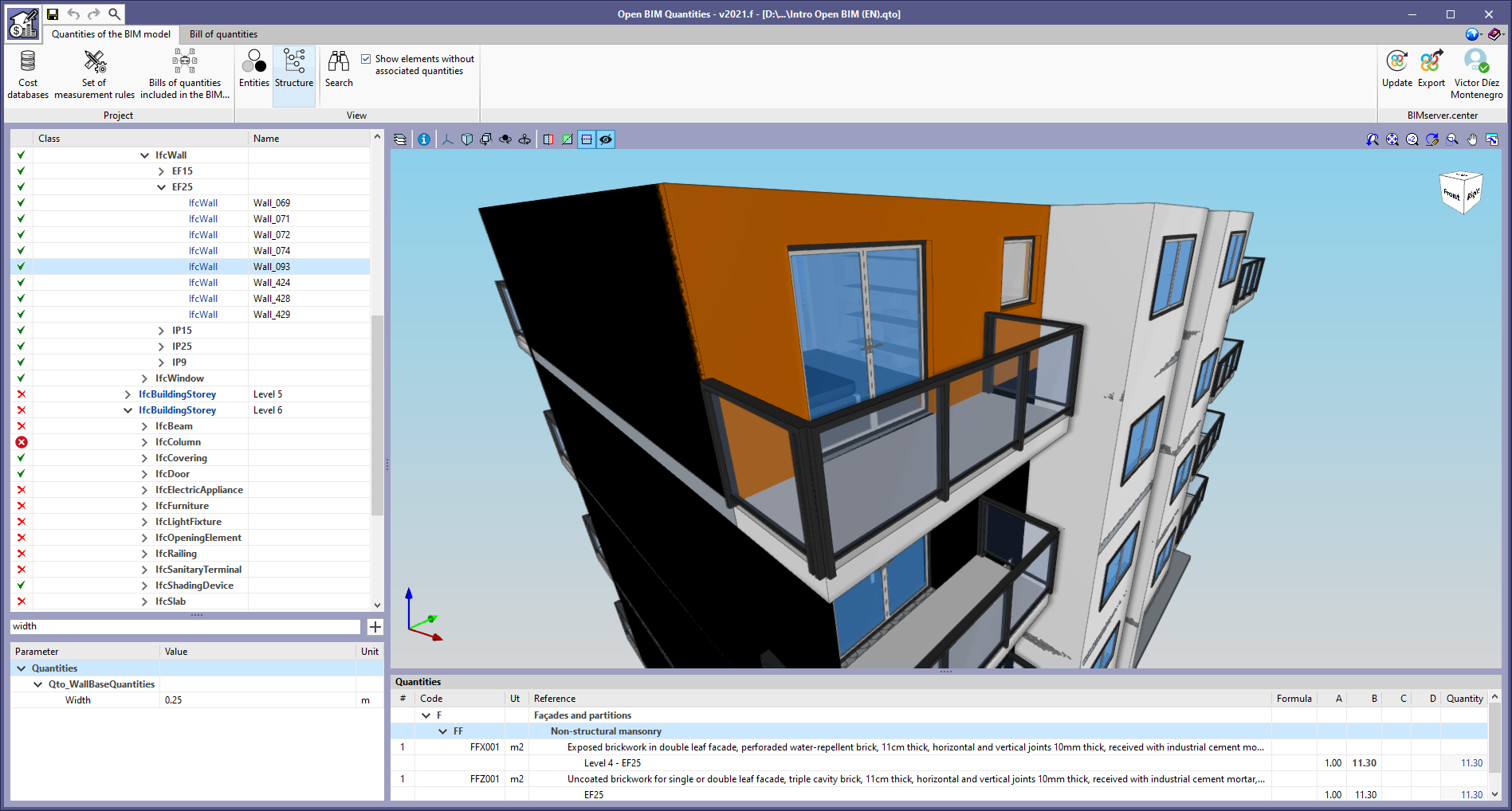
A filter has been added for the properties and quantities of the BIM model components in the application's "Quantities of the BIM model" tab. When entering a text in this field, only those parameters containing this reference will be displayed in the list.

Text styles have been added to the references of the BIM model cost breakdown structure elements, in the "Quantities of the BIM model" tab, to help identify them.

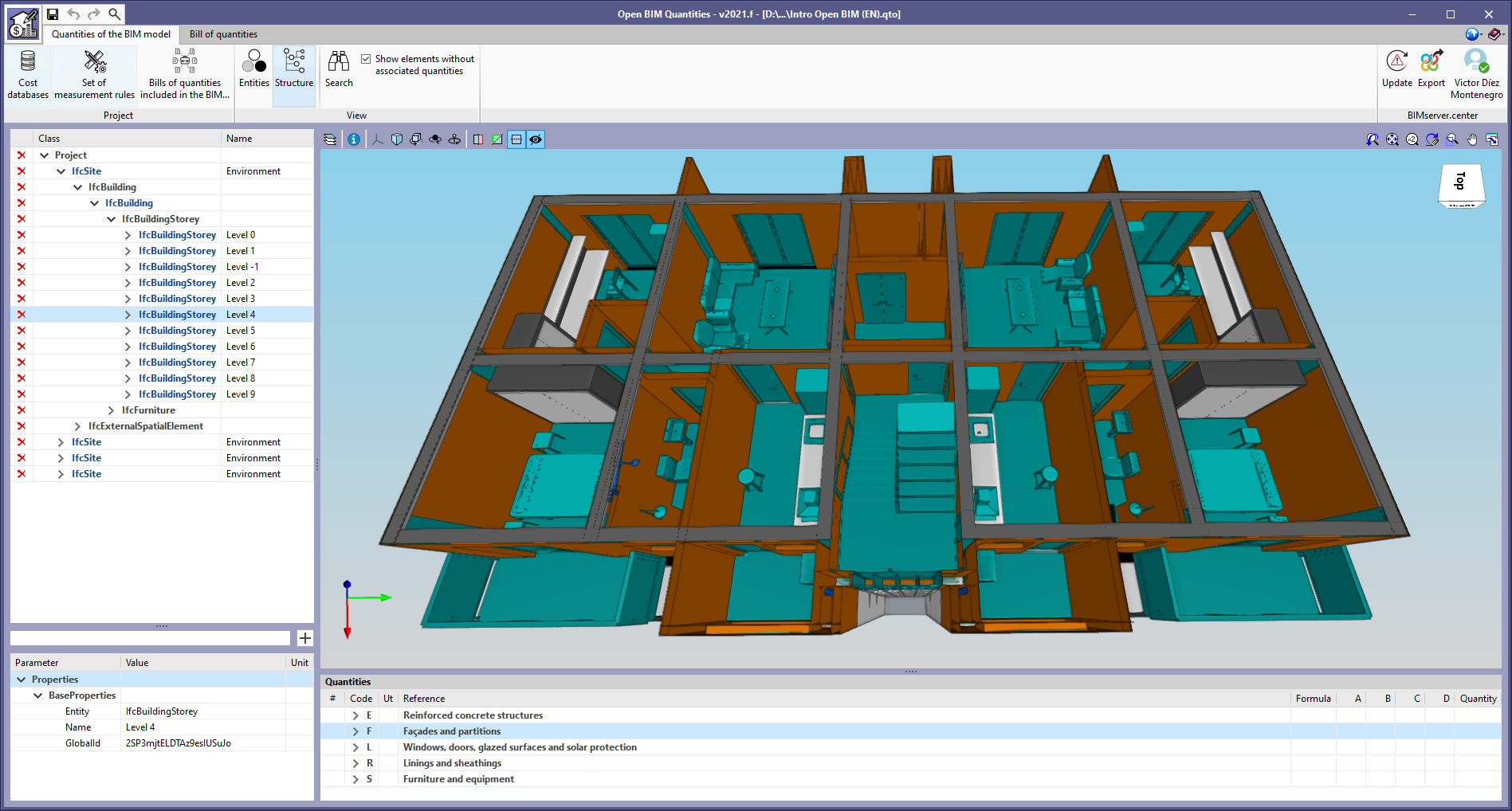
  • Elements containing other elements are marked in bold. For example, spatial structure elements ("IfcSite", "IfcBuilding", "IfcBuildingStorey" and "IfcSpace") in the "Structure" view.
  • Elements that correspond to the BIM model’s IFC entities are highlighted in blue. Black coloured elements are those created by the application for organising the components. E.g. groups for typologies and equal IFC entities.

A change has been made to the way the model components in the "Quantities of the BIM model" tab are marked in the application's 3D view. In previous versions, only the elements selected by the user in the "Quantities" list were highlighted in orange. Now, the elements and groups that appear in the cost breakdown structure entity of the BIM model in IFC format are also highlighted in blue.

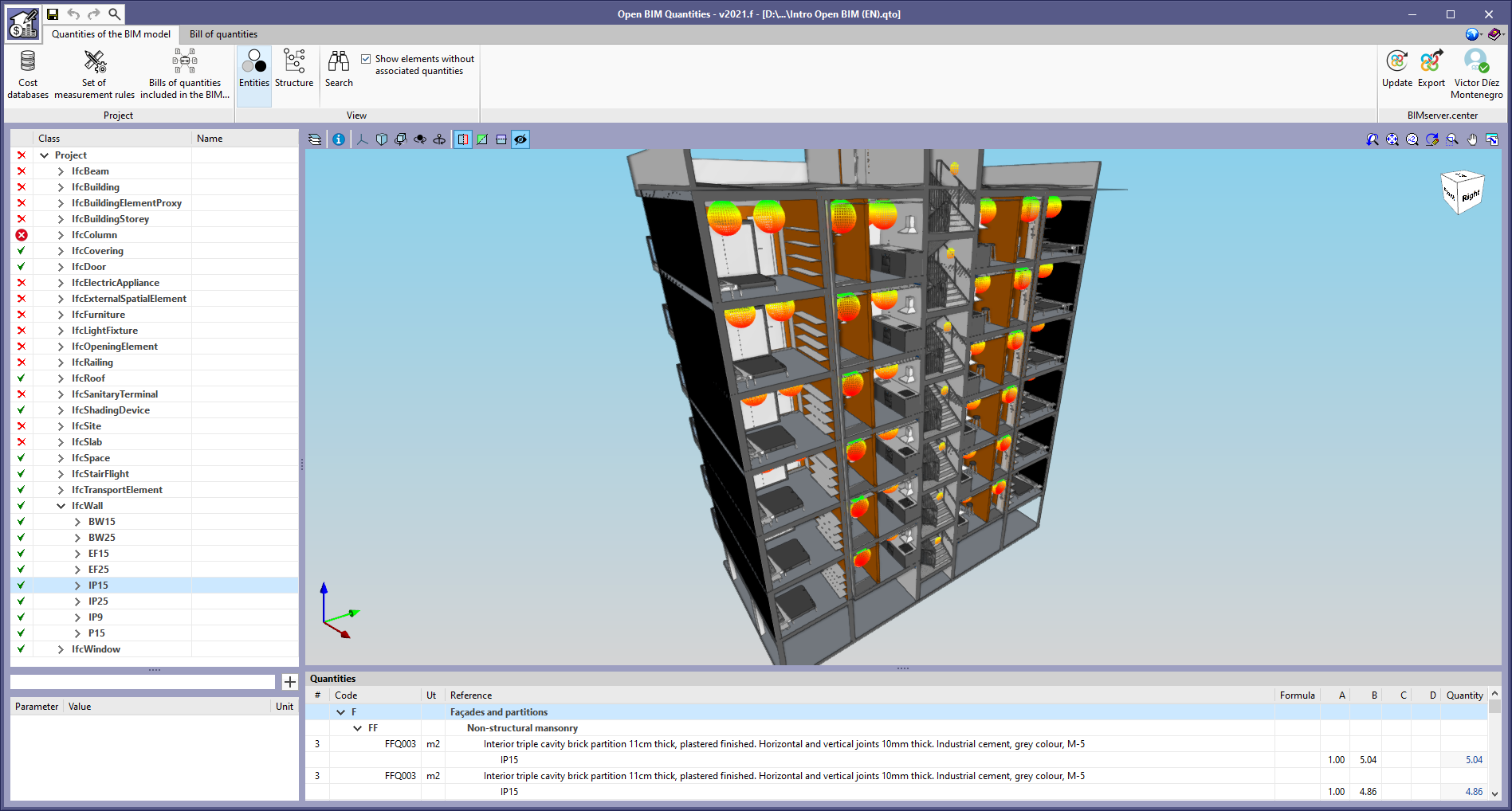
From version 2021.f onwards, BIM model components displayed in the cost breakdown structure of the "Quantities of the BIM model" tab are grouped according to their typology if one was associated to them. The typology of an element corresponds to the "Type Name" parameter of the "BaseProperties" property set.

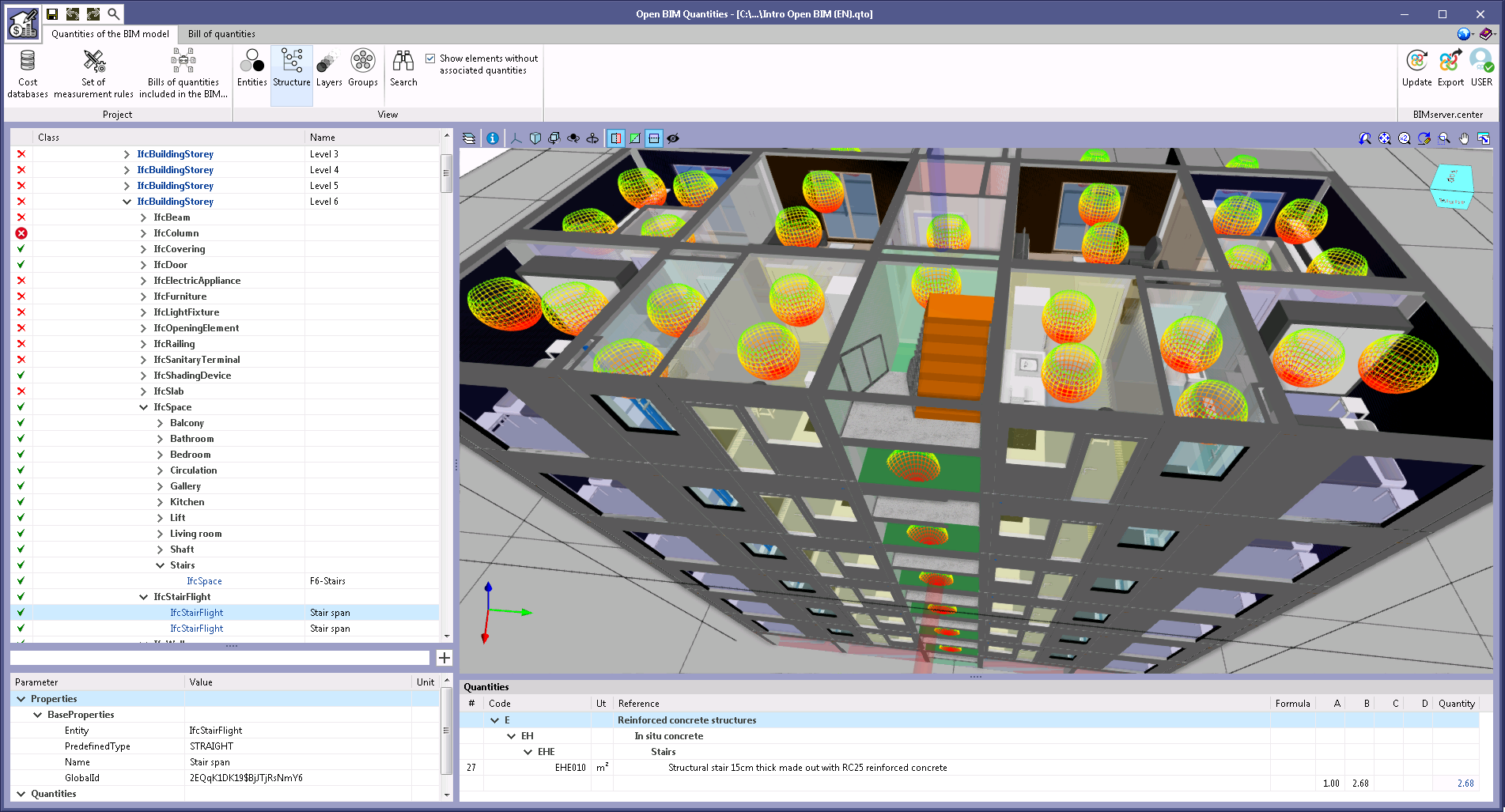
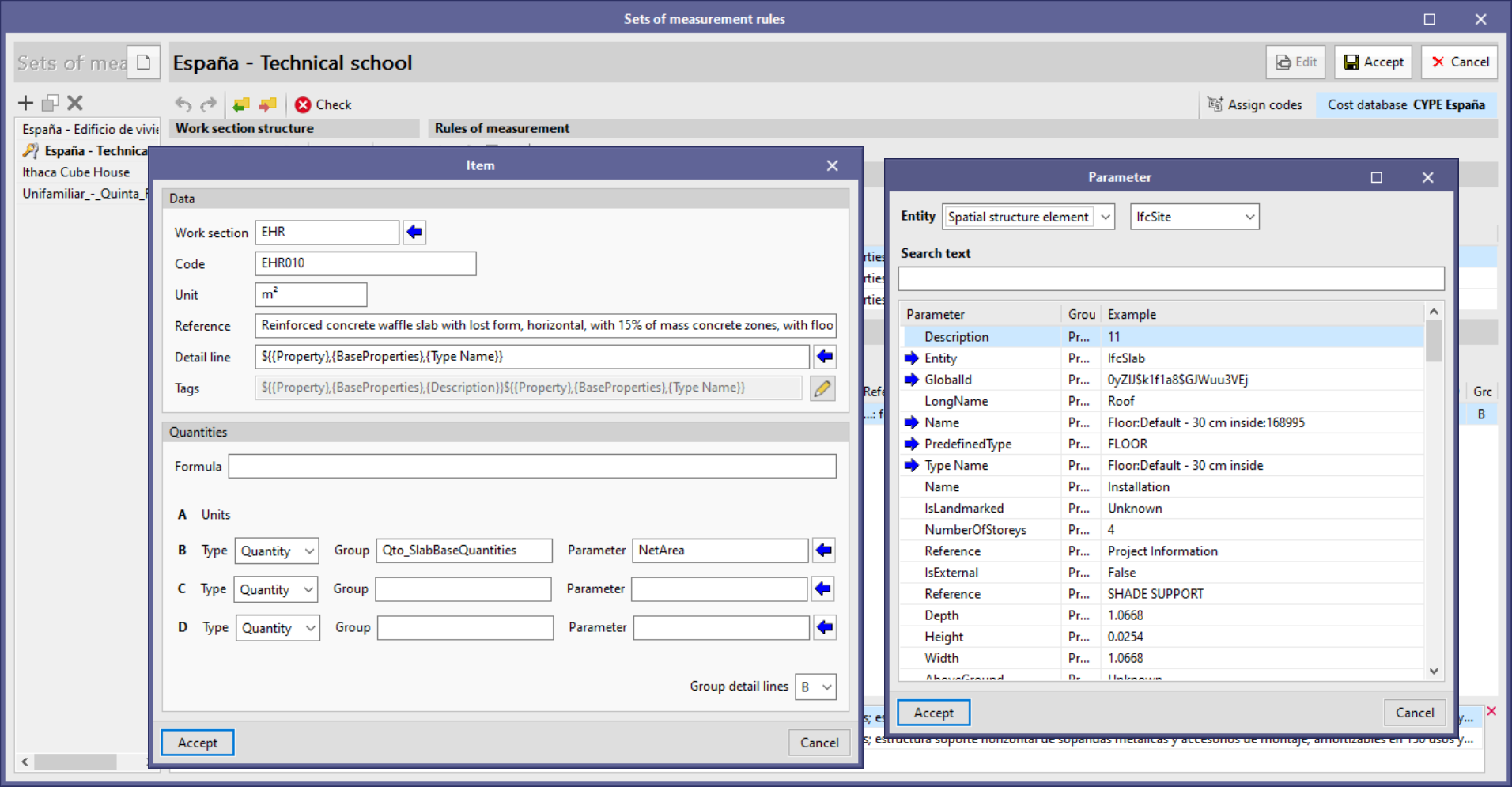
Thanks to the reading of the spatial structure elements of the BIM model in IFC format detailed in the new feature "View options of the BIM model", it is now possible to use their properties for improving the bill of quantity’s information. The possibility of introducing variables linked to the component's spatial structure element for defining the reference and tags of the detail lines has been implemented within the editing panel of the items generated by means of a rule of measurement.

The format for entering spatial structure element properties or quantities containing components of the selection defined in the rule of measurement is as follows:

${{.parent(Spatial structure element)}->${{Property/Quantity},{Set},{Parameter}}

For example, to obtain the name of the floor where the component is located:

${.parent(IfcBuildingStorey)}->${{Property},{BaseProperties},{Name}}

For easier input of these variables, spatial structure element selection has been added to the "Help" tool that is displayed upon clicking the blue arrow icon located next to the "Detail line" field or in the list of "Labels". Now, an "Entity" field appears with two options: "Component" and "Spatial structure element". If you select the latter, you must indicate which element you are referring to out of the possible options according to the IFC standard:

  • Site ("IfcSite")
  • Building ("IfcBuilding")
  • Storey ("IfcBuildingStorey")
  • Space ("IfcSpace")

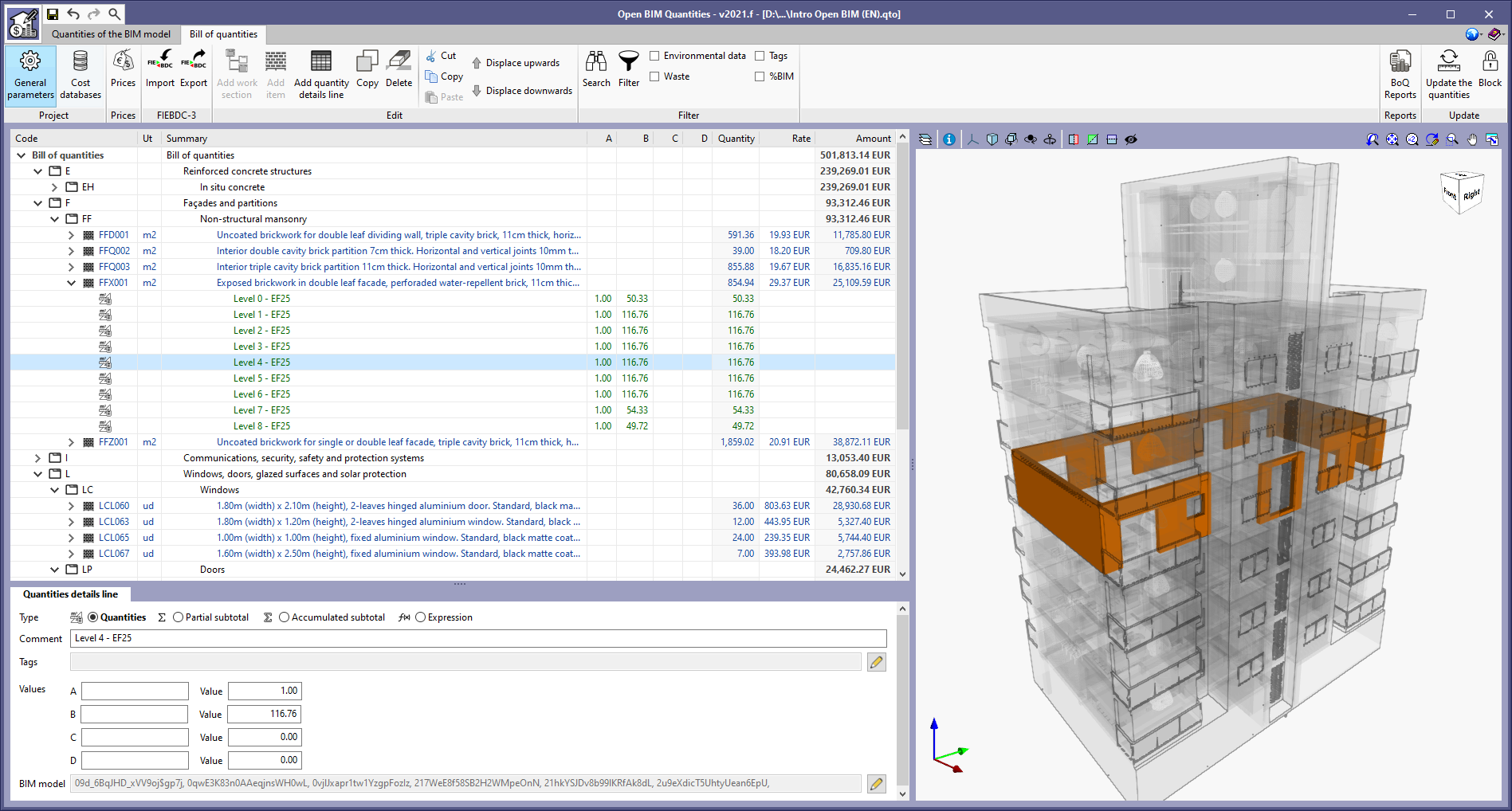
The "Tags" field has been added to the configuration of items generated through a rule of measurement contained within measurement criteria. Thus, it is now possible for users to associate the detail lines derived from the rule to a list of references that will allow them to be identified in the bill of quantities. In the "Bill of quantities" tab, it is possible to filter the detail lines according to their tags, along with the items and work sections that contain them. By using this filter, users can generate a partial bill of quantities for the project, e.g. according to the components' layout or construction phase.

When defining a text for a tag, variables from the properties and quantities of the BIM model’s IFC entities can be used in the same way as the composition of the detail line reference.