Update history​​

CYPE Architecture

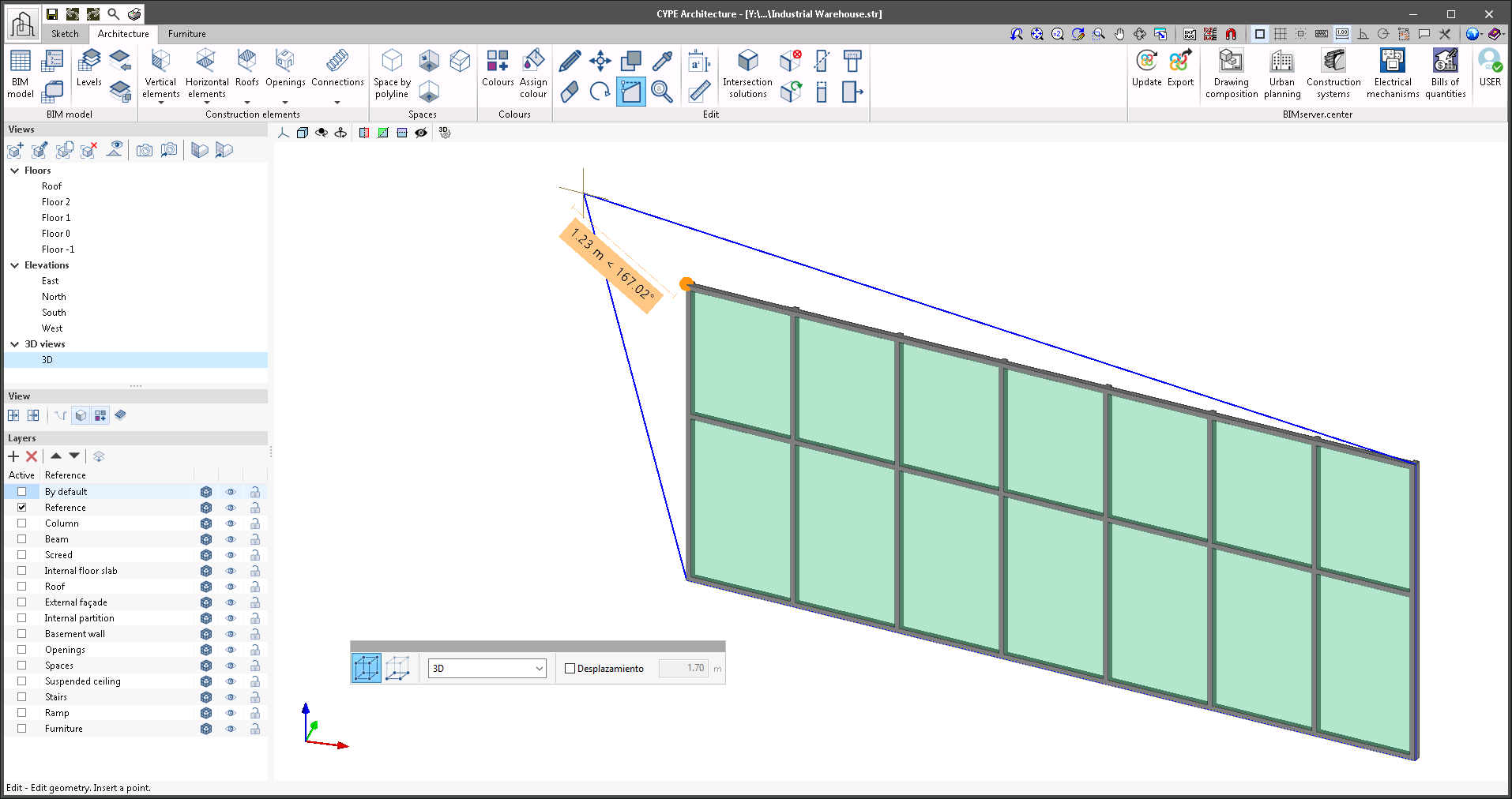
The "Edit geometry" tool works with the following elements: walls, floor slabs, curtain walls, louvres, railings, beams, suspended ceilings, roof tiles.

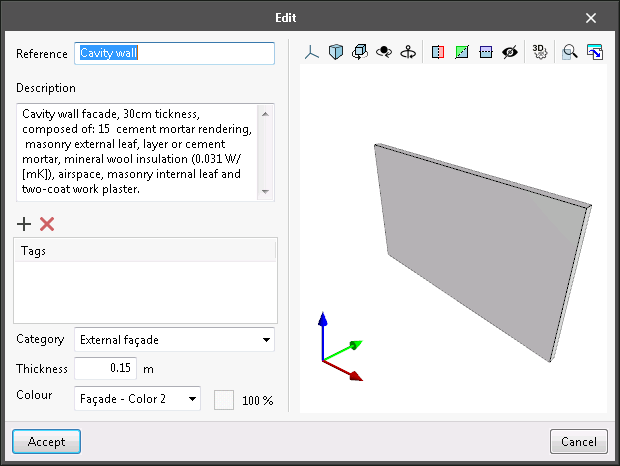
Typologies now have a new "Description" field where a brief description of the typology can be added if necessary. This information can be consulted and used in programs that use the Open BIM workflow such as, Open BIM Layout and CYPE Construction Systems.
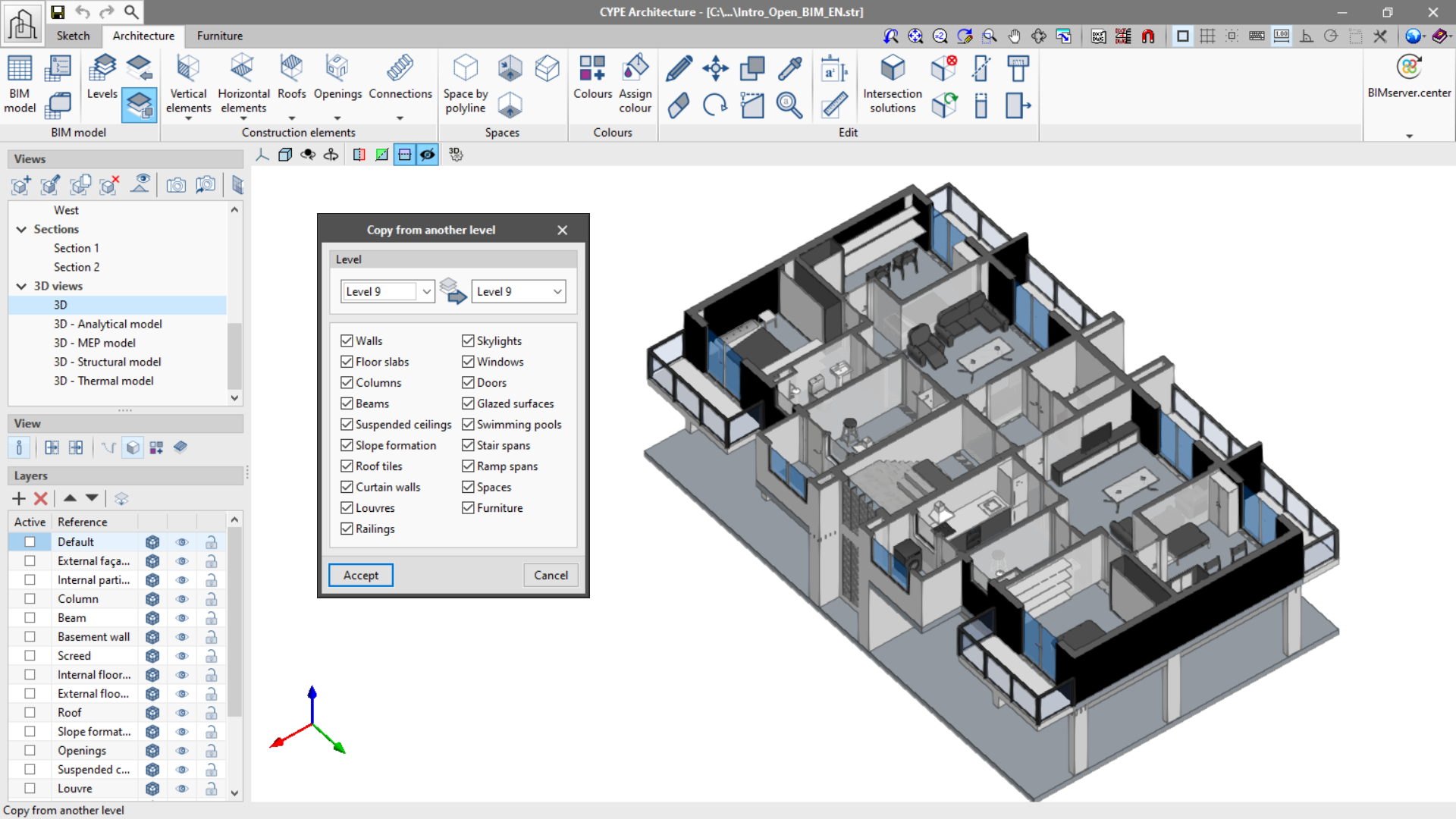
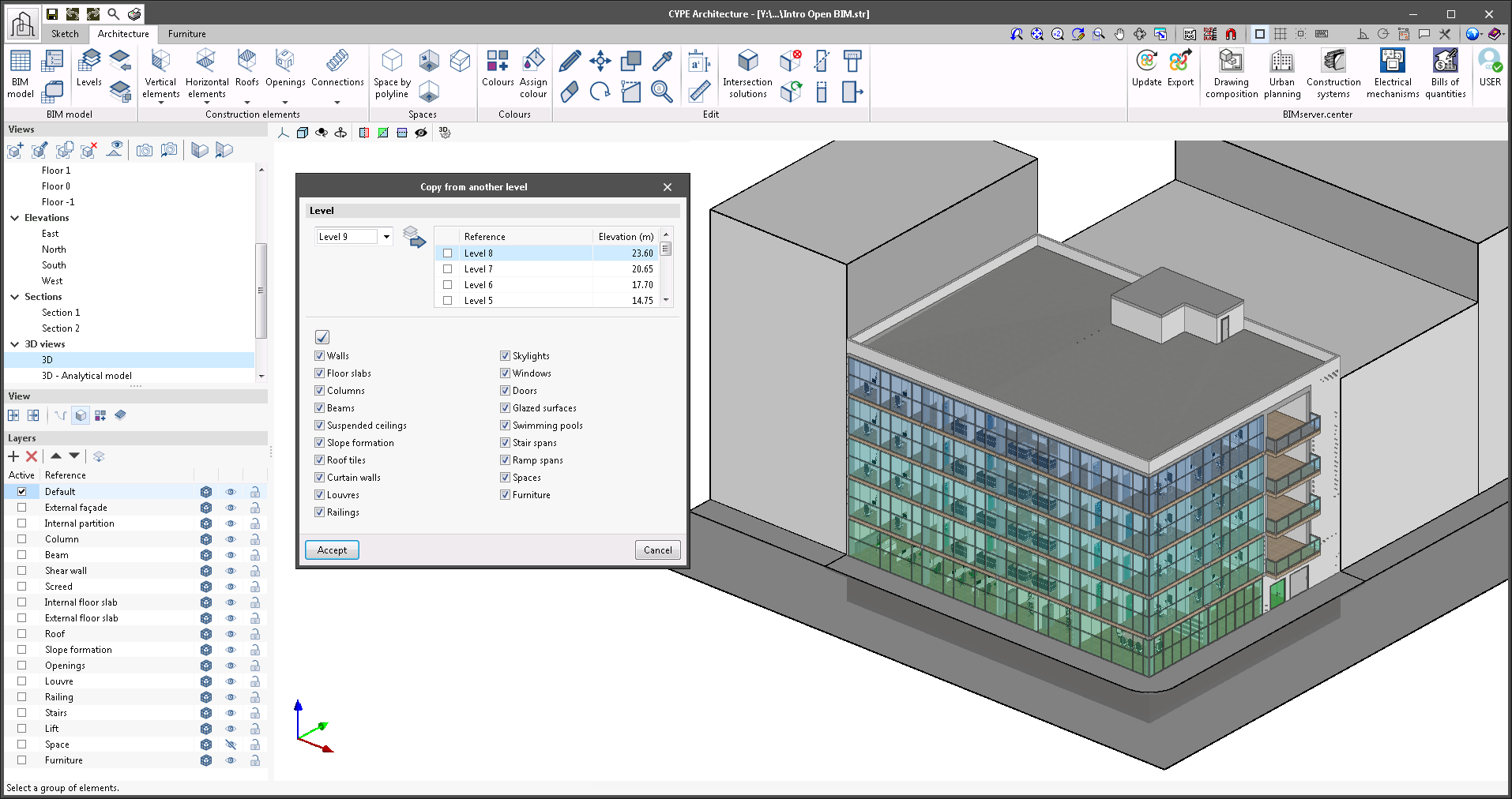
The "Copy from another level" function allows users to copy to multiple levels simultaneously without having to repeat this command continuously to copy each one of the levels in a project in the case of a multi-storey building with multiple repeated floors.
Louvres now have two new entry modes: louvre by sketch points and louvre by sketch surface area. These features give users more freedom when modelling louvres that are not perfectly square.

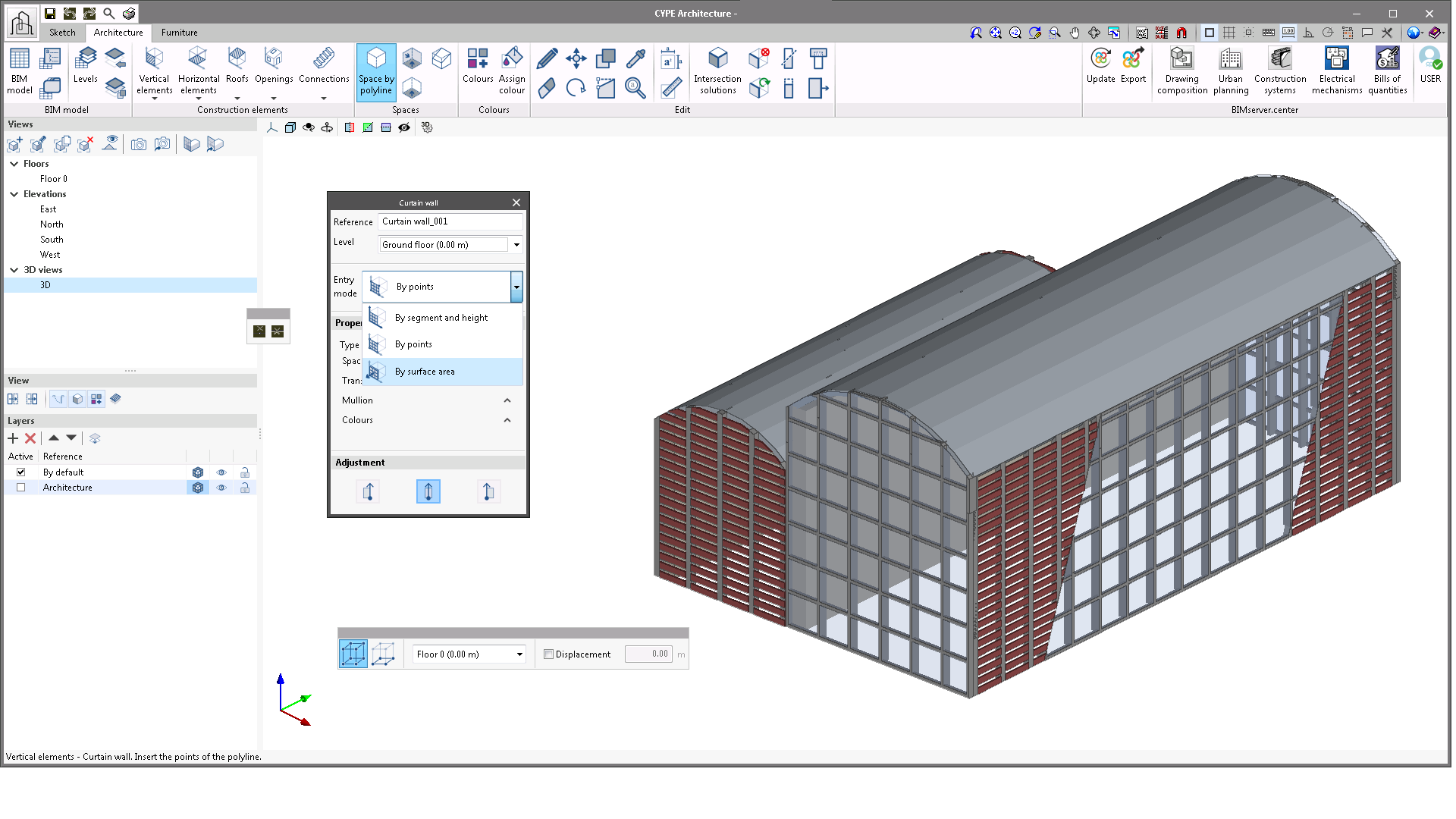
Curtain walls now have two new entry modes: curtain wall by sketch points, and curtain wall by sketch surface area. These features give users more freedom when modelling curtain walls that are not perfectly square.
Version 2021.g of CYPE’s programs is a closing version of the 2021 version.

As well as the new features and improvements expressly indicated in each version of CYPE software, process optimisation involving internal updates for all our programs is normally included. In each revision, all programs are systematically checked and changes are made to improve their performance, therefore, we recommend that our users (in this case those of v.2021) always update their version to the latest one, regardless of the country for which they are using CYPE software or the language in which it is installed.

This improvement allows dwg/dxf and 3D model snap interaction, which allows the users that use dwg/dxf templates to have greater precision when it comes to inserting doors and windows on plan as well as in 3D, thus avoiding errors of not generating an opening in the wall.

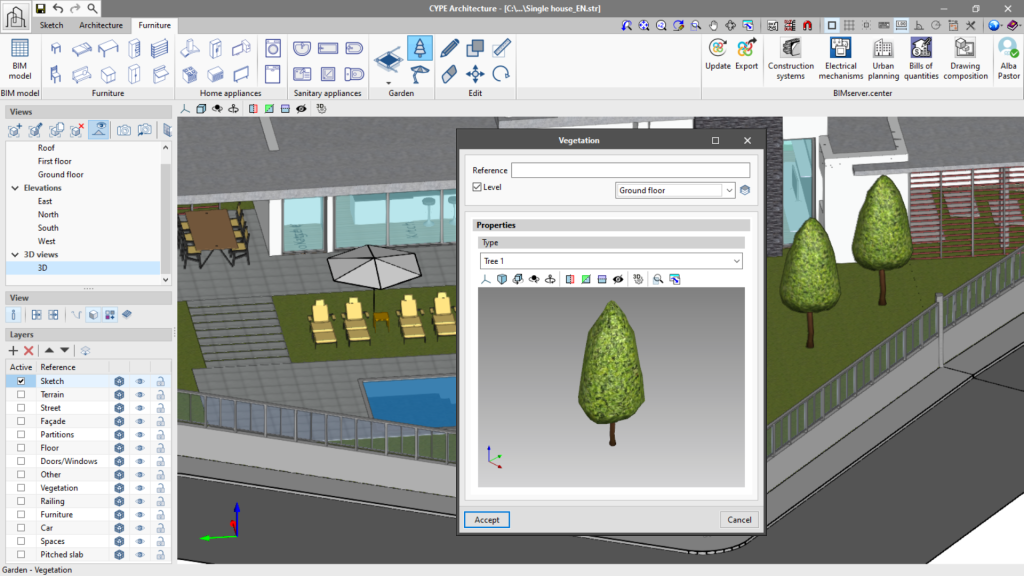
The "Furniture" tab includes a new "Garden" group. With this group, "Pools" can be designed, and vegetation and exterior shade elements can also be added.
The table in the "Layers" panel, located on the left side of the screen, contains a new column which allows the layers to be made transparent. Clicking on the transparency icon, the display of the layer can be alternated between solid or transparent.

When completing automatic intersection solutions, it is possible that an element has not been resolved correctly, leaving a small plane on one of its faces. To facilitate the correction in this case, the "Cut by face" (Edit group of the toolbar) tool has been introduced, which allows the removal of the excess plane and the adjustment of the element to the selected face.

From version 2021.f onwards, the "Intersection solutions" function in the "Edit" group will solve intersections between floor slabs and roofs automatically.

This new feature can be found in the "BIM Model" group of the toolbar and allows copying the elements in the "Architecture" and "Furniture" tabs from one level to another in a simple way.

It is possible to choose the elements that we wish to copy between levels, which will be copied and assigned to the corresponding level.