Update history​​

CYPEFIRE FDS

As of version 2026.b, project files are automatically associated with the corresponding CYPE app in the Windows environment. This means that you simply double-click on the file to open it directly in the appropriate program, without having to select it manually. This improvement streamlines the workflow and provides a smoother and more efficient user experience.

As of version 2025.d, a new tool has been incorporated to automatically calculate the area of the nodes that make up the carpentry according to the number of leaves it is made up of.

This improvement will make it possible to obtain the thermal transmittance of the window and door frames in a simpler way, optimising their integration into the building's energy model.

The feature is available exclusively for manufactured carpentry, both for interior and exterior windows.

As of version 2025.d, the "Project selection" window in the apps connected to BIMserver.center incorporates a new notification system to inform users about the latest new features on the platform.

This space displays relevant messages about new features, enhancements and recommendations related to BIMserver.center. In addition, direct links to documents, tutorials and additional resources will be included to facilitate the adoption of these new features.

As of version 2025.d, the interaction during the insertion of elements in the app's workspace has been improved. For those elements that the app allows to be rotated once inserted (Rotate element tool), it is now possible to rotate them in 90-degree intervals on the Z-axis by simply pressing the space bar on the keyboard before inserting them.

This feature allows for greater accuracy and speed when positioning components within the model, avoiding the need for subsequent adjustments.

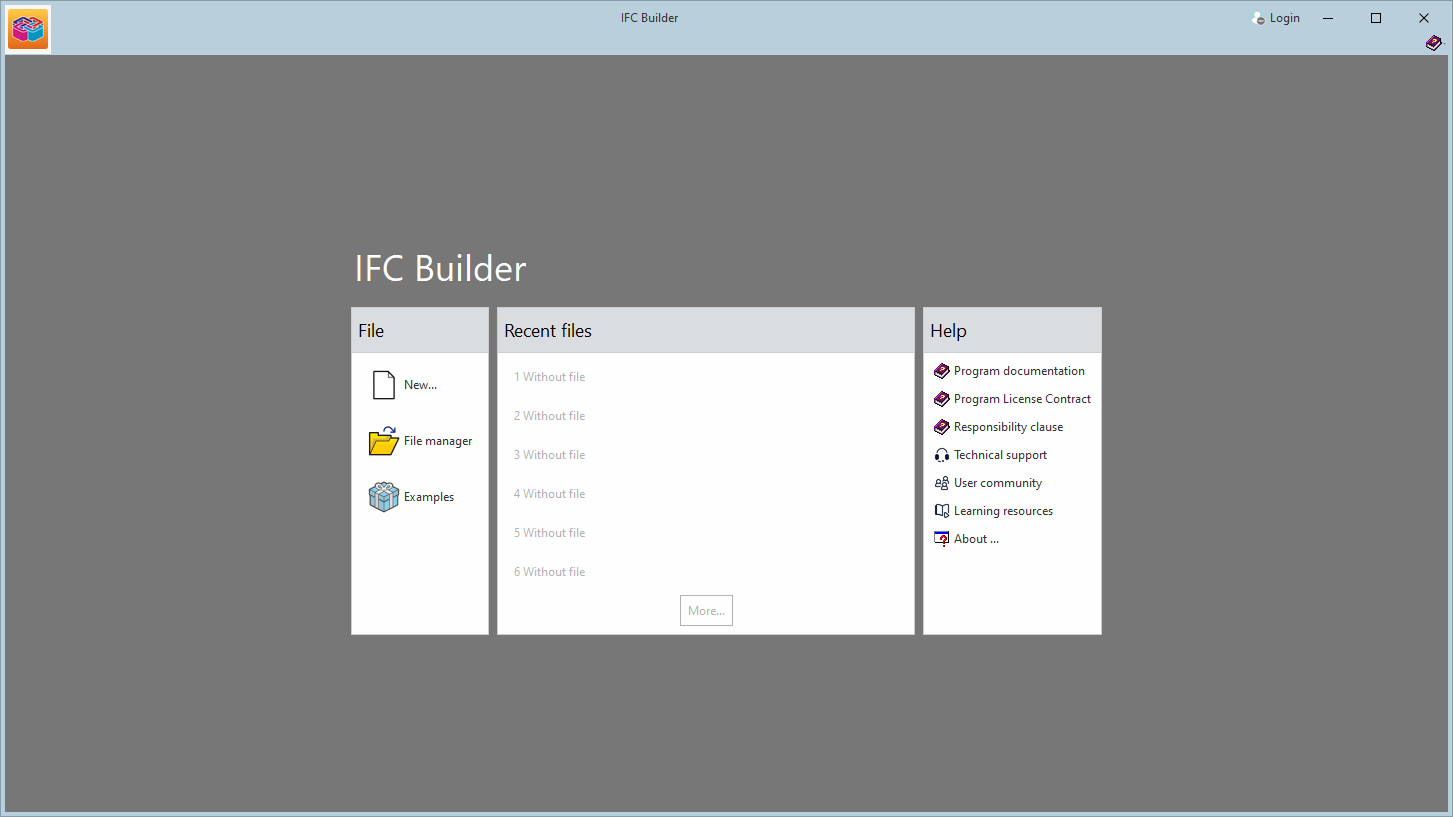
In version 2025.c, new options have been added to the "Help" menu of all CYPE apps, providing direct links to key resources on the CYPE website. These options make it easier to access to useful information and Technical Support, improving the overall experience of using the program.

The new options are the following:

  • Technical support: This link provides information on the different ways of contacting the CYPE Technical Support team to clarify any queries, obtain customised assistance and solve any problem related to the apps.

  • User community: This option provides access to the CYPE user community, where users can share experiences, ask questions and discuss solutions with other professionals using the same tools. This community encourages the exchange of knowledge and best practices, helping to make the most of the program's features.

  • Learning resources: This link leads to a collection of learning resources, such as tutorials, manuals, videos and articles, designed to help you understand and use CYPE apps more efficiently. These materials are designed for all levels of experience, from beginners to advanced users, and are an excellent source of information to expand skills and technical knowledge.

These new additions make it easier to access information and provide the necessary support to improve the users' experience with the apps and to encourage professional development.

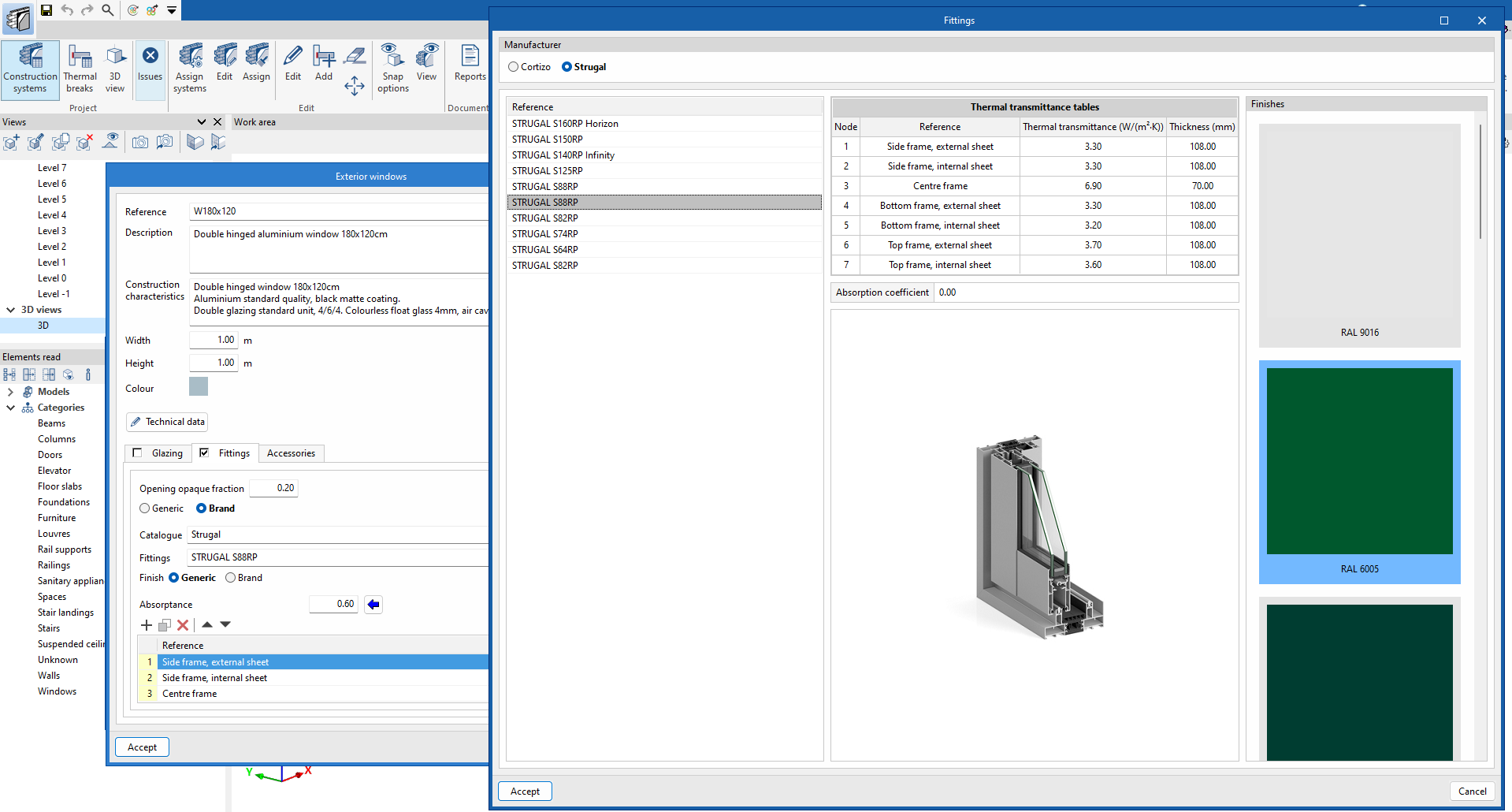
As of version 2025.c, the finishes of window frames can now be defined via manufacturers' catalogues. To do this, the "Finishes" field has been added in the window configuration window, where there are two options:

  • Generic
    By selecting this option, users can manually define the value of the "Absorption coefficient" of the carpentry, customising the properties of the material.

  • Manufacturer
    This option is used to select available finishes directly from a manufacturer's catalogue. The value of the absorption coefficient will be obtained automatically according to the reference of the selected finish, which will simplify the specification process and ensure that the values are accurate and in line with actual commercial products.

In the manufacturer's carpentry selection window, the window finish can be chosen together with the product reference, provided that the catalogue includes a range of finishes.

In version 2025.c, the feature for accessing manufacturers' catalogues has been extended. Now, as well as being able to download catalogues for individual glazing and carpentry, complete window solutions can also be accessed.

This tool facilitates design with real products and improves the construction documents. The downloaded catalogues can be used in the following categories of construction solutions:

  • Interior windows
  • Exterior windows

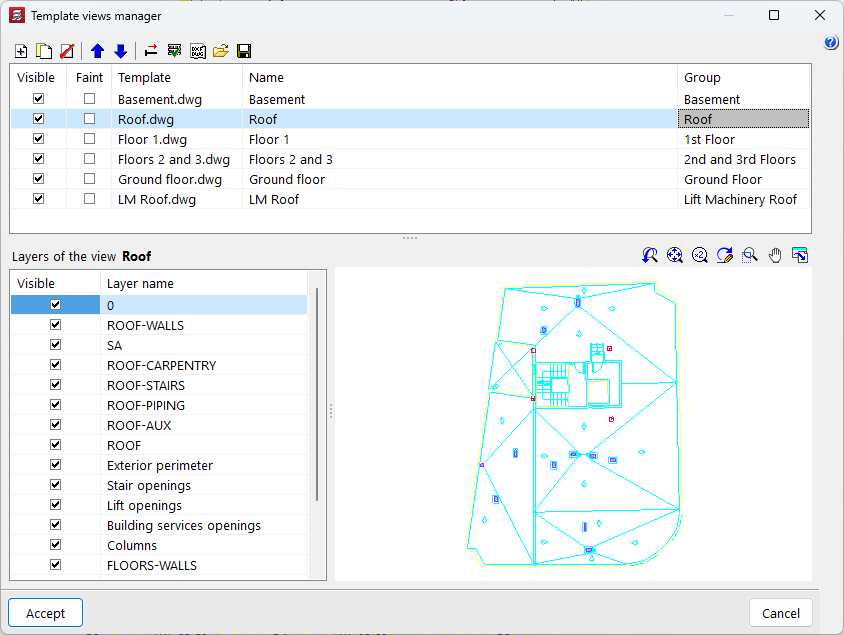
Version 2025.c of the CYPE apps includes the following improvements in the management of DXF and DWG file templates:

  • Reading DXF/DWG files with updated version
    As of version 2025.c, CYPE apps can read DXF/DWG files up to AutoCAD® version 2025.

  • Improved template preview
    Advanced graphic management has been implemented in the template selection and transformation panels to optimise the template drawing preview window and facilitate the movement of the drawing from this panel.

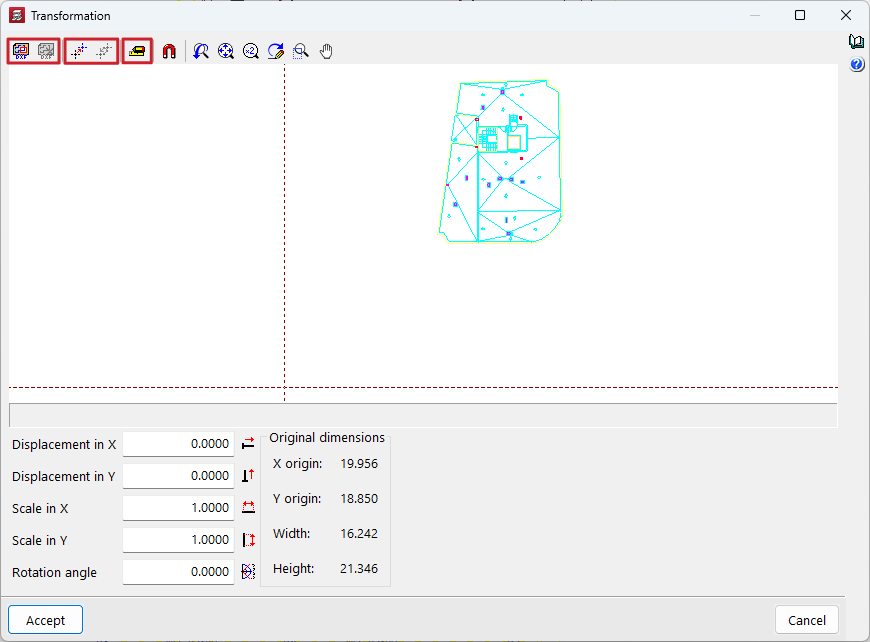
  • Simultaneous transformations on the template
    The application of the following transformations on an imported template has been improved:
    • Selecting the visible area of the template
    • Changing the coordinate origin of a template
    • Adjusting the scale of a template

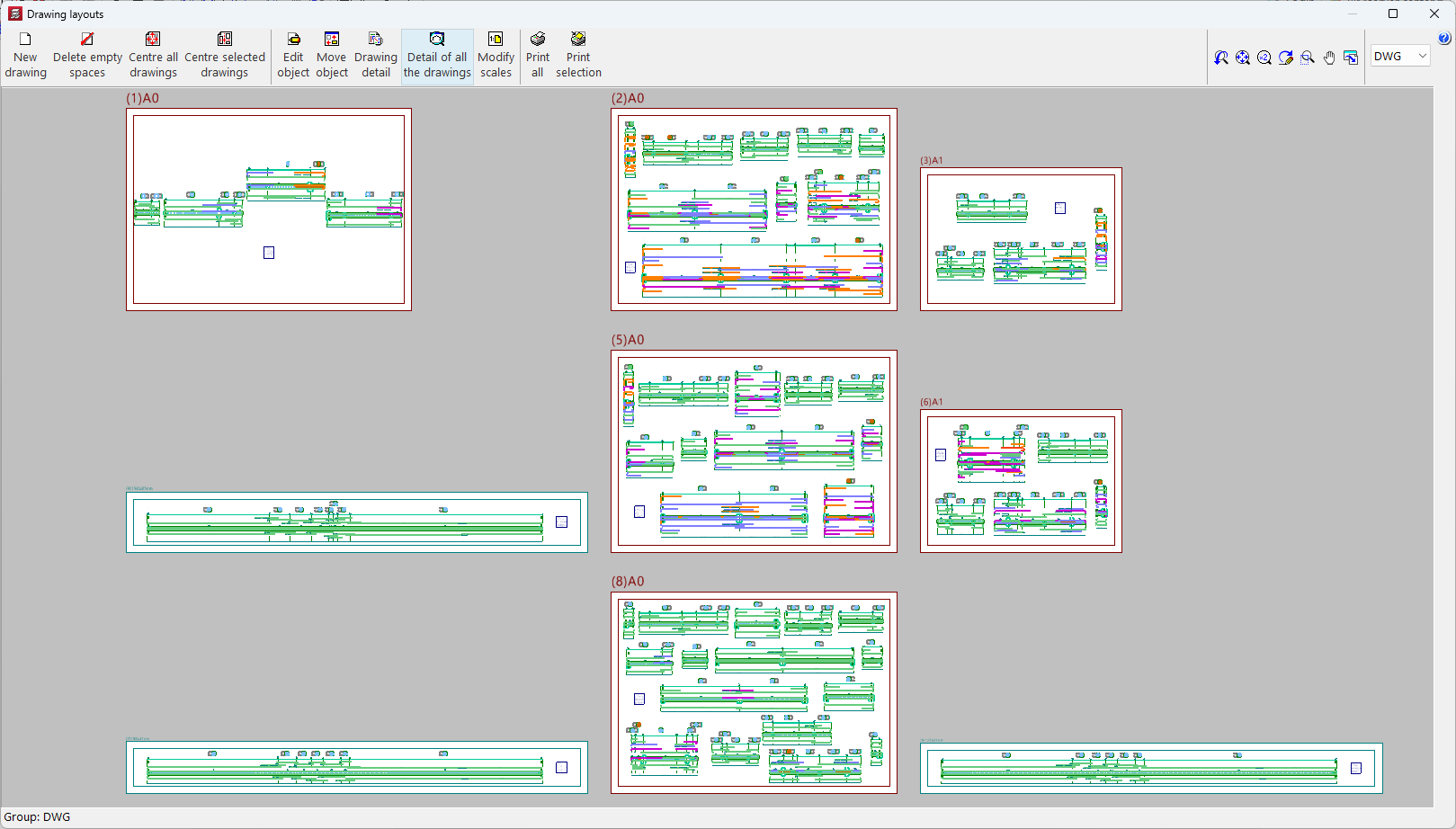
As of version 2025.c, the "Drawing layouts" panel uses hardware acceleration for drafting drawings. This implementation allows users to represent and move the model more smoothly.

This panel is present in several CYPE programs, although hardware acceleration is much more noticeable in programs and projects with multiple elements (CYPECAD, CYPE 3D, CYPECAD MEP, etc.).

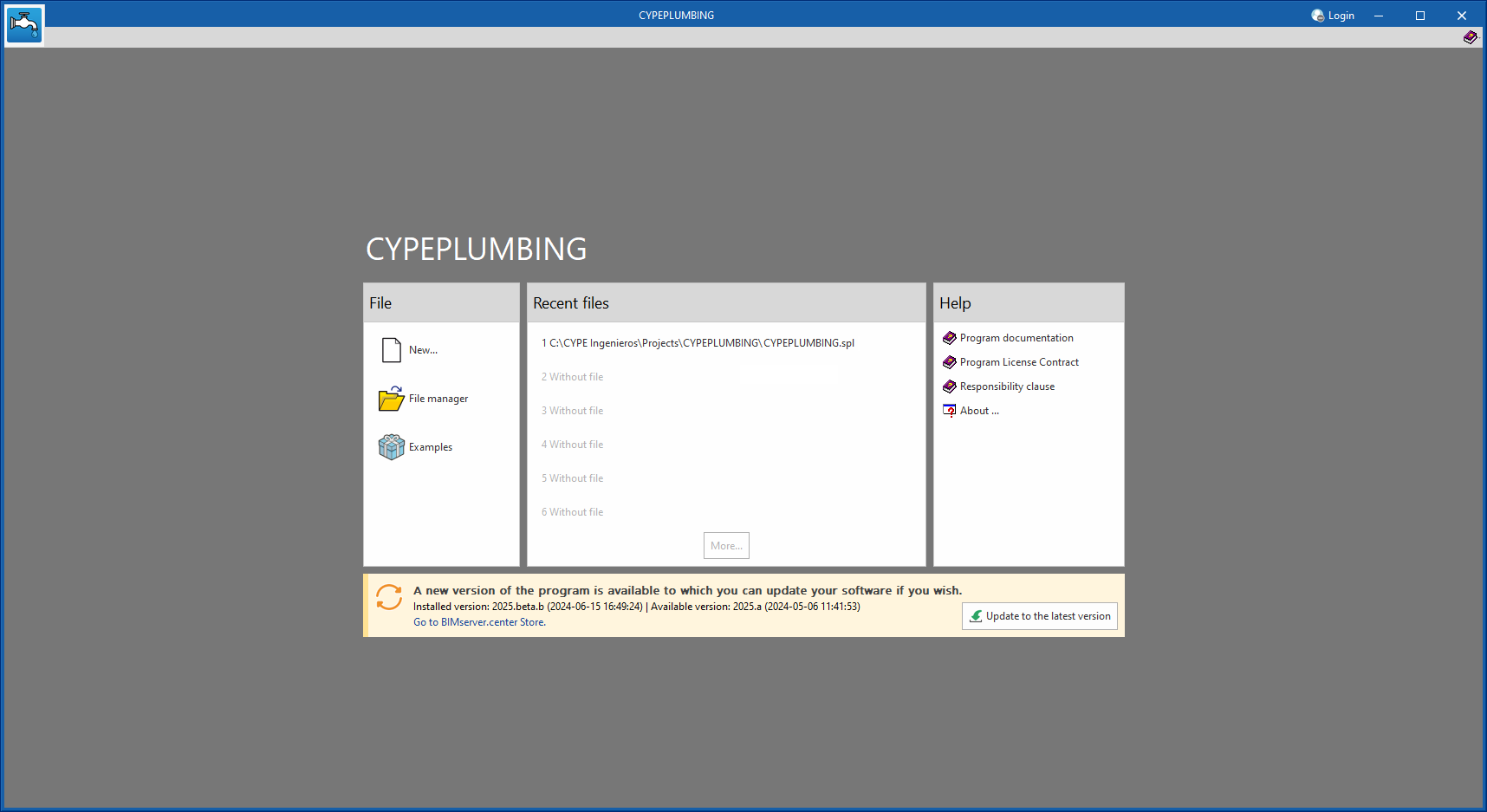
As of version 2025.b, applications now display a warning message in their initial window when a new update is available. This message provides information about the "installed version" and the "available version", together with a direct link to the Store page of the BIMserver.center web platform.

Clicking on the “Upgrade to the latest version” button automatically starts the download and installation process of the application. This feature ensures that the most current version of the program is always being used, thus benefiting from the latest improvements.

This method replaces the automatic notification and update process of a new version in the BIMserver.center programs available in previous versions.