Update history​​

CYPEFIRE Hydraulic Systems

The option to "Zoom" into the 3D model element has been added in the following cases:

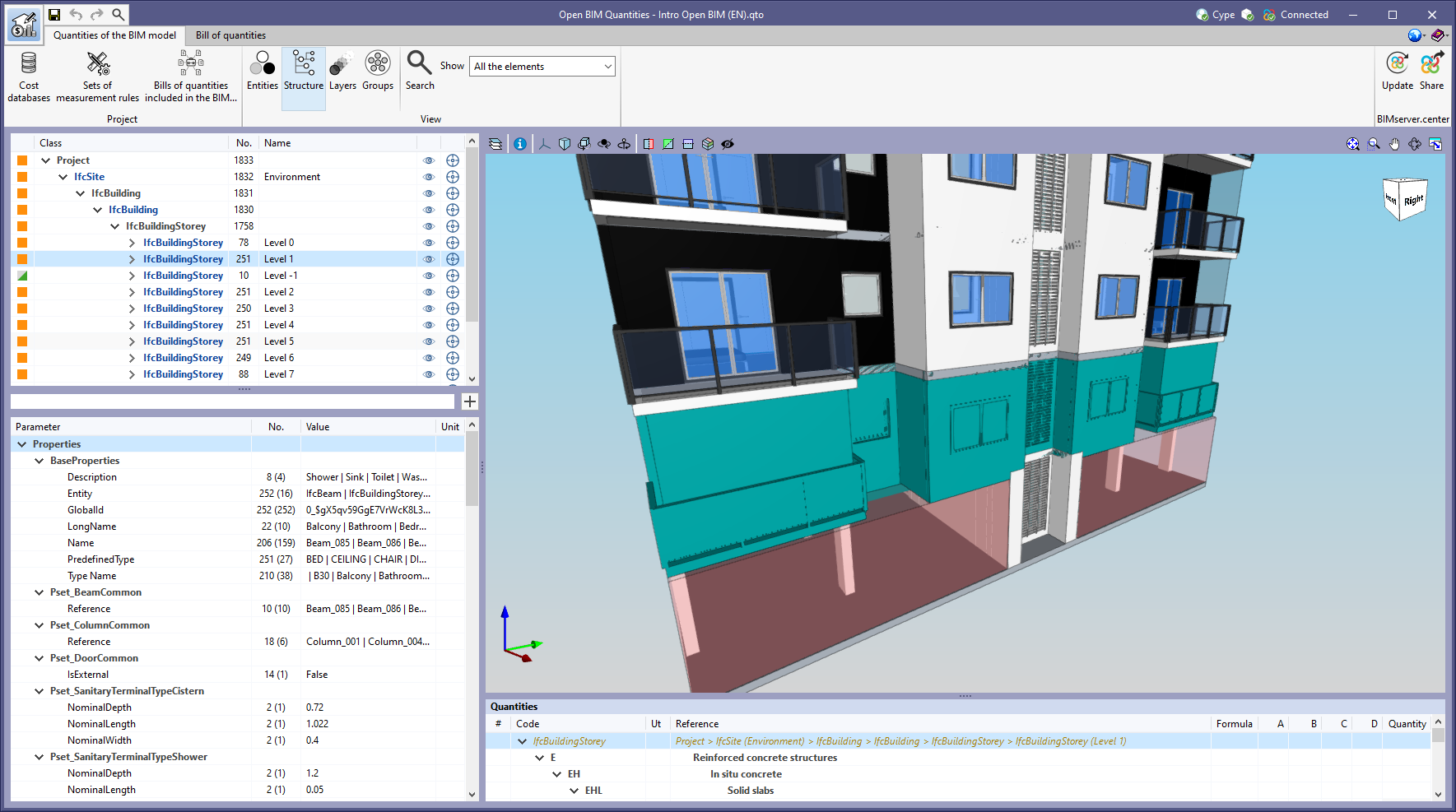
  • "Quantities of the BIM model" tab in Open BIM Quantities
    In previous versions, users could frame a component of the IFC model in the 3D view. The same can now be done for the different groups of elements (types, entities, structure, layers and groups).
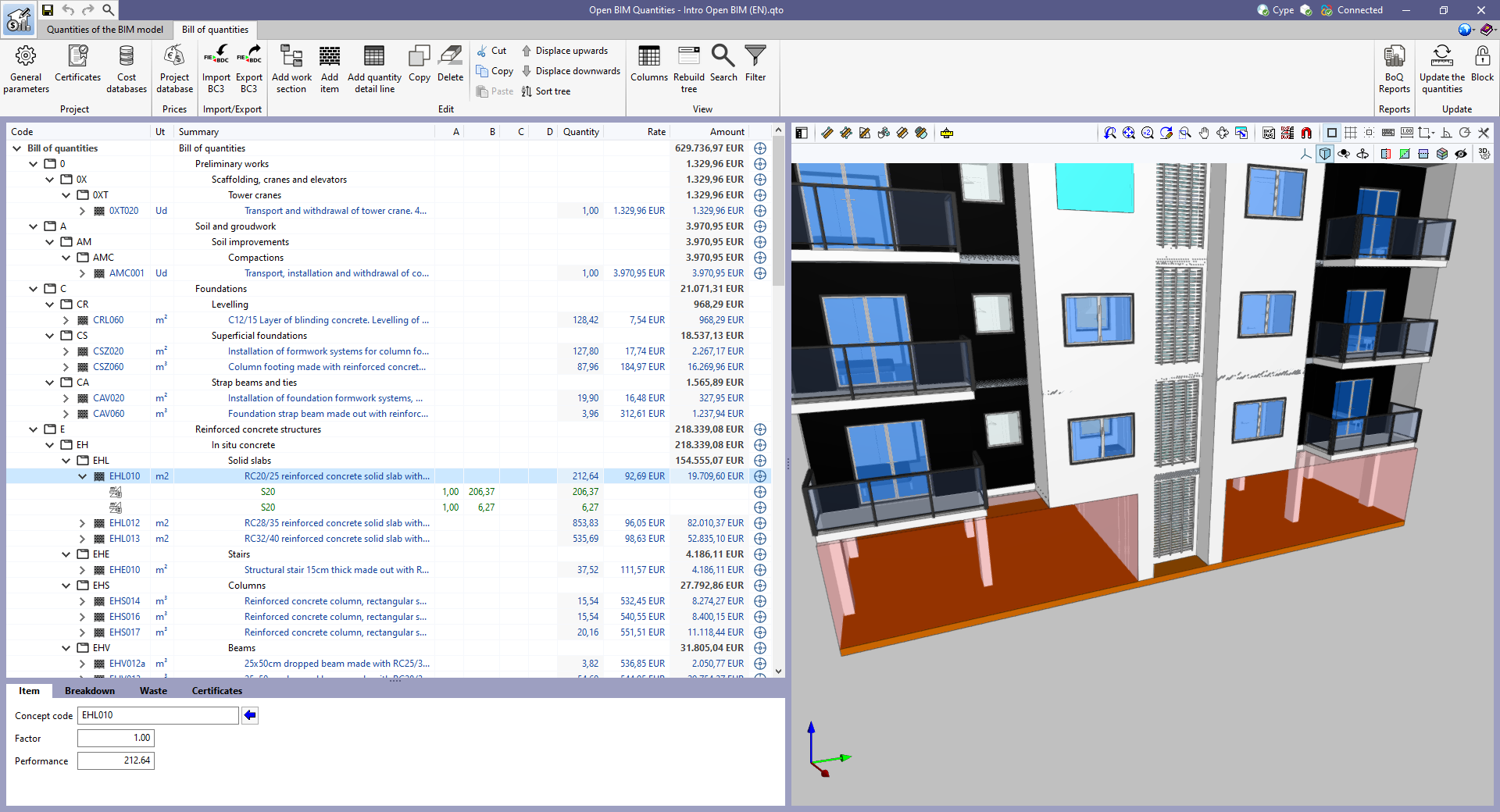
  • "Bill of quantities" tab in applications
    In previous versions, users could frame the elements used in a quantity detail line of the bill of quantities in the 3D view. The same can now be done for items and work sections.
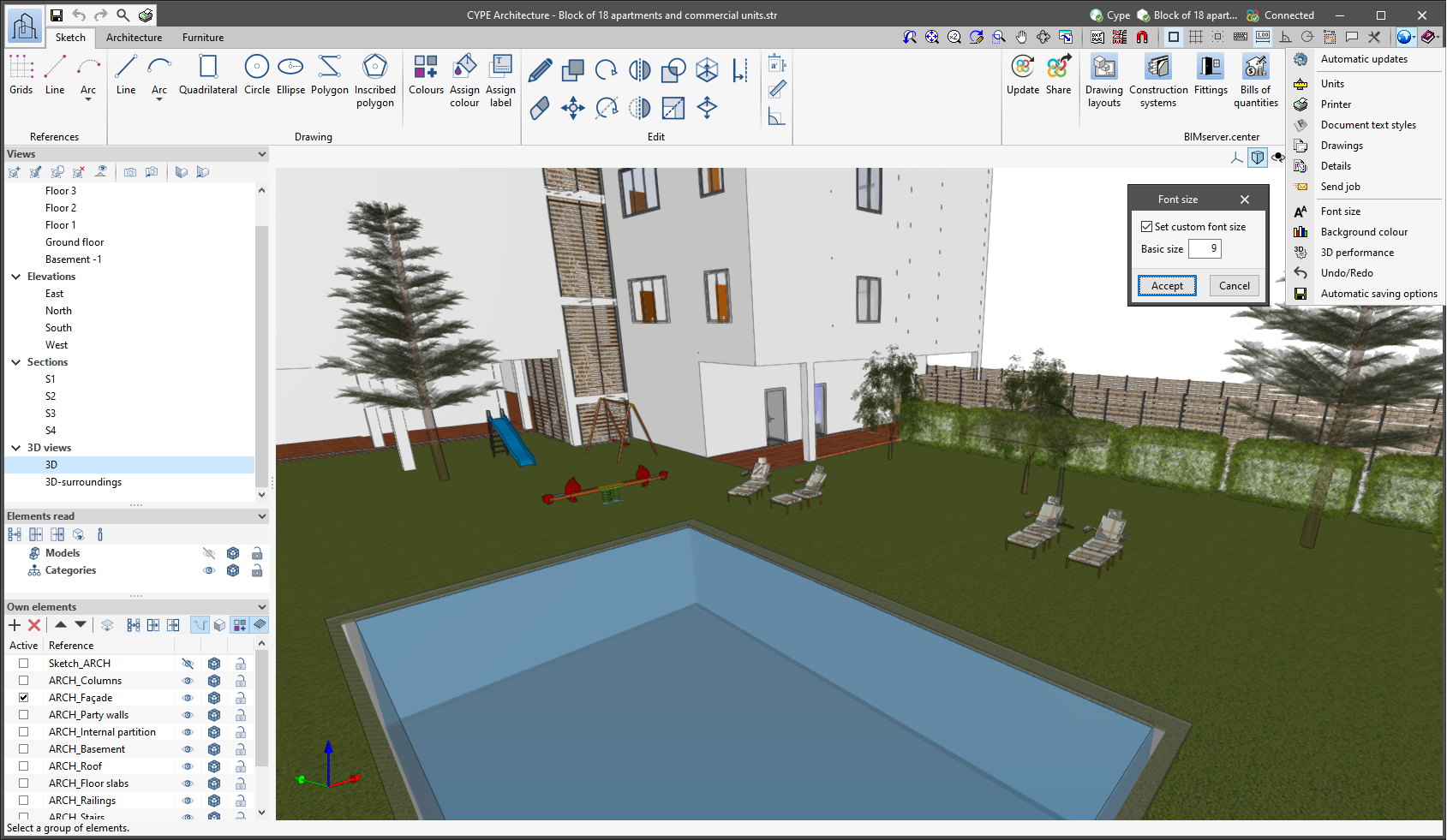
The "Font size" option has been added to the general configuration menu of the applications. This tool allows users to increase or decrease the basic size of the font used in the user interface of the programs. Thanks to this implementation, the accessibility of the applications has been improved while also ensuring the correct visibility of the content on devices with different screen resolutions.

To enter a "Basic size" the "Set custom font size" option must be checked. The size users can enter is the application's basic font size. Any other font sizes that may exist in the program's interface will be automatically modified proportionally according to the change in the basic size.

It is important to note that, as this is a common parameter, its modification will affect all installed CYPE tools.

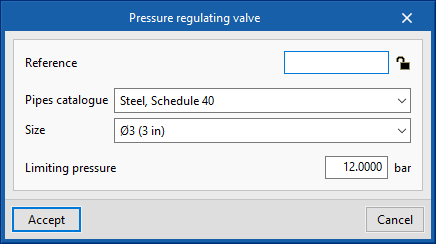
The pressure regulating valve is used to limit the pressure in the sprinkler system, downstream of its installation point.

This valve can be selected in the main toolbar. To enter it, the diameter and the pressure to be limited must be indicated.

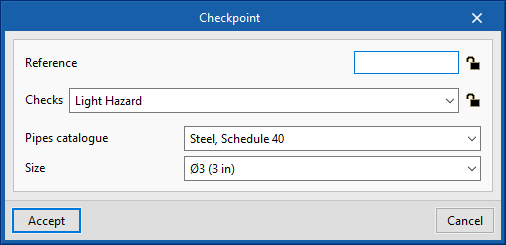
The checkpoint is a set that includes the alarm valve, shut-off valve and all valves and accessories needed to carry out the control in a sprinkler system.

The maximum size of the system controlled by a checkpoint depends on the risk of the building. According to EN 12845 it ranges from 9,000 to 12,000 m². If the maximum permissible limit is exceeded, necessary measures must be taken.

Users can include and edit this option in the code configuration.

Version 2022.c of CYPEFIRE Hydraulic Systems includes the update of American standard NFPA 13 to its 2019 version with the corresponding modification of all articles of checks related to:

  • Minimum pressure
  • Minimum flow
  • Minimum duration of water supply
  • Area of operation
  • Design density
  • Maximum and minimum distances between sprinklers

Additionally, the checks for standard NFPA 14 related to Fire Hose Reels are included. In order to carry out these checks, the 2 ½ in (65 mm) diameter FHR has been included and, from now on, it will be possible to carry out the minimum pressure and flow checks that this equipment must provide if necessary.

"Standard for the Installation of Sprinkler Systems".

Updated in CYPEFIRE Hydraulic Systems.

"Standard for the Installation of Standpipe and Hose Systems".

Implemented in CYPEFIRE Hydraulic Systems.

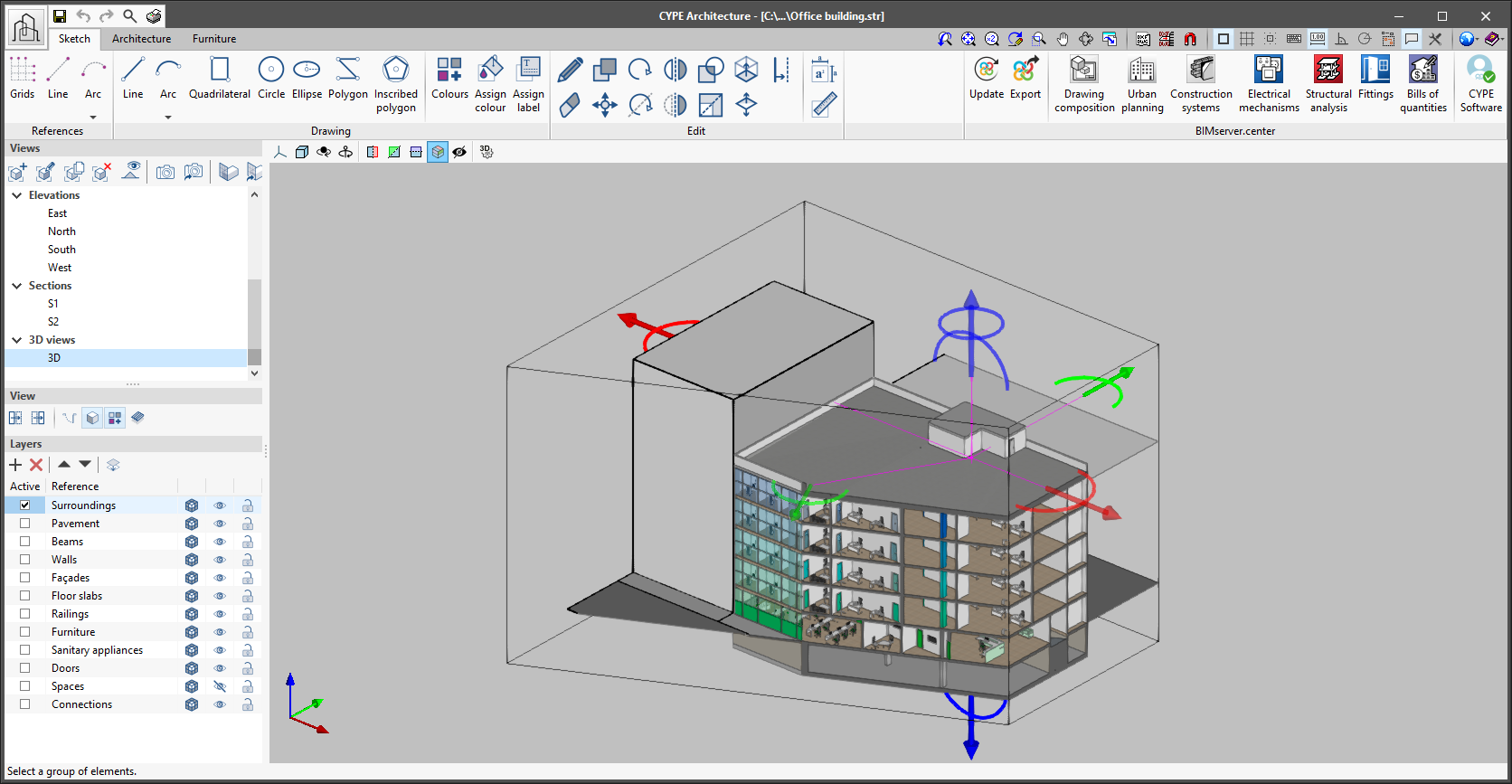
As of version 2022.b, applications with 3D drawing surroundings allow a viewing volume to be defined from the geometric envelope of the scene content. The arrows allow the viewing volume to be adjusted by moving their faces and the arches allow the viewing volume to be adjusted by means of 6 clips planes.

Version 2021.g of CYPE’s programs is a closing version of the 2021 version.

As well as the new features and improvements expressly indicated in each version of CYPE software, process optimisation involving internal updates for all our programs is normally included. In each revision, all programs are systematically checked and changes are made to improve their performance, therefore, we recommend that our users (in this case those of v.2021) always update their version to the latest one, regardless of the country for which they are using CYPE software or the language in which it is installed.

As of the 2021.c version, users will be able to work with CYPEFIRE Hydraulic Systems using Italsan catalogues. Specifically, using the products included in the NIRON RED system (polypropylene piping systems for fire protection installations).

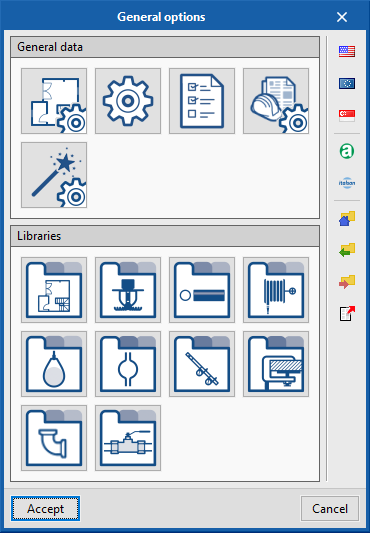
In the "General options" panel, users can select the Italsan logo to import its catalogue (located under the regulations that are implemented in the application). Once imported, the sprinkler installation can be designed with all the available products, in accordance with the indications of this manufacturer.

The analysis and design of an automatic sprinkler system can be quite complex. All the hydraulic design requirements that must be met by the different applicable regulations make the selection of the pipes one of the most complex tasks in the design of the installation.

To facilitate this process, from the 2021.c version, "CYPEFIRE Hydraulic Systems" has the new "Automatic design" tool.

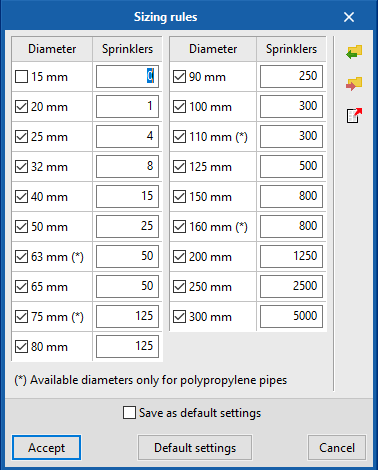
This tool can be configured by users in "General options > Design criteria". From this panel it is possible to edit the diameters to be used in the design and the maximum number of sprinklers that each diameter can supply before moving on to the next available diameter.

If users do not want to change the default data, the "design" tool will launch the diameter selection process and then the hydraulic analysis. This selection and hydraulic analysis process will end if no errors are found when the results that are obtained are compared with the requirements of the regulations. Otherwise, the process will be repeated until valid diameters are selected, to comply with the applied regulations.

Users can now design hydraulic installations with reduced capacity tanks.

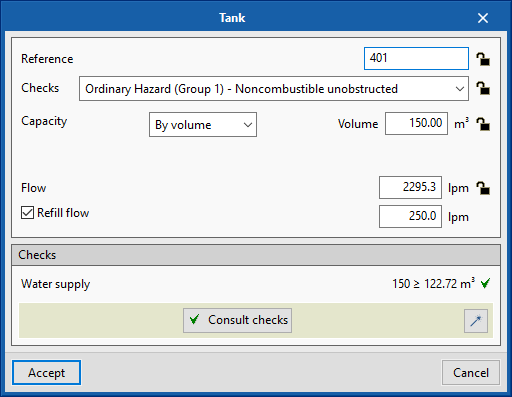
This type of tank has a refill flow that allows it to reduce the volume that is required to supply the installation. This option can be activated by editing the tank and including the refill flow.

CYPE Mentor