Update history​​

StruBIM Steel

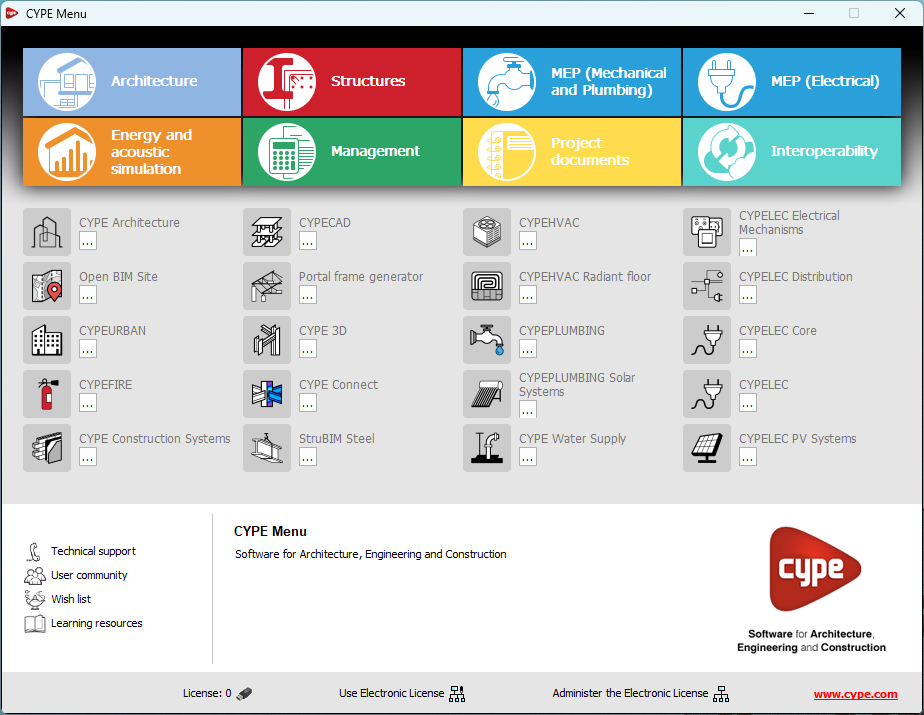
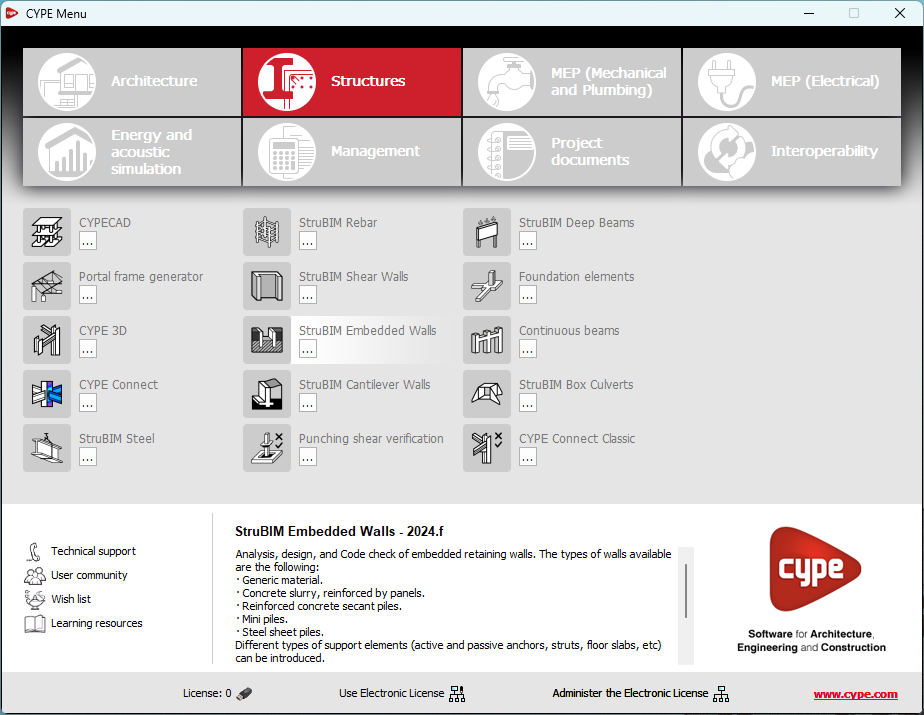
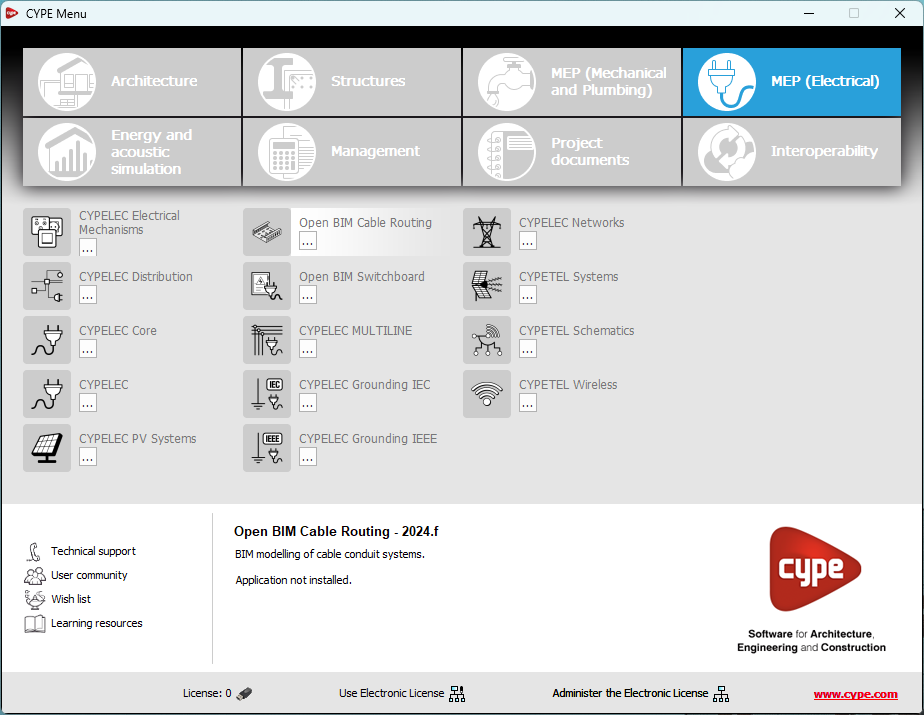
In version 2025.a, CYPE Menu (which can now be downloaded exclusively from the BIMserver.center platform) has new program groups.

  • Architecture
  • Structures
  • MEP (Mechanical and Plumbing)
  • MEP (Electrical)
  • Energy and acoustic simulations
  • Project management
  • Project documents
  • Interoperability

Most of the CYPE applications are sorted into these groups. In previous versions, most of these applications could only be downloaded as single applications from the BIMserver.center platform.

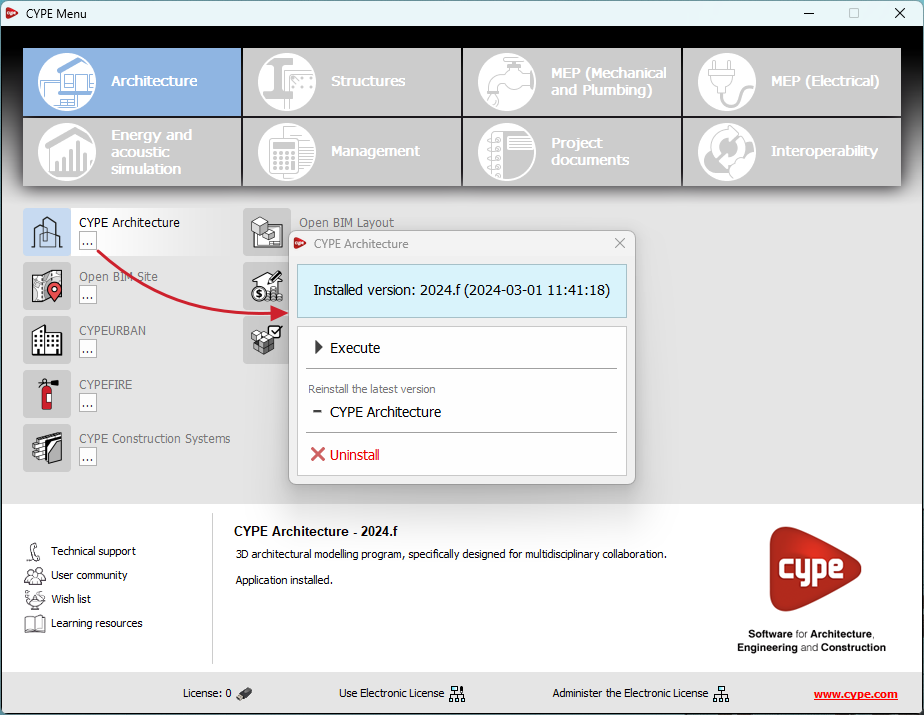
By downloading and installing CYPE Menu, users will only have the CYPE programs menu installed, but none of the applications included in it will be downloaded or installed. Initially, each of the icons representing the CYPE Menu applications appears in a box with a grey background. When clicking on any of them for the first time (or on the button under the application's name), a contextual menu will appear allowing users to download and install the latest version of that application or an earlier version if available. Earlier versions (from 2024 onwards) will be available for those programs that include paid modules. Normally, free applications will only allow the latest version of these programs to be installed. Any installed version of any application can be uninstalled.

When an application has been installed, by clicking on the button under its name, the context menu that appears includes the "Uninstall" option.

More information on this program menu can be found in the FAQ "How to download and install programs from CYPE’s general menu".

The CYPE Menu download of versions before 2025 (with the applications included) is still available in the download area of the CYPE website.

As of version 2025.a, the CYPE program menu can only be downloaded from the BIMserver.center platform.

The CYPE Menu application was already available from version 2024.b on the BIMserver.center platform. Now, in version 2025.a, the advantages of CYPE Menu compared to previous versions, which were downloaded from the download area of the CYPE website, are as follows:

  • As of version 2024.b
    • Once CYPE Menu has been installed, the applications it contains will be installed from this new menu when they are opened for the first time.

  • As of version 2024.f
    • CYPE Menu allows users to manage the updates of the applications it contains.

  • As of version 2025.a
    • New program groups and many CYPE applications that could only be downloaded directly from BIMserver.center are included.
    • The version of each application to be installed can be selected (from version 2024 onwards).
    • Previously installed applications can be uninstalled.

Further information on the new features can be found in the following new features of CYPE Menu version 2025.a.

In the download area of the CYPE website, the download of the program menu for versions prior to 2025.a (in 64-bit and 32-bit) will still be available. In this download area, there is also a link to the BIMserver.center platform "Store" for downloading the 2025.a version of "CYPE Menu".

As a result of these changes, the 32-bit version of the CYPE Menu is no longer available in version 2025.a. As of 18 February 2019 (version 2019.f), the CYPE programs have been running on 64-bit systems. Since then, only the classic CYPE menu could be installed on 32-bit systems. All other applications (downloadable from the BIMserver.center platform) only worked on 64-bit systems. We believe that 32-bit programming is no longer feasible to take advantage of the superior performance of 64-bit processors and operating systems. Users who still want to use certain 32-bit CYPE programs (those available in the "CYPE Menu" prior to version 2025.a) must install a version prior to 2025.a from the download area of the CYPE website, but will not be able to upgrade their programs to later versions. Please refer to our FAQ question "Which version should I download, 64-bit or 32-bit?" for more information on the 32-bit and 64-bit versions.

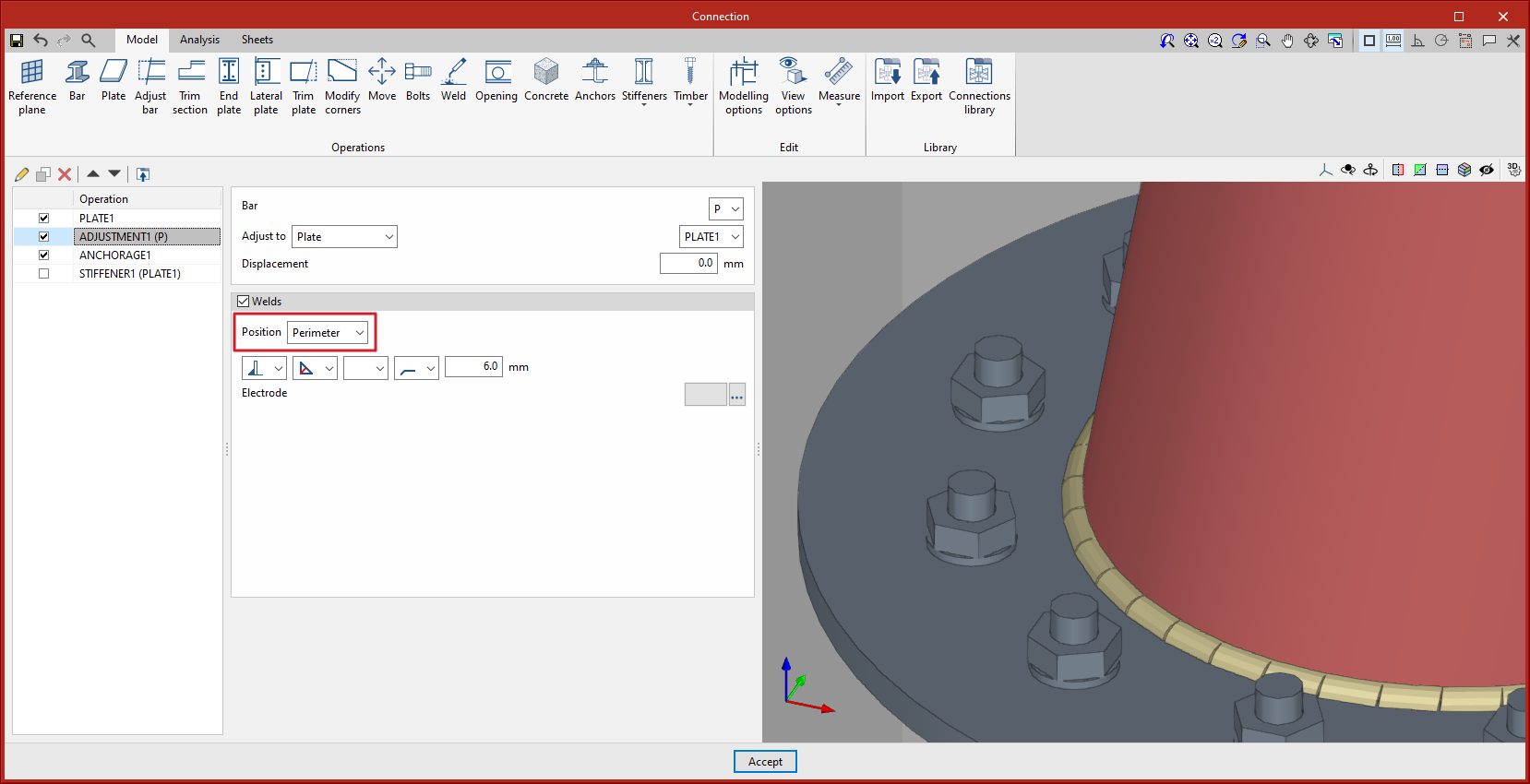
The "Adjust bar" and "End plate" operations include a new option when defining welds: the choice between perimeter welding or parametric welding. Up until version 2024.f, welds were always placed parametrically on wings and webs, depending on the type of section.

The new perimeter welding option will add welds along the entire contact area between the selected elements. For circular hollow sections, the weld must always be a perimeter type.

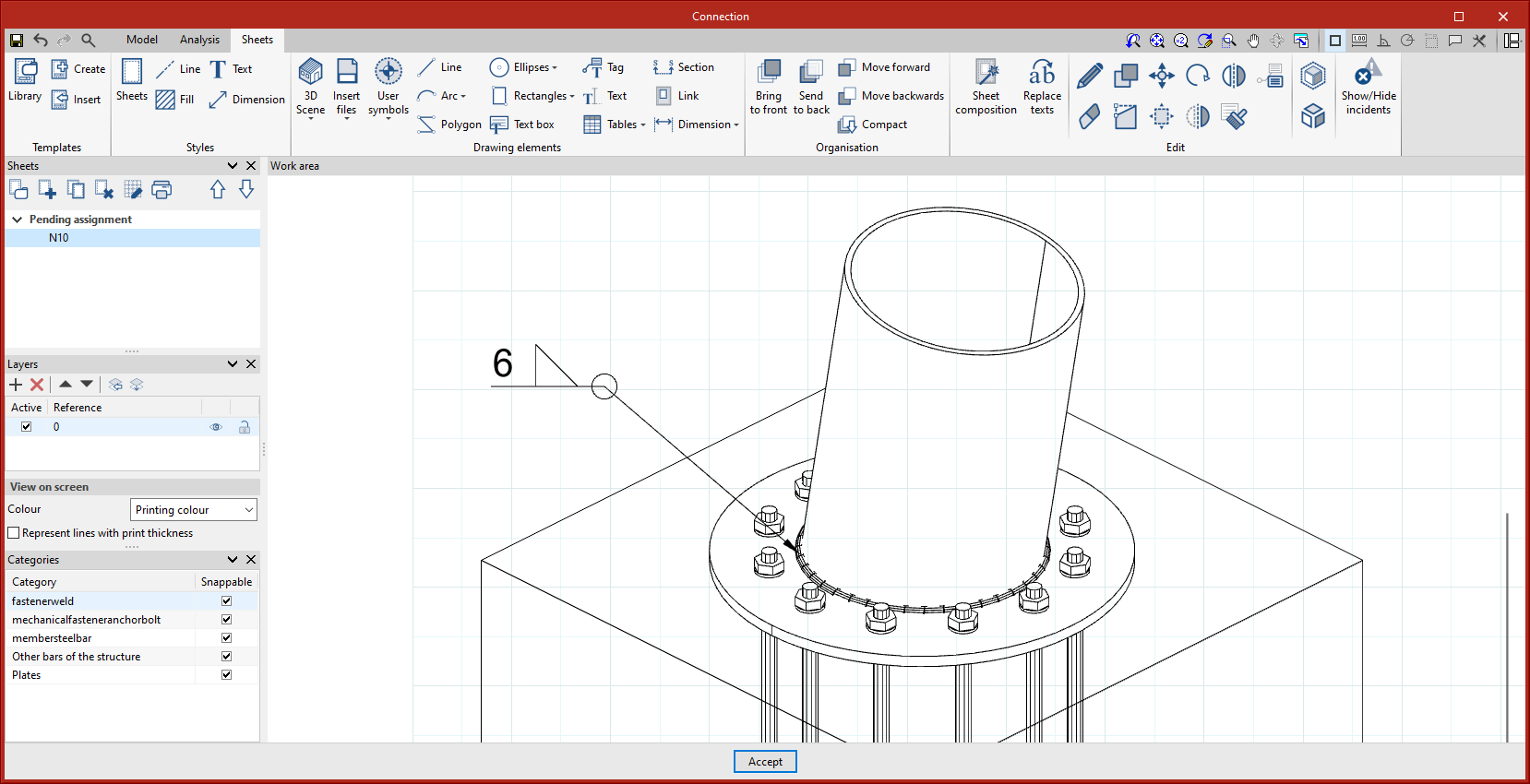
Perimeter welds shall be shown on the drawings with their corresponding symbols.

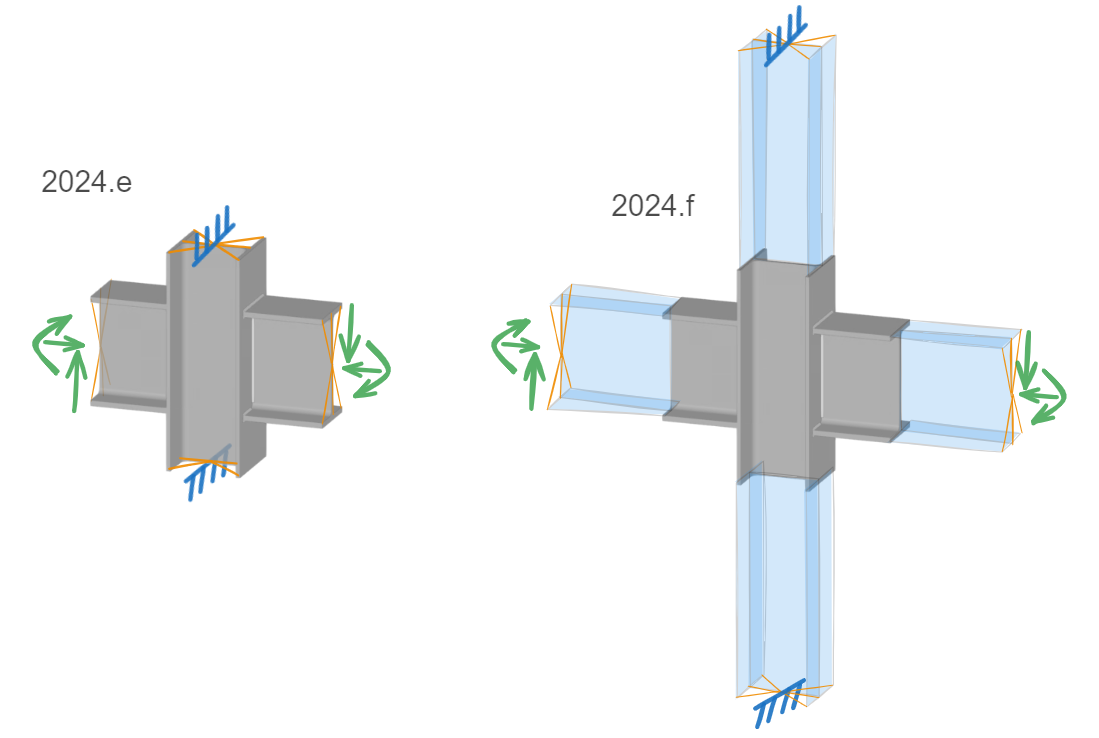
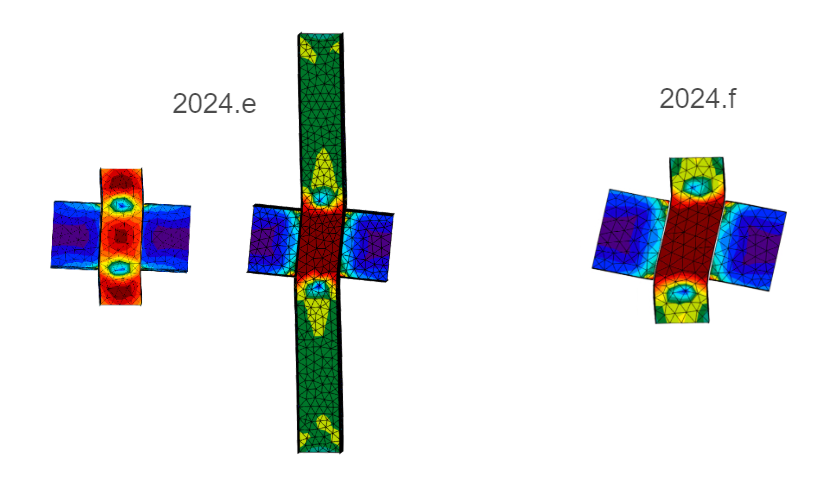
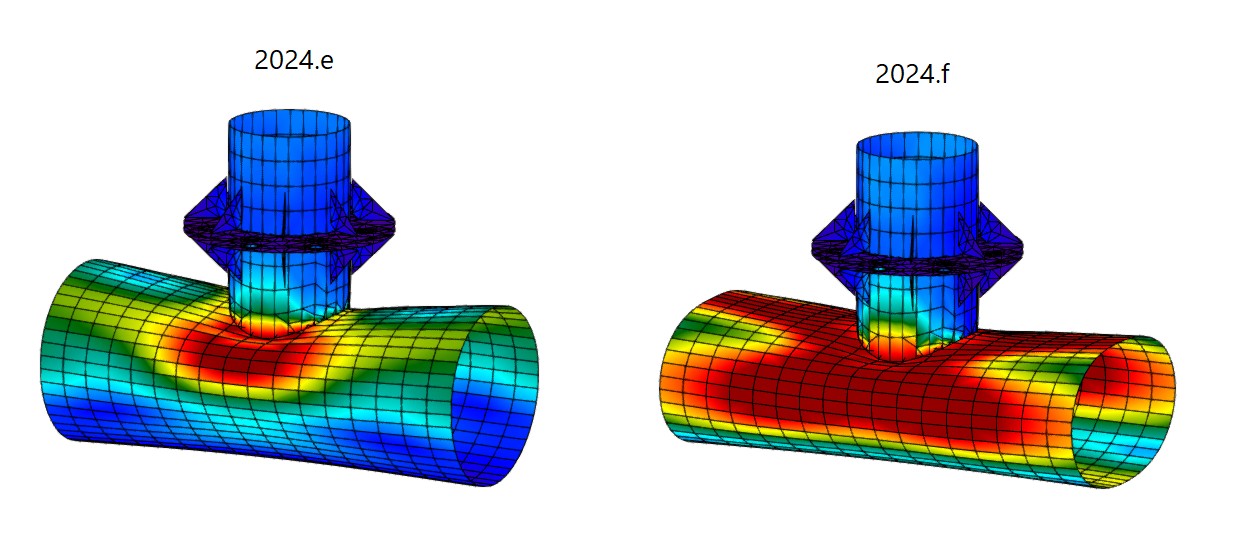
In version 2024.f, changes have been implemented in the finite element model of the connections compared to previous versions.

For the stress/strain analysis, the new model incorporates an additional extension of the bars, which consists of a linear elastic plate system and a reduced number of elements.

The extension allows users to consider the effect of modelling bars with a longer length, without penalising the analysis time.

The end nodes of each bar are bound with rigid links to apply loads or restrictions, which implied that the end section of each bar was considered to be non-deformable. In some cases, this assumption could lead to stress concentrations at the ends, or to less conservative results.

With the new model, the non-deformable section is moved away from the connection to the end of the additional extension to avoid these issues.

This additional extension is neither represented in the connection modelling tab nor in the results tab.

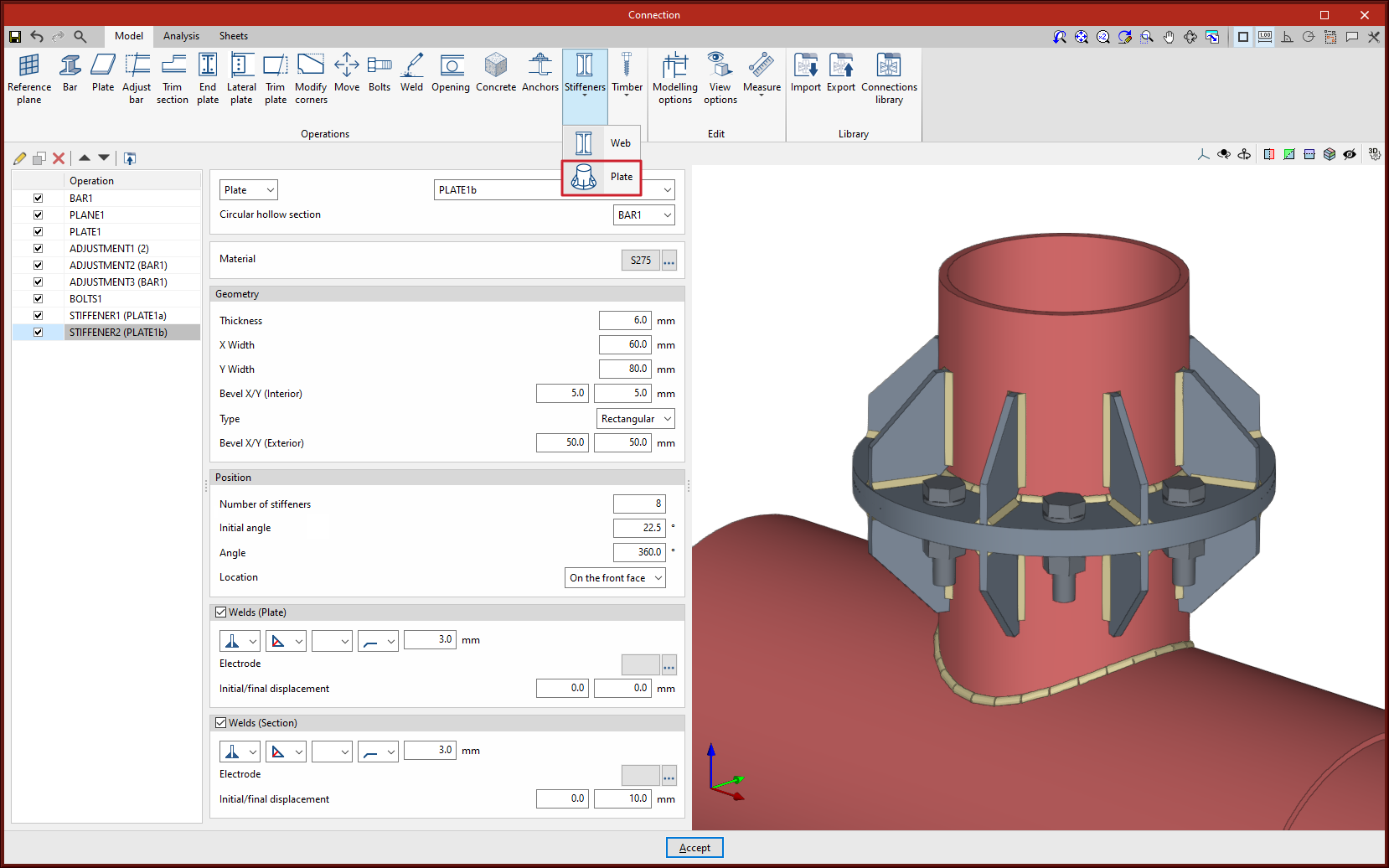
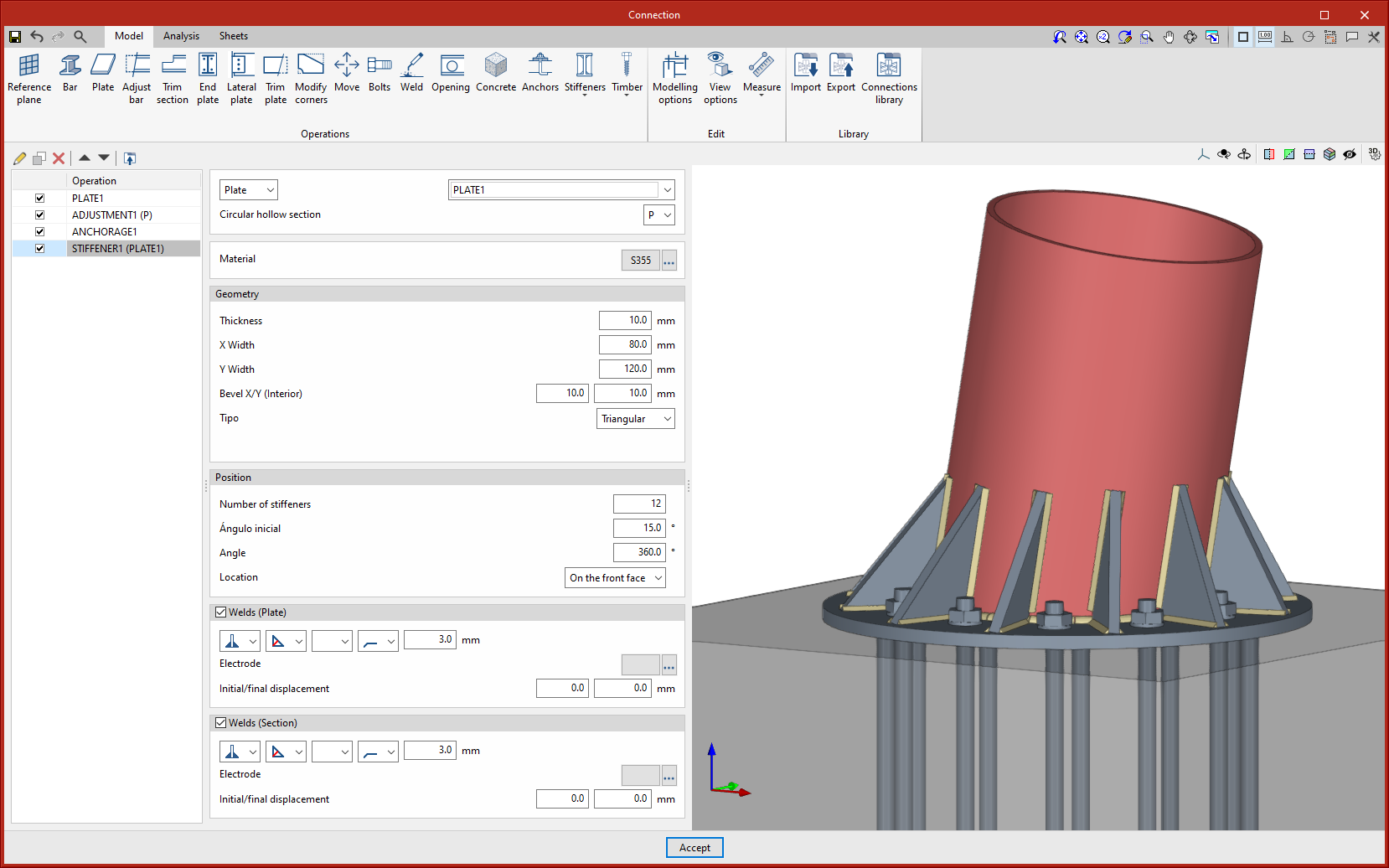
In version 2024.f a new operation is implemented to add stiffeners between a plate and a circular hollow section. The stiffeners are arranged around the circular hollow section radially and parallel to the section axis.

As well as the geometry of the stiffeners, users can define the number of these plates, which will be evenly distributed from an initial angle, around the user-defined angle. The point of origin of the initial angle coincides with the y-axis of the section.

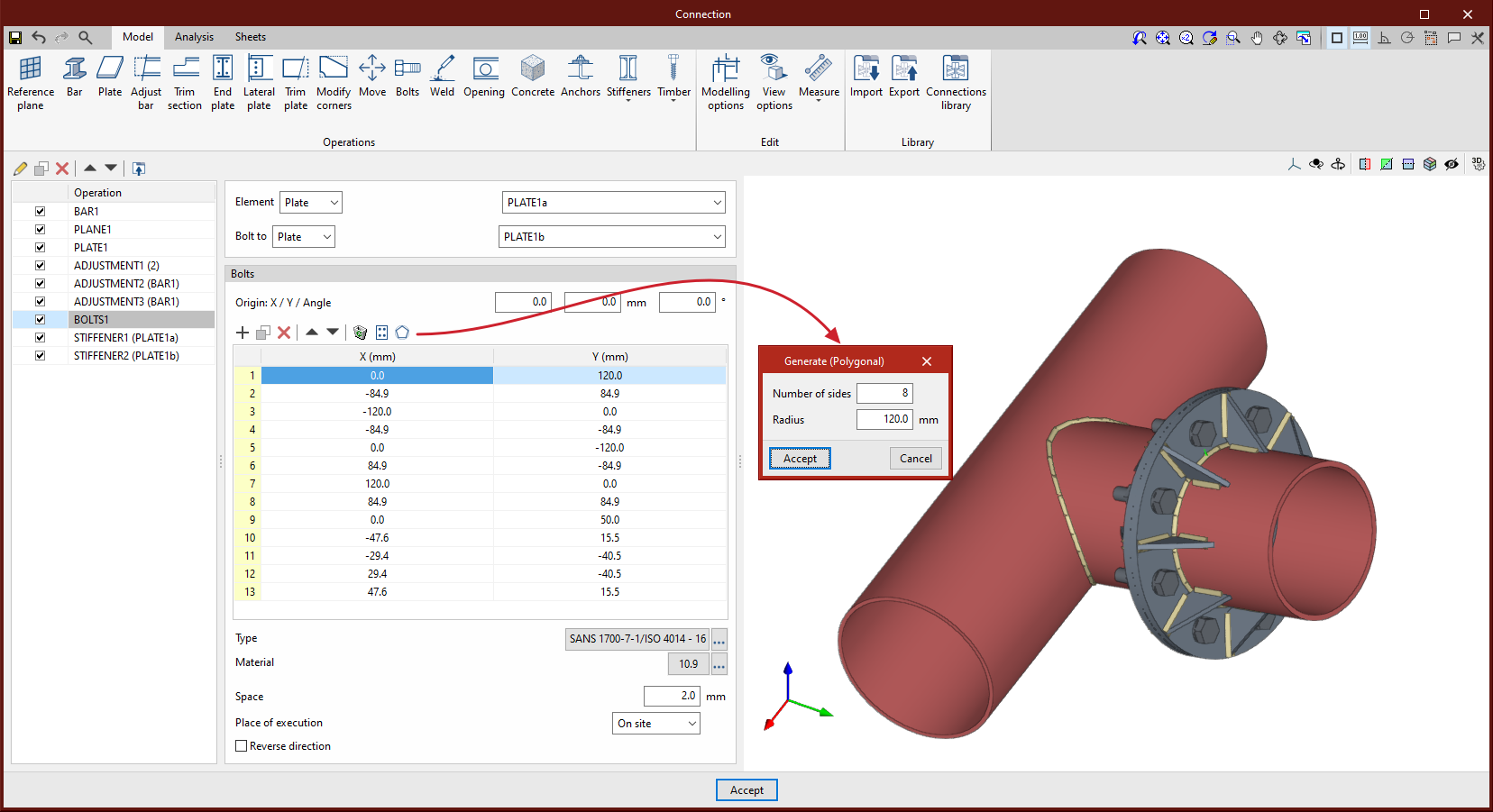
As of version 2024.f, the bolt and screw position table includes a new option to generate bolts radially by defining the number of bolts and the radius.

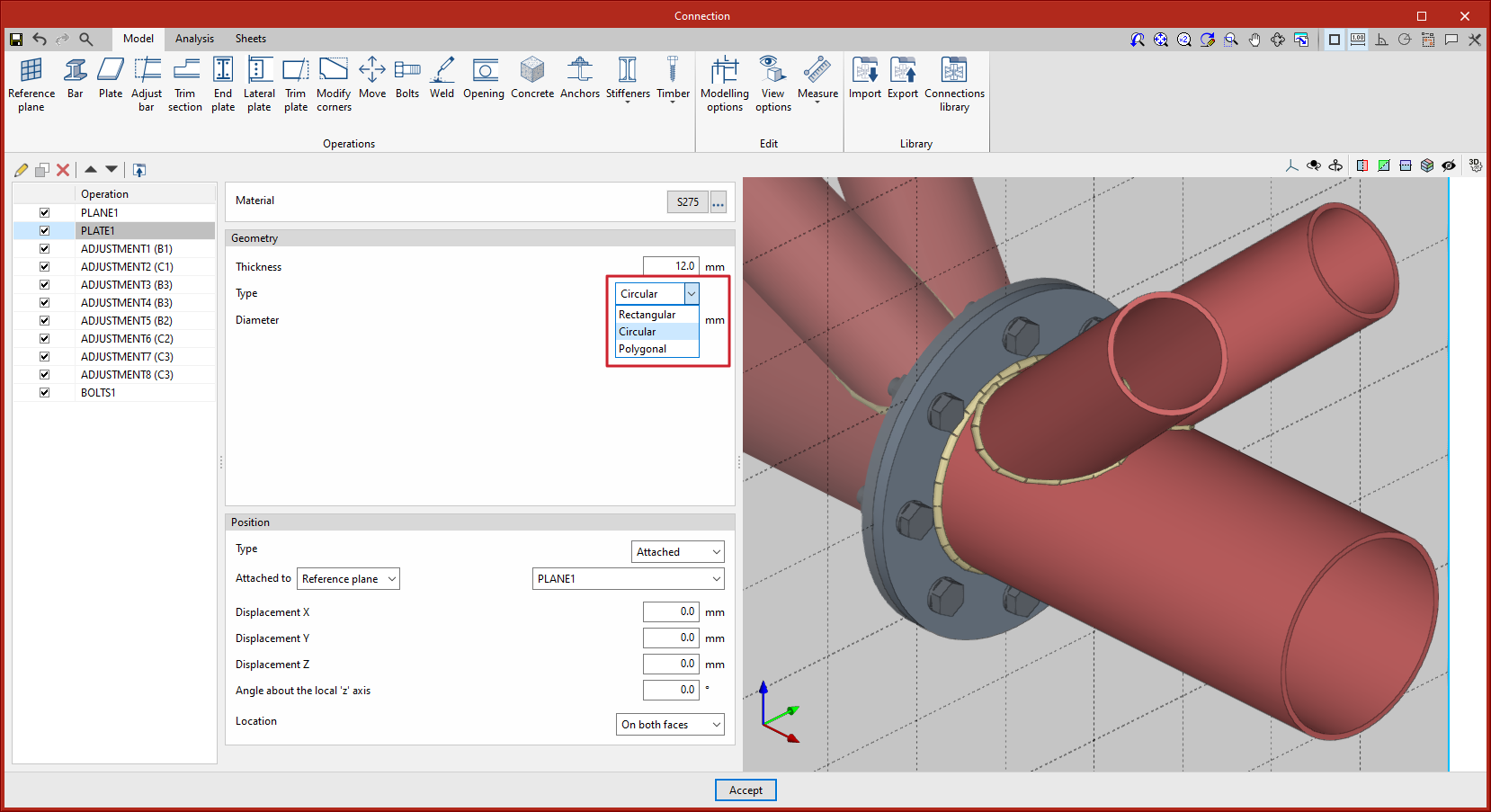
Up until version 2024.f, a circular plate could be defined by using the "Polygonal" option to create 2 or more curved sections.

As of version 2024.f, the "Plate" operation includes the new "Circular" option.

This new option allows users to define a circular plate more easily.

Up until version 2024.f, circular hollow sections only imported their forces if they had been defined as reinforced sections.

As of version 2024.f, the forces of both reinforced hollow sections and circular hollow sections will be imported.

Up to version 2024.e, the import of CYPE 3D structures into StruBIM Steel or CYPE Connect was carried out from an IFC generated by CYPE 3D.

With this improvement in version 2024.f, this communication will be carried out by exporting and importing an exchange file in JSON format, which will allow more efficient communication and accurately reflect the specific features of a CYPE 3D structure.

National Structural Code of the Philippines 2015. Volume 1: Buildings, towers and other vertical structures.

Implemented in CYPE Connect and StruBIM Steel for analysing and checking steel connections.

Australian Standard 4100:2020, Steel Structures.

Implemented in CYPE Connect and StruBIM Steel for analysing and checking steel connections.

Kazakhstan national annex to Eurocode 3: Design of steel structures. Part 1-8: Design of joints.

Implemented in CYPE Connect and StruBIM Steel for the analysis and checking of steel connections.