Update history
CYPEPLUMBING
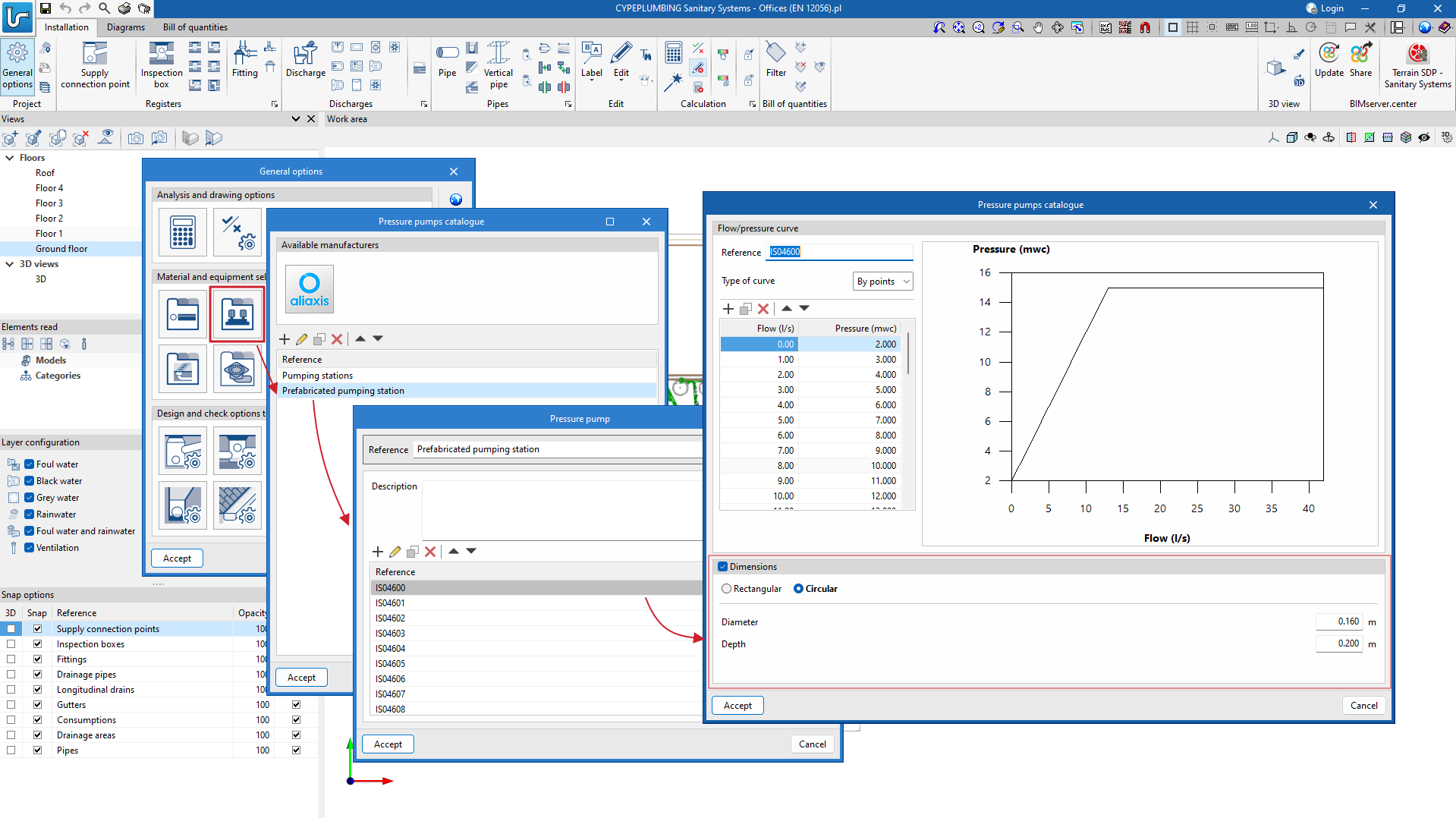
New catalogue of pumping systems in precast inspection hatches
- Published on
- 2024.b
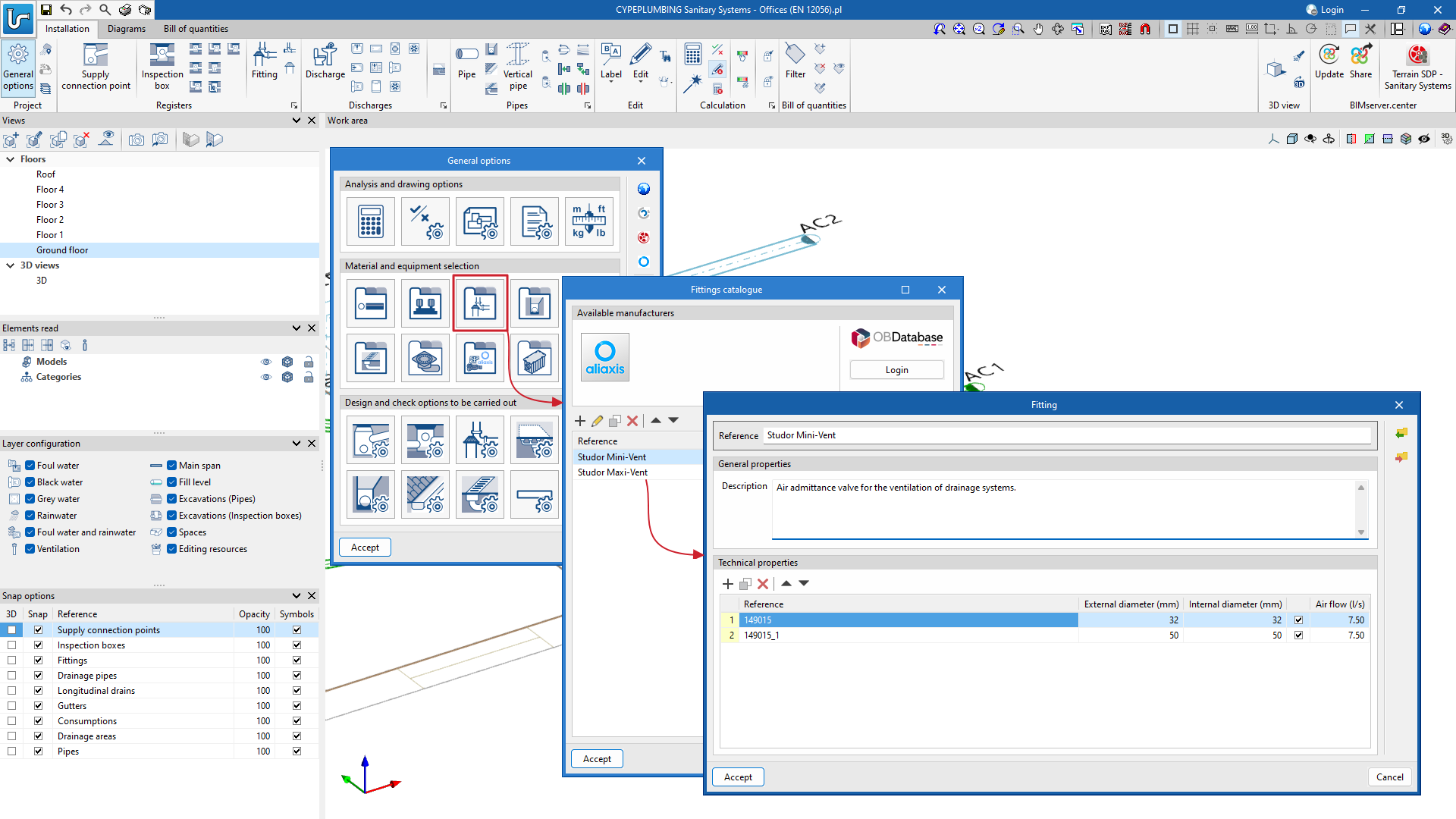
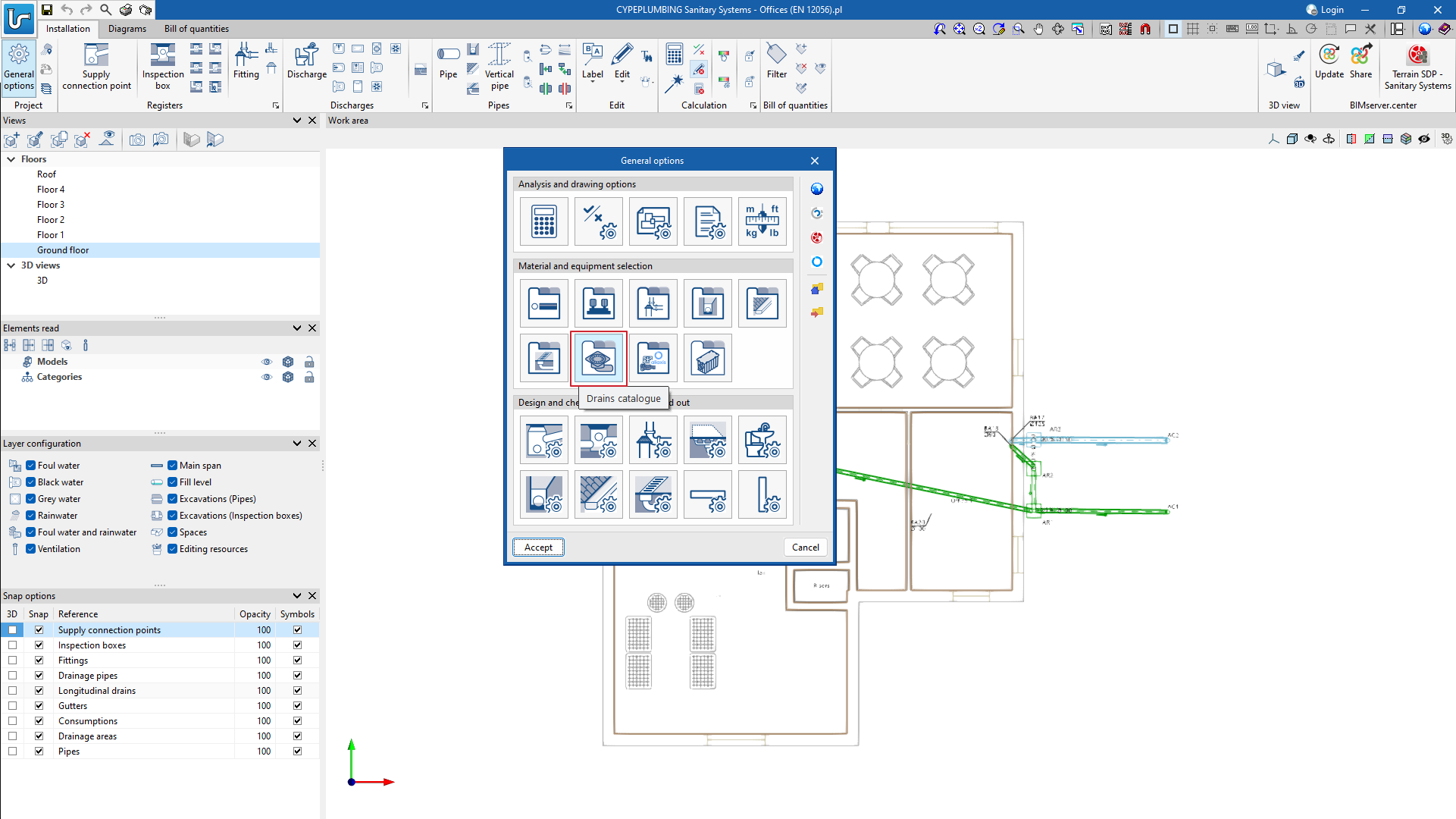
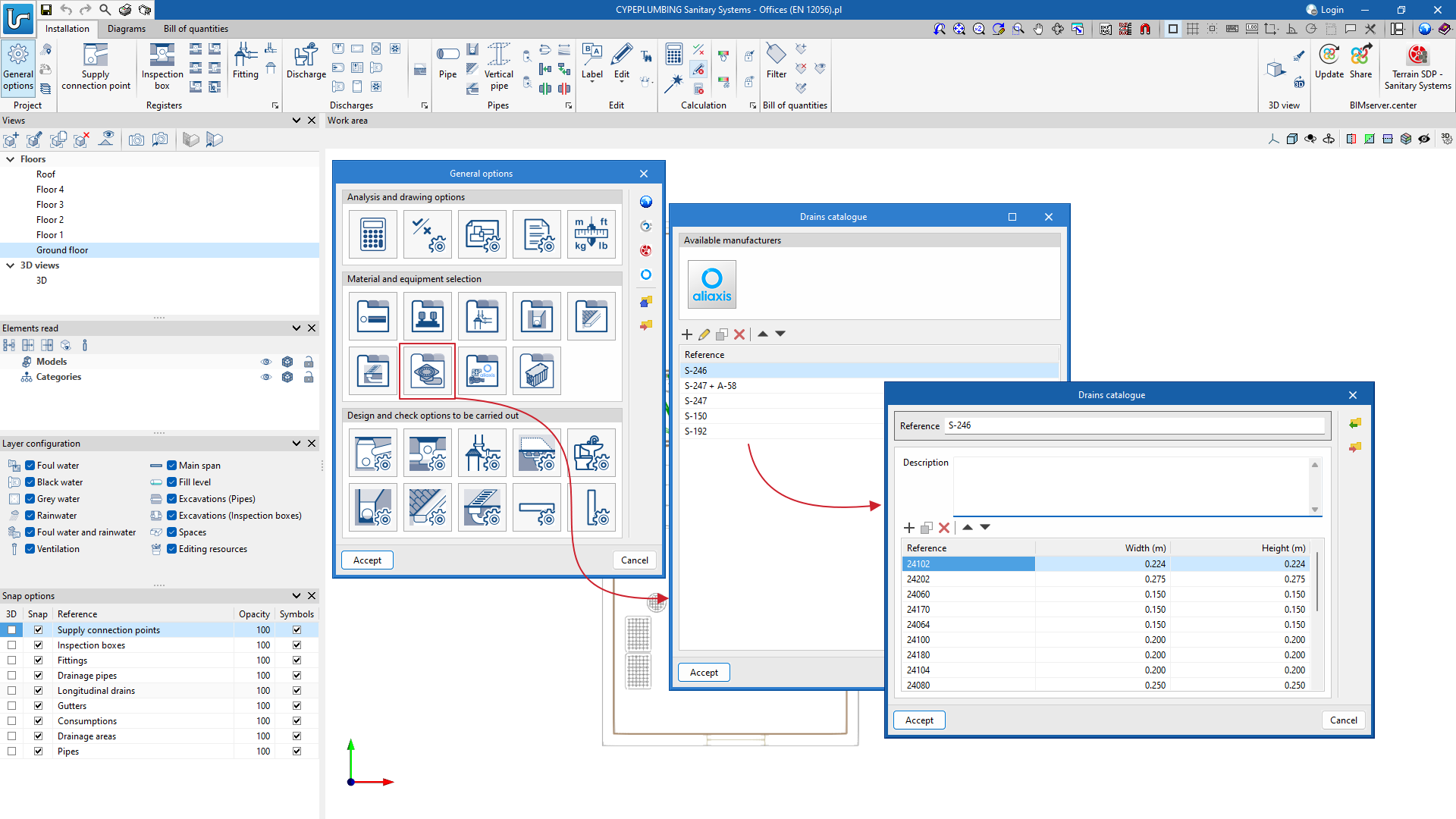
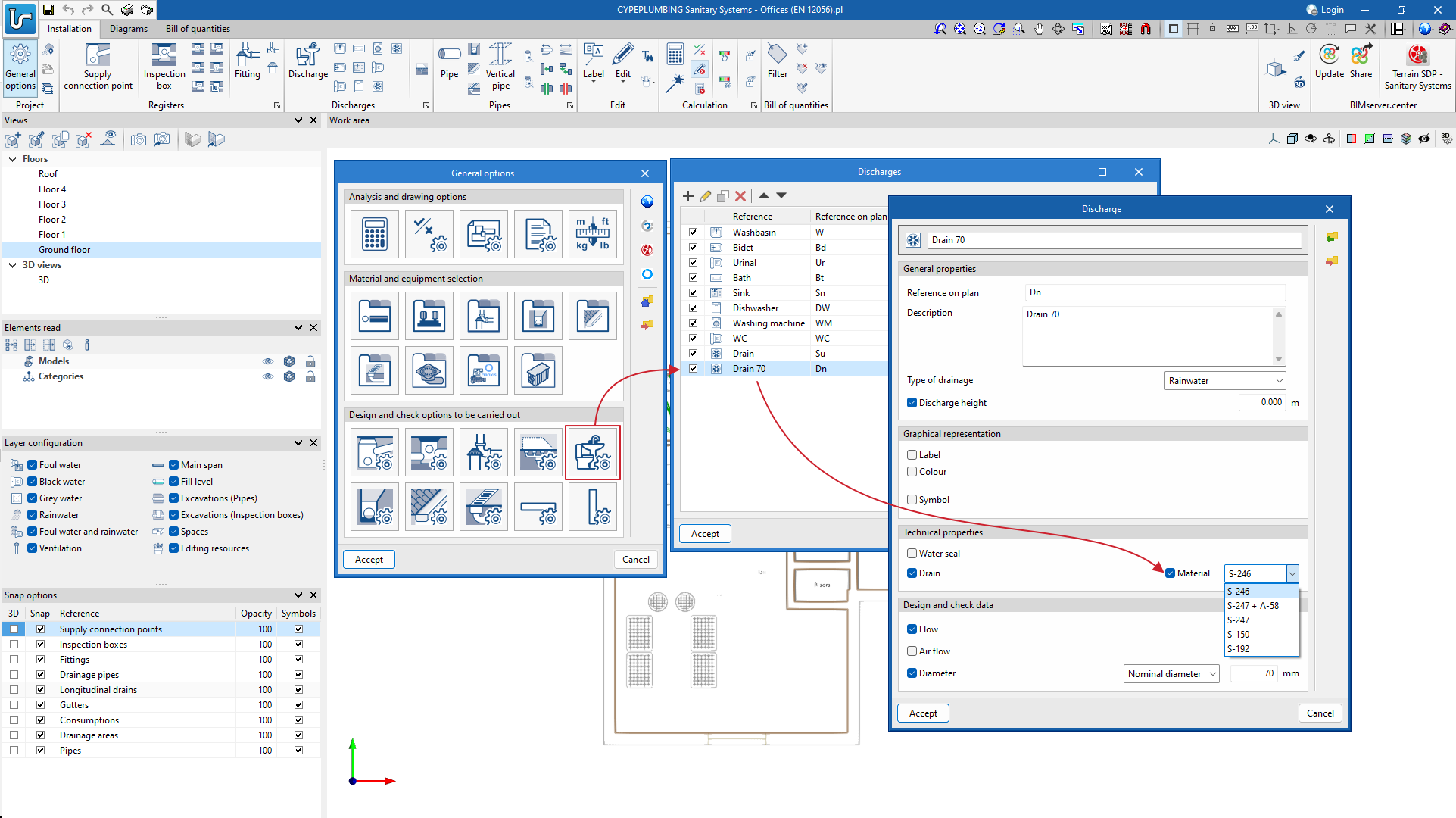
New drains catalogue
As of version 2024.b, drain catalogues can now be entered. Previously, only one drain could be entered as a single generic discharge. Now, any type of drain from a manufacturer's catalogue can be included in the system.
The manufacturer's catalogue currently included in the program comes from Aliaxis, although users can enter their own catalogues or those of other manufacturers with the data provided by the latter.
- Published on
- 2024.b
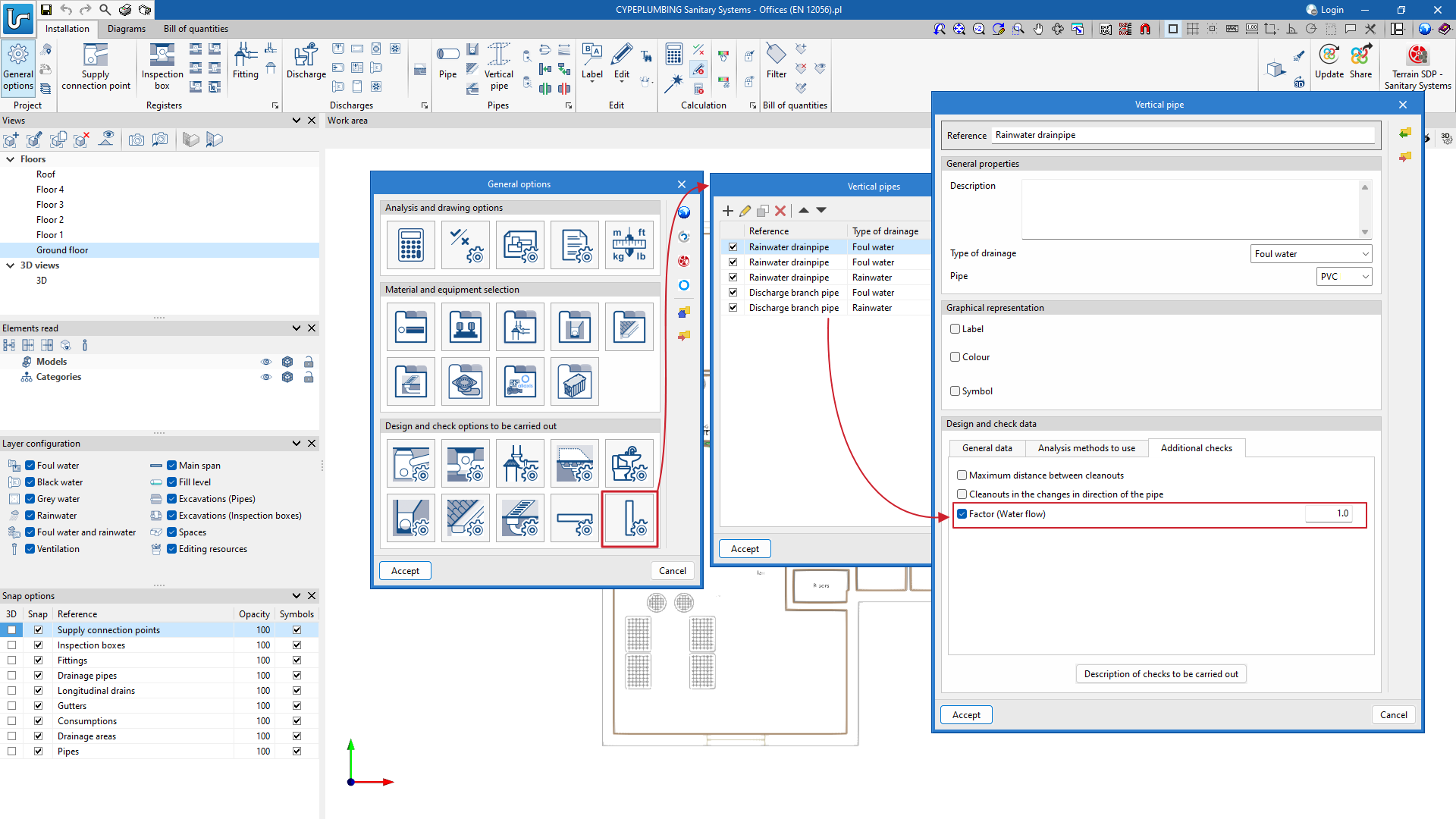
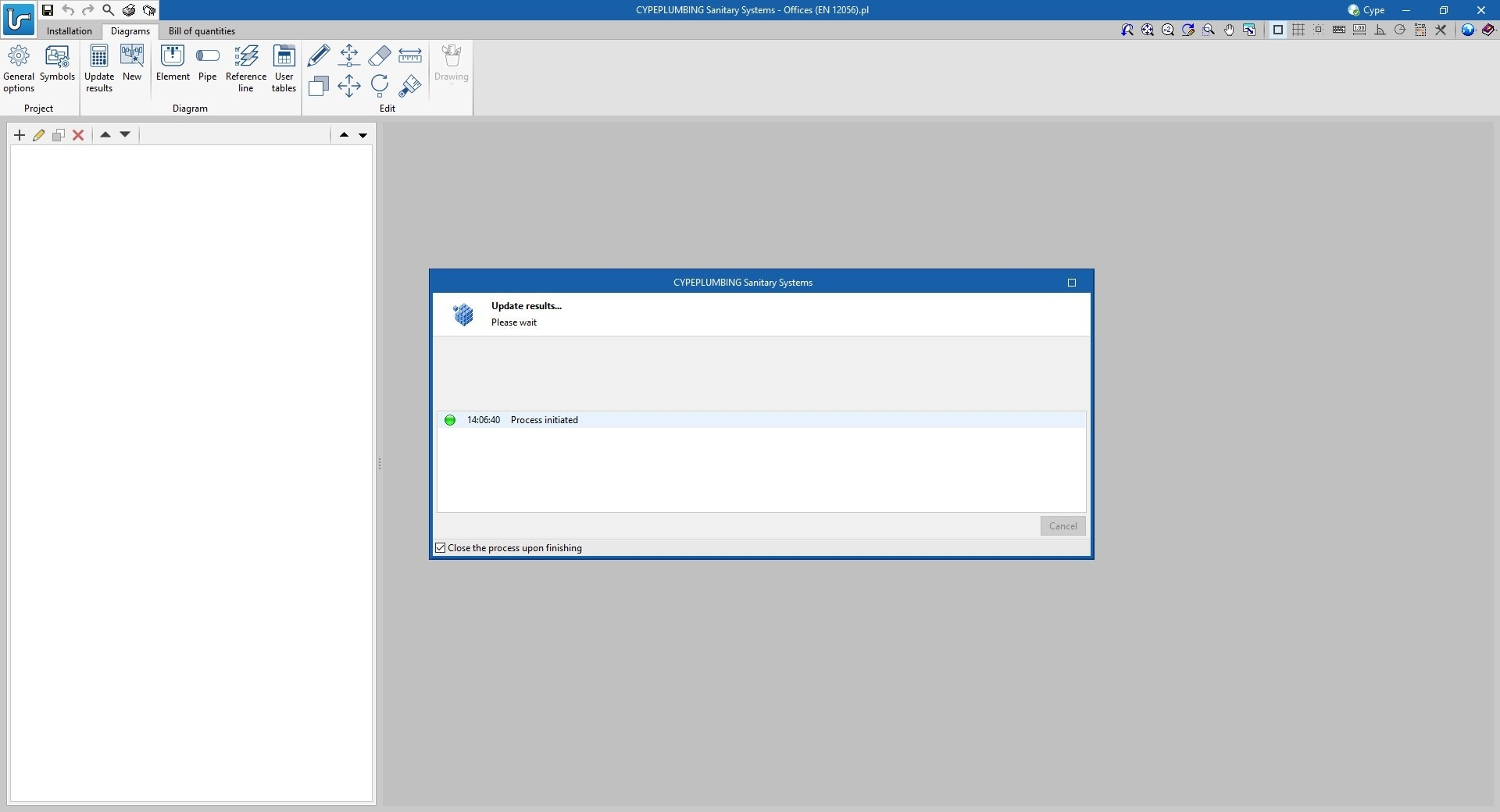
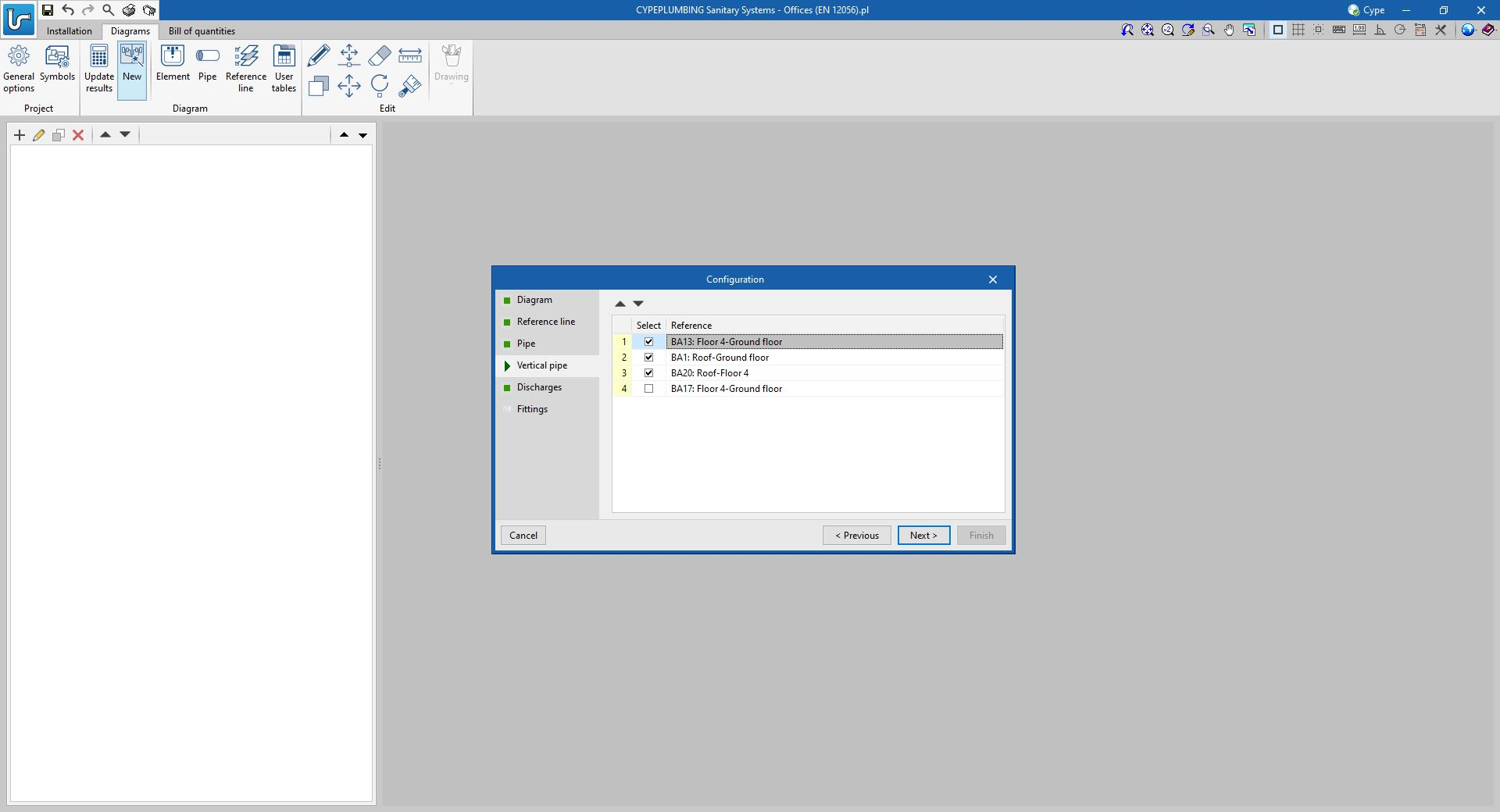
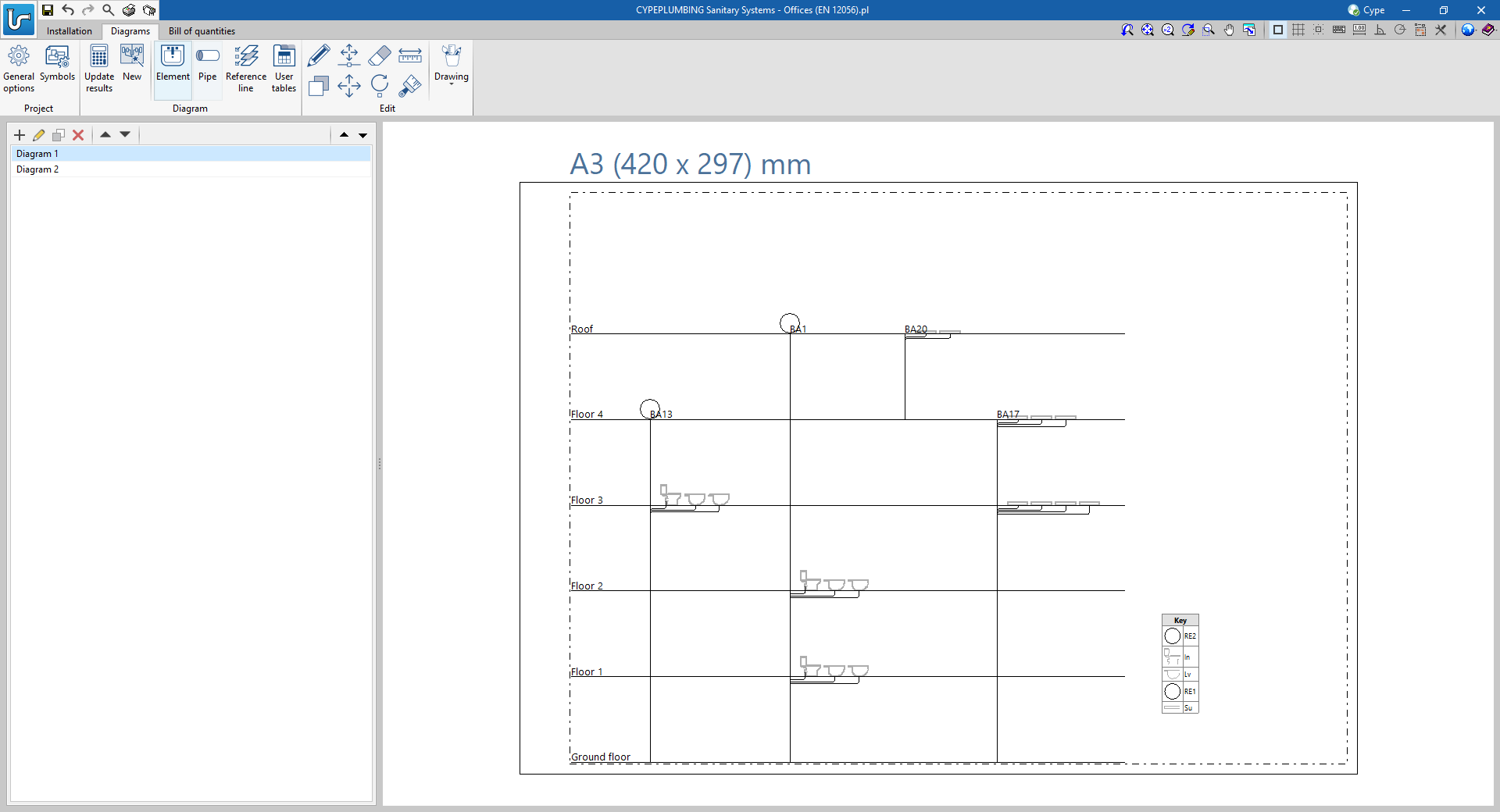
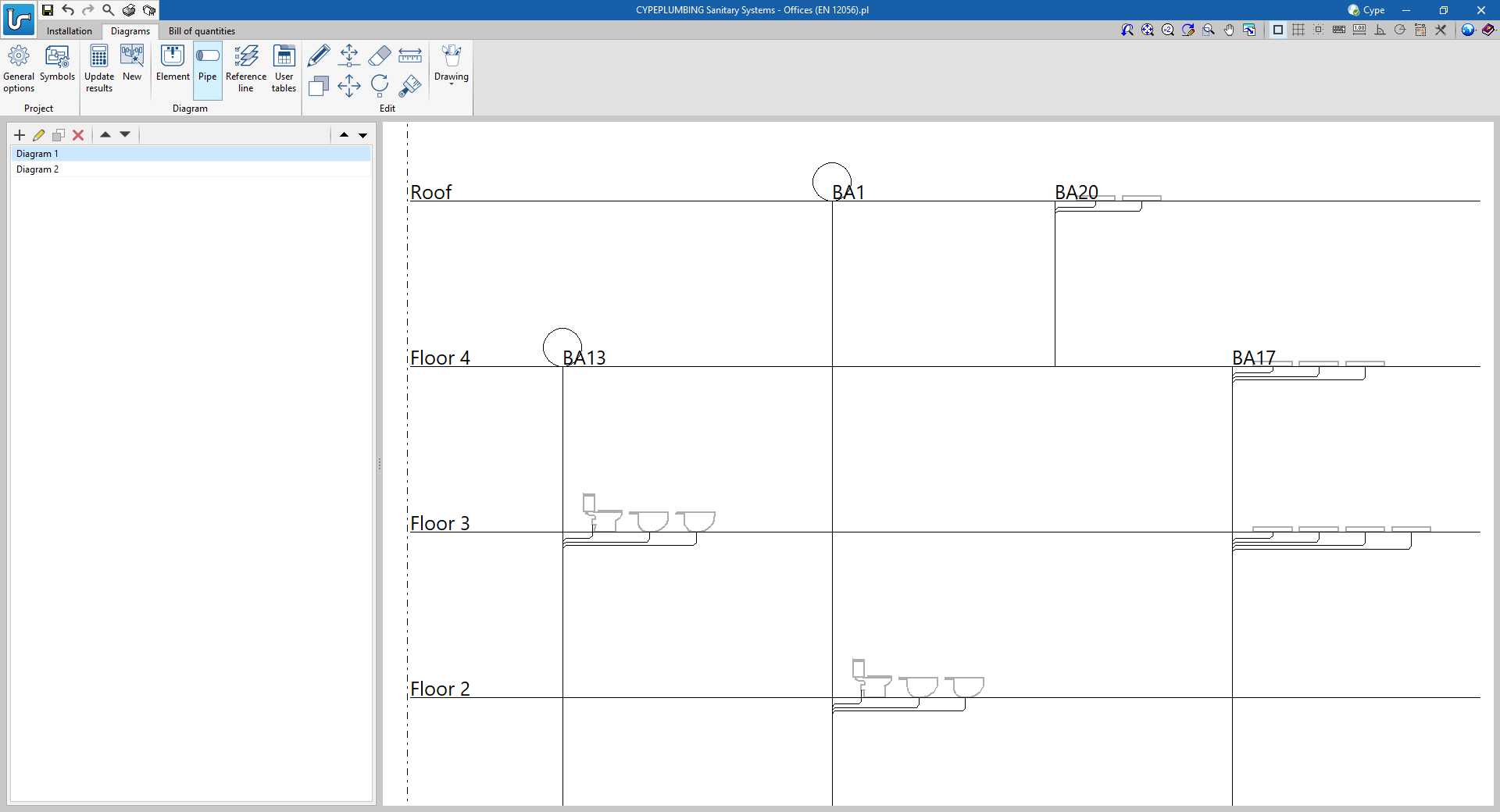
Automatic generation of vertical pipe diagrams
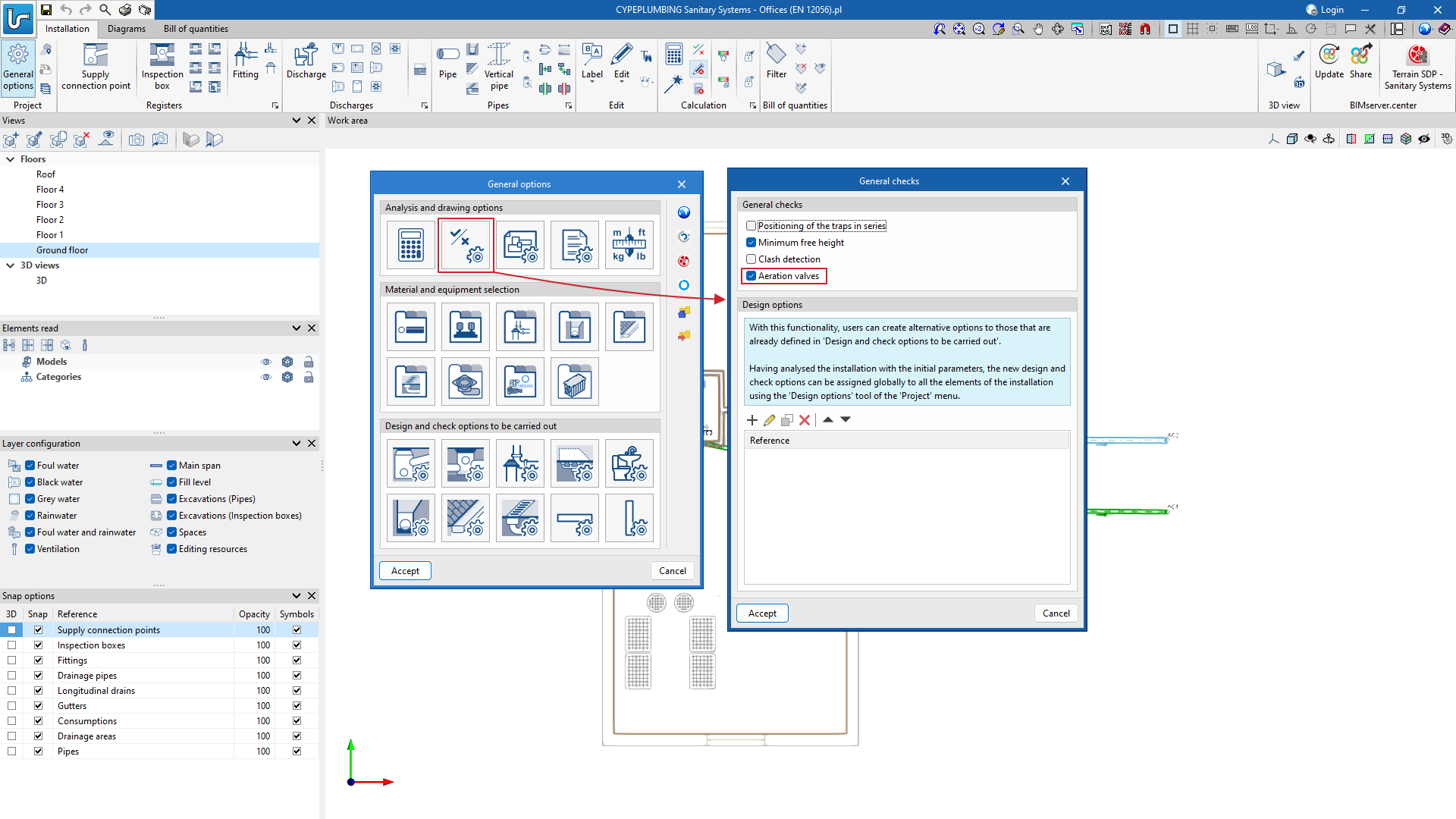
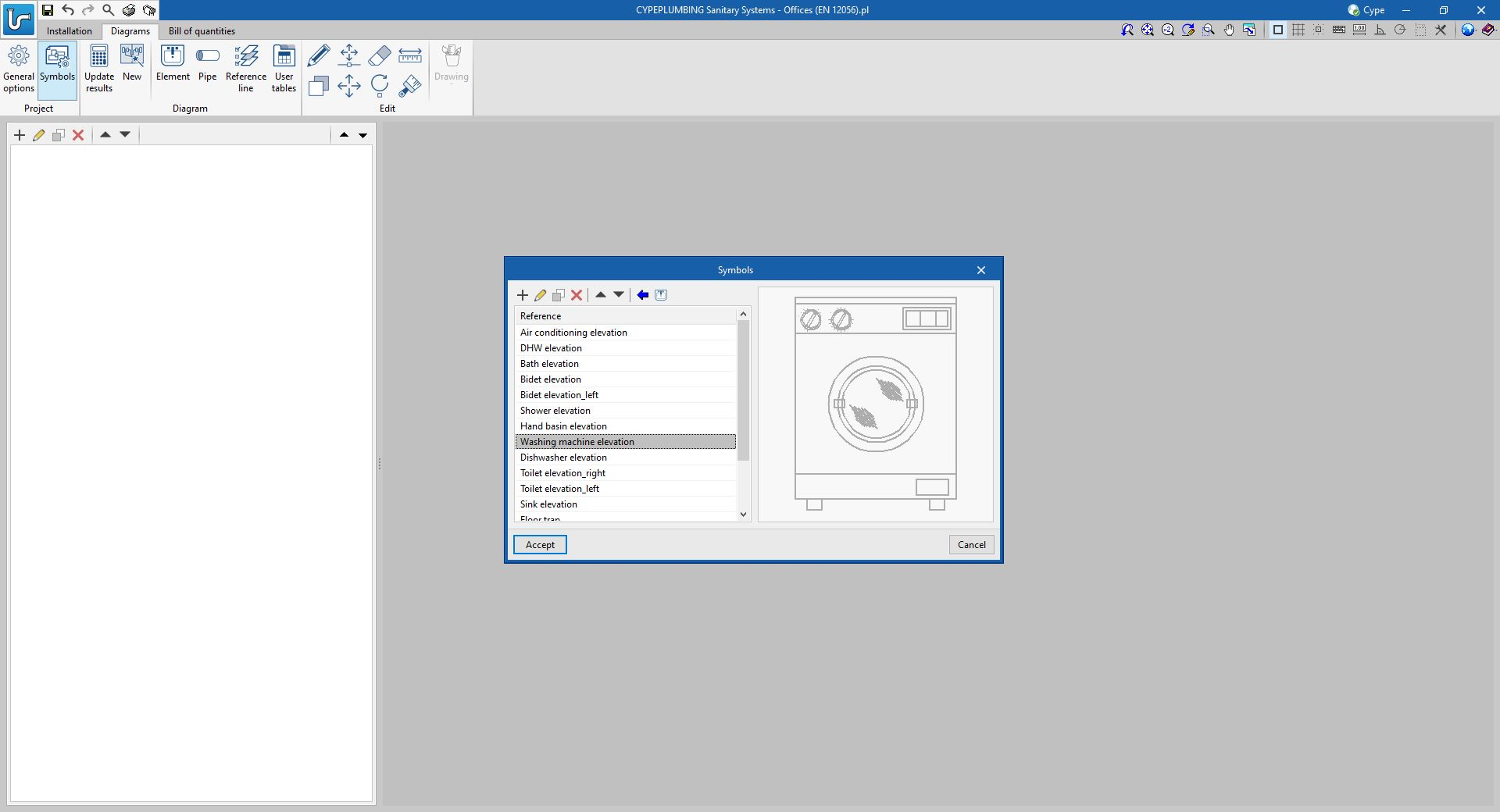
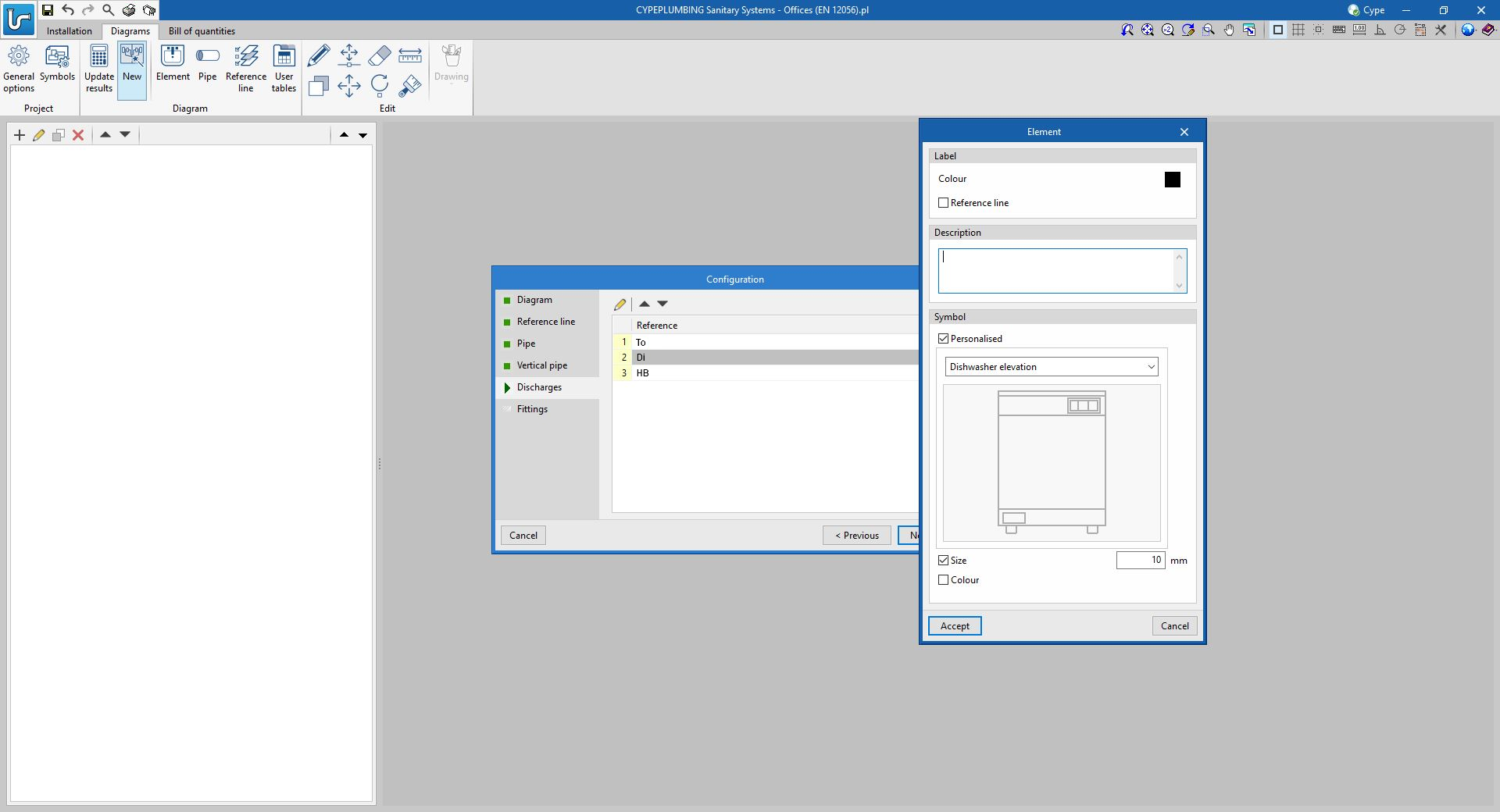
Symbols can also be assigned to discharges and aeration valves of the system entered in the "Installation" tab.
- Published on
- 2024.b
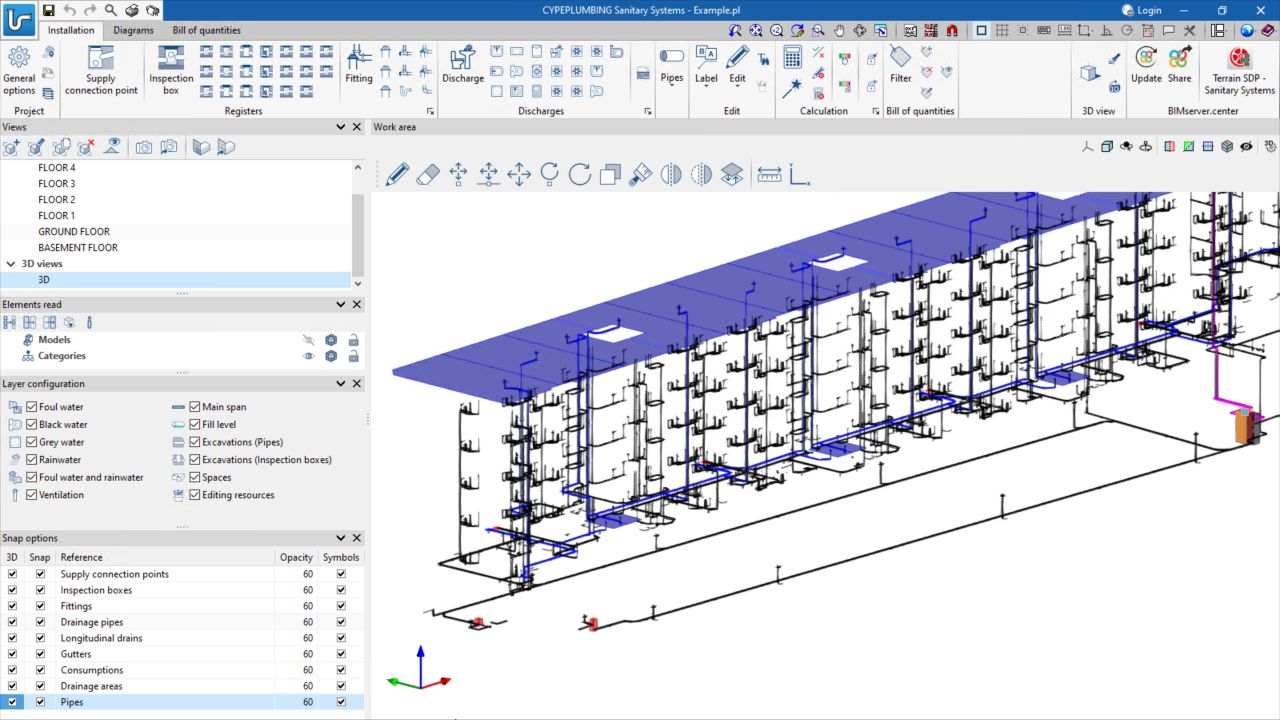
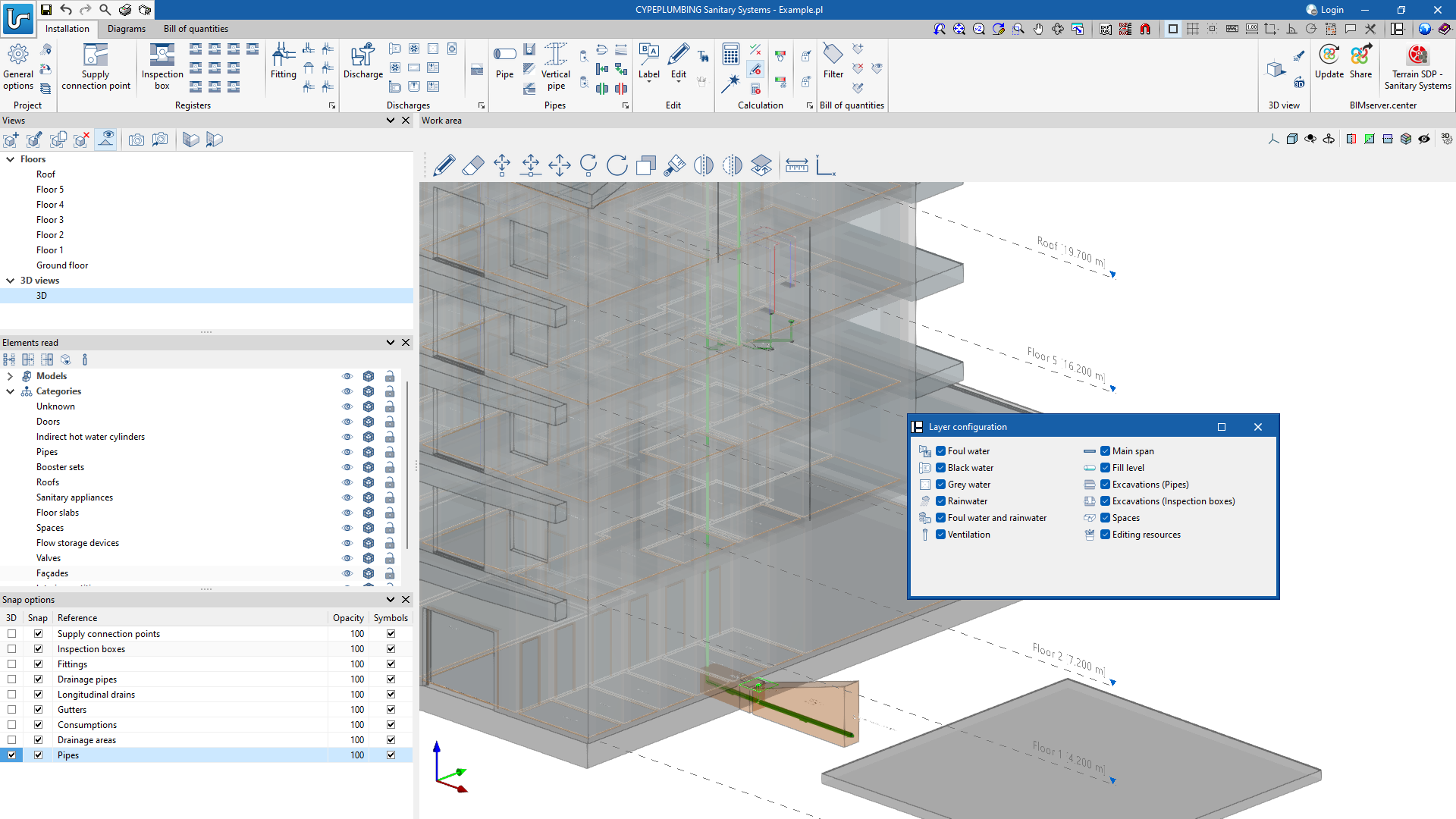
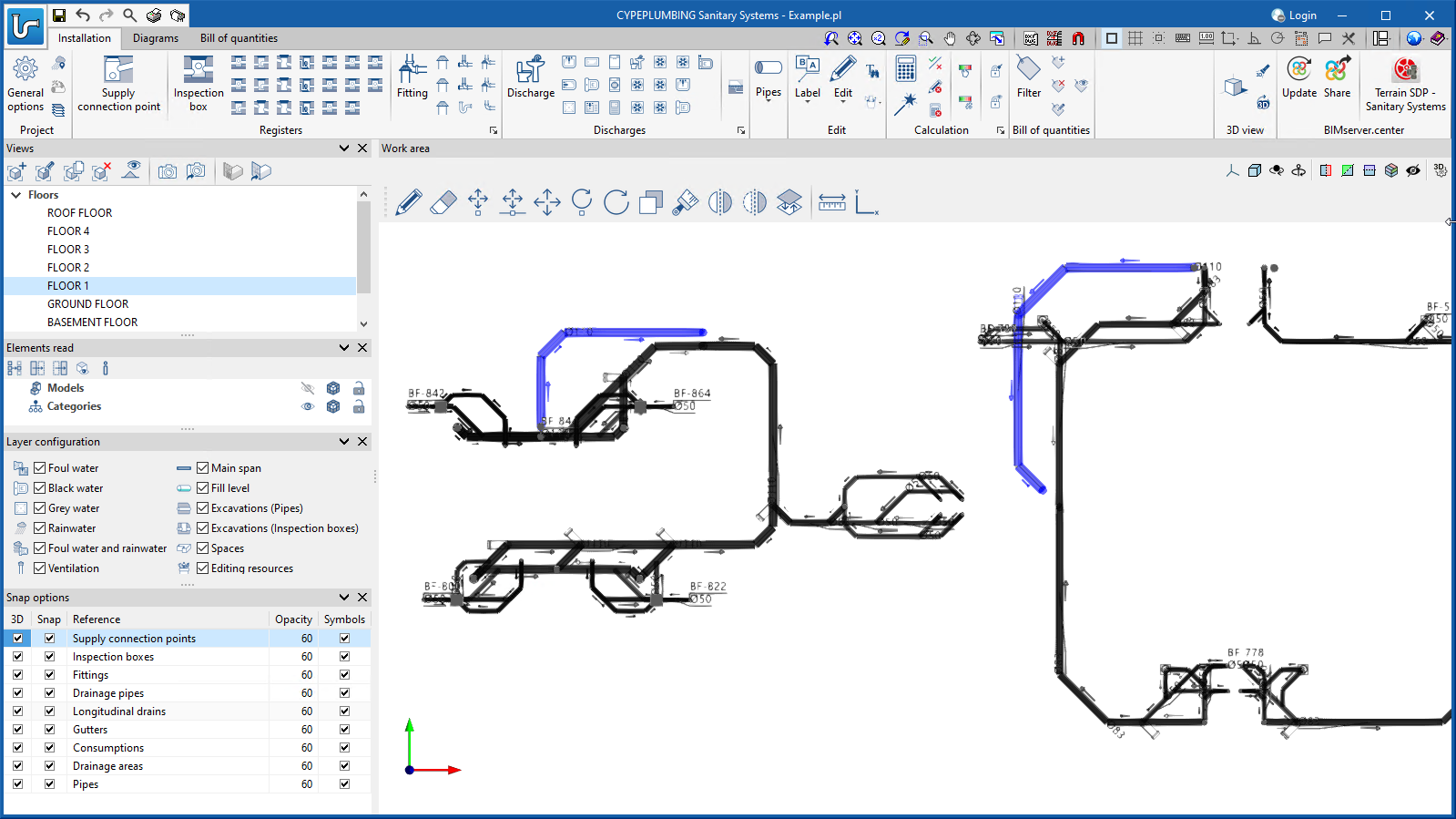
Entering the system in the new 3D environment
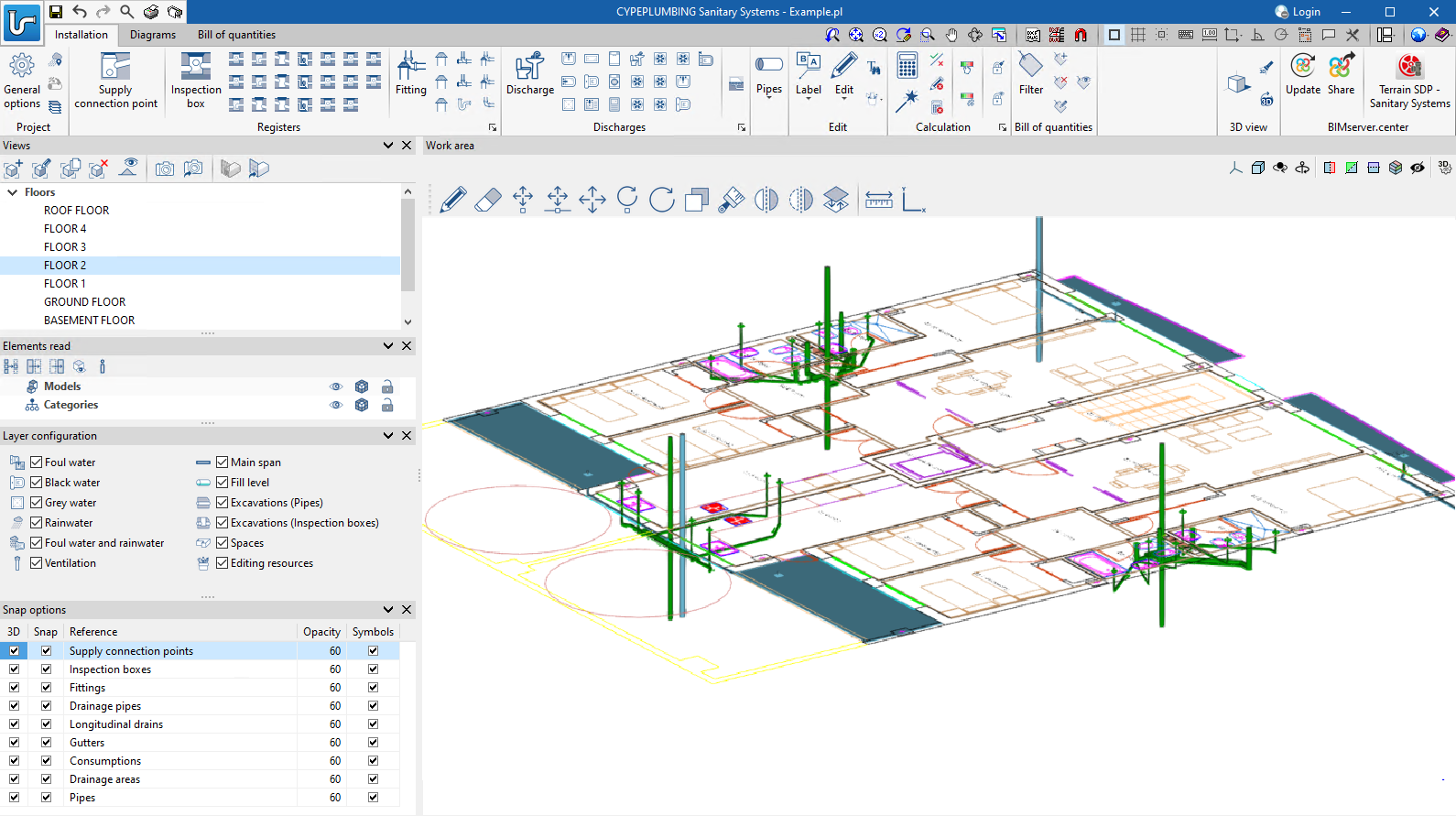
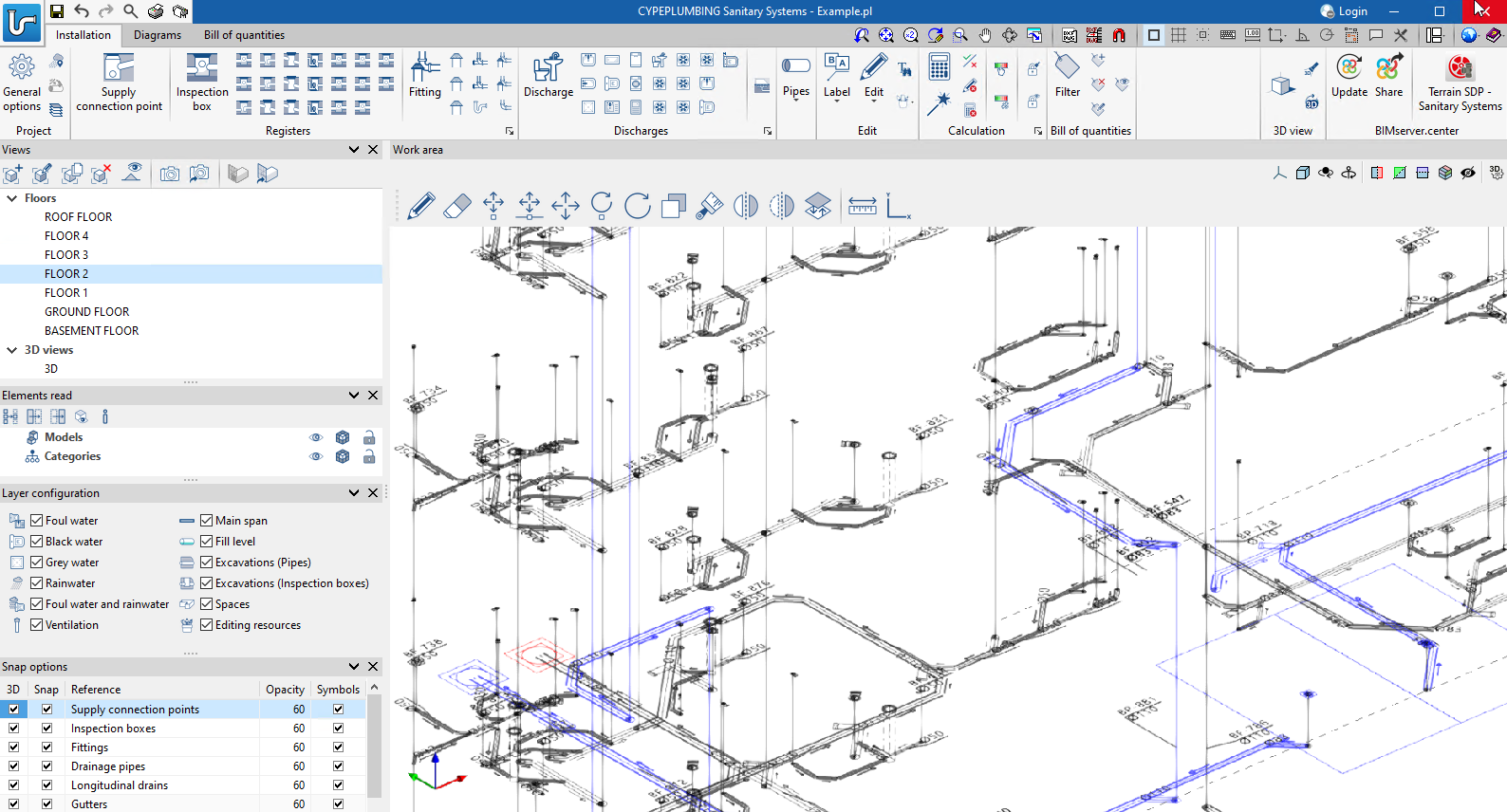
CYPEPLUMBING Sanitary Systems was designed for working in a 3D environment with the possibility to work on configurable workplanes.
It enables the system design to be carried out on 2D templates from the BIM model or imported from the program in DXF, DWG, DWF or various image formats (JPEG, JPG, BMP or WMF).
Users can also work in layers with the different networks and other relevant information:
- Foul water
- Black water
- Grey water
- Rainwater
- Foul water and rainwater
- Ventilation
- Main span
- Fill level
- Excavations (Pipes)
- Excavations (Inspection boxes)
- Spaces
- Editing resources
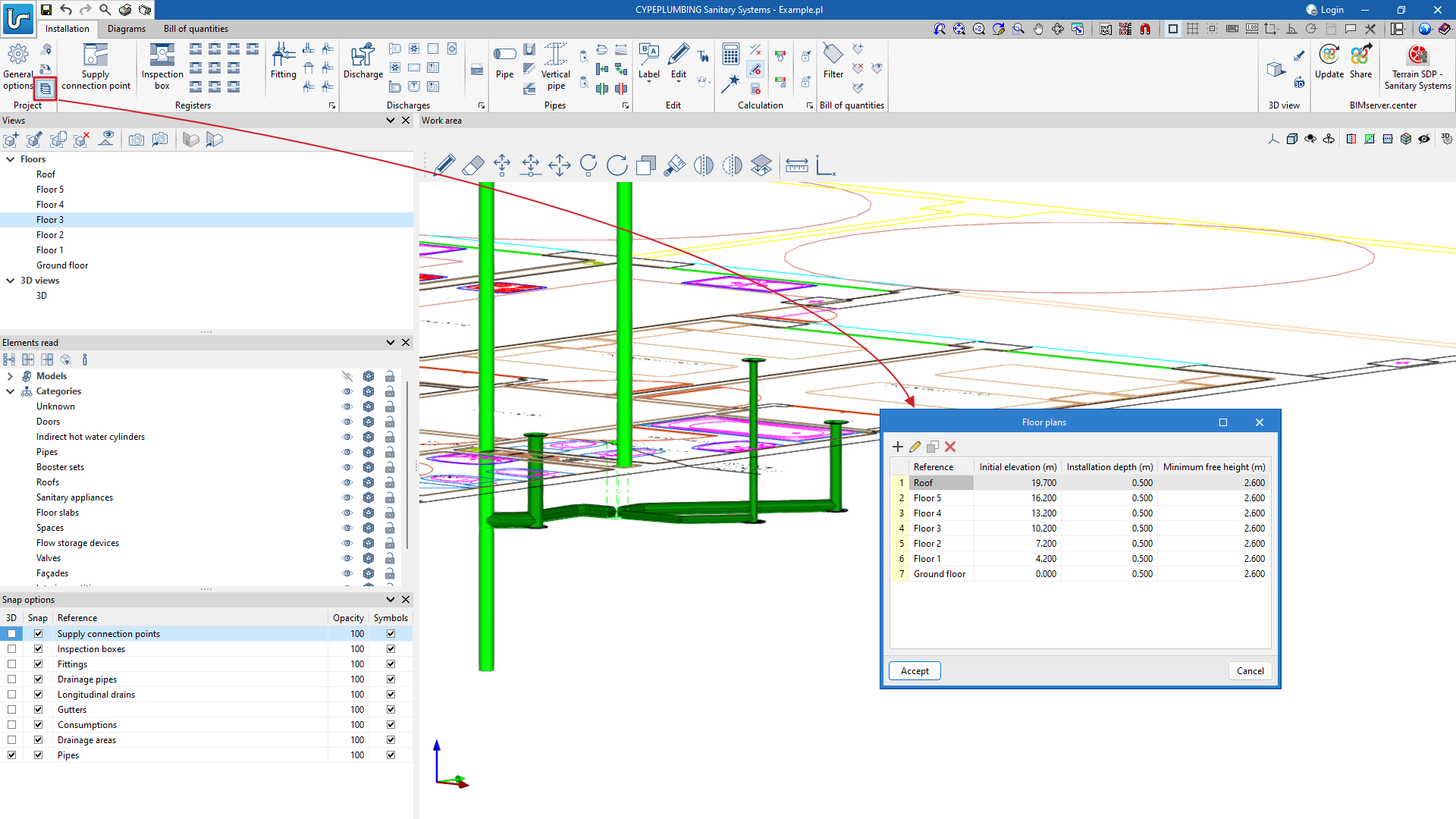
The "3D Views" can be displayed with symbols in 3D formats and the level of opacity of the elements can be controlled.
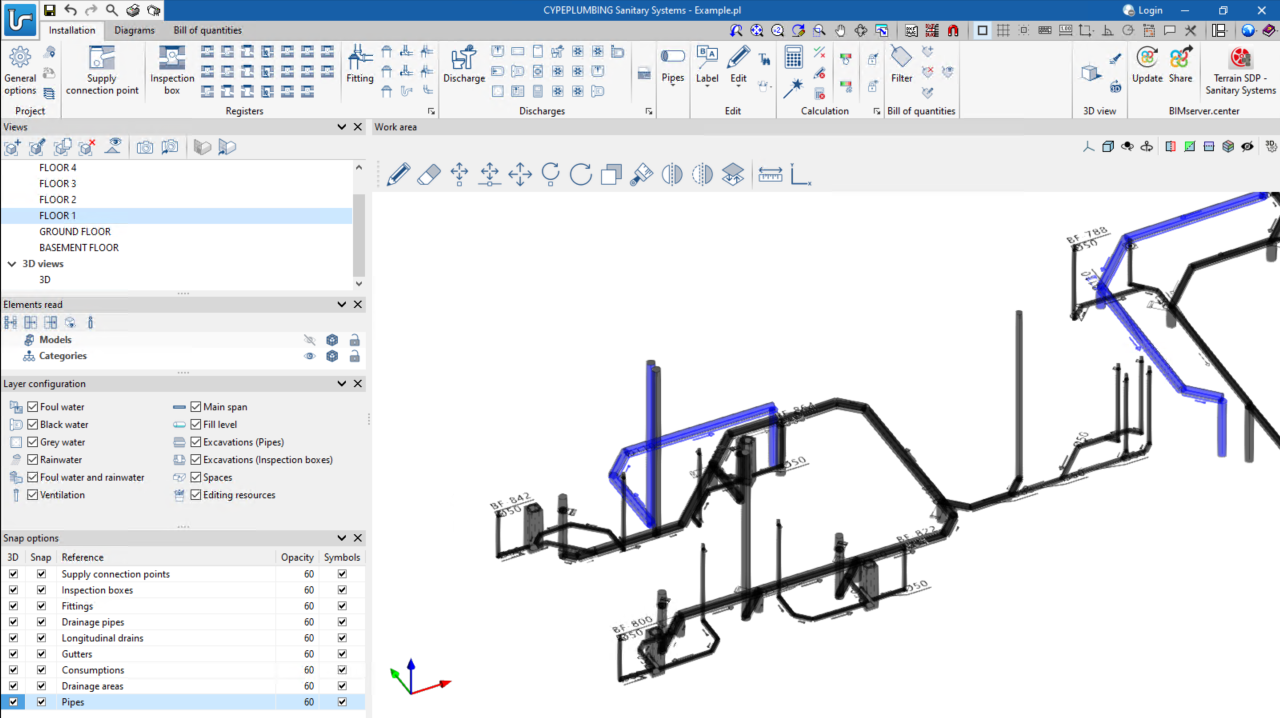
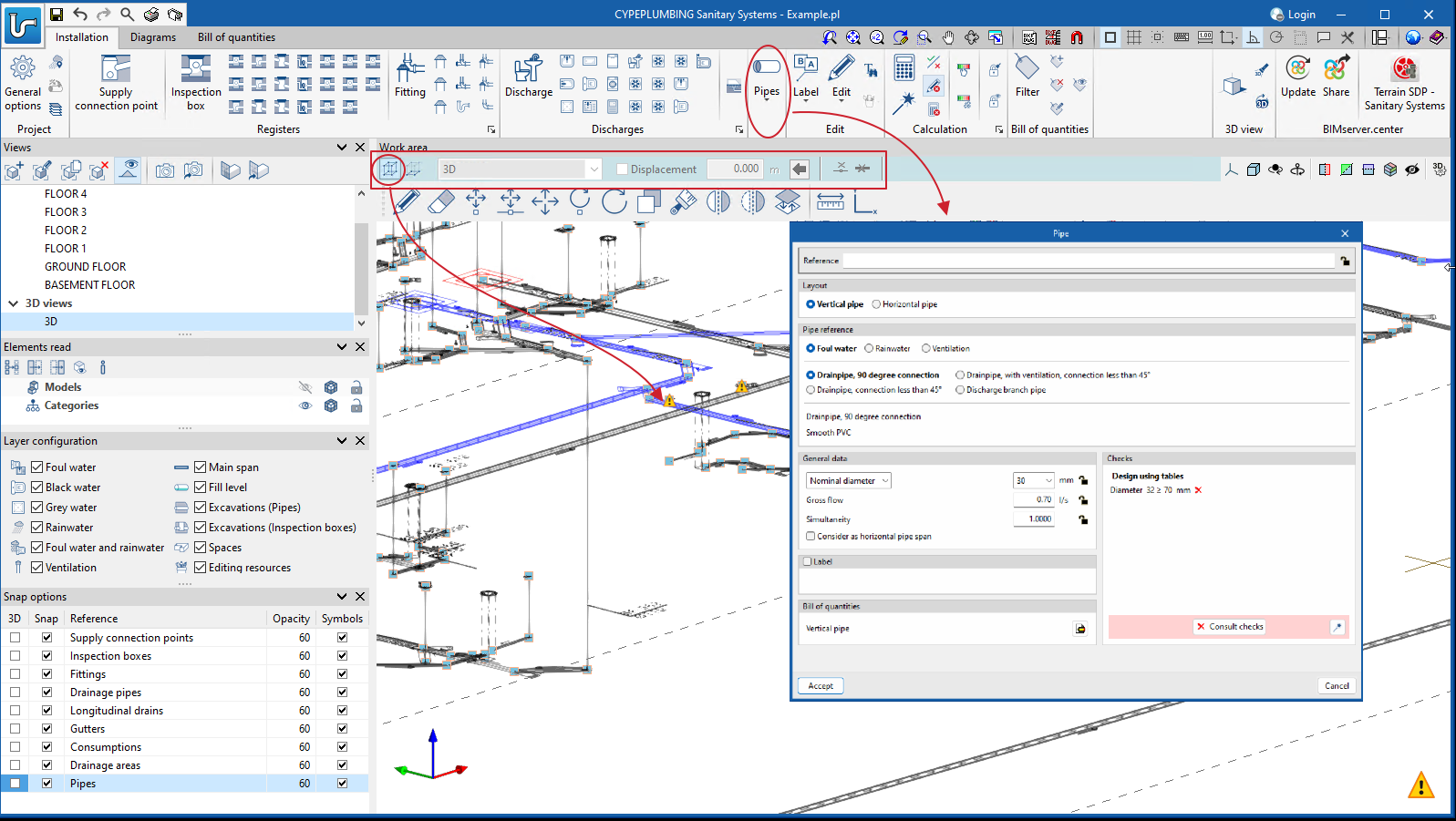
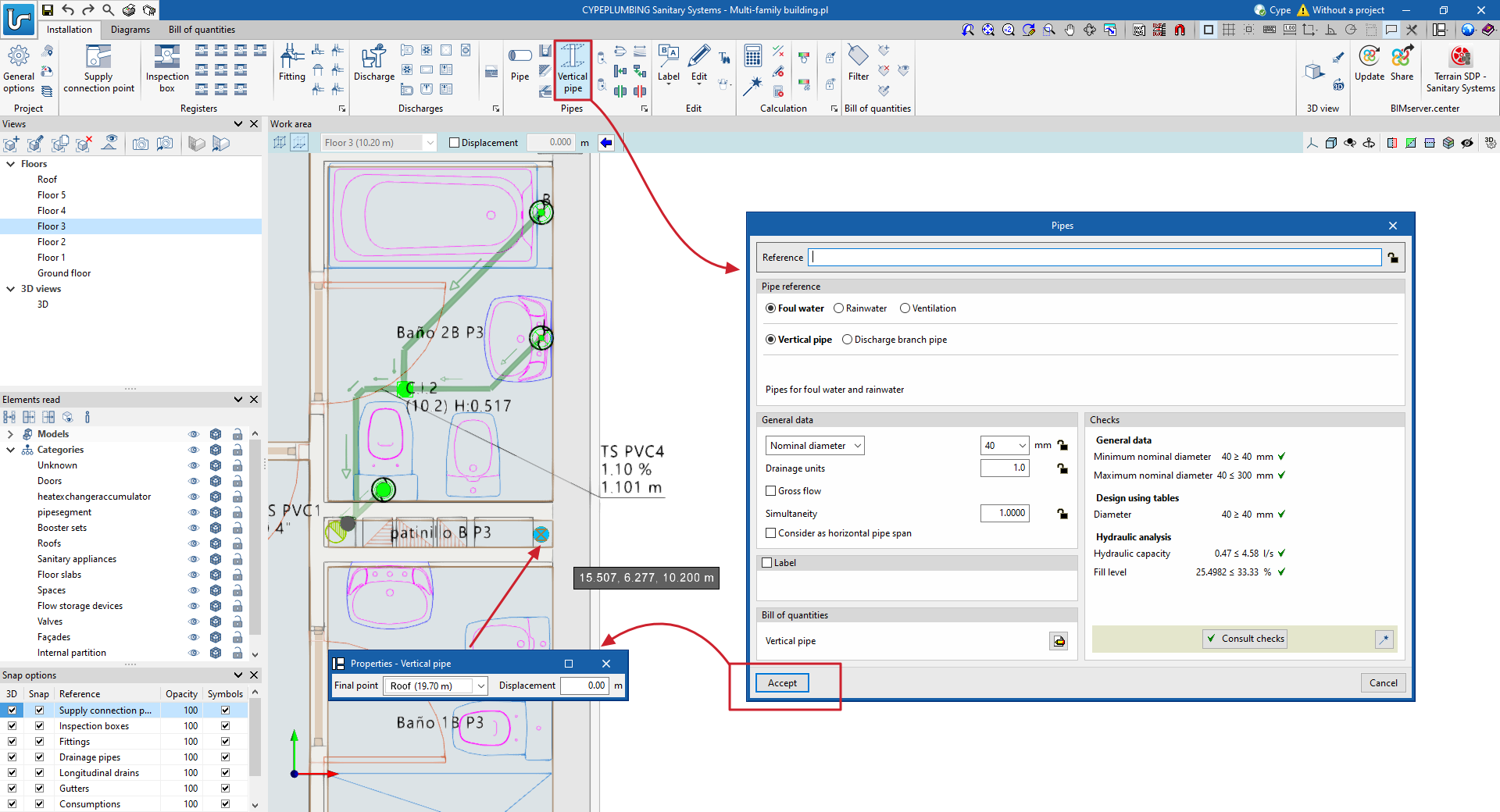
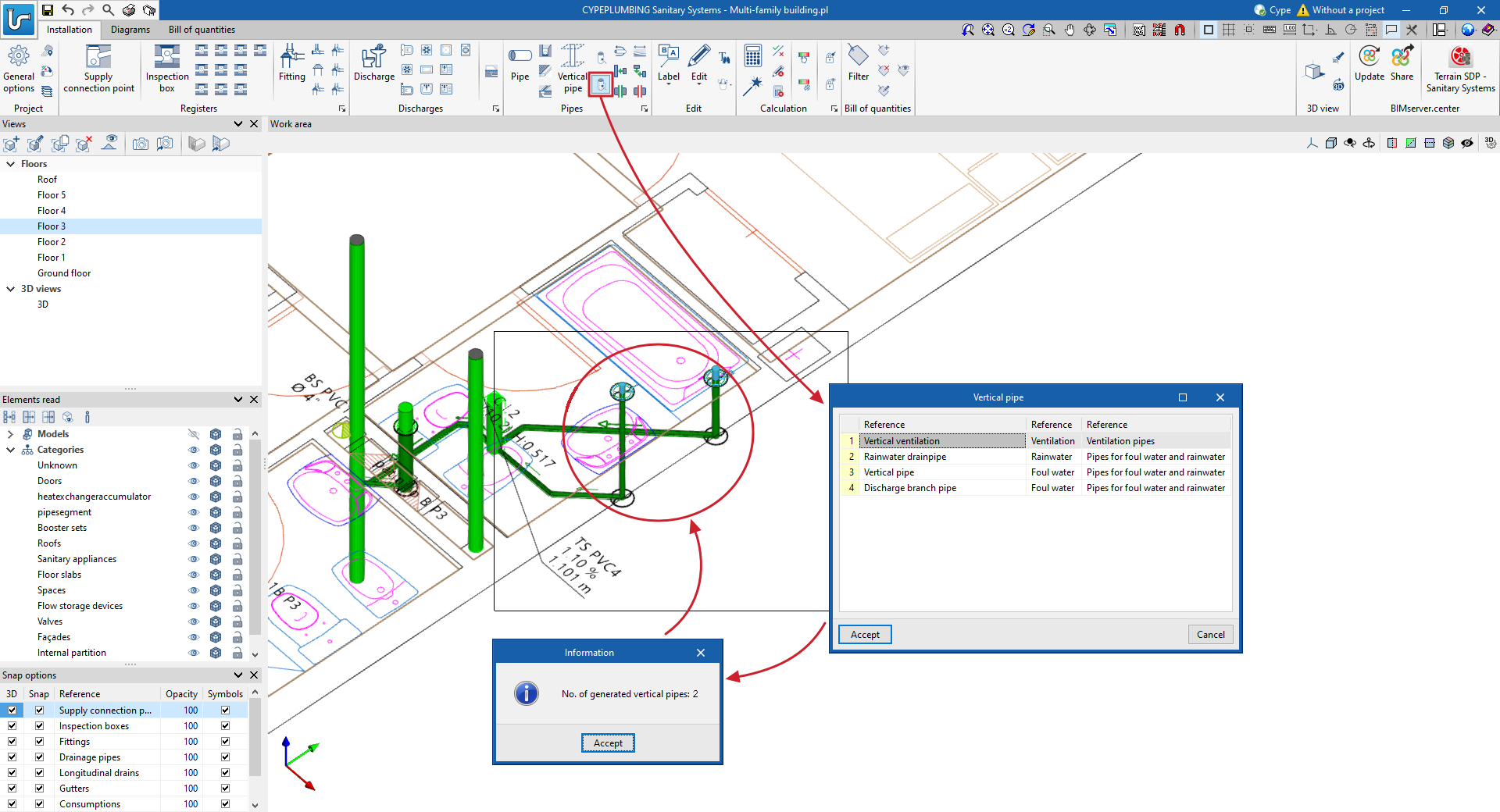
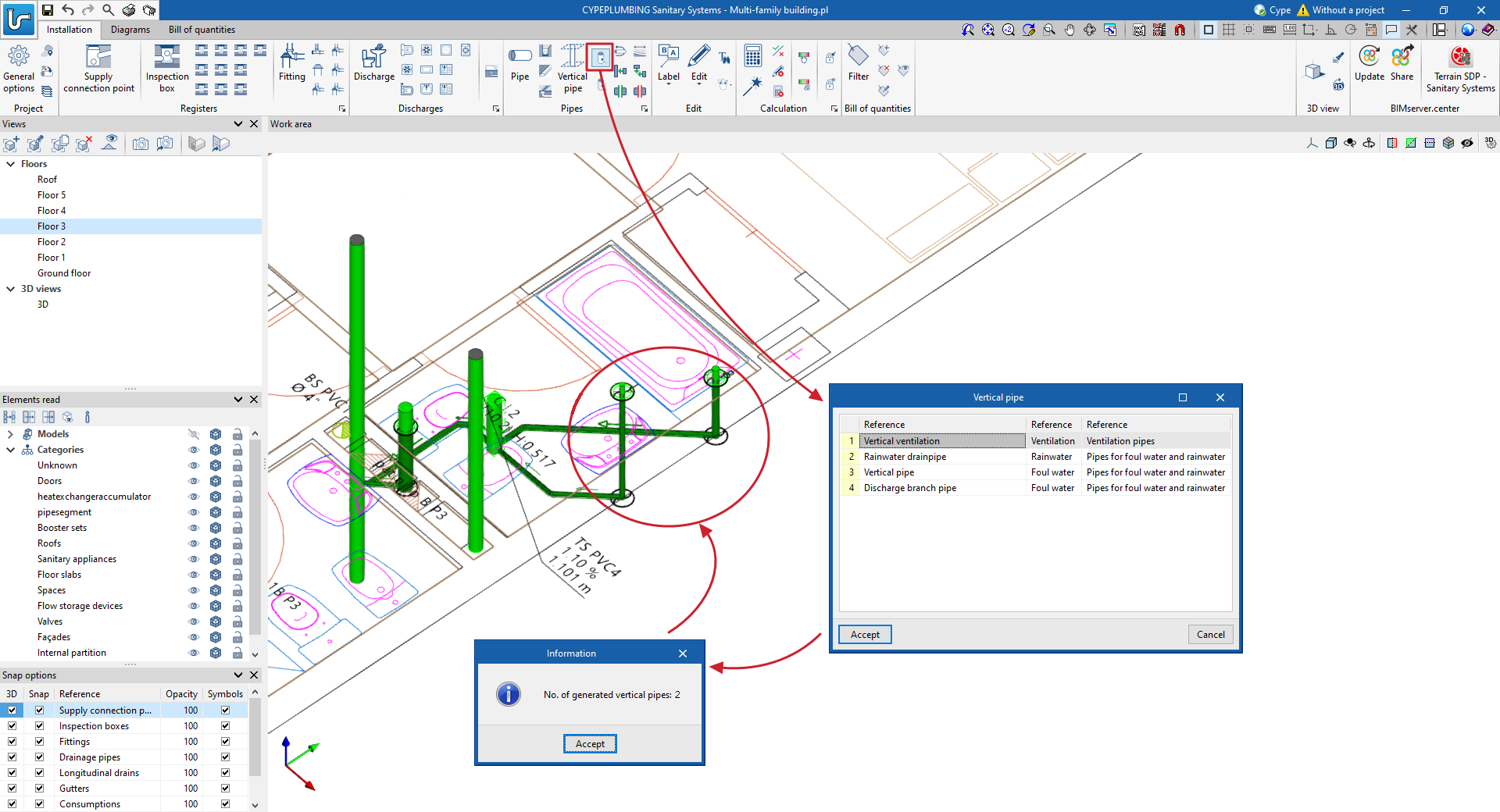
The elements and pipes can be entered in the "3D views" or in the workplanes. In either entry mode, vertical pipes can be generated with ease.
- In the (X,Y) environment
- By generating vertical branches to discharges in automatic editing. This mode has two tools. One allows users to select elements per window and the other detects all discharges without a vertical branch.
- Published on
- 2024.b
Cost database based on resources from CYPE's construction cost databases "Generadores de precios"
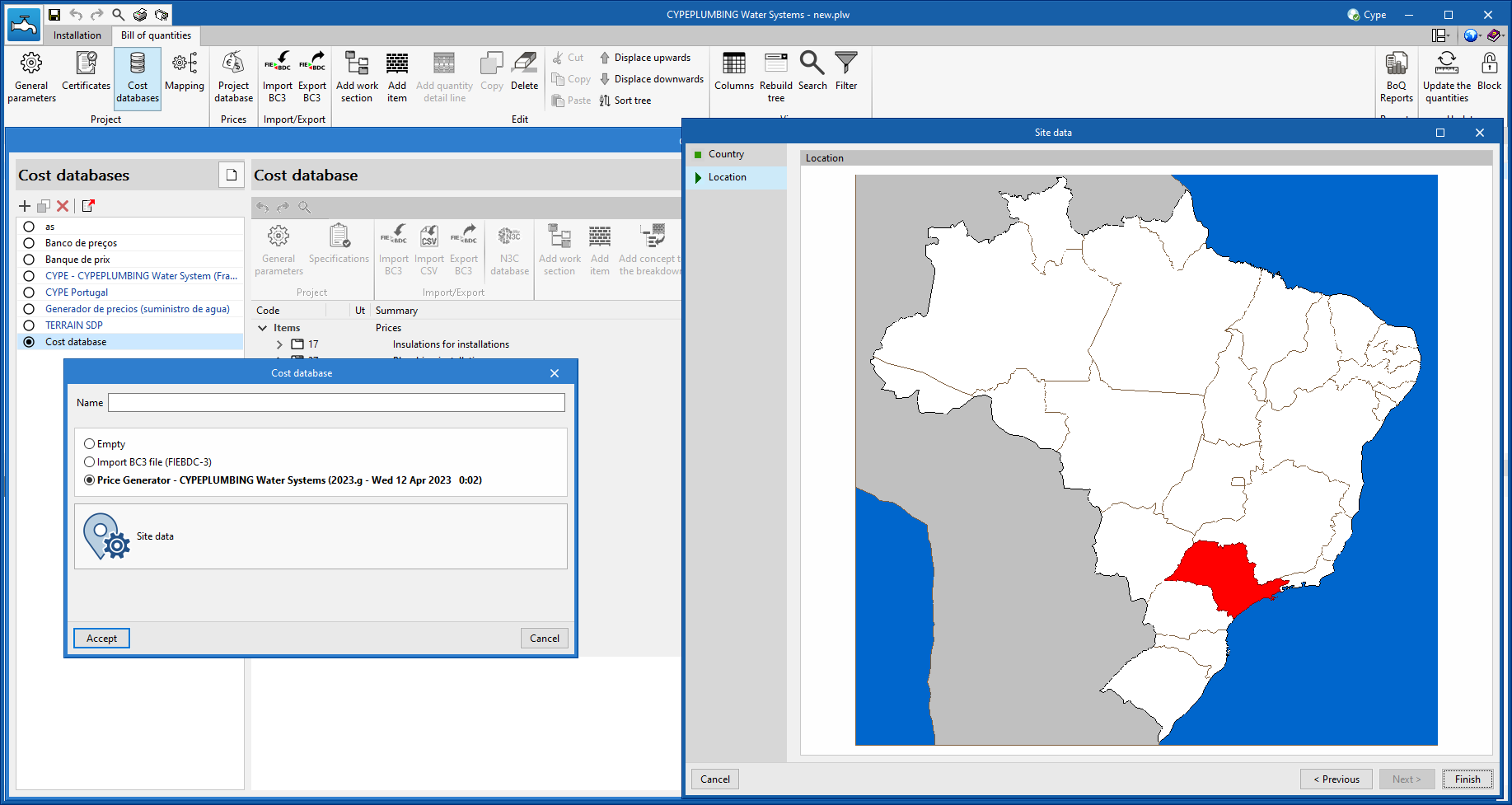
As of version 2024.a, CYPEPLUMBING Sanitary Systems allows a cost database of resources based on the CYPE's construction cost databases "Generadores de precios" to be generated. For this purpose, the "Price Generator - CYPEPLUMBING Sanitary Systems ([version] - [date])" option has been added to the window for creating a cost database, in the "Bill of quantities" tab of the application. When selected, a new button will appear to define the "Site data" of the job, this location will be used to complete the information associated with the resources.
Once the window has been accepted, users can visualise the concepts that have been generated, grouped in a work section structure. Each concept corresponds to a different material and contains a breakdown which includes the labour and auxiliary materials necessary for its installation as well as the material itself. It is important to highlight that, apart from the price, these elements contain information regarding their physical properties, environmental data and waste.
- Published on
- 2024.a
Cost databases and mapping files, and sets of measurement rules
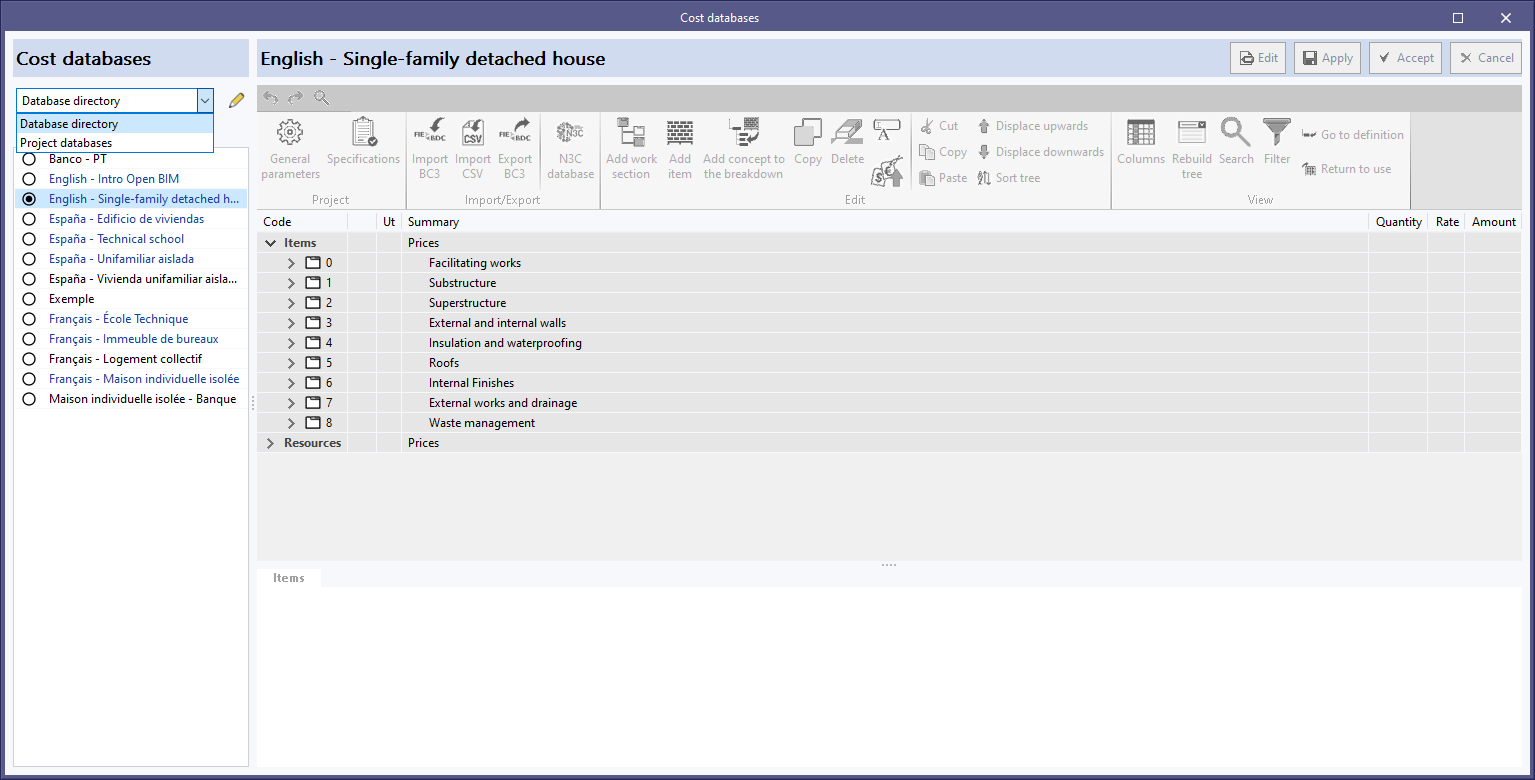
As of version 2024.a, users can manage the "Cost databases" and "Mapping files" databases (in applications with a "bill of quantities" tab), and the "Sets of measurement rules" databases (for Open BIM Quantities) in two different locations, which can be toggled via a drop-down menu:
- Database directory
A directory containing the databases is indicated. This makes it easier to use databases shared by several users. This option was used in previous versions. - Project databases
The databases are saved together with the project in the application. When it is compressed from the "File" menu in the application, the databases will be included in the CYP file generated. This way, the project can be shared with the databases used to obtain the bill of quantities.
- Published on
- 2024.a
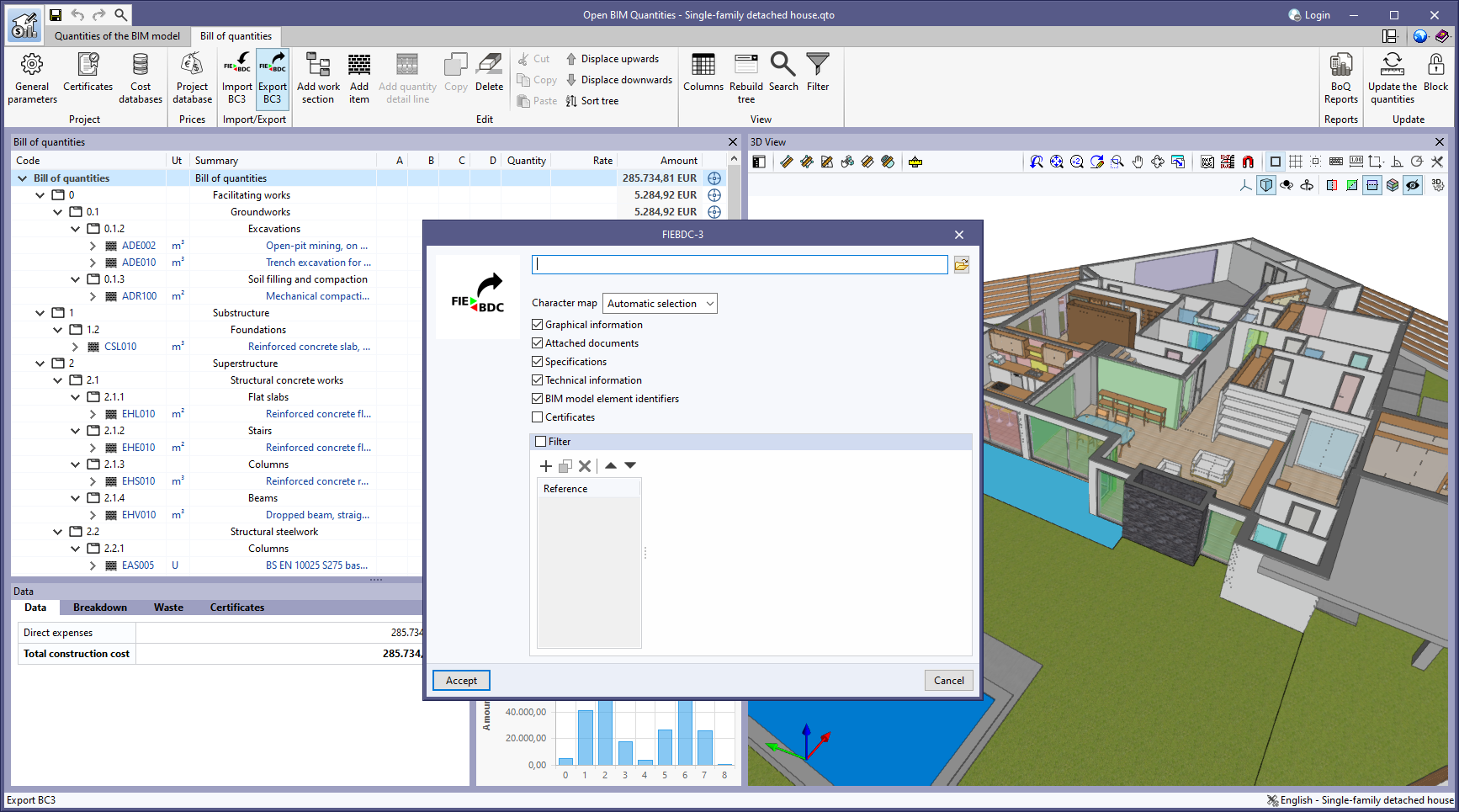
Exporting "BIM model element identifiers" to FIEBDC-3 (.bc3)
The "BIM model element identifiers" option has been added to the bill of quantities export panel to FIEBDC-3 format (.bc3). When activated, the IDs of the elements in the BIM model will be added to the comments of the quantity detail lines, as indicated in the code from version FIEBDC-3/2016. In previous versions, these fields were always added to the file, but to ensure compatibility with other applications that are not able to work with them, the export of these fields can now be controlled.
This option is activated by default. Furthermore, the FIEBDC-3 files included by the "Bill of quantities" tab in the contributions for the BIMserver.center platform always contain the identifiers of the BIM model elements.
- Published on
- 2024.a
New method for connecting applications to the BIMserver.center platform
The mode of communication between Open BIM applications and the BIMserver.center collaborative work platform has changed. In previous versions, the applications used the "BIMserver.center Sync" tool to upload and download the files of the contributions associated with the project from the platform. This tool was downloaded from the BIMserver.center platform or installed together with the installation of the platform applications if users so desired.
From version 2024.a onwards, applications are now able to work directly with BIMserver.center without an intermediary. That is, without the need for the "BIMserver.center Sync" tool.
This modification will improve the performance and efficiency of Open BIM applications significantly. By removing this dependency, the applications have more autonomy and the waiting times for communication between BIMserver.center Sync and the program have been considerably reduced. The process of downloading contributions has also been optimised, as users no longer need to obtain the entire content of a project from BIMserver.center in order to work, but only the contributions to be read.
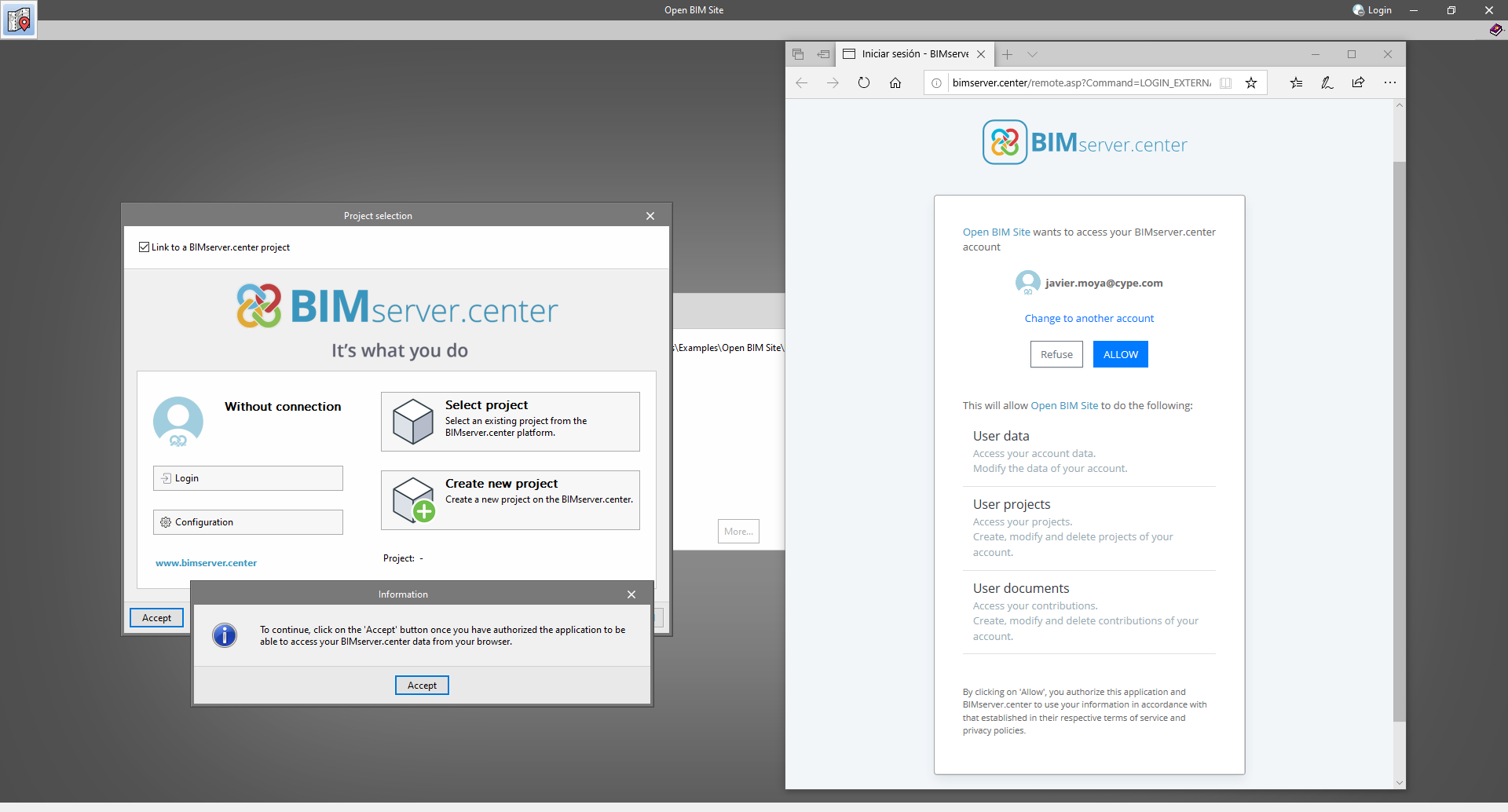
The way of authenticating a BIMserver.center user in the applications has also been modified. Now, this process is carried out within the BIMserver.center web platform. To do this, the application with which the user is working will run the user's default browser when the "Login" button is pressed. When the credentials are entered, or after opening the browser if the user is already connected to the platform, an authorisation page will be displayed. This page details the resources the application is requesting access to and two buttons for granting or denying this access.
The authorisation must be carried out for each application. Once access has been granted, it is saved for the next time the program is run and there is no need to perform this process again for that application.
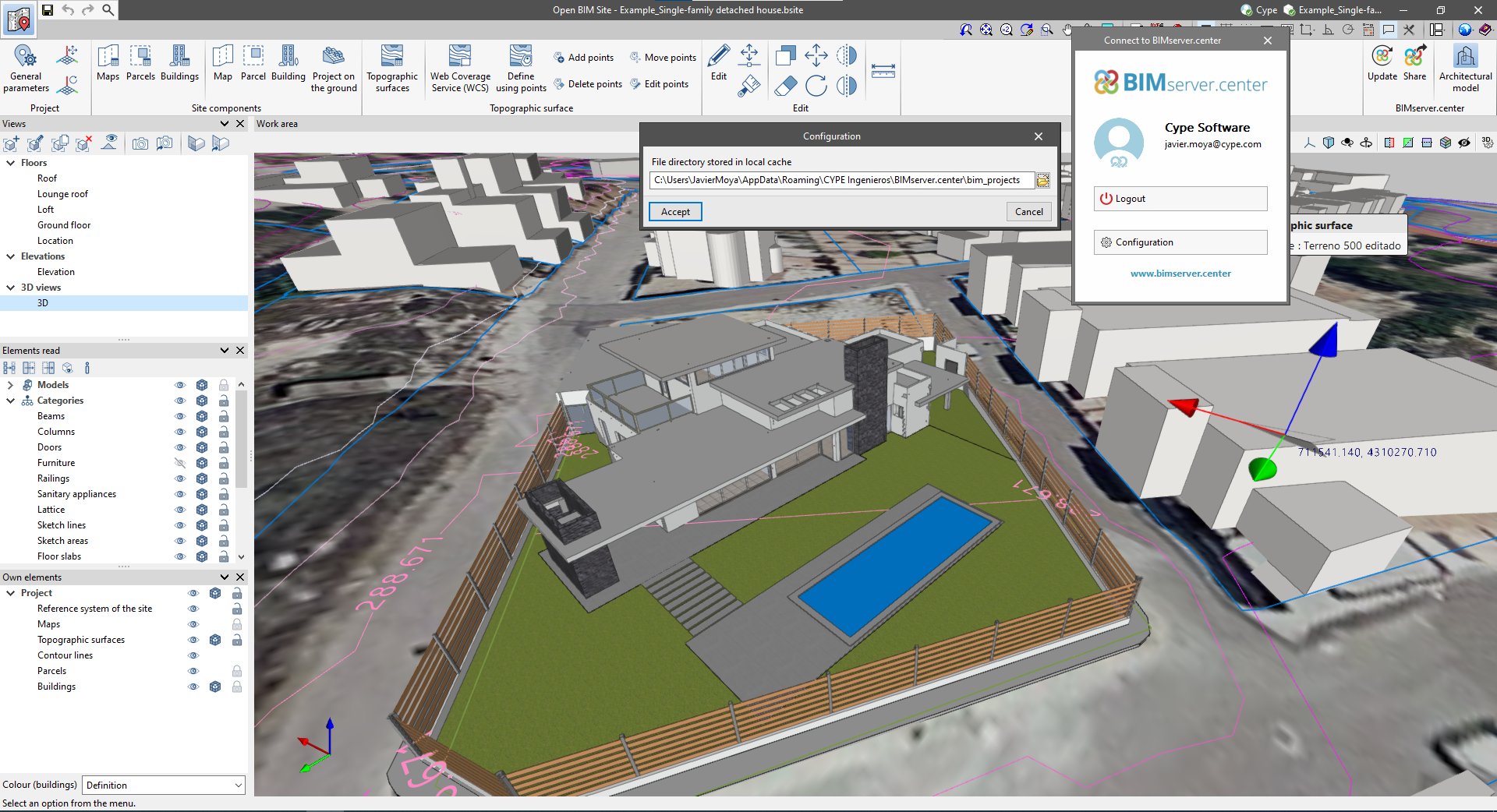
As well as performance improvements, changes have been made to the user interface of the Open BIM applications regarding the connection to BIMserver.center.
- The "Connect to BIMserver.center" window now includes a "Configuration" button. Clicking it launches a menu from which you can edit the "File directory stored in local cache". This is the path where the files that make up the contributions will be downloaded when working with them from the applications. In previous versions, this location could be selected from the BIMserver.center Sync tool.
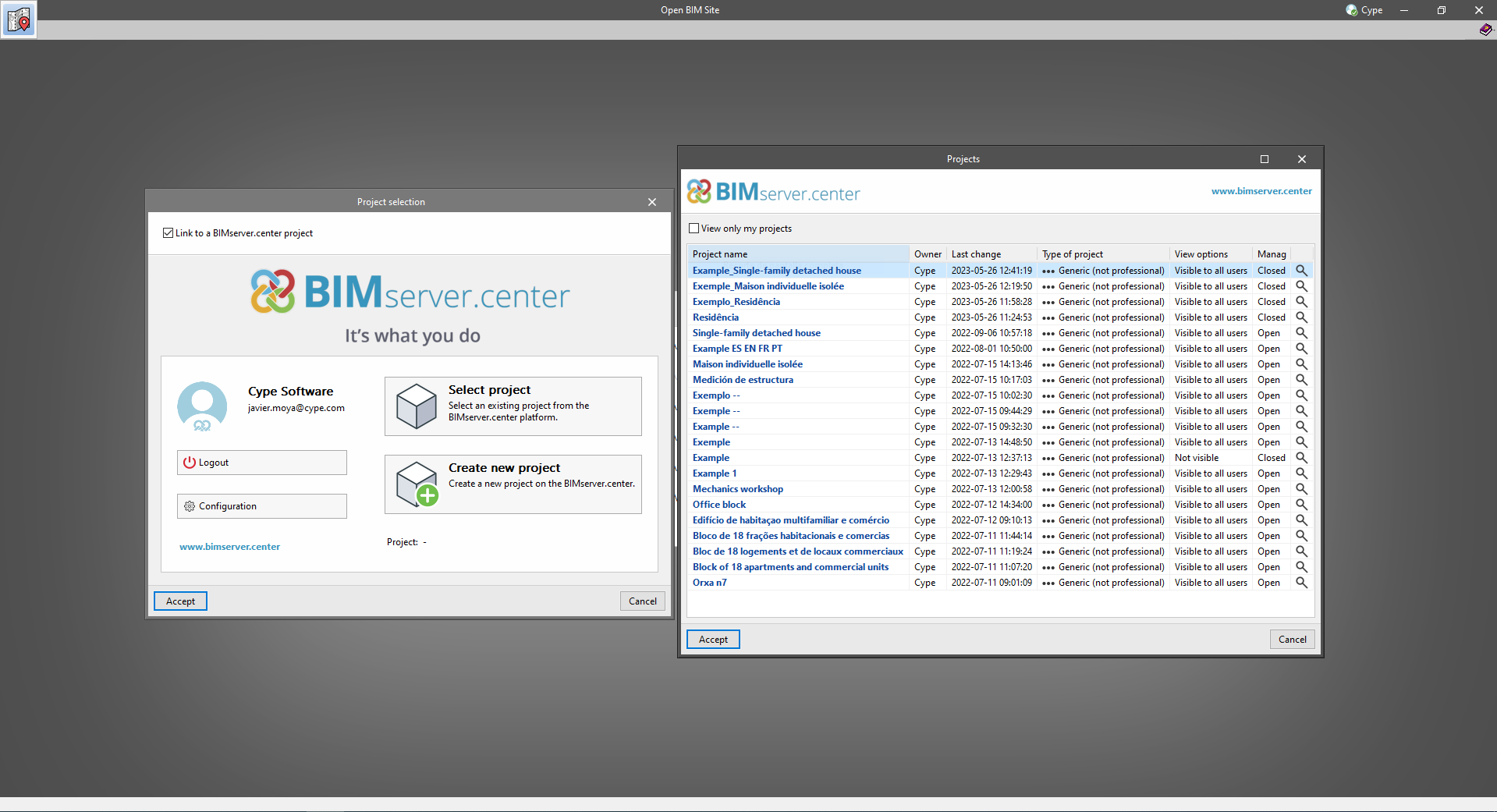
- The appearance of the "Project selection" window has been modified.
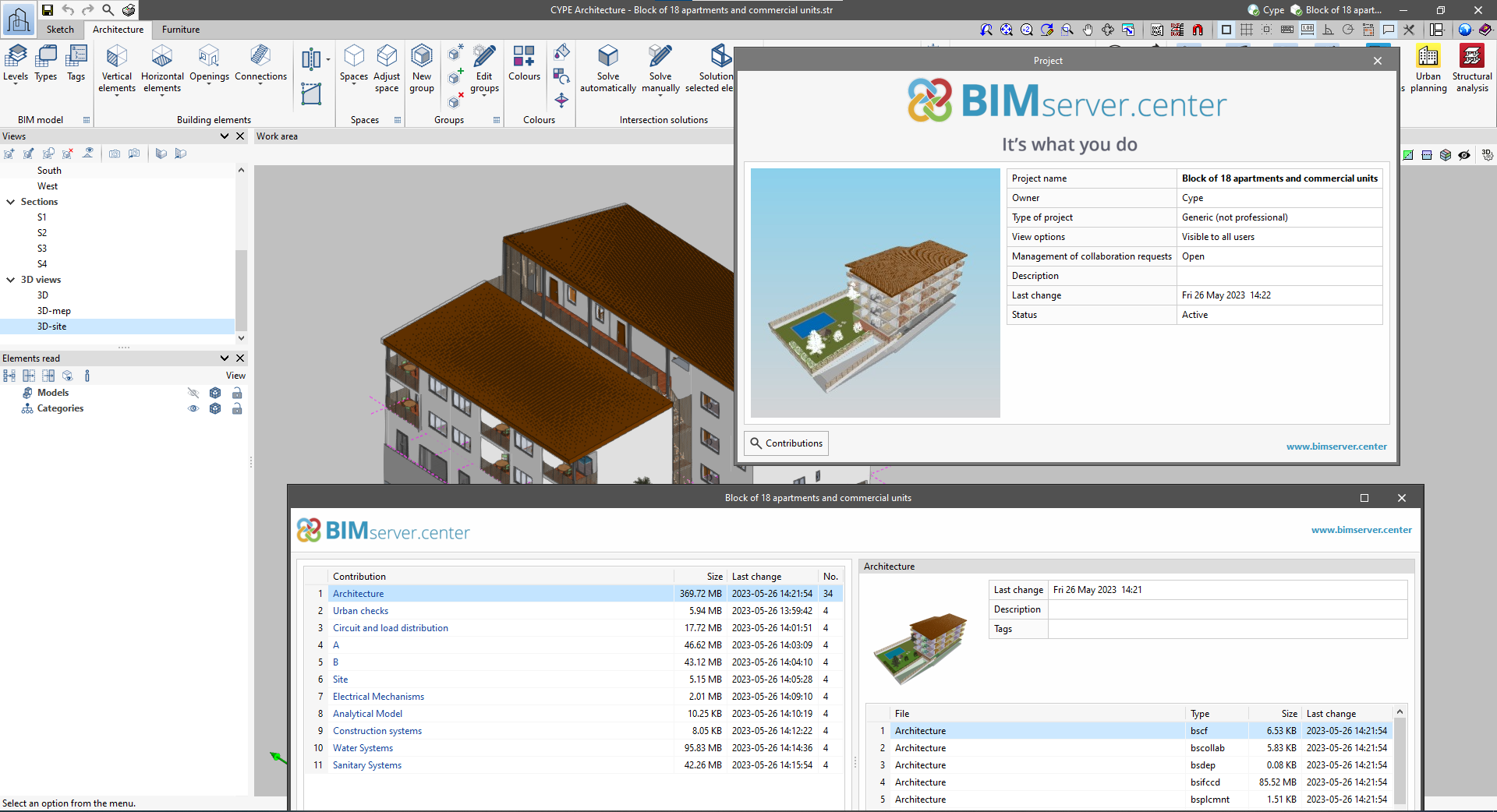
- In the "Select project" list, the "View only my projects" option has been added to show only the projects where the connected BIMserver.center user is the owner. Icons have also been included for the "Type of project" column in order to make it easier to identify them. The detailed data of a project now shows the image of each contribution, the description and the tags.
- The "Review new contributions" and "Review updated contributions" options have been added to the "Create new project" window.
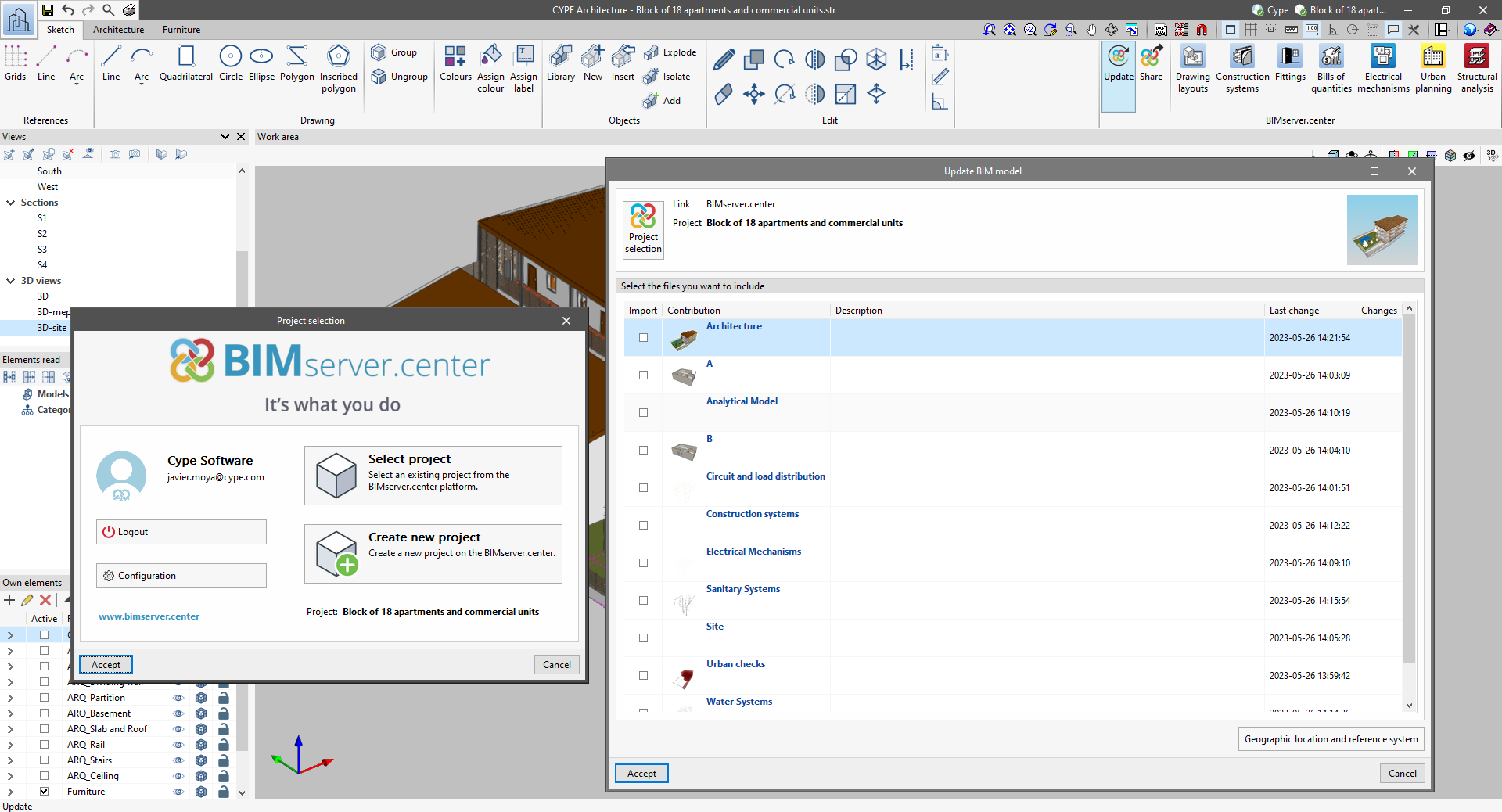
- The list for selecting contributions ("Import BIM models") now includes the images of the contributions and the tags. The name of the contribution will be displayed in blue to indicate that the owner is the logged-in user.
- When sharing a contribution or selecting contributions during the process of linking to a BIMserver.center project, a progress window will appear during the upload or download process.
To work in BIMserver.center with versions of Open BIM applications prior to 2024.a, users must continue to use the BIMserver.center Sync tool. This is still available for download from the platform and was included in the installation packages of the CYPE Open BIM applications prior to 2024.a.
- AcouBAT by CYPE, Arquimedes, CYPE 3D, CYPE Accessibility, CYPE Architecture, CYPE Connect, CYPE Connect Classic, CYPE Construction Systems, CYPE Cost Estimator, CYPECAD, CYPEFIRE, CYPEFIRE Hydraulic Systems, CYPEHVAC, CYPEHVAC Radiant Floor, CYPEHVAC Schematics, CYPELEC, CYPELEC Distribution, CYPELEC Electrical Mechanisms, CYPELEC Networks, CYPELEC PV Systems, CYPELUX, CYPEPLUMBING, CYPESOUND, CYPETEL Wireless, CYPETHERM EPlus, CYPETHERM LOADS, CYPEURBAN, IFC Builder, Open BIM Analytical Model, Open BIM Layout, Open BIM Model Checker, Open BIM Quantities, Open BIM Site, Plugin Open BIM - Revit, Portal frame generator, StruBIM Box Culverts, StruBIM Cantilever Walls, StruBIM Deep Beams, StruBIM Embedded Walls, StruBIM Shear Walls, StruBIM Steel
- Published on
- 2024.a
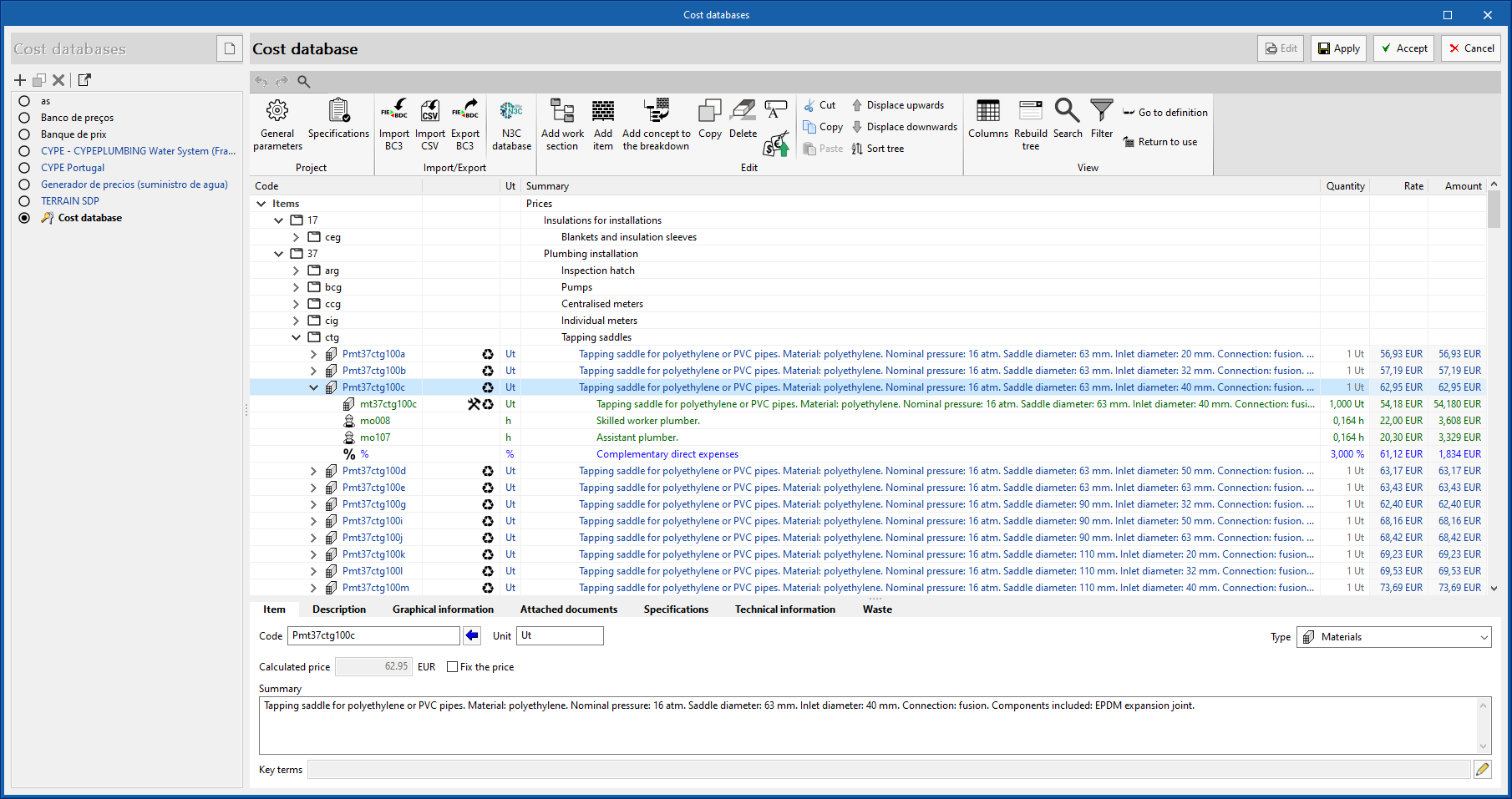
Cost database based on resources from CYPE's construction cost database "Generador de precios" and mapping files
As of this version of CYPEPLUMBING Water Systems (2023.g) users can now generate a cost database of resources from the CYPE construction cost database "Generador de precios". For this purpose, the "Generador de precios - CYPEPLUMBING Water Systems" option (which includes a version and date reference) has been added within the window for creating a cost database, in the "Bill of quantities" tab of the application. When selected, a new button will appear to define the "Site data" of the job. This site will be used to complete the information associated with the resources.
Once the "Site data" window has been accepted, users can view the generated resources grouped in a work section structure. Each resource corresponds to a different material and contains a breakdown that includes the material itself and the labour and auxiliary materials needed for its installation. Please note that, apart from the price, these elements contain information on their physical properties, environmental data and waste.
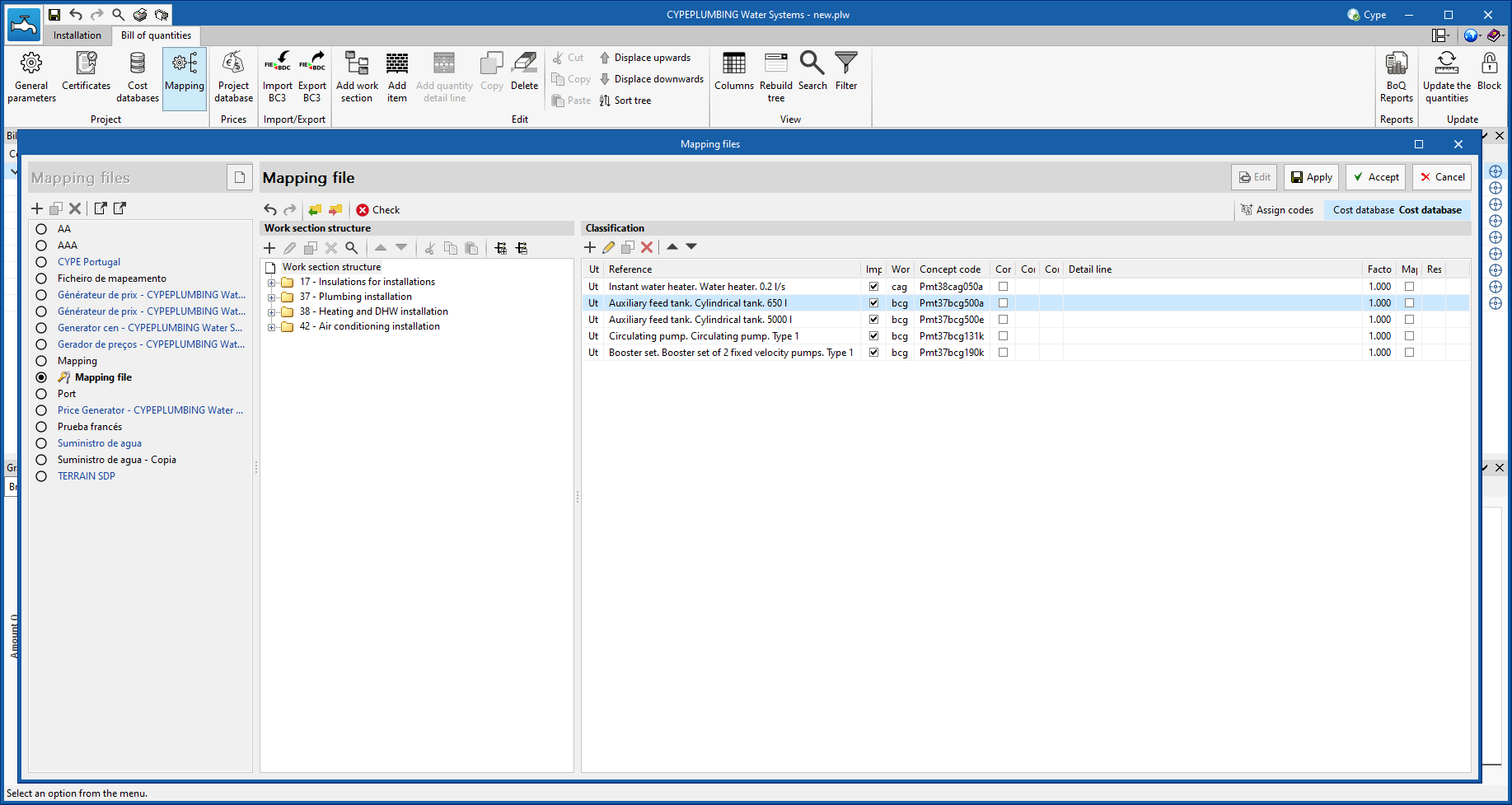
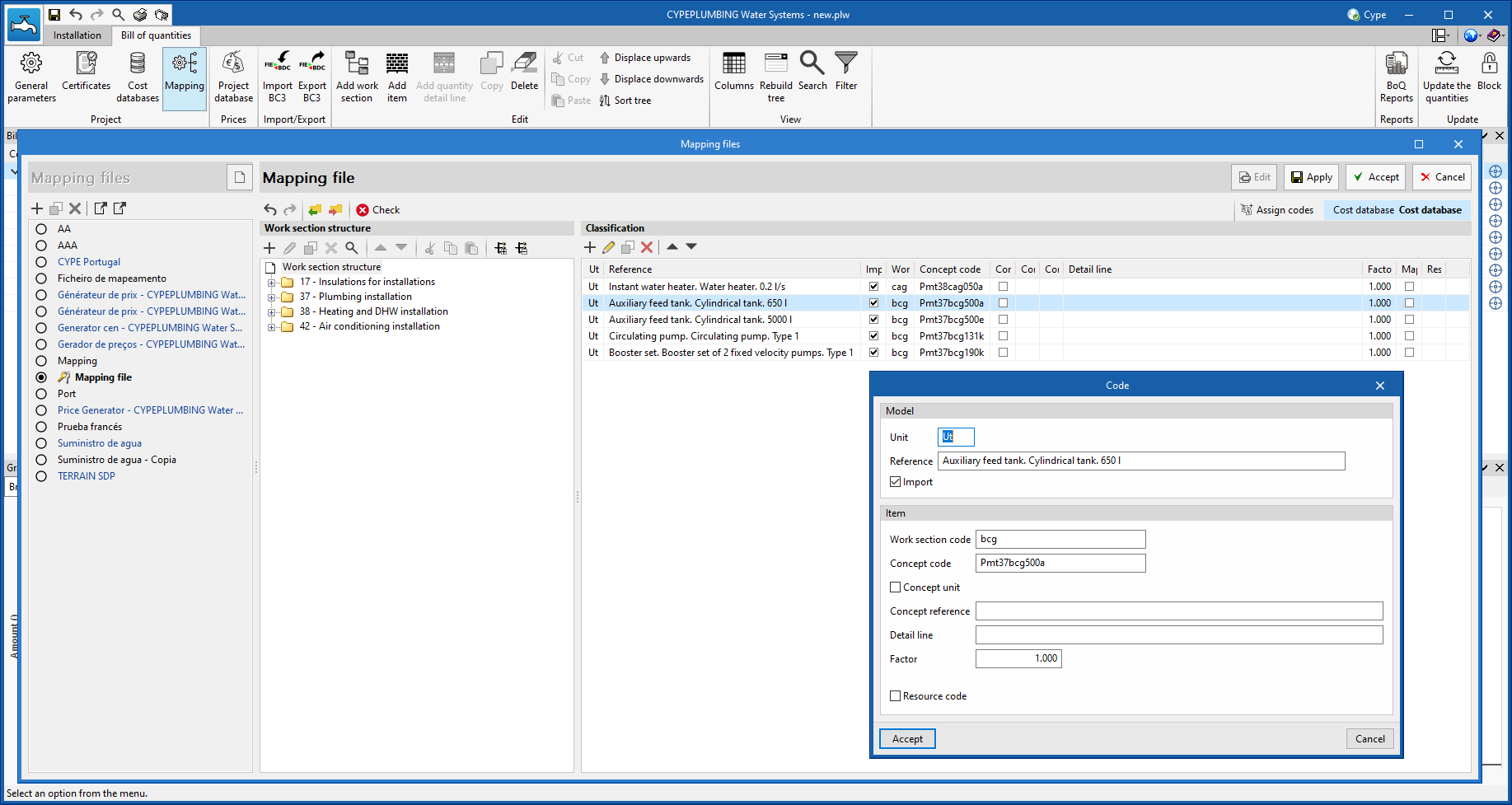
To use this cost database in a project, it must be combined with a mapping file in order to establish the relationship between the elements of the model, defined in the "Installation" tab, and the cost database resources. To do this, users should use the resource mapping tools that have been available since version 2023.e.
However, to make the association process easier, the following file has been added to the list of mapping files, which will appear by default.
- Price Generator - CYPEPLUMBING Water Systems (EN 806-3)
This mapping file complies with the predefined standard "EN 806-3", which can be imported in the "Installation" tab from the "General options" window. This file includes all types of elements from this standard. Consequently, if only these components are used, no mapping needs to be defined for the "Bill of quantities" tab.
- Published on
- 2023.g
Status bar
- Published on
- 2023.g
Graphical representation
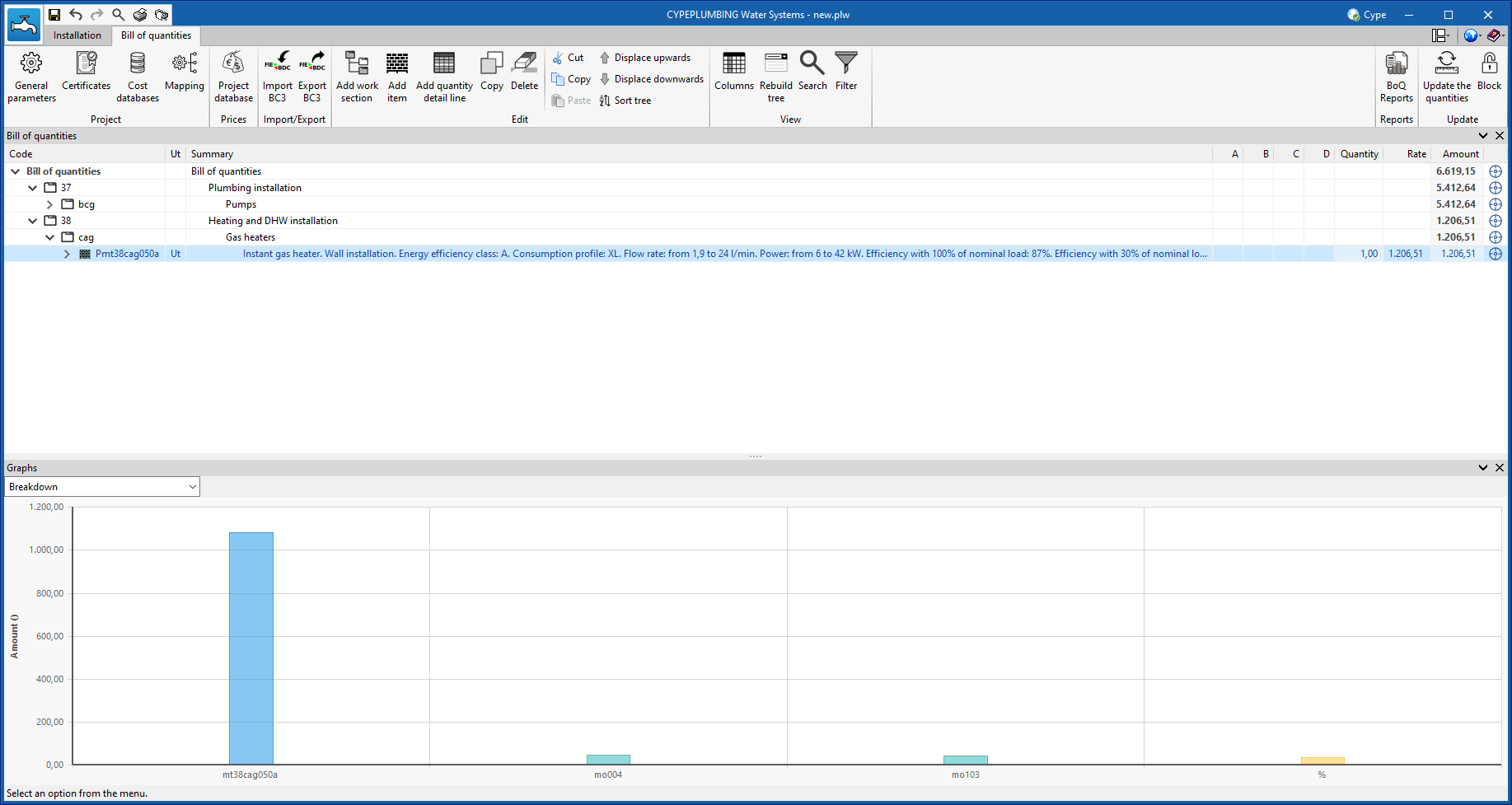
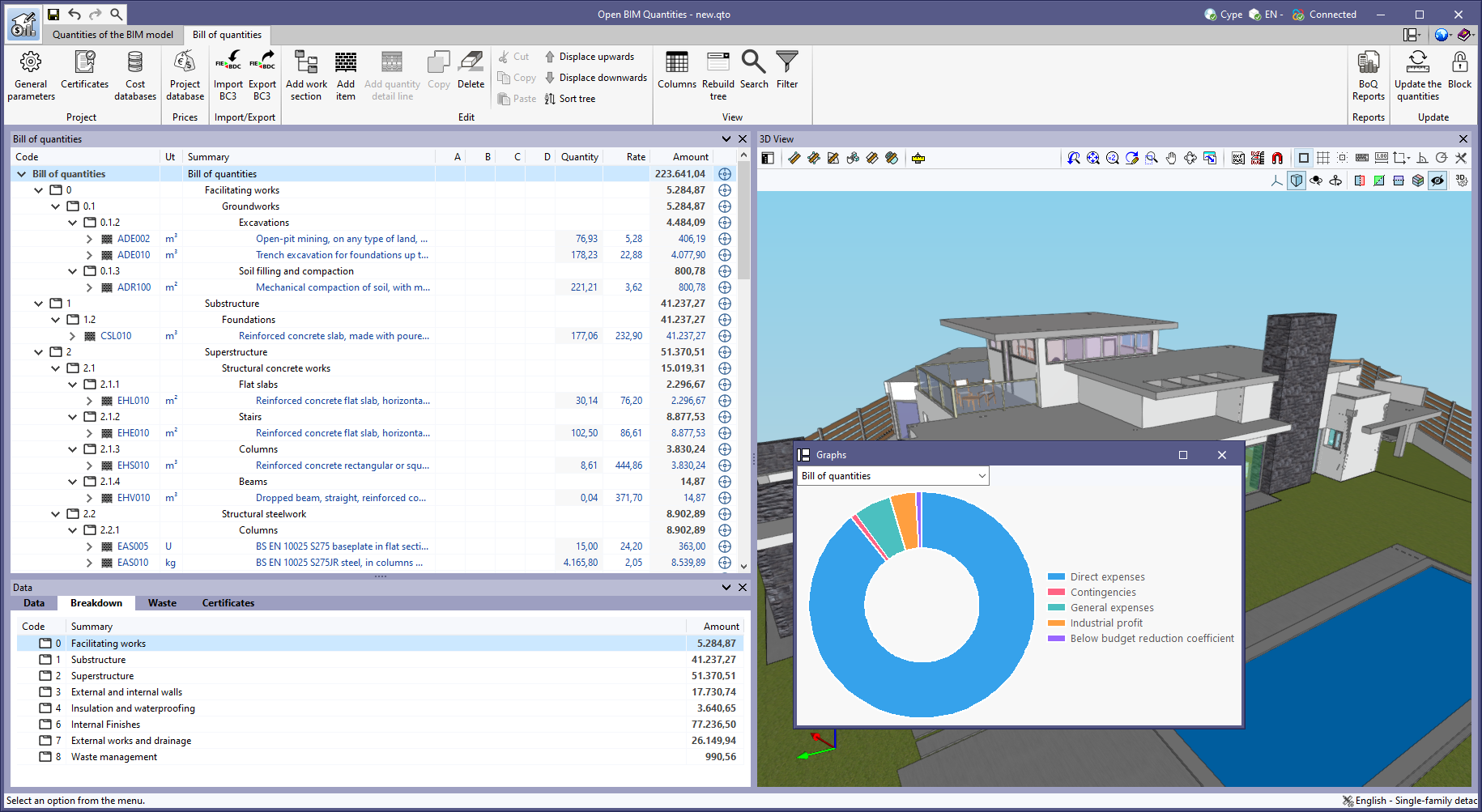
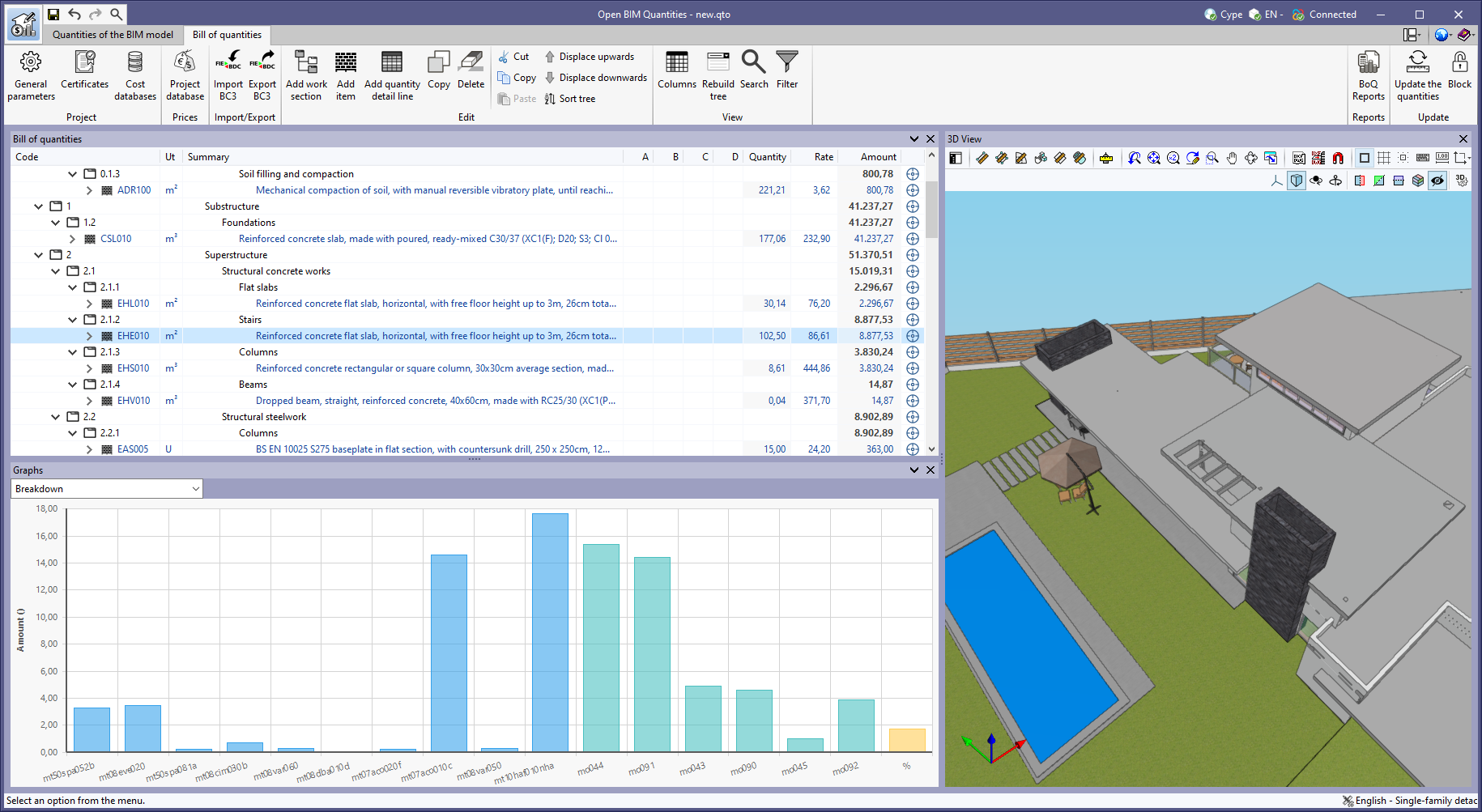
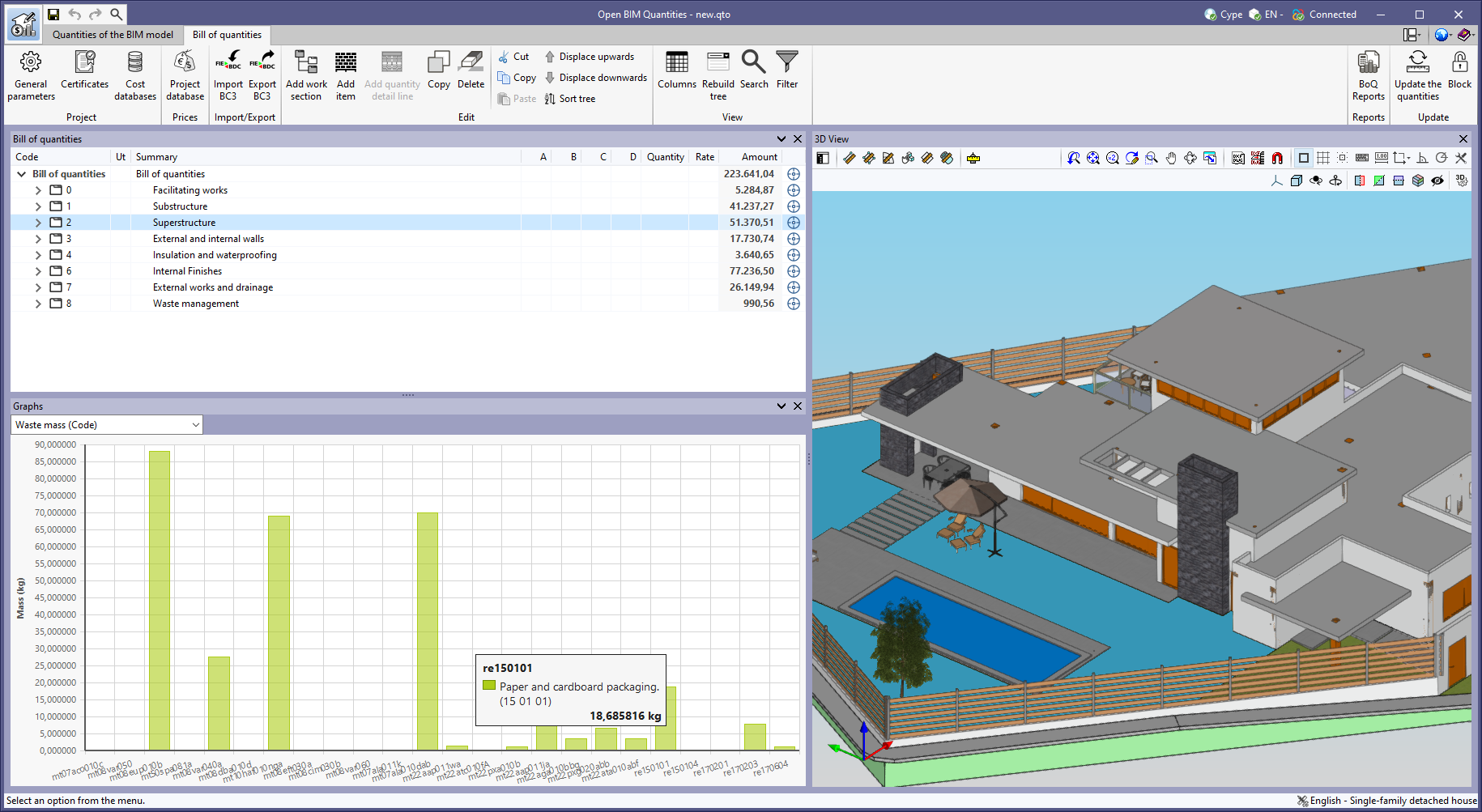
As of version 2023.g, the bill of quantities data can now be displayed graphically. For this purpose, the "Graphs" window has been added to the "Bill of quantities" tab. This window contains a drop-down list for selecting the graph to be displayed. In this version, the graphical representations (columns, circles, lines, etc.) of the following concepts are available:
- Bill of quantities
- Breakdown
- Breakdown (with/without BIM link)
- Energy cost
- CO2 emissions
- Waste mass (Type)
- Waste volume (Type)
- Waste mass (Code)
- Waste volume (Code)
- Certificates (Amount)
- Certificates (Quantity)
The graph generated depends on the component of the bill of quantities table that has been selected. It is important to note that the available graphs depend on the type of element (work section, item or quantity detail line). By hovering the cursor over a section of the graph, a box will appear with the parameter reference and its value, allowing users to have a better understanding of the data shown.
Graphs with a key allow data sets to be hidden by left-clicking on their reference. When a set is not visible, its reference is crossed out and can be reactivated by clicking on it.
- Published on
- 2023.g
"Breakdown" tab in work sections
The "Breakdown" tab has been included in the "Data" window for the work sections of the bill of quantities. In previous versions, the "Breakdown" tab was only available for the items, where a table with their breakdown into resources is shown.
Now, the work sub-sections or items that are part of a work section can be displayed in this table.
- Published on
- 2023.g