Accessing the "Licence management" panel
The "Licence management" panel is used to activate and view the licence currently in use, as well as review the list of permissions required by each program and included in the licence you are using.
There are several ways to access this panel:
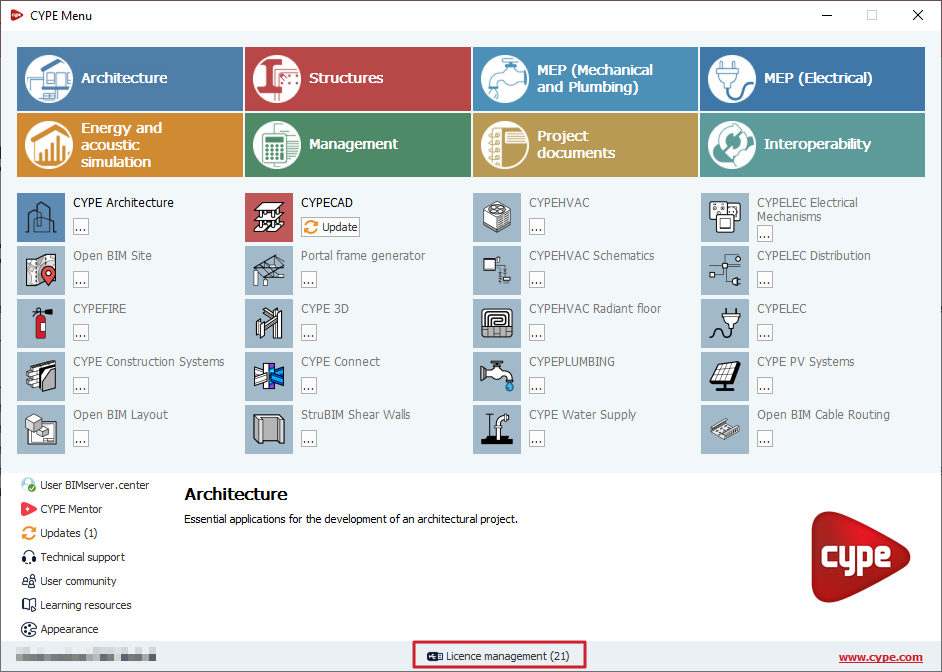
- Via the "Licence management" option at the bottom of the CYPE Menu.
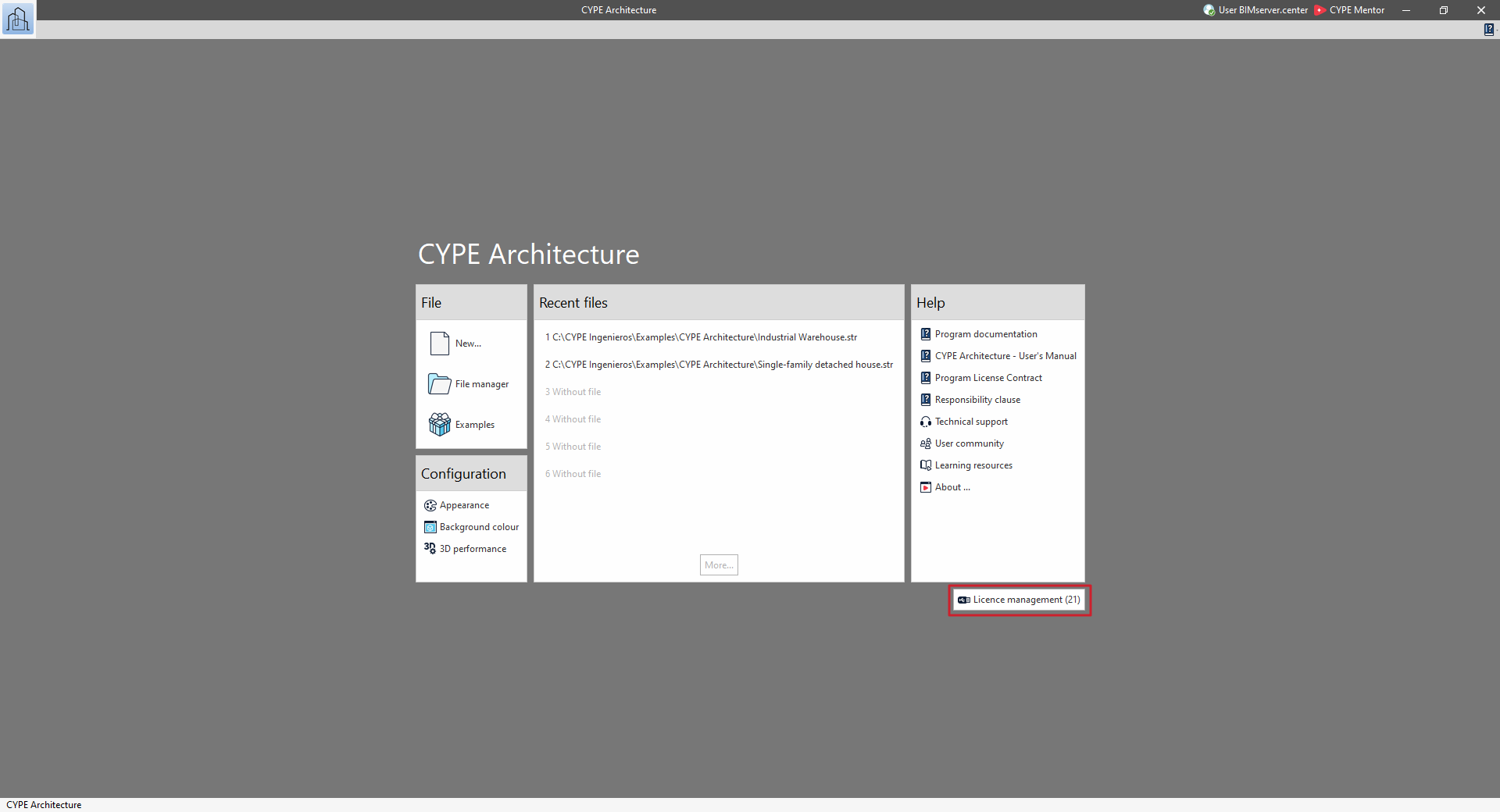
- Via the "Licence management" option in the bottom right-hand corner of the sign-in interface for each CYPE program.
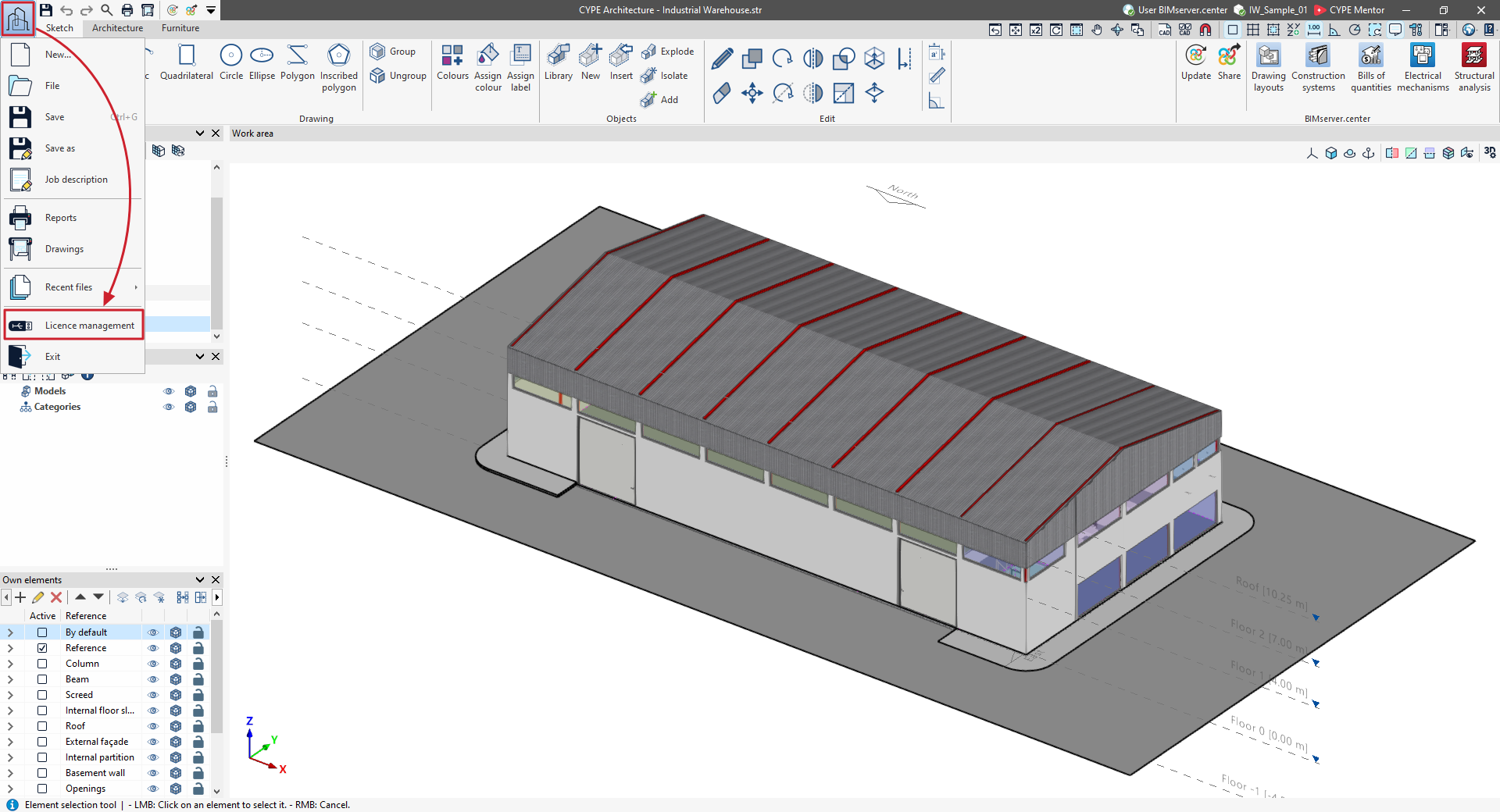
- Via the "Licence management" option in the "File" menu, accessible from the top-left corner of the interface of each CYPE program.
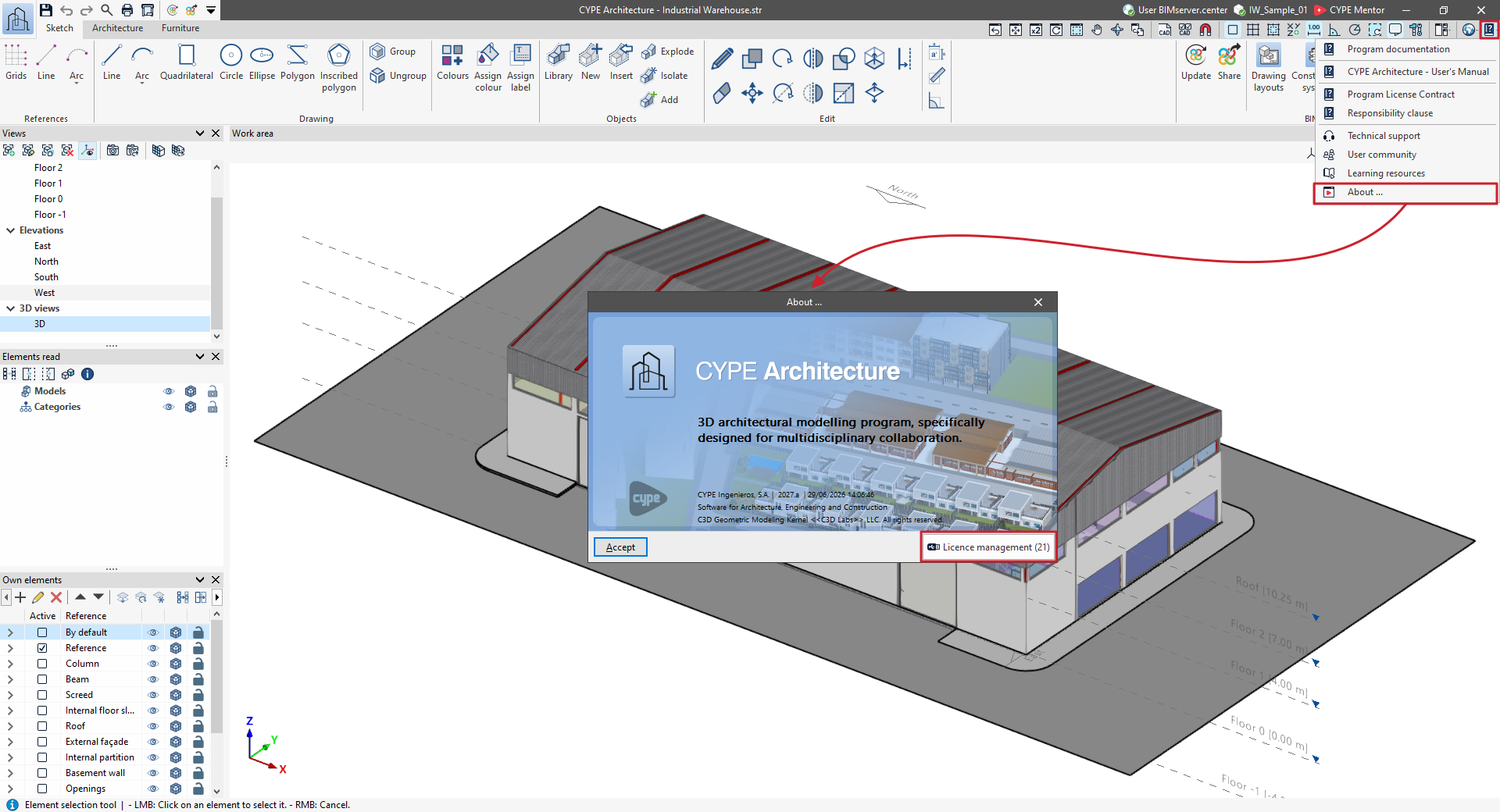
- Via the "Licence management" option in the "About" window, which can be accessed from the "Help" menu in the top right-hand corner of the interface of each CYPE program.